Tag: update

  • HyperOS 2.2 just got some exciting new features

    HyperOS 2.2 just got some exciting new features

    With a remarkable array of new features in HyperOS 2.2, Xiaomi is once again redefining smartphone innovation. These recent advancements further cement Xiaomi’s position as a mobile technology behemoth by spanning the domains of photography, artificial intelligence, and automotive connection. Explore the exciting new features that will completely transform your Xiaomi experience.

    Photo and video editing capabilities

    With HyperOS 2.2, you may alter your visual memories in a whole new way. The new anti-glare feature, which can instantly remove reflections from your photos, is its main attraction. Getting those pictures in the window or in difficult lighting situations is now easier than ever thanks to this technology, which adjusts to various kinds of reflections.

    The update offers video enthusiasts beauty editing features specifically designed for altering portrait videos. With this tool, you can retouch your video recordings to the same level of personalization that was previously only possible with images. The Album app offers immediate access to these editing features through the Album-Clip-Beauty path for films and the Edit-AI-Anti-glare path for images.

    xiaomi hyperos photo and video editing

    These advanced editing capabilities will come to high-end Xiaomi models, including the Xiaomi 15 series, Xiaomi 14 series, Xiaomi MIX Flip, Xiaomi MIX Fold 4, Xiaomi Civi 4 Pro, REDMI K80 series, REDMI K70 series, and REDMI Turbo 4.

    AI-Powered schedule management

    The AI scheduling clever extraction tool is one of HyperOS 2.2’s most useful enhancements. Instead of requiring you to manually enter scheduling information, this function will identify and display it in your text messages.

    The system accommodates a variety of schedule types, including:

    • Train reservations
    • Flight information
    • Hotel booking
    • Restaurant reservations
    • Performance tickets
    • Movie tickets

    To turn on this handy functionality, simply go to Calendar-Settings and turn on “AI Schedule Extraction.” Be aware that the feature is only supported on Xiaomi HyperAI-enabled models.

    AI-Powered schedule management

    Enhanced CarWith functionality

    HyperOS 2.2 significantly improves CarWith, transforming Xiaomi users’ in-car experiences. A new “Navigation intersection zoom” style improves navigation by making information at road intersections easier to read and making it simpler to understand turns and exits up ahead.

    A new frosted glass design further improves the visual experience, giving the car terminal a high-end aspect and feel. The dark mode/light mode can also switch automatically with dawn and sunset for added convenience, reducing eye strain both throughout the day and at night.

    Additional improvements to car connectivity are:

    • Car screen recording capability
    • Map dragging and zooming on the homepage card of Amap
    • Full screen map phone notifications Compatibility with the music player Saltplayer
    xiaomi CarWith

    System-Wide optimizations

    Beyond these major improvements, HyperOS 2.2 includes several quality-of-life enhancements throughout the system:

    • Recorder app includes support for category browsing, highlighting of key points, and copying of text created by AI voice recognition
    • AI search shows activity of local AI processing and provides support to photo albums, file management, recorders, notes, and texts
    • Mijia App homepage device cards are now free to drag and resize
    Hyperos 2.2 System-Wide optimizations

  • Loss of Pulse Detection was launched in US for Pixel Watch 3

    Loss of Pulse Detection was launched in US for Pixel Watch 3

    Google is now implementing Loss of Pulse Detection in the US after yesterday’s April 2025 OTA update and Scam Detection.

    Google is officially launching Loss of Pulse Detection in the US after receiving FDA approval, which was initially anticipated at the end of March. Last year, it became available throughout Europe.

    Make sure your Pixel Watch 3’s Personal Safety Wear OS software is up to date before turning it on. 2025.03.19.x is the most recent version that is available on the Play Store.

    Afterwards, go to the Pixel Watch companion app on your phone (version 3.4+) > Safety & emergency > Loss of Pulse Detection to start the set-up process.

    Google tells us that it’s beginning to roll out today and will be fully available over the coming weeks.

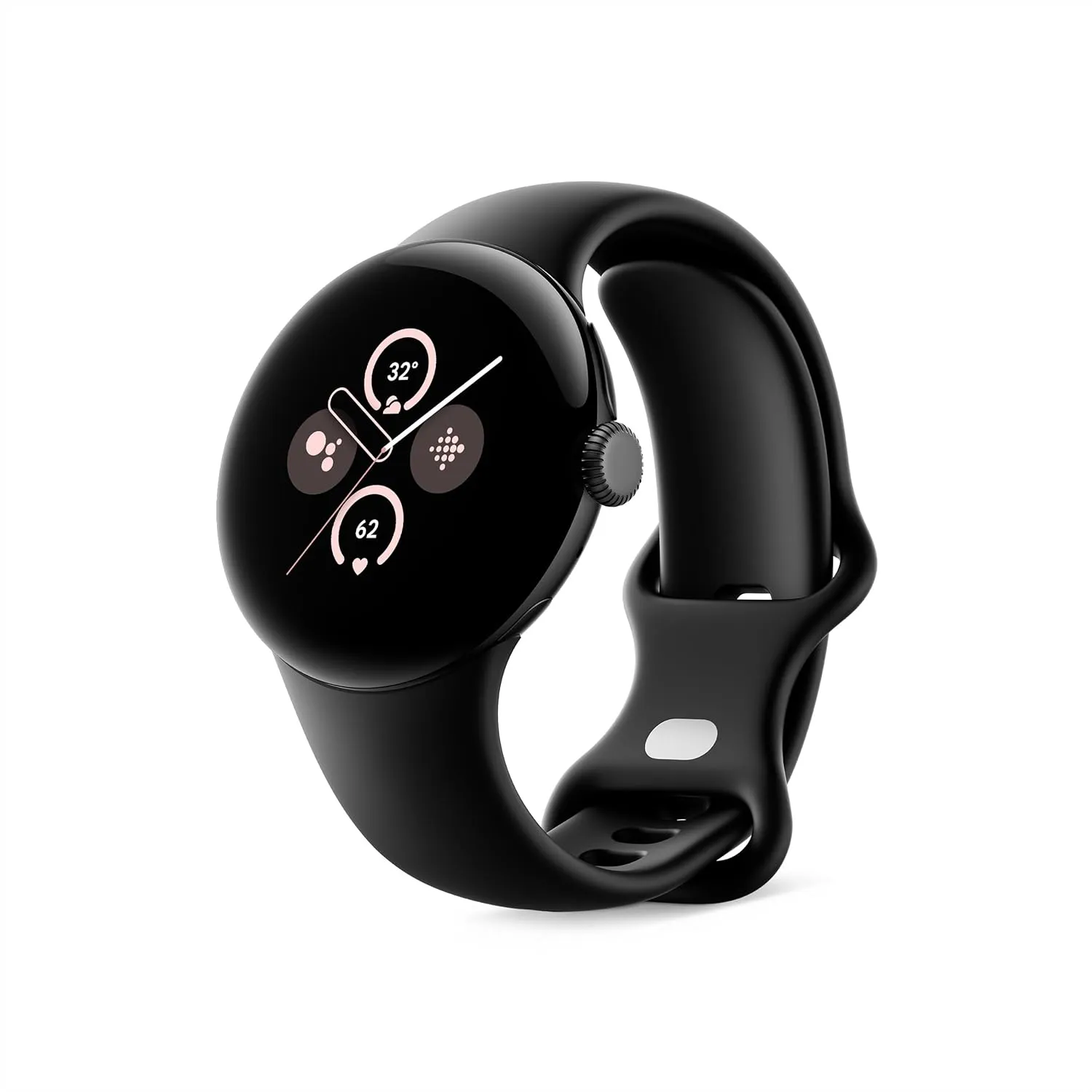
    Google Pixel Watch 3 (45mm)

    The Google Pixel Watch 3 is designed for performance, with advanced fitness from Fitbit; the 41mm screen is twice as bright and 10% larger than before, making it easier to see your stats and info[

    Best choice
    $399.99See It

    A loss-of-pulse event is when your heart stops beating, which can happen during a cardiac arrest, respiratory or circulatory failure, overdose, or poisoning. Similar to Fall and Car Crash Detection, the Pixel Watch 3 will ask users to certify their safety when it detects something.

    In the event that there is no reaction (or movement), the wearable will notify emergency personnel, give your location, and provide information about what is going on. The Pixel Watch 3‘s multipath heart rate monitor, additional sensors, and a “multi-check, AI-based algorithm” are all used by Loss of Pulse Detection.

    According to the official statement, “Loss of Pulse Detection may not detect every instance of a loss of pulse and is not intended for users who require cardiac monitoring or who have pre-existing heart conditions.” It does not offer follow-up care or diagnose or treat any medical conditions.

    Google Pixel Watch 3 (45mm)

    The Google Pixel Watch 3 is designed for performance, with advanced fitness from Fitbit; the 41mm screen is twice as bright and 10% larger than before, making it easier to see your stats and info[

    Best choice
    $399.99See It
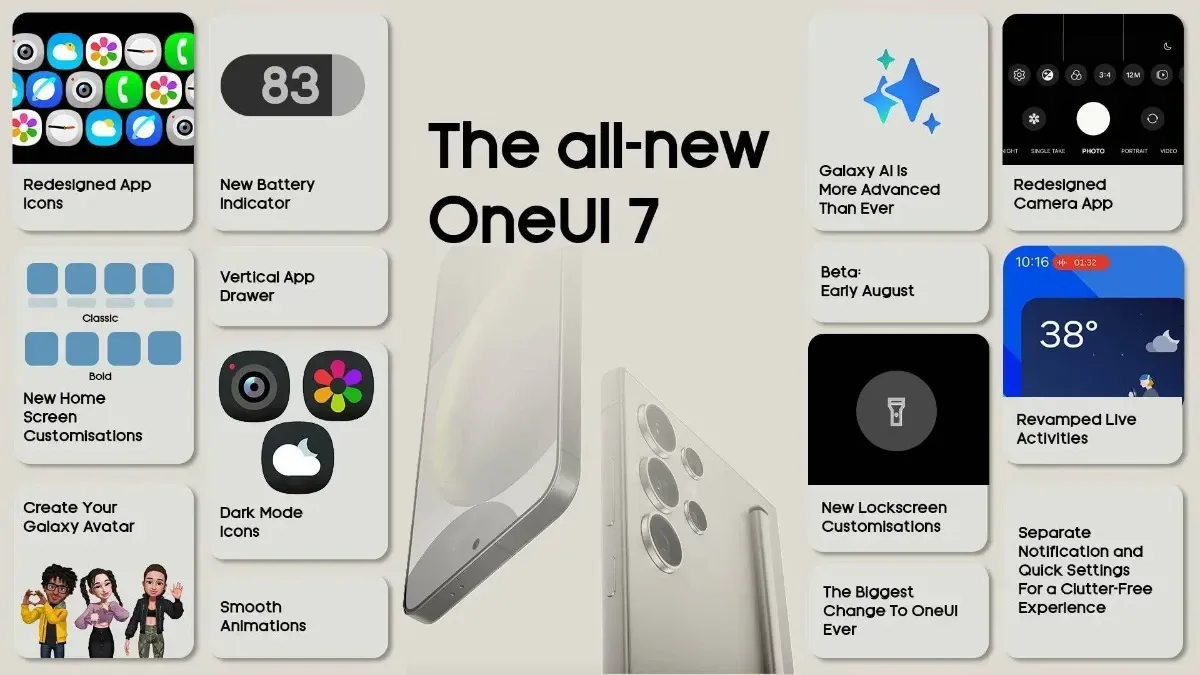
  • Samsung announced One UI 7 release schedule

    Samsung announced One UI 7 release schedule

    Samsung released the release schedule (via Tarun) for numerous other devices that qualify for the upgrade shortly after beginning the deployment of the official One UI 7 update for the Galaxy S24 series, the Galaxy Z Fold 6, the Fold SE, and the Flip 6.

    Our dread has been realized: the April update will only be available for flagship devices released within the last two years. In May and June, the update will be released for other devices.

    The complete list of devices and the month they will get the update is as follows:

    • April: Galaxy S24/S24+/S24 Ultra, Z Fold 6, Z Flip 6, Z Fold Special Edition, Galaxy Z Fold 5, Z Flip 5, Tab S10+/S10 Ultra, S23/S23+/S23 Ultra, S24 FE
    • May: Galaxy Z Fold 4, Z Flip 4, Tab S9/S9+/S9 Ultra, S23 FE, Z Fold 3, Z Flip 3, A34, A35, S22/S22+/S22 Ultra, Tab S8/S8+/S8 Ultra, S21/S21+/S21 Ultra, Galaxy A16, Galaxy Quantum 5, Galaxy Quantum 4
    • June: Galaxy Tab S9 FE/S9 FE+, Galaxy A53, A33, A25, A24, A15, Quantum 3, Jump 3, Jump 2, Buddy 3, Galaxy Tab A9/A9+, Tab Active 5, Tab Active 4 Pro, Wide 7

    Although the Korean market was the focus of this plan, most smartphones in other countries should receive the update at roughly the same time. Notably, some devices, such as the Galaxy S21 FE and the Galaxy A73, are not on the list because they were not released in Korea, and we are unable to predict when they will receive the update until Samsung releases the release timetable for other nations.

    Although we will have to wait and see if the firm can truly do that, we are crossing our fingers that Samsung will finish the rollout for all eligible devices by the end of June. Working on One UI 8, which will be preloaded on the Galaxy Z Fold 7 and Galaxy Z Flip 7, may be Samsung’s only option.

  • Xiaomi Android 16 tracker: is your device eligible for update?

    Xiaomi Android 16 tracker: is your device eligible for update?

    Google’s recent announcement to release two Android SDK updates every year has raised many concerns among technology enthusiasts. As a result, Android 16 could be released before June 2025, far ahead of schedule. While the events of Android 15 updates continue across all devices, Xioami is preparing to take the next significant step by integrating Android 16 capabilities into their next HyperOS.

    The following is a comprehensive list of Xiaomi, Redmi, and POCO devices that may receive an update to Android 16-based HyperOS, which is simply categorized for review.

    Xiaomi Android 16 tracker

    Current Android 16 Internal Tested Devices

    Android 16 is currently being tested on HyperOS 2. It is not known when the internal test versions will be released.

    • Xiaomi 15
    • Xiaomi 15 Pro
    • REDMI K70 Ultra
    • Xiaomi Pad 7 Pro

    Xiaomi Flagship Devices

    Currently, high-end models with great performance and features are taking center stage in Xiaomi’s update plans:

    • Xiaomi 13 Lite/Xiaomi Civi 2 (ziyi)
    • Xiaomi 13 Pro (nuwa)
    • Xiaomi 13 (fuxi)
    • Xiaomi 13 Ultra (ishtar)
    • Xiaomi 14 (houji)
    • Xiaomi 14 Pro (shennong)
    • Xiaomi 14 Ultra (aurora)
    • Xiaomi 13T Pro (corot)
    • Xiaomi 13T (aristotle)
    • Xiaomi Pad 6 Pro (liuqin)
    • Xiaomi Civi 3 (yuechu)
    • Xiaomi Pad 6 Max 14 (yudi)
    • Xiaomi Mix Fold 3 (babylon)
    • Xiaomi MIX FLIP (ruyi)
    • Xiaomi MIX FOLD 4 (goku)
    • Xiaomi 14 CIVI/Xiaomi Civi 4 Pro (chenfeng)
    • Xiaomi Pad 6S Pro 12.4 (sheng)
    • Xiaomi 14T (degas)
    • Xiaomi 14T Pro (rothko)
    • Xiaomi 15 Ultra  (xuanyuan)
    • Xiaomi 15 (dada)
    • Xiaomi 15 Pro (haotian)

    Redmi Devices

    Known for good-level performance at competitive prices

    • Redmi K80 (zorn)
    • Redmi K80 Pro (miro)
    • Redmi A4 5G (warm)
    • Redmi Turbo 4 (rodin)
    • Redmi K60 Pro (socrates)
    • Redmi K60 (mondrian)
    • Redmi Note 13 Pro (garnet)
    • Redmi Note 13 Pro+ (zircon)
    • Redmi K70 Pro (manet)
    • Redmi K70E (duchamp)
    • Redmi K70 (vermeer)
    • Redmi 13R/Redmi 13C 5G (air)
    • Redmi K60 Ultra (corot)
    • Redmi Note 13 Pro 4G (emerald)
    • Redmi Turbo 3 (peridot)
    • Redmi 13 5G/Redmi Note 13R (breeze)
    • Redmi 13 (moon)
    • Redmi Pad Pro 5G (ruan)
    • Redmi Pad Pro (dizi)
    • Redmi 14R 5G (flame)
    • Redmi 14C/Redmi A3 Pro (lake)
    • Redmi Pad SE 4G (spark)
    • Redmi Pad SE 8.7 Wi-Fi (flare)
    • Redmi K70 Ultra (rothko)
    • Redmi Note 14 (beryl)
    • Redmi Note 14 Pro (malachite)
    • Redmi Note 14 Pro+ (amethyst)
    • Redmi Note 14 Pro 4G (tanzanite)
    • Redmi 14C/Redmi A3 Pro (lake)

    POCO Devices

    • POCO F7 (zorn)
    • POCO F7 Ultra (miro)
    • POCO X7 Pro (rodin)
    • POCO X7 (malachite)
    • POCO C75 5G (warm)
    • POCO F5 Pro (mondrian)
    • POCO X6 5G (garnet)
    • POCO X6 Pro (duchamp)
    • POCO F6 Pro (vermeer)
    • POCO M6 Pro 4G (emerald)
    • POCO F6 (peridot)
    • POCO M6 Plus 5G (breeze)
    • POCO M6 (moon)
    • POCO Pad (dizi)
    • POCO C75 (lake)

    What we will get along with Android 16?

    With Android 16 integrated into HyperOS, users can expect:

    • Enhanced multitasking by improving window management and application performance. Advanced AI features like improved accessibility, translation, and on-device processing.
    • Polished UI/UX with smoother animations and further personalization.
    • Better privacy and security settings to complement those updates made by Google.

    Xiaomi continues to innovate, ensuring that its devices remain competitive and feature-rich through frequent Android updates. With the release of Android 16 before mid-2024, the aforementioned Xiaomi, Redmi, and POCO devices will gain access to the latest Android SDK. More information will be released once Xiaomi begins handing out the HyperOS updates to these devices.

  • Xiaomi temporarily halts new HyperOS updates.

    Xiaomi temporarily halts new HyperOS updates.

    Millions of customers who depend on weekly beta upgrades have been impacted by Xiaomi’s unexpected break from their usual update schedule. The majority of tech businesses, including Xiaomi headquarters, take a short break around the Qingming Festival, a significant traditional Chinese holiday, to give their employees time to spend with their families. Users have been reassured by the corporation that all recent comments and recommendations would be taken into consideration and released as soon as the break is ended.

    Instead of keeping people waiting for upgrades that will not be accessible during the holiday season, Xiaomi’s development team decided to make the announcement ahead of time. Xiaomi’s continuous efforts to inform users are shown in the transparency.

    xiaomi hyperos ui

    What Does this Imply for Xiaomi Users

    To those of you installing beta updates on a regular basis, here is the lowdown:

    • There will be no beta this week
    • Regular update schedule will resume after the Qingming Festival
    • All of the user feedback is currently being processed
    • No user action is required during this period

    Tomb Sweeping Day, also known as the Qingming Festival, is a Chinese custom that usually takes place in the first part of April. In order to respect the cultural significance of the day, the majority of Chinese businesses operate with little to no workers at this period.

    Some beta testers may find the pause disappointing, but the development team has promised that it is being used to improve and incorporate user feedback. The upcoming update may provide even greater improvements as a result of the strategic pause.

    As a testament to the company’s cultural heritage and respect for tradition despite its status as a global technological behemoth, the Xiaomi team concluded their statement with Christmas pleasantries.

    After the Qingming Festival concludes, Xiaomi will restart regular updates with new enhancements based on community feedback. Stay tuned for that opportunity.

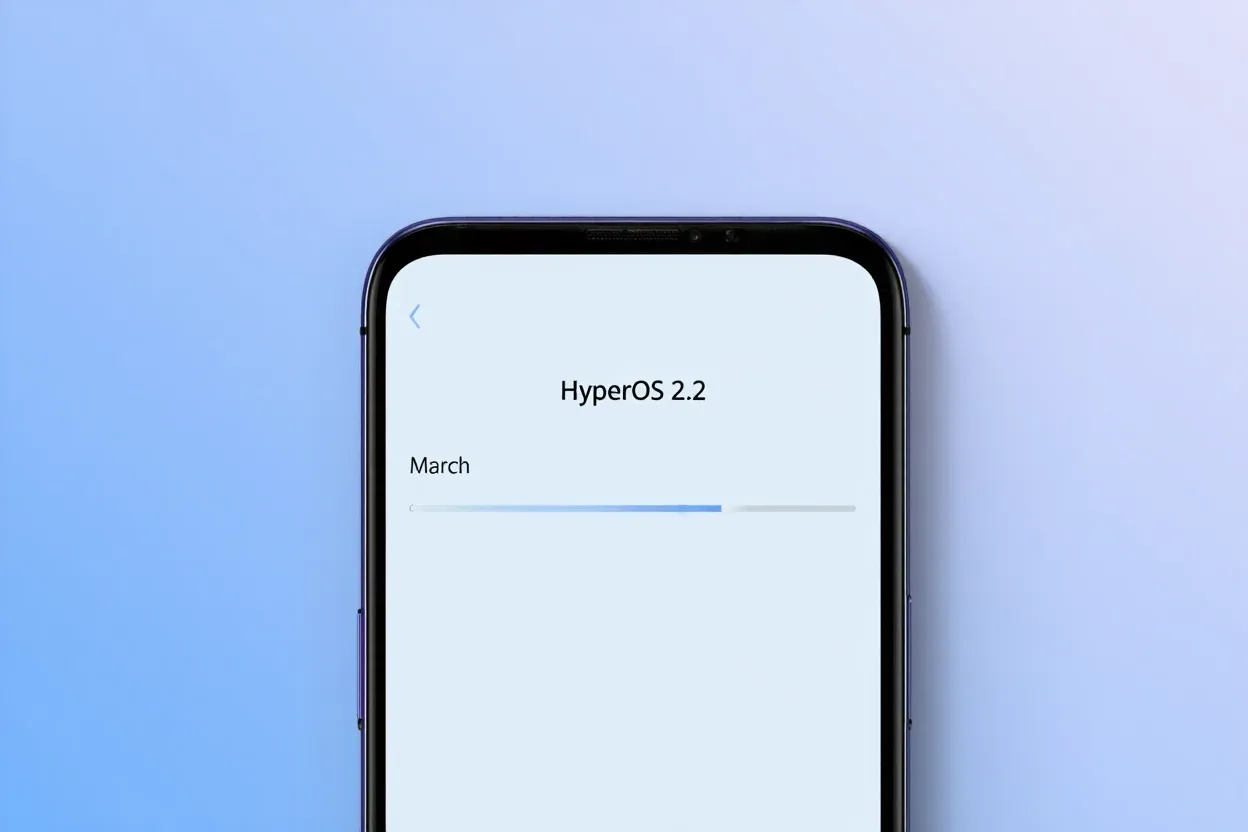
  • HyperOS 2.2 receives one more update in March

    HyperOS 2.2 receives one more update in March

    The Xiaomi community is ecstatic with the latest HyperOS update, which offers users’ devices an abundance of customization options and AI-powered capabilities. With a number of notable enhancements that demonstrate Xiaomi’s focus on user experience and creative design, tech enthusiasts and fans are busy testing out the March update version RELEASE-5.39.40.10843-03212137. The upgrade demonstrates the company’s continuous attempts to combine the newest technology with functionality.

    Key updated:

    The March update brings with it some noteworthy enhancements that will delight Xiaomi users:

    Desktop Grid Options Resurrection

    Grid layout options have been restored, offering greater personalization to the users:

    • 4×6 grid pattern
    • 4×7 grid layout
    • 5×9 grid pattern

    A groundbreaking feature that elevates the search experience:

    • Smart responses right in search results
    • Interpreting search queries contextually
    • Enhanced app discovery (Note: May not be available globally)

    Wallpaper Customization

    A new level of aesthetics has been added to device personalization:

    • New blur effect for wallpapers has been added
    • Enhanced visual customization options

    These updates give users more power and customization, which is consistent with Xiaomi‘s user-centric philosophy. While the AI-powered search is intended to make app discovery more straightforward and intuitive, the reinstated grid layouts allow for greater freedom in app arrangement.

  • Google Gemini 2.5 is here – better than ever

    Google Gemini 2.5 is here – better than ever

    Google is releasing Gemini 2.5, another major AI update, just months after releasing the Gemini 2.0 Flash Thinking model. Gemini 2.5 Pro Experimental, the first model based on this new technology, is currently accessible to Gemini AI Studio and Advanced users.

    Infused with reasoning

    Google describes version 2.5 as its “most intelligent” AI model to date in a news release. It is the second of its kind and falls into the same category as Gemini 2.0 Flash Thinking, which is a thinking model. Gemini 2.5 differs from previous models in that it can use contextual intelligence, draw well-reasoned conclusions, and make educated decisions, going beyond the conventional “classification and prediction” method used by non-thinking models.

    The Gemini 2.5 model, which was created as an improved version of Gemini 2.0 Flash Thinking, has a better base and more sophisticated post-training. Additionally, Google has shown ambitions to integrate Gemini 2.5’s reasoning capabilities into its non-thinking models.

    New benchmark in AI reasoning

    Gemini 2.5 Pro Experimental, the first product to use 2.5 version, is offered as a model option within Google’s AI services. Google claims that in the Humanity’s Last Exam test, which is a standard for AI knowledge and reasoning, The2.5 Pro Experimental has fared better than top reasoning models like OpenAI’s o3-mini and Claude 3.5 Sonnet. Furthermore, Gemini 2.5 Pro outperformed rivals like OpenAI’s GPT-4.5 and X’s Grok 3 Beta in math and science benchmarks.

    With Gemini 2.5 Pro, Google also highlights improvements in software creation and coding. Coders, editors, and developers can use the concept to create “agentic applications and web apps.” It demonstrated its capabilities by creating a game from a single line of prompt in a demonstration video.

    Gemini 2.5

    Currently, business and educational plans, as well as Advanced subscribers under One AI Premium, can access Gemini 2.5 Pro. Additionally, it can be accessed through Gemini Studio, and Vertex AI will soon be available as well. Google has said that it will shortly reveal the cost of extended access, even though usage is still restricted.

    The release of 2.5 comes after Google opened up the Gemini 2.0 Flash and Deep Research models, as well as Gemini Live screen sharing, which was previously only available to subscribers. It is probable that the AI may soon be widely available due to this tendency.

  • Samsung One UI 7 sneak peek – a beautiful new look

    Samsung One UI 7 sneak peek – a beautiful new look

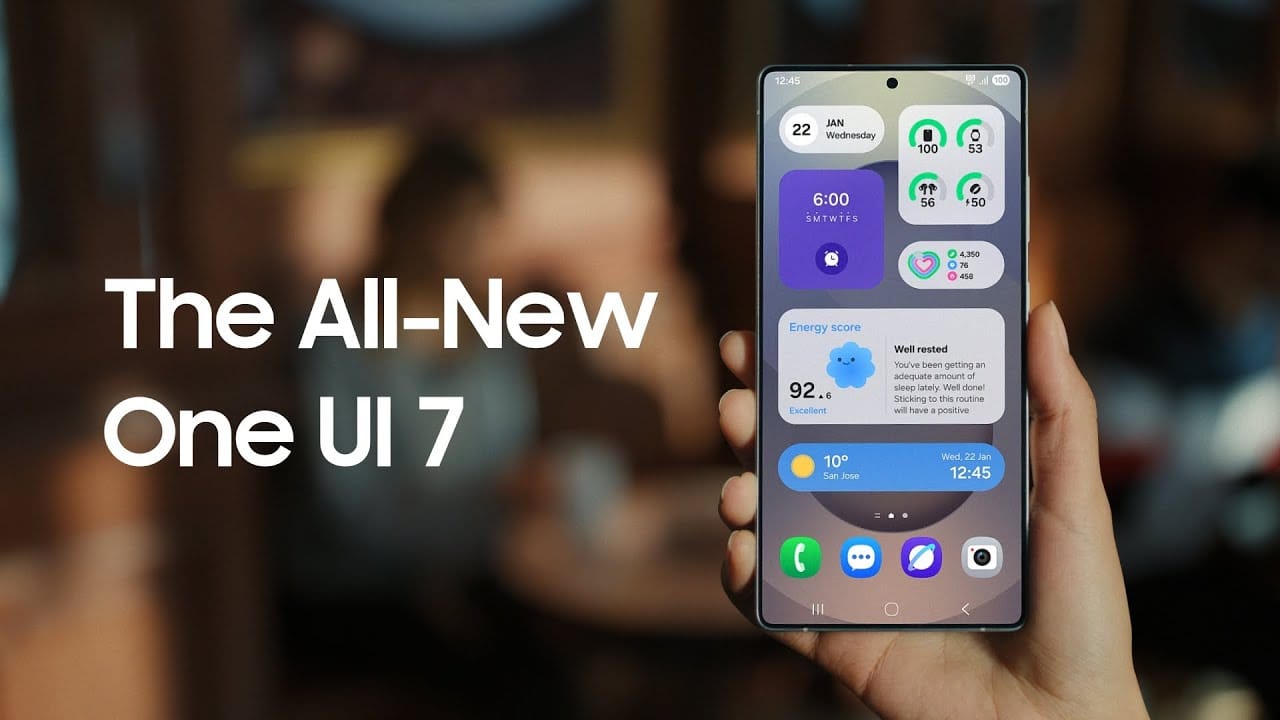
    Samsung basically teased their major One UI 7 update with a two-minute video that was just released. They are all getting ready and showcasing some of the exciting things that are on the horizon. In addition to letting us know that One UI 7 will soon be available for the Galaxy S24 and older phones, they are also using it to sort of encourage people to buy the new Galaxy S25. At last! Up until now, we had only seen it in beta.

    According to Samsung, One UI 7 will be far more “you” than it has ever been. Like, more natural, more user-friendly, and more intimate. They are showcasing Google’s Gemini, “Now Brief,” “Now Bar,” “Sketch to Image,” and various AI-powered search tools.

    Samsung One UI 7 sneak peek -

    The teaser video from Samsung hints at a few UI 7 features.

    This video now? It is only a preview. We are not seeing everything. However, the timing is intriguing. It is obvious that they are preparing for a big release.The strange aspect is that last week, they announced that the S24, Z Flip 6, and Z Fold 6 updates would be available in certain locations beginning on April 7, 10, and 14. However, they later retracted the April 10th date for the US, which gave them a somewhat uncertain appearance.

    https://www.youtube.com/watch?v=P4AEIu3V6F4

    In essence, Samsung is building anticipation for One UI 7, but they are being a little reticent about when it will be released. The only thing we can do is wait and see when it lands. However, before that, you may see if your Samsung Galaxy phone is compatible with the company’s recently announced seamless updates function, which installs updates while you are still using your phone, saving you time waiting for it to restart.

    The business claims that if your Galaxy phone was released prior than 2025, it probably does not enable seamless updates. The Galaxy A55 is an odd outlier. But anything starting in 2025? It ought to have it.

  • Finally, new status bar customizations are available in Xiaomi HyperOS 2.2.

    Finally, new status bar customizations are available in Xiaomi HyperOS 2.2.

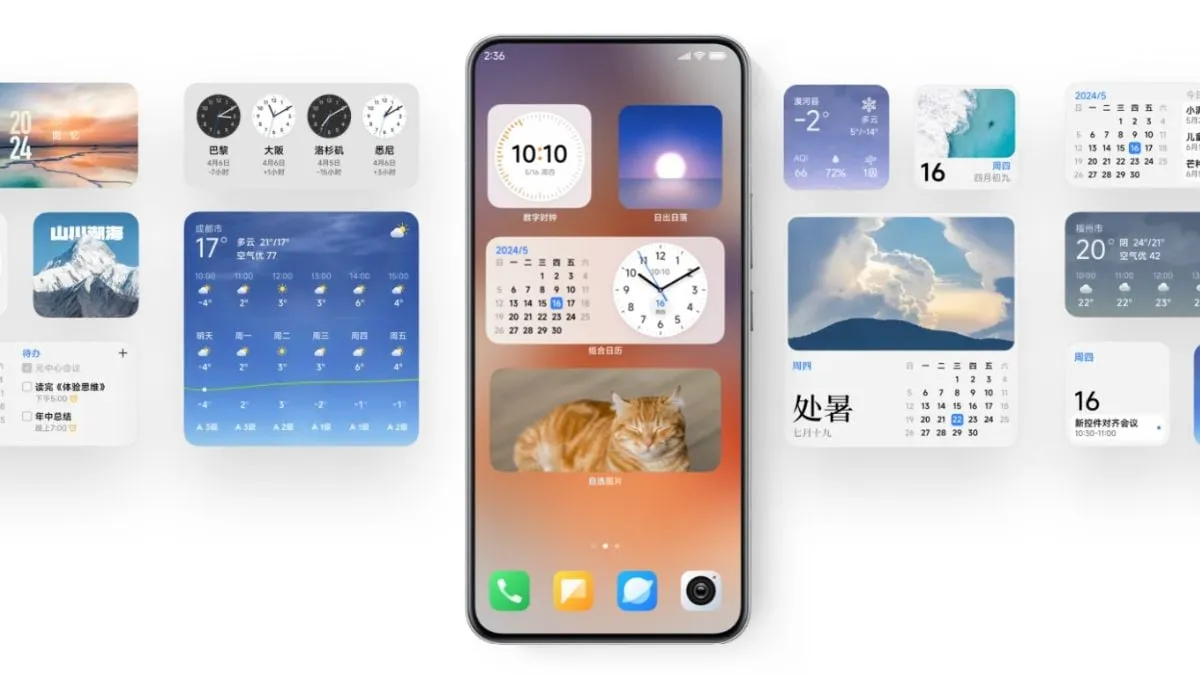
    Full status bar customisation is a groundbreaking feature that has been on wish lists for years, and Xiaomi has finally released the eagerly anticipated HyperOS 2.2. As demonstrated by our previous coverage of HyperOS features, customers now have total control over their notification system thanks to this much anticipated upgrade that was released overnight.

    The new “Status Bar Icon Display Customization” is a tip of the hat to customization options that debuted with AOSP Android 6, but with Xiaomi polish and attention to detail that we’ve come to expect with their software updates and UI improvements.

    Customization of status bar: what is new

    Xiaomi HyperOS 2.2 status bar customization

    The latest update brings unprecedented freedom to personalize your status bar on your device:

    • Control of Notification Icons: Select precisely how many notification icons are displayed
    • System Status Toggles: Toggle system status indicators on and off individually
    • Connected Device Display: Select which connected device icons are to be displayed
    • Cleaner Interface: Keep it clean by hiding unnecessary icons

    The downside is that it can’t be personalized and will be shown each time that you activate NFC.

    Additional improvements

    The customization of the status bar is not isolated in this update. HyperOS 2.2 OS2.0.200 Beta release includes a series of other enhancements:

    1. Enhanced System Animations: Smooth transition through the interface
    2. Blurred Wallpaper Enhancements: Improved visual quality for background objects
    3. Signal HD Icon Fix: HD icon no longer remains in the status bar

    Currently, Xiaomi 15 series phones running HyperOS 2.2 OS2.0.200 Beta support the feature. Although there are no set dates, more phones in their lineup will gain this feature in the upcoming weeks. Xiaomi’s ongoing dedication to enabling customers to customize their devices is reflected in this much-anticipated feature.

  • How to add your driving license on Google Wallet

    How to add your driving license on Google Wallet

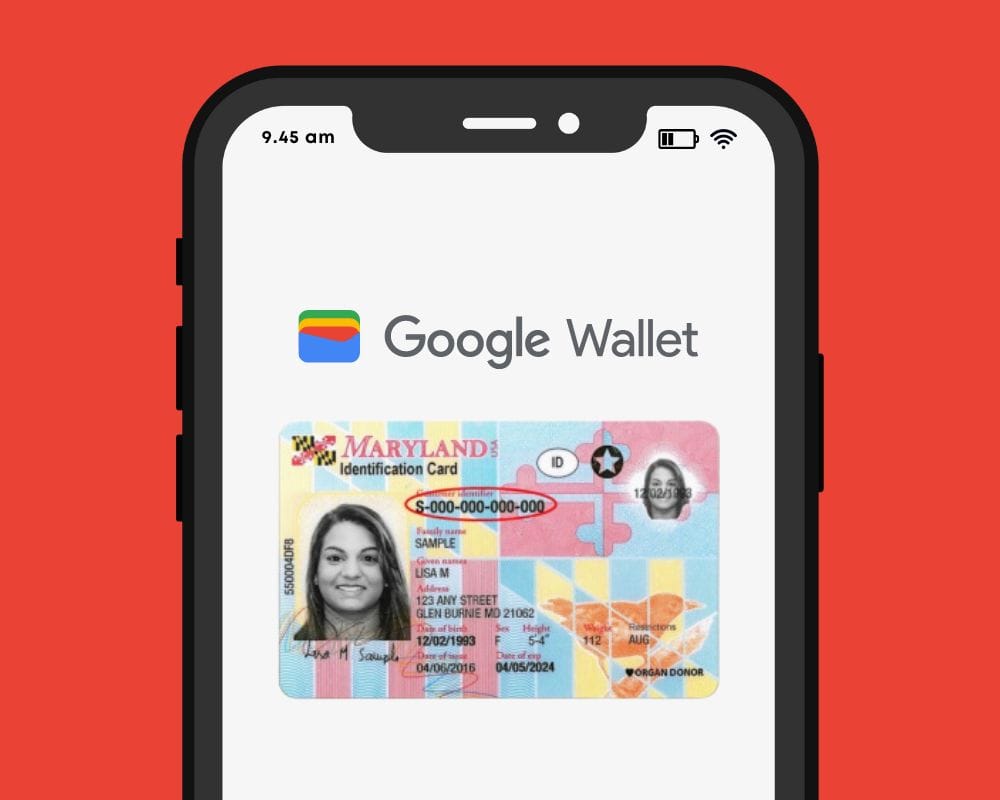
    Bank cards, tickets, passes, keys, identity cards, passports, and driver’s licenses may all be securely stored in the Google Wallet app, an advanced digital wallet.

    This service, which has just been established in a couple of countries allows users to carry their critical credentials digitally on their smartphones.

    Once you download the Google Wallet app, you can easily add your driving license details, ensuring quick and secure access wherever you are.

    Google Wallet protects users’ ID passes, driver’s licenses, and state IDs with strong encryption and personal authentication. If your phone is lost or stolen, Google says your digital ID can be wiped remotely to prevent illegal access.

    driving license on Google Wallet

    Steps to add your driving license to Google Wallet 

    Driving licenses are required for all drivers. Follow these steps to add it to Google Wallet:

    1. Open the Google Wallet app on your Android device.
    2. Navigate to the bottom and tap “Add to Google Wallet.”
    3. Select “ID” and then “Driver’s License.”
    4. Tap “Get Started” and agree to the terms.
    5. Scan both sides of your license.
    6. For verification, upload your photos, including front and side poses.
    7. Tap “Continue,” then “Done.”
    8. Await the notification confirming the completion of verification.

    This function is now only available in the United States, but it is planned to be expanded to other nations shortly. Notably, Google Wallet just launched in Pakistan, providing further ease to customers in the region.

    Digital integration via systems such as Google Wallet provides a streamlined experience for keeping important papers, integrating technology with ease of use.

    Android users can now add payment cards from major banks and experience features like tap-and-pay in stores, seamless online checkouts, and quick access to boarding tickets for trips.