Tag: android

  • Android 16 brings long waited great features

    Android 16 brings long waited great features

    There are some new features to look forward to with each Android update. Some updates include more new features than others, of course, because not all upgrades are made equal. There are a lot of exciting (rumored) features in Android 16 that are making me eager for its impending release.

    Note that I used the word “rumored.” This is because, with each release, there are online speculations about what people “think” will be included in Google’s newest and greatest upgrade. You never know what will make the final cut, so you should be skeptical of this list.

    However, I tested the Android 16 beta and searched the internet for all the best features that might be released this summer with Android 16 (using reputable websites like Android Authority, Android Police, Engadget, Android Developers, Business Today, Android Headlines, GSMArena, Android Update Tracker, and numerous forums), and here they are.

    Desktop Windowing

    When I see it, I’ll trust the rumors about this feature. The Samsung DeX, which enables users to connect an Android phone to an external display (through USB-C) and utilize a desktop-like interface that includes a top status bar, bottom taskbar, resizable, movable, snappable app windows, drag-and-drop support between apps, minimized windows, and physical keyboard and mouse support, will be mirrored by Desktop Windowing, which will bring desktop mode to Android phones.

    Desktop Windowing android 16 update

    App drawer blur

    Neither your phone’s performance nor your efficiency with it will improve as a result of this. But I’ve always found the Android app drawer to be rather dull. When you pull it down, the background is either black or white. While some home-screen launchers do let you change the appearance of the app drawer, the default home-screen launcher does not offer this feature. According to rumors, Android 16 will alter everything and give the app drawer a lovely backdrop blur.

    android 16 app drawer blur

    Although I acknowledge that not everyone believes that aesthetics are as significant as other factors, including performance and dependability, the iPhone’s UI aesthetics are one of the main factors contributing to its popularity. The Android user interface will be on a level playing field with iOS if Google implements a great app drawer blur.

    Live updates

    According to rumors, Android 16 will also provide a new class of real-time notifications that are intended to tell you of ongoing operations like food delivery, ridesharing updates, and navigation. These real-time updates will show up as dynamic “chips” in the status bar that show current data, like ridesharing arrival times or delivery ETAs.

    To keep you updated, a comprehensive notification pop-up displays beneath the status bar when you tap one of the live-update chips. Live updates are displayed above all other alerts (apart from the media player) under the Notification Shade.

    Auracast Broadcast audio support

    The inclusion of Auracast broadcast audio would be fantastic, so hopefully this rumor is accurate. Auracast broadcast audio is a Bluetooth LE Audio feature that enables devices such as earphones and hearing aids to receive direct audio broadcasts from TVs, public spaces, or announcement systems, in case you were unaware.

    Anyone who uses LE Audio earbuds or hearing aids frequently finds oneself in awkward situations, such busy or noisy places where announcements are essential (like train stations, airports, or concerts). By pairing your earphones or hearing aids with Auracast Broadcast support, you can tune into the broadcast and hear everything much more clearly.

    Hybrid Auto Exposure in the camera

    If you love taking pictures, you’ll love this function. You’ll have more control over the camera’s exposure settings with the hybrid auto-exposure. You will have the option to manually change the ISO or exposure time (shutter speed) or rely on the auto-exposure algorithm, rather than relying solely on full manual or auto exposure.

    You will still have the simplicity and dependability of auto-exposure for everything else, but you will be able to adjust ISO to cut down on noise or select a precise shutter speed to get truly creative with your photos. Additionally, the Android 16 Camera app has enhanced support for high-quality image formats including HEIC and Ultra HDR, as well as accurate color-temperature and tint adjustments.

    APV Codec support

    Additionally, there are reports that Android 16 will support the APV codec. A professional-grade video format (created by Samsung) is included with the new native support for the Advanced Professional Video (APV) codec, enabling high-quality video recording, editing, and post-production.

    Frame tiling (to provide immersive content and parallel encoding/decoding for efficient processing), intra-frame-only coding (for simpler editing workflows and lower processing demands), high bit-rate support (2K, 4K, and 8K resolutions), and lossless video quality (nearly raw footage) are some of APV’s cool features.

    APV Codec support android 16 update

    Once more, Google has been promising this feature for a very long time, so I will believe it when I see it. If they were to ever implement this functionality, Android would become one of the most flexible operating systems available, which would be really awesome.

    Keep in mind that these are simply rumors, but I do think that most of the features mentioned above will be included in the final version of Android 16, which is also expected to be released in June 2025.

  • The new design for Android was just leaked by Google.

    The new design for Android was just leaked by Google.

    Google recently unintentionally unveiled Material 3 Expressive, their upcoming major Android overhaul. The business calls the upgrade the “most researched” one to yet, aiming to make its UI more aesthetically pleasing and user-friendly, in a since-deleted blog post that 9to5Google saw.

    An archival copy of the removed webpage is available on the Wayback Machine and 9to5.Some of the photographs that Google did not save have been made public.

    Google claims to have created Material 3 Expressive following 46 design and research iterations with more than 18,000 participants, as detailed in the post.The design makes a product “more useable” by utilizing color, shape, size, and motion. Later this month, it will also have a separate session at Google I/O.

    Google’s research included examining how participants responded to various looks, where they concentrated their attention within a design, and how quickly they grasped an interface. For example, “which progress indicator made the waiting time feel faster” and “how big a button may be for good gains in tap time without overwhelming other objects” were examined by the company as separate components.

    When compared to the previous Material 3 design, Google claims that its Material 3 Expressive design made it up to four times faster for users to locate important items inside the interface. Material 3 Expressive “seems to level the playing field for users of all ages,” according to the report, since the design made it easier for individuals over 45 to recognize interface elements just as quickly as younger users.

    Reports over the last few days indicate that Google intends to implement improvements to Android’s user interface, such as updated fast settings menu, a new clock font, and revised status bar icons (such the battery icon). Changes to the Google Clock app have also been revealed by other leaks.

  • Temporarily free Android and iOS apps and games

    Temporarily free Android and iOS apps and games

    Do you want to get free, high-quality apps and games? You are lucky! Every week, developers offer time-limited, totally free promotions on some of their top-paid apps on the Google Play Store and Apple App Store. We have selected the most recent selection of temporarily free downloads for iOS and Android, regardless of your preference for action-packed games, creative tools, or productivity tools. These deals could end at any moment, so take advantage of them while they are still available!

    apps and games

    Android apps and games

    Apps

    • IPTV Smart Player Pro: You can currently save almost ten euros by installing this app. With this player you can bring your TV content from your cell phone to your TV.
    • Reminder Pro – Reminder: With this app, you can always keep an eye on your reminders. You can create new reminders in seconds and decide when you want to be reminded.
    • Equalizer & Bass Booster Pro: Do you want to tweak your music on your cell phone? Then try this app to get the most out of the sound and bass.
    • Countdown Widgets: Whether it’s a vacation, Christmas or the next party night – with this app you can always keep an eye on the next event as a countdown widget on your cell phone. After all, anticipation is the greatest joy.
    • Color wheel: Top tool for anyone who works with colors – regardless of whether you are a painter, graphic designer or just need to determine the colors of a photo from time to time.

    Games

    • Cytus 2: Rayark International Limited is known for offering exciting games with a focus on music. Cytus 2 is one of them and is currently free.
    • Cartoon Craft: Fancy a real-time strategy game with a cute cartoon look? Then install this little game here.
    • Water Color Sort – Premium: This game principle, in which you decant colors into different bottles, is terribly relaxing. It’s like the lava lamp of mobile games.
    • Mini Crossword: This game is for crossword fans who want to pass the time on their cell phone with this classic word puzzle game.
    • Crafterok – Lords of Survival: You want to fight for survival on a desert island, but you also want it to look colorful and cuddly? Here you go!

    iOS apps and games

    Apps

    • Scrollit 2X – Visual messenger: If you’re looking for a tool that lets you scroll text across the iPhone display in a nice big way, you’ll find it here.
    • Infinity List: There are many list apps. But if it is rated with 4.6 stars, it must be really good. So make sure you put this download on your to-do list!
    • Timer for Rehearsal: You’re giving your speech and want to keep an eye on the remaining time? No problem with this versatile timer.
    • iKnow Dogs 2 Pro: With this app you have virtually infinite dog knowledge on your iPhone. Handy if you’re looking for a four-legged addition to the family.
    • Inkwork: With this app, you can turn your photos into ink-look paintings and choose from over 90 styles.

    Games

    • Tiny Orchestra: This game is a fun way to teach your little ones about music. Put together your own little iPhone orchestra.
    • Block Dash Watch: In this game you have to avoid any collisions. The highlight: You can play the game on both the iPhone and the Apple Watch.
    • Aw Craps! This is a game where you can pass the time with classic casino games.
    • Bully – Anniversary Edition: With this game from the GTA makers at Rockstar Games, you can prove who’s top dog in the schoolyard.
    • Minesweeper: I can recommend this classic game to anyone who wants to play this game in the simplest possible guise.

    That concludes our compilation of the games and apps that are now free. Some specials only last a few hours, so make sure to download your favorites before they go away! To receive weekly updates on the newest freebies, bookmark this page or sign up for our email. Did you find anything amazing we missed? We will incorporate it into the upcoming version if you let us know in the comments.

  • May Android security update available for Pixel devices

    May Android security update available for Pixel devices

    Given that Google is probably going to release stable Android 16 at Google I/O in a few weeks, I had a sneaking suspicion that we would not see the customary May Android 15 security update for Pixel devices. That aspect of me was incorrect because Google released the May 2025 Pixel update today.

    The list of devices receiving the May Pixel update includes the Pixel 6 and 6 Pro, Pixel 6a, Pixel 7 and 7 Pro, Pixel 7a, Pixel 8 and 8 Pro, Pixel 8a, Pixel Fold, and Pixel Tablet, as well as the Pixel 9, Pixel 9 Pro, Pixel 9 Pro XL, and Pixel 9 Pro Fold. The Pixel 9a is seeing a fresh update as well.

    monthly pixel security update

    According to Google, the May update will start to roll out today and should continue to do so in stages throughout the course of the following week. Your carrier – whether it is Verizon, AT&T, T-Mobile, or prepaid like Google Fi – often determines the date.

    Below is the list of the May Android update builds for your particular Pixel smartphone, broken down by worldwide, country, and carrier.

    Global

    • Pixel 6:               BP1A.250505.005
    • Pixel 6 Pro:        BP1A.250505.005
    • Pixel 6a:             BP1A.250505.005
    • Pixel 7:               BP1A.250505.005.B1
    • Pixel 7 Pro:        BP1A.250505.005.B1
    • Pixel 7a:             BP1A.250505.005.B1
    • Pixel Tablet:       BP1A.250505.005
    • Pixel Fold:          BP1A.250505.005.B1
    • Pixel 8:               BP1A.250505.005.B1
    • Pixel 8 Pro:        BP1A.250505.005.B1
    • Pixel 8a:             BP1A.250505.005.B1
    • Pixel 9:               BP1A.250505.005
    • Pixel 9 Pro:        BP1A.250505.005
    • Pixel 9 Pro XL:   BP1A.250505.005
    • Pixel 9 Pro Fold: BP1A.250505.005
    • Pixel 9a:              BD4A.250505.003

    Taiwan+EMEA

    • Pixel 9:                 BP1A.250505.005.A1
    • Pixel 9 Pro:          BP1A.250505.005.A1
    • Pixel 9 Pro XL:    BP1A.250505.005.A1
    • Pixel 9 Pro Fold: BP1A.250505.005.A1

    Verizon

    • Pixel 9:                 BP1A.250505.005.D1
    • Pixel 9 Pro:          BP1A.250505.005.D1
    • Pixel 9 Pro XL:    BP1A.250505.005.D1
    • Pixel 9 Pro Fold: BP1A.250505.005.D1

    Deutsche Telekom

    • Pixel 9:                 BP1A.250505.005.C1
    • Pixel 9 Pro:          BP1A.250505.005.C1
    • Pixel 9 Pro XL:    BP1A.250505.005.C1
    • Pixel 9 Pro Fold: BP1A.250505.005.C1

    2025 May Pixel Update Bug Fixes

    Regarding bug patches, Google has made three significant adjustments that affect all Pixel devices that are still supported. Google is fixing issues with quick settings, Bluetooth, and audio.

    Audio

    • Fix for degraded microphone recording quality in certain apps

    Bluetooth

    • Fix for Bluetooth pairing issues with certain smartwatches under certain conditions

    Framework

    • Fix for secondary language displayed in quick settings under certain conditions

    Again, Google (and its carrier partners like Verizon, T-Mobile, and AT&T) will begin pushing these updates over-the-air shortly (Settings>System>System update), but if you don’t want to wait for Google and prefer to update manually, you will soon find each factory image or OTA file at the links below.

  • 4 best smartwatches for Android phones

    4 best smartwatches for Android phones

    Your phone allows you to answer calls, make and receive texts, and give commands to a voice-activated assistant. But sometimes it is more convenient to perform those things on your wrist, which is where a smartwatch comes in.

    The Apple Watch is the gold standard for smartwatches, but it is only compatible with Apple iPhones. If you own an Android phone, you have a lot more smartwatch alternatives, but there is also a lot more opportunity for misunderstanding. Most of the watches we have seen are too slow, cumbersome, or lacking in functionality to be worthwhile purchases. After testing hundreds of smartwatches for Android phones, including the most recent versions, we determined that the Samsung Galaxy Watch7 is the best option for the majority of Android phone users.

    SAMSUNG Galaxy Watch 7

    Samsung Galaxy Watch7

    Looking for a great way to bring out your personal best every day? Challenge yourself to excel on your next run or bike ride using tracking with Galaxy AI that lets you compare your current performance to your last one

    Best choice
    $299.99$209.99Amazon

    The Samsung Galaxy Watch7‘s robust shell comes in two sizes and is one of the most comfortable watches we have tested. The Watch7 runs the most recent Wear OS software and includes additional health and fitness capabilities such as sleep apnea detection, metabolic health monitoring, and an AI-based Energy Score that combines workout and sleep information. You can also use your fingers to engage with some watch features without touching the screen. Unfortunately, like its predecessor, the battery only lasts one day and requires hours to fully recharge.

    Google Pixel Watch 3

    The Google Pixel Watch 3 is designed for performance, with advanced fitness from Fitbit; the 45mm screen is twice as bright and 40% larger than before, making it easier to see your stats and info

    Very good choice
    $399.99$349.99Amazon

    The Google Pixel Watch 3 looks similar to the original Pixel Watch, but with slimmer bezels. The 41 mm and 44 mm variants have equal features, but the 44 mm watch has a longer-lasting battery. The Pixel Watch 3 has a new OLED display that can reach up to 2,000 nits of peak brightness. It also runs the most recent version of Google’s Wear OS 5, which includes additional health-related functions and improved connection with Google’s ecosystem. It retains the previous version’s unique band connector, which is only compatible with the bands provided by Google.

    oneplus 2

    OnePlus Watch 2R

    The OnePlus Watch 2 fuses a stainless-steel chassis with a robust 2.5D sapphire crystal face, delivering a sophisticated design that withstands daily wear and tear with a 5ATM and IP68 rating, and military-grade standard for durability.

    Good choice
    $299.99$209.99Amazon

    The OnePlus Watch 2R may last many days on a single charge while also providing important health tracking—all at an inexpensive price. Its 46 mm shell houses a big 1.43-inch OLED display with a maximum brightness of 1,000 nits, and it runs a hybrid system made up of two chips and two software setups, including Google’s Wear OS 4 and Google Assistant.

    galaxy watch ultra

    Samsung Galaxy Watch Ultra

    The Watch Ultra sports a huge 47 mm titanium body with a display that can reach up to 3,000 nits of peak brightness, making it easier to see your screen even in the darkest of nights and brightest of days.

    $390.00$291.00Amazon

    The Samsung Galaxy Watch Ultra incorporates a few extra capabilities than the Watch7 into a larger, more robust smartwatch. It offers fitness monitoring for triathletes, bikers, swimmers, and strong endurance users, with twice the battery life of the Watch 7. Many people are put off by its large size, heavy weight, and high price, but the features and battery life may be worth the premium.

  • 7 temporarly free apps for Android and iOS

    7 temporarly free apps for Android and iOS

    Right now, bargain seekers are receiving value for their money. Right now, you can get seven paid apps for free, including one that helps you remember everything you need to do.

    There are countless apps available in the Play Store and the App Store, the two app stores owned by Apple and Google. While some of these apps are free, some cost money. However, many users are unaware that many paid apps can also be temporarily made free as part of a special deal. We have compiled a list of some of the most intriguing free apps accessible right now.

    apps

    Free Pro apps (Android)

    • Reminder Pro – Reminder ($3.69) – With this app, you always have an overview of all your reminders. New reminders can be created in seconds, and you can also be reminded at a specific time.
    • Bubble Shooter Pop Puzzle Game ($4.89) – There’s also something for everyone who occasionally wants to play on their smartphone this week. This newly released bubble shooter regularly costs almost 5 euros and is completely free to start with.
    • Multiscreen Calculator Pro ($9.99) – The look of this calculator is debatable, but the tool offers a decisive advantage: “multiscreens”. If you want to start a new calculation without deleting the results of the old calculation, simply swipe to the left on the screen. A new window will then open. Users can open as many new windows as they want.

    Free premium apps (iOS)

    • Vythm JR – Music Visualization ($49.99) – With the app Vythm, you can visualize your music with a matching video. Countless effects such as Equalizer, Mandala, Shapes, Fluids, Psychedelic, Dreaming, and more are available. To get the app permanently free, you have to start it once after downloading and activate the “Pro version + lifetime updates” once.
    • Eat Me First ($2.99) – With this app, you can always keep an eye on the contents of your fridge. The app shows you the expiration dates for all your food and thus helps to reduce food waste.
    • Sky Master – pixel shooter ($0.99) – If you’re nostalgic, you’ll enjoy this game, at least for a short while. It’s not particularly good, but the pixel look gives the game an irresistible charm for older gamers.
    • Queen Rules ($2.99) – This puzzle game is the ideal way to pass the time. The aim is to position your soldiers in such a way that they are able to defeat the evil witch’s soldiers. There are also interesting level designs and clay figures

    The majority of free apps either provide in-app purchases or have advertisements. But some apps that cost money also accomplish this. These factors should be taken into consideration, particularly if the game is meant for young players.

    Many apps gather user information and frequently sell it. As a result, only allow the rights that the program actually requires if you want to be secure. For instance, a flashlight should not be interested in your location information, and an alarm clock should not require access to your contacts or cameras.

    If you’re inspired by the quality of these apps and are thinking about creating your own, now might be the perfect time to explore professional development options. Whether you’re targeting Android, iOS, or both, investing in a reliable iOS mobile application development service can turn your app idea into a polished product that stands out in the App Store. Stay tuned for more updates on free apps, industry trends, and mobile development tips.

  • Limited-time free apps and games for Android and iOS

    Limited-time free apps and games for Android and iOS

    Users can try out premium experiences without spending a dollar thanks to the weekly rotating selection of paid applications and games that are made available for free for a brief period of time on app stores like Google Play and Apple’s App Store. These short-term offers can help you save a lot of money on a variety of digital tools and games, from puzzle games and immersive role-playing games to productivity tools and creative utilities. These free app deals are worth looking into whether you want to increase your productivity, take up new hobbies, or just have some good fun.

    free apps for ios and android

    But while the thrill of snagging a paid app for free is undeniable, it’s important to approach these deals with a bit of caution. Free or paid apps often request access to various parts of your device, from your contacts and photos to your location and microphone. Understanding what you’re granting and why is key to enjoying these offers safely.

    Android games and applications that are free for a limited period of time

    Free Android Apps

    • NT Calculator ($2.49): Here’s an app that allows you to perform all the calculations you ever wanted. 
    • Voice Calculator Pro ($9.99): Need a calculator that speaks the calculations? This might be the one for you.
    • One Swipe Notes ($0.99): A note-taking app that provides easy accessibility with a swipe.
    • Contact Widgets Speed Dial ($0.99): Is speed dialing back in fashion? Perhaps, with apps like these.
    • Bookmark Manager ($0.99): Manage all your bookmarks from this single app

    Free Android Games

    • Chicken Tournament ($1.49): A third-person shooter where you are a chicken, and out for blood!
    • Poosh XL ($1.99): An interesting game that requires some idea of physics and angles to progress.
    • Spelling Master Pro ($1.99): If your kid is going to remain glued to a smartphone all day long, why not make sure (s)he learns something?
    • Dungeon Corp ($0.99): An idle RPG that sees you, a corporate drone, take on monsters from another dimension.
    • Empire Warriors: Tower Defense ($0.99): A tower defense game set in a medieval setting with cute graphics and endless waves of enemies.

    iOS games and applications that are free for a limited period of time.

    Top Free iOS Apps for Productivity and Lifestyle

    • Weather+ ($0.99): Is it going to rain? Will it be sunny? Why leave things to chance when you have an app that provides you with weather updates?
    • Light Meter ($3.99): Don’t leave things to chance when it comes to taking photos by making sure the lighting is ideal for your composition.
    • mySymptoms Food Diary ($7.99): If you want to keep track of your food intake and possible allergens, having a food diary would help.
    • Resume Designer 3 ($3.99): Here’s an app for you to cobble a resume quickly while you are on the move.
    • The Wonder Weeks ($5.99): Just had a newborn? Keep track of all that happens, from the first steps to the first words with this app!

    Free Games for the iPhone and iPad

    • Pirate Drops 2 ($4.99): A match-3 game that requires fast thinking, with graphics that change with the tides to match the mood.
    • Catenaccio Football Manager ($2.99): A football managing game where you get to determine how your team performs against others through tactics and psychology.
    • My City: Doctor Hospital ($3.99): Maybe your little one might have interest in being a doctor, what about it?
    • Neo Monsters ($0.99): A game where you go around catching monsters, training them, and sending them out to fight.
    • Cuppy Ball ($0.99): Do you have what it takes to get the ball into the cup?

    Examine the permissions requested before downloading any new apps or games, especially those that are temporarily free. An app’s basic operation does not require all permissions, and giving it too much access could compromise your privacy.

    To limit what information each app can access, use the privacy settings on your device. You should also frequently verify which apps have access to sensitive data, such as your location, camera, or microphone. Remember, a great deal is only worthwhile if it doesn’t compromise your personal data. Stay vigilant, enjoy your new apps, and make privacy a priority every time you download.

  • HyperOS 3 update: eligible devices

    HyperOS 3 update: eligible devices

    Xiaomi is still updating a variety of devices with the HyperOS 2.1 upgrade, which is based on Android 15. However, all eyes are now on HyperOS 3, which is based on Android 16, the upcoming major release. This one will come with enormous improvements in terms of performance, features, and design.

    Xiaomi to roll out HyperOS 3 update based on Android 16

    A recent article from XiaomiTime states that the release of HyperOS 3 is anticipated to be in July 2025. Although Xiaomi has not yet released an official announcement regarding the complete list of devices, the report offers us a good idea of which models should be updated. Xiaomi, Redmi, and POCO devices will be included in the upgrade, demonstrating the company’s dedication to providing long-term software support.

    What to Expect in HyperOS 3

    Improved multitasking, improved battery life optimization, more intelligent AI-based capabilities, and a redesigned user interface are just a few of the many new features that HyperOS 3 is said to offer. It is anticipated that a primary focus will be on improving device integration and performance, particularly with regard to tablets and foldables.

    xiaomi 15 silicon carbon battery

    Xiaomi 15 5G

    Snapdragon 8 Elite Mobile Platform3nm manufacturing processCPU2 x Prime Core, up to 4.32GHz6 x Performance Core, up to 3.53GHzGPUAdreno GPUAIQualcomm AI engine.

    Leica Summilux optical lensLEICA VARIO-SUMMILUX 1:1.62-2.2/14-60 ASPHLeica main camera50MPLight Fusion 900 image sensor2.4μm 4-in-1 Super Pixelf/1.62OIS23mm equivalent focal lengthLeica 60mm floating telephoto50MPf/2.0OIS60mm equivalent focal lengthLeica ultra-wide camera50MPf/2.214mm equivalent focal length115°. 32MP FRONT CAMERA

    $947.50$900.00Amazon

    Expected Devices to Receive HyperOS 3

    Xiaomi Devices:

    • Xiaomi 15, 14, 13, and 12 series
    • MIX Flip, Flip 2
    • MIX FOLD 2, 3, and 4
    • Xiaomi Pad 6 Pro, 6S Pro, 7, and 7 Pro

    Redmi Devices:

    • Redmi Note 12, 13, and 14 series (4G, Turbo, and Pro models)
    • Redmi 12, 13, and 14 series (C and A models)
    • Redmi K50, K60, K70, and K80 series
    • Redmi Pad SE, Pad SE 8.7, Pad Pro, and Pad Pro 5G

    POCO Devices:

    • POCO F5, F5 Pro, F6, F6 Pro, F7, F7 Pro, and F7 Ultra
    • POCO X6 5G, X6 Pro 5G, X7, X7 Pro, and X7 Pro Iron Man Edition special edition
    • POCO M6 (4G, 5G, and Pro versions), M7, and M7 Pro 5G
    • POCO C65, C75, and C75 5G

    With a wider rollout, Xiaomi will gradually introduce the most recent Android experience across a diverse range of devices. It is likely that HyperOS 3 will improve on everything you do on a flagship, mid-range, or low-cost phone. Xiaomi is going to make the announcement, so keep a look out!

  • 7 things that Xiaomi needs to fix on HyperOS to make it better

    7 things that Xiaomi needs to fix on HyperOS to make it better

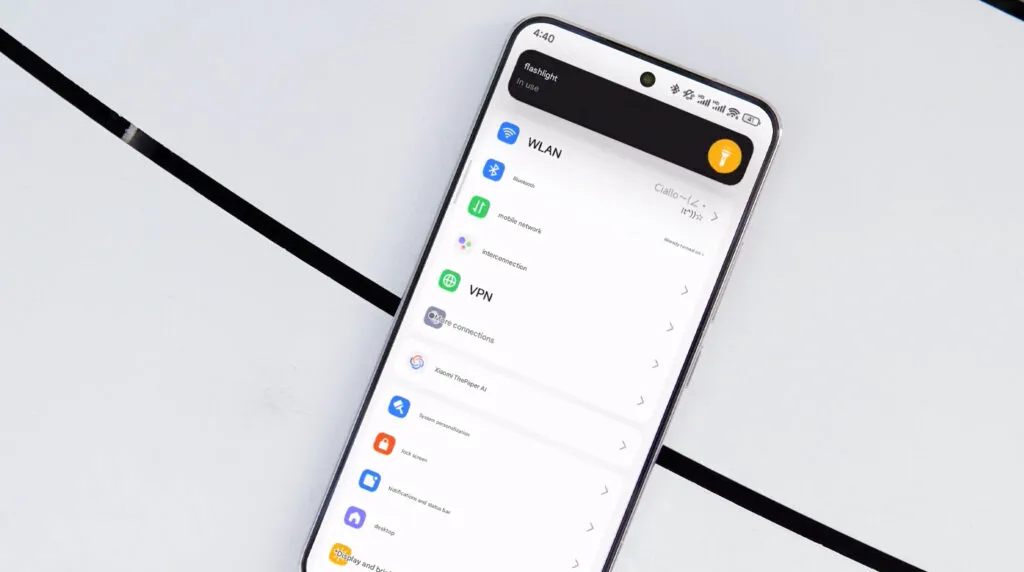
    In October 2023, Xiaomi unveiled their new Android-based operating system, or Android skin as some of you could refer to it. It was the successor of MIUI and is called HyperOS. Sincerely, HyperOS ended up looking a lot like MIUI, and although it did provide some nice modifications, it also brought about some unfavorable ones. HyperOS is undoubtedly a highly powerful piece of software, but there is still a lot of space for improvement. Although Xiaomi’s HyperOS has a lot of promise, a few things must alter if it is to advance.

    So far, I have been running HyperOS on several Xiaomi and Redmi devices. I have discovered a number of things that I would alter during my time with it. To be clear, you might not have an issue with some or all of these things. Nevertheless, I think HyperOS has a lot of promise and can reach that point with just a few smart actions from Xiaomi. Keep in mind that, as is typical with these kinds of pieces or editorials, personal opinion does come through. Views vary. So, let us examine HyperOS’ shortcomings, shall we? I will not do it in any specific order.

    Home screen customization

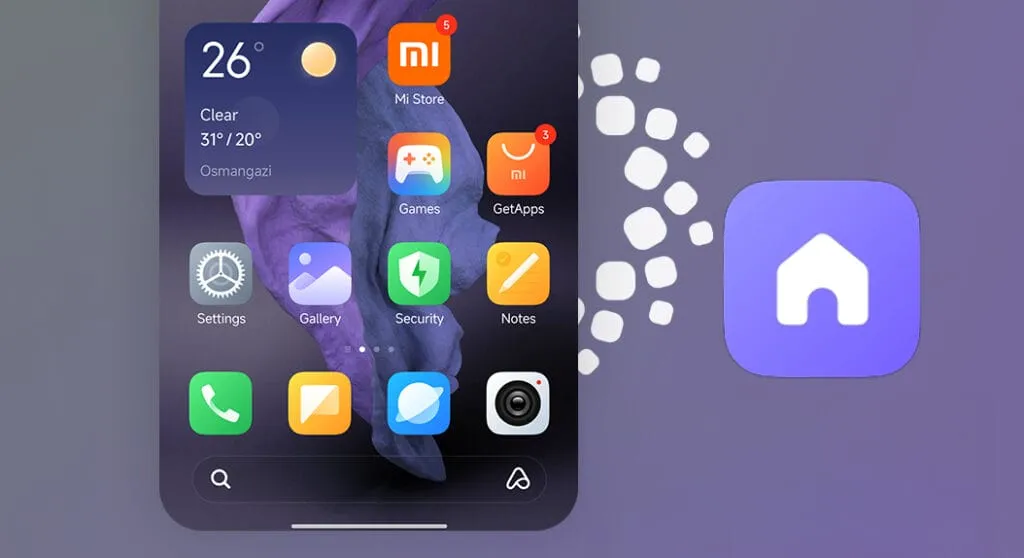
    HyperOS home screen

    There is a lot of flexibility available with HyperOS. Still, there is potential for improvement. I made the decision to pay close attention to the home screen. Why? Xiaomi can improve this in a number of ways that will help consumers. First and foremost, using icon packs from the Google Play Store would be great. Setting up icon packs is practically impossible since we are unable to use third-party launchers. Xiaomi has no reason not to implement this change in their stock launchers, as many other Android OEMs do.

    Plus, it would be fantastic to give customers additional grid size options. There are very few options available presently. However, there is a problem with nearly all other Android OEMs. The home screen’s app dock row comes next. It would be great if we could eliminate it completely and have a single, consistent canvas on the home screen because some users choose not to use it at all.

    Unblock third-party launchers

    HyperOS homescreen

    One of my main complaints with HyperOS is this. The only significant Android skin that totally prevents third-party launchers from working is this one. Although it is likely that you will have problems with gesture navigation, other OEMs let you set them. Actually, Google is to blame for this, as it restricts access to certain APIs for third-party developers. It has been a persistent problem. To change that, they even petitioned Google.

    However, for some reason, Xiaomi chose to restrict third-party launchers entirely. Actually, it was not the case with MIUI in the past. In actuality, third-party launchers performed best on Xiaomi smartphones in terms of animations and other features. It was a significant shift when Xiaomi blocked them. Since many fans use Xiaomi phones, it should be possible to enable third-party launchers and let them function properly.

    Toggles

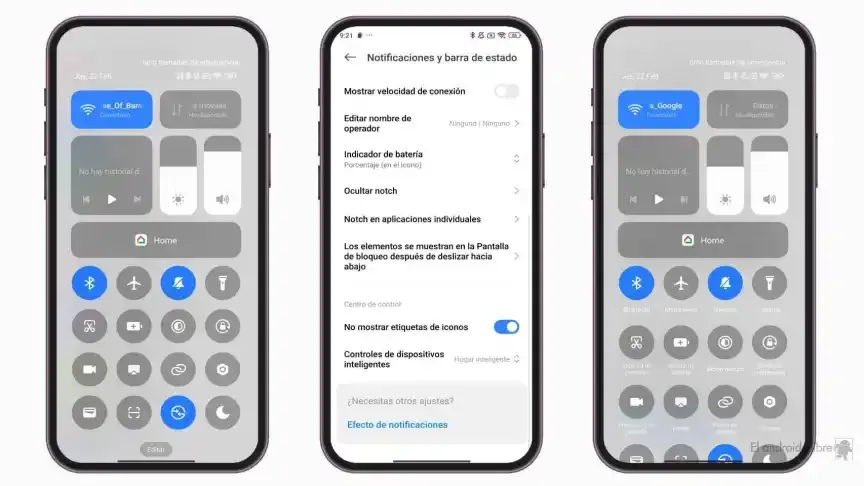
    The Quick Toggles screen might be enhanced by Xiaomi as well. Although it makes us think of iOS, it is not an issue in this case. This Android skin lacks a dedicated Settings toggle, in contrast to the majority of others. Although there is a toggle, it is a component of every other toggle. Although you can move it around and position it wherever you choose, it is not independent and lacks sufficient intuitiveness. It would be convenient if it were distinct because many users are accustomed to opening Settings from there.

    In addition, there are just two sizable toggles there, and regrettably, you are unable to alter that. The WiFi and mobile data toggles are the only sizable toggles you receive. For example, the Bluetooth toggle and the screen rotation toggle cannot be made huge. If Xiaomi made this possible and let users fully design the Quick Toggles interface, it would be great.

    Push notifications

    Unbelievably, HyperOS still has problems with push notifications. At least the way it is configured right out of the box. I have been experiencing problems with the majority of apps. By default, apps are set to “Battery Saver,” which is the suggested setting. You will not have these problems, though, if you unblock them from their limitations in the settings (each program independently). It will be possible for notifications to reach their destination on schedule.

    The problem is that ordinary consumers will not be aware of that. They will not consider changing that function by going into the settings. Of course, that is problematic. Many of them will find it annoying because they will not be receiving notifications right away. As a result, they become irritated with the business—in this example, Xiaomi—and develop a bad opinion of their goods. To be honest, Xiaomi should make changing this a high priority. Push alerts need to function normally right out of the box.

    The 10-second countdown

    Another noticeable issue when it comes to HyperOS has to do with the timeout Xiaomi is placing on its consumers. Essentially, a warning pop-up will appear each time you attempt to modify a more complex setting, such as an accessibility setting. That is typical, is not it? Yes, it is; all OEMs carry it out. The 10-second countdown, however, is unusual. You cannot approve or reject anything on Xiaomi until ten seconds have elapsed. This is most likely in place to allow you sufficient time to read the warning.

    You truly do not need to read it again after you have seen it for the first time. That countdown is incredibly annoying since you know exactly what you want to do. It makes sense if Xiaomi only did it once after you had configured your device. However, in HyperOS, you receive it each time a more complex configuration is altered.

    Notifications

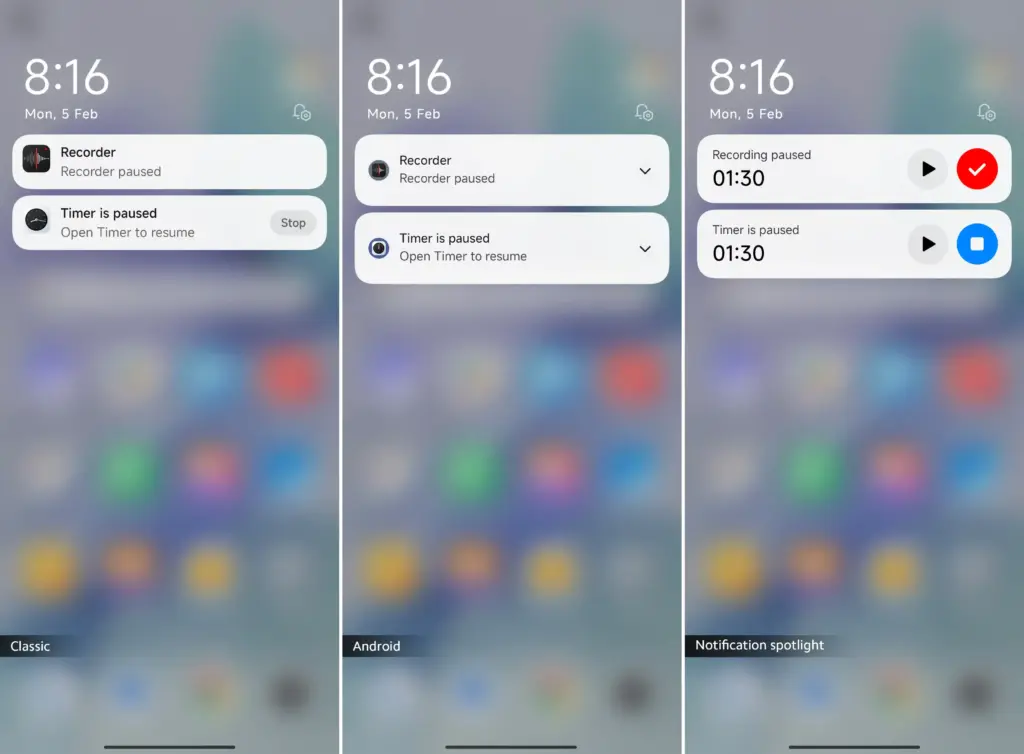
    I wanted to draw attention to a few more notifications-related problems besides push notifications. For other people, lock screen notifications are an additional problem. They work similarly to what you get on iOS the way they are currently configured. It goes without saying that many individuals will find that offensive. What is wrong? You will notice your new notifications when you get to the lock screen. However, they will not be there the next time you get to the lock screen, even if you do not read or open them and then lock the device.

    Yes, they will still remain in the notification shade, however this is a problem if you use your lock screen a lot. That is not what the great majority of other Android OEMs do. Similar to the notification shade, notifications will remain on your lock screen unless you choose to dismiss or open them. This distinction between the lock screen and notification shade is completely superfluous, and I sincerely hope Xiaomi will eliminate it soon.

    Status bar icons

    hyperos status bar incons

    Xiaomi can also make the HyperOS status bar better. When it comes to it, there are a number of various irritations. Notification icons are the subject of the first one. Xiaomi restricts you to a single app notification icon in the upper-left area by default. However, you have the option to enable up to three app notification icons to show. Only the three most recent alerts from various applications will show up if you have more than three.

    Almost all other Android OEMs permit as many app notification icons as they can fit on the screen. It does not restrict you in that manner, which is the proper approach. The fact that Xiaomi only allows one icon by default and that you are unable to enable more than three icons is not the only issue. Simply put, HyperOS introduced a totally needless modification that was not a problem on MIUI.

    Additionally, if HyperOS allowed users to remove some of the status bar icons, that would be great. For instance, it is superfluous that the Bluetooth indicator is always up there. Many individuals always have Bluetooth turned on for their headphones, smart watches, or other accessories. That icon does not really need to be up there all the time if it is always on. If we could take it off and forget about it, that would be great.

  • Xiaomi announced the Android 16 Beta launch – which devices will get it?

    Xiaomi announced the Android 16 Beta launch – which devices will get it?

    For developers and Android enthusiasts alike, Google’s release of Android 16 Beta 4 marks a significant milestone as it is the first release candidate build prior to a consumer launch. Along with Honor, iQOO, Lenovo, OnePlus, OPPO, Realme, and Vivo, Xiaomi is among the fortunate ones to have access to the current beta, which is currently available on a variety of devices from various partner vendors, including phones, tablets, and foldable phones.

    It is interesting to note that on April 8, around ten days earlier, Xiaomi had released the same to its flagship Xiaomi 15 and 14T Pro phones. This shows how committed the firm is to providing early adoption of the newest Android innovations.

    Significant changes in Android 16 Beta 4

    Numerous bug fixes and performance enhancements that address issues found by both developers and users are included in the pre-release beta. In order to provide a seamless experience when Android 16 is formally released, Google has been working to increase stability.

    Key fixes in this release are:

    • Resolved the map disappearance bug in the Pixel’s Weather app Resolved problems of haptic performance and late feedback
    • Resolved excessive power consumption that impacted some devices Resolves system restart problems during call answering
    • Fixed display magnification stability issues
    • Corrected screen saver activation problems Fixed phone restart issues that occur while using the ranging API
    • Several system stability and performance enhancements, such as launcher crashes fixes
    Android 16 Beta launch

    Xiaomi amoung the first

    Xiaomi’s dedication to provide users with cutting-edge software experiences is demonstrated by its early release of Android 16 Beta 4. Xiaomi has taken the lead among Android innovators by releasing the beta for the Xiaomi 15 and 14T ten days before the official Google release.

    Early adoption by Xiaomi users offers them the following benefits:

    • Early availability of Android 16 enhancements and features
    • Additional time for users to give feedback and log issues
    • Chance to try the most stable pre-release version of Android 16

    The release is the final scheduled update before the Android 16 Beta program’s public launch, which is currently in its final stages.