Tag: android

  • Limited time offer! Temporarly free apps for Android and iOS

    Limited time offer! Temporarly free apps for Android and iOS

    Google and Apple’s app marketplaces, the Play Store and the App Store, include an almost limitless amount of apps. Some of these apps are free, while others cost money. However, many users are unaware that many paid programs are briefly offered for free as part of a special deal. We have compiled a list of the most fascinating apps now accessible for free.

    google pixel apps

    For Android

    • Netzsignal Pro: Wi-Fi & 5G ($0.49): If you want to find out more about your network signal, you can’t go past this app. Not only does it offer outstanding and numerous ratings, but also a clear user interface with many practical functions.
    • Illuminance -Lux Pro ($0.49): This light intensity meter is almost as popular. The app uses your smartphone’s sensors to display the illuminance in the Si unit lux. Users can create separate rooms and analyze the respective lighting conditions.
    • Voice Calculator Pro ($9.99): Calculator apps are a dime a dozen. However, this application stands out from the crowd because it allows you to open several calculation windows at the same time. This means you can start a new calculation without having to delete the old one.
    • Who Uses My Wi-Fi Pro ($0.49): If you don’t know exactly which devices are connected to your Wi-Fi, you should definitely download this app. Not only can you analyze your connected devices, but you can also find devices that have connected to your Wi-Fi.

    For iOS

    • 1Contacts Pro ($0.99): This app gives you full control and, above all, a complete overview of your contacts. Duplicate contacts can also be tracked down and merged if necessary. But beware: If you use this app, you give an additional third-party provider access to your contact data.
    • Queen Rules ($2.99): If you don’t like tower defense games, you can pass the time with this puzzle game. To win, you have to place your soldiers in such a way that they defeat the enemy troops. The app also offers interesting level designs and clay figures.
    • No Wi-Fi Mini Games ($0.99): The name says it all. Downloading the application provides you with access to over 50 exciting and nostalgic mini-games. An Internet connection is not required. The developers have also dispensed with advertising.
    • Aqueduct 101 ($2.99): A creative puzzle game in which you build aqueducts and make water flow. Real fun for puzzle fans and a great way to pass the time.

    Some businesses use innovative techniques to capitalize on your personal information in the rapidly evolving mobile application landscape. But do not worry, computer lovers; we have gathered crucial recommendations to help you protect your valuable data. It is critical that you exercise caution when granting rights to the apps you select to install.

  • Older Pixel Phones gets a kernel update along with March update

    Older Pixel Phones gets a kernel update along with March update

    In the stable March 2025 update, Google formally released the Linux 6.1 kernel for Tensor-powered Pixel phones from the prior generation. This update brings the Pixel Tablet and Pixel Fold, as well as the Pixel 6, 7, and 8 series devices, up to the same kernel version as the Pixel 9 series. Performance and security will probably improve as a result, and some users are already experiencing the advantages.

    pixel with Kernel update

    In the QPR2 beta, where it was announced that Tensor-powered Pixels will be switching from older kernel versions to 6.1, we previously reported that Google was testing this update. The update is now available to all users with the March stable release.

    News of the update was posted by a commenter on the GooglePixel subreddit, who said, “Just noticed my Pixel 7 updated to Kernel 6.1.99 with the March 2025 update.” While several Redditors in the topic commented on a perceived gain in battery life since the update, another Pixel 6a owner in the thread stated that their phone seems “extremely responsive compared to [the] pre-March update.” Although it is difficult to confirm that the new kernel is directly responsible for these developments, the indications are unquestionably encouraging.

    This kernel upgrade is part of Google’s broader commitment to long-term software support. Google’s Longevity GRF program plays a crucial role in ensuring that Tensor-powered Pixels meet their update policies by implementing major kernel upgrades when necessary.

    If you own a Pixel 6, 7, 8, or another Tensor-powered device, you can check your kernel version by heading to Settings — About phone — Android version and looking under Kernel version.

  • Google Pixel March update – fixed bugs and more

    Google Pixel March update – fixed bugs and more

    Google’s March update bug list, which is already being rolled out to compatible devices, has been made public. Even if it is a short list, it is nevertheless wise to keep in mind in case you have been dealing with any of these problems.

    Although not every device is receiving the identical set of changes, these fixes are applicable to devices as far back as the Pixel 6 series. For instance, Google claims updates for Bluetooth headset loudness issues, camera stability, and display stability, among other things. You can use the number that corresponds to each item on the list to determine which device the fix is for.

    Pixel Update – March Bug Fixes

    Apps

    • Fix for stability or performance with certain apps using WebView

    Audio

    • Fix for issues with adjusting call volume on calls over BT headsets]

    Camera

    Display & Graphics

    • Fix for display stability and performance in certain conditions

    System

    Telephony

    • General improvements for network connection stability and performance in certain conditions

    User Interface

    • Fix for issue occasionally causing color theme in launcher preview to not match with the selected wallpaper in certain conditions
    • Fix for issue with home screen icons to appear transparent after unlocking or switching apps in certain conditions
    • Fix for issue with switching between apps when using third party launchers in certain conditions
    • Fix for issue with themed icons in certain conditions
    • General improvements for performance and stability in certain UI transitions and animations

    Fixes are available for all Pixel devices that are supported. Certain fixes can be region/carrier specific.

  • Looking for a Airtag alternative on Android – Chipolo One

    Looking for a Airtag alternative on Android – Chipolo One

    Find My Device, Google’s recently enhanced tracking network, is intended to serve as the Android counterpart to Apple’s Find My network. The new Point tracking gadgets from Chipolo are also meant to serve as the Android equivalent of Apple AirTags. Among the first third-party tracking apps to integrate with Find My Device are the Chipolo One Point item tracker and the Chipolo CardPoint wallet finder.

    I was curious to compare these trackers because I have been using Apple AirTags for a long time. Fortunately, I received a few from Chipolo for this use. In the end, I found nothing unexpected, which is fortunate.

    Chipolo One on keys with Android Find My Device

    Chipolo key points

    Chipolo’s new trackers assist you in finding misplaced objects by integrating with Google’s Find My Device network. Earlier Chipolo trackers were only compatible with the Chipolo app for iOS and Android or Apple Find My, not Find My Device. The only devices compatible with Chipolo’s point trackers are Android smartphones and Google’s Find My Device app.

    Two varieties of Chipolo Point trackers are available at launch. The Chipolo One Point is a tracker that fits on a keychain and is perfect for monitoring things like baggage, backpacks, and keys. Up to a year should pass before the replaceable battery inside of it needs to be changed. The design of this product is strikingly similar to that of Apple AirTags.

    Mostly intended for use in a wallet, the Chipolo Card Point is a credit card-sized, flat tracker. Additionally, it can be used to monitor other objects, such passports. Before the tracker needs to be replaced, the Card Point’s long-lasting, nonreplaceable battery can last up to two years.

    How they integrate with the Find My Device

    I was perplexed by the configuration when I first got my Chipolo Point review trackers. At first, I assumed that you needed to configure them through the Chipolo app, which would somehow link them to Find My Device. But that is not how it operates. Everything went smoothly after I realized this.

    Bringing it close to your Android device and pressing on it until a sound is heard is how you set up a tracker. A notice asking if you wish to set up the tracker then appears on the screen of your phone.

    Looking for a Airtag alternative on Android - Chipolo One card

    The Google Find My Device app allows you to see all of the information about the Bluetooth trackers once they are linked to your phone. Chipolo Point trackers allow you to share the tracker’s location with another person, find their current location, and sound an alert if they are close yet unlocatable. Additionally, you may view the device’s remaining battery life. Similar to AirTags, you may use your phone’s Bluetooth to activate step-by-step instructions to locate the trackers when they are close by.

    It is crucial to remember that Google’s network protects user privacy by using anonymized reporting and end-to-end encryption for location data. Google’s Find My Device feature, similar to Apple Find My, will notify you if an unidentified device is tracking you. For instance, both networks discreetly notified me about each other when I fastened a Chipolo One Point to the same keychain as an AirTag.

    Google pinpoints a tracker’s location using a combination of GPS, Wi-Fi, and cell tower signals.

    Chipolo One card thinkness

    A great tracker

    It was a wise move on Google’s part to update Find My Device to enable tracking of non-Android devices. Third parties like Chipolo are finally launching helpful trackers as a result of that decision. In the upcoming months, more businesses will undoubtedly join the movement.

    Both the One Point and the Card Point have really pleased me. They have a simple setup process (once you know how they operate), are reasonably priced ($28 for the One Point and $35 for the Card Point), and work flawlessly with Find My Device. Like other Chipolo trackers, I anticipate future iterations will be available in a variety of colors. I do not see any areas that require development beyond this.

    Where to buy?

    chipolo one tracker

    Chipolo ONE Point – 4 Pack

    WORKS WITH GOOGLE’S FIND MY DEVICE NETWORK – Use Fast Pair to connect your Chipolo ONE Point to Google’s Find My Device app on your Android phone. After setup you can play a sound, locate it on a map or use Google’s Find My Device network to help you find it.

    Best choice
    chipolo card

    Chipolo Card Point

    WORKS WITH GOOGLE’S FIND MY DEVICE NETWORK – Use Fast pair to connect your Chipolo CARD Point to Google’s Find My Device app on your Android device. After setup you can play a sound, locate it on a map or use Google’s Find My Device network to help you find it.

    Best choice
    $35.00 $24.00Buy on Amazon
    chipolo tracker bundle bundle

    Chipolo Point Bundle – 1X ONE + 1x Card Item Finder

    Use Fast Pair to connect your Chipolo ONE Point to Google’s Find My Device app on your Android phone. After setup you can play a sound, locate it on a map or use Google’s Find My Device network to help you find it.

    Best choice
  • BadBox 2.0 more than 1 million Android devices infected – how to stay safe

    BadBox 2.0 more than 1 million Android devices infected – how to stay safe

    Together with Google, Trend Micro, The Shadowserver Foundation, and other partners, researchers from HUMAN’s Satori Threat Intelligence team were able to take down BadBox 2.0, the biggest network of compromised connected TV sets.

    The BadBox malware typically comes pre-installed on TV streaming boxes, smart TVs, tablets, digital projectors, or smartphones, and it infects a botnet of off-brand Android devices. As a backup backdoor distribution method, threat actors in this instance also ran hundreds of versions of well-known programs. Thankfully, 24 malicious “evil twin” apps that were distributing this virus were found and taken down from the Google Play Store by HUMAN’s researchers.

    They were successful in sink-holing communications to the malicious domains used by the hackers behind this effort, disrupting the botnet on more than 500,000 Android devices in total. In order to stop the compromised devices from contacting the command-and-control (C2) servers that the hackers have set up, the researchers have taken control of thousands of these BadBox 2.0 domains. This allows them to keep an eye on the connections and collect information on the botnet.

    What is BadBox 2.0?

    BadBox 2.0 is a malware-based botnet that commits fraud and other criminal activities using less expensive, off-brand Android handsets. In October 2023, the original BadBox virus was disabled or rendered dormant, having infected 74,000 devices.

    This new version, BadBox 2.0, has infected more than 1 million devices according to HUMAN. The majority of the infections appear to be focused on Brazil (37.6%), followed by the U.S. (18.2%), Mexico (6.3%) and Argentina (5.3%).

    The compromised devices, which include, among other things, video projectors, smartphones, tablets, smart TVs, and Android TV streaming boxes, frequently come with malware pre-installed by the manufacturer. Alternatively, malicious “evil twin” software or firmware downloads infect them and add them to the botnet. “The infected devices are Android Open Source Project devices, not Android TV OS devices or Play Protect certified Android devices,” HUMAN said in a blog post.

    How to protect yourself from BadBox 2.0

    Google has already established a Play Protect enforcement rule to alert users and prevent the installation of apps linked to BadBox 2.0 on any certified Android devices, as well as deleted the dangerous apps found by HUMAN’s researchers from the Play Store.

    BadBox cannot be completely removed, though, because the search engine behemoth is unable to disinfect Android devices that are not Play Protect. The very bottom of Human’s report, which is mentioned above, has a list of devices that are known to be impacted by the current version of BadBox. It is unlikely that you will be able to upgrade your gadget with clean firmware if it is on that list. Disconnecting that gadget from the internet or, better yet, switching it out for a certified device from a reliable manufacturer is your safest course of action.

    “If a device isn’t Play Protect certified, Google doesn’t have a record of security and compatibility test results.” a Google spokesperson explained in a statement to BleepingComputer. “Play Protect certified Android devices undergo extensive testing to ensure quality and user safety. Users should ensure Google Play Protect, Android’s malware protection that is one by default on devices with Google Play Services, is enabled.”

    Avoid purchasing AOSP-based Android devices, such as off-brand TV boxes, that do not officially support Google Play Services if you want to be safe. Additionally, on whatever top streaming device you are using right now, always be sure to keep your firmware updated and apply the most recent security updates as soon as they are released.

    Additionally, you should only use apps from the Google Play Store and other official app shops and refrain from sideloading them. Similarly, while not in use, Android TV devices can be made offline by disabling their remote access functions. If your devices have unintentionally joined a botnet, this might offer an additional layer of protection to safeguard your data and equipment.

    Investing in one of the top mesh Wi-Fi systems with integrated security software or one of the best Wi-Fi routers may also be worthwhile.

  • Xiaomi accidentally discloses the release date for HyperOS 2.2.

    Xiaomi accidentally discloses the release date for HyperOS 2.2.

    Although Xiaomi has been working on HyperOS 2.2 in the background, the release date may have been unintentionally disclosed. Xiaomi just released a description of how it plans to roll out its new, minimalist camera app, which debuted alongside the Xiaomi 15 Ultra. However, a closer examination of the camera update’s deployment schedule suggests that HyperOS 2.2 might be released earlier than anticipated.

    HyperOS 2.2 launch date

    HyperOS 2.2 development is underway

    Based on Xiaomi’s standard rollout plan, the following can be expected:

    • Late April 2025: Mi Pilot releases of HyperOS 2.2
    • Early May 2025:  Stable releases of Mi Pilot
    • Mid-May 2025: Flagship devices stable release rollout
    • Jun–Jul 2025: Wider rollout to other models

    This is in line with Xiaomi’s previous actions. For instance, the new Game Turbo capabilities were introduced with the REDMI K80 series and were available on all HyperOS 2.1-compatible devices. The new simple camera app, which will come pre-installed on HyperOS 2.2, will experience the same thing.

    Mid-May to Mid-June 2025

    • Xiaomi 15 Series
    • Xiaomi 14 Series
    • Mi Mix Fold 4
    • Mi MIX Flip
    • Redmi K80 Series
    • Redmi K70 Series
    • Redmi Note 14 Series
    • Redmi Turbo 4

    Mid-June through Late July, 2025

    • Xiaomi 13 Series
    • Xiaomi 12S Series
    • Xiaomi MIX Fold 3
    • Xiaomi Civi 4 Pro / Xiaomi 14 CIVI
    • Redmi K60 series
    • Redmi Note 13 series
    • Redmi Turbo 3 / POCO F6 series

    What to Expect in HyperOS 2.2

    Xiaomi has not yet formally confirmed all of the new features, but the following are some anticipated additions:

    • Simplified Camera UI – An overhauled interface with enhanced user experience
    • New AI Features – More sophisticated photo and video processing
    • Optimized Performance – Better efficiency and enhanced handling of memory
    • Enhanced Game Turbo 6.1 – More mobile gaming improvements
    • System-wide UI Adjustments – Slight design improvements and smoother animations

    In the near future, Xiaomi customers may anticipate some amazing new features as version 2.2 is a significant update.

  • Samsung One UI 7 officially rolling up in April

    Samsung One UI 7 officially rolling up in April

    The release date of Samsung’s upcoming major software upgrade, One UI 7.0, for Galaxy customers has finally been revealed. Early April 2025 is when the Android 15-based update is expected to launch, most likely with the Galaxy S24 series before moving on to previous flagships and a few mid-range devices.

    You are not the only one who has been anticipating this update; Samsung has been testing One UI 7.0 through its beta program for months in order to improve the user experience prior to its official release. What specifically does this upgrade offer, though? Let us dissect it.

    Rollout Plan for One UI 7.0

    Multiple beta updates have been released since Samsung launched its One UI 7.0 beta program with the Galaxy S24 series in December 2024. Samsung is now anticipated to deliver a few more beta upgrades prior to the final deployment, with the stable version approaching.

    The Galaxy S24 series should be the first to get the update, followed by: Galaxy S23 series Galaxy Z Flip 6 Galaxy Z Fold 6 Galaxy A55

    Galaxy S23 series

    Galaxy Z Flip 6

    Galaxy Z Fold 6

    Galaxy A55

    In order to provide tablets a preview of the new software prior to its official release, Samsung is also extending the One UI 7.0 Beta Program to additional devices, such as the Galaxy Tab S10 series.

    What’s New in One UI 7.0?

    New in One UI 7.0

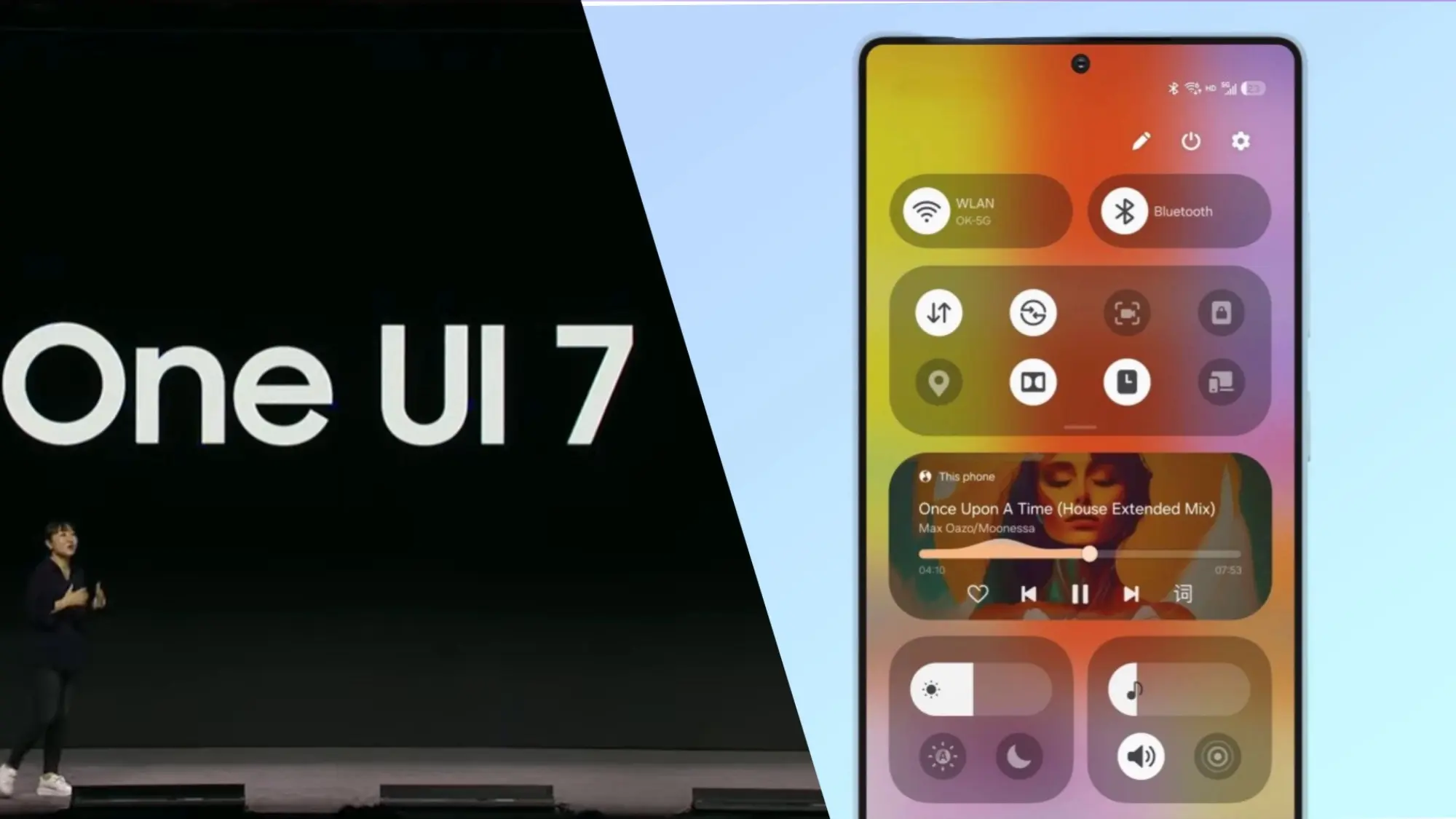
    One UI 7.0 is not just another small update; it also brings a new look and a number of usability and performance enhancements. What is noteworthy is this:

    Redesigned Quick Panel – A cleaner, more intuitive way to access essential settings.

    Smoother Animations & Transitions – Lighter, faster, and designed to improve the overall experience.

    Updated Iconography – A new look for system icons to match the refreshed design language.

    Now Bar – A persistent status bar that shows ongoing activities at a glance.

    Revamped Camera App – Controls are now easier to reach for one-handed use.

    New Battery Icon & Charging Animations – A subtle but noticeable visual upgrade.

    AI Features & Performance Optimizations

    The software’s AI-powered capabilities may be one of the reasons Samsung has taken its time with One UI 7.0. Samsung is probably striving to make sure its infrastructure can support these AI features across its wide range of devices, as some of them may need cloud processing.

    You will not have to wait long for One UI 7.0 if you are using a high-end mid-range mobile or a recent Samsung flagship. This version aims to provide a more sophisticated user experience than a mere refresh thanks to a revamped UI, smoother animations, and AI-driven optimizations.

    Samsung still has a few beta updates to go, but by April, Galaxy users should finally get the stable version.

  • Honor joins 7 years of updates club in 2025

    Honor joins 7 years of updates club in 2025

    Google shocked the Android smartphone community with the announcement that its new flagships, the Pixel 8 series, will receive an astounding seven years of Android updates. Samsung swiftly adopted this strategy for its premium Galaxy smartphones. Few brands have entered the “seven-year club,” though a few have extended their update commitments since then.

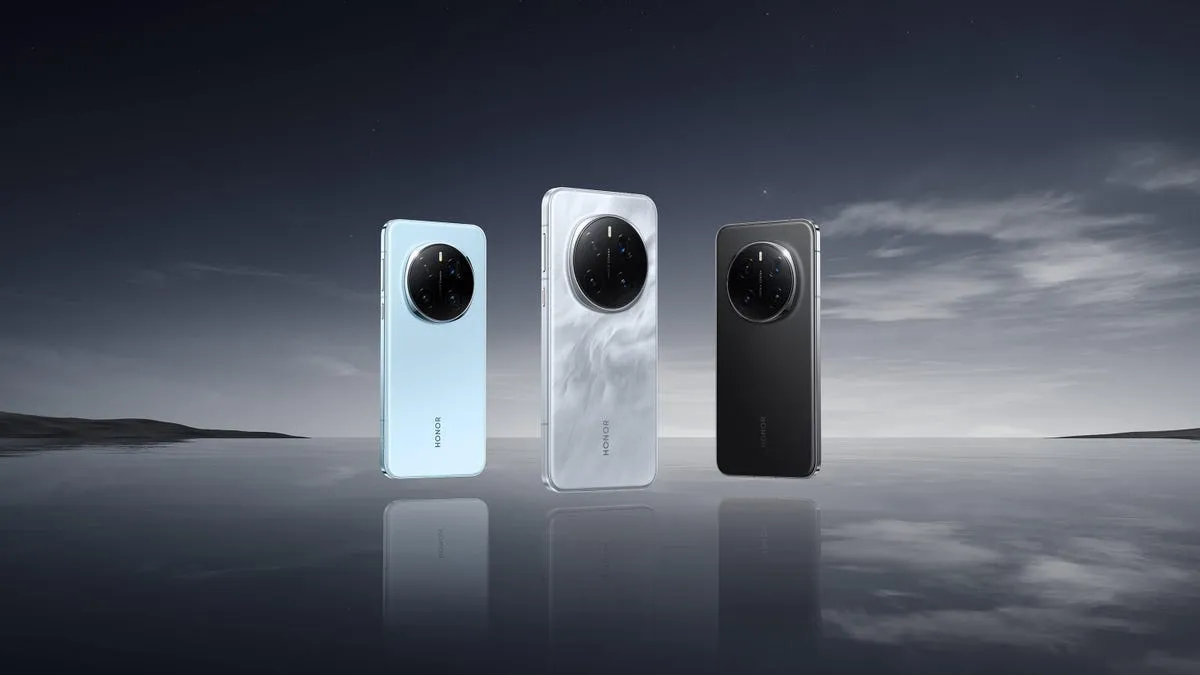
    Honor is the newest member of that exclusive group. During its ill-named HONOR ALPHA Plan keynote address at Mobile World Congress 2025 today, the company said that it will provide seven years of Android updates and security fixes for its top Magic series handsets.

    honor update life

    Honor updates are welcome

    Magic lineup are typically HONOR’s best Android gadgets, including as tablets, folding phones, and slate-style phones. The first gadget to receive this policy will be the Honor Magic 7 Pro. This is a welcome change from company’s previous assurance that the Magic 7 Pro would receive OS updates for four years and security updates for five.

    It is unclear, though, if this rule will apply to any other older devices in the past. It is also unknown which handsets in the future will have this, however the Magic V4, a foldable tablet, is probably going to be one. We will hopefully find out more details about this in the upcoming weeks and months. The Magic 7 Pro and other flagship devices will soon receive a far more comprehensive update commitment, which should delight HONOR enthusiasts for the time being.

  • 5 devices today receives HyperOS 2.1 global update

    5 devices today receives HyperOS 2.1 global update

    Xiaomi has widely distributed the HyperOS 2.1 worldwide update, which brings the newest features and enhancements to a wide variety of phones, including tablets, high-end flagships, and budget-friendly models. The update release is a significant step toward Xiaomi’s goal of offering consistent software updates across its range of devices worldwide.

    HyperOS 2.1 global update

    Devices receiving HyperOS 2.1 update

    The global update is now available on the following devices:

    Xiaomi’s worldwide software strategy has advanced significantly with this deployment, which offers the newest HyperOS capabilities across a range of device categories and pricing points. The inclusion of both high-end and mid-range devices in the rollout demonstrates Xiaomi’s dedication to maintaining software parity throughout its whole product line.

    Building on the basis established by the original HyperOS, this update 2.1 offers a number of enhancements on these products. Better UI elements, system animations, and enhanced system performance are in store for the users.

  • One UI 7 Beta 4 could be the final beta release

    One UI 7 Beta 4 could be the final beta release

    Samsung has not yet finished the Galaxy S24 beta phase, but it promised a stable One UI 7 update, based on Android 15, for qualified Galaxy S models by Q1. One UI 7 Beta 4 has now been made available; it is a more compact upgrade than earlier iterations, but it includes a crucial camera function from the Galaxy S25.

    Beta testers started posting on Reddit and other social media platforms that One UI 7 Beta 4 had begun to arrive on their devices a little more than a day ago. The United States, India, South Korea, and a few European nations are now implementing the update. The firmware is marginally smaller than earlier betas, with an average size of 1.4 GB, depending on the carrier and area.

    Log Video is available on Galaxy S24 on One UI 7 Beta 4

    Although the main focus of Beta 4 is bug repairs and speed enhancements, the Galaxy S24 trio now supports log (logarithmic) video recording, a capability that was formerly available with the Galaxy S25 and Galaxy S25 Ultra.

    Photographers and videographers can benefit from log video recording in a number of ways. It has a flat color profile, which gives post-production color grading and editing more freedom, and a higher dynamic range, which preserves more details in highlights and shadows.

    However, when compared to regular video recording, this format uses more storage space. Users must activate log video from the advanced video options in order to use it. Both pro mode and regular video mode are available for activation.

    One UI 7 Beta 4 Changes

    AI-powered camera filters are yet another noteworthy inclusion in Beta 4. These comprise pre-built filters like Shiver, Crystal, Breeze, Pulse, and Chill, to name a few. Additionally, users can use pre-existing photos to create custom filters.

    In addition to these enhancements, the firmware fixes a number of problems and improves performance. Notably, it improves performance in other areas while resolving some difficulties with the quick panel and home screen.

    Will this be final beta release?

    Whether One UI 7 Beta 4 is the last beta release or how many more Samsung intends to issue before the Galaxy S24 series’ stable release is still unknown. Samsung has reaffirmed its goal to provide the stable One UI 7 version by the first quarter of 2025. The distribution schedule is yet unknown for other devices, including as the Galaxy S23 series, Galaxy Z Fold 6, and Galaxy Z Flip 6. Whether these devices would go straight to the stable release or undergo a beta period has not been verified by the South Koreans.

    Some speculation suggests that One UI 7 could be skipped entirely, with Samsung instead opting to launch One UI 7.1 or even One UI 8.0 based on Android 16.