So far, this month has been somewhat turbulent for the tech sector. In addition to a standard 10% tariff on all nations, US President Donald Trump placed sweeping tariffs on the majority of significant production hubs. Samsung may have to drastically increase the cost of its Galaxy phones and other items in the US as a result of this.
With his announcement of tariff exclusions for important consumer electronics products including laptops, smartphones, memory products, and more, the president seems to have changed his mind before the weekend.
For the moment, Samsung is not compelled to increase pricing.
Samsung phones are manufactured in Vietnam and shipped to the US. Samsung would have to pay a 46% surcharge over the import value when it brought such phones into the US because the nation was slammed with a 46% tax.
Samsung’s alternative was to ship phones to the US via its manufacturing plants in India. Despite being high, India’s 26% tariff rate was still much lower than Vietnam’s. In any case, Samsung would have to lower its profit margins or increase consumer prices.
In talks with the administration, a number of significant tech companies have pointed out that if the tariff structure remained the same, consumer electronics prices would increase to unaffordable levels.
Given that the US is its largest market and that 90% of all iPhones are made in China, which has the highest tariff rate at 145%, Apple was most likely the driving force behind this. According to some estimations, this might have caused the iPhone 16 Pro Max’s price to go from $1,199 to $2,937.
As long as the government does not alter the tariff system again, Samsung and other companies can continue operating as usual because smartphones, computers, memory chips, and other storage products are now exempt from the 10% global baseline tariff.
Please note that we have not done our customary in-depth assessments of every app this time around as you get ready to explore our fantastic selections.
Just a quick reminder that although some applications are free to download, they can have optional in-app purchases or ads. Have fun with what you find!
Even if you do not immediately require an app, download it if you find one that interests you. If you do this, it will be marked as “purchased,” thus even if you take it off your smartphone shortly after, it will be in your app library forever.
Android Apps and Games Available for Free–Limited Time Offer
Top Free Android Apps for Productivity and Lifestyle
Volume Scheduler ($0.99): Want to silent your phone at different times? Why not let this app get the job done for you?
Bright LED Flashlight Pro ($2.99): Not happy with your default flashlight app? This should help you get sorted out.
Shuriken Jump ($0.99): See how far you can travel with your shuriken!
iOS Apps and Games Available for Free–Limited Time Offer
Top Free iOS Apps for Productivity and Lifestyle
Step Out! Smart Alarm Clock ($1.99): Can’t find enough motivation to get out of bed even when the alarm rings? This app will irritate you enough to wake up.
Mavis Camera ($5.99): A camera app that offers more flexibility when it comes to shooting photos and recording videos.
Attendance ($9.99): Are you a stickler for attendance for all your classes? This app is perfect for you then.
Eyka ($0.99): A relaxing puzzle game that requires you to harmonize all colors.
Egyptian Senet ($2.99): See how life in the Egyptian afterlife will be in this game!
As of the date of publication, the deals were active. Please share any expired deals you come across in the comments section below. We advise you to review the app’s details in the Play Store or App Store before downloading any of the aforementioned apps. This is crucial as some of these free apps can have unique features or drawbacks of their own.
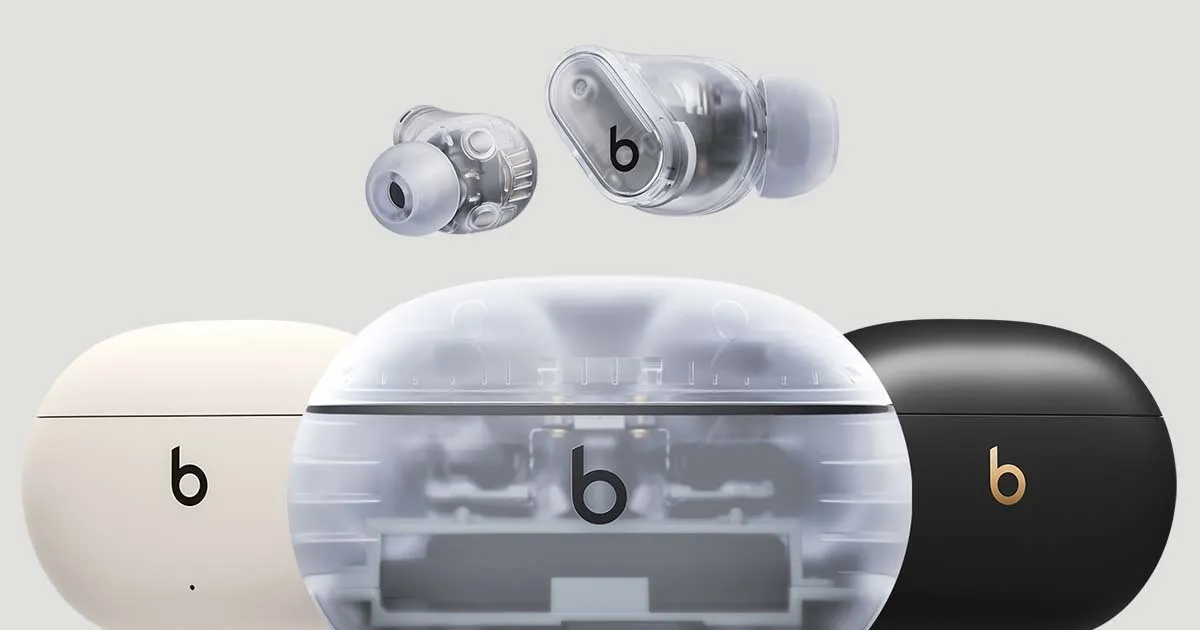
Early Easter discounts are already starting to appear now that the Spring sale is over. Numerous Beats products from Apple are on sale at Amazon and Best Buy, including the well-liked Beats Studio Buds +, which are now back at their lowest price ever of $99, a $70 (41%) reduction from their regular $169 price.
The lower pricing is available on Amazon for all four color variations of the wireless ANC earphones, including Cosmic Silver and Transparent. In the meanwhile, Best Buy is selling transparent, ivory, and black/gold finishes at a discount.
Beats Studio Buds + | True Wireless Noise Cancelling Earbuds
BEATS’ CUSTOM ACOUSTIC PLATFORM delivers rich, immersive sound whether you’re listening to music or taking calls.
Why eveyone should consider the Beats Studio Buds +
The Beats Studio Buds + are an enhanced version of the standard Beats Studio Buds, yet they still have the same tiny in-ear design. Each earbud contains a multi-function button that is sensitive even when wet, thanks to IPX4 water resistance. Users may also control the earbuds using the Beats app, which provides a more intuitive experience.
The Studio Buds + include revised acoustic vents to improve airflow, lowering ear pressure and boosting audio quality. Apple has also improved the sound profile, with more punchy bass and ultra-low frequencies for a crisper audio experience.
Also, adaptive noise cancellation (ANC) and transparency mode have been greatly improved. The new ANC is said to be 1.6 times more effective than before, while the transparency mode blends in with ambient noise for a natural listening experience. Improved microphones also provide clearer voice calls.
The Beats Studio Buds + have a 9-hour battery life on a single charge (with ANC and transparency mode turned off), which increases to 36 hours with the charging case. They also offer quick charging, allowing for an hour of playing after only 5 minutes of charging.
One of the most notable features of the Beats Studio Buds + is their seamless connectivity with both iPhone (iOS) and Android devices. They also enable Google Fast Pair and Find My Device, giving them a versatile option independent of smartphone brand.
With a $70 savings, better ANC, a long battery life, and universal compatibility, the Beats Studio Buds + are an excellent value for both Android and iOS users.
The largest update in years is One UI 7, which is based on Android 15. Samsung has made numerous optimizations, performance enhancements, and UI changes. Vulkan system-wide integration is another feature of One UI 7 that offers numerous advantages.
The API is now supported across the board in Samsung’s One UI 7 update for Android 15. This important connection allows more programs to default to Vulkan rendering, including UI components. Users of the Galaxy with One UI 7 can anticipate:
Smoother animations and transitions
Better gaming performance
More efficient battery usage
Potentially better visual effects with lower power consumption
Compared to more antiquated APIs like OpenGL and DirectX, Vulkan is intended to offer more efficiency and control over GPU resources. Lower CPU overhead, improved multi-core CPU usage, more direct GPU control, and cross-platform compatibility are some of its salient characteristics.
How was the One UI 7 x Vulkan update made public?
A perceptive A UI 7 Beta tester observed that the Galaxy S24’s graphics API varies. The system was using the new API in the initial beta version, but in the subsequent beta releases, it reverted to OpenGL.
One of Samsung’s Beta employees arrived to verify the update after the disclosure generated discussion in the community. Vulkan is now more widely supported as a system-level graphics API for applications and user interface components with the new One UI 7.
Yes, Android 15 (and by extension, One UI 7) has broader support for Vulkan as a system-level graphics API, and in some cases, apps and UI elements may default to Vulkan where supported.
Samsung (US Community Moderator)
The moderator also disclosed that during continuous testing, the graphics API fluctuates based on compatibility or stability issues. Additionally, the rendering behavior may change based on performance optimization, app compatibility, or device.
When something is free, who does not love a good deal? To increase awareness and downloads, app makers give away their premium apps and games for a short period of time every week. This gives people the ideal chance to obtain top-notch software without having to pay a thing. Both the iOS and Android platforms offer something for everyone, from work tools to captivating games.
We have compiled a list of some of the top temporarily free apps that are currently accessible. Keep in mind that these deals will not be there for long, so take advantage of them now! Downloading them ensures they remain in your library indefinitely, even after you uninstall them, even if you do not need them right away. Have fun downloading!
Limited-Time Free Android Apps and Games
Must-Have Free Android Apps for Productivity and Lifestyle
Offline Password Manager($0.99): A straightforward app that securely stores your passwords without unnecessary features.
QR/Barcode Scanner PRO($5.99): An application designed for scanning, reading, and generating QR codes and barcodes.
Simple Photo Widget($0.75): An Android widget that allows you to display photos from your gallery directly on your home screen, enabling personalized customization of your device.
Free Android games
Word Search Game: Offline($1.99): A word search game featuring letter puzzles that you can enjoy without an internet connection.
Cooking Kawaii: Kitchen(€1.09): A kawaii-style cooking and baking game that lets you create delightful dishes.
Summoners Era: Idle Strategy($0.69): Dive into a fantasy world, engage in battles, and aim to become a Grand Summoner.
Guardian War: Ultimate Edition($0.99): An action role-playing game where you control various heroes, fight battles, and embark on an exciting adventure.
Free iOS Games and Apps—for a Limited Time
Top Free iOS Apps for Productivity and Lifestyle
Art Space: Artwork Preview App($37.99): This app enables artists to display and present their works in a virtual gallery, providing an impressive preview of their art.
Network Usage Monitor($10.99): Network Usage Monitor provides a detailed analysis of network connections on your device and helps monitor data and bandwidth usage.
Resume Designer 3($4.29): This app allows you to create professionally designed resumes that can be customized to fit the needs of the job.
Free games for the iPhone and iPad
Warlords Classic Strategy($5.99): An engaging strategy game where you lead armies and defeat opponents in tactical battles.
Mr. Traffic($2.99): A game that challenges you to navigate traffic and avoid accidents while driving various vehicles.
Bloom Sort ($14.99): A relaxing puzzle game where you arrange colorful flowers in the correct order.
Neolysium($2.99): An innovative, futuristic adventure game that immerses you in a mysterious world full of puzzles and discoveries.
While exploring new apps can be exciting, it’s essential to prioritize your safety and protect your personal data. Always download apps from trusted sources like the Google Play Store or Apple App Store, as these platforms have rigorous security measures in place to vet applications. Avoid third-party stores or unknown websites, as they often host apps that may contain malware or spyware.
Before installing any app, take a moment to review its permissions. Be cautious if an app requests access to features or data unrelated to its functionality, such as a calculator app asking for location or microphone access. Additionally, check user reviews and verify the developer’s credibility to ensure the app is legitimate and secure.
By following these precautions, you can enjoy the benefits of mobile apps without compromising your privacy or device security. Stay vigilant and download wisely!
Using a warning to backup the key to prevent losing access, a recently identified Android malware known as Crocodilus deceives users into entering the seed phrase for the bitcoin wallet.
Despite being a recent banking malware, Crocodilus has fully functional capabilities to remotely control, take over the device, and collect data.
According to researchers at the fraud prevention firm ThreatFabric, the malware is disseminated by a custom dropper that gets around security measures in Android 13 and later.
The dropper circumvents Accessibility Service limitations and installs the virus without activating Play Protect.
Crocodilus is unique because it uses social engineering to force victims to divulge their crypto-wallet seed phrase.
A screen overlay alerting users to “back up their wallet key in the settings within 12 hours” or risk losing your wallet is how it accomplishes this.
“This social engineering trick guides the victim to navigate to their seed phrase (wallet key), allowing Crocodilus to harvest the text using its Accessibility Logger,” ThreatFabric explains.
“With this information, attackers can seize full control of the wallet and drain it completely,” the researchers say.
Crocodilus was seen to target customers in Spain and Turkey, including bank accounts from those two nations, during its initial operations. Based on the debug messages, it seems that the infection originated in Turkey.
Although the exact mechanism of the first infection is unknown, users are usually duped into downloading droppers by malicious websites, phony SMS or social media advertisements, and third-party app shops.
When Crocodilus is launched, it has access to Accessibility Services, which are typically designated for helping individuals with disabilities. These services allow Crocodilus to make navigation motions, monitor for app launches, and unlock screen content.
Crocodilus puts a phony overlay over the legitimate app when the victim accesses a targeted banking or cryptocurrency app in order to obtain the victim’s login information.
The bot component of the malware supports a set of 23 commands that it can execute on the device, including:
Enable call forwarding
Launch a specific application
Post a push notification
Send SMS to all contacts or a specified number
Get SMS messages
Request Device Admin privileges
Enable a black overlay
Enable/disable sound
Lock screen
Make itself the default SMS manager
Additionally, the malware has remote access trojan (RAT) capabilities that let its operators swipe, tap, and browse the user interface, among other things.
To collect one-time password codes used for two-factor authentication account protection, a specific RAT command is also available to snap a screenshot of the Google Authenticator application.
To conceal the activity from the victim and give the impression that the device is locked, Crocodilus operators can mute the device and activate a black screen overlay while doing these tasks.
Crocodilus may soon expand its activities and add more apps to its target list, even if it currently seems to be targeting only Spain and Turkey.
It is recommended that Android users make sure Play Protect is constantly enabled on their devices and refrain from downloading APKs from sources other than Google Play.
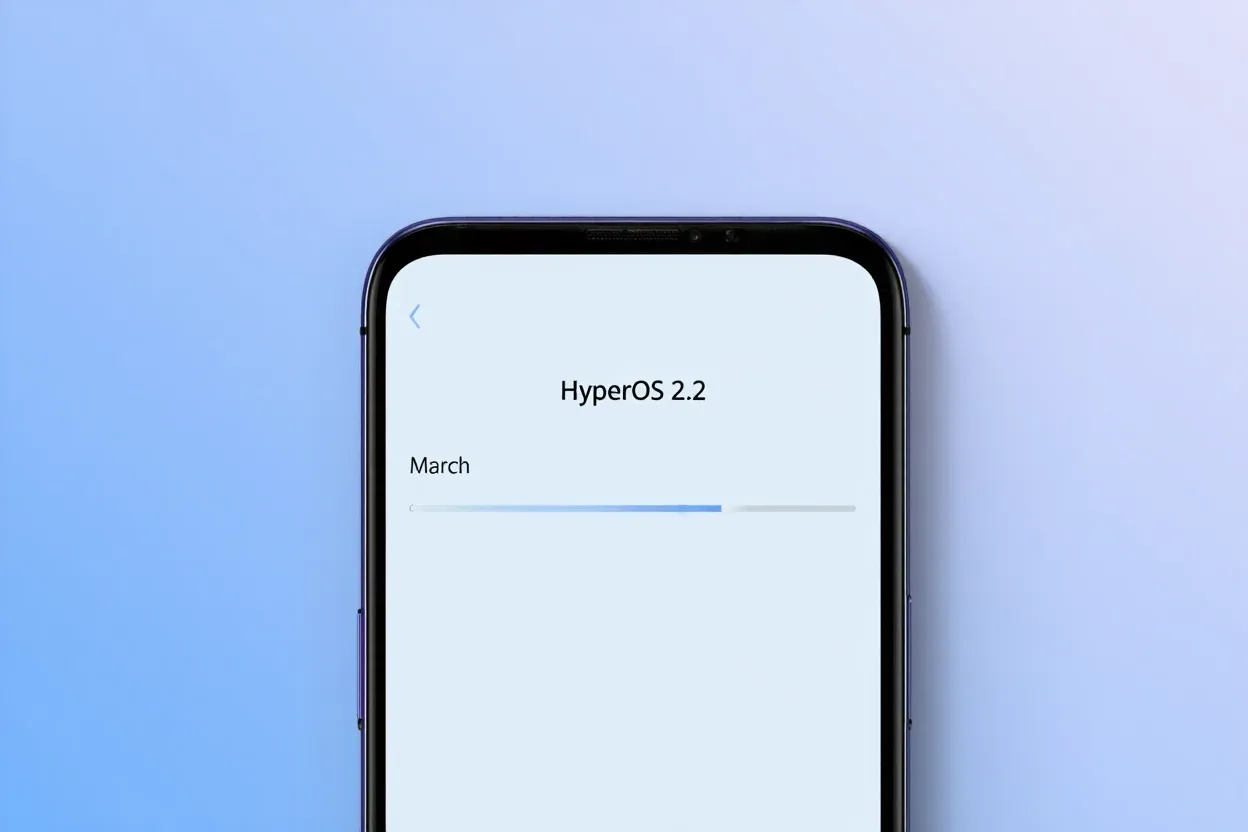
The Xiaomi community is ecstatic with the latest HyperOS update, which offers users’ devices an abundance of customization options and AI-powered capabilities. With a number of notable enhancements that demonstrate Xiaomi’s focus on user experience and creative design, tech enthusiasts and fans are busy testing out the March update version RELEASE-5.39.40.10843-03212137. The upgrade demonstrates the company’s continuous attempts to combine the newest technology with functionality.
Key updated:
The March update brings with it some noteworthy enhancements that will delight Xiaomi users:
Desktop Grid Options Resurrection
Grid layout options have been restored, offering greater personalization to the users:
4×6 grid pattern
4×7 grid layout
5×9 grid pattern
AI-Powered App Search
A groundbreaking feature that elevates the search experience:
Smart responses right in search results
Interpreting search queries contextually
Enhanced app discovery (Note: May not be available globally)
Wallpaper Customization
A new level of aesthetics has been added to device personalization:
New blur effect for wallpapers has been added
Enhanced visual customization options
These updates give users more power and customization, which is consistent with Xiaomi‘s user-centric philosophy. While the AI-powered search is intended to make app discovery more straightforward and intuitive, the reinstated grid layouts allow for greater freedom in app arrangement.
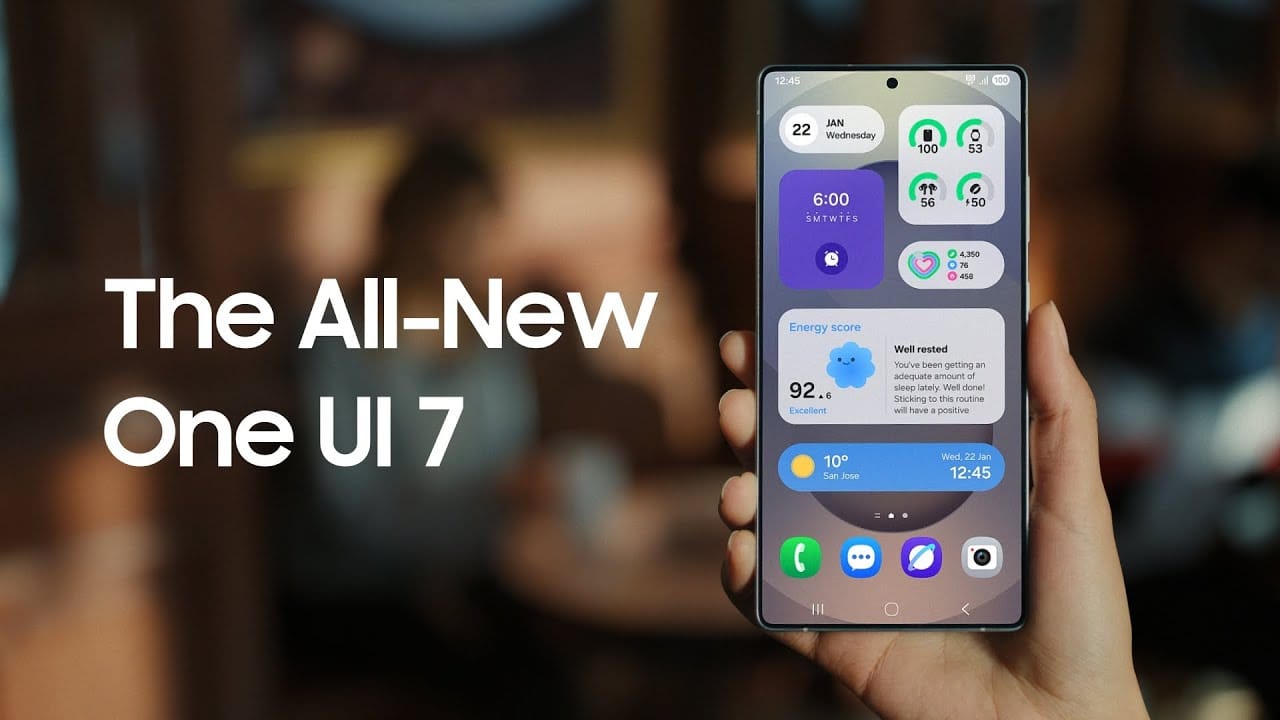
Samsung basically teased their major One UI 7 update with a two-minute video that was just released. They are all getting ready and showcasing some of the exciting things that are on the horizon. In addition to letting us know that One UI 7 will soon be available for the Galaxy S24 and older phones, they are also using it to sort of encourage people to buy the new Galaxy S25. At last! Up until now, we had only seen it in beta.
According to Samsung, One UI 7 will be far more “you” than it has ever been. Like, more natural, more user-friendly, and more intimate. They are showcasing Google’s Gemini, “Now Brief,” “Now Bar,” “Sketch to Image,” and various AI-powered search tools.
The teaser video from Samsung hints at a few UI 7 features.
This video now? It is only a preview. We are not seeing everything. However, the timing is intriguing. It is obvious that they are preparing for a big release.The strange aspect is that last week, they announced that the S24, Z Flip 6, and Z Fold 6 updates would be available in certain locations beginning on April 7, 10, and 14. However, they later retracted the April 10th date for the US, which gave them a somewhat uncertain appearance.
https://www.youtube.com/watch?v=P4AEIu3V6F4
In essence, Samsung is building anticipation for One UI 7, but they are being a little reticent about when it will be released. The only thing we can do is wait and see when it lands. However, before that, you may see if your Samsung Galaxy phone is compatible with the company’s recently announced seamless updates function, which installs updates while you are still using your phone, saving you time waiting for it to restart.
The business claims that if your Galaxy phone was released prior than 2025, it probably does not enable seamless updates. The Galaxy A55 is an odd outlier. But anything starting in 2025? It ought to have it.
This week, we are excited to present our carefully curated selection of essential free apps that you will not want to miss! Our hardworking staff has searched the Google Play Store and the Apple App Store for some hidden gems that are normally available for purchase but are now free for users on both iOS and Android devices.
If you find an app that piques your interest, even if you don’t need it right away, go ahead and download it. Doing so will mark it as “purchased,” ensuring it remains in your app library indefinitely—regardless of whether you remove it from your device soon after.
Android Apps and Games Available for Free–Limited Time Offer
Top Free Android Apps for Productivity and Lifestyle
AppLock Pro ($4.49): Choose different styles to lock your apps without being limited to what the app offers itself for a greater amount of flexibility.
Sound Meter & Noise Detector ($2.99): An app that claims to be able to detect the sound and noise level in the vicinity.
Fake Call Screen ($0.99): Ever been in a tight spot socially and need to be bailed out? This app simulates a fake call for you to get out of a tough situation.
Dark Screen Filter ($0.99): If you use your phone late into the night, perhaps dark mode is not enough, but having this dark screen filter might help ease the strain on your eyes.
PhotoApp ($6.49): An AI photo app that allows you to edit and modify images at your whims and fancy.
Puzzle Words Pro ($1.49): A word search game with three modes to choose from to keep things happening.
Theme Park Simulator ($0.99): Enjoy running a theme park wherever you go with this cute little app.
Live or Die Survival Pro ($0.49): The end of the world is coming, and you need to do your very best to remain alive with your wits.
Defense Zone 3 Ultra HD ($2.99): A tower defense game with amazing graphics that is set in a futuristic war setting.
iOS Apps and Games Available for Free–Limited Time Offer
Top Free iOS Apps for Productivity and Lifestyle
weather+ ($0.99): Want to know what the weather is like outside? Find out in this app before you head out.
Outfit Outdoor Fitness ($2.99): Let the app inform you on what you need to wear before you head out for your exercise.
Light Filter ($3.99): Want to take the perfect photo? Make sure the surrounding lighting is right with this app.
Feelly ($1.99): A personal mood tracker that helps you keep tabs on how you are feeling, perfect fro those who want to figure themselves out.
Bookends ($10.99): Do you do a lot of writing and research that needs referencing? Guess this reference management app will come in handy.
Free Games for the iPhone and iPad
Cooking Game for Kids ($5.99): Think your kid will be the next Gordon Ramsay? Why not let them have a go at a cooking game and see if they have the chops to do so?
Catennacio Football Manager ($2.99): If you think you are able to do better than the real-life football managers, then give this game a go!
My City: Star Horse Stable ($3.99): Learn the ropes of taking care of a pony without incurring actual cost on a virtual platform.
Pirate Drops 2 ($4.99): A Match-3 game that takes on a pirate theme which will surely offer a refreshing experience.
Cuppy Ball ($0.99): Hopefully you’ll be able to place the cup at the right place for the ball to fall into.
We advise you to review the app’s details in the Play Store or App Store before downloading any of the aforementioned apps. This is crucial as some of these free apps can have unique features or drawbacks of their own.
While making sure your data is safe and secure, you are free to browse the wide range of free apps available for both iOS and Android smartphones.
Digital wallets are becoming a more common option to pay on the go. The concept is simple: why carry a wallet when you can store your credit card on your Android phone? It makes logical and decreases the amount of items to keep track of. Google Wallet goes a step further, allowing you to add goods other than credit cards to your digital wallet. What products exactly?
Boarding passes
Boarding cards are required for airline travel. You need these to get past security, confirm the flight’s departure time, and find your gate. Traditionally, they were paper, but they have recently gone digital, via the airline’s app or a digital wallet. Google Wallet can save boarding passes, eliminating the need for physical boarding tickets. It also refreshes the gate or flight time on the boarding card as soon as it changes, keeping you informed of any changes.
Public transportaion tickets
Public transportation is useful for traveling around, regardless of whatever major city you are in. Each system has its own type of passes, such as monthly passes or reloadable cards. Normally, catching a trip requires a specific app or physical pass, but Google Wallet allows you to store and utilize passes from several major transportation agencies around the United States. Then, you can utilize Google Wallet to travel whenever necessary.
Gift cards
present cards are a popular option to offer someone a flexible present that does not require a specific item. It allows the receiver to select an item that is ideal for them, and gift cards can be pooled to purchase a more expensive item. During holidays or birthdays, you may receive multiple gift cards that are difficult to keep track of. Google Wallet allows you to save all of your gift cards in one location and redeem them later.
Loyalty cards
Most businesses have a loyalty or rewards program in place to provide perks to consumers who return frequently. Sometimes this takes the form of a physical card that is utilized at the checkout. If you have rewards cards from multiple businesses, they might fill up your wallet. Google Wallet can also hold loyalty cards. Google Wallet identifies common cards, adds them, and provides you with an easily readable barcode to scan at checkout.
Driver’s licenses
To be able to drive, you must have a driver’s license, which is the most frequent form of identification used to prove your identity and age. Keeping your license with you at all times is a good idea and occasionally necessary, but it can be difficult to keep track of if you do not want to carry a wallet. If you lose it, finding a replacement can be tough. In several states in the United States, you can keep your license in Google Wallet. It is not available in every state. It will only be offered in Arizona, California, Colorado, Georgia, Maryland, and New Mexico as of March 2025. Hopefully, its availability will increase with time.
Health insurance card
Health insurance cards are another vital piece of information to keep with you at all times in case you want medical assistance. While you can keep the physical card, you can also save it to Google Wallet. While it is not as straightforward as adding a credit card or other comparable item to Google Wallet, you can scan or save it through your healthcare provider. Then you will have all of the critical medical information you need at your fingertips whenever you need it.
Passport
Passports are required for travel and as a means of identification. With Google Wallet, you may use your phone to augment your passport with an ID pass. An ID pass enables Google Wallet to save your passport for use in specific instances. An ID pass cannot substitute a passport in all circumstances, however it can be used in some cases. An ID pass can be used at TSA checkpoints for domestic flights in some US airports. It can also be used as a form of identification in some instances, but keep your actual passport with you in case you need it.
Student IDs
Students need IDs for a variety of reasons, including building access, dining hall meals, and student discounts at specific establishments. If they lose their ID, they may be unable to obtain necessary services. Google allowed the ability to save student IDs to Google Wallet in 64 countries and territories, making them harder to lose and easier to use. Because students are likely to carry their phones with them at all times, having their student ID on the phone is more convenient.
Event tickets
You may attend a variety of enjoyable activities, including concerts, festivals, sports tournaments, and more. You must have a ticket to attend, and most are no longer printed on paper. However, depending on the venue or type of event, you may require multiple applications, which can be difficult to keep track of. Make it simple by adding them to Google Wallet. Google Wallet can store any sort of ticket or event pass, providing you with a convenient, centralized location to find everything you need. When the event is ended, Google Wallet makes it simple to remove the pass, so your app is not crowded with used tickets.
Hotel keys
To get access to your hotel room, most hotels use key cards rather than physical keys. In increasingly modern hotels, however, you can enter your room by tapping your key card. Some hotels let visitors use Google Wallet to store hotel keys instead of a physical key card. It is now limited to Club Quarter Hotels and other random individual hotels, but we want to expand it shortly.
Corporate badges
Many company buildings require badges to enter, which increases security. You must have your badge to enter, and if you forget it, you may be permitted to use a government-issued ID or a company ID instead. To circumvent this, some buildings allow customers to save their pass to Google Wallet on their phone, either eliminating physical badges or providing a backup option. Then simply tap your phone to enter, nothing more.
One app for everything.
Google Wallet is useful for storing and using credit and debit cards, but it can do a lot more. It can also hold other goods like IDs, transport passes, gift cards, and so on.