Author: rob

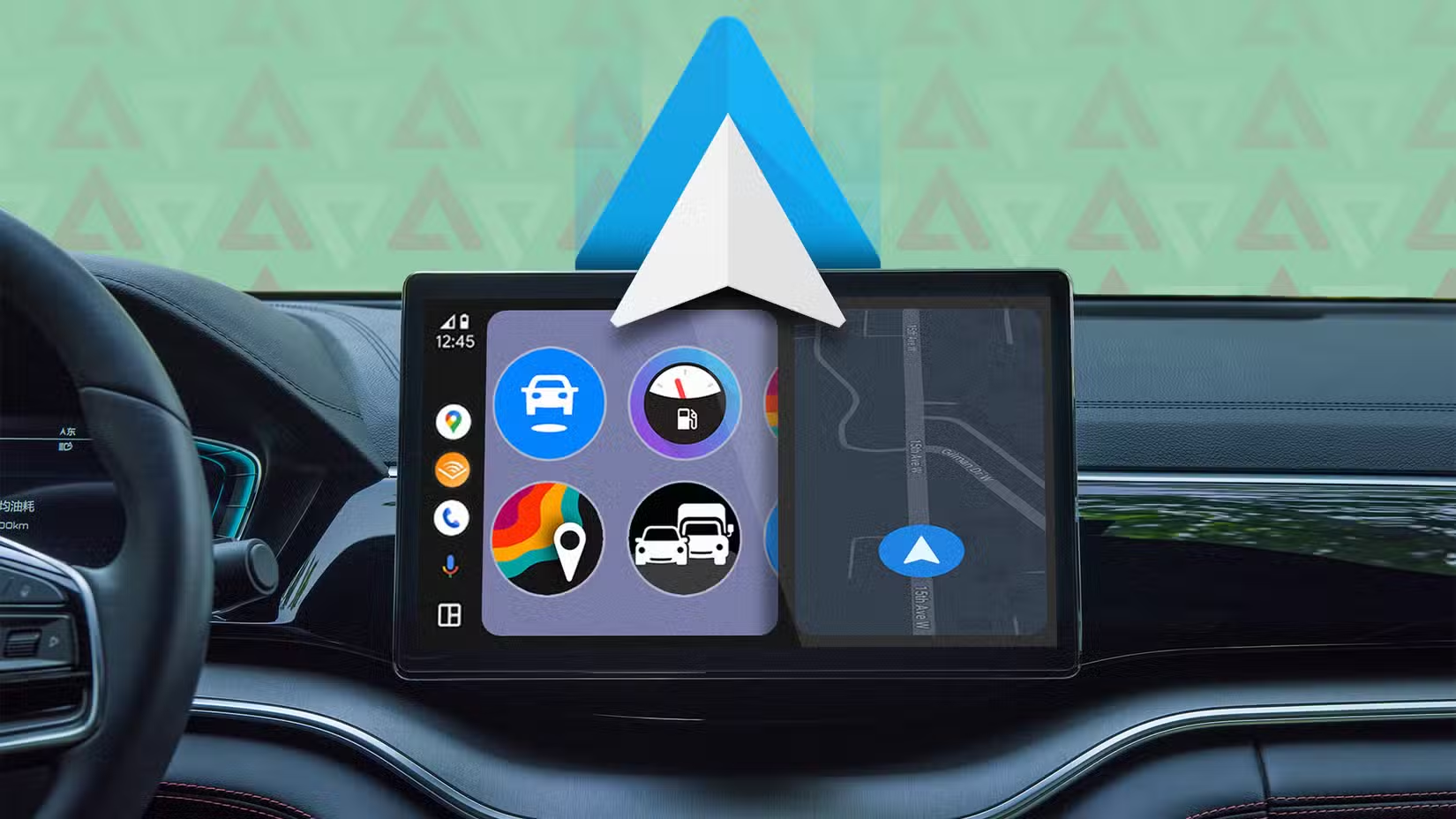
  • New Android Auto update brings smarter features and better safety

    New Android Auto update brings smarter features and better safety

    The Mountain View tech giant has more good news for Android users than just the recent announcement that call recording will be available in all areas where Pixel phones are sold.

    Android Auto gets Call Screening and Call Notes in latest update

    Android Auto can now screen calls in your car using your phone thanks to a recent upgrade. Later this year, Call Notes will also be available on Android Auto for crucial talks in which you are unable to take notes since you are ostensibly driving at the time.

    These two Android Auto improvements are quite useful. Particularly useful is call screening, which can spare you time by preventing you from taking pointless calls while operating a motor vehicle.
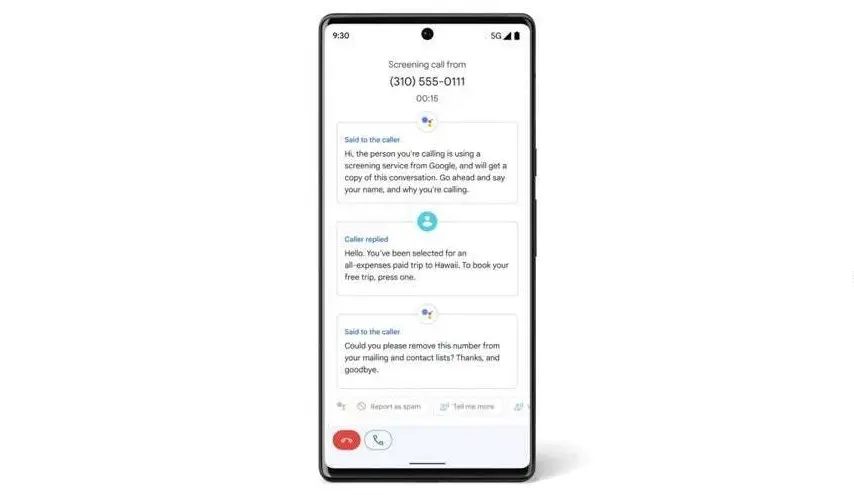
    Android auto call screening

    Unknown callers and those not on your contact list can use the service. After it asks the caller who they are and why they are calling, you will receive this information. In this manner, you have the option to accept or reject the call.

    Conversely, Call Notes generates a text synopsis of your conversation. The Pixel 9 series was the first to implement the functionality. If it’s a business call, this Android Auto feature will be quite useful.

    Call Screening is becoming a must-have feature for smart car systems

    These two new features make it even more practical. Apple, Google’s primary rival, has the Call Screening feature on its most recent iPhone models (which come with the just released iOS 26). The feature is compatible with CarPlay, Apple’s technology for connecting your phone to your vehicle’s infotainment system.

    The ability to screen calls is quite helpful, particularly when driving. Bravo to Google for introducing it to Android Auto, as it removes annoying calls without requiring you to answer or handle them.

    I’m thrilled that Google is adding these two fantastic new capabilities to Android Auto. In fact, I believe they are far more helpful for Android Auto than for your phone, and the same is true for Apple’s version. When I’m driving, I would absolutely appreciate these two features. I now hope that things will function well and without any issues.
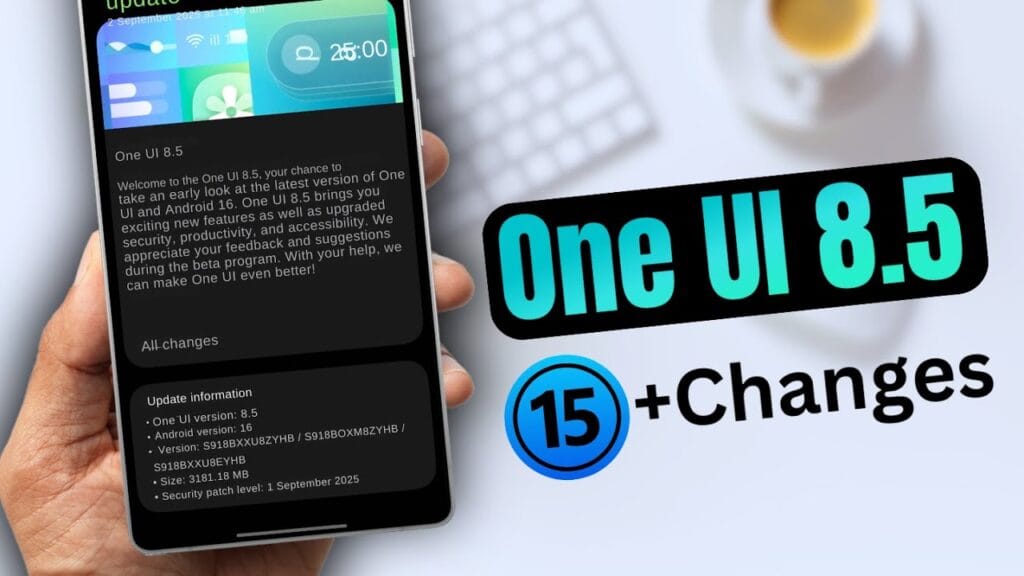
  • Samsung One UI 8.5 beta release could come earlier than you think

    Samsung One UI 8.5 beta release could come earlier than you think

    Early in the upcoming year, Samsung is anticipated to release the One UI 8.5 software along with the Galaxy S26 series. However, in terms of new features and cosmetic improvements, early build leaks have given little room for speculation.

    Unfortunately, only a small number of users are able to test-run the program at this time, thus these early builds aren’t available to everyone. Although we are unsure of the exact date, we are aware that the firm will soon formally launch the One UI 8.5 beta program for its flagship phones. With a leak providing information on a possible release date for the initial beta update, that is now altering.

    According to SamMobile’s exclusive tip, Samsung might activate the One UI 8.5 beta program before the end of November, possibly “around the week beginning November 24.” In contrast, after a protracted wait, Samsung released the One UI 7 public beta in December 2024, with the stable rollout taking place in April.

    Samsung released the first One UI 8 beta in May and the stable version last month, changing things up for the next big software release. The devices that will be compatible with 8.5 and the areas in which it will be accessible are still unknown.

    Will your older Galaxy phone get the One UI 8.5 beta update on schedule?

    The beta update is likely to be available on almost every device running the Android 16-based One UI 8.0 software. At the top of the list of devices that qualify should be the Galaxy S25 series and the newly released Galaxy Z Fold 7 and Z Flip 7.

    We should also mention that users of the Samsung flagships from 2024 had to wait about three months to receive the One UI 8 beta. With the next One UI beta, we can only hope that Samsung won’t do the same thing.

    The software is expected to be a significant improvement over One UI 8, if the previous leaks of One UI 8.5 are any indication. Because it will be based on Android 16 QPR2, Galaxy owners will be able to use the most recent Android update available. A recently leaked hands-on video gave us a better look at the improvements in the new software.

  • Galaxy Watch 7 drops to $149 — the best smartwatch deal

    Galaxy Watch 7 drops to $149 — the best smartwatch deal

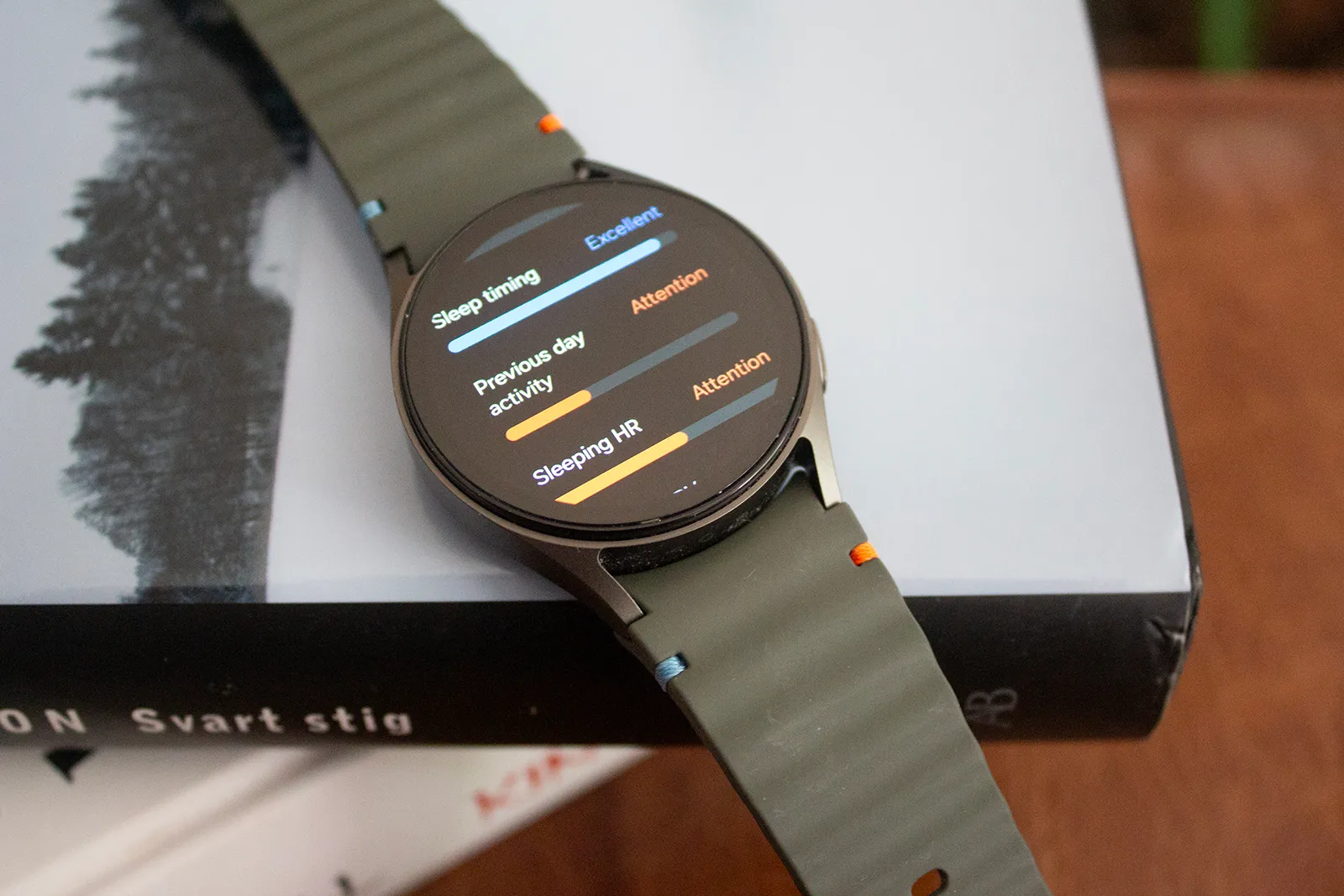
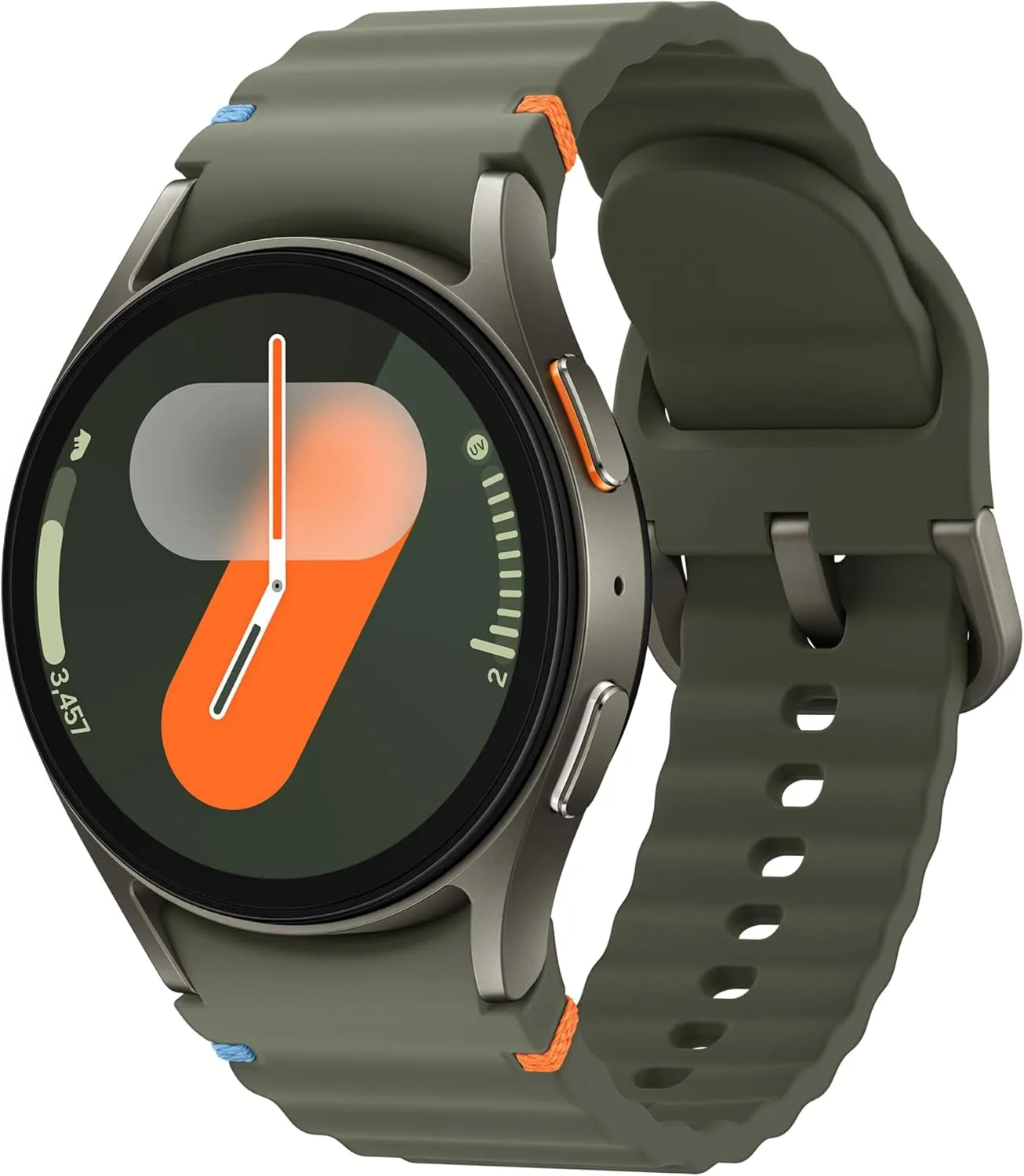
    Prime Day is one of the ideal times to make that strategy work if, like me, you would rather wait for a new smartwatch model to come out so that the older model can be marked down. Samsung’s Galaxy Watches are currently on sale, with the Galaxy Watch 7 probably taking center stage. The 40mm GPS model is now only $149, which is a significant reduction from its usual $249 price.

    That’s a significant decrease of $100 or 40% off. Additionally, you’re saving $150 when you take into account the Galaxy Watch 7’s initial launch pricing. It comes in two different color options: green and cream.

    SAMSUNG Galaxy Watch 7

    Samsung Galaxy Watch 7

    Looking for a great way to bring out your personal best every day. Challenge yourself to excel on your next run or bike ride using tracking with Galaxy AI that lets you compare your current performance to your last one

    Best deal
    $249.99 $149.99Amazon

    Why the Samsung Galaxy Watch 7 is the best smartwatch choice right now

    For users who are already familiar with the Galaxy ecosystem, Samsung’s Galaxy Watch 7 is still a functional Android smartwatch. You can combine it with phones that aren’t Samsung, but you won’t be able to use some of the special Galaxy capabilities.

    For the majority of users, it is equally as dependable as the more recent Watch 8 because it performs the same essential tasks. Although it isn’t nearly as bright as the most recent model, the 1.3-inch AMOLED display still achieves an amazing 2,000 nits. Its Armor Aluminum 2 chassis, MIL-STD-810H certification, 5 ATM waterproofing, and IP68 dust and water resistance all contribute to the build’s durability.

    The Exynos W1000 processor, the same chip used in the Watch 8, powers it from underneath. It includes sophisticated health tracking features including blood pressure and ECG and operates smoothly and steadily. The Wear OS 6 update, which will enable new features like the antioxidant index, is also planned for it.

    SAMSUNG Galaxy Watch 7

    Samsung Galaxy Watch 7

    Looking for a great way to bring out your personal best every day. Challenge yourself to excel on your next run or bike ride using tracking with Galaxy AI that lets you compare your current performance to your last one

    Best deal
    $249.99 $149.99Amazon

    The rated 35-hour battery life is only a few hours longer than that of the more expensive model. That runtime can be almost doubled with power-saving mode. Nevertheless, both smartwatches charge at the same rate of 10 watts.

  • Limited-time: download premium apps free before prices return

    Limited-time: download premium apps free before prices return

    Even while there isn’t such a thing as a free lunch, there is such a thing as free apps! We’ll look at a selection of free apps for iOS and Android phones today, which includes games and other kinds of apps. Please be aware that you must act immediately because these offers are time-sensitive and we are unsure of when they may end.

    A wide variety of programs, from free to premium solutions, are available in the Google Play Store and Apple App Store, respectively. Many customers may be surprised to learn that during promotional events, a number of paid apps are frequently made temporarily available for free. We’ve put together a list of some of the most interesting apps available for free right now.

    Free premium apps (Android)

    • Reminder Pro ($3.49) – If you ever need a second brain like me, then this is the app to go for. It is a reminder app that will definitely come in handy, giving you alerts and various options to be notified, so that you know what’s next on your “To Do” list without falling behind on deadlines.
    • Resume Builder – CV Maker ($4.99) – Ever wanted to conjure a resume while you are on the move? If you have answered in the affirmative, you can do so on the move with this nifty little app. Of course, some of us might use other apps, but this is rather comforting for old school folks like me. 
    • Age Calculator Pro ($0.49) – If you are poor in math, just like me, then this age calculator app might be just the thing! It is ideal to calculate my age and discover the total years, months, days, weeks, hours, minutes, and seconds between two dates! Of course, this is also nifty to find the date difference between important events like marriage anniversaries, work anniversaries, birthdays, festivals, and holidays, among others. 

    Free premium apps (iOS)

    • Lego Duplo Doctor (S4.99) – What do you think your little one is going to grow up to be? Well, let’s not pressure the tiny tots just yet and let them play. And who does not like Lego? Duplo can be said to be the introductory doorway to the world of Lego, and this game squarely places them into a hospital environment.
    • BJJ Old Man Style ($19.99) – Check out this instructional app that features a 1 hour 45 minute video, where Jiu Jitsu black belt Rick Ellis showcases how he approaches the BJJ game as an older athlete. Rick emphasizes developing your game into systems of attack and defense, opening up various options when faced with different opponents. 
    • Pixel Thoughts ($0.99) – I would highly recommend using this app with a pair of headphones, as it lets you enjoy meditation by placing your thoughts into a star. Just focus on what’s boggling your mind and meditate to gain some perspective in a more focused manner. 

    At the time this post was published, all of the apps we are showcasing here were free to download. Regretfully, developers frequently fail to indicate the duration of these offers. Don’t hesitate to download an app if you enjoy it.

    However, you should always check the app page in the store before downloading a free program. Because there are occasionally unnoticed obstacles that you should be mindful of.

    The majority of free apps either provide in-app purchases or have advertisements. But some apps that cost money also accomplish this. It is crucial to give these factors the consideration they require, particularly if the game is meant for young players.

    Many apps gather user information and frequently sell it to outside parties. Therefore, make sure you only give the program the rights it truly requires if you want to be safe. For instance, a flashlight shouldn’t be interested in your location information, and an alarm clock doesn’t require access to your contacts or cameras.

  • HyperOS 3 Launcher October update now rolling out for Xiaomi devices

    HyperOS 3 Launcher October update now rolling out for Xiaomi devices

    It’s time for your favorite Xiaomi gadgets to receive yet another essential update! This most recent version demonstrates Xiaomi’s dedication to improving the user experience, which is something the team is always working to do. The latest version of the Xiaomi HyperOS 3 Launcher, RELEASE-6.01.02.1236-09241346, may appear minor at first glance, but these important internal enhancements are what keep the system operating without a hitch.

    Getting this version is a no-brainer for consumers who want to keep their performance and stability at their best. You’ll be happy to hear that this updated launcher version is compatible with HyperOS 2 devices as well, guaranteeing that a larger user base may take advantage of the improved stability if you’re using a device running the current HyperOS platform or even somewhat older versions.

    hyperos 3 launcher update

    HyperOS 3 launcher gains more stability

    With build number RELEASE-6.01.02.1236-09241346, this particular version is solely focused on bug fixes and overall stability improvements. These upgrades are essential for resolving any small performance issues or unexpected crashes that users may have experienced with previous releases, even if Xiaomi hasn’t published a comprehensive changelog of every fix. A more dependable and pleasurable everyday usage experience is guaranteed by this commitment to polish.

    Since it’s the program you use the most, a reliable launcher forms the cornerstone of your whole phone experience. As a result, fixing these little issues will greatly increase user happiness overall.

    hyperos 3 launcher update

    Officially, the firmware of the much awaited Xiaomi 17 Pro Max running its internal OS build OS3.0.17.0.WPBCNXM contained this version of the HyperOS 3 Launcher. Given that it is powered by Xiaomi’s state-of-the-art flagship hardware, this is a fantastic indication of the build’s quality and optimization. Xiaomi is effectively providing a stability boost by making this important system program accessible on other smartphones, which was formerly tailored for its newest and most potent hardware.

    How to get the new HyperOS update

    Since this is an application update, there are a few simple ways to obtain the most recent version and take advantage of the increased stability.

    • Official System Update: Keep an eye on your device’s System Updater, as the official rollout should be reaching all eligible devices soon.
    • Manual Installation: For those who prefer to update immediately, you can download the latest launcher APK. The best way to ensure you’re getting official, safe, and up-to-date system applications is by using a dedicated application manager. You can use MemeOS Enhancer to get all system app updates.
  • Honor Magic 8 Pro confirmed to feature massive 7200mAh battery

    Honor Magic 8 Pro confirmed to feature massive 7200mAh battery

    The Honor Magic 8 Pro has gained a lot of attention lately because of its live photos, one of which showed that it has a 7200mAh battery. Following numerous speculations about 7000 or 8000+ cells for the next flagship, the information has been verified.

    A 7200mAh battery pack was visible in a live shot of the Honor Magic 8 Pro posted by Weibo tipster @JinanDigital. Other features of the high-end phone are also highlighted in the picture.

    Honor Magic 8 Pro confirmed to feature massive 7200mAh battery

    Honor has ambitious plans for battery capacity this year. With its 6100mAh battery, the Honor Magic V5 took center stage in the market. The next phone in line is the X70, which has the biggest battery for a mid-range phone (8300mAh).

    Honor Magic 8 Pro giant 7200mAh battery

    However, the company is getting ready to release a 10,000mAh battery item in 2026. In the midst of these amazing capabilities, Magic 8 Pro is also making an appearance.

    The third-generation Qinghai Lake Battery, which has a 5850mAh capacity, is a lithium-ion polymer cell that is included in the Honor Magic 7 Pro for comparison. It is compatible with both 80W wireless charging and a 100W Honor Super Fast charger.

    The Magic 7 Pro can increase its charging speed from 0% to 100% in 30 to 35 minutes. That’s incredibly fast. For the next iteration, the business has now employed a larger battery. As a result, the charging speed will probably continue to rise.

    Larger batteries, however, primarily help users by extending their usage duration and providing convenience during lengthy trips or crises. Additionally, it lessens the likelihood that your gadget will need to be charged regularly while you watch a movie or perform strenuous chores.

    The Honor C1+ and E2 chips, 16GB of RAM, and the option for up to 1TB of storage are further upgrades that can be seen in the live image. By mid-October, the flagship phone might make its official debut.

  • Xiaomi confirms over 20 devices ineligible for HyperOS 3 upgrade

    Xiaomi confirms over 20 devices ineligible for HyperOS 3 upgrade

    Before the year ends, Xiaomi will stop supporting more than 20 devices. Many devices, ranging from the Xiaomi 12X to the Poco F4, have not yet been included in HyperOS 3 deployment schedules and will shortly reach end-of-life status.

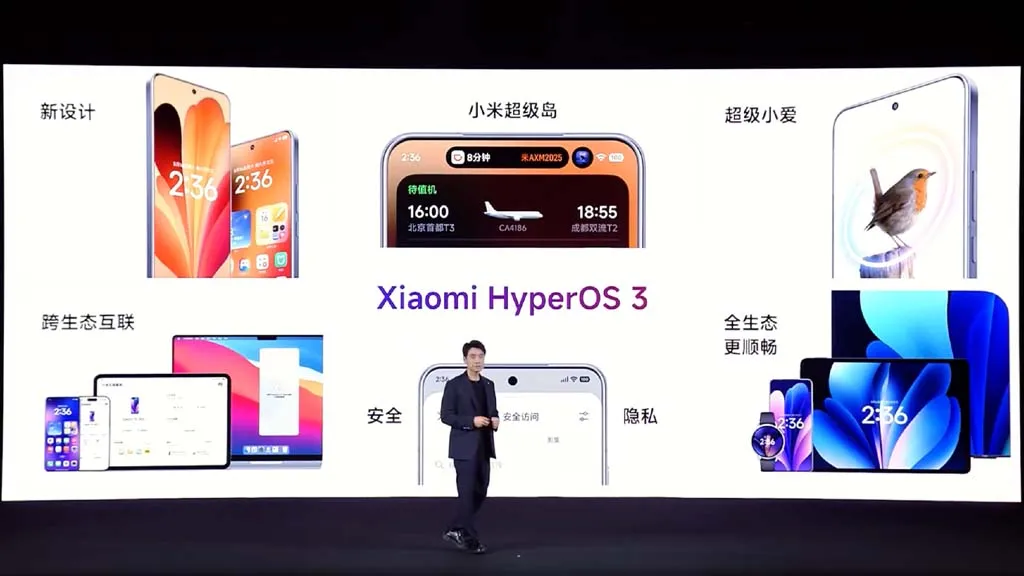
    Xiaomi has now stated that HyperOS 3, its upcoming big OS update, will be released globally initially. In summary, Xiaomi now divides the HyperOS 3 Rollout Schedule into three batches, with the first batch beginning this month and the third batch ending in March 2026. Just before to that, Xiaomi released a comparable update for the Chinese market that featured products tailored to that country, such as the Redmi K series and Mix Fold foldables.

    Xiaomi HyperOS 3

    Some older recent smartphones, such as the Xiaomi 11T series, have now gotten their final upgrades, as we previously noted. As a result, they are not eligible to upgrade to HyperOS 3. Even yet, some HyperOS 3 compatible devices—like the Redmi Note 14 Pro Plus—will not be able to access Hyper Island features.

    It is now evident which Xiaomi devices have been left out of the company’s plans as the HyperOS 3 release timetables have been moved until the spring. For example, by February 2026, when it should get its last security update, the Poco X5 Pro 5G will be in end-of-life status. As a result, Xiaomi has excluded the gadget from its list of devices compatible with HyperOS 3. The following Xiaomi, Redmi, and Poco devices are currently scheduled to reach end-of-life status this year and are not part of the official HyperOS 3 distribution plans:

    • POCO F4
    • POCO F4 Pro
    • POCO F4 GT
    • POCO M5
    • POCO M5s
    • POCO X4 GT Pro
    • POCO X4 GT
    • POCO X5 Pro 5G
    • Redmi A2
    • Redmi A2+
    • Redmi 12C
    • Xiaomi 11 Lite 5G NE
    • Xiaomi 11T
    • Xiaomi 11T Pro
    • Xiaomi Mi 11i
    • Xiaomi Mi 11 Lite
    • Xiaomi Mi 11 Lite 5G
    • Xiaomi Mi 11 Ultra
    • Xiaomi Mi Mix Fold
    • Xiaomi Mix 4
    • Xiaomi 12X
  • First software update for global Huawei Watch GT 6 Pro brings useful improvements

    First software update for global Huawei Watch GT 6 Pro brings useful improvements

    The first update for the Watch GT 6 Pro worldwide is being released by Huawei. For the recently released wearable, this firmware is particularly noteworthy for two reasons. First of all, it offers a ton of incredible features. Second, the HarmonyOS 6.0 software version is included in this update.

    Indeed, HarmonyOS 6.0 is already appearing with the Watch GT 6 series as an official version, even though it still has time to reach the stable platform. In addition, it gives users access to a lot of fascinating functions, like exchanging files, watching faces, and sports.

    The most recent wearables allow music files to be sent via Wi-Fi to iOS devices. However, the build has watch faces for Video and Module 2025. On their rides, users can also take use of real-time virtual performance notes.

    The business has modified some of its current features in addition to adding new ones. Upgraded the Call List to Phone, for example. To make their accessibility easier, users can even change the frequently used features and functionalities on their watch screen.

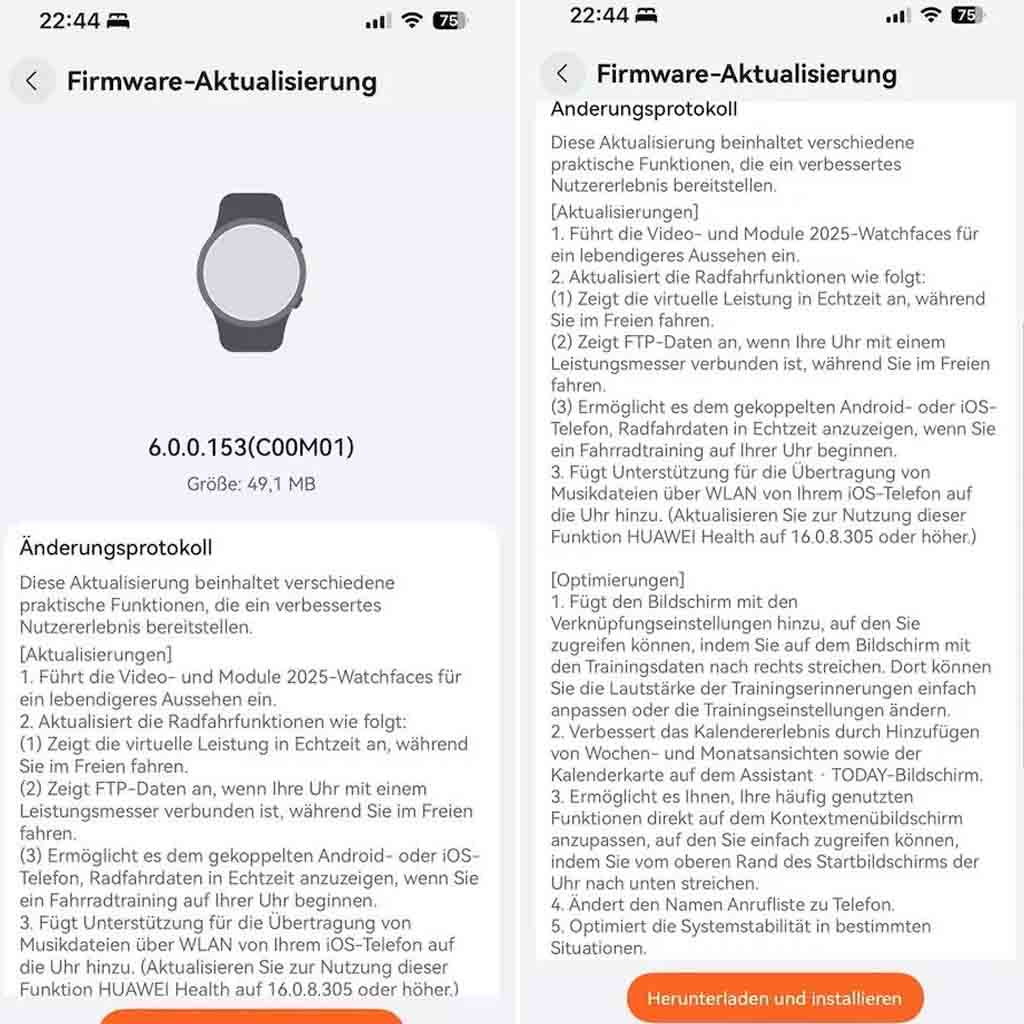
    HarmonyOS 6.0.0.153, the first update for the Huawei Watch GT 6 Pro, has a software package size of 49.1 megabytes. All of the additions are listed here.

    New improvements for Watch GT 6 Pro

    New Features

    • Introduces the Video and Module 2025 watch faces for a more vibrant look.

    Updated cycling features

    • Displays real-time virtual performance while you ride outdoors.
    • Displays FTP data when your watch is connected to a power meter while you ride outdoors.
    • Allows the paired Android or iOS phone to display real-time cycling data when you start a cycling workout on your watch.

    Sharing Function

    • Adds support for transferring music files from your iOS phone to the watch via Wi-Fi. (To use this feature, update HUAWEI Health to 16.0.8.305 or later.)

    Optimizations

    • Adds the Shortcuts settings screen, accessible by swiping right on the workout data screen. There, you can easily adjust the volume of workout reminders or change workout settings.
    • Improves the calendar experience by adding week and month views and the calendar card on the Assistant • TODAY screen.
    • Allows you to customize your frequently used functions directly on the context menu screen, which is easily accessed by swiping down from the top of the watch home screen.
    • Changed the name Call List to Phone.
    • Optimizes system stability in certain situations.
  • Nothing OS 4.0 open beta launched with AI app-building features

    Nothing OS 4.0 open beta launched with AI app-building features

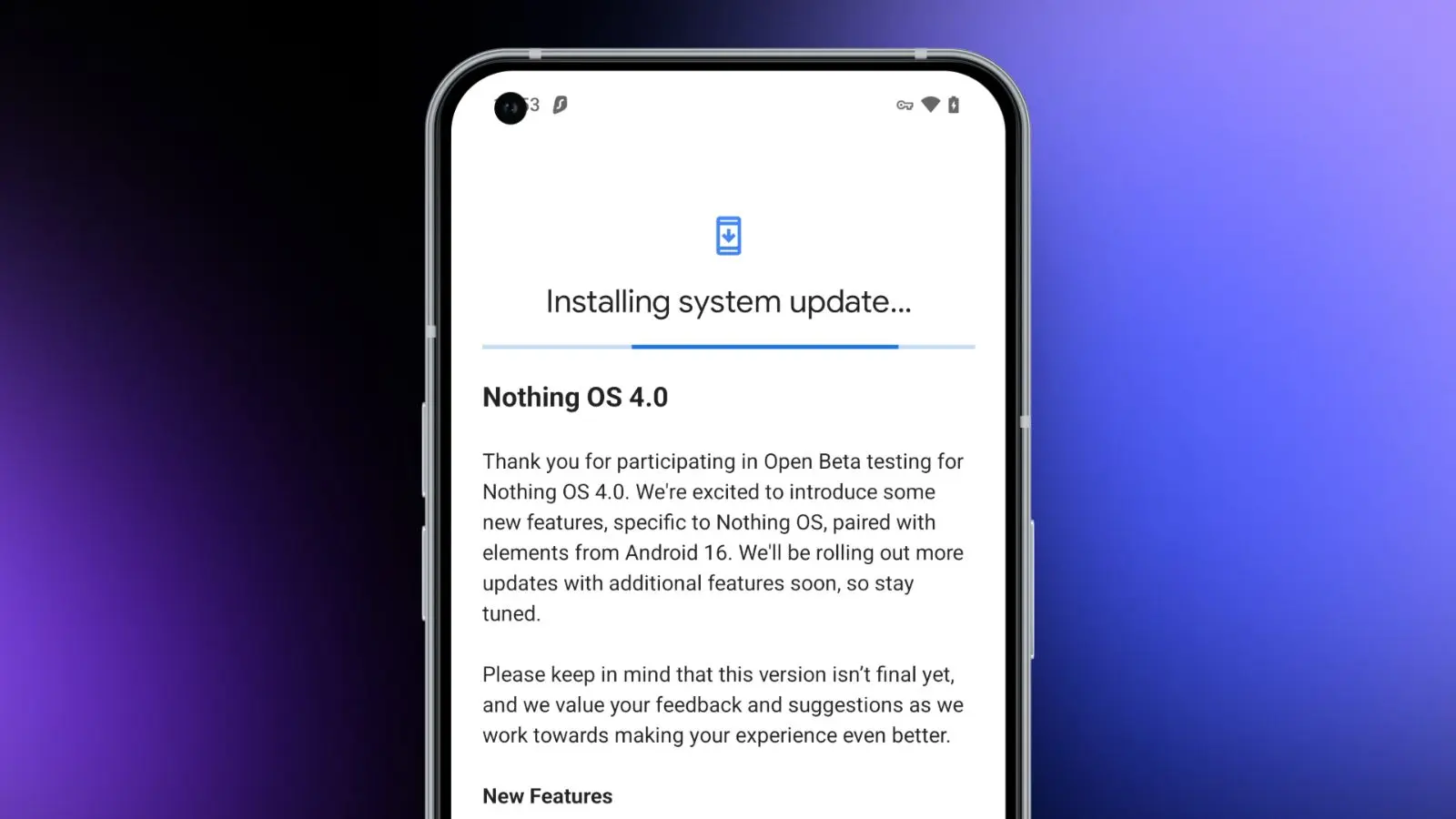
    Today, we need to discuss a few significant news from Nothing. First, for those who own a Nothing phone and would like to try out Android 16 before it becomes stable, Nothing has made the Nothing OS 4.0 Open Beta (Android 16) available. The other news relates to that since it presents the Playground and Essential Apps, both of which require additional explanation. In summary, Nothing came up with a really great idea.

    Download the Nothing OS 4.0 Open Beta:

    Let’s start with Nothing OS 4.0, which is now in beta testing. To obtain this, you must have a Phone 3 or any of the Phone 2 and 2a versions. You might be out of luck right now if you own a Phone 3a device, as they haven’t mentioned them yet.

    There are a number of changes in the Nothing OS 4.0 beta, all of which we’ve detailed in this post. It includes “generic” enhancements like a more sophisticated design, an additional dark mode, enhanced app optimization, and a better photography experience. Nothing also mentioned two new lock screen clock faces, a new Pop-up View, and support for 2×2 Quick Settings tiles in today’s announcement.

    Nothing OS 4.0 open beta launched

    Installing the Nothing Beta Updates app, joining the beta through it, and then installing the beta software are the largely straightforward steps to begin, providing you enjoy testing beta software.

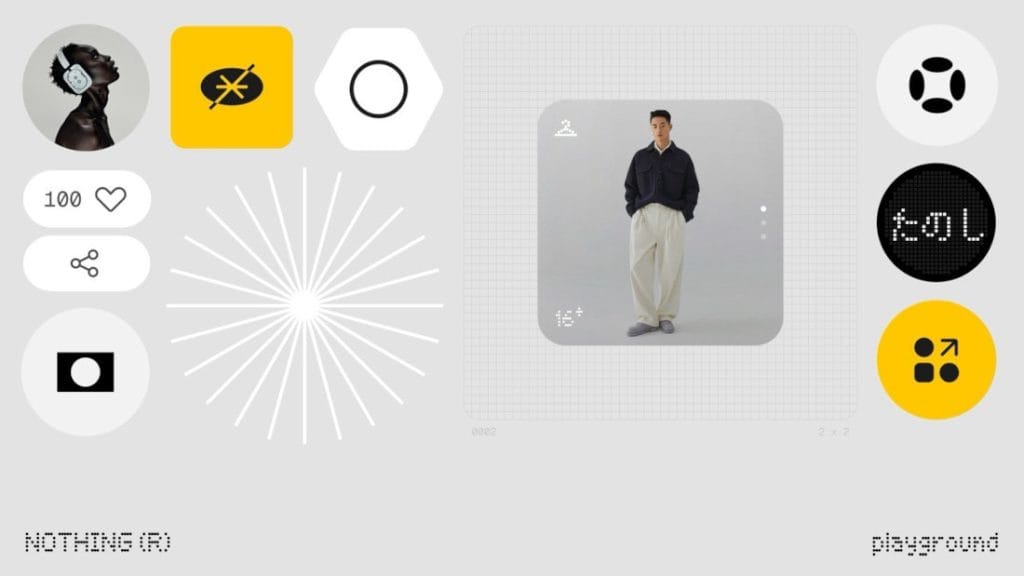
    Nothing Essential Apps and Playground: In other exciting news, Nothing has introduced the Playground and Essential Apps that are housed within it since we enjoy fresh concepts. If your Nothing device is running Nothing OS 4.0, you can install programs, Glyph Toys, camera settings, and EQ profiles from the Playground, which is effectively a community storefront. Even while you might not find that concept particularly novel or intriguing, the apps and their origins may be.

    Nothing has developed a web gateway that lets you make your own programs that your Nothing phone may install as widgets. You go to the Nothing Playground website (here) and try to explain a phone app you want. To put it another way, you would be describing a widget that isn’t currently on your device but may be a helpful program or action. This Playground site’s AI will install it on your device if it is capable of doing so.

    You only need an idea that you can clearly express in a prompt that AI could grasp and then develop from, as this is all happening from AI prompts. You don’t need to know how to code to accomplish this. But in case you were curious, you can see the code it spits out. All of this is a sort of early “alpha” with some obvious restrictions. There has been no indication that it will grow and incorporate agents, APIs, and integrations in the future, which should make this something really amazing.

    A Tic Tac Toe app, an F1 timetable, a water intake tracker, a flight reminder, a solar clock, a small calculator, and a breathing tracker are a some of the apps that are now available on the Playground. You may already have some of those features from other apps, but the idea is that you may think of something useful at the time and instruct the Playground to create it. In only a few minutes, that might be on your home screen and be usable. That is a significant idea.

    You will be able to download other members’ apps and share your own publicly on the Playground to completely increase the number of apps and ideas available.

  • OnePlus 15 design fully revealed ahead of global launch

    OnePlus 15 design fully revealed ahead of global launch

    At Qualcomm’s Snapdragon Summit, the company teased the OnePlus 15, and now it has announced that its next flagship phone will debut globally.

    OnePlus usually releases its phones in the US shortly after introducing them in China, even though the company did not state that the phone would launch in the US.

    It will be the first phone to use aerospace-grade Micro-Arc Oxidation on the center frame and the back camera housing, and it will come in a new Sand Storm color in addition to the previously announced black and white versions.

    OnePlus 15 design fully revealed ahead of global launch

    According to OnePlus, “a high-voltage plasma technique that forms a ceramic layer directly on the metal frame” provides aerospace-grade resilience. The durability of the frame should be enhanced because it is reportedly more than three times harder than an aluminum frame.

    The Verge noticed that OnePlus also posted pictures of the phone in three separate Weibo posts. The new Sand Storm version allows you to view the device from various perspectives. The camera cutout in the upper left corner of the rear has been visible in previous OnePlus teases, but these images give us a closer look.

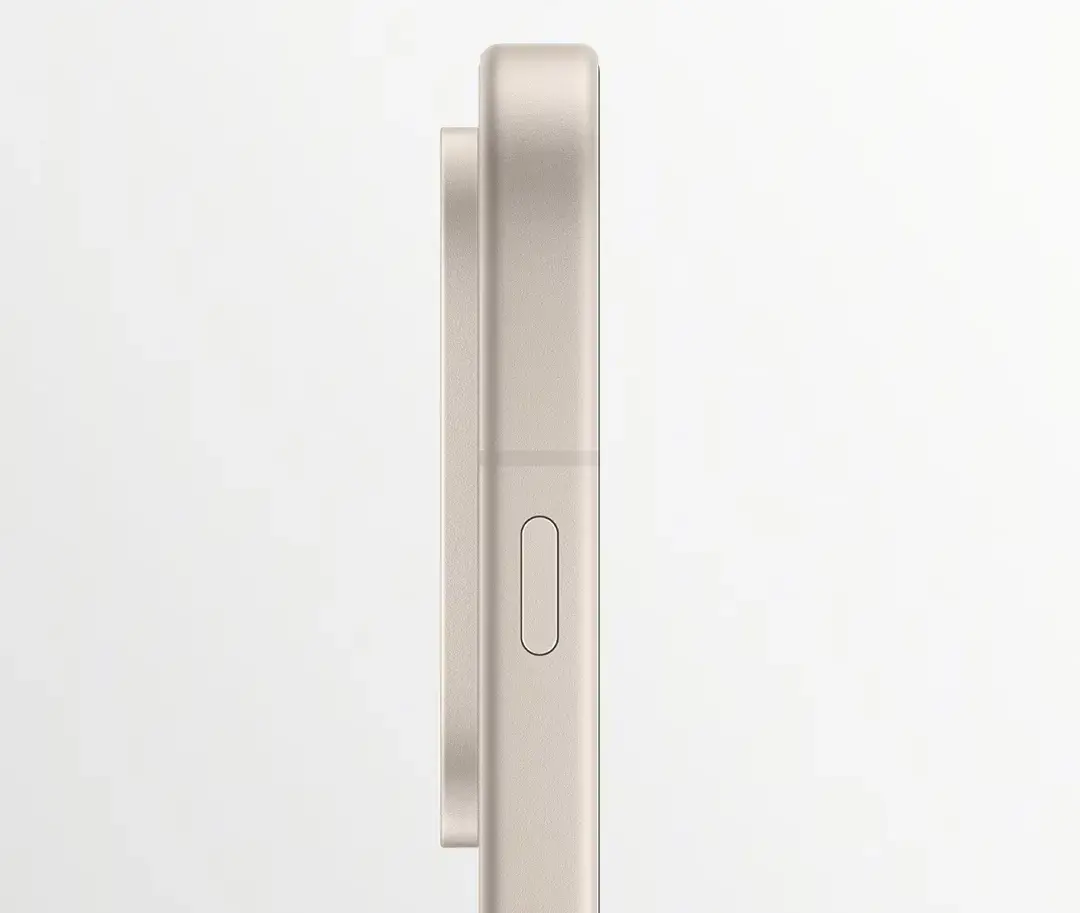
    The images also verify that a customisable “Plus Key” shortcut button has taken the place of the OnePlus Alert Slider.

    OnePlus 15 design front

    The phone will run on the most recent Qualcomm Snapdragon 8 Elite Gen 5 chipset, and it will be the first to have a 165Hz refresh rate display and the new DetailMax picture engine, according to last week’s announcements.

    According to OnePlus, it would employ “strong CPUs and innovative algorithms to capture images that feel breathtakingly crisp and totally real.”

    Next month, China will host an official launch celebration.