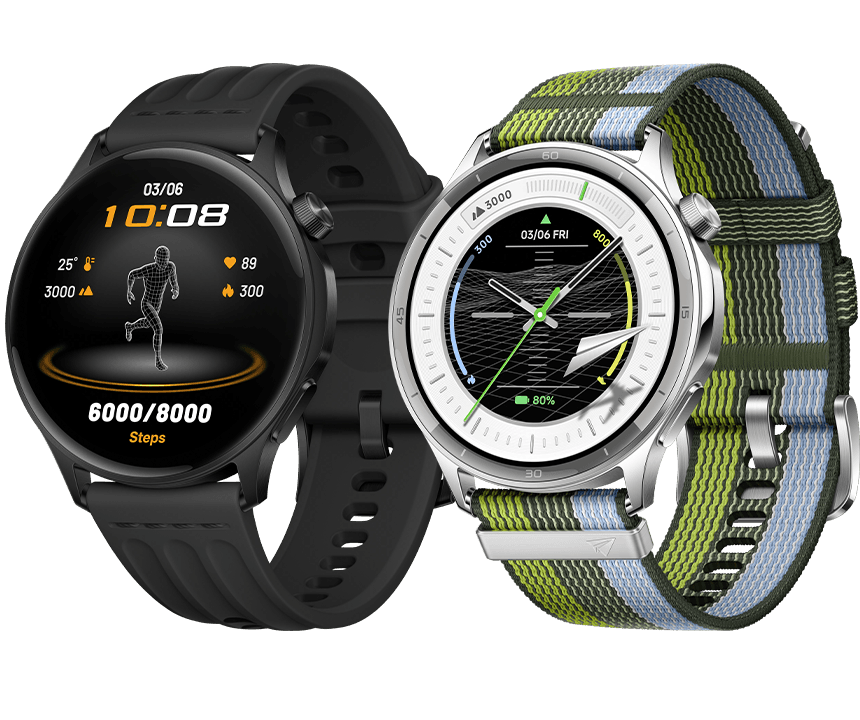
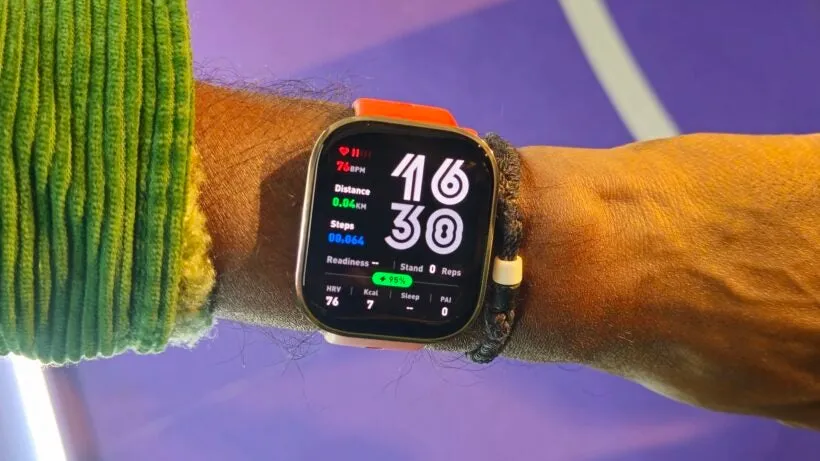
Europe is now able to get the Oppo Watch S. The smartwatch is comparatively tiny, has a very brilliant display, and is said to be able to determine lactate levels.
Last fall, Oppo unveiled the Watch S, a wearable that has now made its way to Europe. The watch is available in Phantom Black and Nebula Silver, and Oppo lists it for €259. The watch is already available for purchase on the company’s website in Austria, and it should soon be available in additional European nations. Some third-party retailers are already carrying the Oppo Watch S as well.
In order to improve readability in direct sunlight, Oppo is highlighting the display, which is built on a 464 x 464 AMOLED panel with a maximum brightness of 3,000 nits. As usual, this peak brightness is only available in brief bursts rather than continually. There is also an always-on mode, although the battery life will be reduced from seven to four days.
The smartwatch is partially composed of stainless steel and has a thickness of roughly 0.35 inches. Additionally, the Oppo Watch S is made to offer extra workout information, such the tennis swing speed. Oppo provides a posture assessment for running and jogging, and the smartwatch has the standard GPS module.
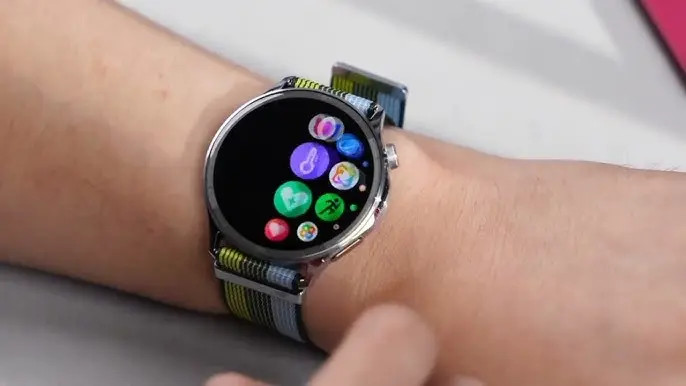
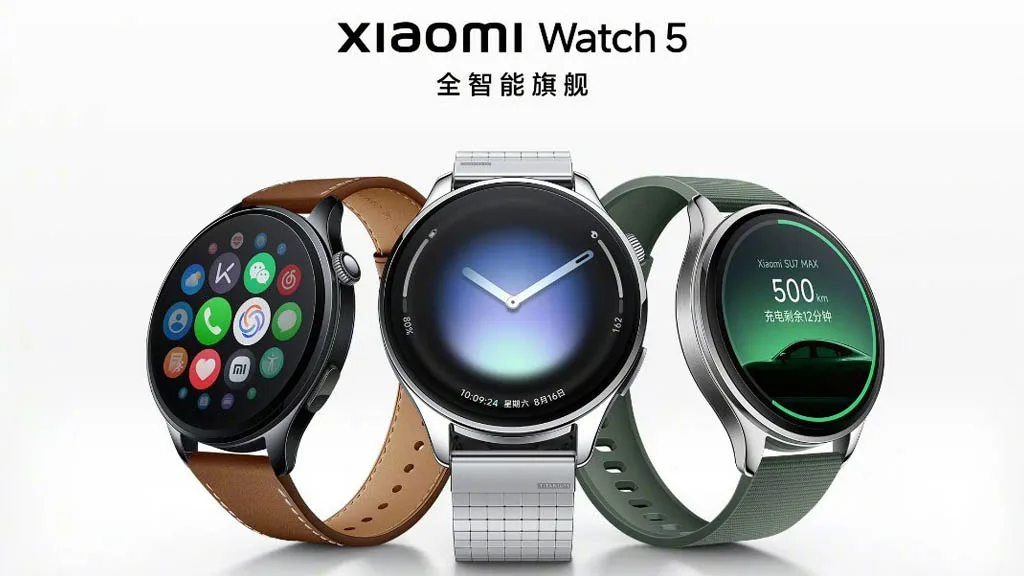
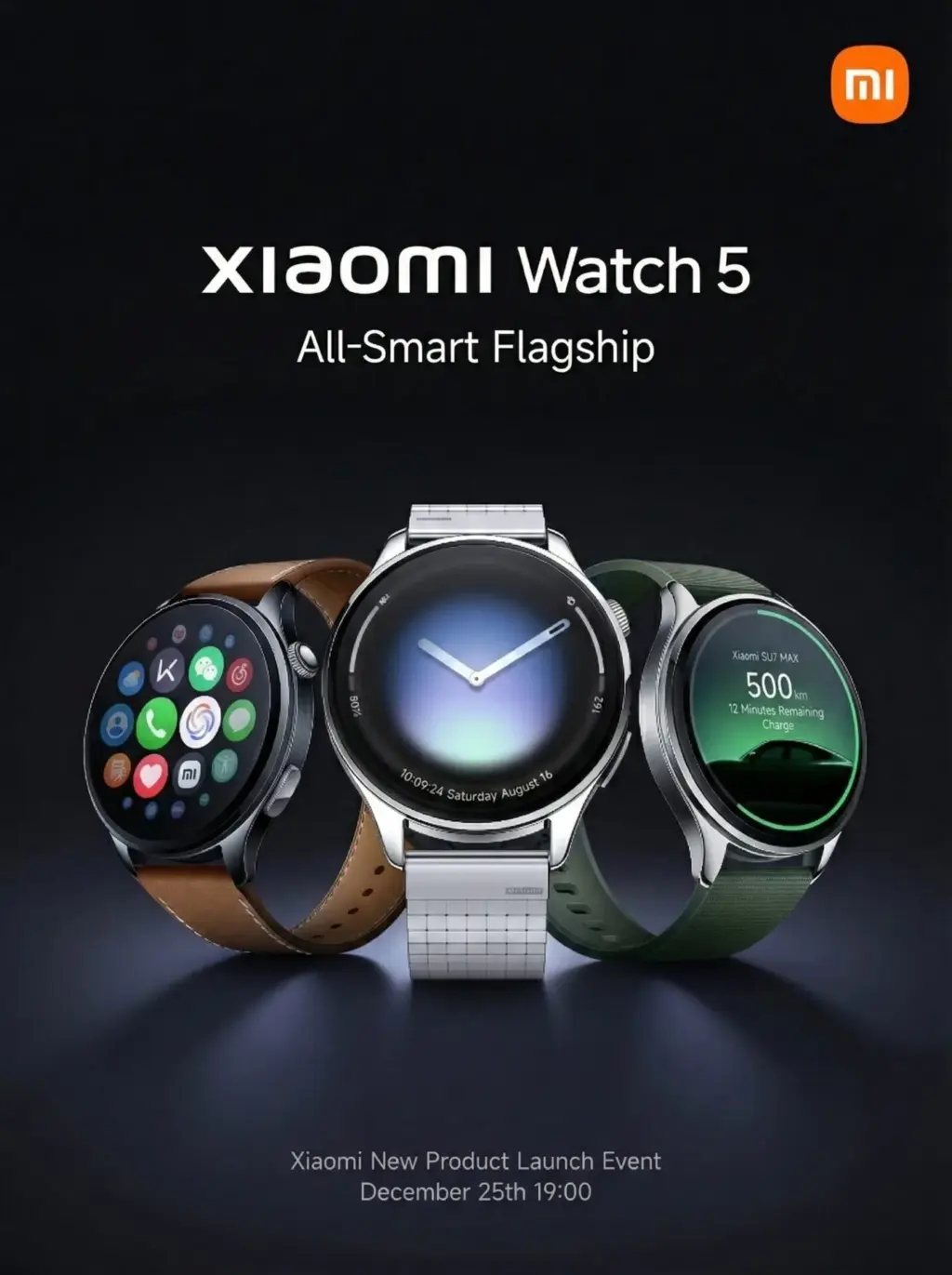
The battery life of the recently released Xiaomi Watch 5 is one of its problematic features compared to Huawei and other high-end smartwatches. Even if you use its cutting-edge capabilities all day, the smartphone can last longer than two weeks.
We can rely on Huawei when it comes to wearable battery life because the company’s most current product, the Watch GT 6 series, has a battery life of about 21 days.
In the meantime, it can run for 7 days when features like AOD are activated and 12 days when used normally. Xiaomi appears to have figured such a solution, while Apple and Samsung are still working to remove the hourly battery backup for their wearables.
Xiaomi Watch 5 battery life
The Xiaomi Watch 5’s battery life is one of the intriguing features that the business has included to keep it ahead of a number of excellent wearables.
The Watch 5 has a 930mAh battery that contains 10% silicon. It can run for six days if it is used every day in the online network scenario with all functionality.
However, the Xiaomi Watch 5 will last for eighteen days if you activate its power-saving mode. That is only three days less than the Huawei Watch GT 6!
In terms of battery life, this makes the Xiaomi Watch 5 a serious rival to Huawei timepieces and its upcoming models. This time, the business has significantly improved the wearables’ batteries, making them far more dependable than competitors.
In addition to the battery, Xiaomi’s Watch 5 is the first wearable that supports EMG technology, revolutionizing the smartwatch’s health market.
It would be worthwhile to investigate the further improvements that upcoming smartwatches will include in order to attract attention and grow their market share.
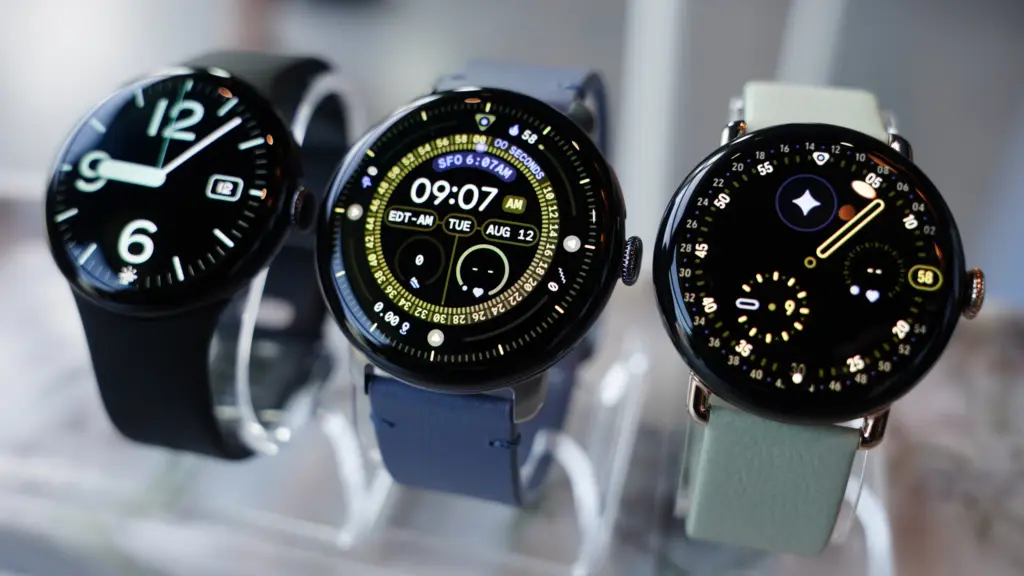
Since Google is on its fourth generation of the Pixel Watch, time flies, if you will, and smartwatches are an essential component of our everyday digital environment.
Even though Google has been producing wearable software for a long time, it took some time to enter the market, but the Pixel Watch soon became one of the top substitutes for the Apple Watch.
Although the Pixel Watch 4 and the previous model may look very similar, this is not a bad thing because Google has made a number of changes and improvements that are difficult to notice at first sight.
The Pixel Watch 4 may be the greatest Wear OS smartwatch of the year, as Samsung’s Galaxy Watch 8 series has been somewhat of a letdown. To discover out, I’ve been using it for almost three weeks.
Design
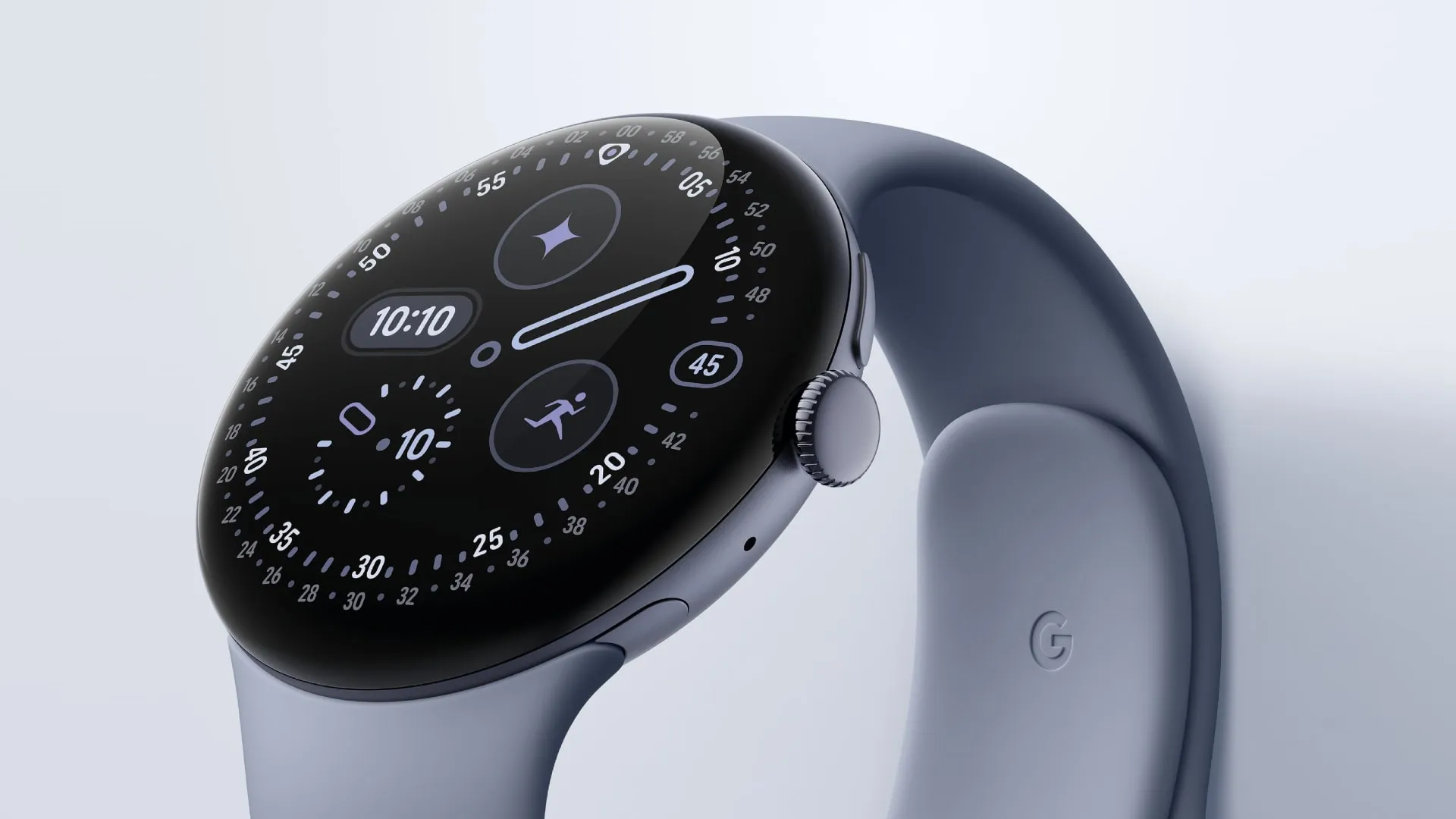
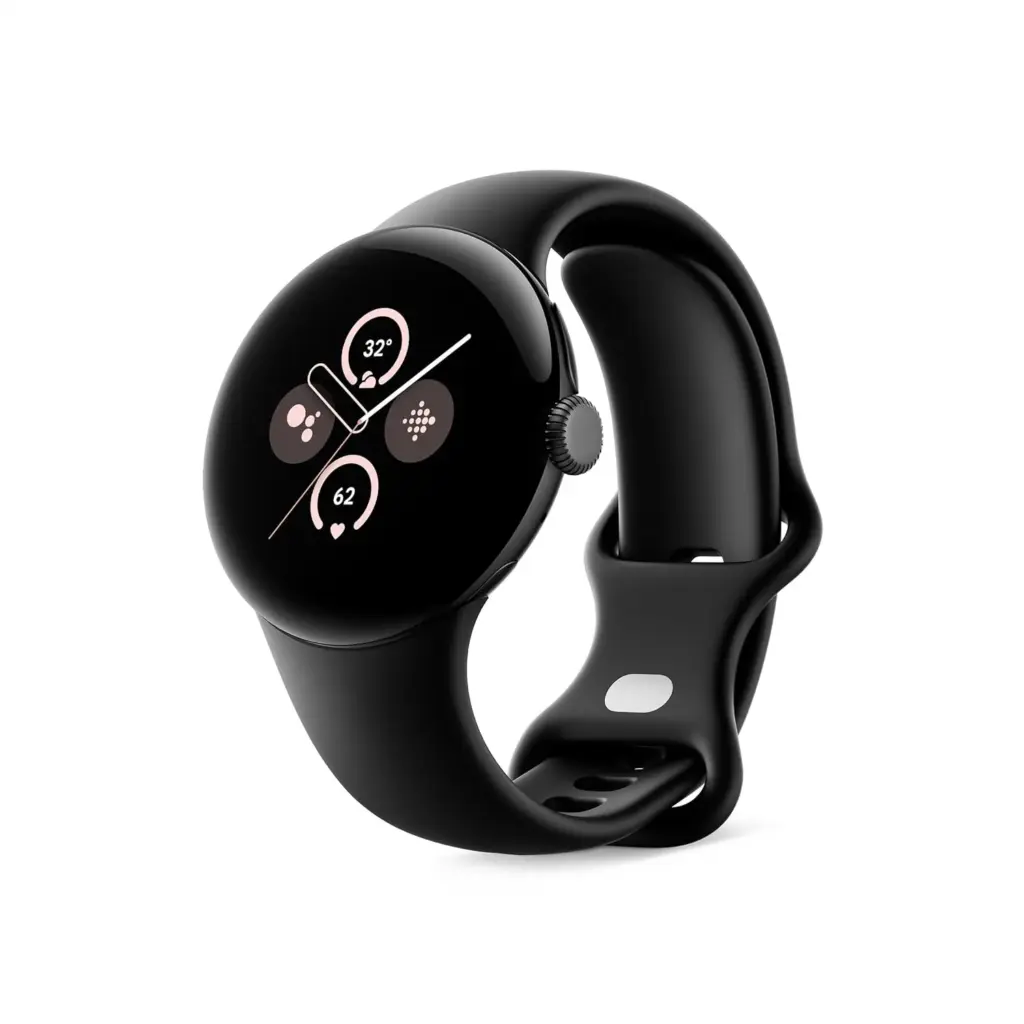
The Pixel Watch 4 bears a striking resemblance to the original, as well as to the Pixel Watch 3. We frequently demand design overhauls as tech reviewers, but in this instance, I don’t believe one is presently necessary.
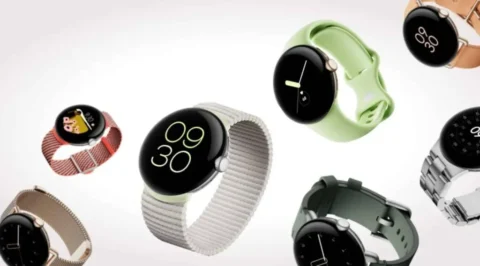
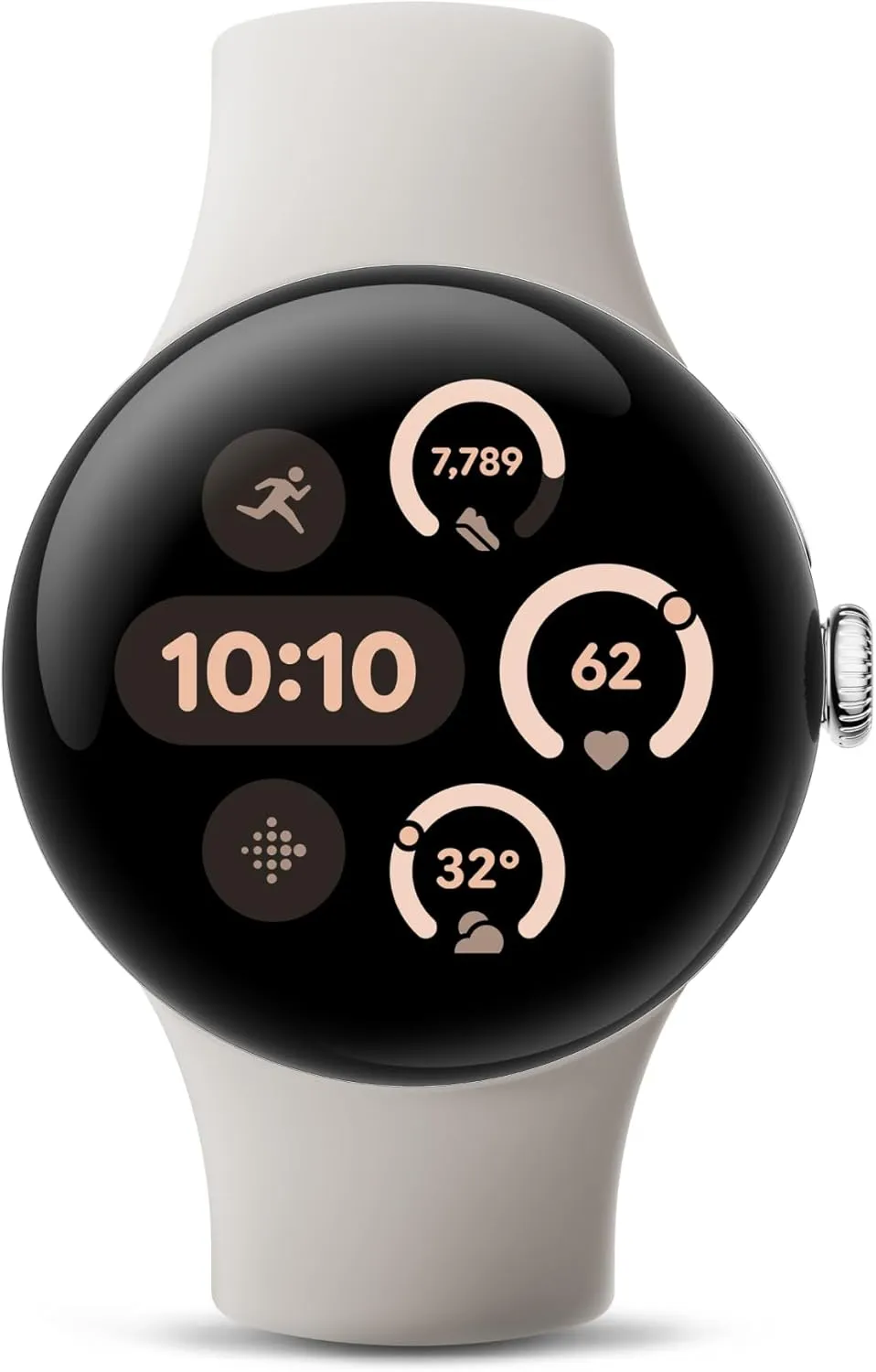
Google rectified a significant issue and released a bigger size last year. You can choose between 41- or 45mm models this year, and we are testing the larger one here in the new Moonstone design, which I think has a smart yet simple appearance that appeals to both genders.
If you choose the correct model, you might be able to match this color, along with some of the other colors, with the Pixel 10 phones. However, because Champagne Gold is only available in 41mm and Moonstone is only available in 45mm, it’s not that simple.
The Pixel Watch 4 is quite comfy to wear all the time. The aluminum body, which weighs only 37g for the larger version, and its sleek design are a match made in heaven.
You have the digital crown on the side to access your apps and scroll, as normal. There is also a button above it to view your recently used apps, however I never seem to utilize it.
Before we continue, there are two more design components to discuss, and the first one turns out to be better in person than anticipated.
In order to accommodate a new dock, Google has shifted the charging pin connectors to the side. These appeared to have been deliberately excluded from pictures of the watch. Many people, myself included, were concerned that they might appear rather unattractive as a result, but thankfully they don’t.
Since Google redesigned the device to be repairable, even though it still looks roughly the same, the other design element is unseen as such.
Fans have requested that, and now the Pixel Watch 4’s screen and battery may be swapped out if necessary. If you have an accident or want to replace the battery to prolong the device’s life, that’s fantastic news. You could even do it yourself.
The Pixel Watch 4 can now be fixed at home because it is fastened together with screws rather than glue. Even its IP68 water and dust resistance need be maintained.
It even received a 9 out of 10 for repairability from Ifixit, which referred to it as “the best repairable smartwatch on the market.”
Although you probably won’t need this feature anytime soon, it’s important to note that the Pixel Watch 4 has Gorilla Glass 5 rather than sapphire glass like some of its competitors.
As a result, it is less scratch-resistant, but it should withstand drops and impacts better. We haven’t experienced any issues with watches that have been in use for a year or longer, and the same glass has been used in watches from earlier generations.
Google Pixel Watch 4
he Google Pixel Watch 4 is a stunning display of precision craftsmanship, with Gemini, your built-in AI assistant, Google’s longest-lasting battery, and comprehensive tools for next-level health and fitness performance
You wouldn’t notice the Pixel Watch 4’s new screen beneath the glass front, showing how well it conceals its improvements. The Actua 360 AMOLED screen has a domed display and is referred to by Google as the “first-of-its-kind.”
It truly differs significantly from both its predecessors and others. You can see what’s available from the side thanks to its slight fish-eye vision, which is similar to what you get from glass beer pumps at bars.
It’s not so spectacular, but the experience is enjoyable and the “active area” is bigger than it was previously.
The resolution and dynamic refresh rate of 1–60 Hz are among the specifications that are essentially the same everywhere. At 3000 nits, the new peak brightness is comparable to several “Ultra” category smartwatches.
While I’ve been testing the Pixel Watch 4, the weather has been not that sunny, but on one particularly sunny day outside, I used it without any problems.
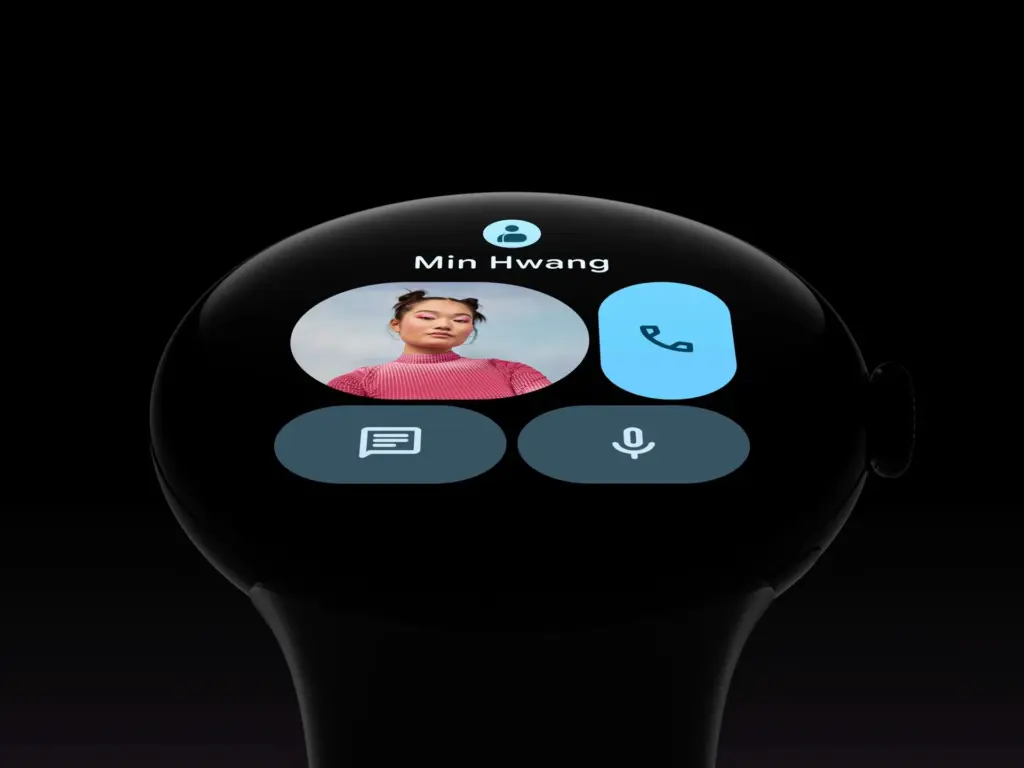
The Pixel Watch 4’s left-side speaker is respectable and more than capable of picking up Gemini’s responses. If you would like, you can also use it to make a phone call.
Google Pixel Watch 4
he Google Pixel Watch 4 is a stunning display of precision craftsmanship, with Gemini, your built-in AI assistant, Google’s longest-lasting battery, and comprehensive tools for next-level health and fitness performance
The Pixel Watch 4 features a the new operating system, WearOS 6 in addition to a new processor, Qualcomm’s Snapdragon W5 Gen 2.
Sometimes things don’t happen quickly. It may take a moment or two to load certain apps, like Spotify, and call out Gemini, but this usually happens on the first time. You’ll also need to exercise patience if you’re connecting to a Nest camera’s live stream.
Similar to Pixel phones, the Pixel Watch 4 features Google’s Material 3 Expressive design language and the most basic version of Wear OS 6 (Samsung, for instance, puts One UI 8 Watch over the top).
With optimized designs, animations, vibrant colors, and more, it performs incredibly well on the smartwatch. In my view, part of it appears too young on phones, yet it feels more modern. A dozen watch faces are pre-installed, but adding additional is simple.
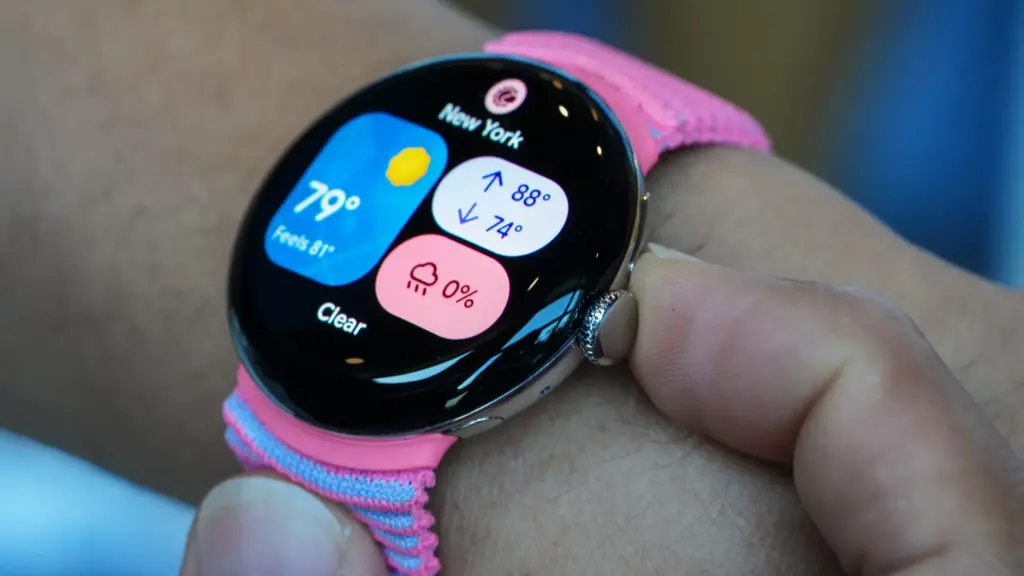
Once more, the tiles on either side of the watch face – which are effectively widgets – provide instant access to features and information and may be tailored to your specific needs.
The experience is further improved by a new haptic feedback engine, which makes everything from scrolling to notifications clear and responsive.
On the Pixel Watch 4, Gemini takes the role of Google Assistant (the AI bot is being implemented on all devices). If you’d like, you can even configure it to wake up with a wake-to-wake command.
Although I’ve seen that I use the watch much more than my phone, it can be challenging to understand its limitations. Naturally, it can respond to requests, but this option is only a shortcut to my current heart rate, even though the welcome guide that came with it stated that it could “inform you about your heart rate.”
Additionally, there are AI capabilities like Smart Replies that try to provide tailored recommendations based on your writing style. When someone asks what coffee they would like, the Google Store example shows a selection of two coffees.
I’m lucky that this works with WhatsApp, which is where I send all of my messages, but it doesn’t seem to know me well. I was given three different ways to request a black coffee, which is the only type of coffee I don’t consume, in response to the coffee question. All it said in a group chat was “hahaha.”
It’s also important to note that Smart Replies only function on Pixel phones.
Some safety features include fall detection, loss of pulse detection, check-in, crash detection, and emergency SOS, but I haven’t required any of them. Please take note that satellite connectivity requires the LTE models.
Google Pixel Watch 4
he Google Pixel Watch 4 is a stunning display of precision craftsmanship, with Gemini, your built-in AI assistant, Google’s longest-lasting battery, and comprehensive tools for next-level health and fitness performance
It performs all the functions you would anticipate from a top smartwatch, but Google hasn’t improved the tracking sensors from the Pixel Watch 3.
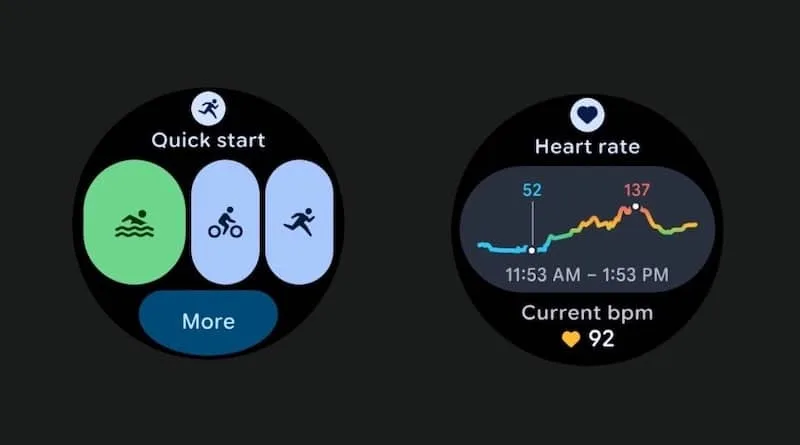
The default watch face displays the steps, calories, floors, and other metrics along the border of the larger 45mm screen. The Fitbit app, which is due to undergo a major revamp, also includes information on skin temperature, heart rate, blood oxygen levels, and other aspects of exercise.
Google Pixel Watch 4
he Google Pixel Watch 4 is a stunning display of precision craftsmanship, with Gemini, your built-in AI assistant, Google’s longest-lasting battery, and comprehensive tools for next-level health and fitness performance
You may explore many areas on the Pixel Watch 4 and the Fitbit app on your phone, which provides you with a comprehensive picture of your activities. Everything in my testing, including sleep tracking, which provides you with a score and a summary of your night, is correct.
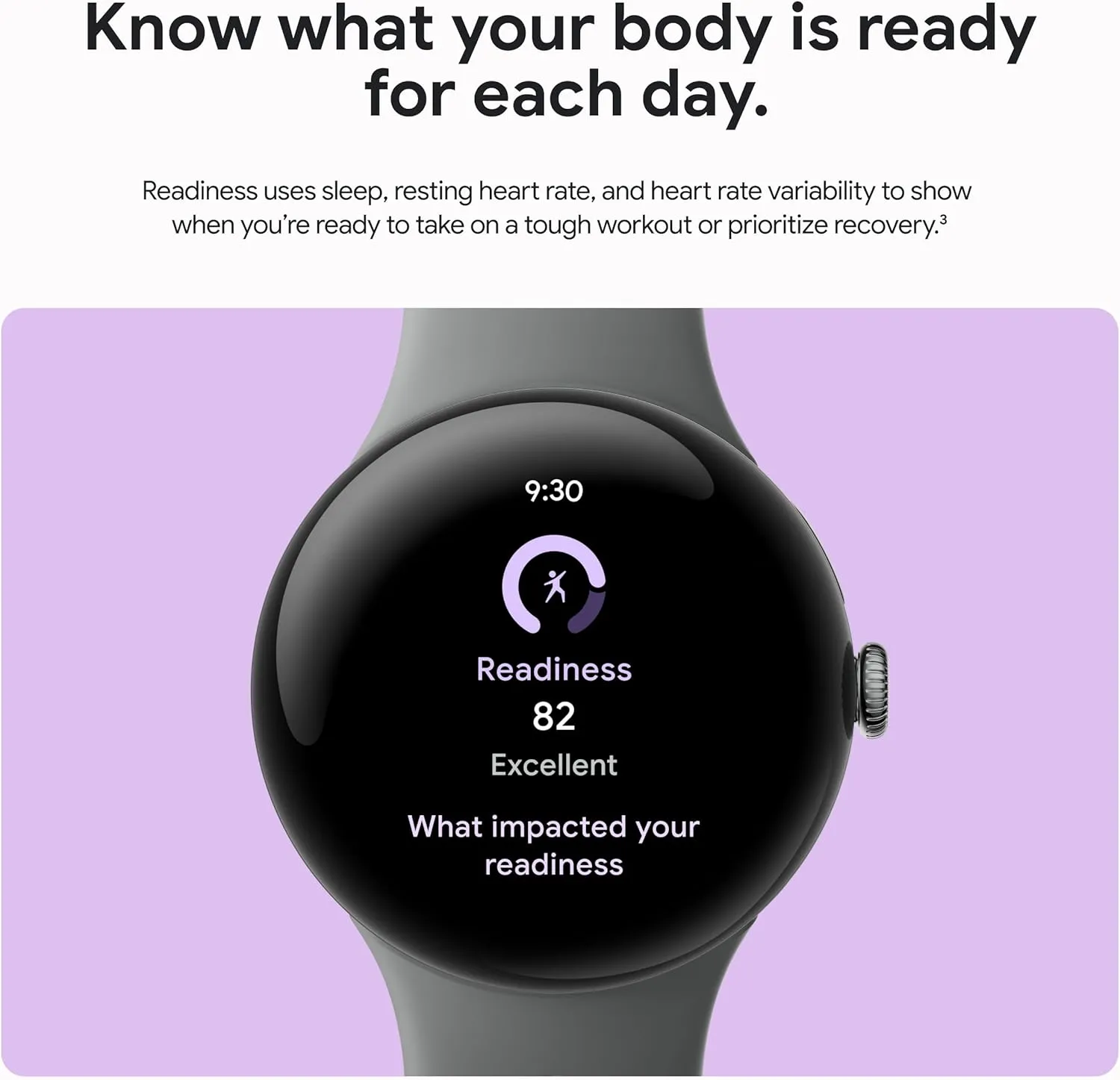
To get “advanced insights, personalised recommendations, and energizing workouts,” you will need Fitbit Premium, which costs £7.99/$9.99 per month or £79.99/$79.99 per year. One of the best features of Fitbit Premium is the Readiness score, which considers all the data to determine how much you should take that day.
Fitbit Premium is available for free for six months with the Pixel Watch 4, so you can at least give it a try before determining if it’s worth the money. Morning Brief, which provides you with a summary of your calendar, sleep patterns, and weather, won’t require it.
Via Fitbit, Google does a great job of presenting all the information and helping you achieve your goals.
You may focus more on things like the Cardio Load metric and the Fitbit phone app, which offers a plethora of workout videos and a running coach (though I haven’t been able to try the AI personal health coach because it’s only available in the US), if you’re more of a fitness enthusiast than I am.
If fitness is a top priority for you, you can choose a Garmin or something similar, but for a more popular wristwatch, I think the Pixel Watch 4 performs admirably.
It can automatically track several of the 52 sports that are available for activity tracking. The selection is a little odd given that pickleball (whatever it is) is right there and boxing is AWOL, but other watches can do many more, frequently much over 100.
Dual-band GPS is now available for more precise tracking during walks, runs, and other activities. I discovered that it picked up a signal in a matter of seconds. It recorded my walks around the neighborhood with a good degree of precision, even though I don’t live in a dense forest where technology has a greater influence.
The bodily reactions feature (as well as equivalent features on competing watches) that tracks your emotional state hasn’t convinced me yet. This still looks basic, though, as it seems to identify an elevated heart rate—which might be caused by nearly anything.
Along with the ability to record your mood—whether it be joyful or anxious, for instance—you will receive a message. The few “feelings” I could choose from meant that I was rarely able to choose how I truly felt, and when I could recall what I was doing at the time, it was usually something routine like getting my kid ready to leave the house.
Google Pixel Watch 4
he Google Pixel Watch 4 is a stunning display of precision craftsmanship, with Gemini, your built-in AI assistant, Google’s longest-lasting battery, and comprehensive tools for next-level health and fitness performance
You can use the Pixel Watch 4 for up to 30 or 40 hours (41 and 45 mm, respectively) with the display always on thanks to Google’s ability to squeeze a little larger battery into both sizes.
With Battery Saver enabled, this lasts for 48 or 72 hours, although you should avoid using the watch in that mode unless absolutely necessary.
The purpose of your smartwatch will determine how long its battery lasts. We’ve been testing the 45mm model, and with less use, we can get two days and nights on a single charge, sometimes even more.
Regular charging is necessary for users who use GPS to track intense exercises every day, use the screen in direct sunlight, and use other battery-draining features.
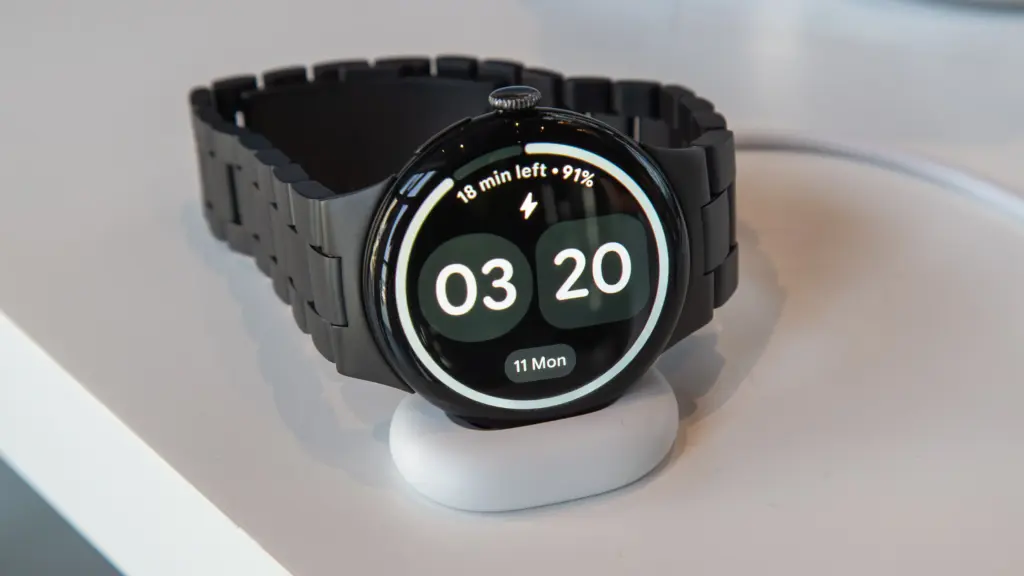
When you do, though, it’s incredibly quick, and Google’s new Quick Charge Dock is a lot more stylish option than the earlier chargers.
Although the dock is modest and might use some weight to maintain its flatness (cable management is crucial in this situation), I still greatly like it over the prior version or other competitors. The screen will indicate whether the other end of the cable is plugged in or whether the contacts are not perfectly aligned. It will also display the time and remaining battery life when charging.
Even for the 45mm with a larger battery, charging is remarkably fast (25% faster than the Pixel Watch 3); our testing even surpass Google’s claims in this regard. I watched it go from completely dead to 50% in 15 minutes and 89% in 30 minutes.
One important aspect of the Pixel Watch 4 is that the battery can be changed, as stated in the design section. You might even feel comfortable doing it at home. If you want the item to endure many more years before you need to upgrade, this could be essential.
Google Pixel Watch 4
he Google Pixel Watch 4 is a stunning display of precision craftsmanship, with Gemini, your built-in AI assistant, Google’s longest-lasting battery, and comprehensive tools for next-level health and fitness performance
The Pixel Watch 4 is priced at £349/$349.99, which is the same as its predecessor despite the numerous improvements.
Naturally, that will result in the WiFi/Bluetooth model’s smaller 41mm size; hence, it will cost more to add LTE connectivity or go with the larger 45mm.
Pixel Watch 4 (41mm Wi-Fi) – £349/$349/€399
Pixel Watch 4 (41mm LTE) – £449/$449/€499
Pixel Watch 4 (45mm Wi-Fi) – £399/$399/€449
Pixel Watch 4 (45mm LTE) – £499/$499/€549
In spite of Google, you can get it via US retailers like Amazon, Argos, Currys, Very, John Lewis, and Best Buy.
It’s fairly priced, falling between the Samsung Galaxy Watch 8 (£319/$349.99) and the Apple Watch Series 11 (£369/$399). To get the most out of Fitbit, you may need to purchase Fitbit Premium, as previously suggested.
Google Pixel Watch 4
he Google Pixel Watch 4 is a stunning display of precision craftsmanship, with Gemini, your built-in AI assistant, Google’s longest-lasting battery, and comprehensive tools for next-level health and fitness performance
With just a few minor problems, the Pixel Watch 4 is, in our opinion, the greatest Wear OS watch available.
Although you may disagree, it’s the most attractive watch, and Google did a fantastic job of making it repairable so you can change the screen or battery – possibly at home.
The interface looks and functions fantastic, the new Quick Charge Dock is a blessing, the domed screen is a treat, the performance is generally smooth, and there are many smartwatch, fitness, and health capabilities.
Gemini still needs more improvement, and Smart Replies are limited. In addition, the OnePlus Watch 3 offers a more durable smartwatch at a lower cost.
However, if you’re searching for a flagship smartwatch that does almost everything well, the Pixel Watch 4 is a great all-arounder and comes highly recommended.
All specs
Wear OS 6
41 or 45mm
Actua 360 display, AMOLED, 1-60Hz, 3000 nits peak
Snapdragon W5 Gen 2
2GB RAM
32GB storage
Heart rate monitor
SpO2
ECG
Skin temperature
Microphone
Speaker
Wi-Fi 6
Bluetooth 6.0
Satellite SOS (LTE models)
Ultra Wideband
Dual-band GPS
eSIM
NFC
325/455mAh battery
Quick Charge Dock
Gorilla Glass 5
IP68/5ATM
31/37g
Google Pixel Watch 4
he Google Pixel Watch 4 is a stunning display of precision craftsmanship, with Gemini, your built-in AI assistant, Google’s longest-lasting battery, and comprehensive tools for next-level health and fitness performance
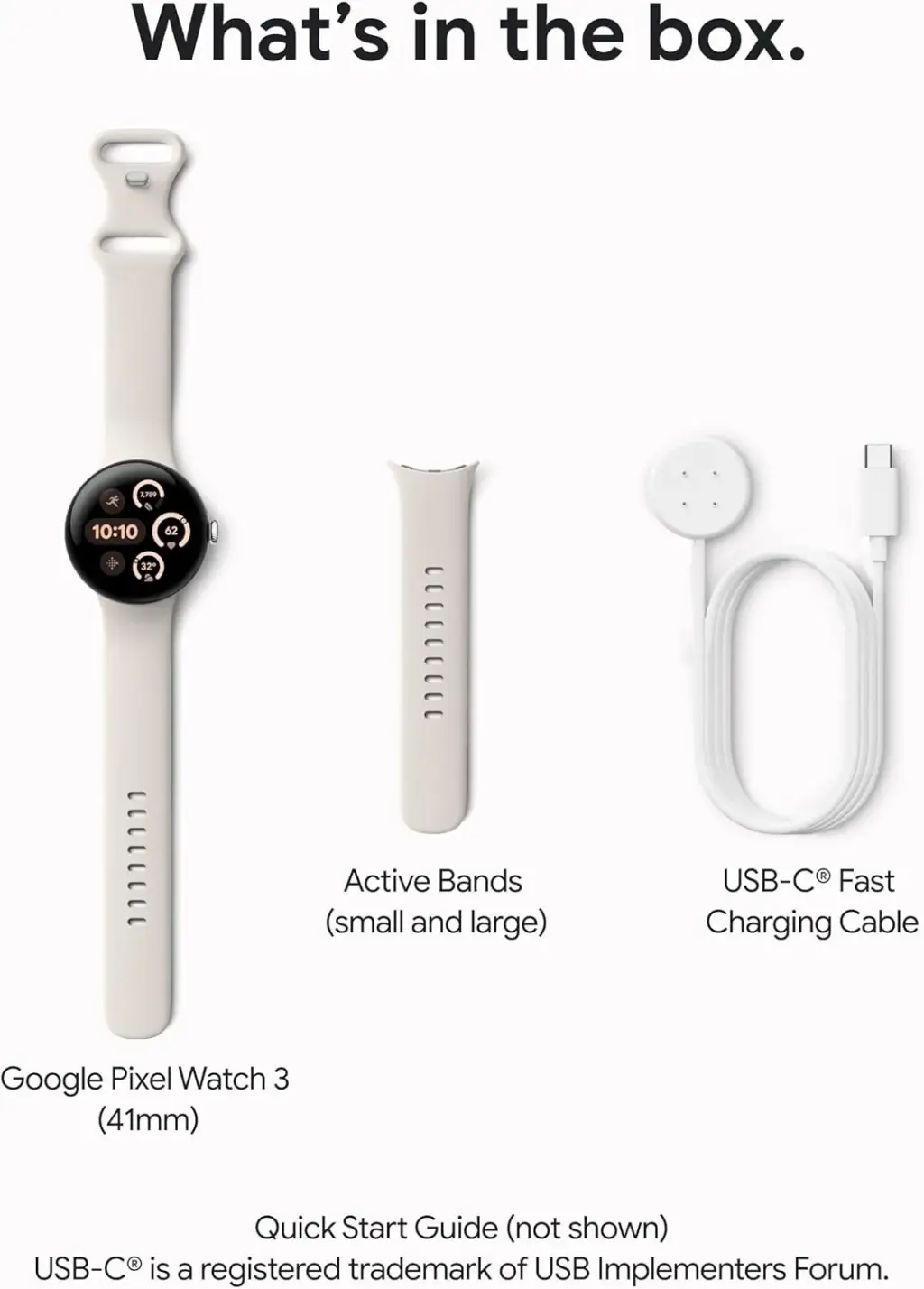
Currently on sale at a number of shops, the Google Pixel Watch 3 is a well-liked smartwatch that retails for $300 for the 41mm variant. Since it usually costs $350, this pricing represents a $50 save. Additionally, it is the lowest price we have seen for the Pixel Watch 3 since the holiday sales last year. The Pixel Watch 3 is available for purchase on Amazon, Best Buy, or directly from Google; if you have a comparable gadget to trade in, you can save even more.
Google Pixel Watch 3
The Google Pixel Watch 3 is designed for performance, with advanced fitness from Fitbit; the 41mm screen is twice as bright and 10% larger than before, making it easier to see your stats and info
Although there are many wristwatch options available, the Google Pixel Watch 3 is our top pick if you want one with some flair. With a brightness of up to 2000 nits, the display provides more screen real area than earlier Pixel Watch models, ensuring visibility even on bright, sunny days. Google even offers a large selection of Pixel Watch Bands that you may mix and combine to fit your own style preferences.
However, if you are considering a smartwatch, you probably want to know what the Pixel Watch 3 has to offer in terms of fitness and health. Cardio load measurements, which show you how hard your heart works every day, can help you get better at training. It may be used to help you improve your running form, create personalized runs, and attain goals with real-time advice.
Since the Pixel Watch 3 works well with gadgets like Google Pixel phones, it may be even more alluring if you already own a Google Pixel phone. If you have a Google TV set up with your home theater system, you can use the Pixel Watch 3 to control it, as well as your Pixel phone camera. Additionally, you may record music and mental notes with the Pixel Watch 3, and Google AI will help you turn them into text.
The Google Pixel Watch 3 is a fantastic smartwatch choice for fitness fanatics or anyone wishing to update their watch because it can last up to 36 hours between battery charges. Amazon, Best Buy, and the Google Store are all offering a $50 discount on the 41mm model, bringing its price down to just $300.
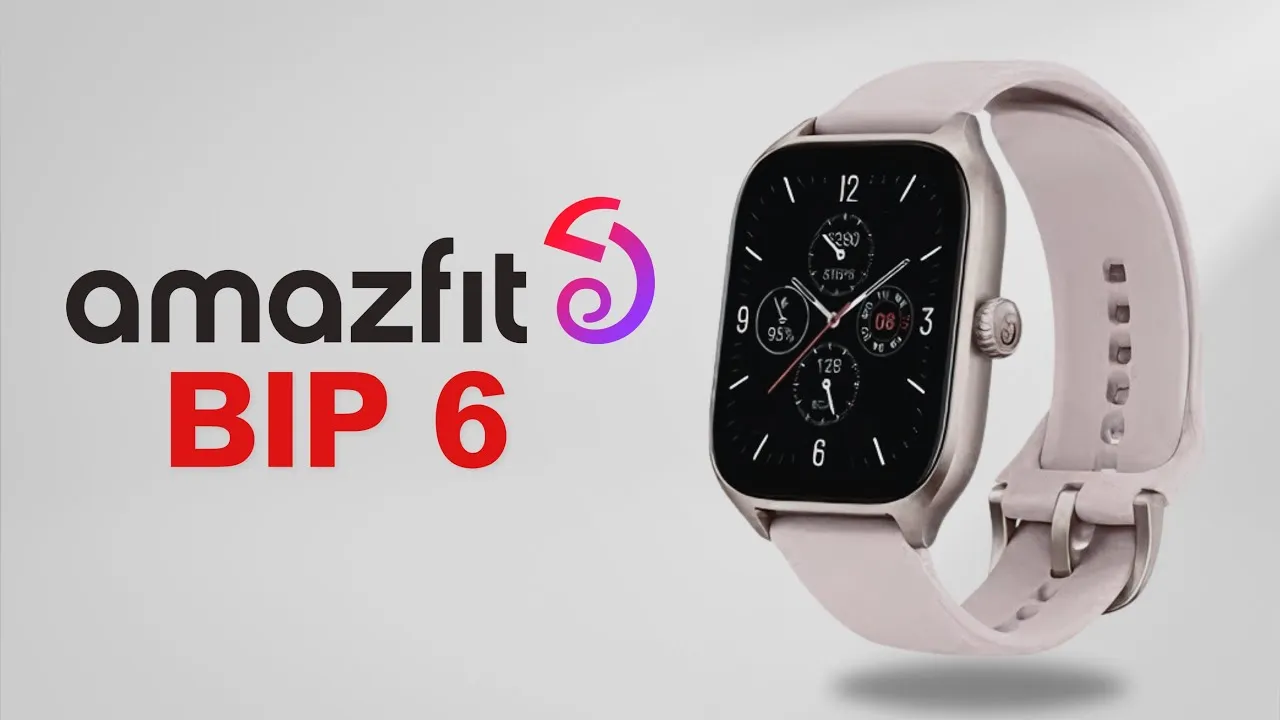
The Amazfit Bip 6 is a new smartwatch that Amazfit has unveiled. With a bigger AMOLED display and offline maps, this wearable is an improvement over the Bip 5. Additionally, the business claims to have increased the precision of monitored health indicators including heart rate.
At a recent European launch event for the Active 2 smartwatch, the Amazfit Bip 6 was revealed. Previous leaks were believed to indicate a GTS 4 replacement. It has recently been shown, nevertheless, that this was the Bip 6 wearable.
Amazfit Bip 6
With this fitness tracker watch, monitor your fitness journey through automatic detection in walking, running, and more, across 120+ sports modes for comprehensive activity insights
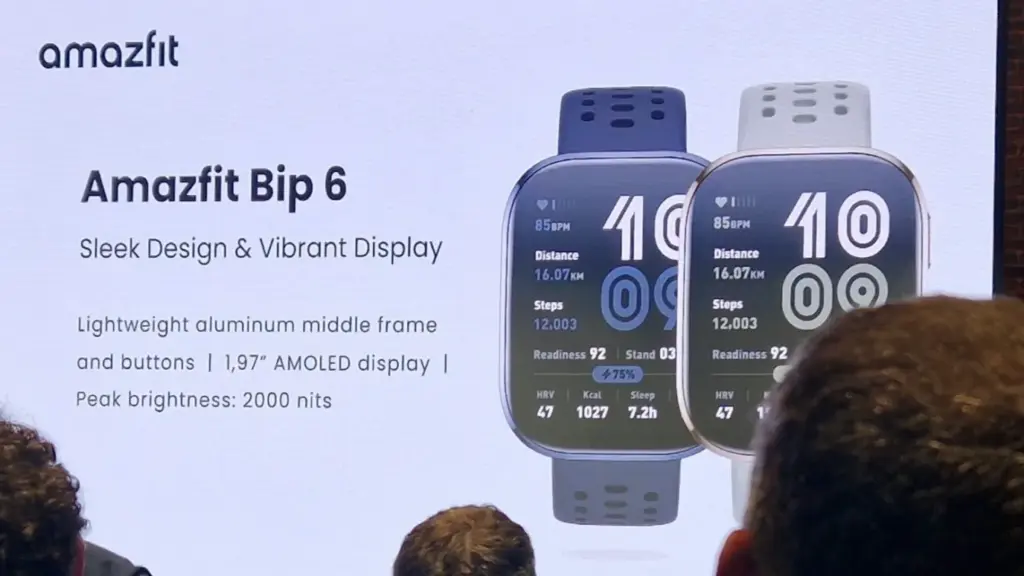
According to reports, the Bip 6 has a number of improvements over the Bip 5, its predecessor. A bigger 1.97-inch AMOLED display with a resolution of 380 x 450 pixels and a brightness of up to 2,000 nits is one of these. This takes the place of the previous model’s 1.91-inch TFT-LD display. The new watch is square in shape, weighs less than 30 g, and has a little larger body (46.3 mm).
Amazfit claims that the Bip 6 can operate for up to two weeks with normal use because to the battery’s increased capacity from 300 mAh to 340 mAh. The aluminum alloy frame has also been changed for a more upscale appearance. The watch comes in four colors—black, charcoal, stone, and red—and is five ATM waterproof.
Amazfit claims that the Bip 6’s BioTracker Dual-Light 5PD heart rate sensor provides more precise health metric tracking. You may monitor the quality of your sleep as well as your heart rate, stress, HRV, and SpO₂ level. There are 140 workout options, such as HYROX race, swimming, running, and cycling, as well as personalized AI-generated fitness regimens that include a strength training option.
In addition to having GPS, the smartwatch also offers offline navigation capability. It is important to note, nevertheless, that dual-band GNSS is not available. The Zepp Flow voice assistant has now been included, allowing you to respond to communications. Calendar reminders, Bluetooth calling, smart notifications, and remote audio controls are further features. Additionally, iPhone owners can manage their cameras remotely.
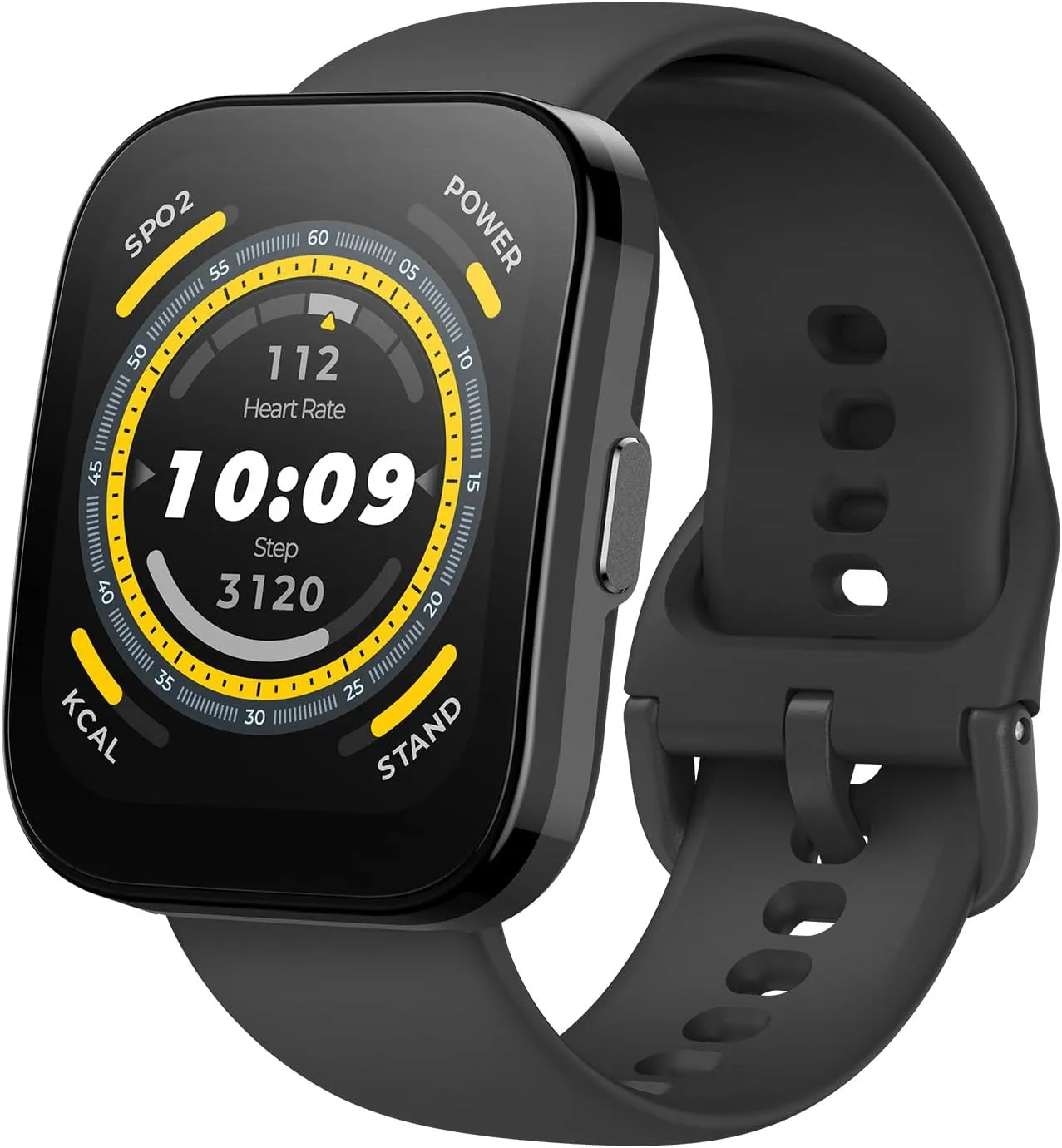
It is anticipated that the Amazfit Bip 6 smartwatch will be available in Europe in March. The wearable’s price and any plans to introduce it to the US have not yet been disclosed by the business. The earlier Amazfit Bip 5 retails at $89.99/£69.99/€89.99 (now $59.99 on Amazon) as a ballpark estimate.
Amazfit Bip 6
With this fitness tracker watch, monitor your fitness journey through automatic detection in walking, running, and more, across 120+ sports modes for comprehensive activity insights
One of the greatest Android smartwatches on the market at the moment is Google’s newest flagship device, the Pixel Watch 3. Take advantage of the Pixel Watch 3 on Amazon for $299.99 (was $349.99) if you want the newest smartwatch technology from the company.
Google Pixel Watch 3
Save $50 off the 41mm Pixel Watch 3, which is now only $299.99, $20 more than it was on Black Friday. It has a 24-hour battery life, sleep monitoring, heart rate and exercise tracking, and Wear OS 5 compatibility. It comes in all four colors. Take advantage of this offer now before it is too late if you missed it before Christmas.
Even though it costs $20 more than the Black Friday pricing, this is still a great bargain. Along with a ton of amazing features for staying in shape, the watch has the most recent version of the Android Wear OS.
We appreciated the significant overhaul and its focus on health in our review of the Google Pixel Watch 3. Google has made significant improvements to Wear OS that make it a true pleasure to use, without losing the popular formula or the iconic teardrop design.
It comes pre-installed with a clean version of WearOS 5 and a stack of stylish sensors that provide several benefits. It features heart rate monitoring, blood oxygen or Sp02 tracking, sleep tracking, daily activity and training tracking, and the ability to obtain an ECG whenever needed.
It is a more sophisticated running watch than it was previously because it now enables the setup of multiple routines with unique metrics. With tracking that genuinely helps you decide whether to push your performance today or not, Fitbit is Morning Brief looks extra great.
Google Pixel Watch 2
Save $50 off the 41mm Pixel Watch 3, which is now only $299.99, $20 more than it was on Black Friday. It has a 24-hour battery life, sleep monitoring, heart rate and exercise tracking, and Wear OS 5 compatibility. It comes in all four colors. Take advantage of this offer now before it is too late if you missed it before Christmas.
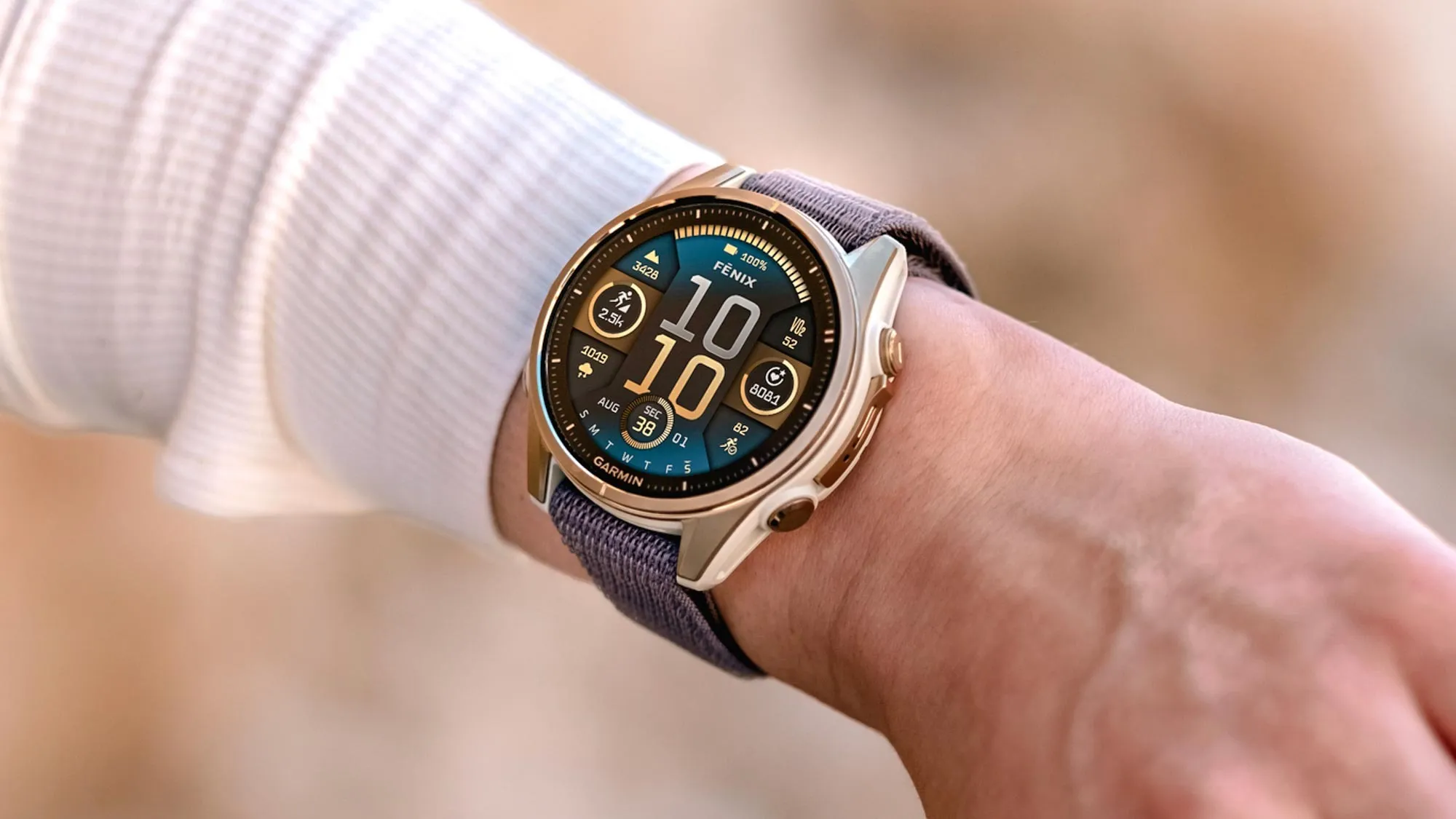
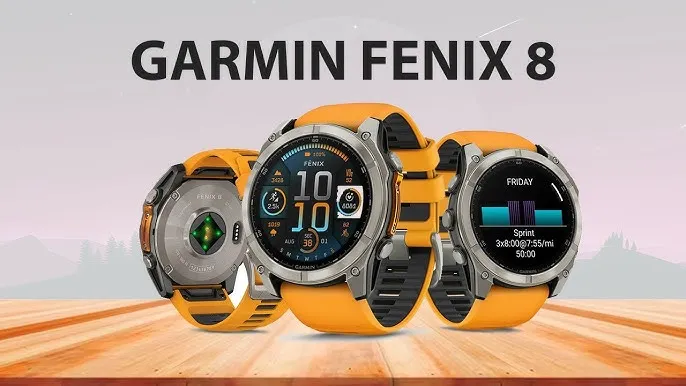
A major upgrade has recently been made available in beta form for the Garmin Fenix 8 and Enduro 3 watches. The release of this public beta has been announced by Garmin on the Garmin forums. The Fenix 8, Enduro 3, and Fenix E watch families can use it.
What is fresh? Among Garmin’s patch notes, three features are particularly noteworthy. In addition to a new mini-app, there are two additional activities.
New features for Garmin Fenix 8
The activities are Jumpmaster and Sail Race. Before the debut of the Fenix 8, some people complained on Reddit about the lack of Sail Race, which had previously been included in Garmin Fenix 7-series watches.
This mode, like a lot of Garmin’s modes, does a little more than merely record the statistics you see in other modes. According to the Garmin website, “you can utilize the device to help you cross the start line of a race exactly when the event begins.”
“When you set the starting line, the device uses GPS data to indicate whether your boat will cross the start line before, after, or at the correct time to start the race.”
Another mode that was present in the Fenix 7 series but was not initially included in the Fenix 8 and other models is Jumpmaster.
It is for people who leap out of airplanes with a parachute attached, making it even more specialized than Sail Race. You can set the intended landing spot and use it to gauge when you are at the proper height for the jump.
More information on this pro-grade mode can be found on the Garmin website. The Trolling Motor app is the final significant update, and no, it has nothing to do with online trolls.
Although not necessarily present in the more popular Fenix/Enduro models, this type of feature would be a mainstay of the Garmin Quatix line. From your wrist, you can operate compatible Garmin Force Trolling boat motors.
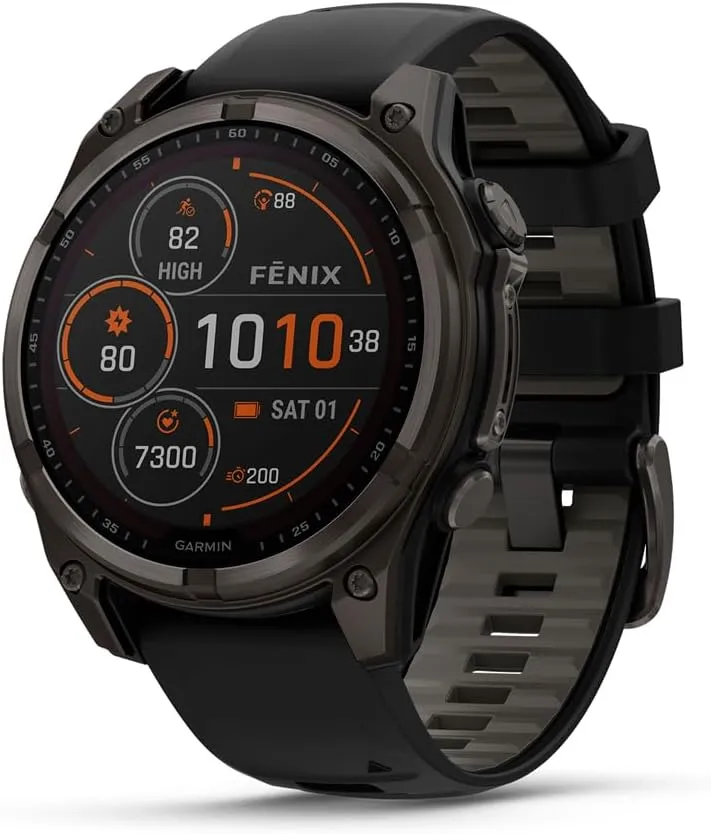
Garmin Fēnix® 8
The Garmin Fenix 8 is a premium multisport GPS smartwatch that combines rugged durability with advanced training features. Built for athletes and outdoor enthusiasts, it features comprehensive activity tracking, advanced performance metrics, and enhanced navigation capabilities.
Many additional fixes and adjustments are included in the release. According to Garmin’s post, here is the complete list:
Added CIQ System 8: Supports the latest Connect IQ apps, watch faces, and data fields.
Added Sail Race Activity.
Added Jumpmaster Activity.
Added Trolling Motor App.
Added connection type information for paired sensors.
Improvements to the icons that display with notifications.
Added Insight Hint to Health and Fitness Apps.
Added Missing Map Option in Mountaineering Activity.
Added Respiration Graph to Meditation Activity Summary.
Added Stress Card to Gaming Activity Summary.
Added Support for HRM as Speed and Distance Monitor for BLE Sensors.
Added Support for Nautical Units.
Added Support to Show Needed Equipment for Strength Workouts.
Added Touch Support to Dismiss Popup Notification.
Fixed a possible issue where touchscreen input could not be disabled in activities.
Fixed Apps that were Inaccessible from the Recents Menu.
Fixed Auto Climb Data Screen Selection.
Fixed Blank Calendar Card in Morning Report.
Fixed Blank Map for Power Guide Preview.
Fixed Current Time Indicator on the Tides Graph.
Fixed Do Not Disturb Smart Notification Setting.
Fixed InReach Contacts List Layout.
Fixed InReach PIN Code Display Page.
Fixed Morning Report Showing Stale HRV Data.
Fixed Pool Swim Interval Details Page Layout.
Fixed Potential Crash after Deleting Activities from the list.
Fixed Potential Crash during Meditation Setup.
Fixed Potential Crash on Body Battery Glance Folder View.
Fixed Potential Crash on Fitness Age Page.
Fixed Potential Crash when Dismissing Notifications.
Fixed Potential Crash when Enabling Broadcast HR.
Fixed Potential Crash when Viewing Breathwork Preview.
Fixed Round Trip Routing Not Calculating Full Distance.
Fixed Sleep History Graph after Traveling.
Fixed Sleep Window Setup Sometimes Getting Skipped on Initial Setup.
Fixed Weather App Accidentally Returning to Watch Face.
Improved Countdown Glance Folder Info Text.
Improved GPS Progress Bar Presentation when Beginning Search.
Increased the Maximum Speed of Virtual Partner to 48.95 kph.
Updated Sunrise/Sunset Time Alert Range.
Since Garmin’s beta program is free to join, it is important to note that this update will also turn off the watches’ Dive mode and ECG readings. Since Garmin releases software on a quarterly basis, it will probably take several weeks before these capabilities are included in a full non-beta version.
The Google Pixel Watch from a year ago was a favorite of ours despite its mediocre battery life, large bezels, and outdated internals. Additionally, Google has significantly enhanced the wearable since its debut with frequent upgrades. As the wristwatch approaches its first anniversary of release, more and more information regarding its successor, the Pixel Watch 2, is appearing online. The internals, display, and battery of the watch, as well as other important details, have just leaked.
The Snapdragon W5 Gen 1 processor is said to be used in the Pixel Watch 2, according to an Android Authority article. This is Qualcomm’s most advanced wearable SoC, built on Samsung’s 4nm node, and it has four Cortex-A53 cores with a 1.7GHz clock speed. Compared to the 10nm Exynos 9110 chip in the Pixel Watch, which has twin Cortex-A53 cores operating at 1.15GHz, it should result in a significant improvement in speed and economy.
Moreover, Qualcomm provides a W5+ Gen 1 SoC with a specialized QCC5100 coprocessor. However, it appears like Google chose the non-Plus model because it intends to use the same bespoke NXP coprocessor that was used in the first generation Pixel Watch.
The Pixel Watch 2 might have a bigger 306mAh battery in addition to a faster and more effective processor. That represents a modest 4% increase over the 294mAh cell in the first watch. Despite being small, the Snapdragon processor and 306mAh battery together might provide the Pixel Watch 2 a battery life of more than 24 hours.
Another significant improvement that Google promises to make to the Pixel Watch 2 is an ultra-wideband processor. It appears that the wearable will have an NXP SR100T module, but it’s not obvious how the business plans to use the technology. With the addition of UWB, the Pixel Watch 2 might be able to function as a digital car key, allow for seamless media playback between your devices, and more. The Apple Watch already comes with Apple’s U1 ultra-wideband processor, which is utilized for precision locating and other functionality.
However, it doesn’t appear that the Pixel Watch 2 will come with a larger display or more minimal bezels. According to rumors, Google will move to a Samsung Display panel, which might have increased brightness and battery efficiency. Nonetheless, it will still be 1.2 inches and 384 by 384 pixels in size. Moreover, there is no anticipated size reduction for the bezels that encircle the screen.
The Pixel Watch 2 should ship with Wear OS 4, which is based on Android 13, as its operating system. One of the earliest Android smartwatches that offer seamless updates is this one. This will enable the watch to update the system files silently and reboot to access them.
Last but not least, the Pixel Watch 2 may debut in India because BIS certification has been seen on the watch’s regulatory e-labels. There are no specifics yet, but the watch may be introduced to many more markets.
SamMobile has learned that the Galaxy Watch 6 and 6 Classic from Samsung could include a new Exynos CPU. Exynos W980, a new processor, could give the Watch 6 series a 10% performance boost over Exynos W920.
The Galaxy Watch 5 (and 4)’s chip, which may soon become obsolete, had two Cortex A55 cores and an Arm Mali-G68 GPU. The Galaxy Watch 4’s performance was improved by 20% thanks to the CPU, while its visual potential was multiplied by about ten by the GPU. Although the rumor doesn’t specify what users may anticipate from the CPU/GPU combination of the W980, the work done by the predecessor may assist give us a hint as to what to watch out for.
Also, according to speculations, the new Exynos processor for the watches may be manufactured using a novel 5nm technique, which could affect increased battery life. As a point of comparison, the W920 is also a 5nm processor, but Samsung is said to have improved its manufacturing procedure, which might help the new watch and other incoming Exynos-based gadgets.
Speaking of the battery, there was a speculation that the Galaxy Watch 6 and 6 Classic may have somewhat bigger batteries. A 300mAh or 425mAh battery may be found in the wearable’s 40mm and 44mm versions, respectively. In light of the 40mm Galaxy Watch 5’s 284mAh battery, the rumored battery capacity increase on the smaller model sounds rather excellent (assuming it turns out to be accurate).
A couple of weeks ago, leaks surfaced regarding the Watch 6 model’s possible display size increase. Consumers may find a 1.31-inch screen on the 40mm variant, while the 44mm could deliver a 1.47-inch dial. Considering the potential display increases, any improvements to battery life would be welcome, whether from the chipset, battery, or both.
The Korean OEM’s upcoming introduction of a smartwatch still has some unknowns and unanswered questions, but that’s good. The new Galaxy Watch 6 and 6 Classic could be introduced by the firm in August along with the Galaxy Z Flip 5 and Z Fold 5.
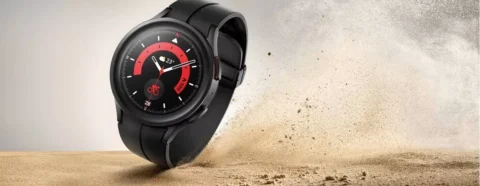
Larger batteries are included in the Samsung Galaxy Watch 5 Pro for extended battery life, however incorrect settings can result in problems including quicker battery loss. We’ll give you some cutting-edge advice today to help you fix these issues and increase the battery life of your watch.
Ah, the good old battery life of a smartwatch. You’re left with a pointless wrist adornment if it expires too quickly. Oh, sweetheart, if it goes on for too long! The options are limitless! You won’t need to charge it as frequently, which means you’ll spend less time shackled to a wall socket like a sap. Don’t forget the comfort it will bring you to know that your watch won’t stop working mid-run or mid-call with the boss.
You’ll also have more time to explore all the cool functions your watch has to offer, like monitoring your steps, checking the weather, and even ordering pizza, thanks to an increased battery life (yes, some smartwatches can do that). Don’t choose for a disposable smartwatch, then. Increase that battery life to open up a host of additional wrist-related opportunities!
In our evaluation of the Galaxy Watch 5 Pro, we highlight some of the lineup’s practical features, such as 24/7 health tracking and interchangeable watch faces. Notably, the Pro edition has improved battery life over the standard version. Nevertheless, because they weren’t designed for continuous usage, several default settings could damage the battery. Use our handy instructions to change or disable these options to extend the battery life of your watch.
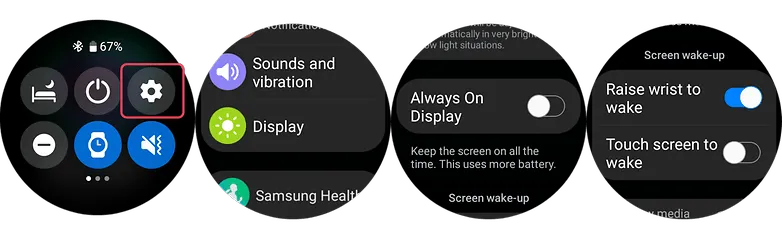
1. Turn off the always-on display and opt for raise to wake
OLED screens on the Samsung Galaxy Watch 5 series allow for AOD (Always-On Display) feature. However, by enabling this all the time can greatly hurt your battery run time. And since you will always not be looking at your screen, it’s best practice to disable this and instead opt for the raise-to-wake gesture.
To check if the always-on display is enabled or disabled, you can use your watch’s settings or alternatively use the Galaxy Watch mobile app on your Android or Samsung phone.
Swipe down from your watch’s screen and open the Settings.
Scroll down to find the Display and then tap on Always-On.
Turn off the AOD.
Look for Raise to Wake below the Always-On toggle.
Enable Raise-to-Wake.
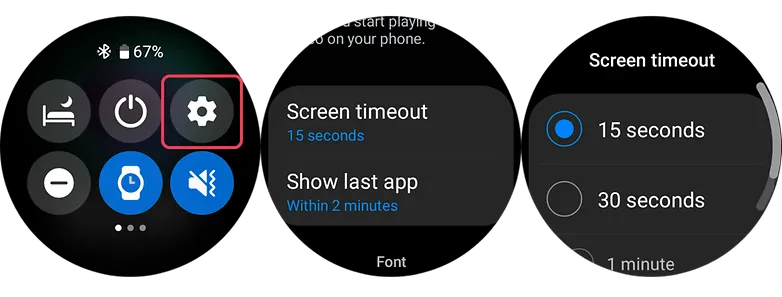
2. Shorter screen timeout
Screen timeout is yet another display-related suggestion. Reducing the amount of time your screen is on can increase the watch’s battery life. By setting the screen timeout to the shortest duration possible, which is 15 seconds, you can extend the life of your battery. This may be located immediately below the raise-to-wake toggle in the same settings as display.
3. Choose darker watch faces
Using watch faces that are black or dark is more in keeping with customisation. The watches come with OLED panels, which means that when projected into the display, black pixels don’t need light, unlike other colors that do.
Choose watch faces with darker layouts to extend the battery life of your device. But, you should stay away from colorful designs, especially those that take up the majority of the screen.
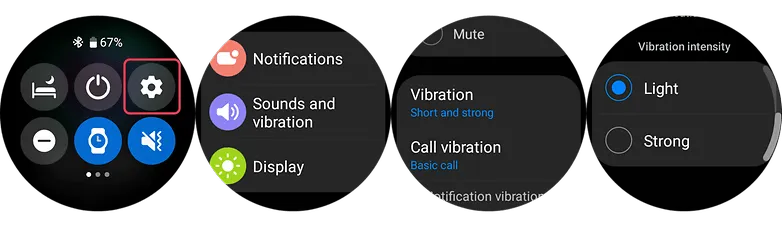
4. Set vibration level to low
Your watch vibrates in addition to sounding an alert whenever it receives one. It is advised that you set the vibration on the lower side because the vibration motor inside the watch normally consumes a significant amount of battery power. This is how to modify the Galaxy Watch 5’s vibration intensity using the toggle that can be found in the main settings.
Go to the Watch’s Settings and look for Sound & Vibration.
Select Vibration.
Choose Short in vibration duration option.
Choose Light vibration intensity.
5. Turn off NFC
Turning off NFC on your Galaxy Watch 5 or Watch 5 Pro could extend the life of your wearable’s battery if you don’t use it for payments or if you primarily use your phone for that purpose. Simply go to your watch’s main settings, select connections, and turn off NFC there to access NFC options.
Swipe down to access the Watch’s Settings.
Select Connections.
Choose NFC option.
Turn it off.
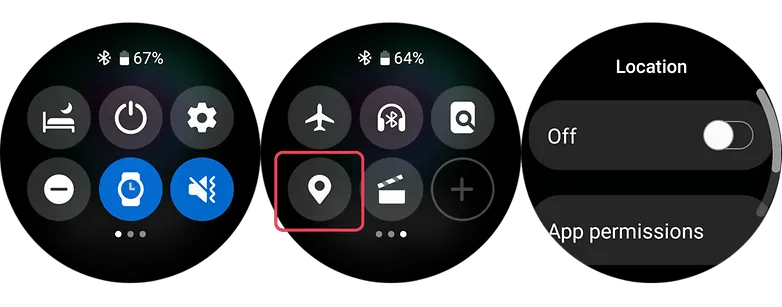
6. Turn off location
Turning off the location tracker on the Galaxy Watch 5 Pro can help to save battery because the location tracker constantly uses the watch’s GPS sensor to track your location, which can consume a lot of battery power. By turning off this feature, you prevent the watch from using its GPS sensor unnecessarily and therefore extend its battery life.
Swipe down to access the Watch’s Quick Settings.
Browse the quick setting until you find the Location icon.
Turn it off.
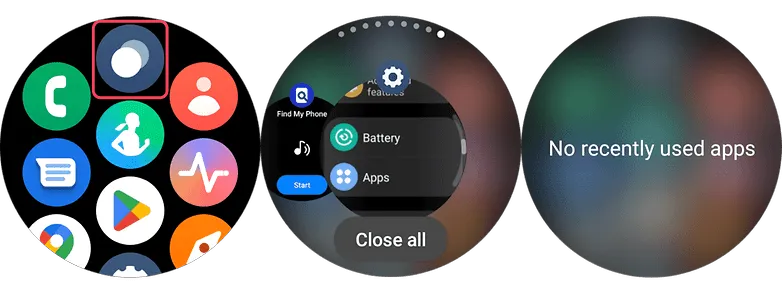
7. Close background and recent apps
Like in smartphones, your watch uses memory and processor resources as well. While Wear OS 3 has evolved to become an efficient and fast operating system, running numerous apps in the background can still affect the day-to-day battery life of your watch. There will be two options to do this on your Galaxy Watch 5.
Clearing background apps via on-screen gesture
Swipe from the bottom to the top to open the App menu of your Watch.
Select the Overlapping circles icon at the top center to open recent apps.
Select the option Close All.
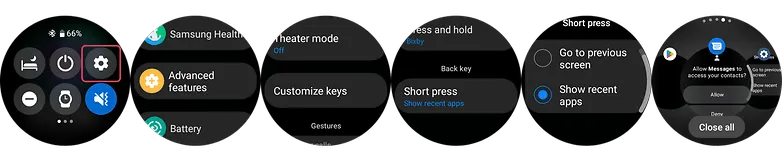
Using the physical key of your smartwatch to close all apps
Go to your Watch’s settings and scroll down until you see Advanced features.
Select this and choose Customize keys.
At the bottom, set short press to Show recent apps.
Press this back key every time you open recent apps.
Tap Close All button to close all apps at once.
8. Filter notification settings (on the phone app)
You’ll be able to get more screen time by limiting the apps that can send notifications to your watch. Just allow alerts that are essential as you will still be checking your mobile device frequently. On your Galaxy or Android phone, use the Galaxy Watch app to change this.
Go to your Watch’s Dashboard on your Galaxy phone.
Choose Watch Settings.
Tap notifications and select App notifications.
Filter which apps are essential and are allowed on watch.
9. Charging and battery tips that may fix your Galaxy Watch 5’s battery problems
Using safe and conventional watch care techniques may help to resolve some battery difficulties in addition to adjusting the settings to prolong battery life. Of course, if any issues continue, it is still advised to get your Galaxy Watch 5 examined by a certified Samsung repair facility. Nonetheless, the fundamental steps are listed below.
Avoid charging your Galaxy Watch 5 too much.
Overcharging your Samsung Watch 5 or Watch 5 Pro could reduce its battery life, just like it can with other electronic gadgets. This will result in the watch’s battery life being reduced. It is advised to charge the battery frequently between 80 and 90% rather than 100% all the time.
Clean the charging contacts on your charger or Galaxy Watch
You can make sure that you’re charging the device effectively by keeping the charging contacts clean on the watch and the charger. Debris and dirt can be prevented from being lodged in the contacts by giving them a brief wipe with a clean cloth.
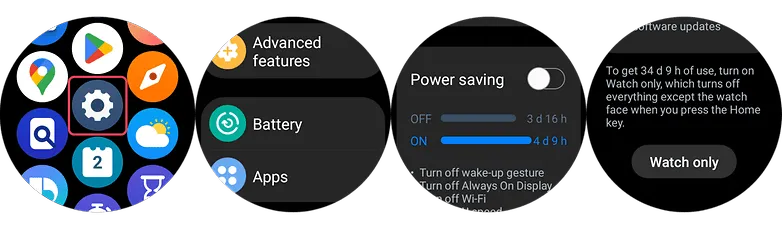
#10. Golden tip: Get extra days of battery with Power saving and Watch-only modes
Using the Power Saving or Watch-only Mode can extend your usage by days or even weeks if your battery is already running low. The connectivity, notifications, processor for battery saving mode, and other functionality other than the time for the Watch-only mode will all be restricted by these on your Galaxy Watch 5 (Pro). With the watch functionality, this last feature can provide you with up to 30 days.
Swipe up on your Watch to open the App Menu.
Go to the Settings and scroll down and tap Battery.
Toggle on Power saving or Watch-only mode.
Please be advised that to turn off the Watch only mode, you can either press and hold the Home key or charge your watch.