Tag: upgrade

  • Oppo ColorOS 16: Release date, new features, and list of eligible devices

    Oppo ColorOS 16: Release date, new features, and list of eligible devices

    Oppo’s ColorOS is the operating system that has produced the most feature-rich Android skins. The user experience is now significantly enhanced by the AI tools. Now, Oppo users are looking forward to the release of ColorOS 16. The most recent version of Android 16 will serve as its foundation. More efficiency, more features. This post will be helpful if you are currently considering an Oppo phone, such as the forthcoming Find X9 series. Additionally, this post will assist you in determining whether your current Oppo phone is eligible for the update. Let’s dissect all the information we require.

    ColorOS 16 release date and rollout

    On October 15, 2025, the ColorOS 16 was most recently announced worldwide. It will make its debut alongside the upcoming Find X9 series. Regarding the current devices, they will also progressively get the update. For devices like the Find X8 Pro, beta versions have already begun to roll out in a number of countries, including Malaysia, Indonesia, and India. Most likely, the stable update will be released on October 30, 2025. However, it won’t be accessible in India right away. It will be initially applied to China’s flagship gadgets. In India, the first stable ColorOS 16 upgrade is anticipated in Q1 2026.

    Therefore, in order to avoid the wait when purchasing a new phone, opt for models that come pre-installed with ColorOS 16.
    ColorOS 16 Features

    We may claim that the core of Oppo’s ColorOS 16 is “Smart & Smooth” performance. Thus, anticipate speedier daily tasks, simpler multitasking, and assistance for content production. This may indicate that you should get an Oppo cellphone running ColorOS 16 if you want AI integration and smoothness over standard Android.

    Performance

    Oppo has concentrated on creating a sense of instantaneity in interactions. This one also uses ColorOS 15’s Parallel Animation, albeit with a minor improvement. Seamless Animation is a new feature in ColorOS 16. Here, your touch point is the natural starting point for gestures and app transitions.

    It is powered by some important technology, such as:

    • Luminous Rendering Engine: Renders visuals in parallel for lag-free animations.
    • Trinity Engine: Optimises resources for gaming and heavy tasks.
    • Tide Engine: Reduces power use (by 13%) and lowers temperature (by 4.1°C).

    Overall, we get faster boot times, smoother app launches and scrolling, and quicker tap responses.

    Ai integration

    Whether you agree or not, AI has made a significant impact. incorporating time-saving and productivity-boosting tools? Bring it on! If you use your phone for artistic or professional purposes, it will be ideal.

    • AI One-Tap Flash Note: Captures and organises notes from documents, videos, or bills. Also, summarises videos into chapters and automates expense tracking.
    • Xiaobu AI Assistant: Offers personalised briefings (weather, tasks, news). Suggestions based on your habits, real-scene dialogues via voice/gestures. Gives portrait lighting for better photos.
    • Productivity suite: AI Recording for transcriptions, AI Writing for drafts (emails, docs), AI Notes for templates. There’s handwriting conversion, and AI Calendar for task timelines too.

    ColorOS 16’s AI improvements are its highlights. Anyone who believes that these AI tools may simplify their life by taking care of routine duties ought to give this operating system a try.

    Additionally, there are some similarities to Google’s Gemini integration. The only difference is that this one is customized for the Oppo environment.

    UI and Customisation

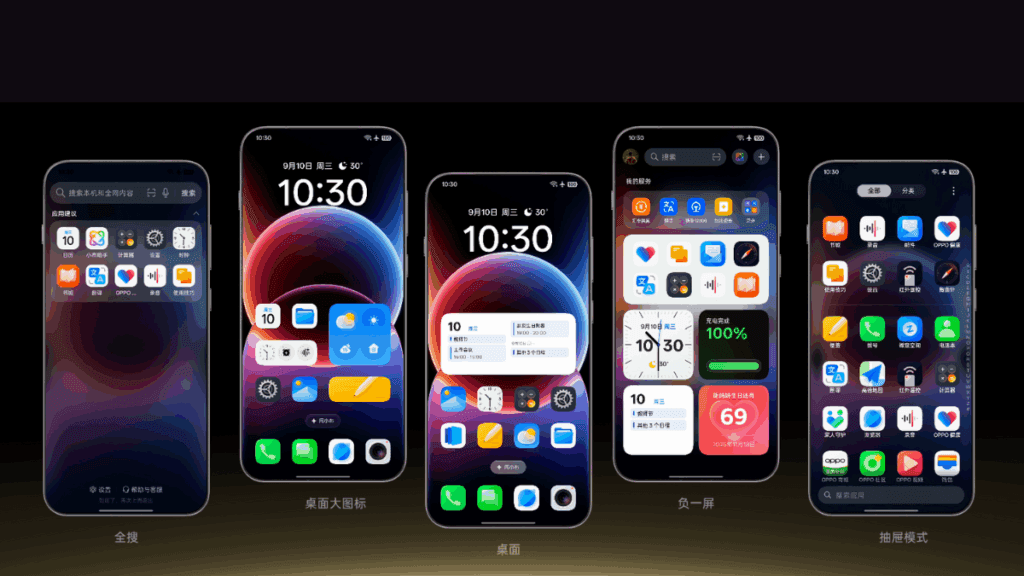
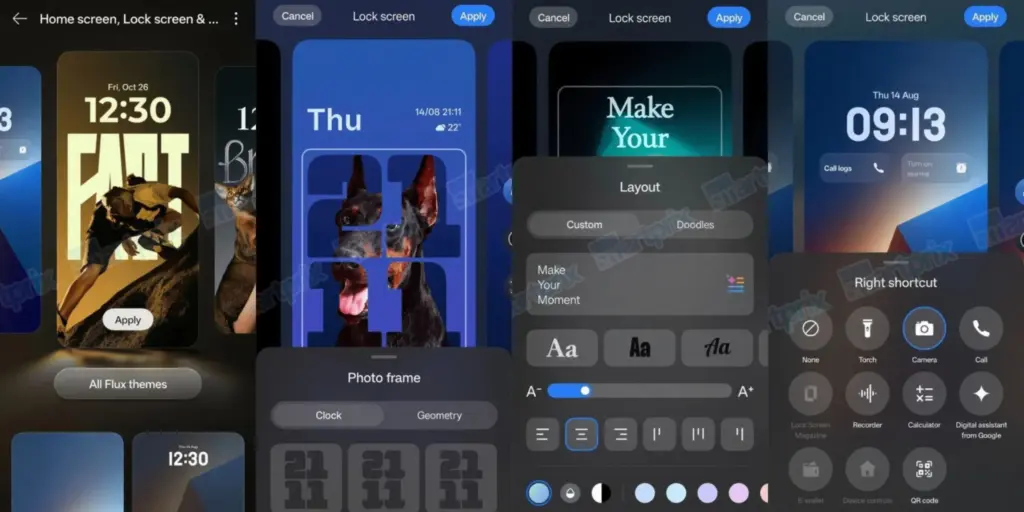
    An OS’s user interface and degree of customization reveal a lot about it. Natural light and shadows served as inspiration for the ColorOS 16. Gradients, halos, and glows are used in the design to create a simple, intuitive appearance.
    coloros 16 ui and customization

    The notable ones are as follows:

    • Flux Home Screen: Resize icons, folders, and cards dynamically. The layout adapts with fluid animations.
    • Full-Screen AOD: View your wallpaper with key info on the always-on display.
    • Personalisation: AI-generated themes, animated wallpapers from static images, and auto-matching icon colours.

    Compared to many other competitors, these alternatives offer greater versatility if you enjoy playing with the look of your phone.

    Photo and Video Editing

    For people interested in photography, ColorOS 16 upgrades the Photos app with:

    • AI Portrait Glow: Enhances low-light portraits by optimising skin tones.
    • Other AI tools: Eraser, Unblur, and Reflection Remover.
    • Video editing: Master Cut for trimming, music, filters, and adjustments.

    For those seeking effortless photography, some enjoyable settings include slow-motion effects, live collages, and collections of human and pet photos.

    Cross-Device Connectivity

    Seamless integration across ecosystems is a highlight:

    • O+ Connect: Manage files and remote control between phone, Mac, or Windows PC.
    • Screen Mirroring: Cast up to five apps and control with a mouse/keyboard.
    • One-Tap Share: Transfer docs, notes, and more, including health data from Apple Watch.

    Additional benefits include PC-level WPS Office, vehicle connectivity, customizable control center, and floating windows for multitasking.

    There will still be seamless connectivity between your various devices if you have a mixed Apple/Android configuration.

    Which Oppo devices are eligible for ColorOS 16?

    Release PeriodSeries / Models
    October 30, 2025Find N5 series: N5, N5 Satellite Find X8 series: X8, X8s, X8s+, X8 Pro, X8 Pro Satellite, X8 Ultra, X8 Satellite OnePlus 13 series
    November 2025Find N3 series Find X7 series Reno14 series Reno13 series Pad 4 Pro Pad 3 Pro OnePlus 12 Ace 3/5 series Pad Pro
    December 2025Find N2 series Find X6 series K13 Turbo series OnePlus 11 Ace 2 series
    Q1 2026Find X5 series Reno12 / 11 / 10 / 9 series (select models) K13 / K12 series Pad 3 / 2 / SE OnePlus 10 Pro Pad series

    Your device might not get ColorOS 16 if it isn’t listed (for example, if it’s older than Find X5 or Reno9). If you truly enjoy them, you might want to upgrade to the newest features.
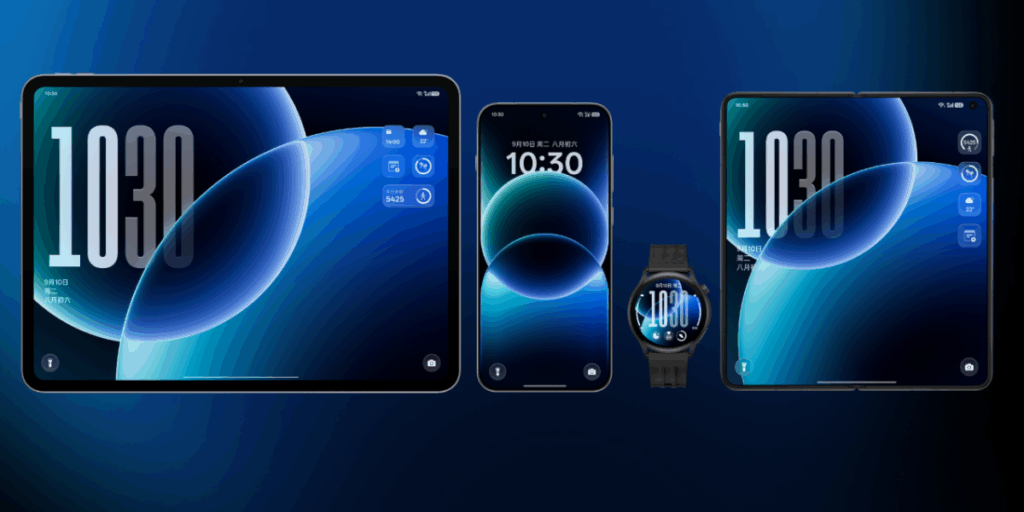
    coloros 16 on all devices

    ColorOS 16 vs ColorOS 15

    Since the current OS update isn’t that old, many people wonder if it’s worthwhile to upgrade to the next one. Check out the distinctions between ColorOS 16 and its predecessor ColorOS 15 if you’re experiencing the same confusion:

    AspectColorOS 16ColorOS 15
    Base AndroidAndroid 16Android 15
    AnimationSeamless Animation (touch-point flows, Luminous Engine)Parallel Animation (smooth transitions)
    AI FeaturesAI One-Tap Flash Note, Xiaobu (Briefing, Dialogue, Lighting), AI Writing/Notes/CalendarAI Editor (Clarity, Eraser), AI Toolbox, Gemini Integration
    UI CustomisationFlux Home Screen, Full-Screen AOD, AI themesAesthetic upgrades, smoother icons/widgets
    PerformanceTide Engine (13% less power), Project Breeze for entry-levelSnappy responsiveness, fluid multitasking
    Cross-DeviceO+ Connect (Mac/Windows), 5-app mirroringTouch to Share (iOS), basic multitasking
    Photo/VideoAI Portrait Glow, Master CutAI Eraser/Unblur, basic editing

    For deeper AI and efficiency advantages, especially on older hardware, ColorOS 15 is a worthy upgrade.

    Every Oppo user has been waiting for ColorOS 16’s level of novelty. It combines customization, AI tools, and performance in more than subtle ways. Because of this, it is an appealing option for upgraders or new purchasers. For the complete experience, think about smartphones like the Find X9 if you’re in the market. Or upgrade your current gadget to make it last longer. Keep checking back here for more information about devices that qualify.
  • Android 16 will be the final major upgrade for these Realme devices

    Android 16 will be the final major upgrade for these Realme devices

    Google launched Android 16 more than two months ago, yet no Realme phone has received the upgrade as of yet. However, the company claims to be one of the first to roll out Android 16 on premium phones. The deployment of mid-range and low-cost phones should also happen sooner than normal as a result.

    Realme plans to update a number of phones in various pricing ranges to Android 16. However, it will mark the end of significant upgrades for several of them. In other words, no significant updates beyond Android 16 will be available for those devices, which will continue to run the same OS for the remainder of their lifetimes. We’ve put together a list of these gadgets. Check it out below to see if you’ll soon need to upgrade your smartphone.

    Android 16 – the final major upgrade

    • Realme GT 5
    • Realme GT 5 240W
    • Realme GT 3
    • Realme 14x
    • Realme 14 Pro Lite
    • Realme 13 (LTE/5G)
    • Realme 13+
    • Realme 13 Pro
    • Realme 13 Pro+
    • Realme 12 (LTE/5G)
    • Realme 12+
    • Realme 12 Pro
    • Realme 12 Pro+
    • Realme 12x
    • Realme 12 Lite
    • Realme Narzo 70
    • Realme Narzo 70 Pro
    • Realme Narzo 70x
    • Realme Narzo 70 Turbo
    • Realme Narzo N65
    • Realme C75 4G
    • Realme C67 4G
    • Realme C65
    • Realme C65 4G
    • Realme C63 5G
    • Realme C63
    • Realme C61
    • Realme P2 Pro
    • Realme P1
    • Realme P1 Pro
    • Realme P1 Speed
    • Realme Note 60
    • Realme Note 60x

    The list was created using the update policy and previous rollouts as a guide. Even while it ought to be largely correct, I still advise verifying with the official announcement for the last word.

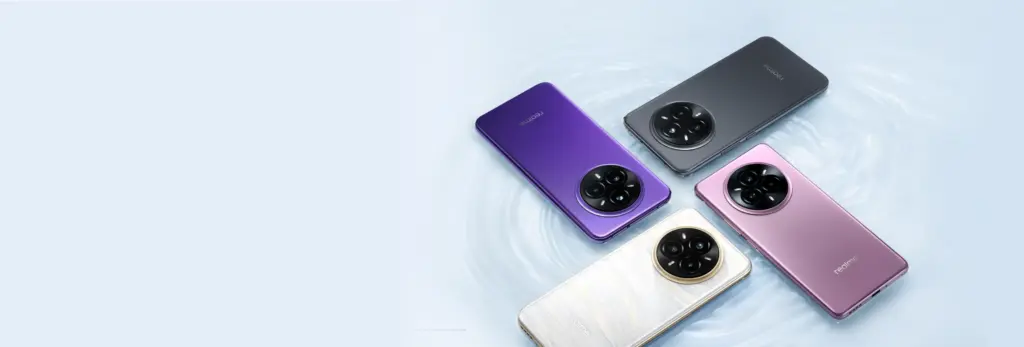
    realme devices

    When will the Android 16 update be released by Realme?

    A release date for Android 16 has not yet been disclosed by Realme. But the company has previously stated that the Realme GT 7 Pro will be the phone running Android 16’s Realme UI 7.0 update. Soon after, the GT 7 and GT 7T will join the celebration.

    Starting with the GT 6 and GT 6T, the company will introduce the stable Realme UI 7.0 to the GT 6 series after the Realme GT 7 series. Other Realme devices that qualify will thereafter progressively receive the update.

    The company has not commented on the Android 16 release, but given that competitors like Oppo, OnePlus, and Samsung are also doing so for their own Android skins, it must be getting ready for a Realme UI 7.0 beta release shortly. Realme is anticipated to begin hiring beta testers for Realme UI 7.0 in a few days, with the stable rollout probably starting in September.

  • Samsung discontinues software updates 5 Galaxy phones.

    Samsung discontinues software updates 5 Galaxy phones.

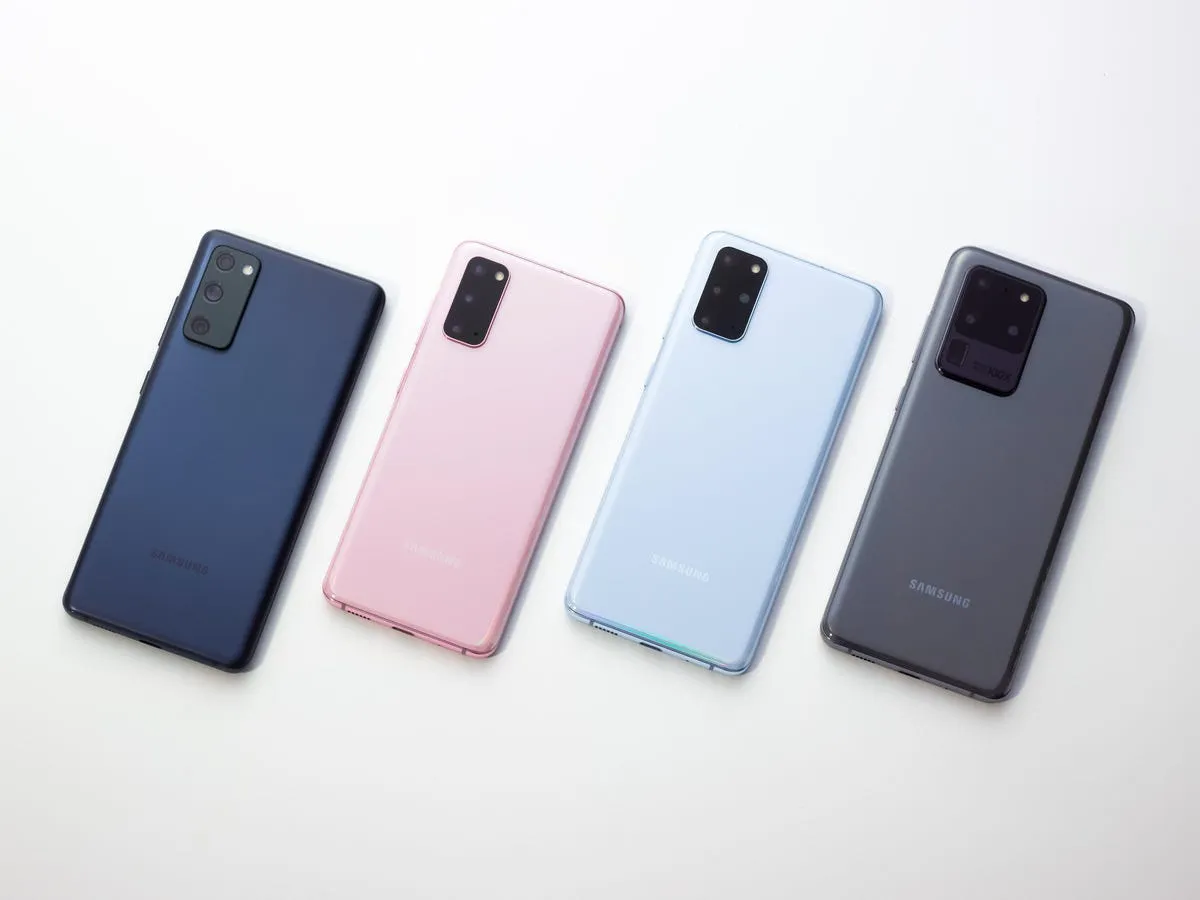
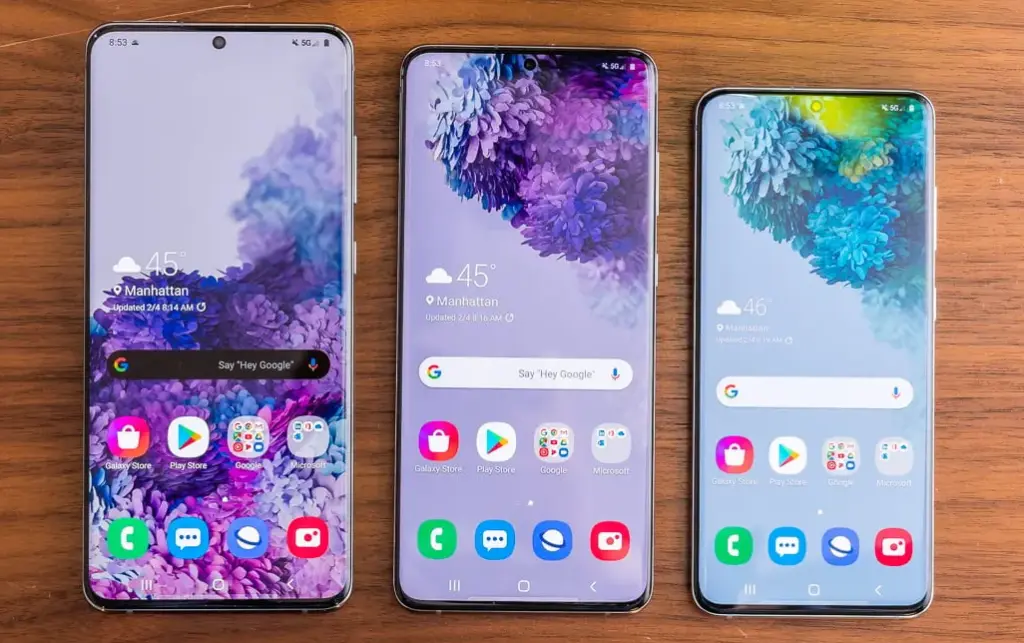
    This month delivers bad news to the owners of various vintage Galaxy cellphones. The Galaxy S20, Galaxy S20+, and Galaxy S20 Ultra, Samsung’s first game-changing flagships, will no longer receive software updates going forward.

    The Galaxy A52 5G and Galaxy A72, two additional game-changing Galaxy smartphones, will also no longer receive software updates. These were among the first mid-range devices to provide flagship-level features such as high refresh rate displays, dual speakers, 5G connectivity, and faster charging at a lower cost.

    Samsung has discontinued support for the Galaxy A52 5G Enterprise Edition. The normal edition, as well as the Galaxy A52 and Galaxy A52s, stopped receiving updates quite some time ago. The Galaxy A52 and A52s enterprise variants will still receive upgrades.

    In addition to the Galaxy S20, S20+, S20 Ultra, A52 5G, and A72, Samsung will no longer provide updates for the Galaxy A32. Support for the S20 series will terminate after five years, and for mid-range devices after four years.

    Samsung may provide an update that was already in the works for these devices before support ended, but if you possess one of them, you should upgrade if you want to continue receiving software updates.

    Upgrade now

    Galaxy S25 ultra

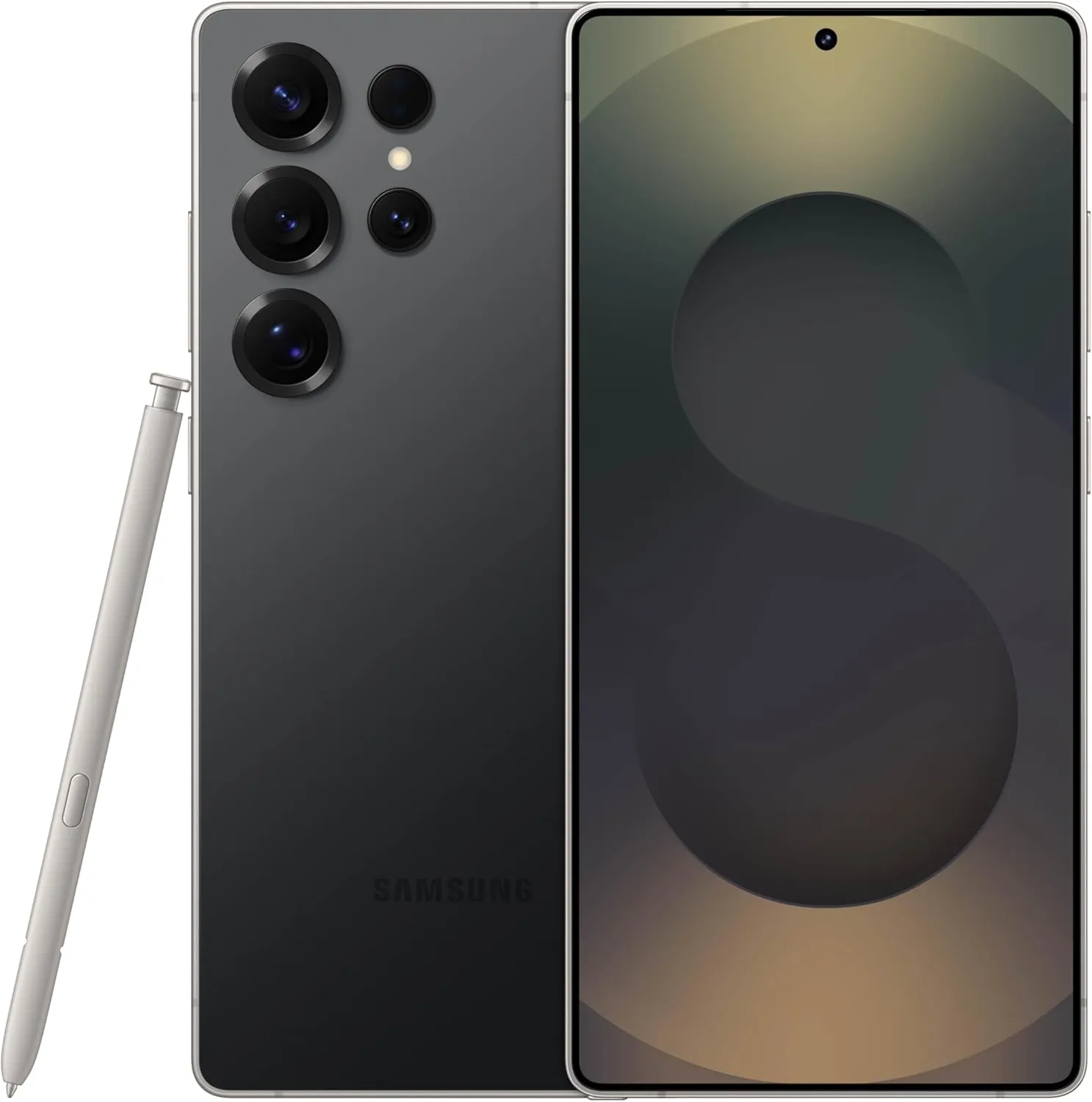
    SAMSUNG Galaxy S25 Ultra

     Streamline your day with an assistant that gets you. Ask it to Google search for a pet-friendly vegan restaurant nearby and text it to your friend— your Galaxy S25 Ultra handles multiple tasks with a single ask.

    Best choice
    $1,419.99$1,219.74See It
  • Xiaomi HyperAI & HyperOS 2.0 global rollout scheduled

    Xiaomi HyperAI & HyperOS 2.0 global rollout scheduled

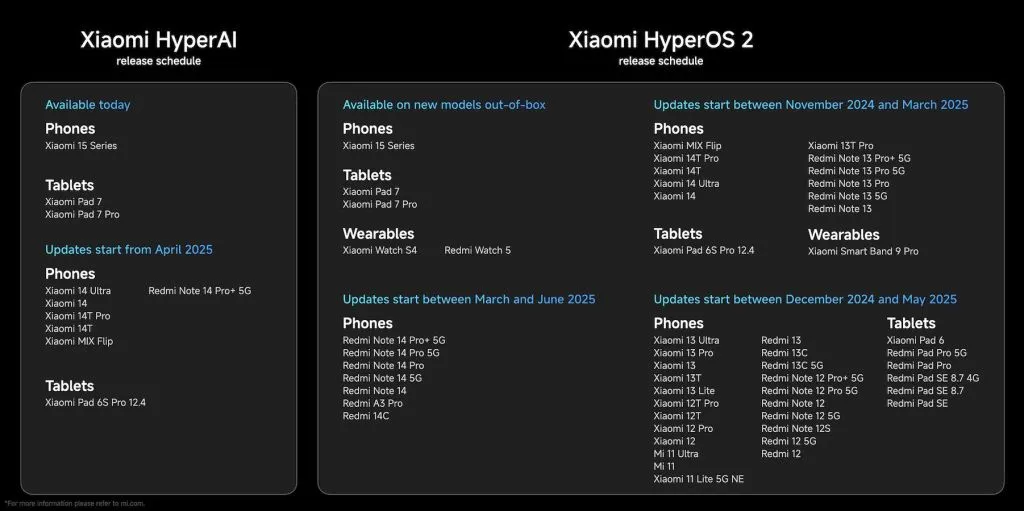
    At the worldwide launch event for the Xiaomi 15 series, Xiaomi revealed the timeline for the release of Xiaomi HyperAI and HyperOS 2.0, which are based on Android 15. These changes offer a more seamless, integrated user experience along with AI-powered improvements. The official upgrade schedule and a list of the new software’s key features are provided below.

    Xiaomi HyperOS 2.0 global update schedule for 2025

    TimeModels
    Available TodayPhones: Xiaomi 15 Series
    Tablets: Xiaomi Pad 7, Xiaomi Pad 7 Pro
    Updates Starting from April 2025Phones: Xiaomi 14 Ultra, Xiaomi 14, Xiaomi 14T Pro, Xiaomi 14T, Xiaomi MIX Flip, Redmi Note 14 Pro+ 5G
    Tablets: Xiaomi Pad 6S Pro 12.4

    Xiaomi HyperAI Update Schedule

    DateModels
    Pre-installed on New ModelsPhones: Xiaomi 15 Series
    Tablets: Xiaomi Pad 7, Xiaomi Pad 7 Pro
    Wearables: Xiaomi Watch S4, Redmi Watch 5
    Updates Starting Between November 2024 – March 2025Phones: Xiaomi MIX Flip, Xiaomi 14T Pro, Xiaomi 14T, Xiaomi 14 Ultra, Xiaomi 14, Xiaomi 13T Pro, Redmi Note 13 Pro+ 5G, Redmi Note 13 Pro 5G, Redmi Note 13 Pro, Redmi Note 13 5G, Redmi Note 13
    Tablets: Xiaomi Pad 6S Pro 12.4
    Wearables: Xiaomi Smart Band 9 Pro
    Updates Starting Between December 2024 – May 2025Phones: Xiaomi 13 Ultra, Xiaomi 13 Pro, Xiaomi 13, Xiaomi 13T, Xiaomi 13 Lite, Xiaomi 12T Pro, Xiaomi 12T, Xiaomi 12 Pro, Xiaomi 12, Xiaomi 12S Ultra, Xiaomi 12S Pro, Xiaomi 12S, Xiaomi 12X, Redmi 13, Redmi 13C, Redmi 13C 5G, Redmi Note 12 Pro+ 5G, Redmi Note 12 Pro 5G, Redmi Note 12 5G, Redmi Note 12S, Redmi Note 12, Mi 11, Mi 11 Lite 5G NE
    Tablets: Xiaomi Pad 6, Redmi Pad Pro 5G, Redmi Pad Pro, Redmi Pad SE 8.7 4G, Redmi Pad SE 8.7, Redmi Pad SE
    Updates Starting Between March – June 2025Phones: Redmi Note 14 Pro+ 5G, Redmi Note 14 Pro 5G, Redmi Note 14 Pro, Redmi Note 14 5G, Redmi Note 14, Redmi A3 Pro, Redmi 14C
    xiaomi hyperos and hyper ai launch scheduel

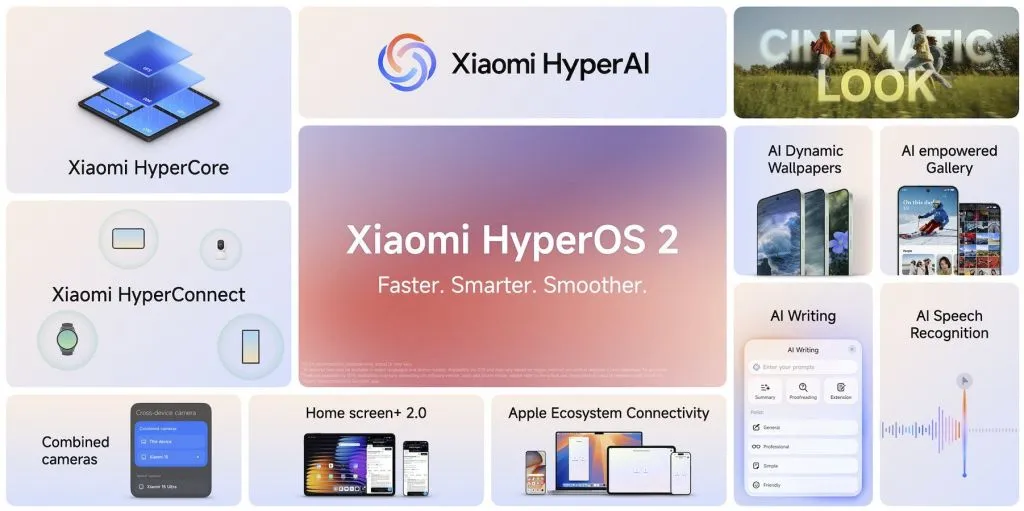
    Key Features

    A potent new system engine called Xiaomi HyperCore was created to improve efficiency and performance. With quicker app launches and longer battery life, it ensures a more seamless user experience by optimizing resource management.

    All Xiaomi devices can connect seamlessly thanks to Xiaomi HyperConnect. It makes it easier for users to switch between smartphones, tablets, wearables, and other smart devices in the Xiaomi ecosystem by improving multi-device synchronization.

    With Cinematic Look’s sophisticated image and video processing features, users may take pictures and films with a professional-caliber touch. This function produces visually spectacular content by improving lighting, sharpness, and color grading.

    AI Dynamic Wallpapers & AI Gallery customizes the user experience by utilizing artificial intelligence. The AI Gallery cleverly classifies and arranges images for convenient access and administration, while AI-powered wallpapers constantly adjust to user preferences.

    xiaomi hyperos launch event

    AI Speech Recognition and AI Writing offer more intelligent input techniques that improve communication. While AI Speech Recognition allows precise voice commands and real-time transcription, AI Writing assists with text summarizing, proofreading, and tone correction.

    Cross-device Camera & Home Screen 2.0 enhances multitasking and ecosystem integration. With improved app categorization and interactive widgets, the new home screen layout improves usability, and users may use cameras from various devices interchangeably.

    Better cross-platform compatibility is ensured by Apple Ecosystem Connectivity, which makes it possible for Xiaomi smartphones to function more effectively with Apple goods. Data exchange, notifications, and device synchronization across several operating systems are made easier by this functionality.

    With a planned deployment strategy that guarantees a smooth transition between devices, Xiaomi HyperAI and HyperOS 2.0 want to provide customers with a quicker, smarter, and more seamless experience.

  • Google Pixel Watch 2 will get the right upgrades over its predecessor

    Google Pixel Watch 2 will get the right upgrades over its predecessor

    The Google Pixel Watch from a year ago was a favorite of ours despite its mediocre battery life, large bezels, and outdated internals. Additionally, Google has significantly enhanced the wearable since its debut with frequent upgrades. As the wristwatch approaches its first anniversary of release, more and more information regarding its successor, the Pixel Watch 2, is appearing online. The internals, display, and battery of the watch, as well as other important details, have just leaked.

    The Snapdragon W5 Gen 1 processor is said to be used in the Pixel Watch 2, according to an Android Authority article. This is Qualcomm’s most advanced wearable SoC, built on Samsung’s 4nm node, and it has four Cortex-A53 cores with a 1.7GHz clock speed. Compared to the 10nm Exynos 9110 chip in the Pixel Watch, which has twin Cortex-A53 cores operating at 1.15GHz, it should result in a significant improvement in speed and economy.

    Moreover, Qualcomm provides a W5+ Gen 1 SoC with a specialized QCC5100 coprocessor. However, it appears like Google chose the non-Plus model because it intends to use the same bespoke NXP coprocessor that was used in the first generation Pixel Watch.

    The Pixel Watch 2 might have a bigger 306mAh battery in addition to a faster and more effective processor. That represents a modest 4% increase over the 294mAh cell in the first watch. Despite being small, the Snapdragon processor and 306mAh battery together might provide the Pixel Watch 2 a battery life of more than 24 hours.

    Another significant improvement that Google promises to make to the Pixel Watch 2 is an ultra-wideband processor. It appears that the wearable will have an NXP SR100T module, but it’s not obvious how the business plans to use the technology. With the addition of UWB, the Pixel Watch 2 might be able to function as a digital car key, allow for seamless media playback between your devices, and more. The Apple Watch already comes with Apple’s U1 ultra-wideband processor, which is utilized for precision locating and other functionality.

    However, it doesn’t appear that the Pixel Watch 2 will come with a larger display or more minimal bezels. According to rumors, Google will move to a Samsung Display panel, which might have increased brightness and battery efficiency. Nonetheless, it will still be 1.2 inches and 384 by 384 pixels in size. Moreover, there is no anticipated size reduction for the bezels that encircle the screen.

    The Pixel Watch 2 should ship with Wear OS 4, which is based on Android 13, as its operating system. One of the earliest Android smartwatches that offer seamless updates is this one. This will enable the watch to update the system files silently and reboot to access them.

    Last but not least, the Pixel Watch 2 may debut in India because BIS certification has been seen on the watch’s regulatory e-labels. There are no specifics yet, but the watch may be introduced to many more markets.

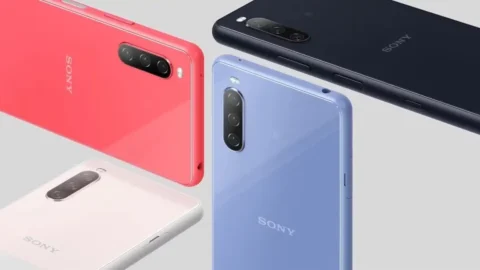
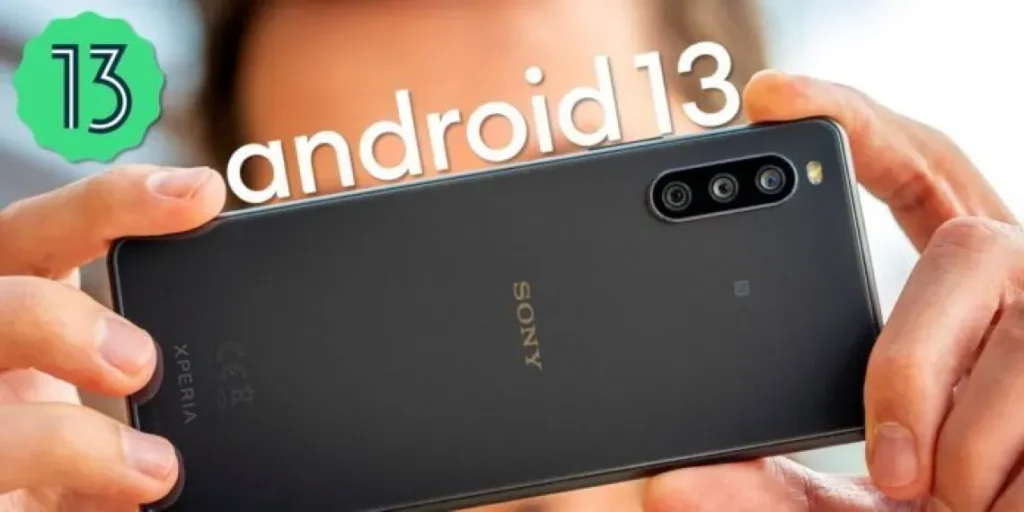
  • Sony Xperia 10 III is getting upgraded to Android 13

    Sony Xperia 10 III is getting upgraded to Android 13

    The Japanese giant Sony may have decreased its expectations for its mobile business, but that doesn’t imply it has ceased making new devices. We’re getting fewer phones every year because Sony had to reduce its mobile division in response to the strong competition on the smartphone market.

    Positively, it should make it possible for Sony to deliver Android OS updates considerably more quickly than in the past. Sadly, that doesn’t always happen, but at least devoted followers continue to receive updates on occasion.

    Sony has made some work on updating all of its eligible phones to Android 13, although some devices are still awaiting the upgrade. Up until recently, one of those gadgets was the Xperia 10 III. According to XDA Developers, the Sony Xperia 10 III is currently receiving an upgrade with firmware version 62.2.A.0.367 in a few European and Asian nations.

    Sony Xperia 10 III android 13

    The global dual-SIM (XQ-BT52) is eligible for this update, although release dates in various areas might vary. There are a lot more updates coming to the phone, but the changelog verifies that the upgrade includes the January 2023 security patch.

    For instance, Sony Xperia 10 III devices will soon have a new lock screen, a brand-new Quick setting panel, and various improvements to the Camera app. Be sure to read Sony’s summary of some of the changes included in the Android 13 release.

    The Xperia 10 III’s excellent 6-inch OLED display, which supports HDR and 1B colors, makes it one of the most intriguing mid-range smartphones on the market. The Xperia 10 III, which was first released in 2021, is quite likely to get one more significant Android OS update before Sony stops supporting the device.

    If you plan to upgrade your Xperia 10 III to Android 13, keep in mind that your user data shouldn’t be affected by the software update. However, going back to a previous software version after upgrading to Android 13 will no longer be possible, at least not through official means.

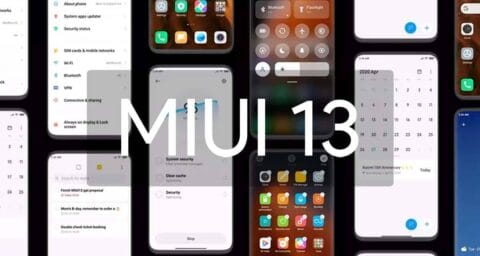
  • MIUI 13 update – features, device list, release date and everything else we know so far

    MIUI 13 update – features, device list, release date and everything else we know so far

    If you own a Xiaomi phone, you likely use MIUI – it’s the company’s Android overlay that changes the software’s appearance and adds a few new features. MIUI 13 is the next version, and rumors abound that it’s coming pretty soon.

    Currently, the company’s newest phones like the Xiaomi Mi 11 and Mi 11 Ultra use MIUI 12; launched in May 2020, its new features included an app drawer, improved dark mode and an Ultra Battery Saver Mode, amongst other things, so it was a fairly big improvement.

    Even though MIUI 12.5 is still being pushed to Xiaomi smartphones, the MIUI 13 features, release date, download, and qualifying devices list have begun to circulate the internet. The upcoming custom Android skin, which will replace last year’s MIUI 12.5, is currently in the works. The Xiaomi MIUI 13 update is scheduled to be released in the second quarter, as have previous versions, and will be compatible with phones manufactured in 2019 or later. In terms of MIUI 13 functionality, it is expected to include optimized animations, new themes, wallpapers, and a slew of security enhancements, among other items.

    HIGHLIGHTS

    • Release date is tipped to be June 25th
    • The new custom skin is expected to come with a handful of improvements over last year’s MIUI 12.5
    • Features may include optimised animations, new themes, wallpapers, and plenty of security improvements 

    MIUI 13 release date

    The MIUI 13 release date is apparently set for June 25th, according to reports. The update is likely to be announced in China first, followed by other regions including India. There is no word on MIUI 13 release date in India yet, obviously. However, looking at Xiaomi’s past track record, the update could take around 2-3 months to reach India. MIUI 12, to recall, was originally announced in May but was only made available in the country in August.

    MIUI 13 update and download

    The MIUI 13 update will be released in stages, as is customary. The brand will initially distribute the beta version of the update to a small number of consumers, followed by the stable version for all compatible devices. The timetable for the MIUI 13 update release is currently unknown.

    Features

    Features list is too short at the moment to tell whether the update be a major upgrade or just an iterative of last year’s custom skin. Among the few that are rumoured so far include optimised animations to improve the overall experience of the new custom Android skin from Xiaomi. The update is also expected to come with design changes, enhanced touch sensitivity, advanced privacy options, native screen recording support, improved battery performance, new gestures, and enhanced notifications panel, among other things.

    MIUI 13 features (rumoured)

    • Improved in User Interface
    • Optimised Animations
    • Enhanced Touch sensitivity
    • Improved Scrolling screenshot
    • Native screen recording support
    • New Theme designs and improved gestures
    • Enhanced Always on Display
    • Scheduling option for Airplane mode 
    • Improved Notification panel for Social media apps for faster Reply and enhanced experience
    • More flexible storage experience
    • Fast charging improvements
    • New power saving mode to improve battery performance
    • Enhanced Notification system for managing older and newer notifications

    MIUI 13 could also bring Android 12 features such as Media Transcoding, new unified API, and wallpaper-based theming, to compatible Xiaomi mobile phones. Click here to know about the upcoming Android 12 features.

    MIUI 13: eligible devices

    The rumoured MIUI 13 eligible device list so far includes:

    • Mi 11 series
    • Mi 10 series
    • Mi Fold
    • Redmi Note 10 series
    • Redmi Note 9 series
    • Mi MIX Alpha
    • Redmi K40 series
    • Redmi K30 series
    • Redmi K20 series
    • Redmi 9 series
    • Redmi 10X series
    • POCO X3 series
    • POCO X2
    • POCO M2 series
    • POCO X2 Pro/ POCO X2 Pro
    • Black Shark 3 series
    • Black Shark 2 series

    While Xiaomi is known to roll out a new software update to devices as old as four years, rumours are rife that it has decided to skip MIUI 13 for its 2019’s flagships Mi 9 and Mi MIX 3, as well as last year’s mid-rangers like the Redmi Note 8 series and the Redmi 8 lineup.

  • Update LG Smartphone To The Latest Version Of Android

    LG isn’t known for releasing updates to its Android smartphones in a very timely fashion. But once they do, you are going to want to know the way to get that update and fiddle with the most recent version of Android.

    LG does roll out other updates for its smartphones, typically bug fixes and security updates are what LG smartphone owners will get. Which are arguably more important than the remake of Android updates that other phones get. As this keeps your phone and your information from becoming susceptible to being hacked or attacked.

    So how exactly do you update your LG smartphone to the newest version of Android? Well it’s quite simple. Let’s start .

    Settings app on your phone.

    LG settings app

    Go to System then tap on System Updates and tap Check for new system updates.

    LG system updates
    LG update android

    After that you will be either prompted by an update, which you can then just start the update. Or there will be a Check Now button you can use to check for a software update.

    If there is an update available, you will see detailsof the update and the changelog, if there is one. The update will be large if it’s for a new version of Android. If you don`t want to install the update right now, just hit Later.

    Updates do not wipe your data.

    S However, it is always smart to go ahead and back up your data before you install a new update, just in case. As something could go wrong and you could end up needing to factory reset your phone following the update.