Tag: update

  • Global Huawei Watch 5 tipped to receive HarmonyOS 6

    Global Huawei Watch 5 tipped to receive HarmonyOS 6

    Owners of the Huawei Watch 5 vanilla model are currently quite pleased that the HarmonyOS 6.0 update is finally available on the global market. Your eligible wearable will soon receive the latest software version that the company has begun to push in batches.

    Huawei has upgraded numerous smartwatches to HarmonyOS 6 thus far. For example, the global market offers the Watch GT 5 Pro, Watch FIT 4 series, Watch GT 5 models, and more.

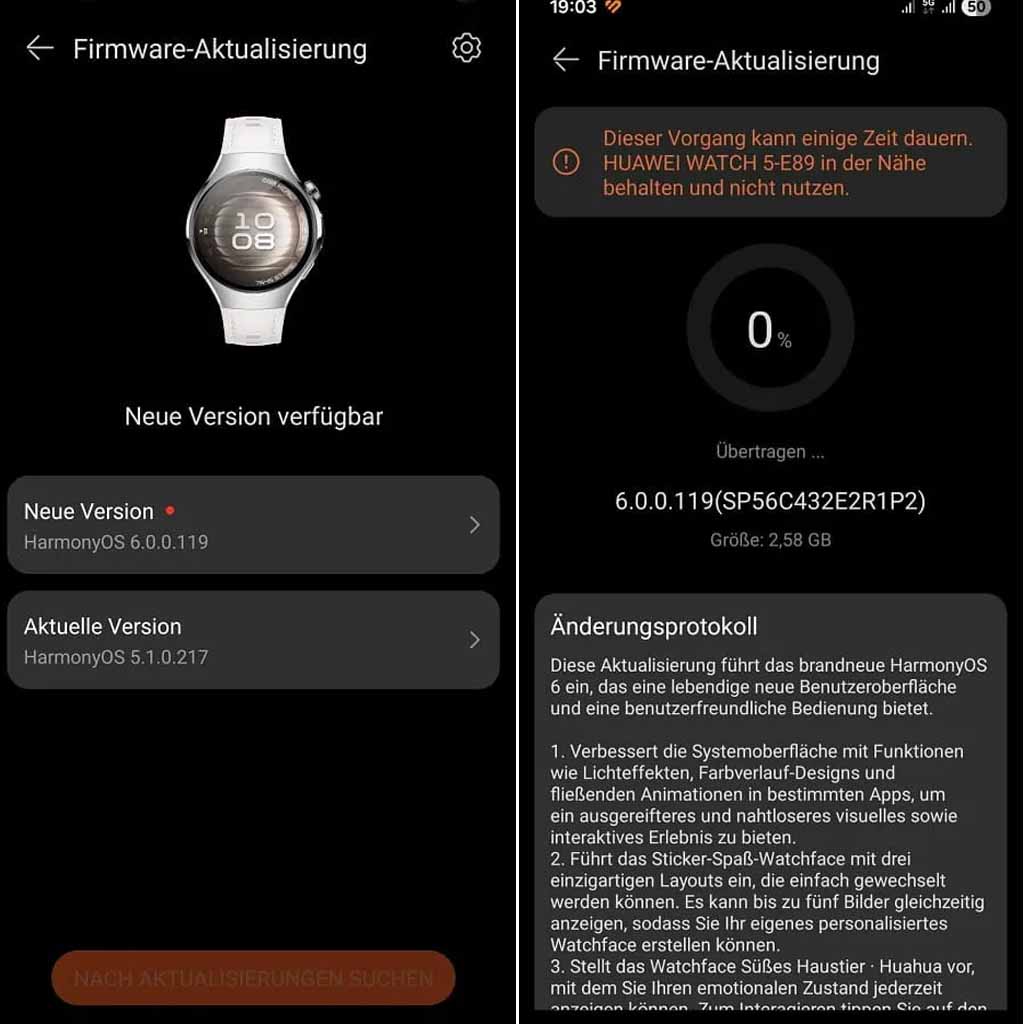
    Now the company is bringing the HarmonyOS 6.0 upgrade to the Huawei Watch 5 global users with a huge changelog. Yes, the OEM has added 16 new enhancements to the wearable, enhancing the complete experience for its users.
    Global Huawei Watch 5 tipped to receive HarmonyOS 6 upgrade

    Watch 5 global users can identify the update with the HarmonyOS build version 6.0.0.119. Make sure to have sufficient storage as the package weighs 2.58GB.

    To improve the user interface, the business has incorporated additional stickers and watch faces. Huawei has updated the Emotional Wellbeing app with better mood recognition at the same time. The Settings app and even Power Saving Mode will be improved for users. All of these qualities are listed below.

    HarmonyOS 6.0 added features

    • Introduces the Sticker Fun watch face with three unique layouts that are easy to switch between. It can display up to five images at once, allowing you to create your own personalized watch face.
    • Introduces the Cute Pet Huahua watch face, which lets you view your emotional state at any time. Tap the screen to interact. You can also customize the displayed data, such as calendar, battery level, and health information.
    • Introduces the Modules 2025 watch face, which lets you mix and match widgets of different sizes and switch between various design colors.
    • Introduces a redesigned Emotional Wellbeing app, which lets you experience 12 different emotions based on your emotional state and stress level. You can also try breathing exercises guided by a charming pet.
    • Adds the shortcut settings screen, accessible by swiping right on the workout screen. There, you can easily adjust the volume of workout reminders or change workout settings.
    • Introduces the following improvements in power saving mode: The Contacts app can now display all contacts on your phone, and the call log is renamed to “Phone.” Tapping the Phone app will display a keypad for making calls when the wearable is paired with your phone. (Update your phone and the Huawei Health app to the latest versions before using this feature.)
    • Introduces the following improvements in power saving mode: Enhances the calendar experience by adding week and month views, as well as a calendar card, to the Assistant: TODAY screen.

    Enhancements

    • 1. Enhances the system interface with features like lighting effects, gradient designs, and fluid animations in select apps for a more sophisticated and seamless visual and interactive experience.
    • Allows you to adjust the vibration intensity for alarms (under Settings > Sounds & Vibration > Vibrate > Custom) and mute alarm notifications by simply covering the screen with your palm.
    • Supports connectivity with heart rate monitors, speed sensors, power meters, and cadence sensors to meet professional fitness needs. (In standard mode, you’ll find the settings under Settings > Cross-Device Cooperation > Health Device Management, while in power-saving mode, you’ll find them under Settings > More Connections > Health & Fitness Devices.)
    • Enhances the Golf Mode experience with stunning panoramic views of the fairways and vivid details of the greens. You can also effortlessly measure distances from any position, helping you pinpoint the location of the green and hazards.
    • Improves the trail running mode, including an elevation graph that clearly displays elevation changes at your current location. It also offers segment-based navigation that guides you precisely through each segment, helping you manage your training like a Pro.
    • Features such as warm-up, courses, interval training, lactate threshold, race guidance, and routes are moved to the “More” screen. (Swipe up on the “Training Preparation” screen to access the “More” screen.)
    • Improves usability by supporting more app icons for notifications, making it easier to identify message sources.
    • Enhances the user experience with smart hand gestures through increased detection accuracy.
    • Enables VoLTE by default for certain providers after the eSIM is activated. Manual control of VoLTE is not available.
  • HyperOS 4 arrives August 2026 — Xiaomi promises its most refined update

    HyperOS 4 arrives August 2026 — Xiaomi promises its most refined update

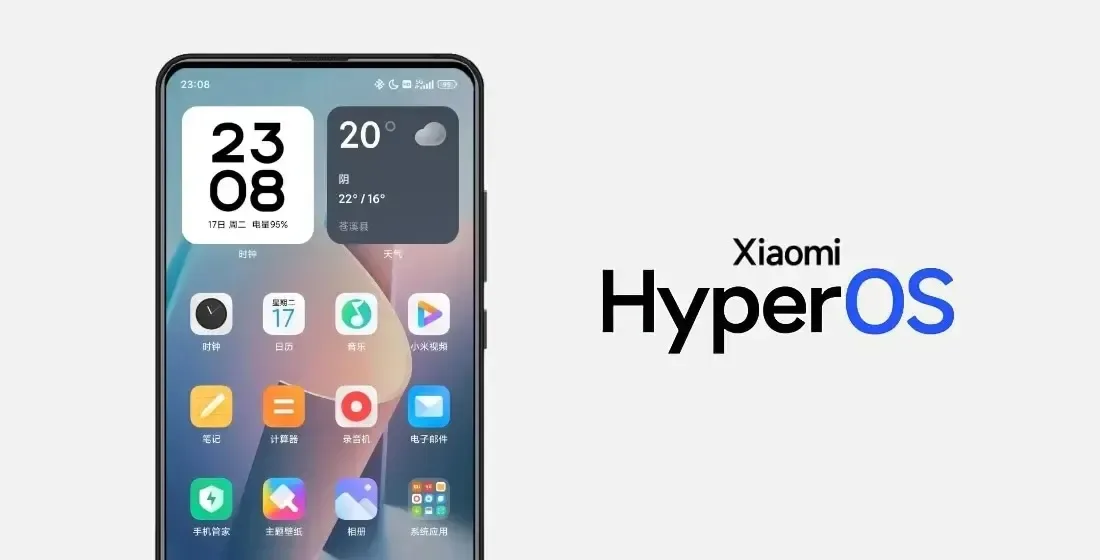
    With HyperOS 4, Xiaomi intends to make significant changes. The old MIUI code is entirely removed by the business. The system becomes more stable and quicker as a result. In August 2026, HyperOS 4 will be available. It turns into the initial “Zero-Legacy” version.

    In HyperOS 3.1, Xiaomi begins to clear up outdated code. The MIUI SDK is eliminated from the Weather and Gallery applications. All legacy code from MIUI 1 to HyperOS 3 is removed. The system eliminates outdated dependencies and sluggish function calls. A new operating system is produced as a result. It decreases bugs and increases speed.

    xiaomi hyperos 4 update for all devices

    Key changes:

    • Removes MIUI backward compatibility layer
    • Uses only HyperOS SDK in all modules
    • Deletes over 10 years of old code
    • Makes updates faster and more stable

    HyperOS 4 brings high-performance apps with Flutter and Rust

    Xiaomi uses Rust and Flutter to rework key apps. The Weather app on HyperOS 3.1 checks this. These tools are extensively utilized in HyperOS 4. UI is made fluid via Flutter. Rust improves safety and speed. Versions of new apps are not available to older HyperOS users. This eliminates older phones’ backward compatibility.

    Key features:

    • Flutter for standard UI rendering
    • Rust for secure and fast core code
    • Modular apps that update independently
    • Better stability on all devices

    Small improvements are made to flagship phones. Large speed increases are seen in low-cost phones. Xiaomi resolves outdated code issues. The most stable experience in Xiaomi history is what it promises.

  • Android 17 Beta is now available for Pixel phones — here’s how to try it

    Android 17 Beta is now available for Pixel phones — here’s how to try it

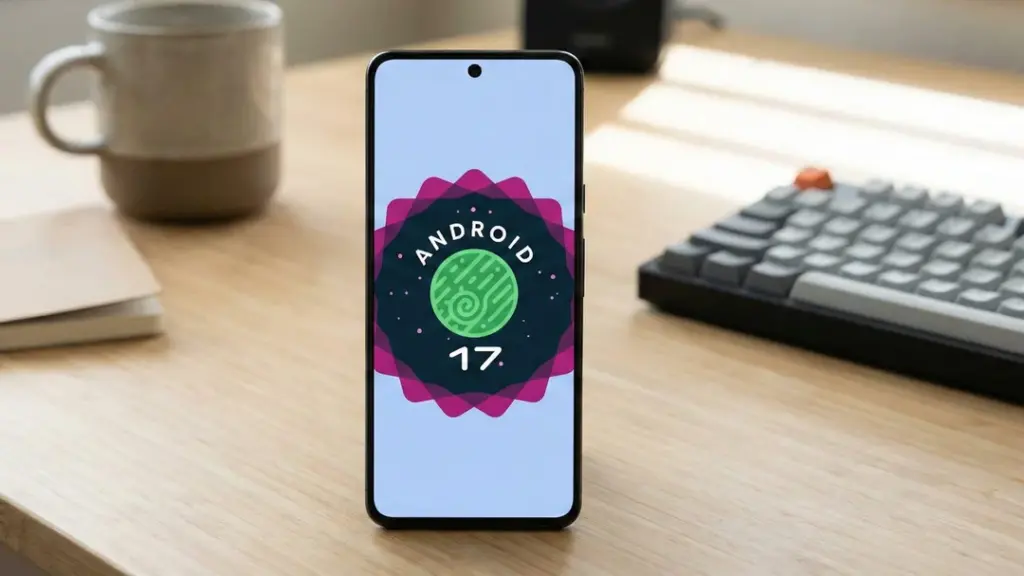
    Google has finally released Android 17 for Pixel phones, following a brief tease yesterday afternoon. This morning, Google said that Android 17 Beta 1 will be available to developers without a Pixel as pictures in Android Studio and as an over-the-air upgrade in the Android Beta Program.

    You might be wondering why we aren’t receiving a Developer Preview build first or why this seems so early. We no longer receive developer preview builds, therefore it’s different. You may obtain these new beta builds earlier than ever before since Google is using the Android Canary track, which was released last year, as a developer preview moving forward.

    Android 17 Beta

    Regarding scheduling, Google declared that Android releases would alter toward the end of 2024. Google shifted to a two-release Android strategy for 2025, with the primary and largest Android 16 release stabilizing by the middle of the year and a secondary release occurring before the year’s conclusion. Android 17 will follow the same timetable. A Platform Stability release is scheduled for sometime in March, although the first release has already begun and will stabilize rather fast. Similar to what happened with Android 16 last year, a small SDK update is scheduled for Q4 of this year.

    We will explore all of the exciting new features that Android 17 offers on your own device in a separate post that will be published soon. However, as of right now, Google has simply disclosed the modifications that developers should be aware of. There are various performance enhancements (such as new garbage collection and notification constraints), more professional-grade camera capabilities and media experiences, a redesigned print dialog for improved usability, and restrictions on screen resizability so that apps can run on all devices.

    You may receive Android 17 on your Pixel device immediately by signing up for the Android Beta Program. System images are also available to developers (here).

  • 12 Xiaomi phones begin receiving the HyperOS 3.1 beta update

    12 Xiaomi phones begin receiving the HyperOS 3.1 beta update

    Xiaomi has begun releasing the latest testing release for these 12 models after launching a new HyperOS 3.1 Beta Program for the second batch of its smartphones. To improve the user experience, the most recent version includes a few improvements.

    The latest beta, which includes features like Live Updates and Stacked Recent Apps Menu, has already been sent to the first batch of smartphones by the Chinese tech giant.

    The HyperOS 3.1 beta upgrade is now being extended for 12 additional Xiaomi devices by the company. It will take some time for the version to reach every unit because it is arriving in groups.

    Hyperos 3.1

    As the OEM has begun distributing the latest testing release to more devices, HyperOS 3.1 beta is becoming more stable. This implies that Xiaomi will soon start rolling out the HyperOS 3.1 beta update to phones and tablets from earlier generations.

    The 12 devices that are getting the new beta build are mentioned below. With the testing version listed next to it, you can determine the update for your device.

    HyperOS 3.1 beta available for the following devices

    1. Xiaomi 15: HyperOS 3.0.300.5 Beta
    2. Xiaomi 15 Pro: HyperOS 3.0.300.4 Beta
    3. Xiaomi 15S Pro: HyperOS 3.0.300.5 Beta
    4. Xiaomi 15 Ultra: HyperOS 3.0.300.4 Beta
    5. Xiaomi 14: HyperOS 3.0.300.3 Beta
    6. Xiaomi 14 Pro: HyperOS 3.0.300.4 Beta
    7. Xiaomi 14 Ultra: HyperOS 3.0.300.3 Beta
    8. Redmi K80: HyperOS 3.0.3003 Beta
    9. Redmi K80 Pro: HyperOS 3.0.300.3 Beta
    10. Redmi K80 Ultra: HyperOS 3.0.300.3 Beta
    11. Xiaomi MIX Flip 2: HyperOS 3.0.300.6 Beta
    12. Xiaomi Pad 7 Ultra: HyperOS 3.0.300.2 Beta

    Before starting the installation, make sure your phone or tablet has enough storage space. Since it’s a beta version, the data on your device might be erased. Therefore, make a backup in advance.

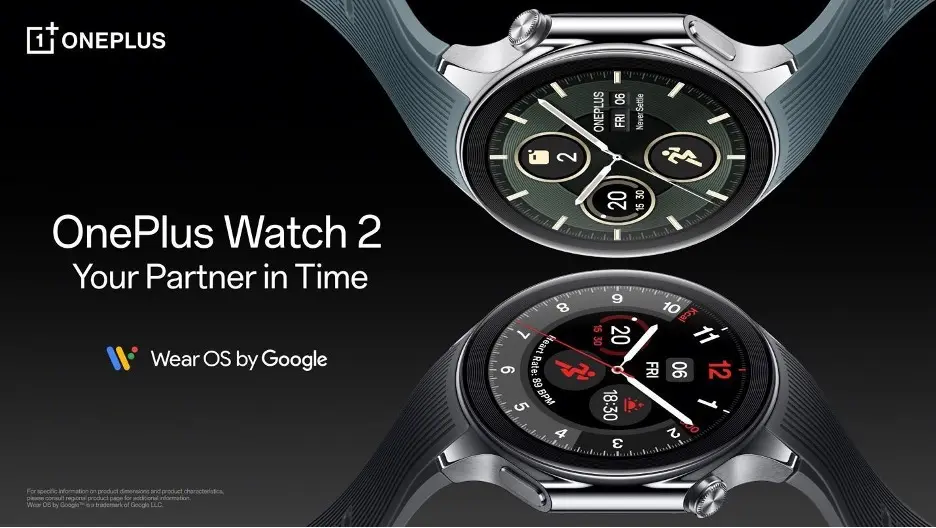
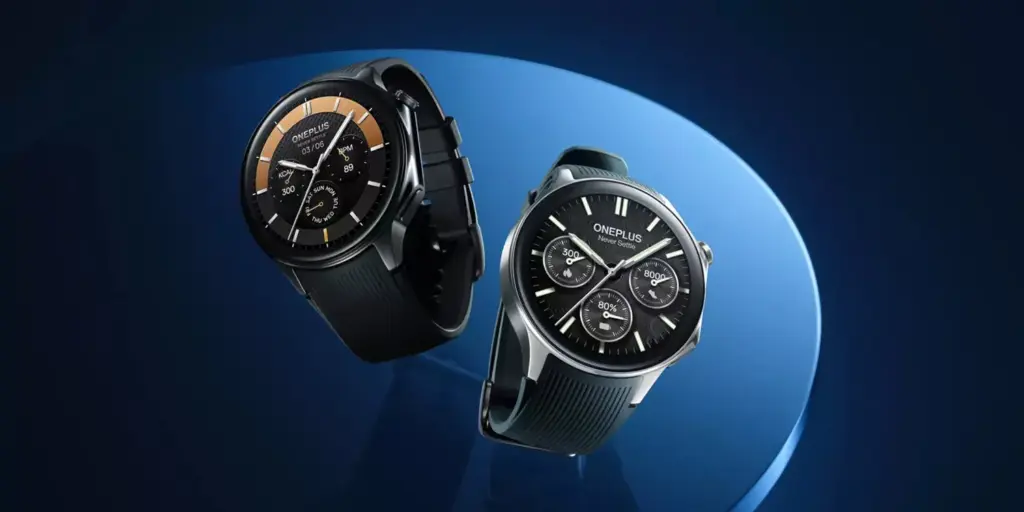
  • OnePlus quietly pushed a Wear OS 5 update to the Watch 2 — and it’s causing major battery drain

    OnePlus quietly pushed a Wear OS 5 update to the Watch 2 — and it’s causing major battery drain

    OnePlus released its Wear OS 5 update to certain OnePlus Watch 2 and 2R customers on December 29, slipping past its self-imposed end-of-year deadline, much like a college student faxing their assignment to the professor at 11:59 p.m. This last-minute update has caused issues ever since, as you could anticipate.

    Wear OS 5 was originally scheduled to be released between July and September 2025 for the OnePlus Watch 2 and Watch 2R, which were both released in 2024 running Wear OS 4. The company merely stated that the upgrade would arrive “in the near future” after Android Authority inquired about the delay in October.

    Some owners of OnePlus Watches have now received the update, but not all of them; my OnePlus Watch 2R, which is located in the United States, still displays the May 2025 security update and Wear OS 4. But considering the impact of the update, this could be a blessing in disguise.

    The upgrade is seriously depleting the battery, according to this Reddit thread and other OnePlus forum postings. Before the upgrade, the Watch 2 and 2R often lasted three days in smart mode; however, some customers claim that even after attempting factory resets and other solutions, it won’t last a full day.One user states, “I’m completely heartbroken and frustrated with the severe battery drain issue impacting my OnePlus Watch 2 with the Wear OS 5 update.” “On light usage, my OnePlus Watch 2 now drops from full battery at 1:00 PM to a crucial 10% by 11:00 PM.”

    Another customer comments, “I used to get 2.5 days easily with most settings on (at least 2 days)… Now I hardly get 1 day.” In response, someone said that while his drain wasn’t quite as bad, it was now “a strict 2 days” instead of the previous 3–4 days.

    Many customers identify particular apps—such as the Weather app, Play Store, or “Wear OS” itself—as the source of the drain, but the diversity indicates that this is a system-wide problem rather than a single app.

    The fact that stock Wear OS 5 is (A) a very modest upgrade with few notable changes and (B) meant to make Wear OS work more efficiently, as it did on Pixel and Galaxy Watches, is what makes this update particularly annoying to users. This unoptimized upgrade for last-generation phones is frustrating because the OnePlus Watch 3 has been running this version since April without any problems.

    Any company can release a flawed update, but I would have expected OnePlus to either pull it back or provide an update schedule after two weeks. Instead, based from what we’ve seen, OnePlus hasn’t made any formal announcements. A few days ago, my colleague contacted OnePlus on the update, but we haven’t heard anything yet.

    This upgrade greatly worries me because I have suggested the OnePlus Watch 2R as my top choice for an inexpensive Android smartwatch, mostly due to its long battery life. OnePlus must demonstrate that it will appropriately support these watches and that its pledge of two Wear OS updates and three years of security updates is more than just platitudes.

    As it stands, the new OnePlus Watch Lite used a proprietary RTOS similar to the previous OnePlus Watch, completely eschewing Wear OS.

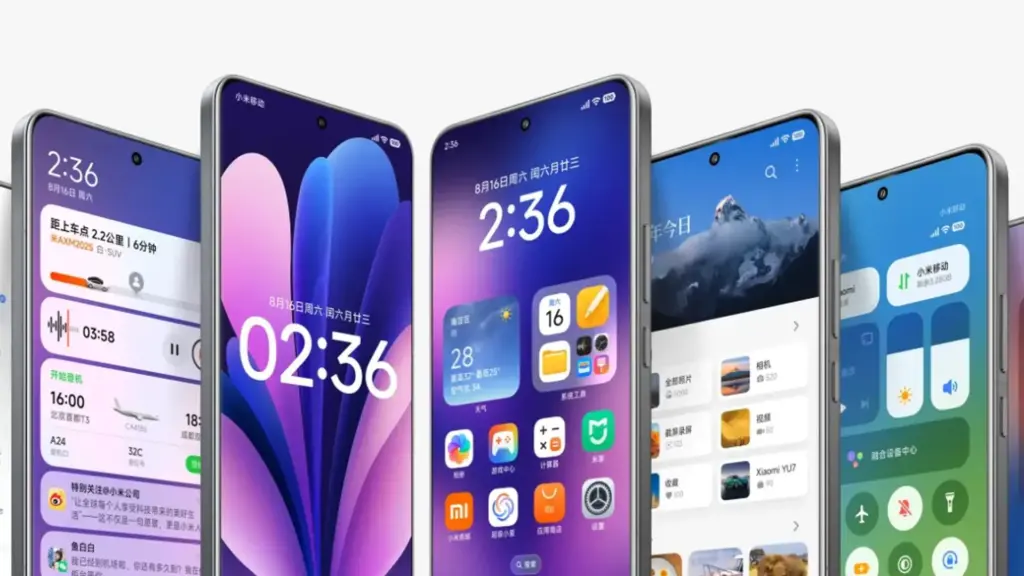
  • Xiaomi HyperOS 3.1 update brings major new features — here’s what to know

    Xiaomi HyperOS 3.1 update brings major new features — here’s what to know

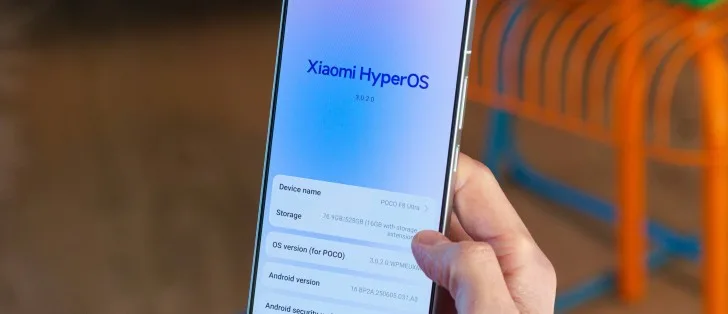
    On January 22, 2026, Xiaomi launched the HyperOS 3.1 beta, which included minor but significant UI and privacy improvements. Phones become smoother and speedier as a result. Additionally, the HyperOS 3.1 update uses AI to extend battery life.

    With improved app switching and adjustable settings, it improves the user interface. Additionally, it offers improved multitasking, smoother animations, and increased privacy and security.

    A more reliable, refined, and connected experience is provided by HyperOS 3.1. It also offers support for iOS calls and security updates for Android 16. Let’s examine the characteristics of HyperOS 3.1 in more detail below:

    Quick look at Xiaomi HyperOS 3.1 features coming to your device

    CategoryFeatureExplanation
    iOS IntegrationAirPods Native Pop-UpLet users hide unlock pattern traces
    iOS IntegrationSpatial Audio SupportEnables 360-degree immersive audio on Xiaomi phones
    iOS IntegrationANC & Transparency ControlManage noise cancellation and sound modes easily
    iOS IntegrationFind My AirPodsLocate lost AirPods without needing an Apple ID
    UI & AnimationsNew System AnimationsSmoother, more fluid transitions across the system
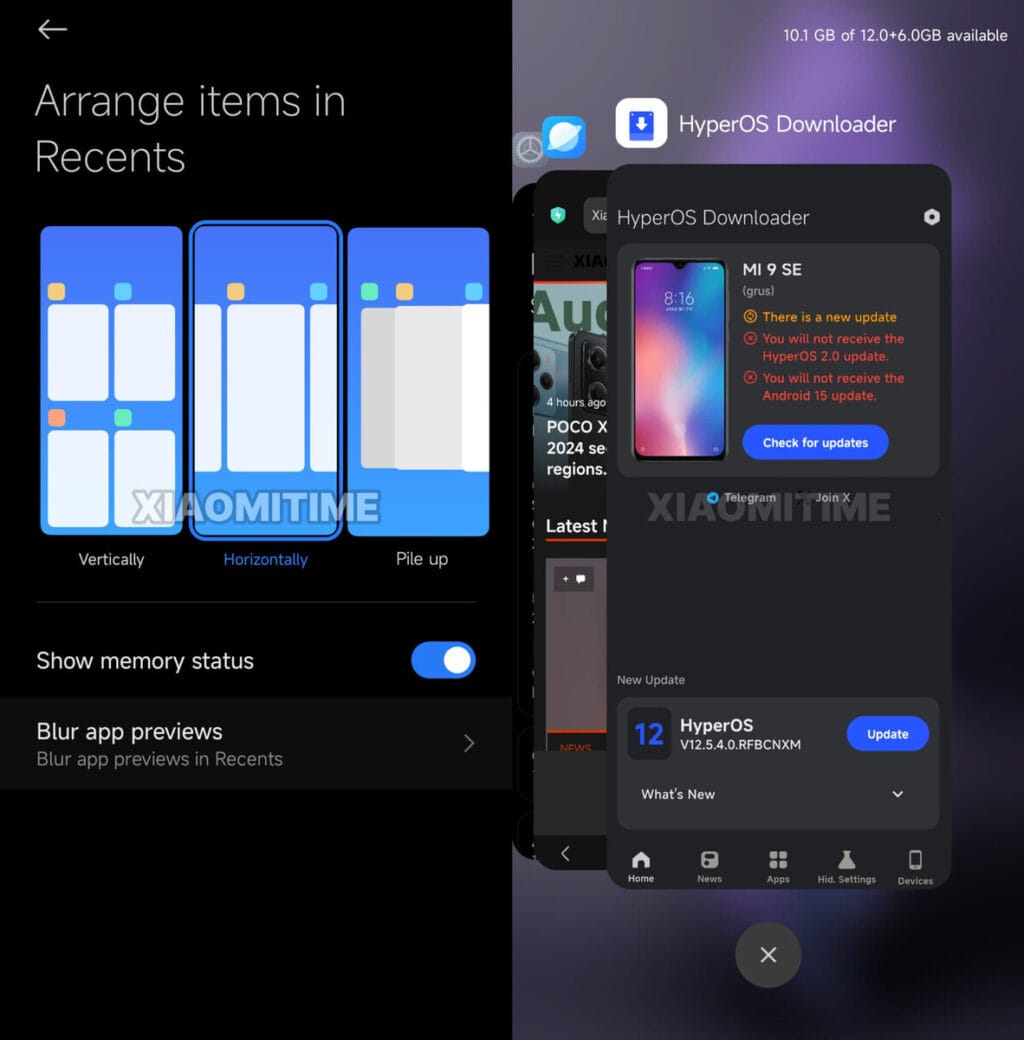
    UI & AnimationsiOS-Style Recent AppsCard-like multitasking view inspired by iOS
    Apps OverhaulNew Gallery & Weather AppsFaster apps with rewritten code for better performance
    AccessibilityNew “Assistance” MenuEasier access to vision, hearing, and control tools
    AccessibilityActive Visual PerceptionHelps users better understand on-screen content
    Motion & ComfortMotion Sickness FeatureReduces visual motion to prevent dizziness
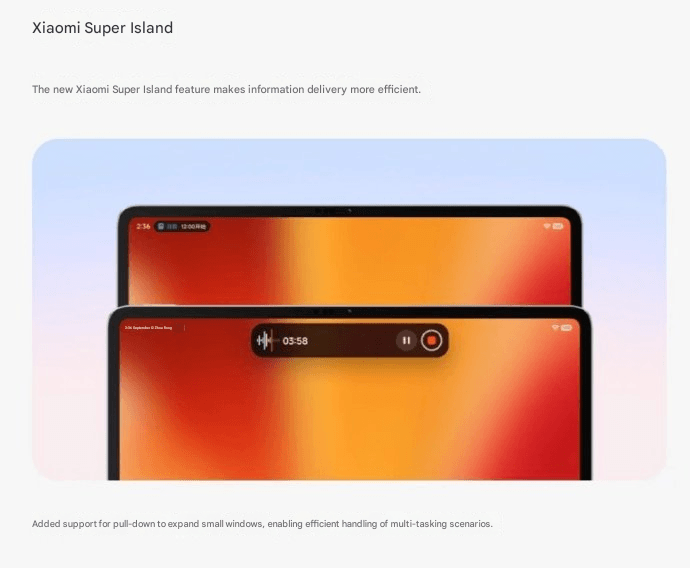
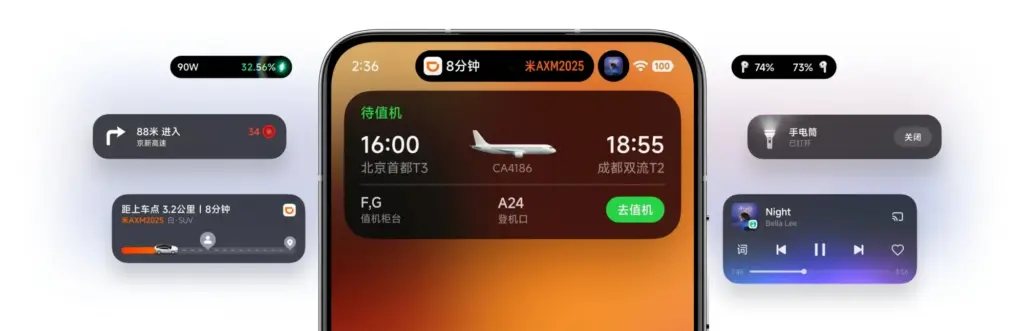
    Super IslandLive Update SupportReal-time updates from apps like Uber and Spotify
    Super IslandTodo Notes & QR AccessView tasks, QR codes, and maps directly on Island
    Lock ScreenCard Swipe SupportSwipe payment and transit cards on lock screen
    MediaMusic Progress BariOS-style glowing progress bar on media player
    EcosystemXiaomi + iPhone Call SupportAnswer Xiaomi calls directly on an iPhone
    System CoreBiometric RedesignImproved fingerprint and unlock settings
    System CoreQuick GesturesFaster gesture shortcuts on select premium phones
    SecurityNew Password AppStores passwords, Wi-Fi logins, and passkeys
    SecurityPassword Breach AlertsWarns if your passwords are compromised
    PrivacyShake Permission UpdateLimits app access to camera, mic, or location
    PrivacyHidden Pattern TrailLets users hide unlock pattern traces
    PerformanceFaster & Smoother SystemImproved speed and stability
    BatteryAI Battery OptimizationSmarter power saving using AI
    Android CoreAndroid 16 Security PatchesLatest system-level security improvements

    iOS integration

    You may have overlooked many Apple-only features if you have Apple AirPods and a Xiaomi phone. The AirPods’ battery level was visible before the introduction of Xiaomi HyperOS 3.1. Similar to Apple AirPods, Xiaomi phones have developed as a local brother that will never be alone.

    Important improvements like Apple-like native Pop Up support are included in the latest version of HyperOS 3.1. A brief card with details about the battery and connectivity now appears on your screen when you open the AirPod

    Spatial Auido, one of Apple’s most exclusive features, is now accessible. Users of Xiaoimi can now enjoy native 360-degree immersive audio. Additionally, the HyperOS club allows you to control the connection time, ANC, and Transparency mode.

    Additionally, instead of displaying the standard Bluetooth icon, it only displays the appropriate AirPods model icon. Notably, Xiaomi’s “Find My” Integration allows you to locate your misplaced AirPods using Xiaomi Online Search without even requirin

    New UI animations

    Xiaomi rewrites Gallery and Weather and changes its animations. To enhance system performance, all outdated code has been eliminated. The new APK files will crash when installed on older HyperOS 3 devices as a result of this modification.

    Additionally, the company imitated the latest iOS 26 app animation. Switching between programs feels more contemporary because to the new style, which resembles the iOS cards.

    Improvements have been made to the white bar at the bottom of the screen that indicates when you are in full-screen mode. It now responds better to touch and moves more fluidly.

    HyperOS 3.1 now has a new Motion Sickness function from Xiaomi. Motion sickness-causing visual motion cues are lessened by this featur

    Improved Super Island

    Although Super Island now uses the native Android 16 “Live update” API, it was completely inspired by iOS Dynamic Island. Thus, Xiaomi-specific code will no longer be required for international apps such as Uber, Spotify, or other food delivery services to display real-time information on Super Island

    Following this upgrade, Xiaomi added a Todo Notes feature. You no longer need to open the app landing page in order to view a variety of notifications, QR codes, and map instructions in Island. Additionally, a function known as Lock Screen Card Swipe is added. This makes it simple to swipe through your cards, including transit and payment cards, directly on the lock screen. You won’t have to visit a different wallet website.

    The new Music Progress Bar, which was completely lifted from iOS, is one of my favorites. The media player on the island now has a glowing progress bar thanks to a straightforward yet lovely modification.

    System Core enhancements

    The “Assistance” Menu functionality was implemented in HyperOS 3.1 (Accessibility Settings Change). This indicates that Xiaomi renamed and relocated the accessibility options to a new main menu called “Assistance.” Those who require simpler phone controls or who have vision or hearing issues can benefit from these options.

    Features, for instance, relocated there. Active Visual Perception improves the clarity of what users see or comprehend on the screen. Screen readers, text size control, and tools for hearing and vision assistance.

    Additionally, the new biometric area offers a more contemplative experience. Additionally, Xiaomi included Quick Gestures control, which is only available on more recent high-end models like the Poco F8 Ultra and Redmi K90 Pro Max.

    As I have stated, deep ecosystems are greatly impacted by Apple AirPod integration. Additionally, the most crucial brick is iPhone Cross-Compatibility (Xiaomi + iPhone). You can now answer and receive calls from your Xiaomi phone directly on your iPhone if you have both an iPhone and a Xiaomi phone. To put it simply:

    When your Xiaomi phone calls, you may answer it on your iPhone. Thus, you don’t always need to touch your Xiaomi phone. Since Apple and Xiaomi often don’t collaborate closely, this function is unique in that it links two competing ecosystems.

    Many security improvements

    hyperos 3.1 security updates

    The Passwprd App, similar to iOS, is now one of the key features of HyperOS 3.1. Similar to Apple, this new tool helps you manage your Wi-Fi passwords, passkeys, and app logins.

    It can detect and alert you if your passwords have been stolen. Additionally, it allows you to manage all of your passwords in one location by combining them from several online browsers. Additionally, it offers a simple method for your passwords to be automatically filled in throughout the system.

    The way you can use patterns and fingerprints has changed in the latest release. The pattern trace can now be concealed once more. Additionally, it is now simpler to select your security options because the fingerprint unlock is independent of the private password settings.

    Shake Permission Update is a new function that allows you to modify your privacy. This enables you to restrict access to your location and camera, for example, only when your screen is on. Additionally, you have the option to restrict these permissions to eight seconds following the opening of an application. By doing this, you can stop apps from following you when you’re not

    xiaomi hyperos 3.1 update

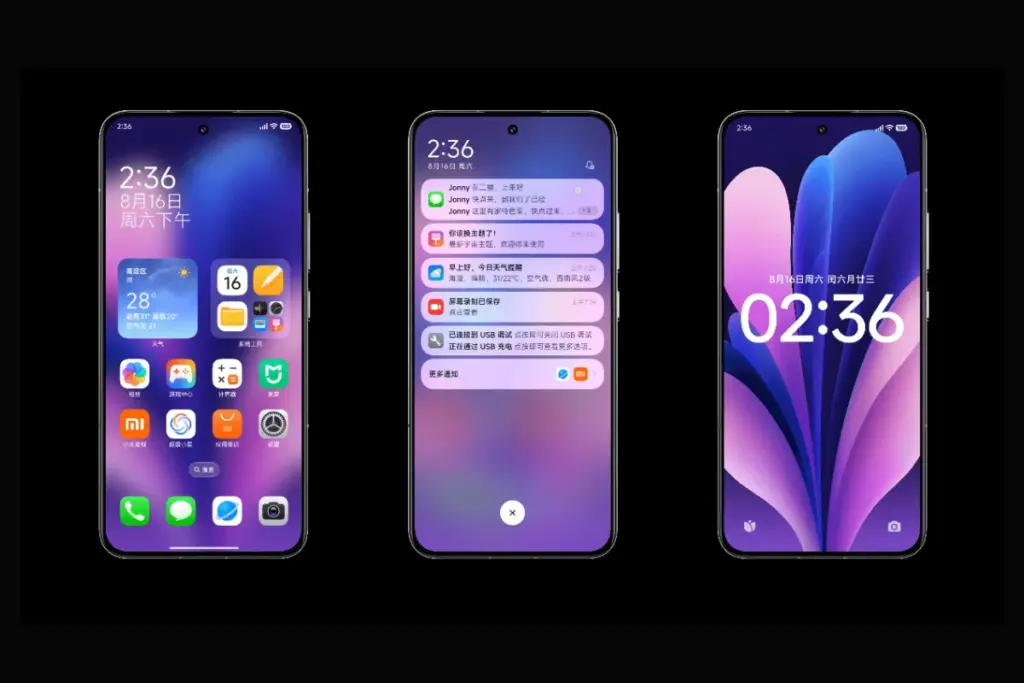
    Overall, HyperOS 3.1’s improvements prioritize polish over a significant redesign, enhancing ecosystem connectivity, privacy, battery efficiency, and smoothness. This beta seems more polished, reliable, and prepared for the future than earlier HyperOS iterations thanks to Apple-inspired features and Android 16 security improvements.

  • HyperOS 3.1 rolls out with bold UI improvements, leaving some Xiaomi devices behind

    HyperOS 3.1 rolls out with bold UI improvements, leaving some Xiaomi devices behind

    The latest version of Xiaomi’s HyperOS is almost here, and it looks like there will be a lot of changes. Xiaomi HyperOS 3.1 appears to be attempting to improve the appearance of their software by drawing inspiration from well-known skins. There is a significant hitch, though, that could let some users with outdated specs down. According to the most recent reports, this upgrade will only come on Android 16 devices because it is closely related to the underlying OS design.

    HyperOS 3.1

    What are the new features that are coming to HyperOS 3.1?

    We have also been monitoring the development of Xiaomi’s latest software update, and version 3.1 has a long list of features. The “Stacked Layout Style” in more modern apps is likely to be the first thing you notice. You will therefore recognize this design if you have used an iPhone within the last year or so. A horizontal scroll where the apps stack seamlessly one after the other has replaced the conventional two-column grid. It’s noteworthy to note that individuals who are prepared to take the risk can already download this launcher upgrade.

    Improved “Super Island”

    hyperos super island

    Additionally, Xiaomi is creating a Super Island settings page that lets users select which apps are linked to the animation effect and improving the HyperIsland feature. Not only is functionality being enhanced, but visual effects are as well. The media playing progress indicator on the island is now interactive thanks to new light effects. Additionally, the Super Island logic has been improved for smoother transitions. This was a problem that many users had previously brought up because animations were stuttering.

    More customizations

    In terms of versatility, HyperOS 3.1 is a great choice for home screen organizers. Drag-and-drop folder size changes are now properly regarded. To enable users to conceal numerous apps in a tiny area without sacrificing accessibility, new folder sizes including 2×1 and 1×2 have been included, along with page turning. A complete photo editing suite is added to the Lock Screen to facilitate the placement of widgets and the incorporation of depth effects.

    System-wide improvements

    There are other “under the hood” adjustments in addition to the aesthetic modifications that are intended to make the phone appear smarter.

    1. Multi-Volume Adjustment: Managing media, ringer, or alarm volume all at once gets a new design.
    2. Bluetooth Memory: The system will now remember the connection status of Bluetooth devices more accurately.
    3. HyperAI Suggestions: The active suggestions in the app drawer and negative screen are getting the optimization boost. (China only)

    Roadmap

    The HyperOS 3 Beta Phase 2 recruitment will take place in two waves from January 22 to January 30, according to the official Xiaomi announcement. In its job ad, the business makes it clear that these are engineering builds that are not stable and should not be used as everyday drivers. The first round of updates, which concentrated on the newest flagship devices, started on January 22.

    The following gadgets will be compatible with the first wave of upgrades for China:

    Wave 1 (Starts January 22)

    • Xiaomi 17 Series: Xiaomi 17 Ultra Xiaomi 17 Pro MaxXiaomi 17 ProXiaomi 17
    • REDMI K90 Series: REDMI K90 Pro MaxREDMI K90
    • Tablets: Xiaomi Pad 8 ProXiaomi Pad 8

    Wave 2 (Starts by January 30)

    • Xiaomi 15 Series: Xiaomi 15 UltraXiaomi 15S ProXiaomi 15 ProXiaomi 15
    • Xiaomi 14 Series: Xiaomi 14 UltraXiaomi 14 Pro (incl. Titanium Edition), Xiaomi 14
    • Foldables: Xiaomi MIX Flip 2
    • REDMI K80 Series: REDMI K80 ProREDMI K80 UltraREDMI K80
    • Tablets: Xiaomi Pad 7 Ultra

    While the testing process is underway, Xiaomi claims that beta testers are unable to upgrade to the stable build right away. Users in the first batch will begin receiving OTAs on January 22; users in the second batch will receive the update ten days after the distribution process begins.

    When the update is expected?

    According to our sources, Xiaomi HyperOS 3.1 is anticipated to become available in China in February. However, it is limited to Android 16-capable smartphones. This implies that the Xiaomi 17 series and other flagship devices, like the Xiaomi 15T Pro, will receive the updates first. The aforementioned upgrades might not be accessible to you if you are currently using a device that won’t be receiving the Android 16 update. Xiaomi typically transfers some of the functions to the outdated operating system, though.

  • HyperOS 3 update rolls out to Xiaomi 12, 12S and more devices

    HyperOS 3 update rolls out to Xiaomi 12, 12S and more devices

    The HyperOS 3 upgrade for a new range of devices has started to be released by Xiaomi. This build of HyperOS 3 is unique. Its foundation is Android 15, which just started to be released for the Redmi K60 and Xiaomi Pad 6 Pro series. It is now being extended to further devices, such as the Xiaomi 12 series, Xiaomi 12S series, and others.

    hyperos 3

    Currently, only China has access to the HyperOS 3 build, which is based on Android 15. According to Xiaomi Time, the most recent Xiaomi devices receiving this update are listed below, along with the firmware versions:

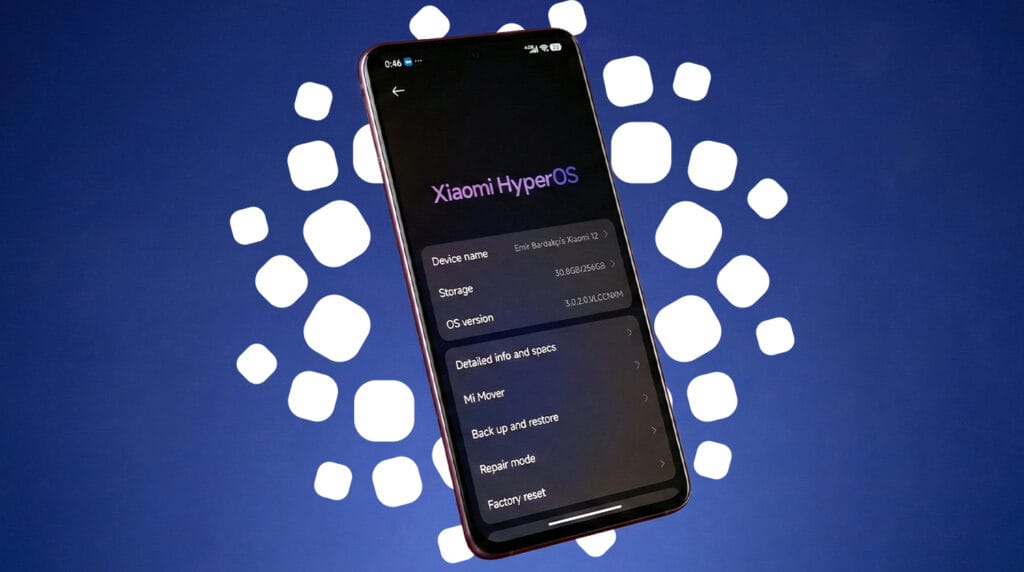
    • Xiaomi 12: OS3.0.2.0.VLCCNXM
    • Xiaomi 12 Pro: OS3.0.2.0.VLBCNXM
    • Xiaomi 12S: OS3.0.2.0.VLTCNXM
    • Xiaomi 12S Pro: OS3.0.2.0.VLECNXM
    • Xiaomi 12S Ultra: OS3.0.2.0.VLACNXM
    • Xiaomi Civi 3: OS3.0.1.0.VMICNXM
    • Xiaomi MIX Fold 2: OS3.0.1.0.VLRCNXM

    For these devices, the HyperOS 3 update is now accessible as a Mi Plot release, which is essentially a beta release. You must register to be a beta tester in order to receive this update (click here for all the processes). After Xiaomi confirms that the build is free of serious defects, the update will shortly be made available to non-beta customers.

    The HyperOS 3 update, which is based on Android 15, has not yet been verified to be released worldwide by Xiaomi. Nonetheless, the inclusion of international versions like the Xiaomi 12, Xiaomi 12 Pro, and Xiaomi Civi 3 on the aforementioned list is encouraging. Usually, the company releases the update in China first, and after a few weeks, it spreads to the rest of the world.

    We’ll continue to update our Xiaomi area with the most recent HyperOS updates. For the most recent information, don’t forget to frequently check this section. As an alternative, you may sign up for our Telegram channel to receive real-time notifications about new product releases, software updates, and the greatest tech news.

  • These Xiaomi, Redmi & POCO phones qualify for HyperOS 5-year update support

    These Xiaomi, Redmi & POCO phones qualify for HyperOS 5-year update support

    Xiaomi gives owners fantastic news to start 2026. For several models, the company offers up to five years of HyperOS support. POCO, Redmi, and Xiaomi tablets and phones get longer updates. For years, gadgets remain safe and continue to receive updates.

    Strong software support is currently available from Xiaomi. Updates for flagship phones will be available until 2031. Budget and mid-range gadgets come next. Tablets are also added to the list.

    The most recent HyperOS versions are longer enjoyed by users. AI tools, longer battery life, and security updates are added to phones. This aligns with Google’s and Samsung’s policies. People tend to keep gadgets longer. It benefits the environment and saves money.

    hyperosOS update support

    Launch date determines the duration of support. More years are awarded to newer models. Extra months are given to the elderly.

    HyperOS Eligible Devices – Support End Dates

    • Updates until 2031: Xiaomi 15T / 15T Pro, Xiaomi 15 Ultra, Xiaomi Pad 7, Redmi 15 / 15 5G / 13C, Redmi Note 14, POCO F8 Ultra / F8 Pro, POCO F7 / F7 Pro / F7 Ultra, POCO M7 / C85
    • Updates until 2029: Xiaomi 14T / 14T Pro, Xiaomi 14 Ultra, Xiaomi MIX Flip, Xiaomi Pad 7 Pro, Redmi A5, Redmi Pad 2 / 2 Pro / 2 Pro 5G series, POCO M7 Pro 5G, POCO Pad M1
    • Updates until 2028: Xiaomi 13T / 13T Pro, Xiaomi 13 / 13 Ultra, Redmi 14C, Redmi Note 13 series, POCO C75
    • Shorter support: Xiaomi 13 Lite (until 2027), older Xiaomi 12T / 12 series and some Redmi 12 models (extra months only)

    Updates are released progressively per area. To find the most recent version, check the settings on your phone. This list of devices that are compatible with HyperOS brings significant value. Xiaomi phones are becoming more intelligent purchases.

    The extended assistance is adored by fans. The action strengthens Xiaomi.

  • One UI 8.5 beta lineup revealed — supported Galaxy devices list

    One UI 8.5 beta lineup revealed — supported Galaxy devices list

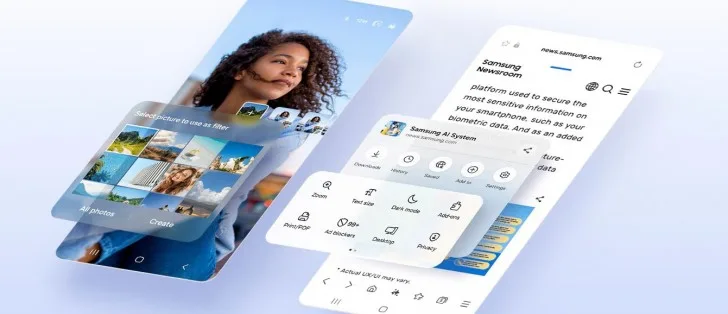
    A beta program is released prior to the official release of every significant new One UI update for Galaxy devices that comes with an updated version of Android. Although Samsung has primarily restricted them to their foldable phones, we have also seen beta programs for minor One UI improvements where the Android version stays the same.

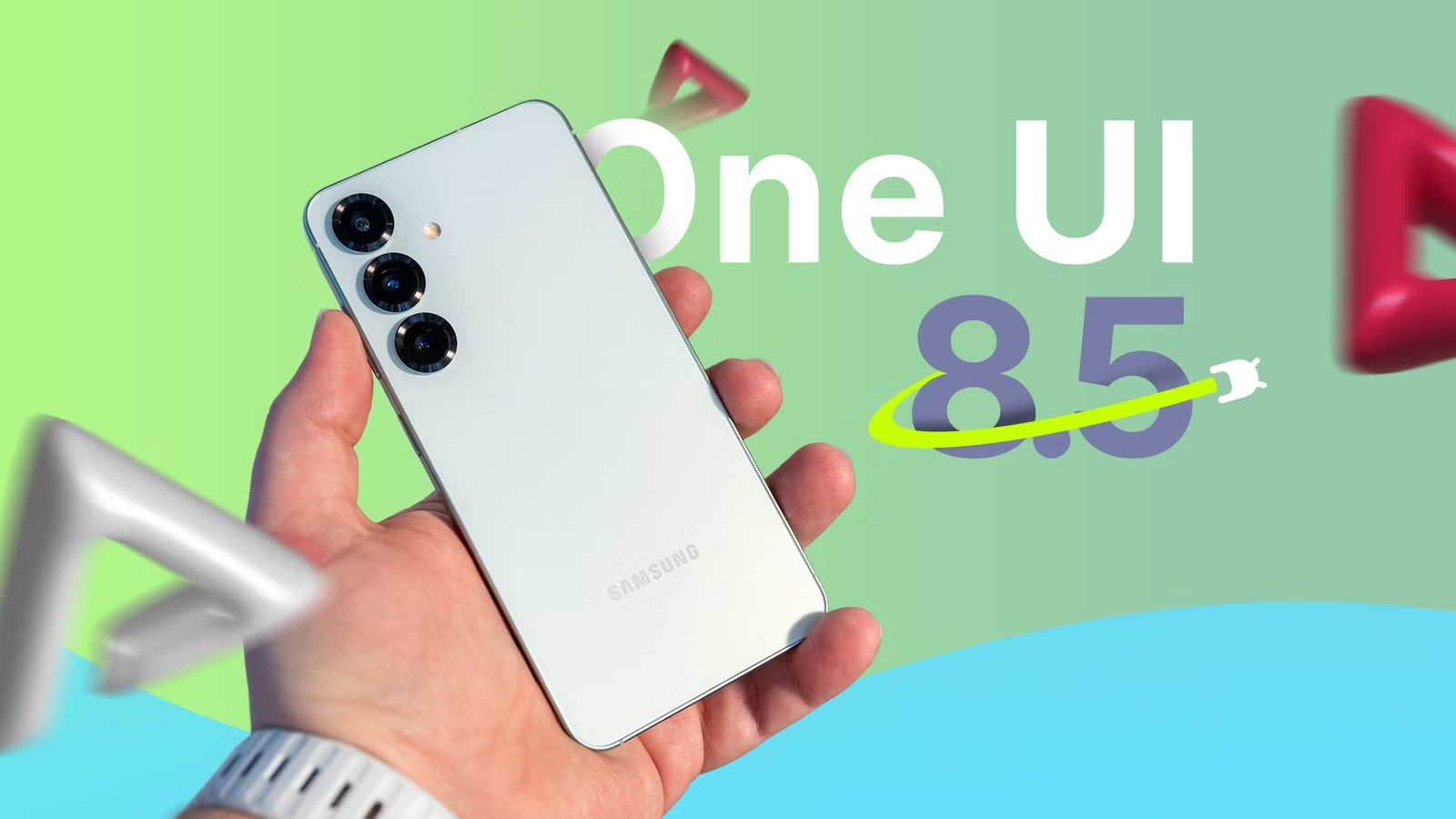
    For One UI 8.5, Samsung is making some changes this year. It is hosting a conventional beta program in six nations (the US, the UK, Korea, Germany, Poland, and India) that is not limited to Galaxy Z handsets. Which gadgets will be supported? To discover out, you’ve come to the correct spot.

    one ui 8.5 beta leak

    Eligible devices for One UI 8.5 beta

    The beta program supports the following devices:

    Yes, the initial list is rather short. At first, only the initial three models of the Galaxy S25 series are qualified. As usual, neither the Galaxy S25 Edge nor the FE model are receiving the beta.

    We’ll make sure to update this list when Samsung expands the beta program to new devices, so be sure to bookmark this site and return at a later time.

    Watch the video below to learn what One UI 8.5 has to offer. For more One UI 8.5 material, visit our YouTube channel.