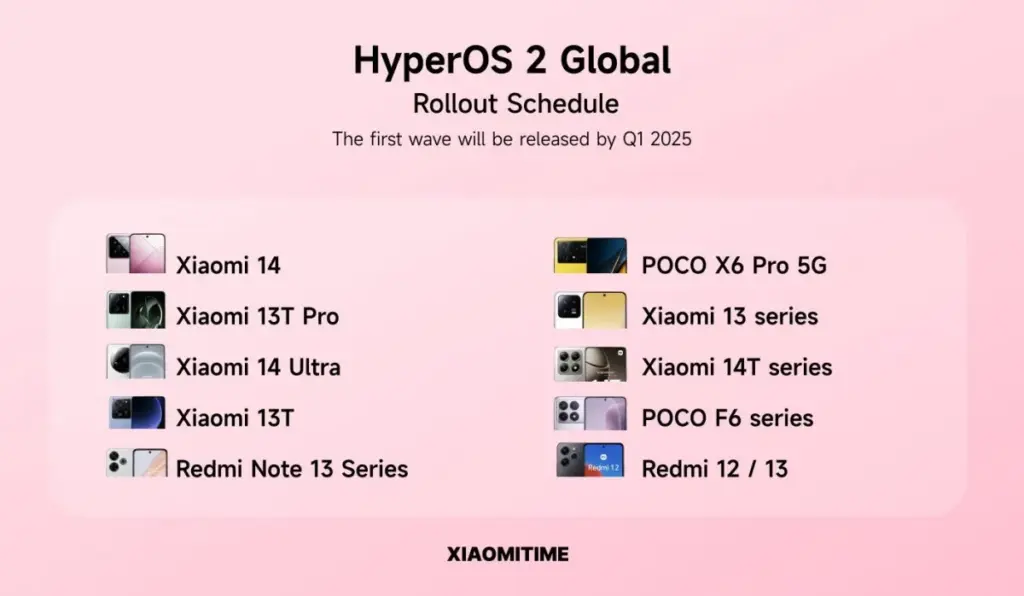
The Xiaomi 14 series, MIX Flip, MIX Fold 4, and Redmi K70 range are among the additional smartphones that Xiaomi is releasing HyperOS 3 for. Owners of these phones can now receive an early sample of the Android 16-based upgrade before the stable release occurs later this year, while testing is still ongoing.
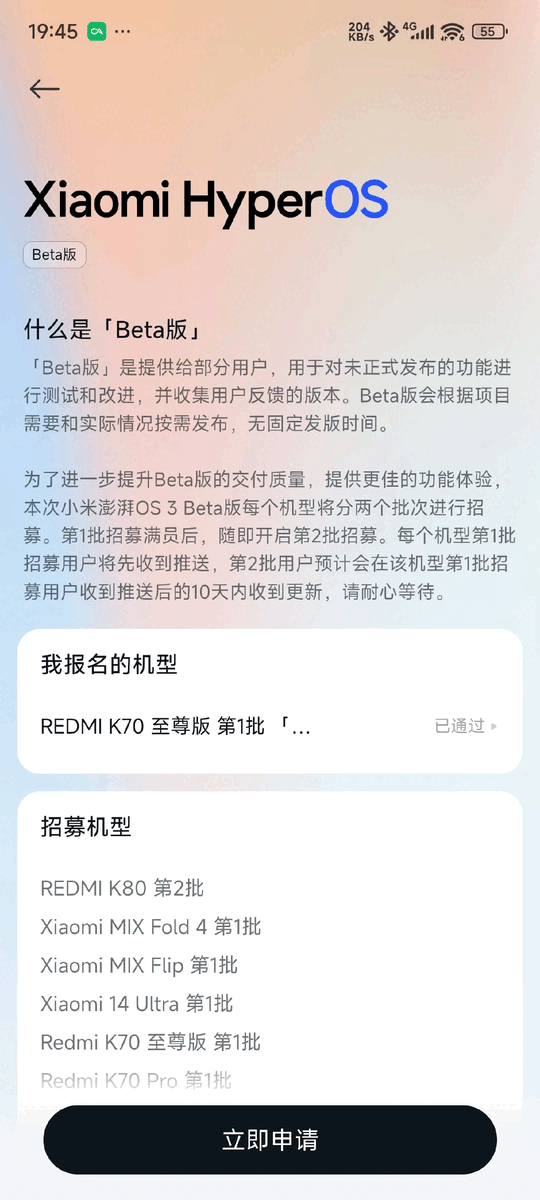
A new batch of Xiaomi and Redmi smartphones have been added to the HyperOS 3 beta program, which enables a small group of customers to test drive the company’s latest software prior to its general release. Owners of the Xiaomi 14 series, MIX Flip, Redmi K70 lineup, and Xiaomi Pad 6S Pro are being invited to participate in the most recent round. They will have the opportunity to test an early build of HyperOS 3, which is based on Android 16, and assist the software team in resolving any significant bugs or issues before the scheduled stable rollout.
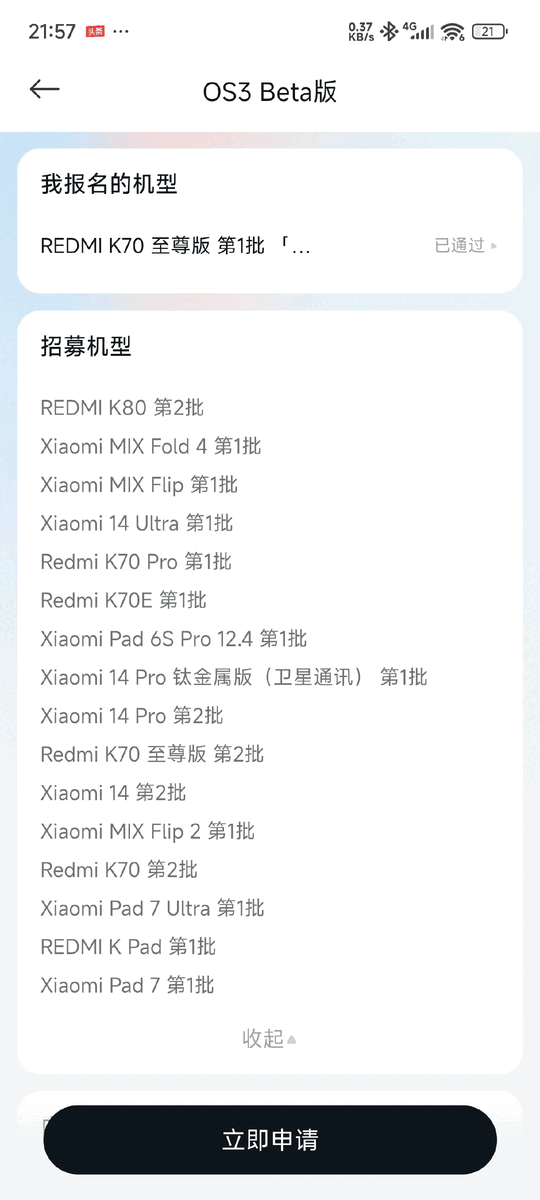
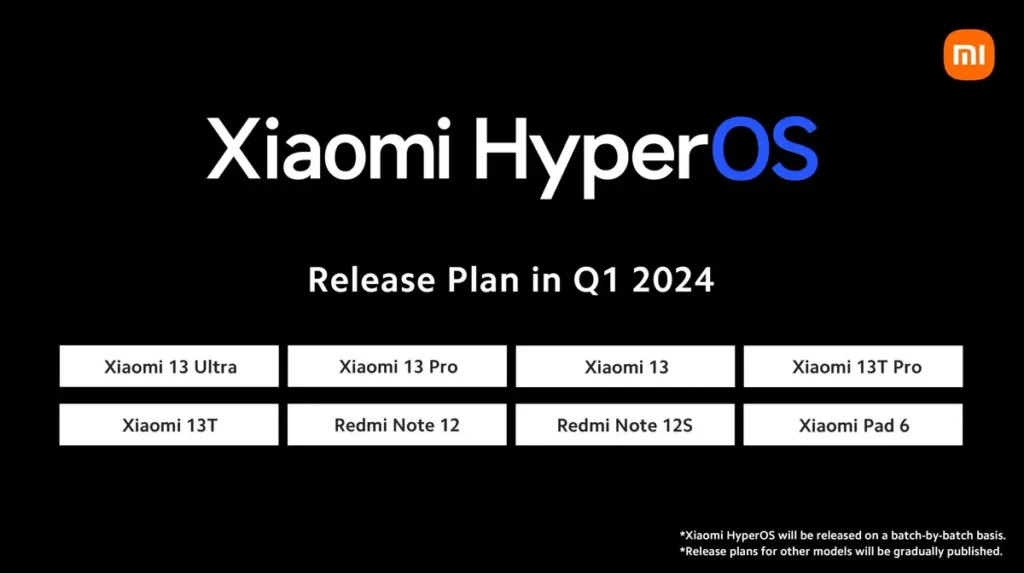
The list of gadgets receiving the most recent wave of the HyperOS 3 beta:
Redmi K70 (sold internationally as the POCO F6 Pro)
Redmi K70E (sold internationally as the POCO X6 Pro)
Xiaomi Pad 6S Pro 12.4
Although the closed beta is now only available for Chinese models, international versions will soon follow. A broader deployment appears inevitable, as Xiaomi has already begun similar beta tests for international models such as the Xiaomi 14 Ultra, Xiaomi 14T, POCO F7, Redmi 15C, and POCO C85.
To obtain HyperOS 3, you must apply for a position in the program through the Xiaomi Community app if you possess any of the devices mentioned above that have a China ROM. For every device, two groups of testers will be hired; testers in the first batch will have instant access to the update, while testers in the second batch may have to wait up to ten days. Before beginning, make sure you have a complete backup of your device and have read the instructions.
HyperOS 3 global rollout confirmed for November-December
The Chinese Xiaomi 14 series, MIX Fold 4, MIX Flip, and Redmi K70 devices are expected to receive the stable HyperOS 3 update in November. Global variants such as the Xiaomi 14 series, the Xiaomi Pad 6S Pro 12.4, the POCO F6 Pro (a rebranded Redmi K70), and the POCO X6 Pro (a rebranded Redmi K70E) will be released in November, with the full deployment continuing into December.
Google withheld the release of the Pixel device trees and hardware repositories, which are crucial for makers of custom ROMs, when Android 16 was released earlier this week. Some began to speculate that “AOSP is being discontinued” as a result of this. Despite Google’s denials, the Pixel modification appears to be deliberate.
Google made the source code for Android 16 available to the Android Open Source Project on Tuesday. In a significant departure from previous releases, the Pixel device trees and other code that were utilized to modify the AOSP release to fit particular (made by) Google hardware were not made available.
Custom Android ROMs will struggle to produce their OS updates without the Pixel hardware repos, which contain the device trees, driver binaries, and other components. Security (vulnerability) researchers may also be affected by this.
As a result, some community members conjectured that AOSP was being phased out. Seang Chau, the vice president and general manager of Android, said on Wednesday night that “AOSP is NOT going away” in general. Google has stated that it will continue to be “dedicated to AOSP updates,” speaking directly to developers.
The Android team’s statement does appear to indicate that Pixel device trees will no longer be available. A “reference target” that is “independent of any particular hardware, even those from Google” is what AOSP hopes to provide in the future.
AOSP needs a reference target that is flexible, configurable, and affordable – independent of any particular hardware, including those from Google. For years, developers have been building Cuttlefish (available on GitHub as the reference device for the project) and GSI targets from source. We continue to make those available for testing and development purposes.
Once more, Google is “dedicated to AOSP,” but the future will be more difficult for people who run custom ROMs.
Stay connected with the latest from Droid Tools—follow us on X @droid_tools, like our page on Facebook, check out our updates on Instagram, and follow us on Google News for real-time news, device tips, and mobile tech insights.
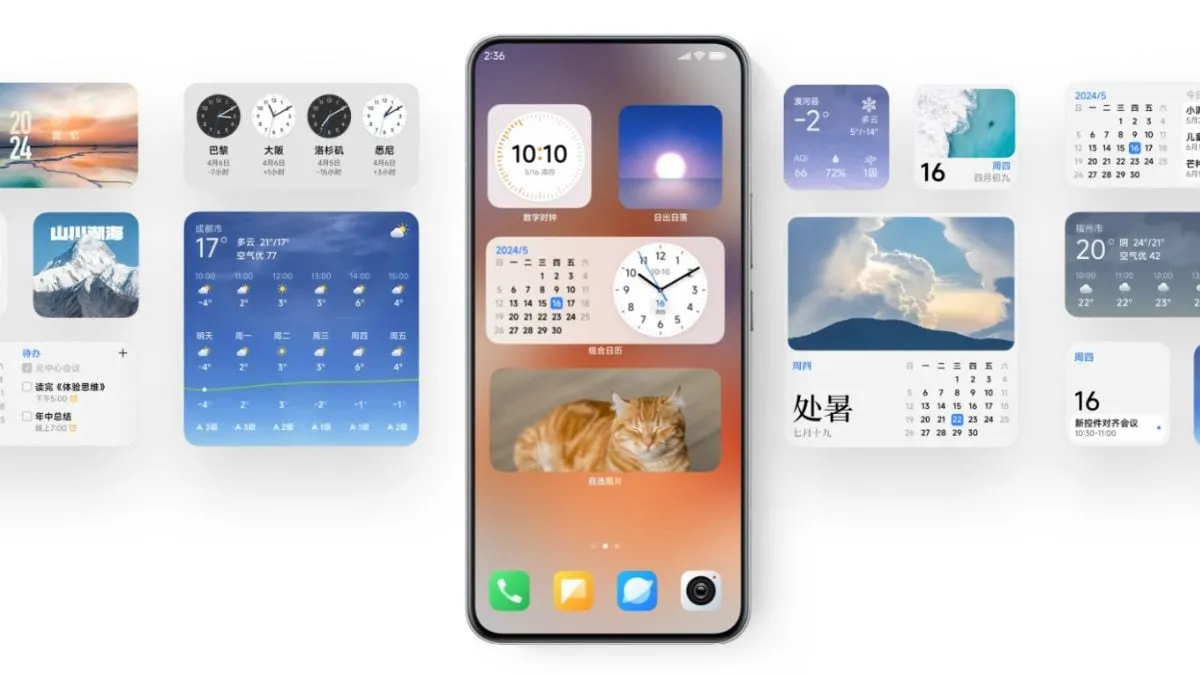
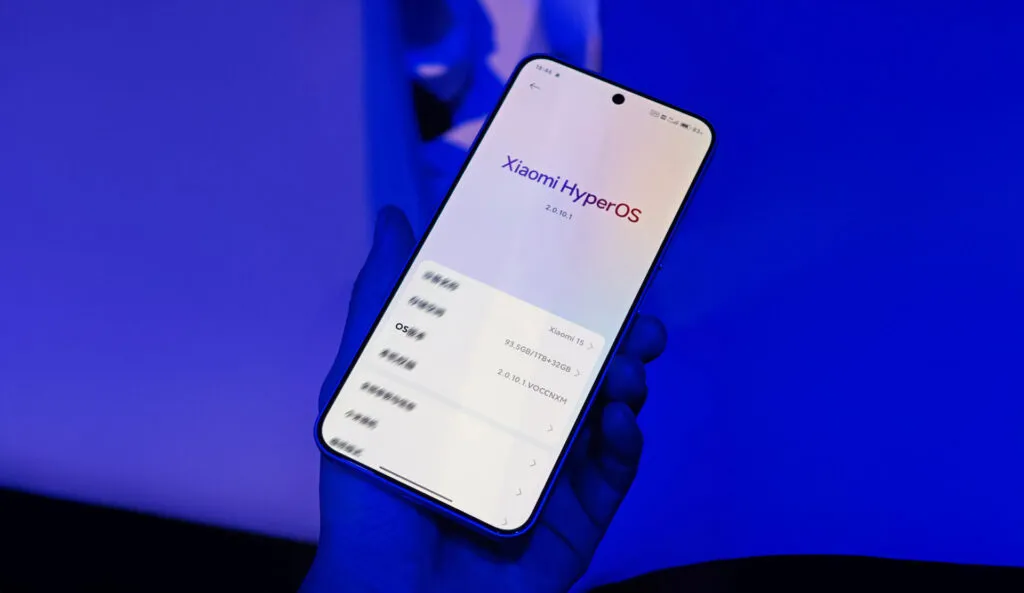
In order to improve the user experience across all smartphones, tablets, TVs, and wearables, Xiaomi’s HyperOS 2.0 completely upgrades the ecosystem. With an emphasis on performance, storage management, energy efficiency, and the integration of high-order AI capabilities, it is based on the foundation created in HyperOS 1.0. This is a thorough examination of HyperOS 2.0’s enhancements and new features.
1. Heterogeneous Computing Technology
Seamless resource sharing: HyperOS 2.0 is based on heterogeneous computing technology; it shares a tremendous amount of tasks across different resources. This system greatly enhances visual experiences by granting smoother animations and faster processing of images.
Better UI Rendering: Natural gradient blur is 12 times smoother, hence enabling faster and more engaging UI transitions.
2. New Storage Management 2.0
Smart Data Processing: The latest storage management system has defragmented memory for seamless app start-ups, which means multitasking can be well handled. The feature assures smoother performance and effective memory usage across the Xiaomi ecosystem.
3. Cascade Bandwidth Technology
Dynamic Network Management: Cascade Bandwidth Technology is unveiled with the release of HyperOS 2.0, dynamically distributing network resources based on real-time application requirements. This greatly increases the speed of data transmission and reduces latency for resource-heavy activities, like gaming or video streaming.
4. Micro-Architecture Scheduler Designed by Self-Taught
Dynamic Resource Allocation between CPU and GPU: Implemented is a new scheduler for the best balance of power and performance, especially when resource-intensive applications like serious gaming are involved. It controls battery life while offering the best possible smooth user experience.
5.United Ecosystem Experience
It has been noted that Xiaomi has managed to create more consistency within the ecosystem, such that now Xiaomi TVs, tablets, and smartwatches communicate better in harmony with their smartphones. This unity yields a more cohesive and integrated user experience across Xiaomi’s product breadth.
6. Improved AI and Personalization
AI-Powered Lock Screen: Dynamic video-based clock settings on the lock screen are unique features of the phone, making it personalized with outlooks.
Generation of Smart Wallpapers: Facility for specifying user preferences to generate a wallpaper that provides an individual look and feel for each device.
Productivity Tools: Smooth out daily tasks with AI boosted writing and translation, recording of memos including:
AI Writing: More coherent, more concise writing with advanced linguistic assistance.
AI Translation: Accurate, multi-target-lingual translation; ideal for international communication.
AI Memo Recording: Transcription and recording capabilities in a short amount of time; great for business meetings or brainstorming.
7. Improve notification management
Return of ‘Unimportant Notifications:’ This feature, which was earlier a part of the MIUI, is back to bless the HyperOS 2.0. It automatically categorizes notifications, prioritizing important alerts and keeping the notification panel tidy.
8. Fingerprint Unlock Customizations
In addition to selecting one of many unlock animations, users can add a little bit of personal flair to the way they unlock their phones.
9. Newly Designed Control Centers
Sound Panel: Redesigned now, it takes inspiration from the minimalist visuals introduced with Android 15 for a seamlessly simplified volume adjustment experience of the different audio channels.
Brightness Adjustment Panel: Borrowed from iOS 18 is a centrally-placed gradient slider in the brightness panel, marrying functionality and aesthetics.
10. Smoother Animations of Application Launch
HyperOS 2.0 polishes the transitions of app launches, making them more interactive and even using blur effects to add depth, while really immersing the user in the process of opening an application.
11. Dynamic Control Center Animation
Control Center has dynamic animations, making the operating system fluid and, therefore, more engaging to interact with.
12. HyperCore Kernel
Performance and Battery Optimization: It is a custom kernel, HyperCore, that effectively optimizes the performance and energy efficiency of the whole system for extended battery life even when put under rigorous usage.
Improved Graphics Pipeline: The redesigned core for visual perfection, HyperCore provides a revolutionary enhancement in graphics over gaming, video playback, or simple usage, offering a sharp visual experience.
Network Communication Improvements: There’s the HyperCore from Xiaomi, improving data connectivity over Wi-Fi, 5G, and Bluetooth for the user.
13. Battery Monitoring and Health Tracking Cycle Count and Health Check
The Charging Animation now has modern looks to make this aspect of the user interface even better.
15. Dynamic Island Interface
Smaller and practical, HyperOS 2.0’s Dynamic Island draws inspiration directly from iOS, thus allowing users to interact with notifications and apps more seamlessly.
It automatically entered “Same Account Devices Only” mode, limiting file sharing with devices under the same account to increase data security.
18. Extra RAM increased to 16 GB, minimum now 6 GB
The Extra RAM feature using memory will now work between 6-16 GB RAM instead of 4-12.
19. Redesigned Settings Menu
The style of the Settings menu has changed to the tiles style that will come with Android 15 QPR1. A colorful animation has also been added to the about phone section.
As far as improved user interaction and system functionality go hand in hand with intense artificial intelligence, improved performance, and consistency in terms of ecosystem experience, this is not an advancement of Xiaomi’s HyperOS 2.0. With features that derive from Xiaomi’s drive to combine cutting-edge technology with customer feedback, this update closes the gap between hardware and software within the Xiaomi ecosystem.
Without making any prior announcements, Xiaomi has quietly started to roll out HyperOS 2. With a number of new features and optimizations, the update will significantly improve the user experience.
Details about the update
The first to be released was OS2.0.3.0.VNBCNXM, which was made only for Xiaomi 14 Pro customers in China. This upgrade, which is very unexpected from Xiaomi, is an effort to stay up with user experience enhancements and increase relevance in the cutthroat smartphone industry.
Features and Improvements
Numerous new features and enhancements brought about by HyperOS 2 are intended to boost device performance and usability. While comprehensive details regarding all of the new features are still to come, the following can be anticipated:
High Performance: Optimizations that ensure smoothness in the operational feel of application and services. – Enhanced User Interface: An enhanced interface with the potential of further improving navigation and overall user interaction.
Advanced AI Features: Much-improved AI for quality photos and smart suggestions based on user habits.
The Xiaomi community anxiously awaits the enhancements HyperOS 2 will bring to their smartphone experience, as more devices are anticipated to receive updates in the upcoming weeks. As always, current users are urged to update their devices in order to take advantage of the newest features and improvements.
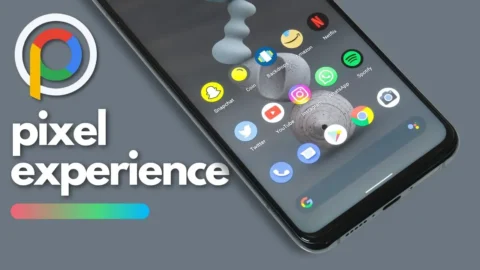
What happens if you like the Google Pixel phone’s software but not the hardware? Using a modified Android ROM to give other OEM phones the Pixel experience is the best method to get around this problem.
Precisely what the Pixel Experience ROM accomplished. Regretfully, however, the project’s lead developer declared today that he is ending the work. He clarified in a short blog post that while he will not be making any further builds, prior versions of the ROM will still be accessible.
José Henrique wrote in the post, “I share crucial information with you today with a feeling of thankfulness.” “After giving it some thought, I decided to finish developing Pixel Experience.
It is interesting that Henrique chose not to directly address why he chose to end things. It is probable he does not have the time because he is too busy with other initiatives. Another possibility is that he is not as excited about the idea as he once was. It is odd that he does not explain the sudden decision—if only partially.
In any case, it is feasible that a different developer will take up the project or start a new one with comparable objectives. Although the community for custom ROMs has dwindled over the last ten years, people who want to flash alternate builds on their Android smartphones will always exist.
With the official launch of HyperOS, Xiaomi created quite a stir. Many are curious about when the HyperOS update will become available globally. The smartphone maker has been working on the HyperOS Global update for 11 models, which indicates that the update will arrive soon and millions of people will be able to experience HyperOS immediately.
HyperOS Global Coming Soon
What sets Xiaomi apart from the competition is its optimization of HyperOS. With this new interface, which enhances system animations and reworks the interface among other things, HyperOS Global will have all of these features. Xiaomi is currently testing HyperOS Global and is prepared to roll out new updates.
HyperOS Global will be available for 11 smartphones on the Xiaomi server.
Which smartphones will be the first to receive this new update?
POCO X5 Pro 5G: OS1.0.2.0.UMSMIXM, OS1.0.1.0.UMSEUXM (redwood)
Xiaomi Pad 6: OS1.0.3.0.UMZEUXM, OS1.0.4.0.UMZMIXM, OS1.0.2.0.UMZINXM (pipa)
Here are the 11 smartphones that will get HyperOS Global! This information is taken from the Official Xiaomi server, so it is reliable. HyperOS Global update has been confirmed by Xiaomiui. These builds are expected to start rolling out to users very soon. Millions of people are asking when HyperOS Global will be released and are impatiently waiting for the new update to come to their devices.
Based on Android 14, HyperOS is a user interface that will bring a major Android update to smartphones. The HyperOS Global update will be released to users in the HyperOS Pilot Tester Program first, and we have leaked the HyperOS Global Changelog to give you an idea of what to expect when HyperOS Global is released globally.
Official HyperOS Global Changelog
Global aesthetics draw inspiration from life itself and change the way your device looks and feels
New animation language makes interactions with your device wholesome and intuitive
Natural colors bring vibrancy and vitality to every corner of your device
Our all-new system font supports multiple writing systems
Redesigned Weather app not only gives you important information, but also shows you how it feels outside
Notifications are focused on important information, presenting it to you in the most efficient way
Every photo can look like an art poster on your Lock screen, enhanced by multiple effects and dynamic rendering
New Home screen icons refresh familiar items with new shapes and colors
Our in-house multi-rendering technology makes visuals delicate and comfortable across the whole system
Multitasking is now even more straightforward and convenient with an upgraded multi-window interface
Many smartphone models are scheduled to receive an update to the state-of-the-art HyperOS Global. Stay tuned for the most recent information on HyperOS Global developments. The details as of right now are as follows. To view a detailed list of devices that qualify for the HyperOS update—which Xiaomi, Redmi, and POCO models are included—visit our special article titled “HyperOS Update Eligible Devices List: Which Xiaomi, Redmi, and POCO Models Will Receive HyperOS?” We look forward to hearing your thoughts on the upcoming HyperOS Global update; please feel free to leave a comment.
As noted by Mishaal Rahman on Twitter/X, Google appears to be working on updating the Linux kernel on all Tensor-powered Pixels. Specifically, the evidence presented suggests an update to version 6.1, which was released in December 2022 and is the second-to-newest version of the kernel, with 6.6 having been released in October 2023.
Release of new software updates on a regular basis is one of the biggest selling points of a Pixel device, and it appears that Tensor-powered Pixels are about to receive a rare software update that updates the kernel used in the background.
While there’s no word on what a kernel upgrade might change, this is notable for a couple of reasons.
One of the comments mentions that “some Pixel devices” will be released with version 5.15 on “Android V,” which is Android 15. That also suggests that the timeline at play here is not in the immediate future but rather sometime after Android 15’s release. The 5.10 kernel version will see its end-of-life date in December 2026, so it most likely will not be too long after. For starters, this update would put all Tensor-powered Pixels on the same kernel. Pixel 6 and forward all ran on version 5.10 until the launch of Pixel 8, with 8 and 8 Pro running version 5.15.
Updates to the kernel typically do not affect the user experience much, but they can have a significant impact on how your device functions. This includes performance and battery life. Custom kernels were a fairly common feature back when Android modding was more common.
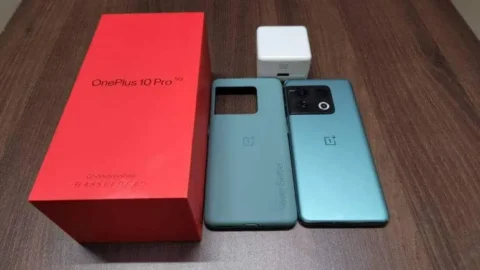
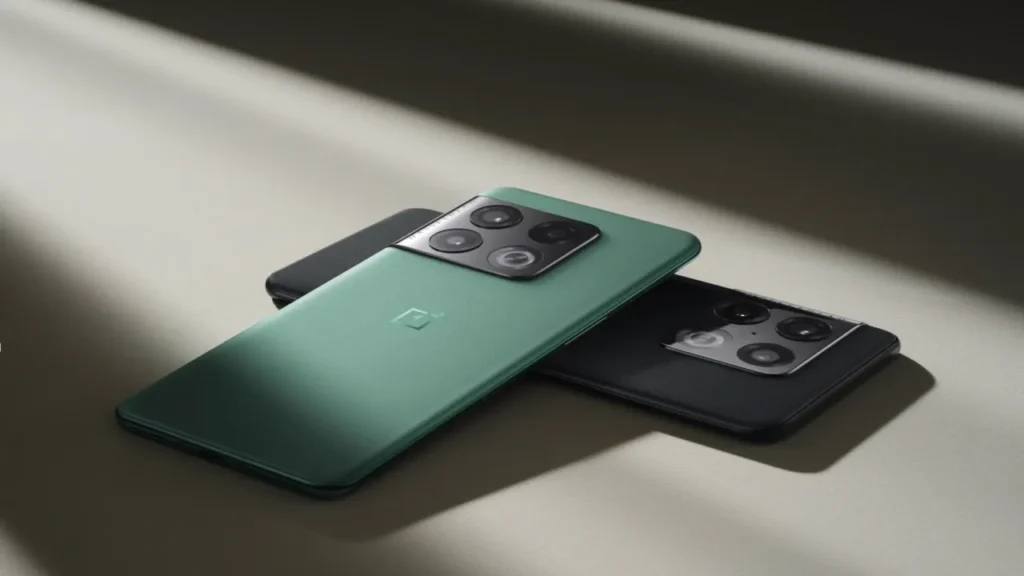
The OxygenOS 14 update, which is based on Android 14, is being rolled out by OnePlus on a number of models. The most recent model to receive this update is the OnePlus 10 Pro, which is currently only available to users in India. It is anticipated that this update will soon be made available to other regions.
As per the official announcement, users who participated in the open and closed beta builds will be the first to receive the stable update, with other users following suit. The build number for the current rollout is NE2211_14.0.0.202(EX01), and the update size is roughly 789 MB.
Keep an eye out for the update in your area as OnePlus keeps spreading OxygenOS 14‘s availability across its devices.
Here is the complete changelog of this new update:
Pantanal Service
• Adds Fluid Cloud, a way of interaction with morphing forms that allows you to view up-to-date information at a glance.
Smart efficiency
• Adds File Dock, where you can drag and drop to transfer content between apps and devices.
• Adds Content Extraction, a feature that can recognize and extract text and images from the screen with one tap.
• Adds Smart Cutout, a feature that can separate multiple subjects in a photo from the background for copying or sharing.
Cross-device connectivity
• Improves Shelf by adding more widget recommendations.
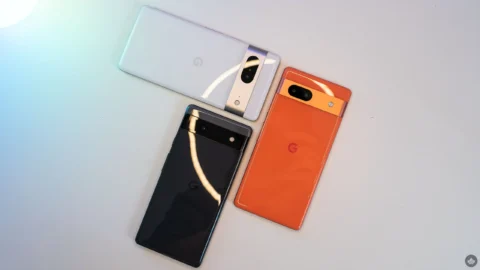
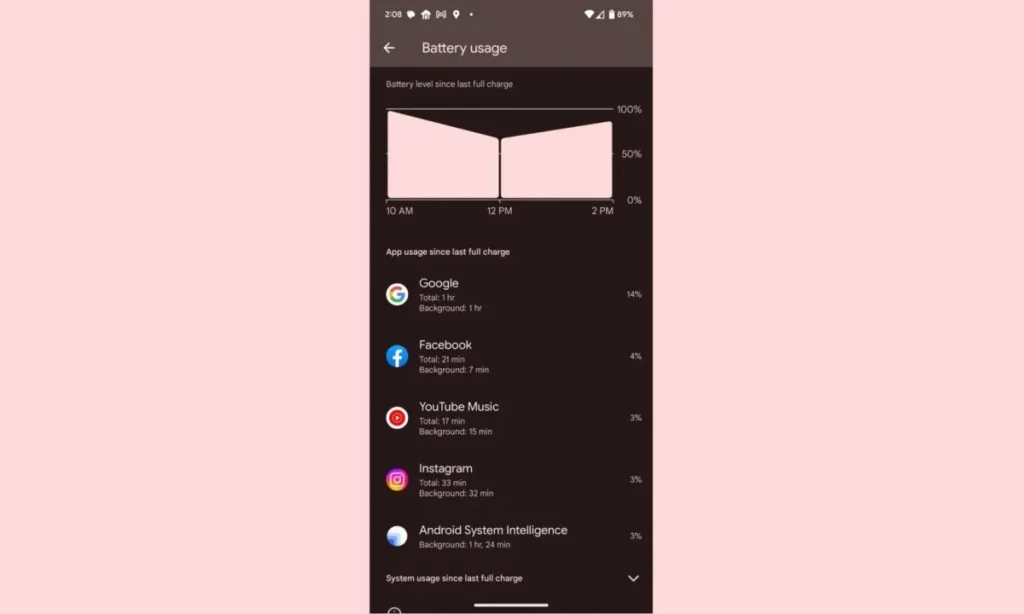
Despite not being the best Android smartphones available, Pixel devices are nonetheless good. Most of the time, hardware limitations of Pixels are overcome by their superior software, which Google delivers together with cutting-edge features that are exclusive to its products. While feature drops and upgrades are regular and often bring exciting improvements, they can occasionally also lead to unanticipated issues. This appears to be the case with the June update, as several customers report that their Pixel devices are depleting their batteries faster than usual.
Many users have commented on Reddit about the June update’s poor battery life, which was picked up by the staff at 9to5Google. Some users report noticing only a slight change, while others report that they now need to charge their cellphones at least twice daily. Others have reported connectivity problems, including short-lived batteries and erratic mobile data signals.
It appears that a variety of Pixel devices are included in the list of affected ones, however upon fast reading through the thread, it is clear that many Pixel 7 and Pixel 6 series smartphones are affected. Even while there are reports of the phones heating up much more than before, which is rather frightening, increasing battery consumption is still a major problem.
While those who are impacted by this are in a lot of suffering, there are some remedies. Some people claim that the issue is resolved by deleting the most recent update for Android System Intelligence in the Reddit thread. Some assert that restarting the device also resolves the problem. Even if some of these fixes might be effective, Google will probably need to release an update. We’ve been in touch with Google in an effort to clarify these matters. We anticipate that the business is aware of the issue and will include a fix in the upcoming version.
Modified versions of the Android operating system known as “custom ROMs” are produced by independent developers or communities. Beyond what is offered by the software from the original manufacturer, these ROMs provide a distinctive and personalized user experience.
What is a custom ROM
Custom ROMs are frequently used by users to enhance performance, unlock new features, or prolong the life of their devices.
The ability to alter a device’s design and functionality is one of the main reasons people prefer custom ROMs. Themes, user interfaces, and the installation of custom kernels and changes to improve performance and battery life are all examples of customization possibilities. These ROMs frequently provide more device control, enabling users to customize their experiences to suit their preferences.
The flexibility custom ROMs offer in terms of software upgrades is another important benefit. Official updates for older or less well-liked devices are occasionally delayed or completely abandoned by manufacturers and carriers.
On the other side, custom ROM developers keep supporting these devices, giving customers the most recent versions of Android long after the official support stops. Users can now take advantage of new features and security updates that they wouldn’t otherwise have access to.
Evolution X
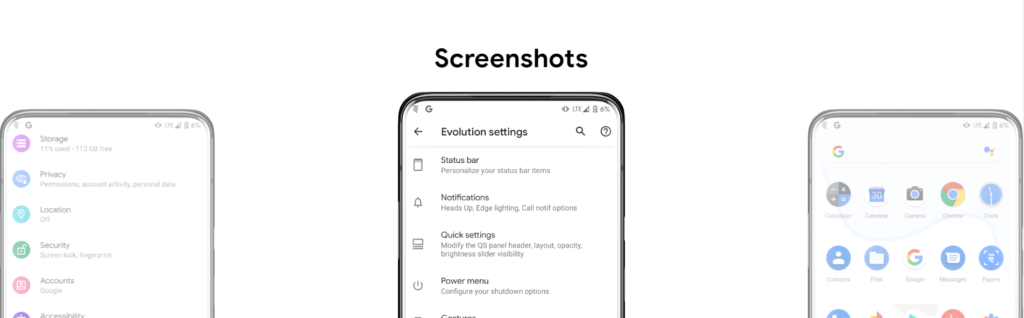
Popular custom ROM Evolution X, which is based on the Android operating system, strives to offer a distinctive and feature-rich user experience. Evolution X, created by a passionate community of enthusiasts, offers a wide range of customization options, performance upgrades, and an easy-to-use interface, all while adhering to the fundamental values of stability and dependability.
Evolution X is fundamentally based on the most recent Android releases, featuring Google’s most recent features and security updates. By doing this, customers are guaranteed access to the most recent features and security measures provided by the Android ecosystem. Even if official manufacturer updates are no longer available, customers can still benefit from a new operating system on their compatible devices with Evolution X.
Another trait of Evolution X is performance optimizations. The ROM includes a number of adjustments and improvements meant to increase the device’s responsiveness, speed, and battery life. Users can fine-tune the performance of their device to suit their preferences by using sophisticated performance settings like undervolting or overclocking. Additionally, Evolution X makes the most of system resources to guarantee fluid animations and seamless multitasking.
Evolution X also places a strong emphasis on privacy and security. The ROM includes built-in privacy features, such as advanced permission controls and privacy settings, to give users more control over their data and app permissions. Furthermore, Evolution X incorporates the latest security patches and updates to protect users from potential vulnerabilities and ensure a secure browsing and app experience.
Features lists
Themes

- Theming Settings (Style, Color Source, Accent Color, Accent Background, Background Color, Luminance, Chroma, Tint Background)
- Custom Themes (Black, Clear, Vivid, Paint In The Snow, Espresso)
- Dark Theme Schedules
- Lock screen Clock Fonts (16 Fonts)
- Headline/Body Fonts (53 Fonts)
- SB Icon Packs (10 Styles)
- SB Signal Icon Packs (14 Styles)
- SB WiFi Icon Packs (10 Styles)
- System Icon Shape Packs (16 Styles)
- 3 Button Navbar Styles (10 Styles)

Status bar

- Status Bar Lyrics
- Clock Styles (Right, Center, Left)
- Clock & Date Configs (Auto Hide, Hide Duration, Show Duration, Seconds, AM/PM, Font Size, Date Position/Case/Format)
- SB Logo Pack (20 Styles, Right/Left)
- Network Traffic Indicators
- Battery Icon Styles (19 Styles)
- Battery Percent (Hidden, Inside Icon, Next To Icon)
- Battery Bar (Thickness, Alignment, Blend Colors, Reverse Direction, Colors, Animation)
- System SB UI Tuner
- Data Disabled Icon (On/Off)
- Old Style Mobile Data
- 4G Instead Of LTE
- Roaming Indicator
- WiFi Type Icon
- Colored Icons
- Notification Count
- Bluetooth Battery Status
- Mic/Camera Privacy Indicator
- Location Privacy Indicator
- Media Projection Privacy Indicator

Notifications

- ReTicker
- App Colored Background For Reticker
- Heads Up (Time Out, Importance Threshold, Less Boring, Stoplist/BlockList)
- Force Expand Notifications
- Notification Sound If Active
- Kill App Button
- Blink Flashlight For Incoming Call (When Ringing, When Silent, When Entierly Silent, Always)
- Blink Flashlight For Notifications
- In-Call-Vibrations (Connect, Waiting, Disconnect)

Quick Settings

- Clock
- Clock Font Size
- Date
- Battery Style (15 Styles)
- Battery Percent Location (Hidden, Inside Icon, Next To Icon)
- Battery Estimates
- Secure QS Tiles Requires Unlocking
- Quick QS Pulldown (Disabled, Right, Left, Always)
- Brightness Slider (Never, Expanded, Always)
- Brightness Slider Position (Top, Bottom)
- Auto Brightness Icon
- Hide Labels
- Label Text Size
- Smart Pulldown
- Vertical Layout
- Columns In Portrait (2-5)
- Columns In Landscape (2-6)
- QS Tile Animation Style (3 Styles)
- QS Tile Animation Druations (3 Speeds)
- QS Tile Animation Interpolator (8 Styles)
- Vibration On Touch
- Vibration On Touch Duration
- QS Footer Warnings
- Show Data Usage
- User Account Icon
- Edit Icon
- Power Menu Shortcut
- Running Services Shortcut
- Settings Shortcut
- Clear All Button (10 Styles, 5 Backgrounds)

Power Menu

- System Settings (Hold PWR Assistant + Hold Duration)
- Disable Power Menu On LS
- Power
- Restart
- Advanced Reboot Options
- Screenshot
- On-The-Go Mode
- Settings
- Lock Down
- Emergency
- Device Controls
- Users
- Logout
- Bug Report

Gestures

- System Settings
- Quick Tap
- Volume Button Playback Control
- Swipe To Screenshot
- Brightness Control
- PWR Button Torch
- Double Tap To Sleep Status Bar
- Double Tap To Sleep Lock screen
- AOSP Gestures
- Pill Length
- Pill Radius
- Hide IME Button Space
- Back Gesture Animation

Lock screen

- Edge Light
- Always On Fingerprint
- UDFPS Icon Picker (55 Styles)
- UDFPS Animation Picker (38 Styles)
- Lock screen Charging Info
- Hide Status Bar
- Hide QS During Secure Lock screen
- Media Cover Art (5 Filters)
- Ripple Effect
- Fingerprint Authentication Vibration
- Fingerprint Error Vibration

Buttons

- Navigation Bar
- Compact Layout
- Invert Layout
- Show Vol Panel On Left
- Per App Vol Control
- On-Screen NavBar
- Reorient Volume
- Volume Rocker Wake
- Keyboard Cursor Control
- Alert Slider Notifications
- Alert Slider Pulse
- Block Alert Slider In Pocket Mode
- Click To Partial Screenshot

Animations

- Screen Off Animation (3 Styles)
- Power Menu Animations (11 Styles)
- Android P Animation Style

Miscellaneous

- AOD Display Schedule
- Google Services
- Game Space
- Smart Pixels
- App Lock
- Launch Music App On Headset Connection
- Unlimited Photos Storage
- Unlock Higher FPS In Games
- Netflix Spoof
- Pulse Music Visualizer (Navbar, LS, Ambient)
- Volume Panel Timeout
- Jitter Test
- Ignore Secure Window Flags
- Show CPU Info
- Toast App Icon
- Sensor Block Per Package
- Wakelock Blocker
- Alarm Blocker
- Default USB Configuration
- Radio Info
First Time Install
1. Download vendor_boot & rom for your device from here