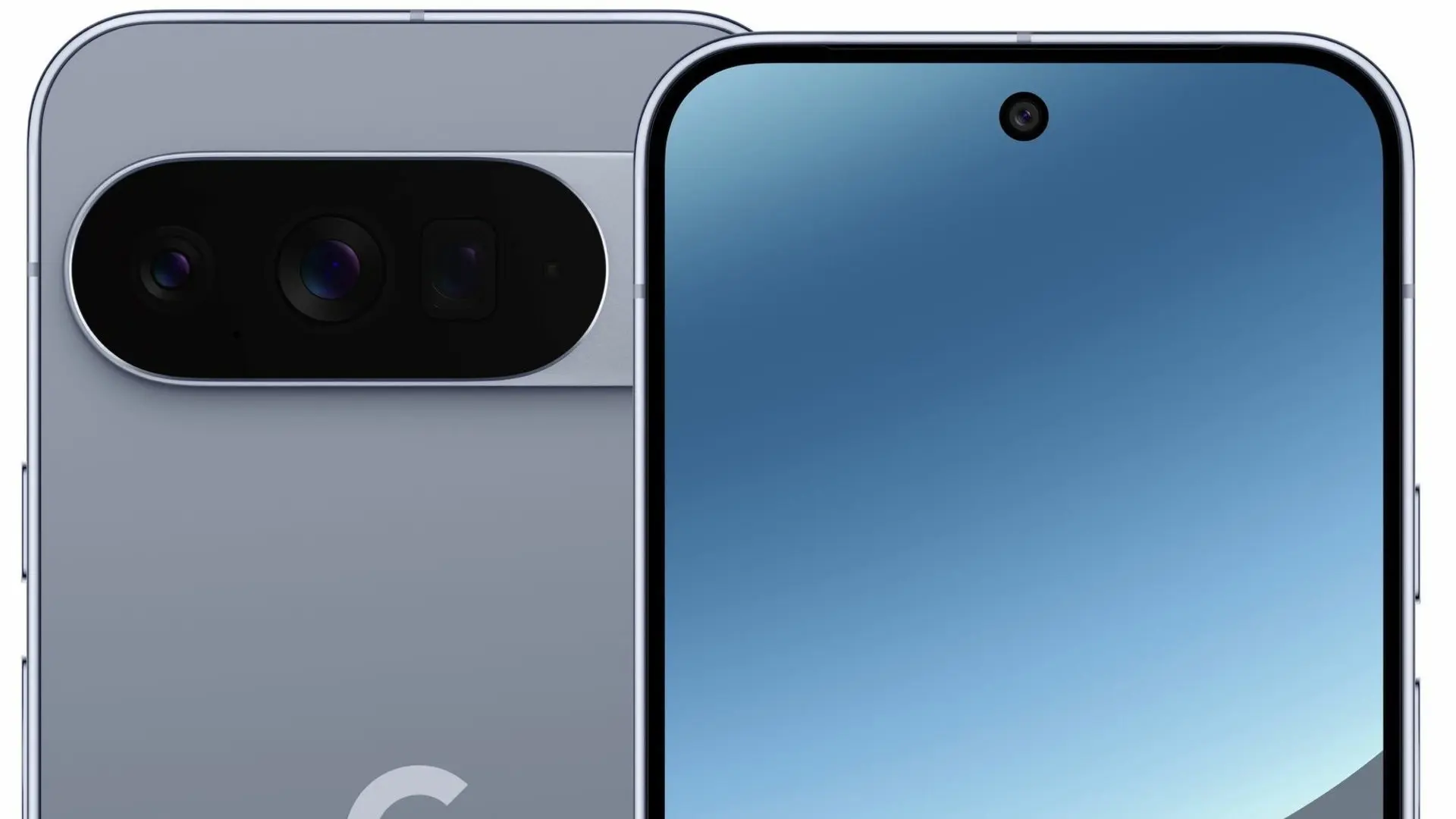
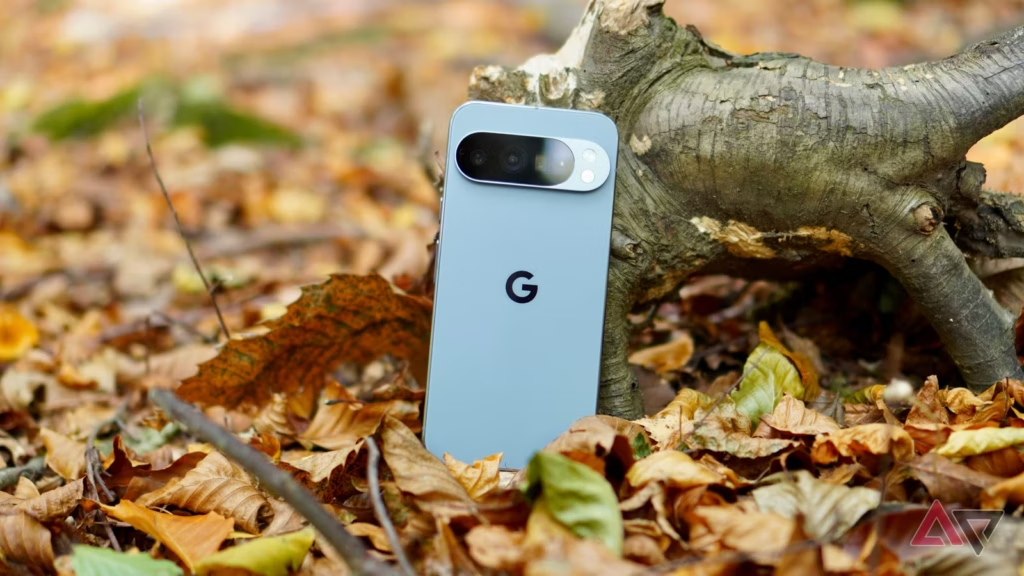
In our opinion, the Google Pixel 10 Pro XL is one of the best phone currently available. In addition to offering an amazing hardware and software experience, it has a clean, contemporary, and distinctive appearance. Additionally, Google has committed to supporting the phone for seven years, so as time goes on, the software will only get better.
Although this phone is worth the original retail price, we usually advise getting it while it’s on sale. Even though there were some really good offers during the holidays, if you’re prepared to get one from US Mobile, the price has dropped significantly. The Pixel 10 Pro XL is currently on sale for just $349 from the carrier, which offers some of the finest prepaid service in the US.
A good price for one of the best smartphone on the market
Although not everyone will benefit from this promotion, we believe it will be worthwhile to look into if you’ve been considering changing carriers or simply need new phone service in general. Therefore, you can now purchase the Pixel 10 Pro XL for just $349 if you want to sign up with US Mobile.
There is no long-term commitment with US Mobile because it is a prepaid carrier, and you can stop using the service after 30 days. But for the entire year, the phone will be locked. Therefore, using the service with the phone is the ideal way to benefit from this promotion. The good news is that the full-year plan costs start at just $119.
You read correctly—a full year of US Mobile service is available for as little as $119. Additionally, an advanced plan is available for $149 each year. Unlimited talk, text, and data are included in both plans. Depending on the plan, you also receive additional benefits like hotspot and international data, among other things. Those who intend to get one without a new plan will pay $449, which is slightly more.
All things considered, if you need a new phone with service, you can’t really go wrong here. Of course, you have a chance to get one for free if you join up with a postpaid carrier. However, you must dedicate yourself to the carrier for a minimum of 24 months. It truly depends on your circumstances. However, the US Mobile promotion is currently active.
The Xiaomi 15T and 15T Pro, the company’s upcoming T-series phones, are about to go on sale. The standard 15T model is expected to start at €649, while the Pro model would cost €799, according to rumors circulating about both devices.
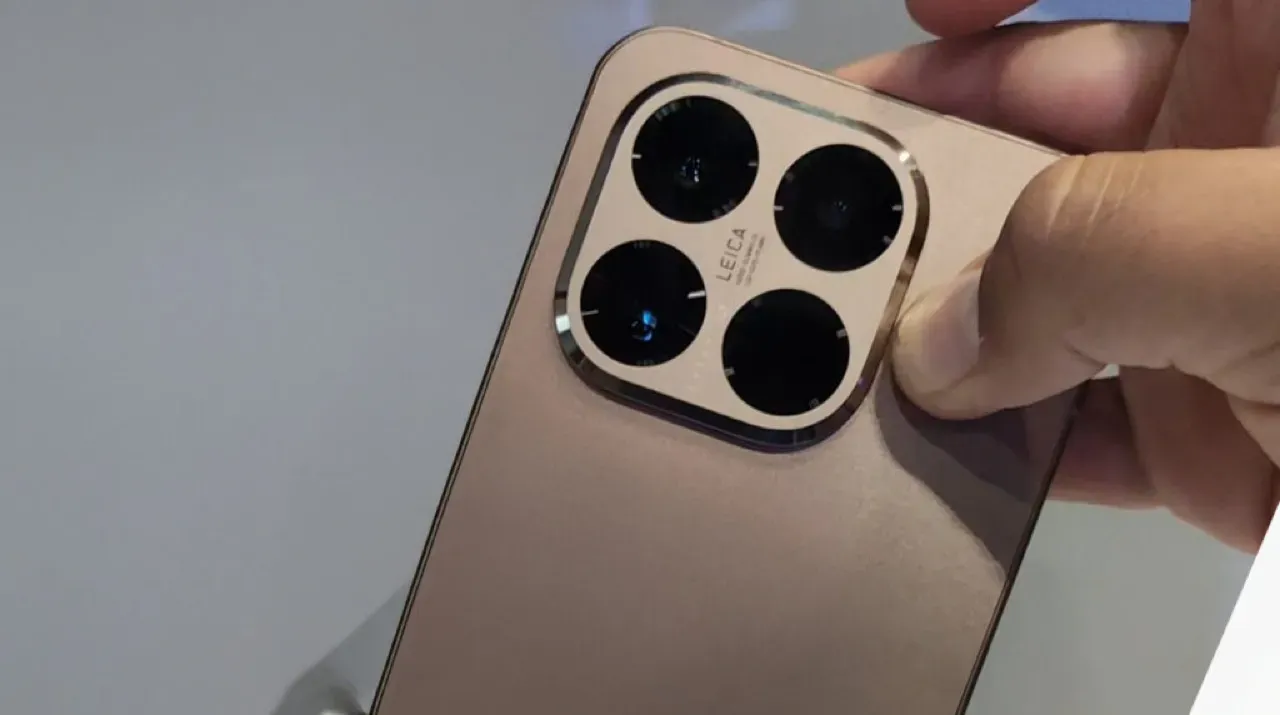
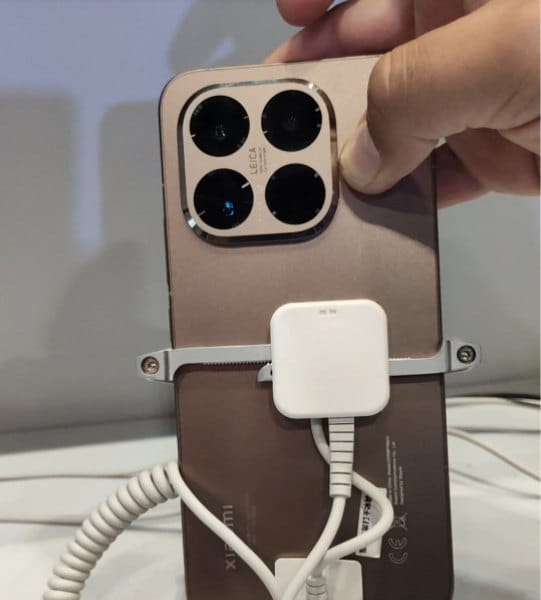
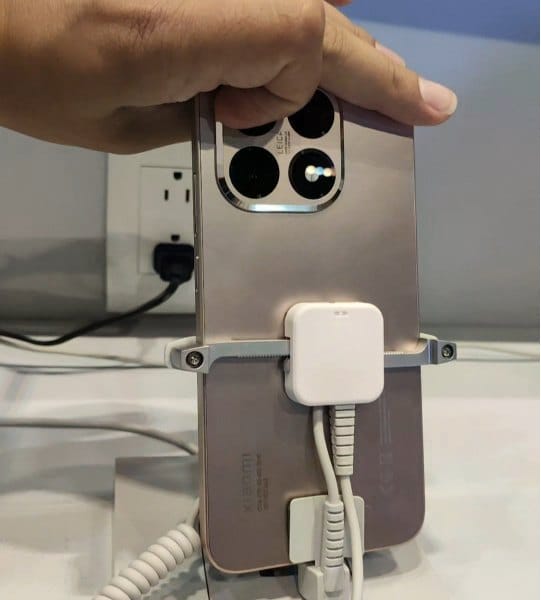
We are now seeing the hardware for the first time. Recently, a TikTok user shared a video showcasing the 15T Pro’s front and back, showcasing the rear panel’s copper-like appearance.
It should come as no surprise that the camera island, which is situated in the upper left corner, is formed like a rounded square with beveled edges and has Leica branding in the center.
What to expect?
According to rumors, the phone will have a 50-megapixel Samsung JN5 telephoto camera, a 13-megapixel ultra-wide lens, and a 50-megapixel OmniVision OVX9100 primary camera. It might have a Samsung S5KKDS selfie sensor on the front.
The tablet may have a MediaTek Dimensity 9400+ chipset on the inside, along with 12GB of RAM and 128GB or 256GB of storage. According to reports, the 128GB variant costs €799, and the 256GB model would cost €899. The Pro model’s storage specifications are consistent with our earlier findings, and a 1TB version may even be available in some markets.
Multiple certification databases have already included both phones, indicating that an official launch is imminent. Hopefully, Xiaomi won’t hold off on revealing all the information for very long.
Based on Android 16, Xiaomi is getting ready to release HyperOS 3, a new firmware update that promises enhanced performance and a revamped look for the company’s whole ecosystem. Although the release date is set for September 2025, the smartphone models that will get this upgrade first are already known.
To guarantee quick and easy device use, the update will integrate Xiaomi’s exclusive innovations with the new capabilities of Android 16. In the fall of 2025, HyperOS 3.0 is anticipated to be released, first for flagship models and then for other devices. Compatibility checks will be possible via the MemeOS Enhancer app in the Play Store or the website HyperOSUpdates.com.
It’s also important to remember that Android 16 has already been formally unveiled, and updates for compatible models will be released shortly. Convenience, security, and user privacy are the areas where the new version is improved. In September, Samsung also intends to release a stable version of One UI 8, which is based on Android 16 and will include significant updates for Galaxy customers.
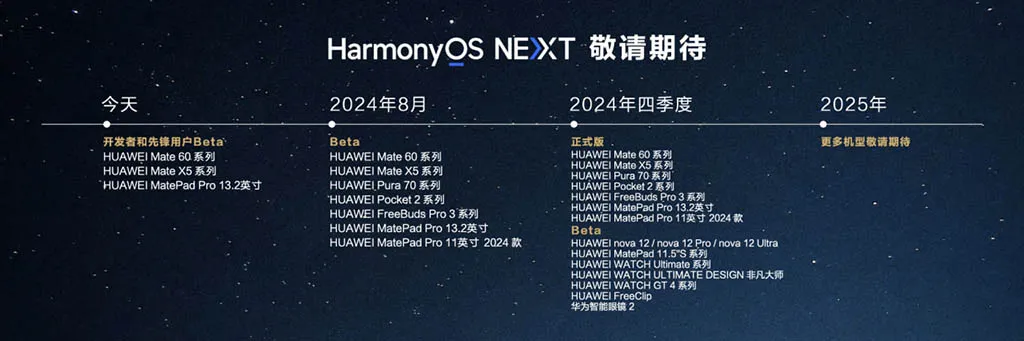
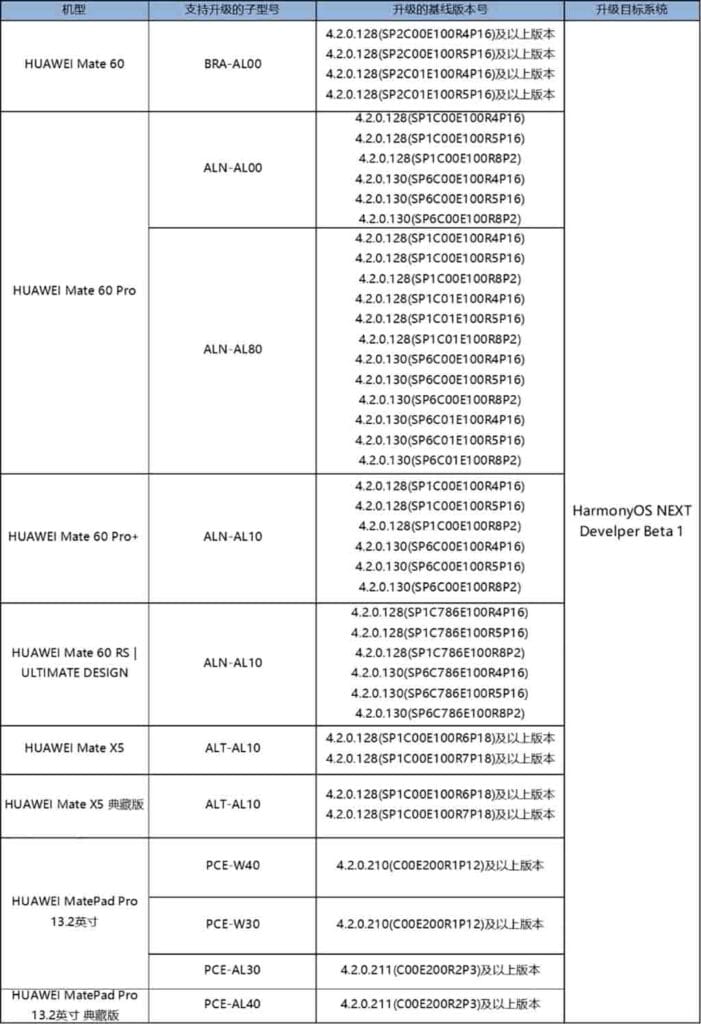
Along with the distribution date, Huawei has revealed the official HarmonyOS NEXT update plan for its devices. Developers and pioneer users with flagship devices can now get the latest beta version. However, it will soon be available on additional devices.
The HarmonyOS NEXT upgrade information were given by Yu Chengdong. He mentioned that the corporation has started beta testing the top models with developers. In Q4 2024, the tech manufacturer plans to deploy a stable HarmonyOS NEXT update and gradually cover devices.
Currently, the Chinese OEM is hiring 3000 pioneer users and developers. After this, the business will start a consumer beta program using high-end phones.
HarmonyOS NEXT Upgrade Plan: Devices
Developer Beta Testing: June 21
Huawei Mate 60 Series
Huawei Mate X5 Series
Huawei MatePad Pro 13.2 tablet
August 2024 (Beta)
Huawei Mate 60 series
Huawei Mate X5 series
Huawei Pura 70 series
Huawei Pocket 2 series
Huawei FreeBuds Pro 3
Huawei MatePad Pro 13.2
Huawei MatePad Pro 11 2024
Q4 2024 (Stable)
Huawei Mate 60 series
Huawei Mate X5 series
Huawei Pura 70 series
Huawei Pocket 2 series
Huawei FreeBuds Pro 3
Huawei MatePad Pro 13.2
Huawei MatePad Pro 11 2024
Q4 2024 (Beta)
Huawei Nova 12 series
Huawei MatePad 11.5-inch S series
Huawei Watch Ultimate
Huawei Watch Ultimate Design Edition
Huawei Watch GT 4 series
Huawei FreeClip
Huawei Smart Glasses 2
2025
Stay tuned for more models.
From June 21 to June 28, developers and Pioneer users can register for the ongoing beta activity. Based on the log and nolog builds, the organization will evaluate the applications that were submitted between June 24 and July 09 and modify the users.
Please take note that this activity will give preference to developers whose apps are currently available in the AppGallery. Following the selection, Huawei will send out an official email or SMS to developers and pioneer users.
To prevent any loss, those taking part in the developer beta version should make a backup of their data in advance. Additionally, by going to Settings > System > Developer Mode > System Rollback, one can revert to the most recent version.
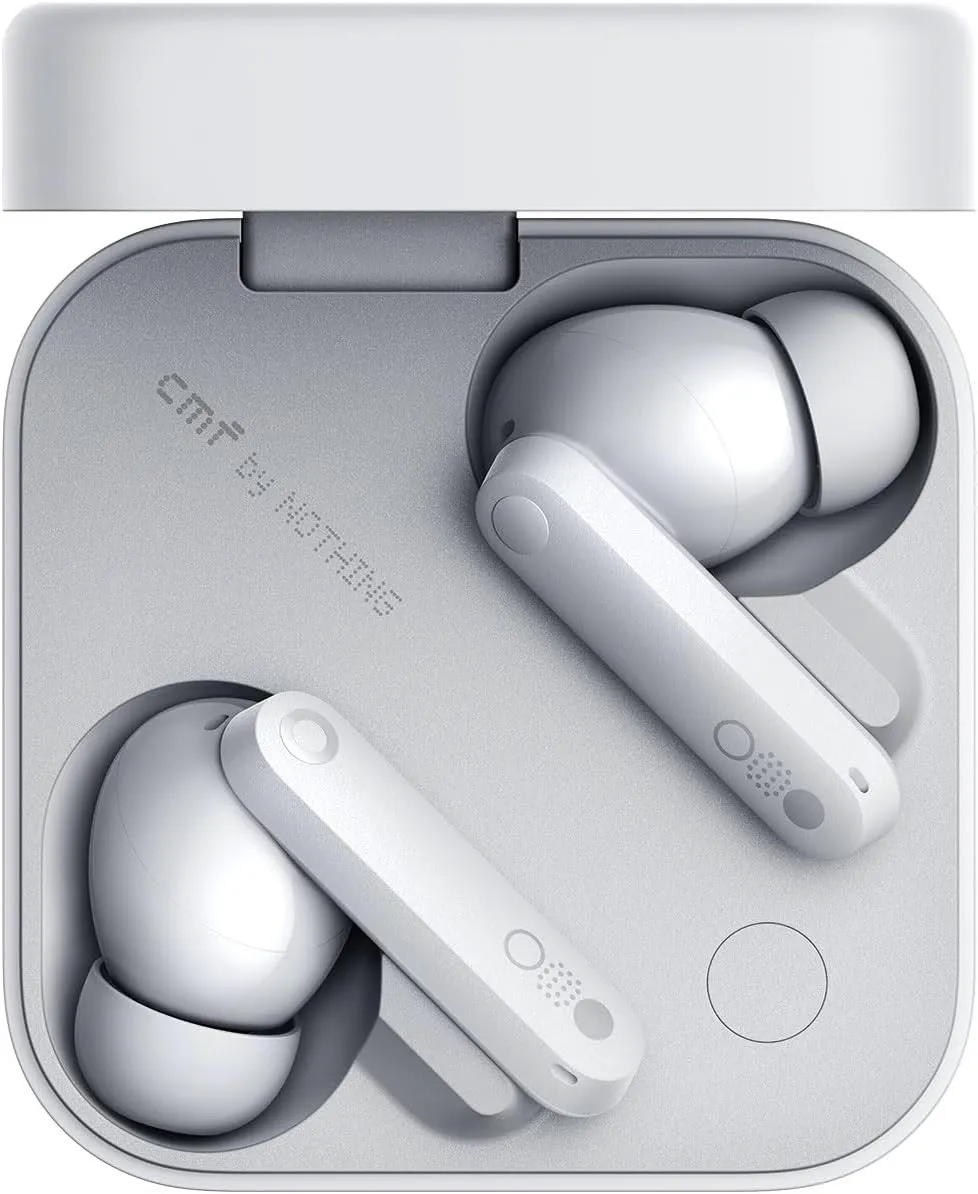
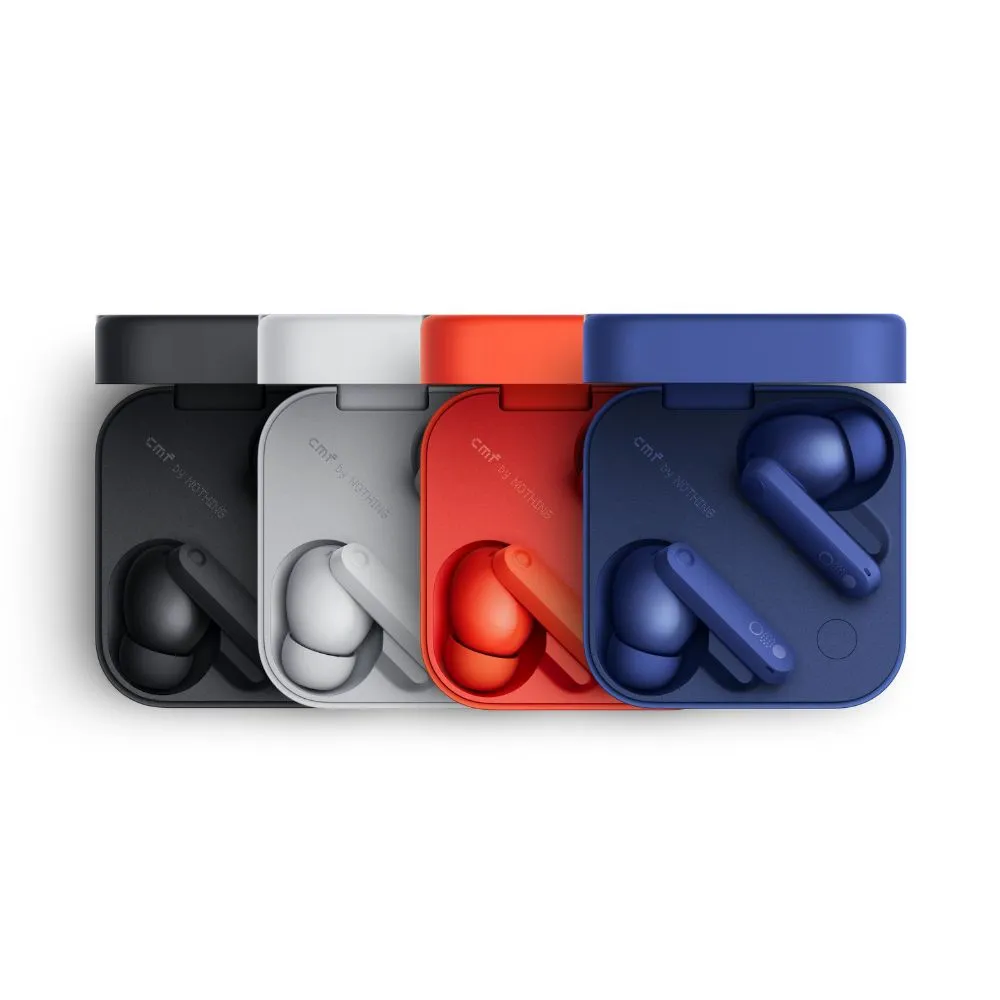
One of my recent faves is Nothing, a new tech company from the UK that produces devices including phones, smartwatches, and headphones. Its products have distinctive designs and features, and they are reasonably priced. Price-tracking tools show that Nothing’s CMF Buds Pro 2 earbuds are currently the lowest priced item ever, at just $47 (originally $69). For those seeking affordable earphones that deliver on quality, this is a fantastic choice.
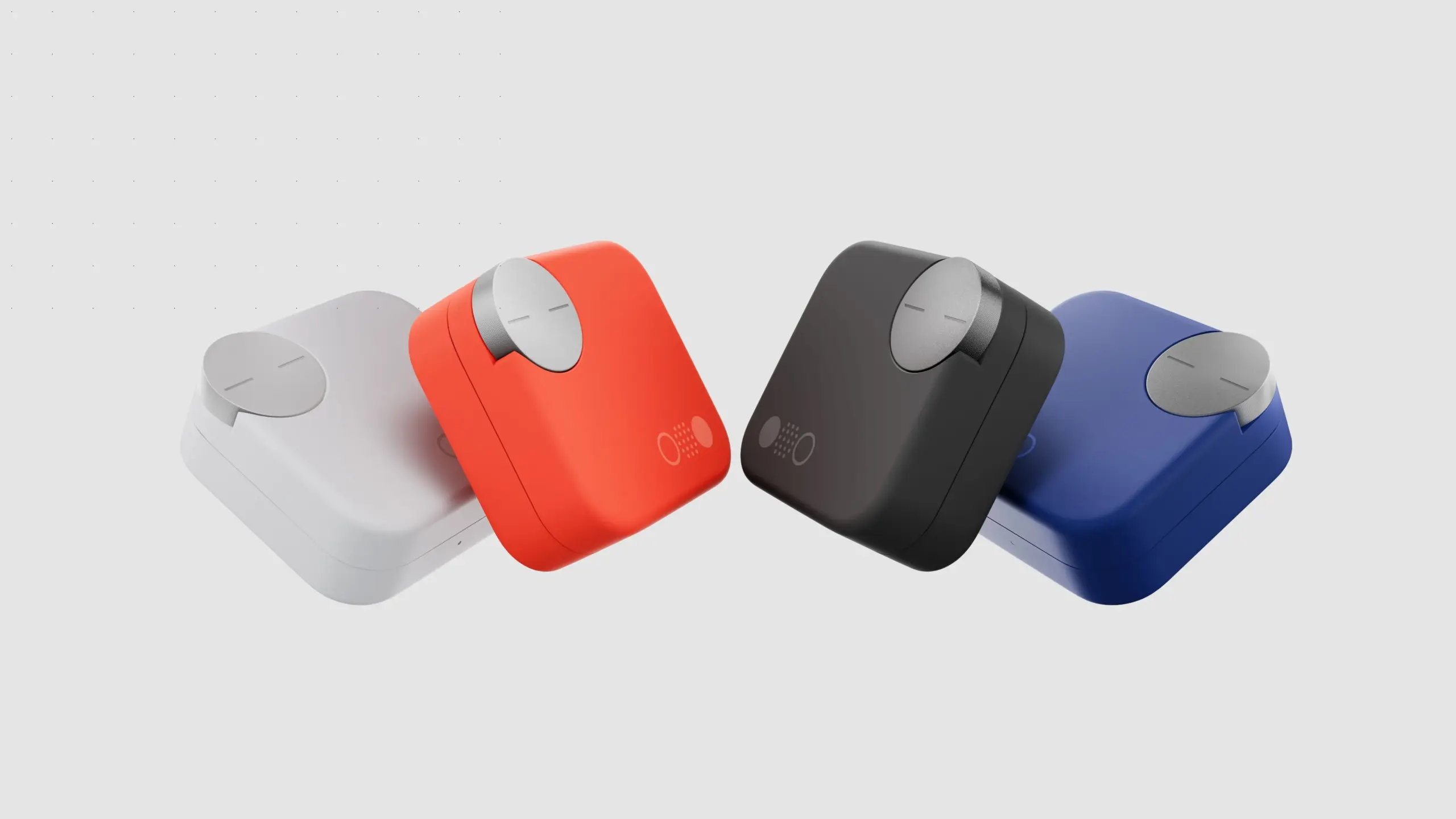
Nothing’s earbuds, which retail for less than $50, provide superior features and audio quality compared to its more expensive rivals. To begin, you can control the earbuds using the “Smart Dial” on the charging case. I’ve never been a fan of the touch controls on the earphones, and it appears that the folks from Nothing aren’t either. You can adjust the volume, pause or play, skip music, and more by turning the dial. The dial is yours to utilize whatever you see fit.
Nothing CMF Buds Pro 2
Enjoy pristine audio clarity and uninterrupted focus with advanced Hybrid Active Noise Cancellation of up to 50 dB and an expansive frequency range of up to 5000 Hz.
ChatGPT’s AI support straight from your earbuds is another unexpected feature that other Nothing products have. For the price of these earbuds, you get good active noise cancellation (ANC), which is unexpected. You may wear them to the gym and they will hold up even if you are caught in the rain because they are also P54 rated for dust and splash protection. In-ear recognition, which automatically pauses your music when you take out an earbud and resumes when you put it back in, is another awesome function that most high-end earbuds include. Well done.
Triband EQ, Ultra Bass mode, and dial and touch control customisation are just a few of the helpful features of the Nothing app, which is compatible with both iOS and Android.
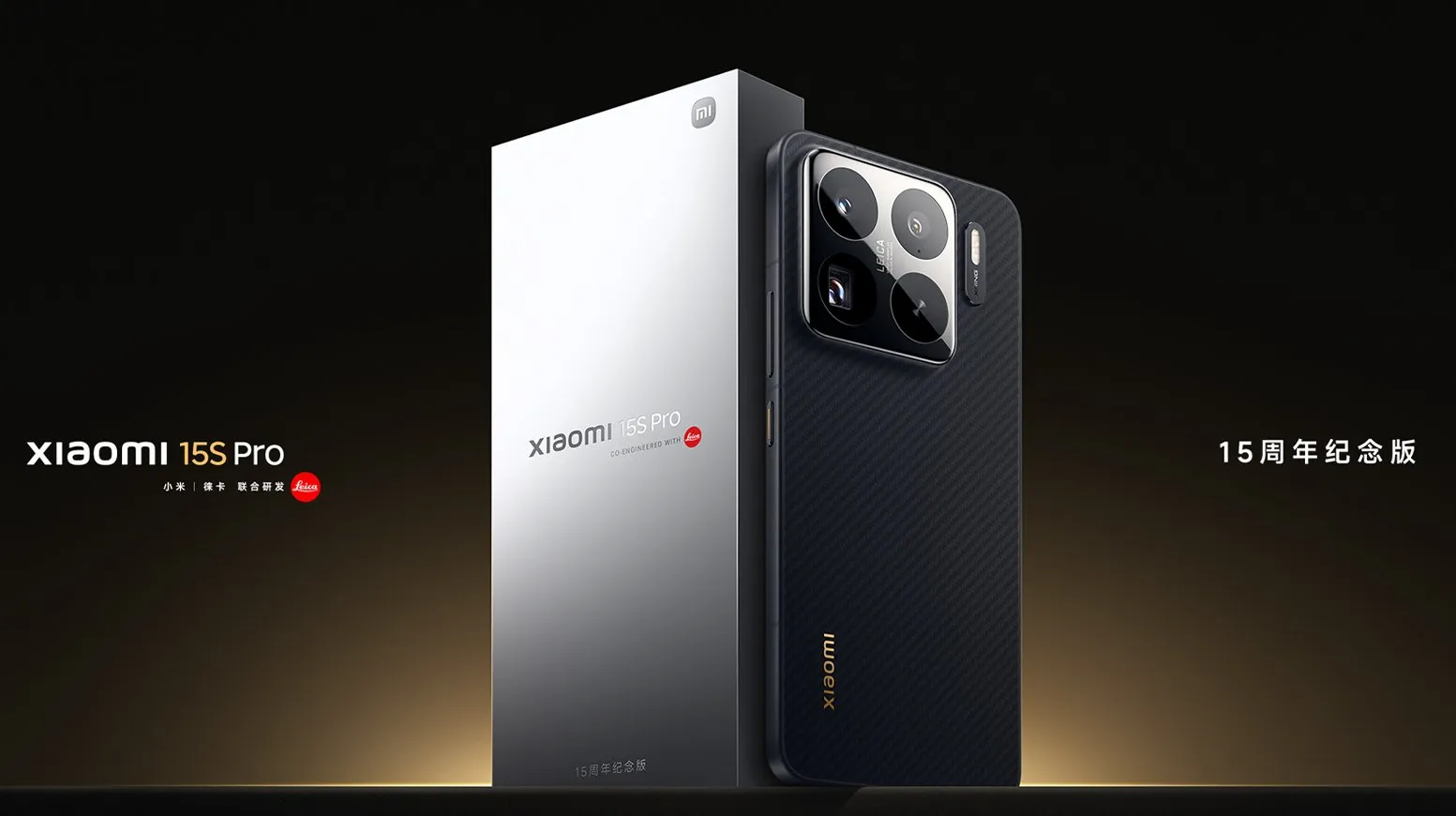
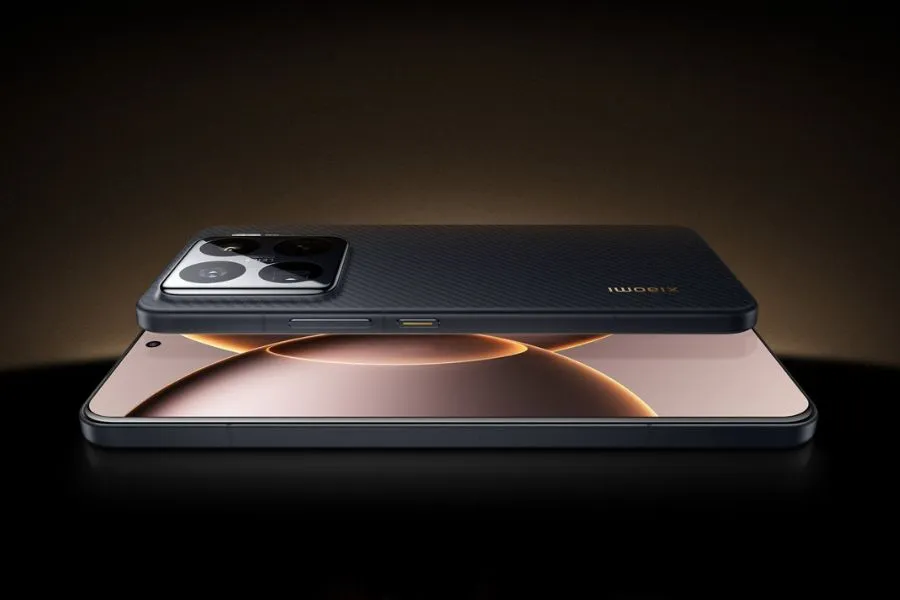
This week, the Xiaomi 15S Pro was launched in China. The Chinese OEM’s first phone to employ its proprietary 3nm 10-core XRING 01 chipset is this one. The phone comes with HyperOS 2.0, which is based on Android 15, and supports 16GB of LPDDR5X RAM in addition to up to 1TB of UFS 4.0 built-in storage. A 50-megapixel triple rear camera set with a 50-megapixel periscope telephoto shooter is included with the Xiaomi 15s Pro. With compatibility for both wired and wireless fast charging, it has a 6,100mAh battery.
The 16GB + 512GB RAM and storage version of the Xiaomi 15S Pro costs CNY 5,499 (about Rs. 65,500) in China, while the 16GB + 1TB model costs CNY 5,999 (approximately Rs. 71,500). The phone is available in Far Sky Blue and Dragon Scale Fibre Version finishes. The official e-store is now the place to buy the phone in the nation.
Xiaomi 15S Pro specs
The Xiaomi 15S Pro has a 6.73-inch 2K (3,100 x 1,440 pixel) OLED LTPO screen with a refresh rate of up to 120 Hz, a maximum brightness level of 3,200 nits, a PWM dimming rate of 1,920 Hz, and protection from Xiaomi’s Ceramic Glass 2.0. Dolby Vision and HDR10+ are also supported by the screen. The company’s latest 3nm 10-core XRING 01 chipset, which has an Immortalis-G925 GPU, 16GB of LPDDR5X RAM, and up to 1TB of UFS 4.0 onboard storage, powers the phone. Xiaomi’s HyperOS 2.0, which is based on Android 15, comes pre-installed.
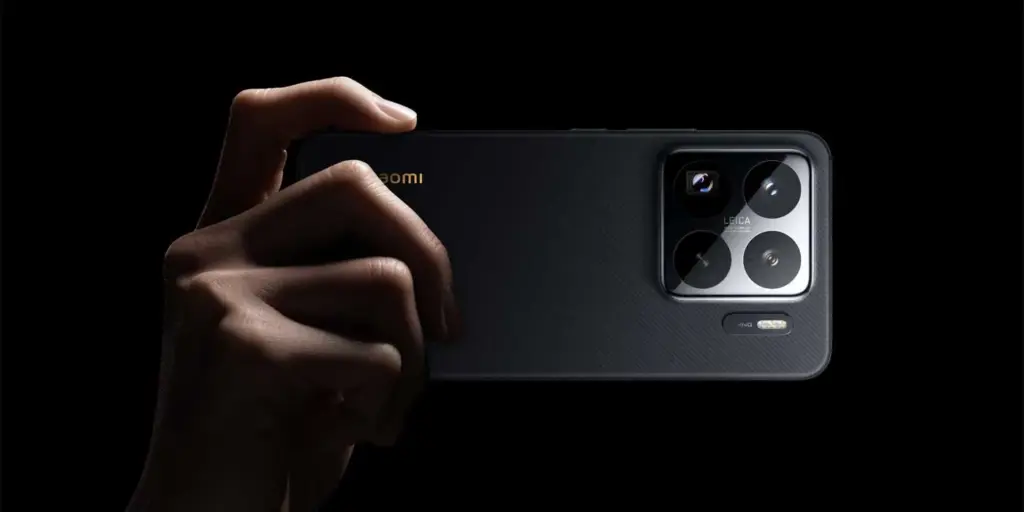
The Xiaomi 15S Pro boasts a triple rear camera set with Leica backing, which includes a 50-megapixel, 1.31-inch Light Fusion 900 primary sensor with an f/1.44 aperture and support for optical image stabilization (OIS). A 50-megapixel Sony IMX858 periscope telephoto shooter with 5x optical zoom, 10x in-sensor lossless zoom, f/2.5 aperture, and OIS support is also included in the camera setup, along with a 50-megapixel Samsung S5KJN1 sensor and a 115-degree ultra-wide angle lens with an f/2.2 aperture and macro capabilities. Additionally, the smartphone has a 32-megapixel OV32B40 front camera with an f/2.0 aperture for video calls and selfies.
The 6,100mAh battery of the Xiaomi 15S Pro supports both 90W wired and 50W wireless fast charging. The phone incorporates an in-display fingerprint sensor for security. 5G, dual 4G VoLTE, Wi-Fi 7, Bluetooth 5.4, Beidou, Galileo, GLONASS, GPS, NavIC, NFC, and a USB Type-C 3.2 Gen 1 connector are among the connectivity possibilities. The phone’s construction is water and dust resistant, with an IP68 rating. Additionally, it features dual speakers that enable Dolby Atmos. The smartphone weighs 216g and has dimensions of 161.3×75.3×8.33mm.
If you want the latest Droid Tools news, follow us on X @droid_tools and like our page on Facebook to stay updated.
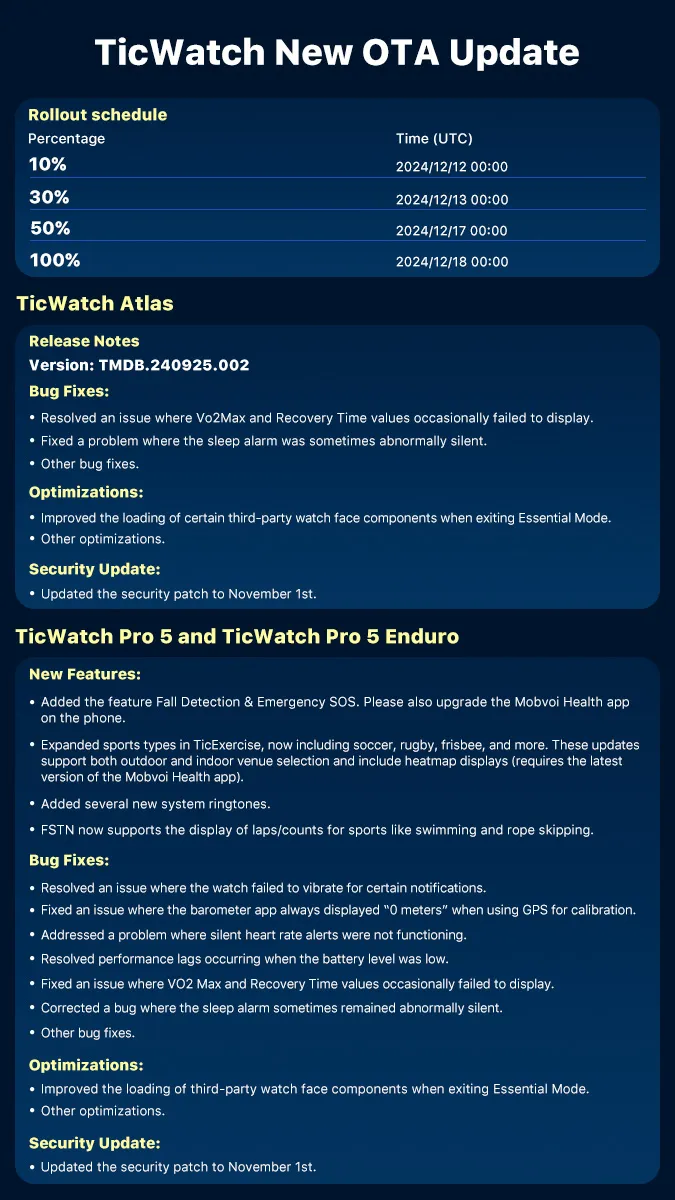
Mobvoi has announced that the TicWatch Pro 5 and TicWatch Pro 5 Enduro smartwatches will soon receive an update. Version TMDB.240925.002 adds new capabilities to the wearables, including a safety tool and other sports.
In addition, these wearables have received a number of improvements and bug fixes.
The Mobvoi TicWatch Pro 5 and Pro 5 Enduro smartwatches are set to be updated. This release and a comparable upgrade for the latest TicWatch Atlas smartwatch have been announced on Facebook.
The version TMDB.240925.002 upgrade is expected to add new features to wearables. These include Fall Detection and Emergency SOS, which allow users to raise an alarm if they are in distress; however, you must also update the Mobvoi Health smartphone app to use this capability.
TicExercise now includes additional sports such as soccer, rugby, and frisbee. Additionally, there are new system ringtones, updates to several third-party watch face components, and a security patch for November 1st.
In addition, Mobvoi has fixed issues such as the watch failing to vibrate in response to a notification, missing VO2 Max and Recovery Time statistics, and performance lagging at low batteries.
Version TMDB.240925.002 will be available to TicWatch Pro 5 and Pro 5 Enduro smartwatch users beginning December 12th. It will initially be available to only 10% of units, growing to 50% on the 17th and 100% on the 18th. The TicWatch Pro 5 Enduro smartwatch is currently available on Amazon for $313.81.
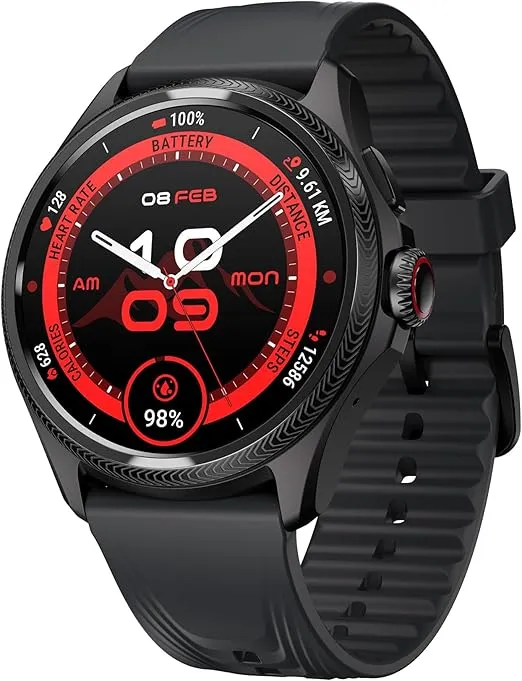
Ticwatch Pro 5 Enduro
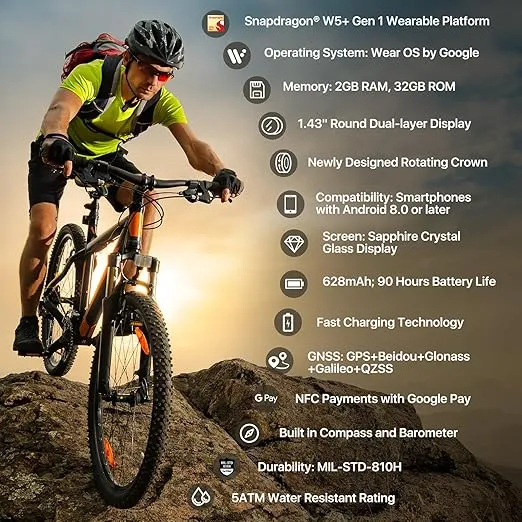
Experience uninterrupted productivity and training with TicWatch Pro 5 Enduro’s remarkable battery life.
Larger batteries are included in the Samsung Galaxy Watch 5 Pro for extended battery life, however incorrect settings can result in problems including quicker battery loss. We’ll give you some cutting-edge advice today to help you fix these issues and increase the battery life of your watch.
Ah, the good old battery life of a smartwatch. You’re left with a pointless wrist adornment if it expires too quickly. Oh, sweetheart, if it goes on for too long! The options are limitless! You won’t need to charge it as frequently, which means you’ll spend less time shackled to a wall socket like a sap. Don’t forget the comfort it will bring you to know that your watch won’t stop working mid-run or mid-call with the boss.
You’ll also have more time to explore all the cool functions your watch has to offer, like monitoring your steps, checking the weather, and even ordering pizza, thanks to an increased battery life (yes, some smartwatches can do that). Don’t choose for a disposable smartwatch, then. Increase that battery life to open up a host of additional wrist-related opportunities!
In our evaluation of the Galaxy Watch 5 Pro, we highlight some of the lineup’s practical features, such as 24/7 health tracking and interchangeable watch faces. Notably, the Pro edition has improved battery life over the standard version. Nevertheless, because they weren’t designed for continuous usage, several default settings could damage the battery. Use our handy instructions to change or disable these options to extend the battery life of your watch.
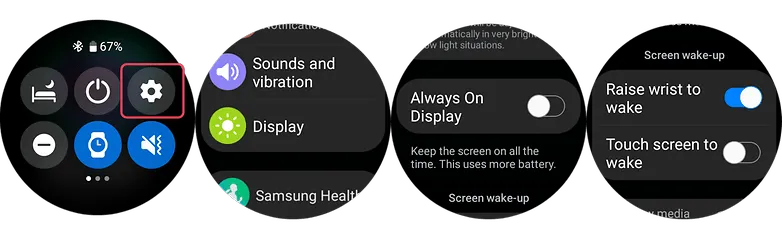
1. Turn off the always-on display and opt for raise to wake
OLED screens on the Samsung Galaxy Watch 5 series allow for AOD (Always-On Display) feature. However, by enabling this all the time can greatly hurt your battery run time. And since you will always not be looking at your screen, it’s best practice to disable this and instead opt for the raise-to-wake gesture.
To check if the always-on display is enabled or disabled, you can use your watch’s settings or alternatively use the Galaxy Watch mobile app on your Android or Samsung phone.
Swipe down from your watch’s screen and open the Settings.
Scroll down to find the Display and then tap on Always-On.
Turn off the AOD.
Look for Raise to Wake below the Always-On toggle.
Enable Raise-to-Wake.
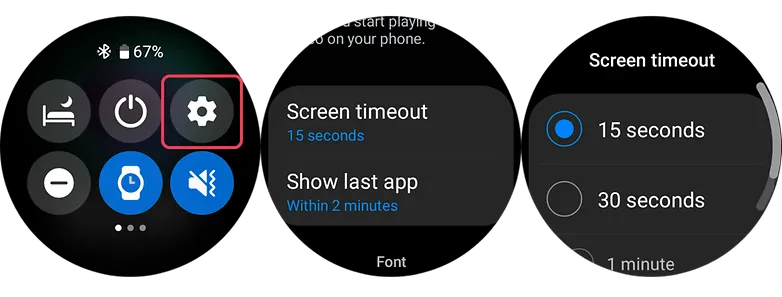
2. Shorter screen timeout
Screen timeout is yet another display-related suggestion. Reducing the amount of time your screen is on can increase the watch’s battery life. By setting the screen timeout to the shortest duration possible, which is 15 seconds, you can extend the life of your battery. This may be located immediately below the raise-to-wake toggle in the same settings as display.
3. Choose darker watch faces
Using watch faces that are black or dark is more in keeping with customisation. The watches come with OLED panels, which means that when projected into the display, black pixels don’t need light, unlike other colors that do.
Choose watch faces with darker layouts to extend the battery life of your device. But, you should stay away from colorful designs, especially those that take up the majority of the screen.
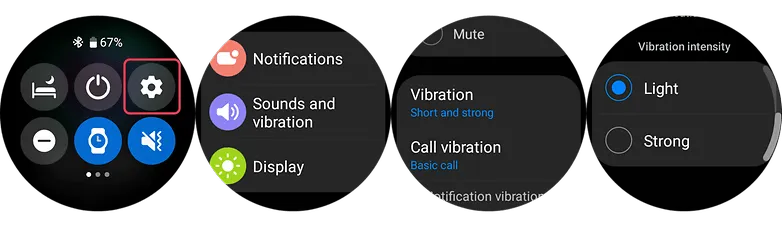
4. Set vibration level to low
Your watch vibrates in addition to sounding an alert whenever it receives one. It is advised that you set the vibration on the lower side because the vibration motor inside the watch normally consumes a significant amount of battery power. This is how to modify the Galaxy Watch 5’s vibration intensity using the toggle that can be found in the main settings.
Go to the Watch’s Settings and look for Sound & Vibration.
Select Vibration.
Choose Short in vibration duration option.
Choose Light vibration intensity.
5. Turn off NFC
Turning off NFC on your Galaxy Watch 5 or Watch 5 Pro could extend the life of your wearable’s battery if you don’t use it for payments or if you primarily use your phone for that purpose. Simply go to your watch’s main settings, select connections, and turn off NFC there to access NFC options.
Swipe down to access the Watch’s Settings.
Select Connections.
Choose NFC option.
Turn it off.
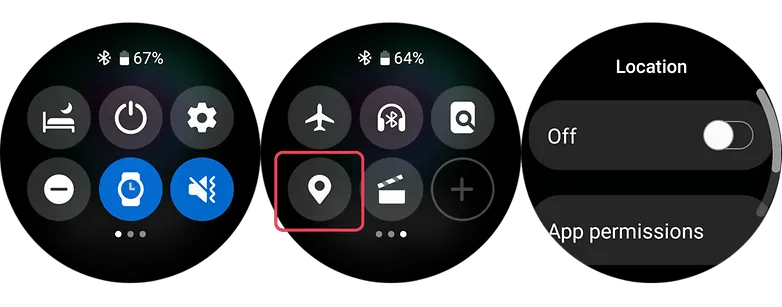
6. Turn off location
Turning off the location tracker on the Galaxy Watch 5 Pro can help to save battery because the location tracker constantly uses the watch’s GPS sensor to track your location, which can consume a lot of battery power. By turning off this feature, you prevent the watch from using its GPS sensor unnecessarily and therefore extend its battery life.
Swipe down to access the Watch’s Quick Settings.
Browse the quick setting until you find the Location icon.
Turn it off.
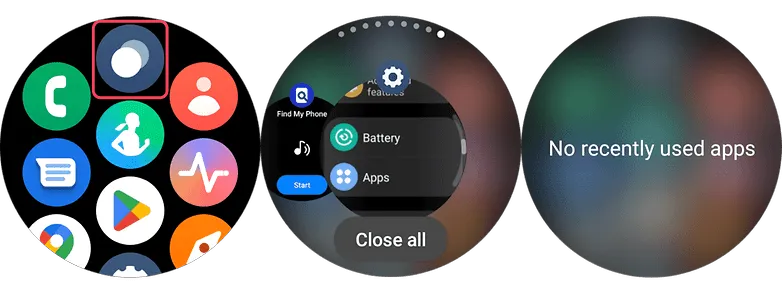
7. Close background and recent apps
Like in smartphones, your watch uses memory and processor resources as well. While Wear OS 3 has evolved to become an efficient and fast operating system, running numerous apps in the background can still affect the day-to-day battery life of your watch. There will be two options to do this on your Galaxy Watch 5.
Clearing background apps via on-screen gesture
Swipe from the bottom to the top to open the App menu of your Watch.
Select the Overlapping circles icon at the top center to open recent apps.
Select the option Close All.
Using the physical key of your smartwatch to close all apps
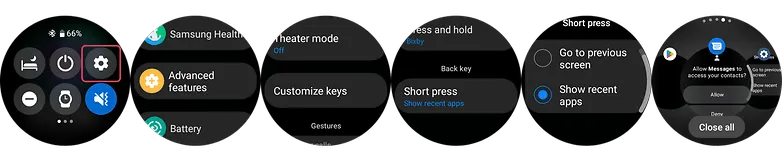
Go to your Watch’s settings and scroll down until you see Advanced features.
Select this and choose Customize keys.
At the bottom, set short press to Show recent apps.
Press this back key every time you open recent apps.
Tap Close All button to close all apps at once.
8. Filter notification settings (on the phone app)
You’ll be able to get more screen time by limiting the apps that can send notifications to your watch. Just allow alerts that are essential as you will still be checking your mobile device frequently. On your Galaxy or Android phone, use the Galaxy Watch app to change this.
Go to your Watch’s Dashboard on your Galaxy phone.
Choose Watch Settings.
Tap notifications and select App notifications.
Filter which apps are essential and are allowed on watch.
9. Charging and battery tips that may fix your Galaxy Watch 5’s battery problems
Using safe and conventional watch care techniques may help to resolve some battery difficulties in addition to adjusting the settings to prolong battery life. Of course, if any issues continue, it is still advised to get your Galaxy Watch 5 examined by a certified Samsung repair facility. Nonetheless, the fundamental steps are listed below.
Avoid charging your Galaxy Watch 5 too much.
Overcharging your Samsung Watch 5 or Watch 5 Pro could reduce its battery life, just like it can with other electronic gadgets. This will result in the watch’s battery life being reduced. It is advised to charge the battery frequently between 80 and 90% rather than 100% all the time.
Clean the charging contacts on your charger or Galaxy Watch
You can make sure that you’re charging the device effectively by keeping the charging contacts clean on the watch and the charger. Debris and dirt can be prevented from being lodged in the contacts by giving them a brief wipe with a clean cloth.
#10. Golden tip: Get extra days of battery with Power saving and Watch-only modes
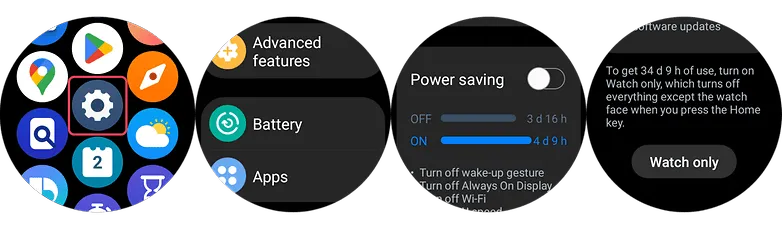
Using the Power Saving or Watch-only Mode can extend your usage by days or even weeks if your battery is already running low. The connectivity, notifications, processor for battery saving mode, and other functionality other than the time for the Watch-only mode will all be restricted by these on your Galaxy Watch 5 (Pro). With the watch functionality, this last feature can provide you with up to 30 days.
Swipe up on your Watch to open the App Menu.
Go to the Settings and scroll down and tap Battery.
Toggle on Power saving or Watch-only mode.
Please be advised that to turn off the Watch only mode, you can either press and hold the Home key or charge your watch.
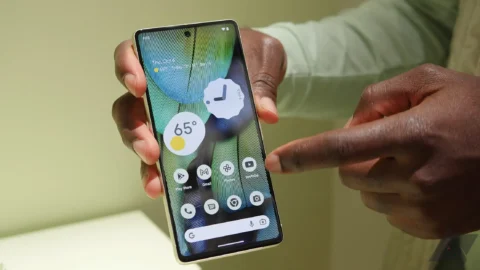
The Google Pixel 7 Pro‘s display is simply beautiful. The curved AMOLED QHD+ 120Hz display is simply stunning. However, because it is curved, replacing it if it breaks or cracks can be quite expensive. Therefore, purchasing a screen protector is both a really smart idea and absolutely necessary.
Here, we’ve compiled a list of the top screen shields for the Google Pixel 7 Pro. So that you may protect that lovely display from scratches.
Best Google Pixel 7 Pro screen protectors
You can find the standard, inexpensive plastic screen protectors on this list. Several toughened glass screen protectors are also included. We would advise using tempered glass screen protectors. As they will feel identical to the display itself. Furthermore, they appear better. However, they might also cost more, so bear that in mind.
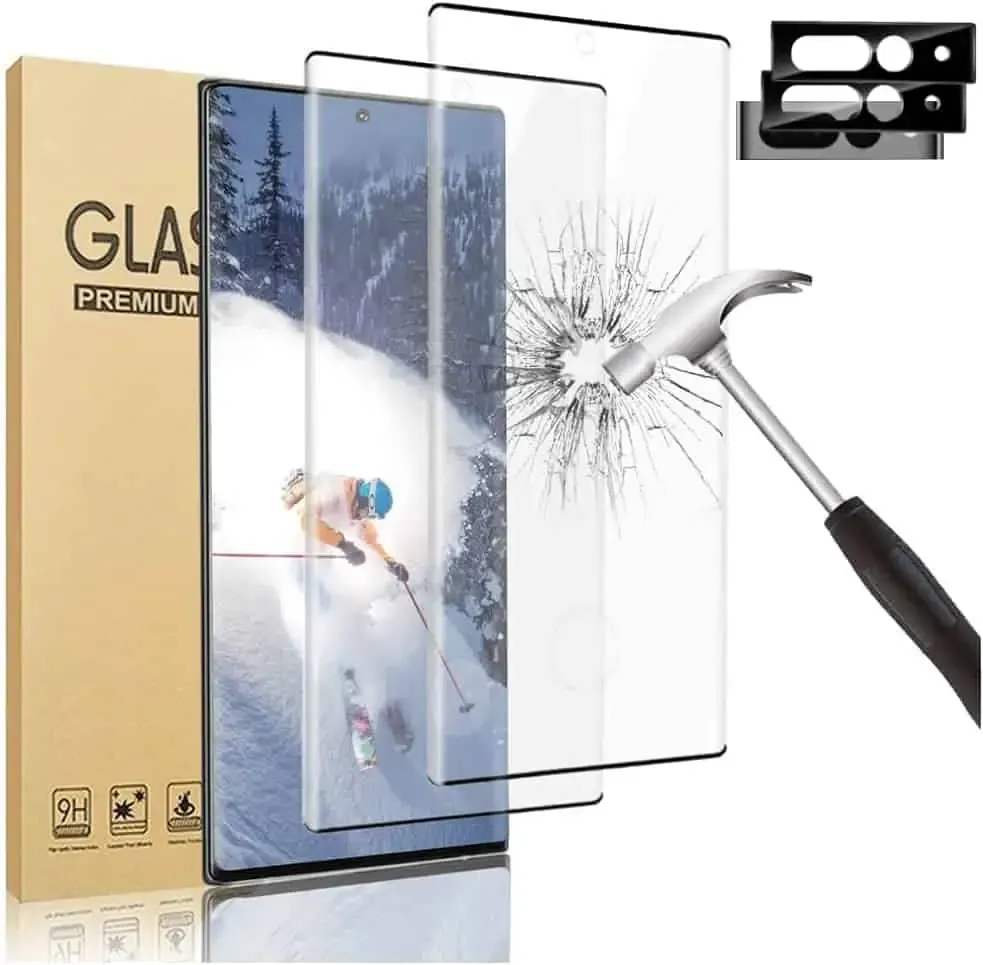
This screen protector is made of tempered glass, which has a 9H hardness rating. Therefore, it may sustain some harm without breaking your screen. Your phone’s glass screen will continue to feel as though it is unprotected. Additionally, they’ve made it really simple to install and prevent air bubbles.
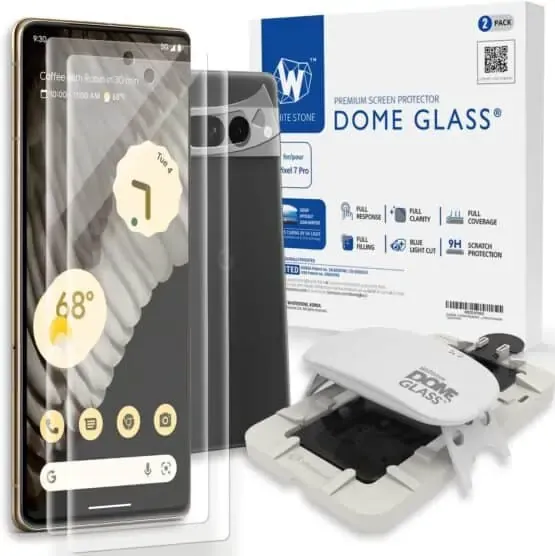
Whitestone Dome Glass Screen Protector
The most costly screen protector on this list is the Whitestone Dome Glass, which isn’t surprising in all honesty. Its inclusion of a UV curing light, which aids in the screen protector’s adhesion to your phone, is a major factor in its high price. Because liquid dispersion technology is employed at Whitestone Dome.
This does make it possible to apply the screen protector correctly, without creating any air bubbles underneath it. They also come with a camera protector and two screen protectors.
IMBZBK Tempered Glass Screen Protector
A UV light is included in this additional tempered glass screen protector, much to the Whitestone Dome type, to ensure that it adheres to your screen properly. In addition, IMBZBK has provided three screen covers and three for your camera bar. This is significant since the camera bar is prone to scratching.
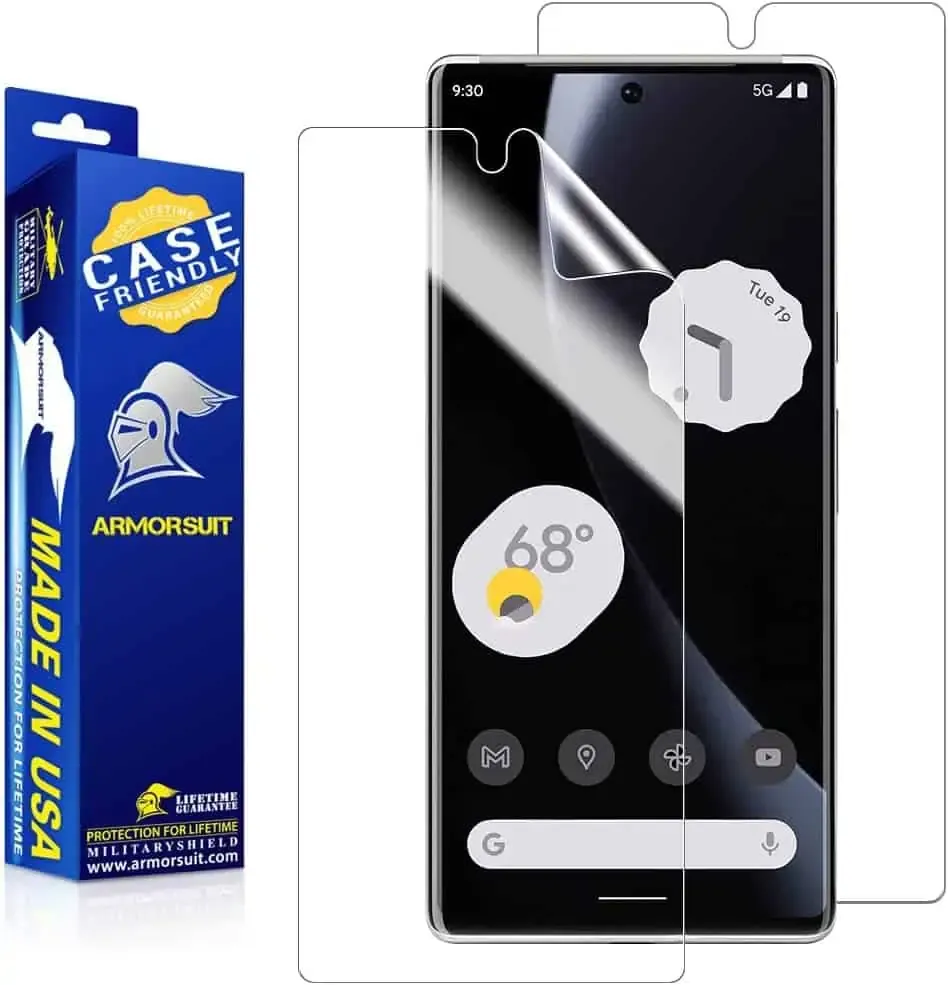
ArmorSuit MilitaryShield Screen Protector
The MilitaryShield from ArmorSuit is a crystal-clear HD screen protector. This model does not have toughened glass. This is the reason why a two-pack costs only $11 here. This does include a cutout for the front-facing camera, so taking selfies with it won’t be a problem.
OMOTON Clear Screen Protector
Because it is not made of tempered glass, this screen protector from OMOTON may be purchased in quantities of three for less than $7. Three screen protectors and two camera bar protectors are included. In order to keep your complete phone secure. It’s fantastic to see that here as usual. It’s crucial to note that the front camera is not cut out of this, so you’ll need to keep it clean to avoid having poor selfies.
Spigen Tempered Glass Screen Protector
This is one of the best screen protectors available right now, yet Spigen has recently entered the market. Spigen really provides the equipment you need to apply your screen protector flawlessly.
Actually, this is a different model than what is offered for the normal Pixel 7. This is because the Pixel 7 Pro has to be designed slightly differently because to its curved display. Here, the installation was also slightly different.
After making its debut in November, the new Snapdragon 8 Gen 2 is now slowly making its way into the market. The new Xiaomi 13 series is powered by the company’s flagship processor, and the Xiaomi 13 Pro has just been put to the test in a competitive gaming environment.
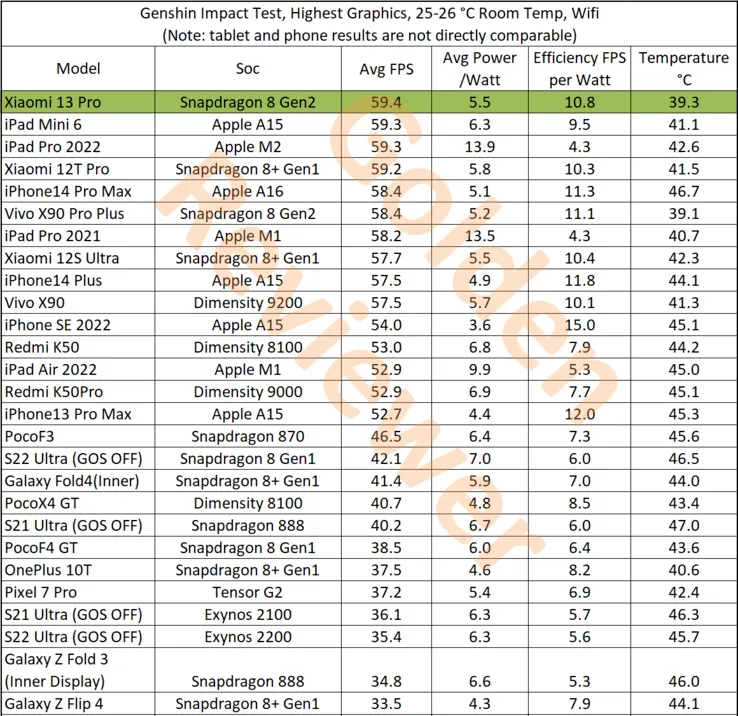
This test, conducted by Golden Reviewer on the well-known game Genshin Impact, demonstrates the Snapdragon 8 Gen 2 in the Xiaomi 13 Pro’s performance, which easily exceeds all competitors. The Xiaomi 13 Pro has the highest tested raw performance, averaging 59.4 frames per second (FPS). Comparatively, the Dimensity 9200 on the Vivo X90 achieves 57.5 FPS while the iPhone 14 Pro Max and its A16 Bionic accomplish 58.4 FPS.
With higher efficiency scores and lower power consumption than the Dimensity 9200, the Xiaomi 13 Pro and Snapdragon 8 Gen 2 also outperform it in terms of efficiency. However, the iPhone 14 Pro Max does have a slight edge in some areas. Most impressively, though, is that the Xiaomi 13 Pro achieves these performance benchmarks while remaining cooler than every other tested tablet. It only reaches a maximum temperature of 39.3°C. In contrast, the iPhone 14 Pro Max achieves a maximum temperature of 46.7°C, while a tablet like the iPad Pro 2022 only hits 42.6°C.