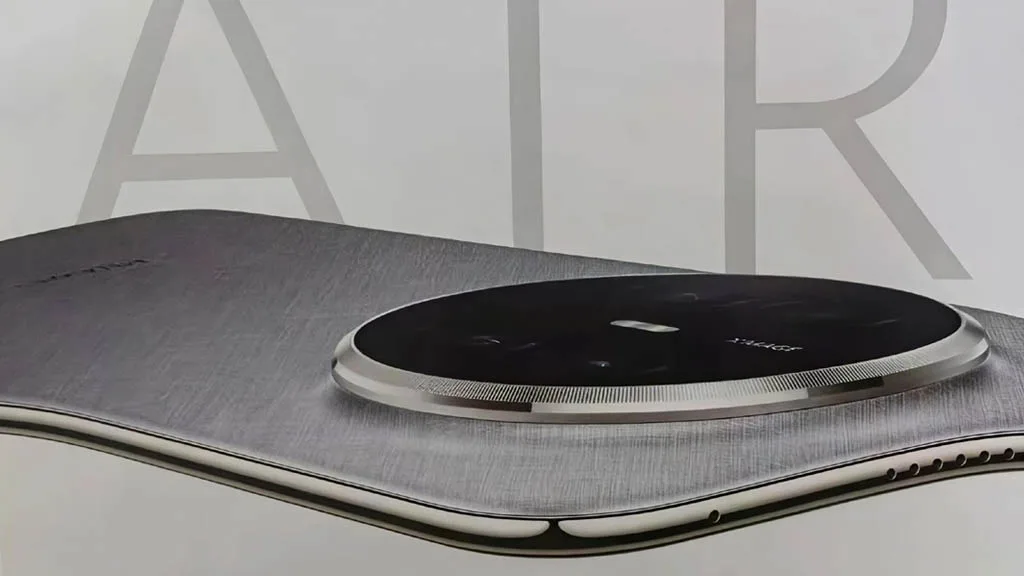
In the battery war, the Huawei Mate 70 Air has defeated the iPhone Air and the Galaxy S25 Edge. The gadget has performed exceptionally well in the area where most brands attempt to make compromises in favor of appearance, although it may be a few millimeters behind in the battle for slimness.
One of the device’s most crucial components is the battery. If it’s a decent one, you won’t have to worry about using a charger for a few days. However, a low-density cell hinders your enjoyment in addition to using more power.
Samsung and Apple devices have excellent features and specifications. However, the battery life is something that these firms are continuously working to improve.
Huawei Mate 70 Air comes with a huge battery
Apple and Samsung are unable to incorporate a higher-density battery into their top phones despite no technological limitations. The batteries of phones such as the Galaxy S25 Ultra and the iPhone 17 Pro Max are 5000mAh and 4823mAh, respectively.
Therefore, it is unrealistic to expect these brands’ thin gadgets to have larger battery capacities. Slimness frequently results in less space for the device’s internal parameters.
Therefore, in order to achieve that ideal tiny profile, tech manufacturers must either reduce the battery capacity or other specifications like camera sensors and more.
It’s interesting to note that the Huawei Mate 70 Air has demonstrated to the manufacturers of the iPhone and Galaxy that a handset can still have a huge battery while still maintaining its thin form.
A 6500mAh ultra-thin silicon-carbon anode battery powers the Mate 70 Air’s remarkable battery life. Additionally, it offers a 66W fast cable charger that quickly charges the tablet without interfering with your video or gaming.
As a result, the Huawei Mate 70 Air smartphone offers flagship-quality battery life in addition to a fully functional experience. You can choose between a thin model with a full power pack or one that is only skinny.
Samsung has begun discussing its first 2nm chips in public, and the figures are unexpectedly modest, which is causing some people to take notice. The business plans to begin shipping the new silicon in 2026, beginning with the Galaxy S26 series in Europe. Although the upgrades don’t seem like a “revolution” on paper, they are already helping Samsung earn large contracts and higher expectations.
Samsung’s worldwide flagship strategy has been weak for years due to its Exynos chips. Customers in Europe have frequently received slower, less effective devices than their Snapdragon-equipped counterparts in the US, and it appears that the S26 and S26+ will follow suit. While the S26 Ultra is expected to continue using Qualcomm’s Snapdragon 8 Elite Gen 5 globally, those two variants are anticipated to employ the Exynos 2600.
Exynos 2600 performance boost
Samsung appears confident, though. According to the company’s most recent financial report, the new 2nm Gate-All-Around (GAA) process is expected to improve performance by around 5%, increase efficiency by 8%, and reduce chip size by about 5% when compared to its second-generation 3nm process. Those figures are not that large on their own. However, they are already paying off. Based on early 2nm capabilities, Samsung reportedly acquired about 25% of Galaxy S26 orders and a huge $16.5 billion contract with Tesla for its AI6 CPUs.
Another aspect of the jigsaw is yield. According to Samsung, the Exynos 2600 is currently achieving a yield rate of over 60%, which is supposedly sufficient to begin significant production. In comparison to employing Snapdragon chips, the company might save $20–$30 per unit if that remains true, which could result in a significant reduction in the bill of materials (BoM) for the European S26 models.
However, not everyone believes that this is Samsung’s desired return. Exynos has a lengthy history of appearing promising on spec sheets but faltering once the phones are in the hands of consumers. Additionally, there is still a fundamental design gap: Samsung continues to use ARM’s standard Lumex core designs, which typically lag behind in real-world optimization, while Qualcomm and Apple develop highly customized CPU architectures.
The question is rather straightforward as the Galaxy S26 debut draws near: is Samsung’s early 2nm jump a real turning point or is it just another case of déjà vu for European consumers? It’s obvious that the corporation believes little steps will build up. It’s another matter entirely if consumers concur.
iQOO fans have been anticipating this for weeks, and it’s understandable why. Numerous rumors, teasers, and leaks have been made about the company’s next flagship, the iQOO 15. With rumors of a fresh look and the promise of cutting-edge gaming performance, this gadget appears poised to challenge the Android industry’s titans. Now that the Chinese launch date is quickly approaching, it seems like we’re finally getting a glimpse of what iQOO has been working on.
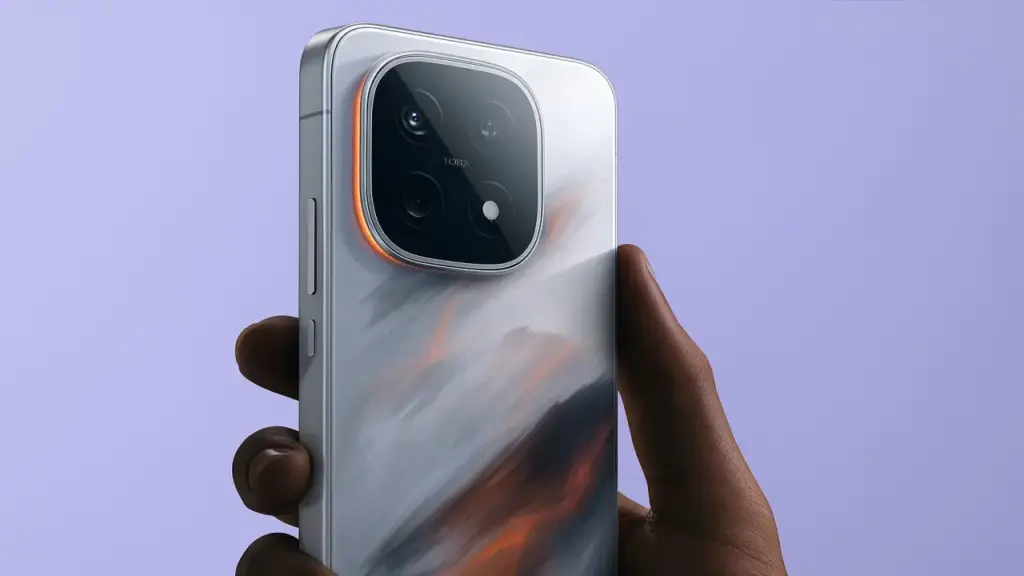
In terms of appearance and power, the iQOO 15 is anticipated to represent a significant improvement over its predecessor, the iQOO 13. Leaked images and teasers suggest a revised rear design, replete with a sleek circular camera module that feels more in keeping with today’s flagship design language, even though the company hasn’t made all the details public.
A huge 6.85-inch 2K 8T LTPO Samsung “Everest” display with a refresh rate of 144 Hz and a maximum brightness of 6,000 nits is rumored to be on the front; if accurate, this would make it one of the brightest smartphone screens available. Its overall flagship appeal is reportedly increased by the addition of wireless charging, an IP69 grade for water and dust protection, and a 3D ultrasonic fingerprint sensor.
The Snapdragon 8 Elite Gen 5 CPU, Qualcomm’s newest and most potent chipset to yet, is anticipated to be the engine behind the hood. This would place the iQOO 15 on par with OnePlus, Xiaomi, and Samsung’s future flagships and make it one of the first phones in the world to arrive with the new chipset.
It’s interesting to note that iQOO is reportedly combining this processor with its own Q3 gaming chip, which may maximize frame rates and regulate heat for extended gaming sessions.
Speaking of heat, the company’s new 8K vapour chamber (VC) Dome cooling system is said to deliver up to 47% greater cooling than the iQOO 13 thanks to a second layer of high-conductivity graphite. That’s significant for gamers and heavy users, particularly when using the phone to its full potential.
Regarding the camera, the rumors still present an intriguing picture. A dual 50-megapixel camera combination, comprising a huge 1/1.5-inch primary sensor and a periscope telephoto lens for sharp zoom images, may be included in the iQOO 15. If verified, this would represent a significant improvement in the brand’s photography, bringing it closer to the level of high-end Android rivals like the Xiaomi 15 Pro and Galaxy S24 Ultra, but perhaps at a more affordable price.
Another area that may use better is battery life. Although the iQOO 13’s 6,000 mAh battery and 120 W fast charging has made an impression, the upcoming model is rumored to surpass 7,000 mAh and allow wireless charging, a long-desired feature. For even greater defense against water and dust, it is anticipated to have IP69 certification, which is uncommon for non-ultra-rugged electronics.
Regarding the exact release date, the iQOO 15 and iQOO Pad 5e are scheduled to debut in China on October 20. After that, it appears that India will make its debut somewhere between November 15 and 25. Although a precise date has not yet been established, Nipun Marya, the CEO of iQOO India, has previously alluded to a November timeline on X.
Introducing the all-new #iQOO15, crafted for those who don’t wait for the future – they race towards it. Experience performance that keeps you in the lead. Save the date for November 26th. What are you most hyped to experience? Tell us below! #iQOO15#BeTheGOATpic.twitter.com/KbNNZECaE0
According to price leaks, the iQOO 15 may launch for ₹59,999 ($683), which is little more than the base iQOO 13’s launch price of ₹54,999 ($626). A minor uptick like that seems to be expected given the significant hardware changes, improved cooling, and new display technology. However, until the official announcement, it is best to use these details with caution as they are yet unconfirmed.
All things considered, the iQOO 15 appears to be one of the most potent Android smartphones of the year—a flagship that prioritizes performance without sacrificing high-end features.
And if these preliminary leaks are any guide, iQOO may be in possession of its most alluring smartphone to date. To find out how much of this excitement is real, all that’s left to do is wait for the formal launch.
Redmi is going to cause another upheaval. The Redmi K90 Pro Max, which will come with a significant upgrade, will formally launch on October 23 at 19:00 (China time), according to the company. The Light Hunter 950 sensor, the same flagship-grade camera seen on the Xiaomi 17, will be available on a Redmi handset for the first time. Put another way, high-end photography is on the verge of becoming popular.
Light Hunter 950 brings flagship-level imaging to Redmi phones
A 1/1.31-inch ultra-large sensor, the Light Hunter 950 can capture remarkable light and detail. By utilizing DXG High Dynamic technology and supporting a 13.5EV dynamic range, it guarantees sharp, colorful images even in challenging lighting conditions.
Additionally, it has a 1G+6P glass-plastic hybrid lens and a precision coating technology from Redmi that reduces glare and improves sharpness. In actuality, this means that the Redmi K90 Pro Max performs extremely well, matching Xiaomi’s flagship phones. This is a daring move for a phone that costs less than $600.
The Xiaomi Group President, Lu Weibing, claims that the Redmi K90 Pro Max is “the most powerful phone in the 4,000 yuan+ segment,” or around $550. This puts it in direct competition with upper-mid-range rivals like the Samsung Galaxy S24 FE and OnePlus 13R, which frequently provide performance but lack innovative cameras.
Redmi’s approach is straightforward: provide premium camera performance and power to customers who won’t pay too much. The K90 Pro Max has the potential to completely change our expectations for a mid-range smartphone, if initial impressions are accurate.
The Xiaomi Group President, Lu Weibing, claims that the Redmi K90 Pro Max is “the most powerful phone in the 4,000 yuan+ segment,” or around $550. This puts it in direct competition with upper-mid-range rivals like the Samsung Galaxy S24 FE and OnePlus 13R, which frequently provide performance but lack innovative cameras.
Redmi’s approach is straightforward: provide premium camera performance and power to customers who won’t pay too much. The Redmi K90 Pro Max has the potential to completely change our expectations for a mid-range smartphone, if initial impressions are accurate.
Flagship imaging meets affordability: a new era for photography
Redmi is bridging the gap between mid-range and premium smartphones more quickly than ever before thanks to the Xiaomi 17’s main camera technology. This is about changing perspective, not simply about specs. A phone that costs less than $600 and has a camera that can compete with a flagship? Redmi’s reputation is based on disruptions like that.
We may stop considering “cheap” phones as compromises in 2025 if this trend keeps up.
Estimated Global Pricing
China price: from ¥4,000 (~$550)
Estimated European retail: around €640 (incl. VAT & import)
Let’s say you just got a brand-new, sparkling TV. Like a child at Christmas, you open the box and get ready to enjoy all of its aesthetic splendor. It’s 2025,” you think to yourself. TV technology is booming, and it will always look fantastic. Thus, you plug it in without even checking the default settings. A huge error.
I’ve done it myself. And because it’s generally acknowledged that most customers forget to change the most fundamental settings when configuring their televisions, I’m fine with it. You may have never changed the default settings on your TV, even if it’s a few years old.
You may adjust a few settings on Samsung TVs in particular to enhance your viewing experience and add even more appeal to a dystopian survival thriller. Here are six suggestions to help you do that.
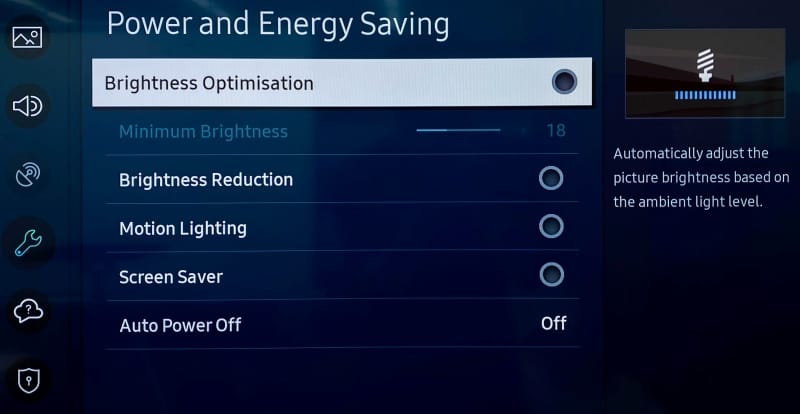
Turn off Brightness Optimization
Go ahead and turn off Brightness Optimization by turning it off as you’ve already reached Power and Energy Saving.
Nowadays, a lot of TVs have optical sensors that can determine the brightness of your room and its potential temperature. The TV then makes adjustments on its own, ostensibly optimizing color temperature and brightness based on that information. This isn’t always accurate, and the feature may end up producing worse results, particularly in a space where lighting conditions can fluctuate, such as on a sunny day when the sky is obscured by large clouds.
Adjust Brightness levels to suit your eyes
The type of content you’re viewing will determine the optimal brightness level. Even if HDR (high dynamic range) is gradually gaining popularity, SDR (standard dynamic range) has been the only option for decades of movies. You can readily change the brightness levels for both situations, though.
Open any software, like Prime, for SDR, but don’t start watching a video just yet. Proceed to All Settings > Picture > Expert Settings > Brightness (keep in mind that this is located under Picture Setup on some Samsung models). Adjust the sliders to determine the SDR brightness sweet spot, in your opinion.
Finding a video that is shown in high dynamic range is the first step in adjusting HDR brightness. Since many of its movies are tagged with brief descriptions identifying their genre, visiting YouTube TV is a quick way to make sure you are watching HDR content. Another option is to just search for “HDR video.”
You will notice a difference when viewing both technologies (SDR/HDR), however the brightness level you select depends on your personal preferences. I think HDR looks its best when the brightness is at its highest. You may discover that SDR appears best at a lower level.
Turn off Motion Smoothing for cinematic viewing
The majority of films are (and have always been) shot at 24 frames per second. Motion smoothing reduces juddering and blur by interpolating images in footage captured at 24 frames per second. Given that live television is filmed at 30 frames per second, this can be useful when watching sports.
However, Motion Smoothing—another popular default feature—has a reputation for giving televisions a “soap opera appearance.” Just from that description, you’ll likely understand. In photographic prints, I conceive of it as glossy versus matte, where glossy refers to the look of a soap opera that mimics a live broadcast. Even though I always strive for an immersive viewing experience, I don’t have to see the actors and crew filming the scene on the set.
Browse to Picture Clarity Settings under All Settings > Picture > Expert Settings.(Note that Motion Smoothing is referred to as Picture Clarity or Auto Motion Plus on Samsung TVs.)
From here, you can select Custom Settings or completely disable Picture Clarity (Motion Smoothing). You may want to increase the Blur Reduction and Judder Reduction sliders there if you’re playing a video game or watching a soccer match. Turning off Motion Smoothing, however, is the best option for traditional (filmic) aesthetics.
Choose a Picture Mode that suits you
The Movie, Cinema, or Filmmaker modes, in my opinion, are typically the best since they seek to offer the most genuine and accurate depiction of the content creator’s vision. These settings also lessen the possibility of introducing artifacts and other problems with image quality by cutting down on superfluous image processing.
Select Picture Mode from the All Settings menu. Then browse between these three selections (Movie, Cinema, or Filmmaker) to find your favorite.
The color temperature is typically cooler or bluer when using the standard mode by default. Vivid mode, which Samsung refers to as Dynamic mode, is frequently included with TVs. Both the Dynamic and Sports modes can make colors appear overly bright, giving the entire image a harsh shine, therefore I would suggest avoiding that. Because the colors will stand out more in storefronts, businesses are more likely to employ these modes when setting up display TVs.
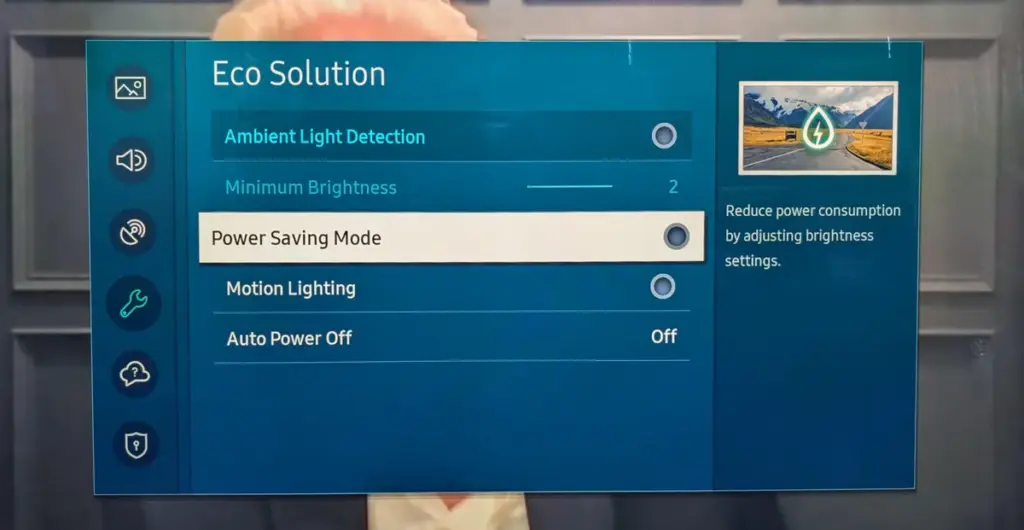
Turn off Eco Mode
Nowadays, almost every TV has some sort of “Eco Mode” on by default. By lowering the contrast and dimming the TV’s brightness, Eco Mode is intended to conserve power. According to a recent research, turning on Eco Mode can reduce your annual electric cost by as low as $7. (That is a daily amount of less than two cents.) There are other ways to more efficiently lower your carbon footprint, therefore it doesn’t make a big difference whether “eco” stands for economics or ecology.
To disable Eco Mode, click the gear button on your Samsung remote to access the settings. Then follow this path: All Settings > General and Privacy > Power and Energy Saving > Energy Saving Solution. Lastly, toggle Energy Saving Solution off.
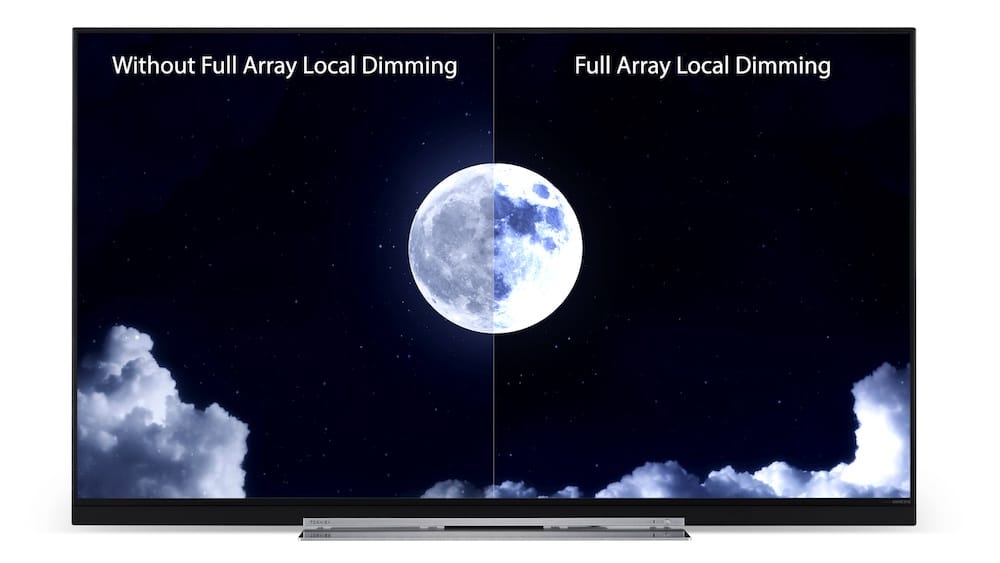
Check Local Dimming
There are three settings for Local Dimming on Samsung TVs, which is another control that affects brightness levels. Select Local Dimming under All Settings > Picture > Expert Settings.
To find the one that works best for you, try sampling Low, Standard, and High. When Local Dimming is set to Low, bright objects on dark backgrounds see reduced halo and blooming. My favorite setting on Samsung TVs is High since it maintains maximum brightness without haloing surrounding images.
After making changes to Local Dimming, you may wish to go back and evaluate if the brightness levels on both SDR and HDR content are adequate.
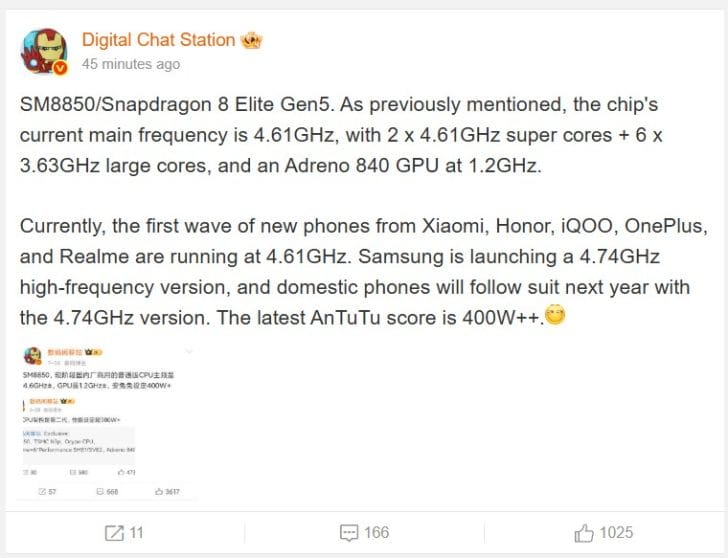
After a while, we discovered that the Snapdragon 8 Elite Gen 2 from Qualcomm might actually be the Snapdragon 8 Elite Gen 5. After a short lull, a new rumor has surfaced that offers some data about the specifications, allowing us to examine the advancements between the two generations more closely—at least on paper—because there is more. We should start investigating this report right away because the whistleblower who supplied these details also stated that the AnTuTu score is purportedly 50% higher what the Snapdragon 8 Elite achieved.
The Digital Chat Station, a Weibo tipster, has returned with some important information on the Snapdragon 8 Elite Gen 5. As its performance cores recorded on Geekbench 6 were 4.74GHz rather than the normal 4.61GHz mentioned in the most recent rumor, it appears that the version tested on the Galaxy S26 Edge was a higher-binned part. According to reports, the efficiency cores are capped at 3.63GHz, and the Snapdragon 8 Elite Gen 5 has a “2 + 6” CPU cluster, just like the Snapdragon 8 Elite.
As for the GPU, Qualcomm will couple its forthcoming flagship SoC with the Adreno 840, with the source adding that its default clock speed is 1.20GHz, making it slightly faster than the Adreno 830’s 1.10GHz speeds. The San Diego company seems to have some latitude in raising those frequencies thanks to TSMC’s third-generation 3nm technology, but how much of a difference will that translate into benchmarks? The Snapdragon 8 Elite Gen 5 allegedly scored over 4 million points in AnTuTu, according to the rumor.
The REDMAGIC 10 Pro, which has a Snapdragon 8 Elite processor, is the quickest Android smartphone according to benchmark leaderboards. The final score for this device was 2,662,615. These numbers will be 50% greater than those of its straight predecessor, assuming the Snapdragon 8 Elite Gen 5’s AnTuTu findings are genuine. Due to an exclusive arrangement with Qualcomm, Samsung will be the only company able to debut the Galaxy S26 series with the quickest flagship out of all the companies anticipated to do so. Stay tuned for additional developments as the chipset maker’s Snapdragon Summit gets underway on September 23. Any elusive specifics will be revealed throughout the event.
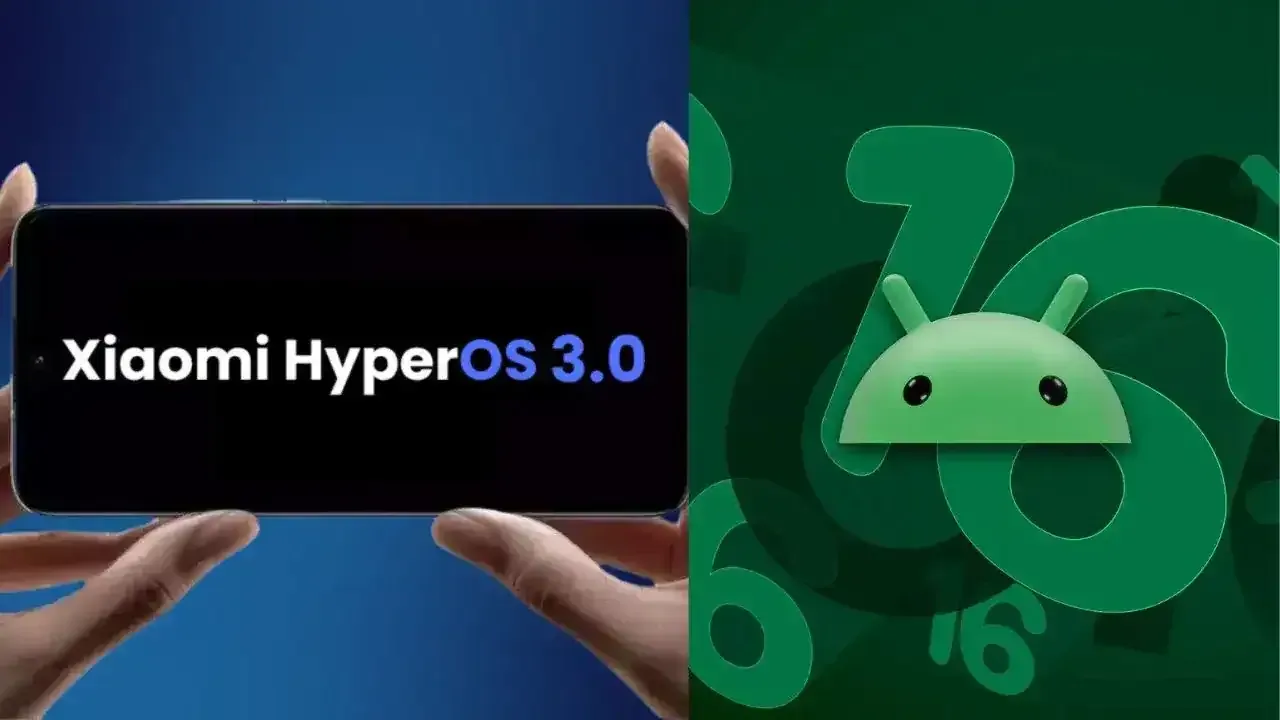
Xiaomi disproved our assumption that the Android announcements for the month were over. With the release of HyperOS 3.0, the company’s most recent version based on Android 16, its mobile devices now include notable functional and visual improvements. The selected models will soon start beta testing, and in Q4, a broader public rollout is anticipated.
What’s New in HyperOS 3.0
HyperOS 3.0 is based on Android 16 and incorporates key enhancements from Google’s most recent Android release. Xiaomi, however, is doing more than just skinning Android; it is also incorporating its own significant features and design modifications into smartphones and tablets.
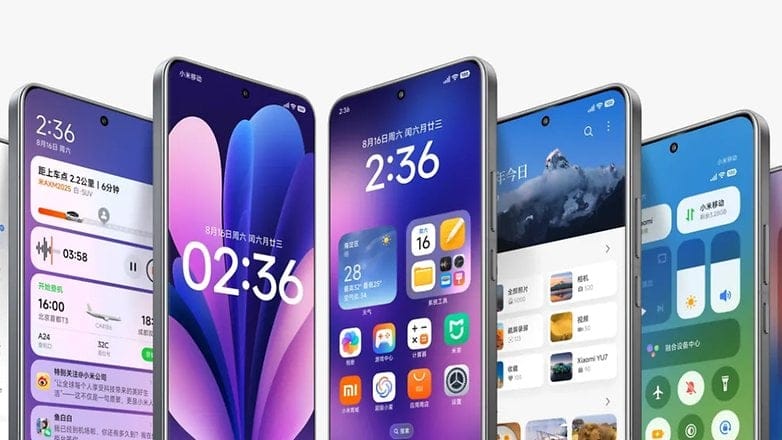
New icons, super island, and a cleaner layout
Simplified app icons that mirror iOS and have square shapes with rounded sides give the UI a new look. A flatter, simpler look is also used for the quick settings and status bar. The dialer app is completely redesigned in China. Whether this will eventually be shipped to the global ROM is unknown.
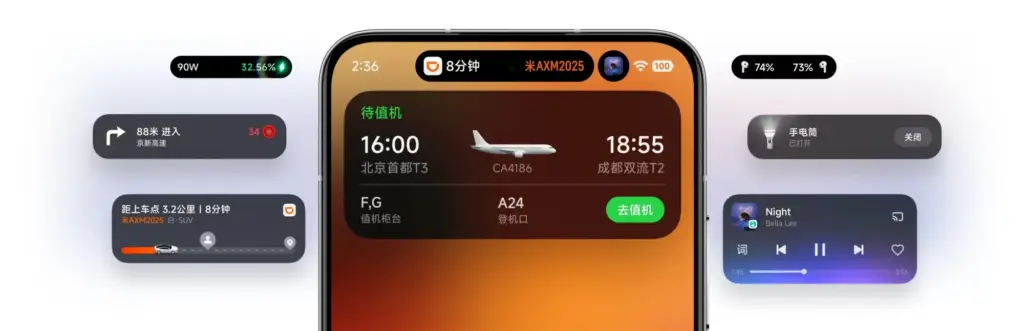
Super Island, Xiaomi’s version of Google’s Live Updates and Apple’s Dynamic Island, is one notable feature. It displays dynamic overlays for media, notifications, and app activity on the front-facing punch-hole region. For more interaction, Super Island allows dragging and expanding, unlike its competitors.
New lockscreen designs, like as animated effects that give still images movement, are powered by AI advancements. Additionally, there are more customizable choices for the home screen.
New Gallery app and upgrades for tables
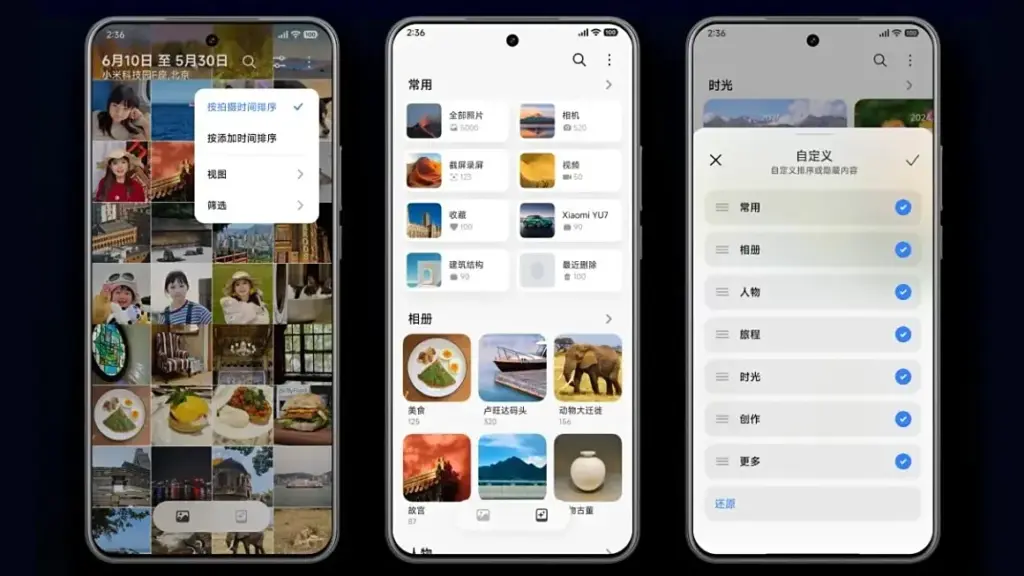
All content, including albums and folders, now have a cleaner look and better search capabilities in the gallery app. Your furry pals’ pictures and videos are automatically arranged with a new pet album feature.
Xiaomi adds adaptive window scaling and improved split-screen management to tablets. Enhancements in ultra-low latency and pressure sensitivity will be advantageous to stylus users.
Significant performance and battery improvements
HyperOS 3.0 offers significant performance improvements in addition to aesthetics. With over 100 new and improved animation effects, Xiaomi promises up to 21% less app latency and smoother system animations.
According to reports, in-game frame rendering uses 9% less energy, video playback requires 10% less power, and gaming performance is 15% faster.
Xiaomi 15 5G
The Xiaomi 15 features a 6.36-inch OLED display with a 1.5K resolution, a 120 Hz refresh rate, and a peak brightness of 3200 nits. The phone is built with an aviation-grade aluminum frame and has a compact design measuring 152.3 × 71.2 × 8.08 mm, weighing 181 g.
Xiaomi has stated that a few smartphones, tablets, and TVs will be available for the public beta, though it hasn’t yet disclosed the complete list of compatible devices. Please be aware that the gadgets on the list are Chinese versions; a different rollout timetable for models that are available worldwide will be revealed later.
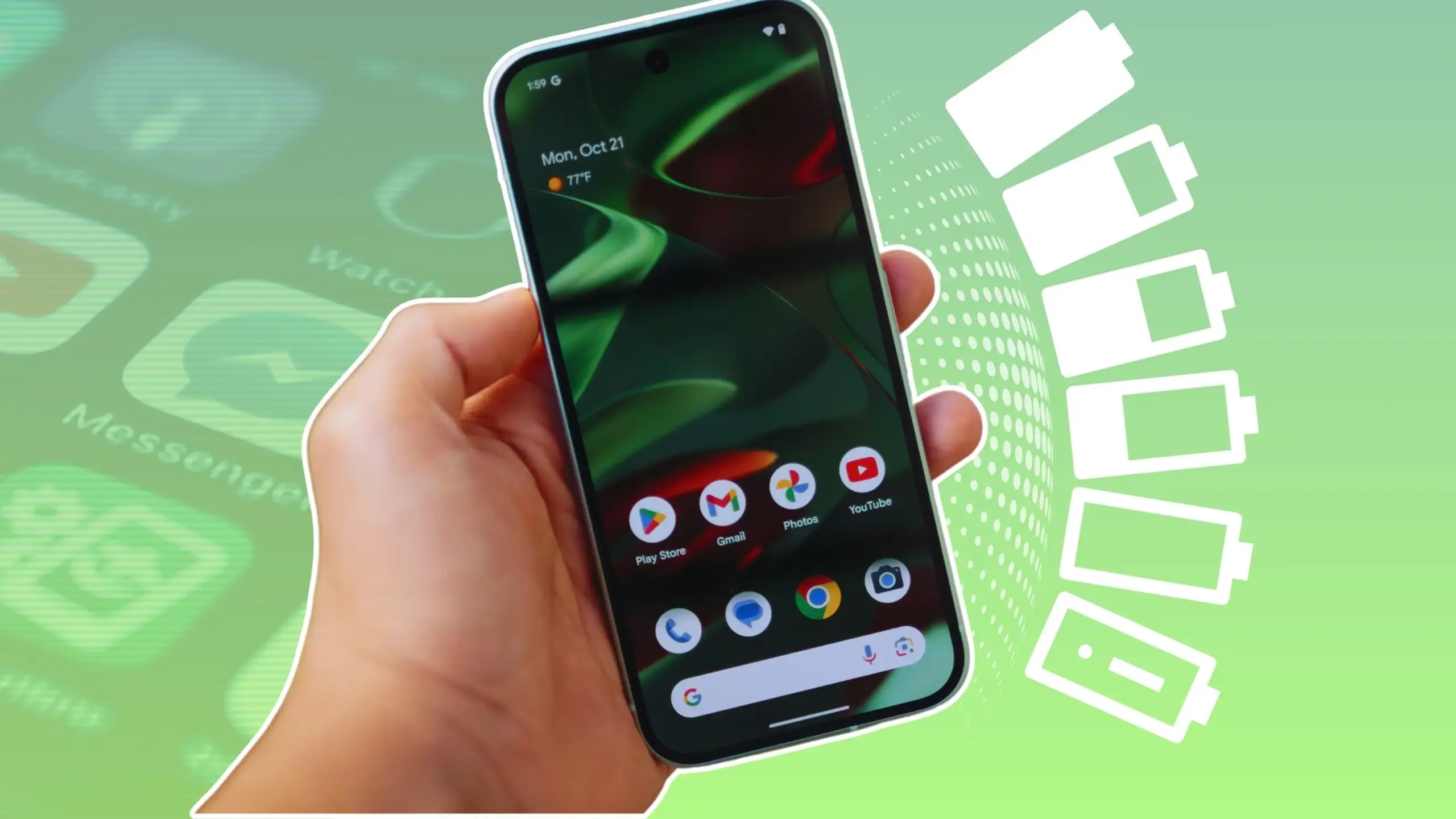
In terms of convenience, smartphones have advanced significantly. You can communicate with your loved ones online using a variety of instant messaging apps, such as Facebook Messenger and WhatsApp. Additionally, with almost every phone release in recent years, there has been an increase in AI-assisted features. These include smart object removal, precise transcriptions, and even the ability to screen and handle incoming calls for you.
The our phones manage and communicate information to us continuously through notifications. Have you received a text on iMessage? On your iPhone, a notice appears instantly. Since leaving an app open all the time would have been the alternative, this is really convenient and, to be honest, taken for granted.
The ability to upload huge files to Google Drive and switch between apps without stopping or terminating the upload is also made possible via background app activity. It’s reasonable to believe that most of the apps on your phone have access to background data given the volume of notifications it receives, but how? When not in use, do all apps burn up the same amount of battery life? Viewing and controlling background apps is really simple in recent iterations of iOS and Android. Here’s how to optimize your phone to extend its battery life.
Android background app management
Android largely divides battery consumption based on three states of an app — foreground app when in use, foreground service that isn’t visible, and background parts of an app. Phones running Android 13 and newer are equipped with a power consumption tracker that monitors and alerts users if any foreground or background service has been consuming more battery than usual.
Pulling down to reach the quick controls for phones running a vanilla Android experience, such as Pixel or Motorola smartphones, will display a list of apps that are now active. Here, you can see how long each background program has been running and use a simple press to end it. By going to Settings > Battery > Battery Usage, you can also see how much battery your apps have been using. Keep in mind that the manufacturer and model of your phone will have a minor impact on the precise menu titles.
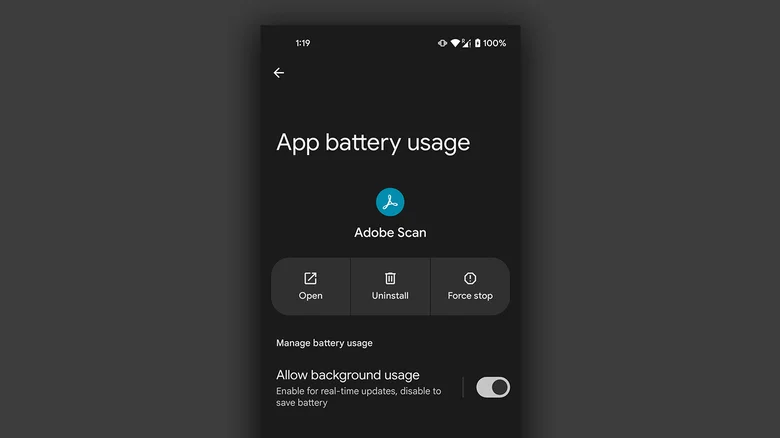
On Android, you can manually disable an app’s background usage if you discover that it has been using excessive amounts of battery power even when it is not in use.
On your Android phone, launch the Settings app.
Navigate to Apps > See all apps, and select the one that has been draining your phone’s battery.
Tap on “App battery usage” and uncheck the “Allow background usage” toggle.
Note that certain services like messaging apps require background activity to function properly and send you notifications in real time.
Managing background apps on iOS
When it comes to power management and app speed, iPhones have generally improved over time, but malicious actors may still consume excessive resources in the background. Although iOS does not alert users when an app is using more battery than is necessary, it does include safeguards against this. This is in contrast to Android.
The “open app to finish upload” prompt may occasionally appear on iOS due to the substantially stricter operation of background services. To see how much battery life your iPhone or iPad has used, go to Settings > Battery and scroll down to see a list of the apps that have used up the most in the last 24 hours. Additionally, you can see how long an app has been running in the background and how well your iPhone’s battery is doing.
If you find a culprit that has been draining way more juice than it needs to, chances are that it has been consuming a lot of resources in the background.
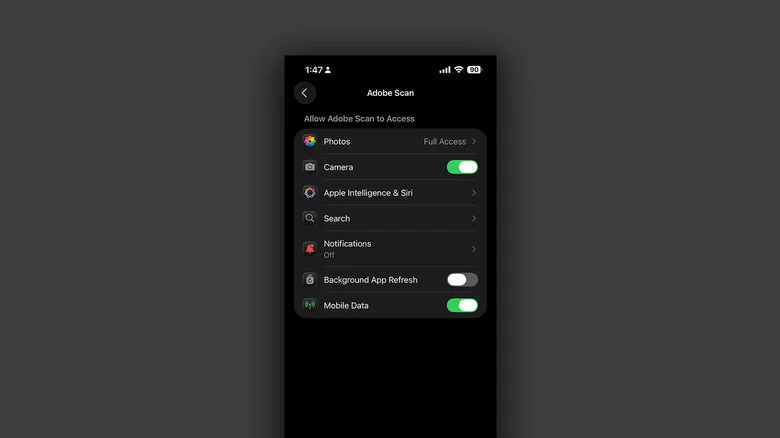
On your iPhone, launch the Settings app.
Navigate to Apps and select the one that has been causing you battery issues.
Tap the “Background App Refresh” toggle to turn it off.
Once more, this will prevent the app from updating data in the background, which is undesirable if you rely significantly on real-time updates from a service, such as location sharing or navigation.
Budget phones in 2025 are more powerful, stylish, and feature-packed than ever before. No longer just basic devices for calls and texts, today’s affordable smartphones offer high-refresh-rate displays, capable cameras, long-lasting batteries, and 5G connectivity—all at a fraction of flagship prices. Whether you’re looking for a reliable daily driver or a backup device that doesn’t break the bank, the 2025 budget phone market delivers impressive options that punch well above their price point.
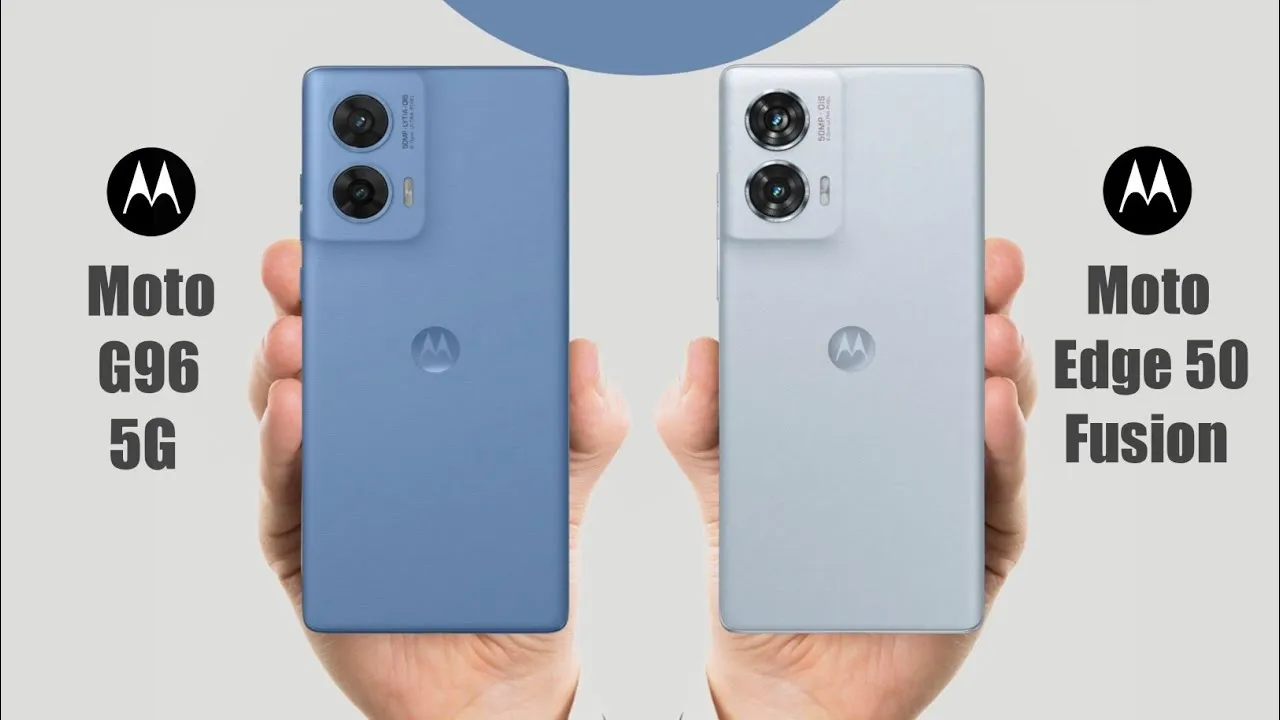
Motorola is renowned for producing high-quality, reasonably priced, mid-range phones with a ton of features. The Motorola Moto G96 and Moto Edge 50 Fusion are two of its most well-liked competitors in 2025. For consumers searching for affordable options, both phones are great options. Let’s see which one really sticks out in 2025 in this blog.
Specs
Before delving into the features of the Motorola Moto G96 and Moto Edge 50 Fusion, let’s take a quick glance at the specifications:
Specs
Moto G96
Moto Edge 50 Fusion
Display
6.67-inch Full HD+ Display
6.7-inch Full HD+ Display
Processor
Snapdragon 7s Gen 2
Snapdragon 7s Gen 2
Battery
5500mAh
5000mAh
Storage Variants
8GB/ 128GB; 8GB/ 256GB
8GB/ 128GB; 12GB/ 256GB
Rear Camera
50MP + 8MP
50MP + 13MP
Front Camera
32MP
32MP
Starting Price
around $210
around $220
Design
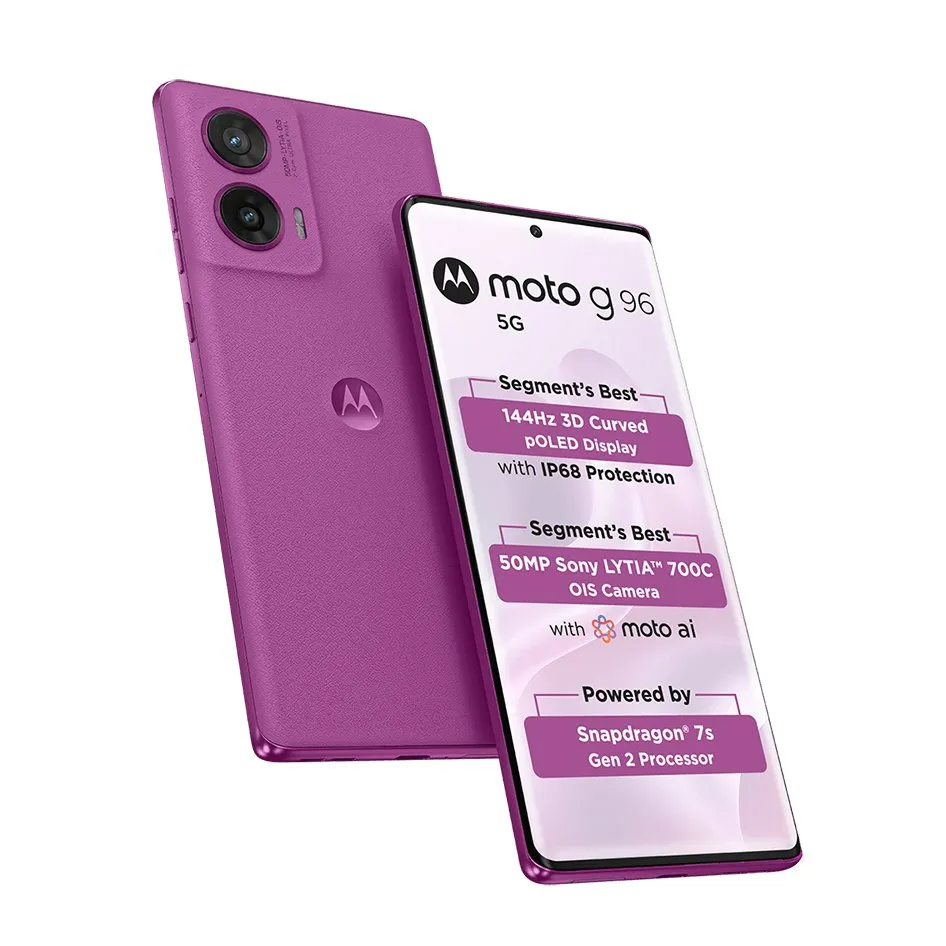
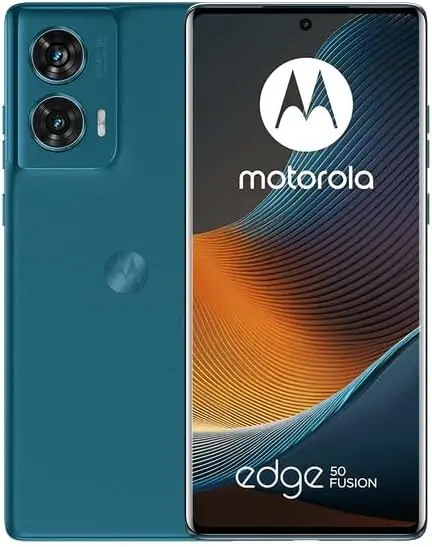
With their sleek shapes, curved screens, and bright OLED panels, the Motorola Moto G96 and Moto Edge 50 Fusion both have high-end finishes and looks. A 6.67-inch Full HD+ curved pOLED screen with a refresh rate of 144 Hz and HDR10+ for vibrant images is a feature of the Motorola Moto G96. A slightly larger 6.7-inch Full HD+ pOLED screen with a refresh rate of 144 Hz is featured on the Moto Edge 50 Fusion. Both are vibrant, sharp, and perfect for streaming or gaming. The Moto G96 has a minor advantage if you like a somewhat more contemporary, curved design.
Performance
Regarding the processor, the Snapdragon 7s Gen 2 is found in both the Motorola Moto G96 and the Moto Edge 50 Fusion. However, the Moto Edge 50 Fusion comes with Android 14, while the Moto G96 comes with Android 15.
With the newest Android and extended software support, the Moto G96 has the advantage of being more recent. Both are adept at handling everyday chores, gaming, and multitasking.
The Moto G96 has a huge 5500mAh battery that supports 68W rapid charging. Despite having a somewhat lower 5000mAh battery, the Moto Edge 50 Fusion has a 68W rapid charging capability.
Therefore, choose the Moto G96 if you want the longest battery life.
Camera
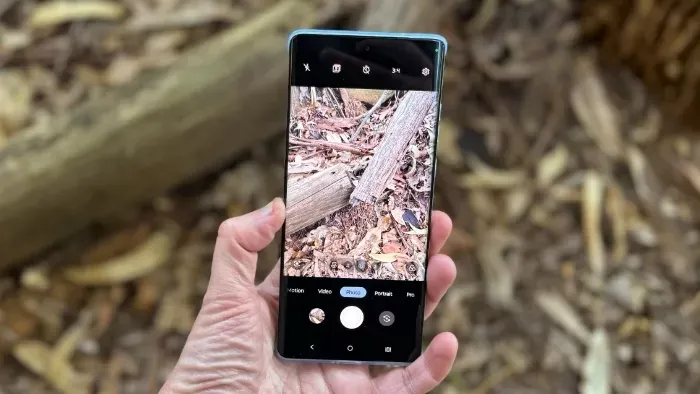
The 50-megapixel rear camera with OIS on the Motorola Moto G96 and Moto Edge 50 Fusion ensures steady and sharp images. Speaking of another lens, the Moto Edge 50 Fusion has a somewhat superior 13-megapixel camera than the G96, which has an 8-megapixel one. Both phones include a 32-megapixel camera on the front. The Edge 50 Fusion is superior for people who value wide-angle photography and a little more versatility.
Price
The Moto G96 and Moto Edge 50 Fusion are priced at $210 and $220, respectively, at launch. In terms of specifications, the Edge 50 Fusion has slightly more RAM and better cameras, while the G96 has a little superior battery and software at a lesser cost.
Which one should I buy?
That concludes the comparison of the Motorola Moto G96 and Moto Edge 50 Fusion. Both phones are fantastic, reasonably priced devices with good features. In any case, you’re getting a wonderful low-cost phone in 2025 that offers excellent value and performance. However, the Moto G96 is a better choice when looking at total features.
Feature
Best Pick
Design & Display
Moto G96 (for curved look)
Performance & Software
Moto G96 (newer Android)
Battery & Charging
Moto G96 (bigger battery)
Cameras
Edge 50 Fusion
Value for Money
Moto G96
Stay connected with the latest from Droid Tools—follow us on X @droid_tools, like our page on Facebook, check out our updates on Instagram, and follow us on Google News for real-time news, device tips, and mobile tech insights.
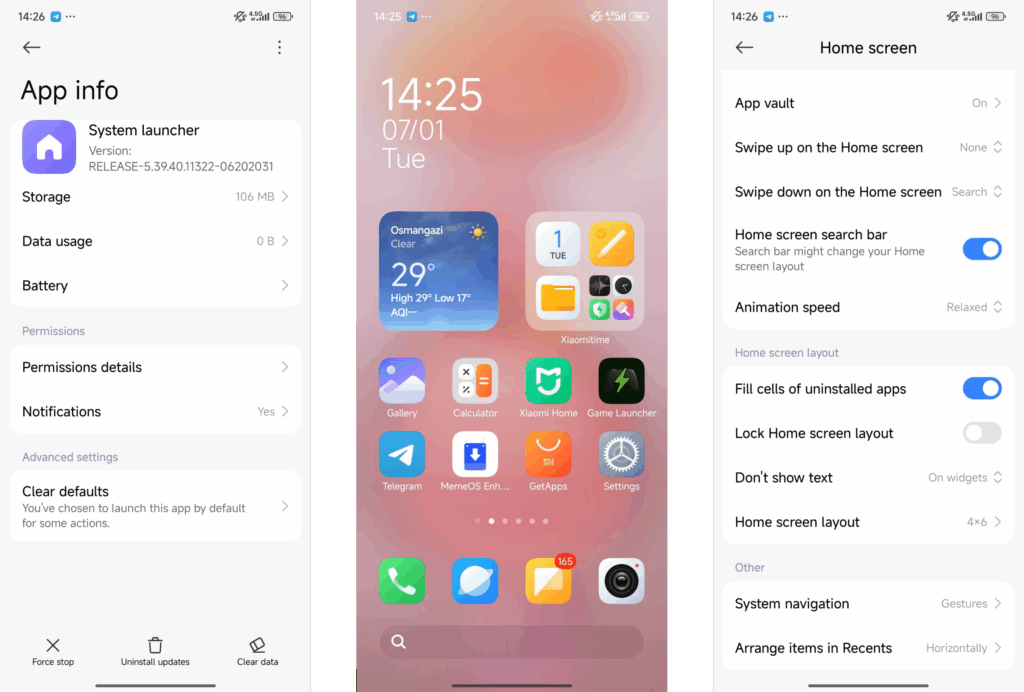
A new version of the HyperOS 2.2 launcher, RELEASE-5.39.40.11322-06202031, has been released by Xiaomi. Although this version doesn’t have any noteworthy improvements, it’s nonetheless crucial because its main goals are system speed optimization and stability enhancement. These maintenance releases are essential to Xiaomi’s continuous dedication to user pleasure and a smooth experience throughout their ecosystem, as the firm has millions of users depending on its platform every day.
his update is all about improving the fundamentals. The HyperOS launcher, which serves as the main interface for all Xiaomi devices running the latest firmware, is now running smoother thanks to:
Greater system stability and fewer crashes
Improved memory management for enhanced multitasking
Smoother animations due to optimized resource allocation
Several bug fixes targeting launcher-related issues
Better compatibility with third-party apps
These adjustments help ensure the user interface remains responsive and reliable, especially for those using older Xiaomi devices.
It’s easy to update. Users can update via the built-in system updater or by downloading the APK if they would rather install it manually. The MemeOS Enhancer app on the Play Store offers extra tools for system app administration and update access for professionals who are in charge of several devices or who are searching for more sophisticated features.
Performance benefits for HyperOS 2.2 Launcher
Several performance snags noted in earlier releases have been fixed in this upgrade. Users should anticipate a discernible improvement in system responsiveness overall, as well as quicker home screen loading and seamless app transitions. In commercial settings, where device efficiency and dependability are non-negotiable, these enhancements are especially beneficial.