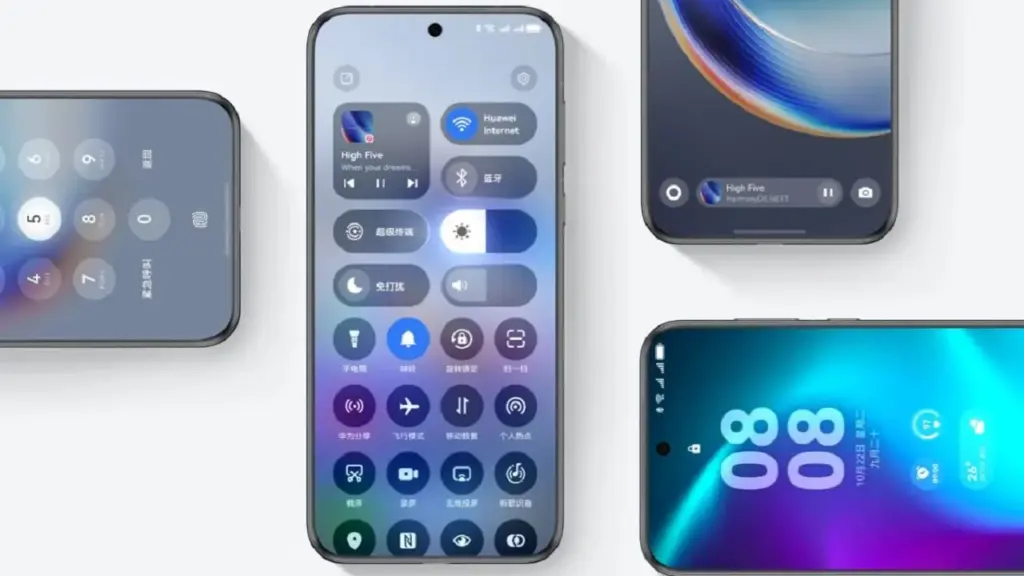
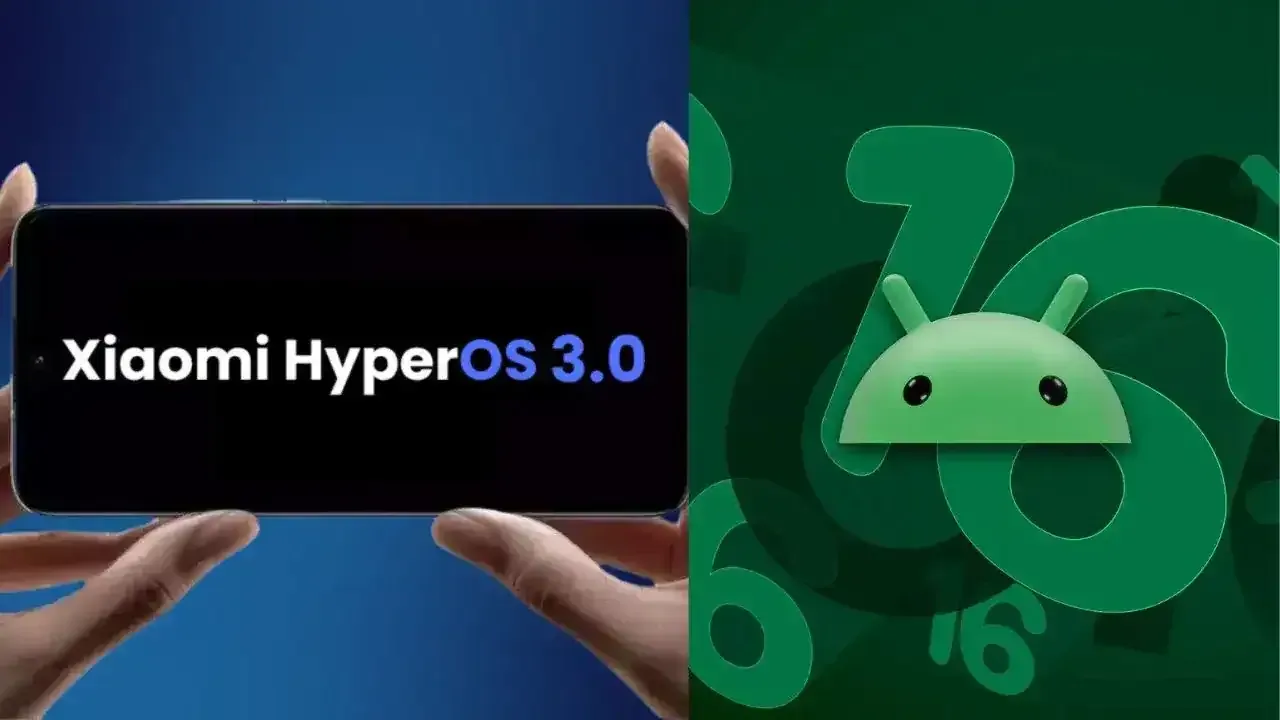
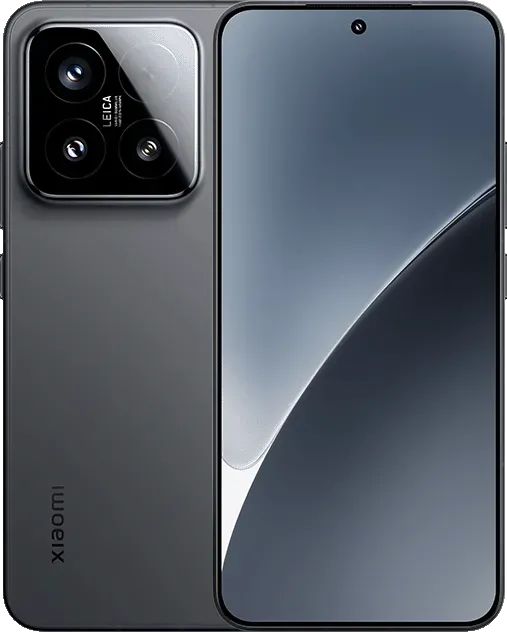
With HyperOS 4, Xiaomi intends to make significant changes. The old MIUI code is entirely removed by the business. The system becomes more stable and quicker as a result. In August 2026, HyperOS 4 will be available. It turns into the initial “Zero-Legacy” version.
In HyperOS 3.1, Xiaomi begins to clear up outdated code. The MIUI SDK is eliminated from the Weather and Gallery applications. All legacy code from MIUI 1 to HyperOS 3 is removed. The system eliminates outdated dependencies and sluggish function calls. A new operating system is produced as a result. It decreases bugs and increases speed.
Key changes:
Removes MIUI backward compatibility layer
Uses only HyperOS SDK in all modules
Deletes over 10 years of old code
Makes updates faster and more stable
HyperOS 4 brings high-performance apps with Flutter and Rust
Xiaomi uses Rust and Flutter to rework key apps. The Weather app on HyperOS 3.1 checks this. These tools are extensively utilized in HyperOS 4. UI is made fluid via Flutter. Rust improves safety and speed. Versions of new apps are not available to older HyperOS users. This eliminates older phones’ backward compatibility.
Key features:
Flutter for standard UI rendering
Rust for secure and fast core code
Modular apps that update independently
Better stability on all devices
Small improvements are made to flagship phones. Large speed increases are seen in low-cost phones. Xiaomi resolves outdated code issues. The most stable experience in Xiaomi history is what it promises.
The open-source HarmonyOS and Euler operating systems have seen quicker developer growth in China, according to the OpenAtom Foundation.
The OpenAtom Foundation is China’s first open-source software foundation, having been founded in 2020. From the start, Huawei has been a major supporter to the foundation. The business created OpenHarmony, an open-source HarmonyOS and Euler operating system, and gave the foundation the openEuler source code.
According to Cheng Xiaoming, Chairman of the OpenAtom Foundation, there are 2.27 million active open source developers and over 3 million active open source projects in China. These programmers are producing a wide variety of open-source programs and software.
OpenAtom foundation
Additionally, it is disclosed that Chinese developers are at the forefront of open source AI models, such as DeepSeek and Qwen, outperforming their competitors in the worldwide market. By 2025, a 25% global market adoption rate is anticipated for the open source hardware designs embodied by RISC-V.
The upcoming generation of AI computing power systems will be led by open source RISC-V. The open-source HarmonyOS and Euler have achieved the Graduation milestone, according to the OpenAtom Foundation.
An open-source project’s graduation represents its overall maturity in terms of technological iteration, community governance, and ecosystem development, and it is an important milestone in its operation.
Graduating projects will have a significant impact on industry innovation and technological advancement in addition to having strong vitality and sustainable development capabilities. They will also generate more value for developers and consumers worldwide. Graduating projects continue to play a significant role in the Foundation’s environment.
The HarmonyOS 6.0 Beta has been installed over 3 million times in a single day, according to Richard Yu, Chairman of the Huawei Consumer Business Unit. Before its formal release, the new software version has already broken all previous records.
Today, Richard Yu sent a letter via the Xinsheng Community to his staff. It highlighted some significant developments in Huawei’s software and hardware over the last several months.
HarmonyOS 6 Next coming
This year, Yu emphasized its software development in particular. As of October 22, 2025, the rollout, which began with HarmonyOS NEXT, has more over 23 million installs.
In spite of dire conditions, the company has emerged victorious, as seen by this hit situation. In order to match consumer expectations, he described the process of developing the company’s first operating system.
According to the chief, HarmonyOS 6 is even more significant because it set a new record in the software industry by completing 3 million installations in just one day.
HarmonyOS is not just something made, it’s something used! HarmonyOS 6 received 3 million upgrades within 24 hours of its release, setting a new record for upgrade speed!
AI-powered one-tap video production, family-based fraud detection, dynamic and entertaining themes, and tap-to-share are just a few of the new version’s many noteworthy features.
In order to secure a third of the smartphone OS market, Richard stated that the next stage is to swiftly reach 40 million, 60 million, and even 100 million user coverage in the next months. The executive went on to say:
We must remain true to our original aspirations, focus on user experience, and truly practice our ecosystem culture. […] Each of us can contribute a brick, and together we will build the Great Wall of the HarmonyOS ecosystem! When the mountain flowers bloom, we will raise a glass to celebrate our victory!
Oppo’s ColorOS is the operating system that has produced the most feature-rich Android skins. The user experience is now significantly enhanced by the AI tools. Now, Oppo users are looking forward to the release of ColorOS 16. The most recent version of Android 16 will serve as its foundation. More efficiency, more features. This post will be helpful if you are currently considering an Oppo phone, such as the forthcoming Find X9 series. Additionally, this post will assist you in determining whether your current Oppo phone is eligible for the update. Let’s dissect all the information we require.
ColorOS 16 release date and rollout
On October 15, 2025, the ColorOS 16 was most recently announced worldwide. It will make its debut alongside the upcoming Find X9 series. Regarding the current devices, they will also progressively get the update. For devices like the Find X8 Pro, beta versions have already begun to roll out in a number of countries, including Malaysia, Indonesia, and India. Most likely, the stable update will be released on October 30, 2025. However, it won’t be accessible in India right away. It will be initially applied to China’s flagship gadgets. In India, the first stable ColorOS 16 upgrade is anticipated in Q1 2026.
Therefore, in order to avoid the wait when purchasing a new phone, opt for models that come pre-installed with ColorOS 16.
ColorOS 16 Features
We may claim that the core of Oppo’s ColorOS 16 is “Smart & Smooth” performance. Thus, anticipate speedier daily tasks, simpler multitasking, and assistance for content production. This may indicate that you should get an Oppo cellphone running ColorOS 16 if you want AI integration and smoothness over standard Android.
Performance
Oppo has concentrated on creating a sense of instantaneity in interactions. This one also uses ColorOS 15’s Parallel Animation, albeit with a minor improvement. Seamless Animation is a new feature in ColorOS 16. Here, your touch point is the natural starting point for gestures and app transitions.
It is powered by some important technology, such as:
Luminous Rendering Engine: Renders visuals in parallel for lag-free animations.
Trinity Engine: Optimises resources for gaming and heavy tasks.
Tide Engine: Reduces power use (by 13%) and lowers temperature (by 4.1°C).
Overall, we get faster boot times, smoother app launches and scrolling, and quicker tap responses.
Ai integration
Whether you agree or not, AI has made a significant impact. incorporating time-saving and productivity-boosting tools? Bring it on! If you use your phone for artistic or professional purposes, it will be ideal.
AI One-Tap Flash Note: Captures and organises notes from documents, videos, or bills. Also, summarises videos into chapters and automates expense tracking.
Xiaobu AI Assistant: Offers personalised briefings (weather, tasks, news). Suggestions based on your habits, real-scene dialogues via voice/gestures. Gives portrait lighting for better photos.
Productivity suite: AI Recording for transcriptions, AI Writing for drafts (emails, docs), AI Notes for templates. There’s handwriting conversion, and AI Calendar for task timelines too.
ColorOS 16’s AI improvements are its highlights. Anyone who believes that these AI tools may simplify their life by taking care of routine duties ought to give this operating system a try.
Additionally, there are some similarities to Google’s Gemini integration. The only difference is that this one is customized for the Oppo environment.
UI and Customisation
An OS’s user interface and degree of customization reveal a lot about it. Natural light and shadows served as inspiration for the ColorOS 16. Gradients, halos, and glows are used in the design to create a simple, intuitive appearance.
The notable ones are as follows:
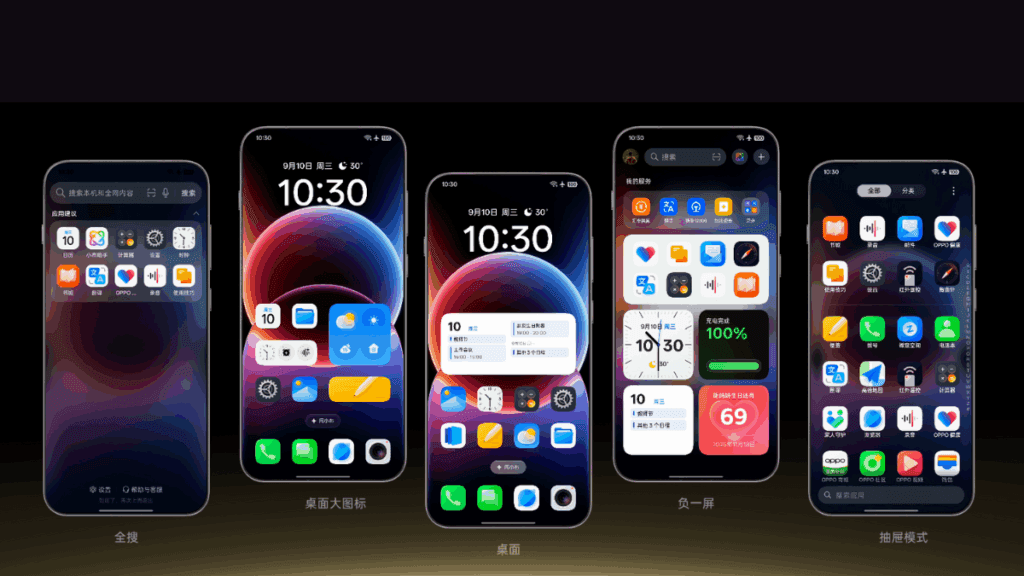
Flux Home Screen: Resize icons, folders, and cards dynamically. The layout adapts with fluid animations.
Full-Screen AOD: View your wallpaper with key info on the always-on display.
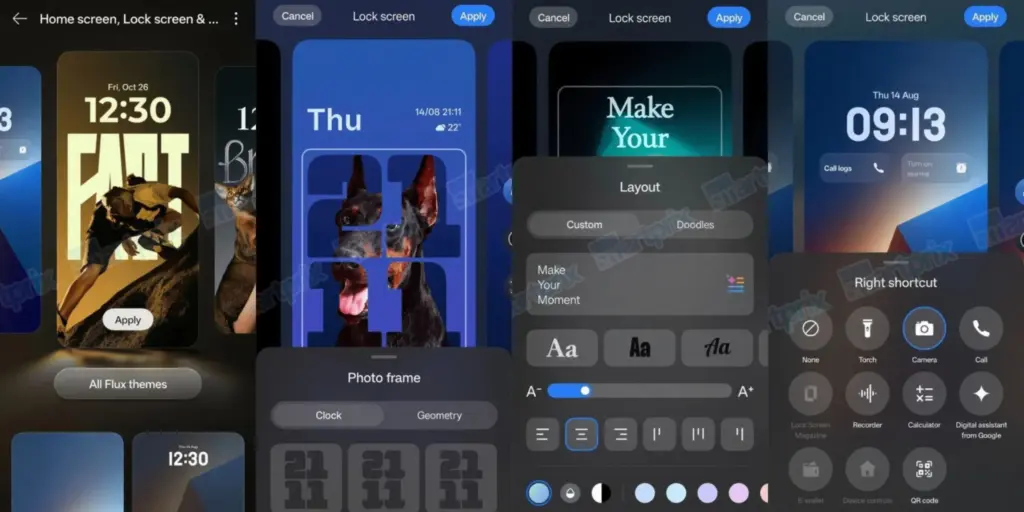
Personalisation: AI-generated themes, animated wallpapers from static images, and auto-matching icon colours.
Compared to many other competitors, these alternatives offer greater versatility if you enjoy playing with the look of your phone.
Photo and Video Editing
For people interested in photography, ColorOS 16 upgrades the Photos app with:
AI Portrait Glow: Enhances low-light portraits by optimising skin tones.
Other AI tools: Eraser, Unblur, and Reflection Remover.
Video editing: Master Cut for trimming, music, filters, and adjustments.
For those seeking effortless photography, some enjoyable settings include slow-motion effects, live collages, and collections of human and pet photos.
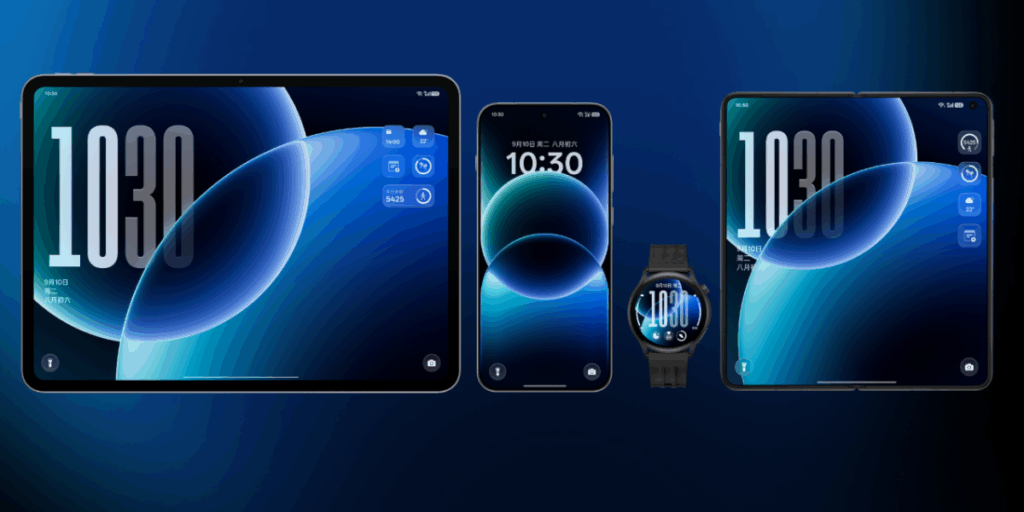
Cross-Device Connectivity
Seamless integration across ecosystems is a highlight:
O+ Connect: Manage files and remote control between phone, Mac, or Windows PC.
Screen Mirroring: Cast up to five apps and control with a mouse/keyboard.
One-Tap Share: Transfer docs, notes, and more, including health data from Apple Watch.
Additional benefits include PC-level WPS Office, vehicle connectivity, customizable control center, and floating windows for multitasking.
There will still be seamless connectivity between your various devices if you have a mixed Apple/Android configuration.
Find N3 series Find X7 series Reno14 series Reno13 series Pad 4 Pro Pad 3 Pro OnePlus 12 Ace 3/5 series Pad Pro
December 2025
Find N2 series Find X6 series K13 Turbo series OnePlus 11 Ace 2 series
Q1 2026
Find X5 series Reno12 / 11 / 10 / 9 series (select models) K13 / K12 series Pad 3 / 2 / SE OnePlus 10 Pro Pad series
Your device might not get ColorOS 16 if it isn’t listed (for example, if it’s older than Find X5 or Reno9). If you truly enjoy them, you might want to upgrade to the newest features.
ColorOS 16 vs ColorOS 15
Since the current OS update isn’t that old, many people wonder if it’s worthwhile to upgrade to the next one. Check out the distinctions between ColorOS 16 and its predecessor ColorOS 15 if you’re experiencing the same confusion:
AI One-Tap Flash Note, Xiaobu (Briefing, Dialogue, Lighting), AI Writing/Notes/Calendar
AI Editor (Clarity, Eraser), AI Toolbox, Gemini Integration
UI Customisation
Flux Home Screen, Full-Screen AOD, AI themes
Aesthetic upgrades, smoother icons/widgets
Performance
Tide Engine (13% less power), Project Breeze for entry-level
Snappy responsiveness, fluid multitasking
Cross-Device
O+ Connect (Mac/Windows), 5-app mirroring
Touch to Share (iOS), basic multitasking
Photo/Video
AI Portrait Glow, Master Cut
AI Eraser/Unblur, basic editing
For deeper AI and efficiency advantages, especially on older hardware, ColorOS 15 is a worthy upgrade.
Every Oppo user has been waiting for ColorOS 16’s level of novelty. It combines customization, AI tools, and performance in more than subtle ways. Because of this, it is an appealing option for upgraders or new purchasers. For the complete experience, think about smartphones like the Find X9 if you’re in the market. Or upgrade your current gadget to make it last longer. Keep checking back here for more information about devices that qualify.
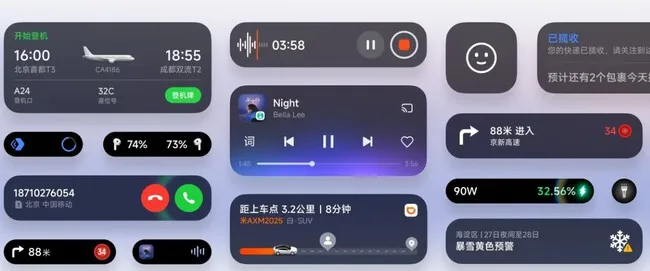
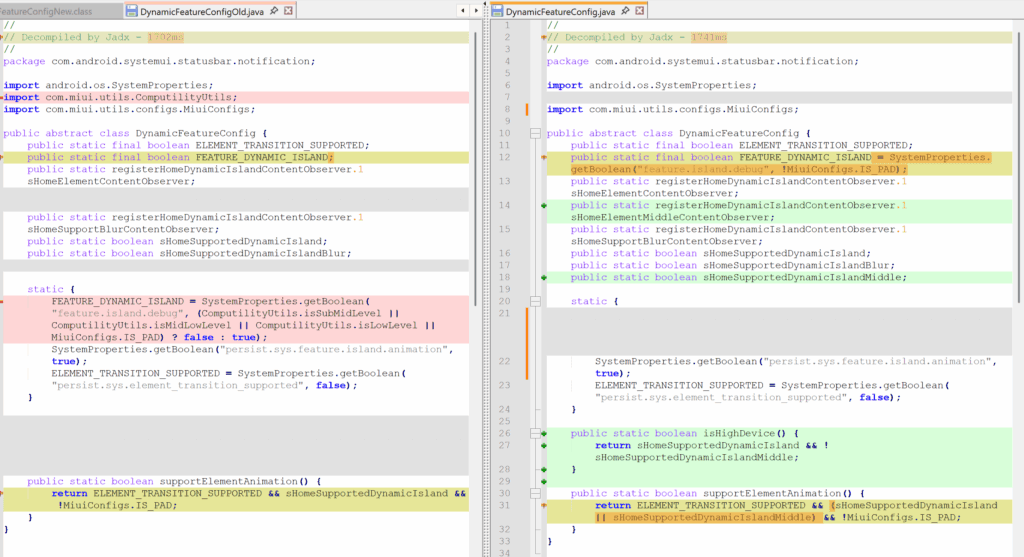
By removing internal limitations in the most recent HyperOS 3 Beta version, Xiaomi has expanded access to its “Hyper Island” feature, which was previously only available for flagship models. All Xiaomi, Redmi, and POCO devices—including tablets and entry-level smartphones – can now use Hyper Island thanks to this upgrade. In an effort to be more inclusive throughout its product line, the business removed device-specific tags (such IS_PAD and isLowLevel) that had previously restricted interoperability.
What is Xiaomi Hyper Island?
Xiaomi‘s integrated notification and background activity control interface, Hyper Island, is located at the top of the screen and was inspired by Apple’s Dynamic Island. Although the functionality was initially designed for high-performance devices, recent advancements have made it possible for it to function properly on devices with less powerful hardware.
This change is in line with Xiaomi’s overarching plan to encourage uniformity and feature parity throughout its network of devices. Xiaomi hopes to improve customer satisfaction and device durability inside the HyperConnect ecosystem by offering flagship-level user interface experiences on more reasonably priced products.
However, the Island can function without animations on certain devices.
Hyper Island with the most recent update will be immediately sent to those that take part in the HyperOS 3 Beta program.
Xiaomi’s continued dedication to providing a consistent and all-encompassing user experience across all device categories is in line with this progress.
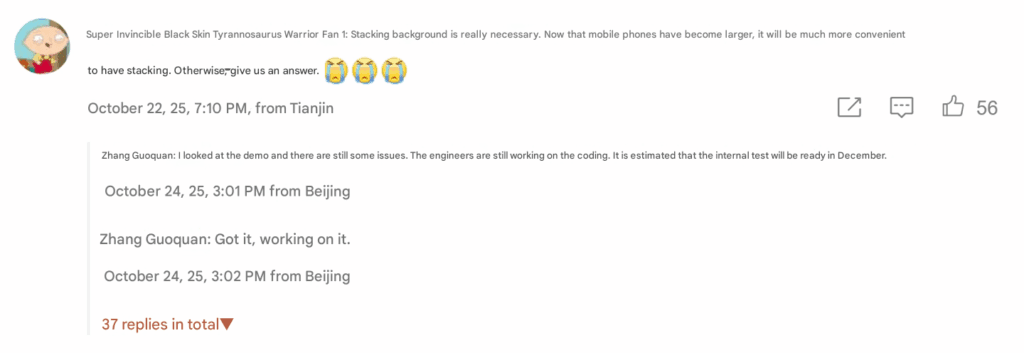
Zhang Guoquan, the director of mobile software for Xiaomi, has stated that the business will start testing the layered background interface in HyperOS internally in December. This impending update will improve Xiaomi phones’ multitasking capabilities by providing a more user-friendly and aesthetically pleasing background management experience. Through Zhang’s interactions with Weibo users, the functionality was made public, demonstrating Xiaomi’s ongoing dedication to enhancing the real-world user experience using HyperOS, the company’s unified operating system.
A Xiaomi devotee responded in a Weibo debate by calling for the inclusion of a stacked background interface, particularly given the larger screens of modern smartphones that necessitate more fluid multitasking capabilities. Zhang Guoquan replied, “Received, working on it,” to the comment. He then added that the functionality is currently in the demonstration stage but still undergoing optimization. The code is now being finished by programmers, and internal testing is expected to start in December.
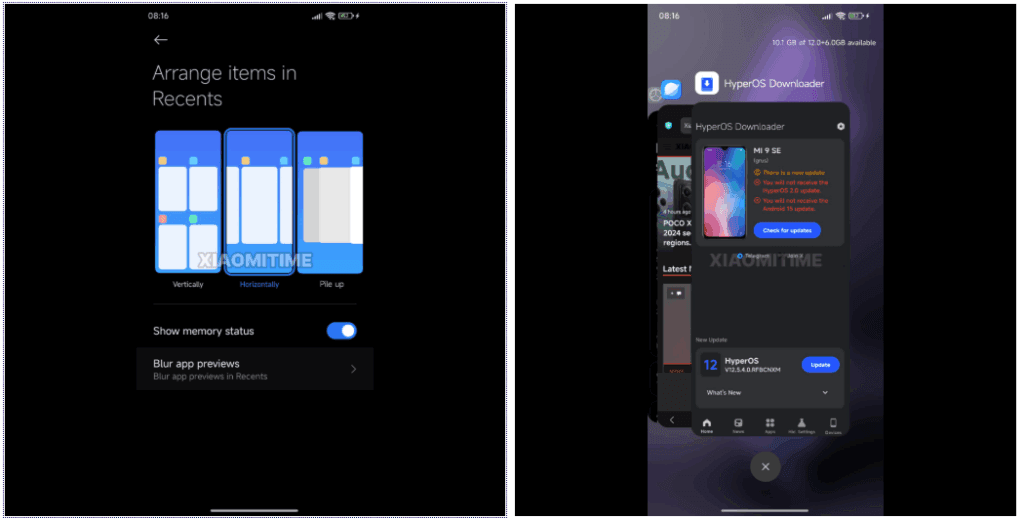
Stacked Background Interface?
Users can see running apps as a deck of cards arranged on top of each other, from largest to smallest, depending on which card is accessed first thanks to the stacked background interface. Similar to the multitasking interfaces found in webOS (2009) and later in Apple’s iOS 9, users can swipe up to close apps or left or right to navigate between them.
In place of conventional grid-patterned task lists, this structure provides an interactive and spatial method of managing applications. It makes it possible to maximize screen real estate, which is particularly helpful on devices with large screens like the Xiaomi 15 Pro and Xiaomi Pad 7.
Originally developed in webOS, stacked multitasking was first used on phones like the Palm Pre, which also popularized features like wireless charging and gesture navigation, which are now commonplace on the majority of contemporary smartphones. This kind of multi-application management became popular once Apple adopted the UI in iOS 9.
With HyperOS, Xiaomi appears to be bringing back these antiquated ideas while modernizing them with fluid animations, AI enhancements, and improved performance scaling.
It is anticipated that the stacking interface will be included in HyperOS’s 2025 upgrades, maybe in the feature package that comes after HyperOS 3.1. When public testing starts, Xiaomi customers should anticipate smoother animations, more fluid multitasking, and better use of display real estate. These features are in line with Xiaomi’s overarching goal of using Xiaomi HyperConnect to build an intelligent, connected user ecosystem.
The first thing you should do if your Android phone has become sluggish is to wipe off its storage. Here are some tips for speeding up your outdated Android phone if you’re not sure where to start.
Delete unused apps
Phones can accumulate a large number of unused apps over time, leaving your device looking crowded. You may have used an outdated photo editing app or a QR scanner app from a restaurant on your previous trip. Uninstalling these apps is the best way to free up space on your Android phone.
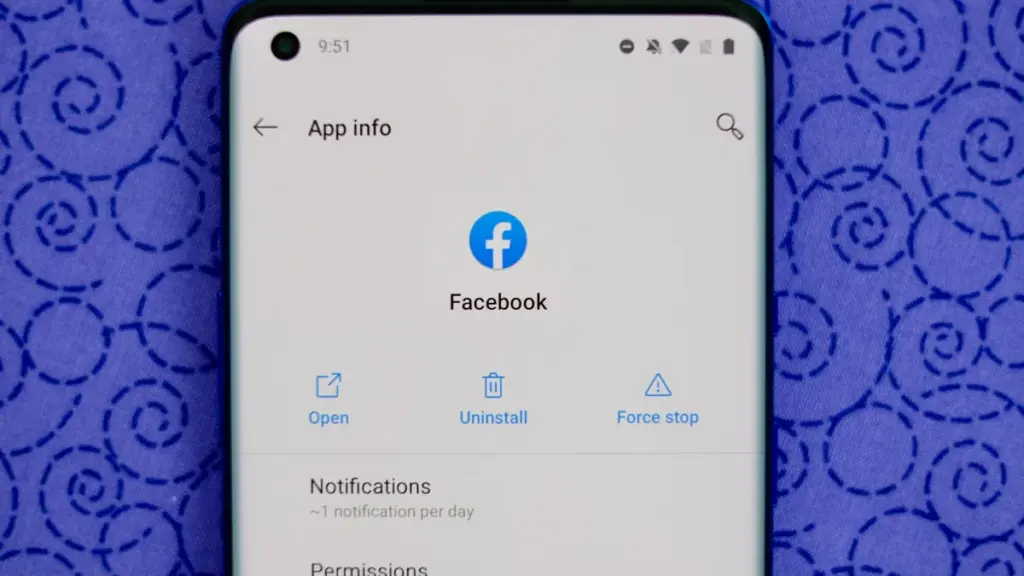
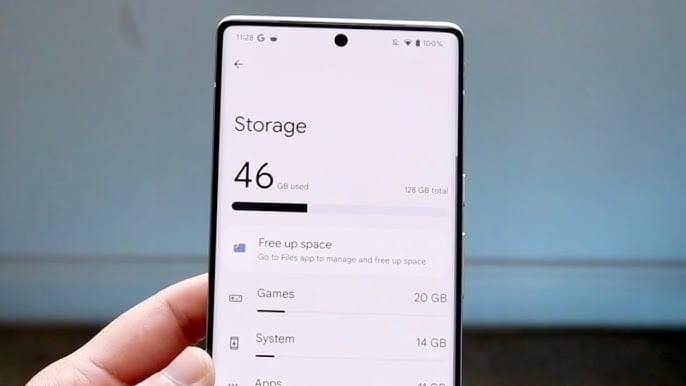
Because your Android phone won’t have to spend resources on apps that aren’t being used, decluttering it can speed it up. Removing these APKs will improve resource management and make your phone quicker. To view the list of installed apps and remove those you no longer require, navigate to Settings > Storage > Apps. You may also long-press on these forgotten apps on the app screen to get App Info > Uninstall.
Clear storage
Files and long-forgotten pictures of school notes are just two examples of the trash that accumulates on old Android phones. Following the removal of unnecessary apps, you should try to free up space on your Android phone by browsing through the stored files and images.
To see what’s saved, open the File app on your phone. The majority of garbage, including long-forgotten PDF files, images, etc., is frequently found in the Downloads folder. You should check two more areas to make sure the storage is clear.
Offload photos from your phone and save them to an external drive or the cloud. This helps create a backup of your memories and clear space on your old Android phone.
Clear the app cache. For the unaware, cache is bits of data that an app saves so it is quicker to operate the next time you open it. I recommend clearing the cache for less-used apps with no saved login information. You can go to Settings > Storage > App > Clear Cache to save more space.
Check for updates
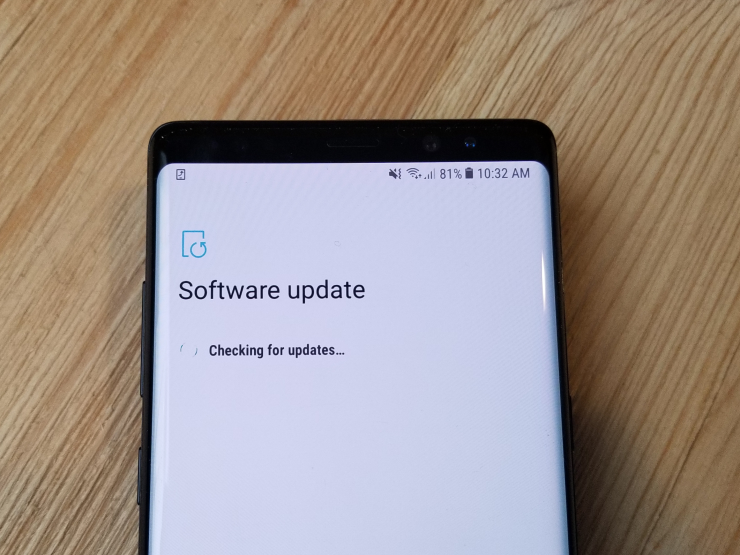
Verify that the operating system on your Android phone is up to date. Updating it will install the most recent security procedures and make it snappier. To verify and install the most recent software version, navigate to Settings > General > System Update.
After updating your old Android phone to the most recent OS version and removing the uninstalled apps, you should update the remaining apps from the Google Play Store. To get the newest features, enhanced security, and faster performance, it’s critical to utilize the most recent versions of these programs.
Adjust the animation speed
A few features, such as Developer options to alter the animation speed, can be enabled or disabled to make your phone feel faster. This can make your phone feel much faster, but it’s a little trickier than the other settings discussed above.
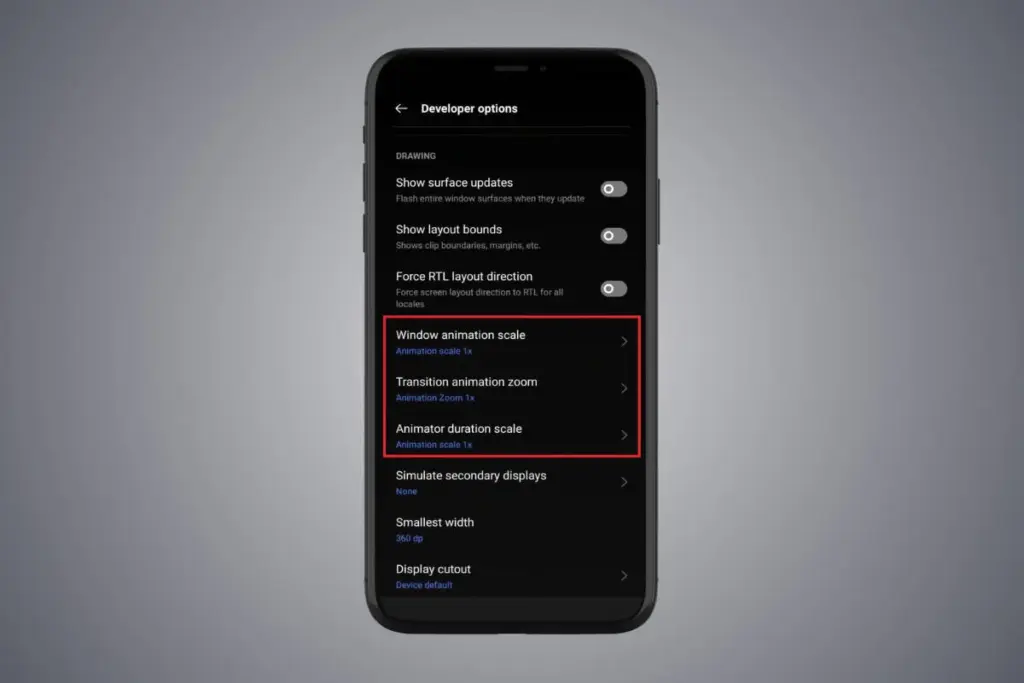
Go to Settings > About phone > Tap on Software details >, then tap your Build number seven times to enable Developer options. You should now be able to access various animation scale parameters as this should activate the Developer options.
Next, locate the Window animation scale by scrolling down in the Drawing section of the Developer settings. To make apps and window pop-ups run faster, tap on it and adjust the animation to 0.5x.
To reduce the speed at which you move between home screen panels and within apps, you may also change the Transition animation scale. Additionally, reduce the Animator duration scale to speed up typical UI motions like unlocking the phone and opening and closing apps.
You may breathe fresh life into your aging Android phone by adjusting these settings. After adjusting, it ought to feel quicker and have more zip when performing daily tasks. If you want to give it a refresh, I recommend tinkering around with your home screen, changing the wallpaper, and modifying extra settings to help it stay longer.
OxygenOS 16, based on Android 16, will be a major upgrade for OnePlus devices, expected to bring tons of enhancements, new features, and visual changes throughout the system. The Android 16 beta has been available to select OnePlus phones since April, and now it appears that the stable release of OxygenOS 16 is around the corner. So, if you have a OnePlus device, here’s what you need to know and what to expect.
When the stable release will be pushed to public?
This year, Google released Android 16 more quickly than normal. The new operating system upgrade was made available to qualified Google Pixels in June. Although we had anticipated a speedier release from other Android companies as well, the stable release is taking a long time to arrive.
However, earlier this year, OnePlus was among the first companies to release the Android 16 beta. The second and third betas for the OnePlus 13 were released in April and May, respectively, omitting the first beta. However, it hasn’t said anything regarding the stable release as of yet. OnePlus has not disclosed the plan or the date of the stable OxygenOS 16 release.
However, given that the company has already started OxygenOS 16 closed beta testing on a number of handsets, including the OnePlus 13 and 13s, it looks like the stable release may not be far off. This beta program is fairly private. Before releasing the stable build, OnePlus may soon conduct a large-scale open beta release for its users.
In October, the brand is anticipated to begin the stable rollout of OxygenOS 16. The upgrade will first be available for the OnePlus 13 series, then previous flagship phones, and finally mid-range and less expensive variants.
What will OxygenOS 16 bring?
Details on OxygenOS 16’s upcoming features and updates have not been disclosed by OnePlus. But because to recent leaks and earlier beta releases, we already have a solid notion of it. Along with several updates and new features from the OnePlus development team, the update will include new Google features as part of Android 16.
A revamped fast settings menu, more customization options, notification grouping, and the most recent security and privacy improvements are just a few of the things that OnePlus may incorporate into its upcoming major update from Android 16. For increased utility, Live Alerts might be combined with Android 16’s Live Updates feature.
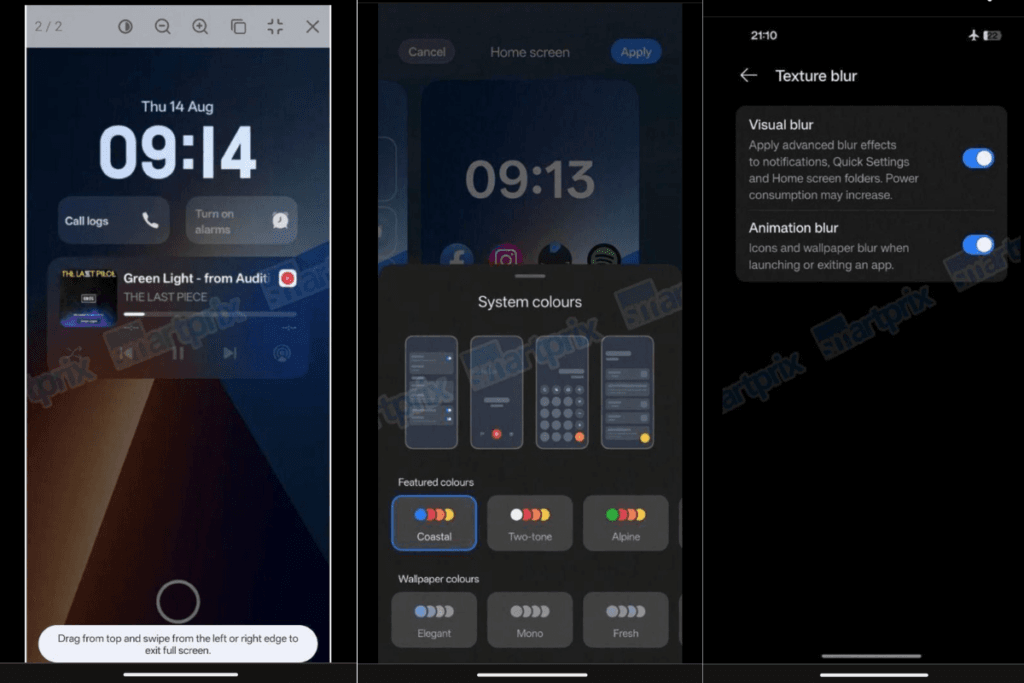
A leak from Smartprix claims that OxygenOS 16 will finally include the eagerly anticipated lock screen widgets, increasing the lock screen’s usefulness. Numerous widgets will be available, such as calendar, weather, and widgets from compatible apps. Three new clock styles are also being added to the lock screen, one of which is a full-width stretched clock modeled after iOS 16.
New choices also improve the Quick Settings panel. Users can drag and drop toggles anywhere on the screen while using the Split layout. For convenience, a new scrollable layout has also been included. The update also includes a number of internal adjustments that improve the software’s responsiveness and smoothness.
When OnePlus publishes the final version of OxygenOS 16, I’m very certain there will be a ton of more great additions and updates. There is a lot to anticipate, so to remain informed about the most recent developments, you might want to frequently check out our Android 16 section or think about subscribing to our X.
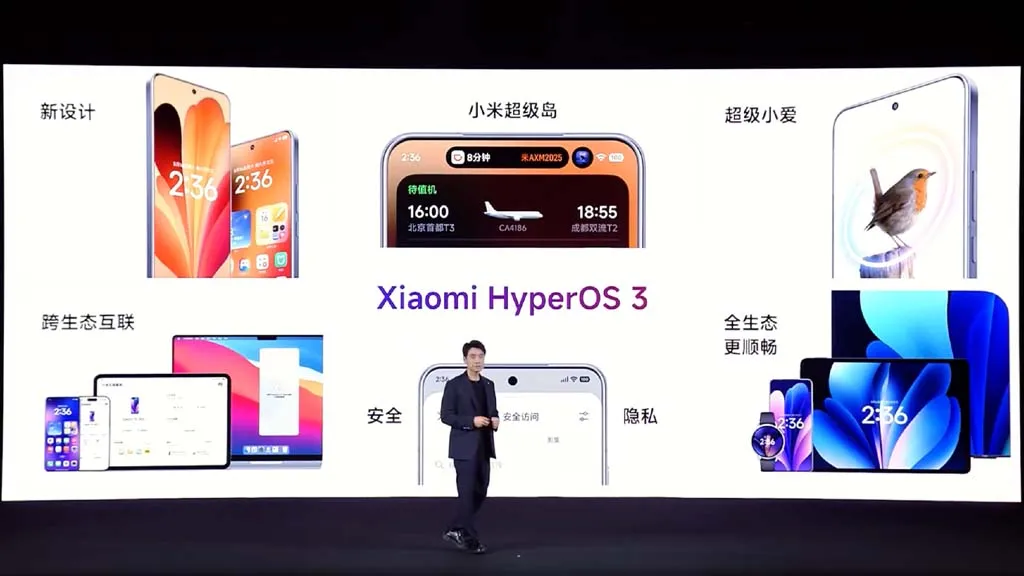
Based on Android 16, Xiaomi has shown HyperOS 3, its upcoming significant software update. Along with a list of compatible devices, the brand has revealed new features and enhancements, and the rollout is soon to start. All of the HyperOS 3 features that will be available for Xiaomi, Redmi, and Poco devices are listed here.
Design update
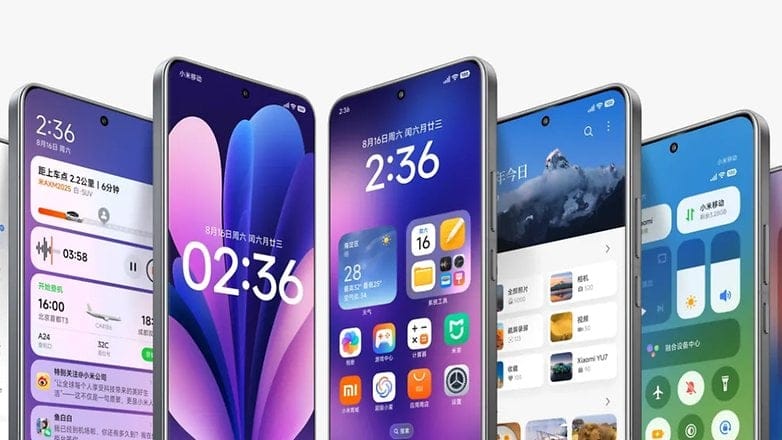
Starting with the home screen, HyperOS 3 icons have a slightly increased contrast and a more 3D appearance. Clearer and more readable icons have also been added to the bottom bar. The improvement won’t be that noticeable to regular users.
Additionally, Xiaomi finally changed the HyperOS 3 status bar icons. With slightly more dispersed pieces and the battery % inside the battery indicator, the company’s strategy is comparable to Material 3 Expressive in stock Android.
In order to provide HyperOS 3 a more unified and professional appearance, the home screen layout has been somewhat altered to be more uniform with tighter gaps between the widgets.
Lockscreen customisations
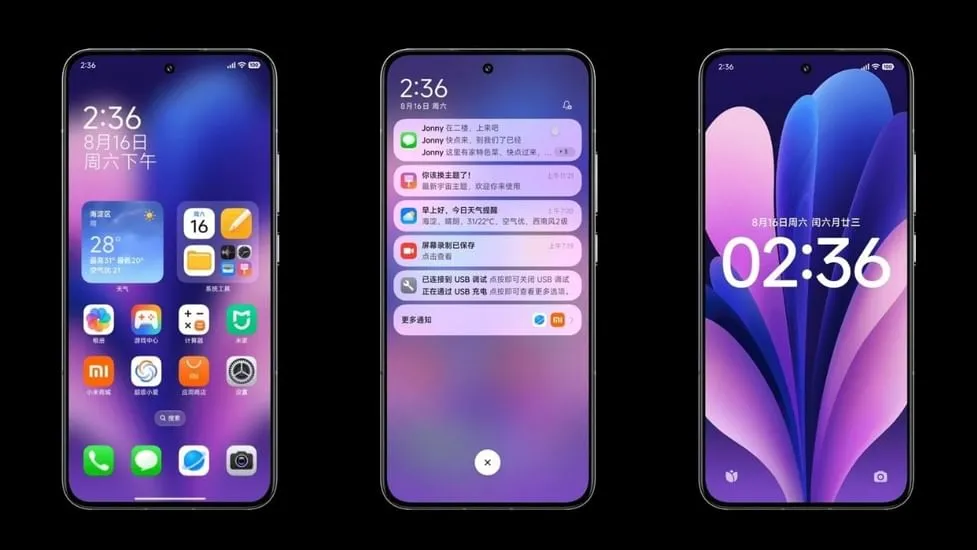
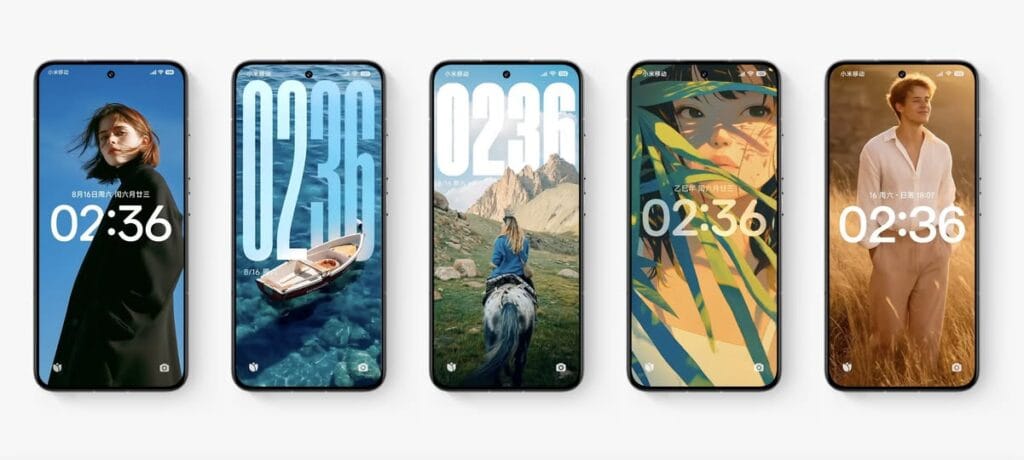
HyperOS 3 introduces new lockscreen customizations and effects, as well as smoother unlock animations, in keeping with the immersive lockscreen user interface trend. Motion can be added to still images, and then the lock screen clock can be given Cinematic Depth. This is comparable to iOS 26’s new Spatial Scene feature, which gives lock screen backgrounds a 3D appearance.
This feature is known by Xiaomi as “Movie lock screen,” according to our translation from Chinese to English. This function will assist in applying AI styles to images, enabling you to Ghibli-fy, dreamscape-fy, or Disney-fy your photos. Additionally, there is a library of community-made and shared custom lock screens available if you don’t want to invest the time in such artistic endeavors.
Finally, users can now relocate the lock screen to the center in HyperOS 3. This is on top of the plethora of clock typefaces that can all be customized to fit the themes of your wallpapers. Users will find these settings in a single menu under the Wallpaper customization section, similar to OxygenOS or iOS.
Super Island
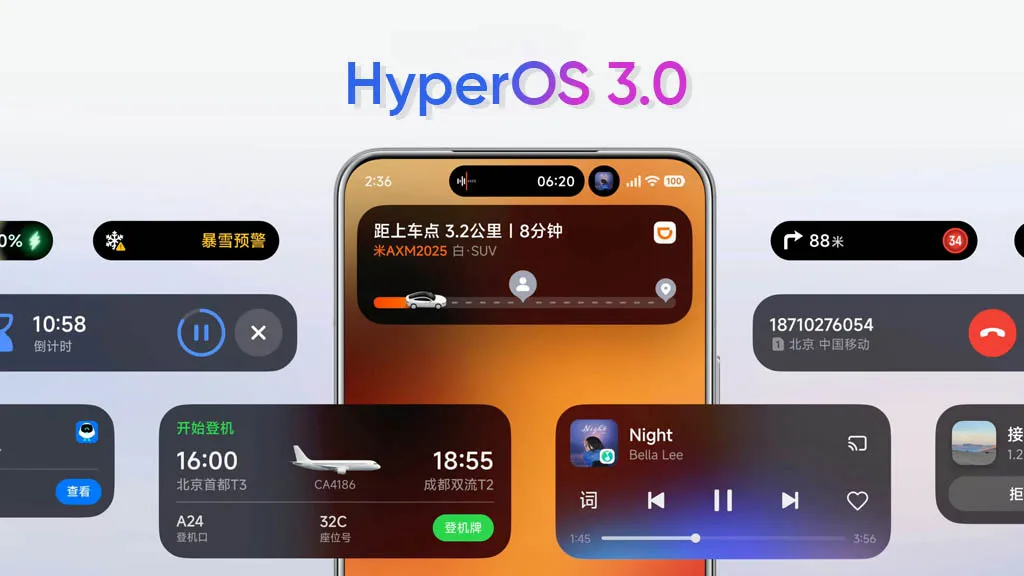
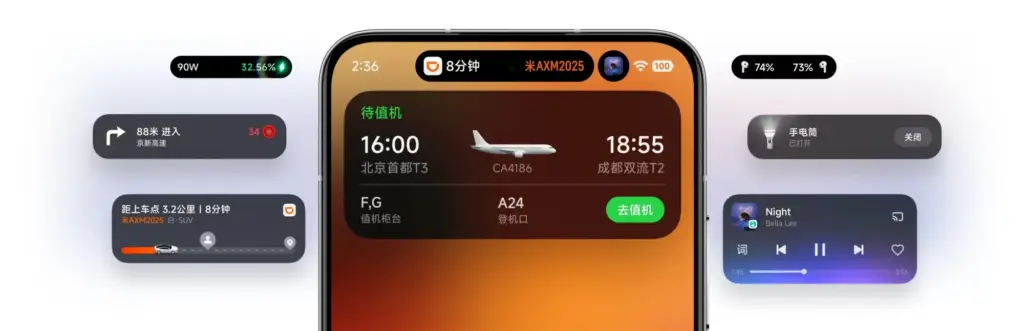
Xiaomi is utilizing Xiaomi Super Island in HyperOS 3 to leverage live upgrades, one of the greatest aspects of Android 16. The functionality can display up to three live events simultaneously, and its implementation is eerily similar to Dynamic Island on iPhones.
Around the selfie camera, you’ll notice a Super Island. After that, you can open a floating window for the current activity by swiping down on the pill to activate the feature. Two additional activities are displayed beside the floating window, one as a pill and the other as a circular icon. You can easily switch between these, and you may open the app by dragging them to the center of the screen.
By dragging and dropping material straight from the Super Island to an app, HyperOS 3 will also make sharing simple. More than 70 apps are presently supported, according to Xiaomi, and support for more well-known apps will be added soon.
NameDrop
Similar to NameDrop, HyperOS 3 allows for the easy exchange of Wi-Fi passwords as well as images and videos. According to the firm, media may be moved quickly and without loss. It bridges the ecosystem divide by supporting both iPhones and Xiaomi devices.
It’s important to note that the feature was briefly shown on stage and using HyperOS 3’s default Gallery app, which receives a number of enhancements of its own (more on that later). Even though Xiaomi didn’t go into detail, we can guess that it connects using NFC.
Updated system apps and features
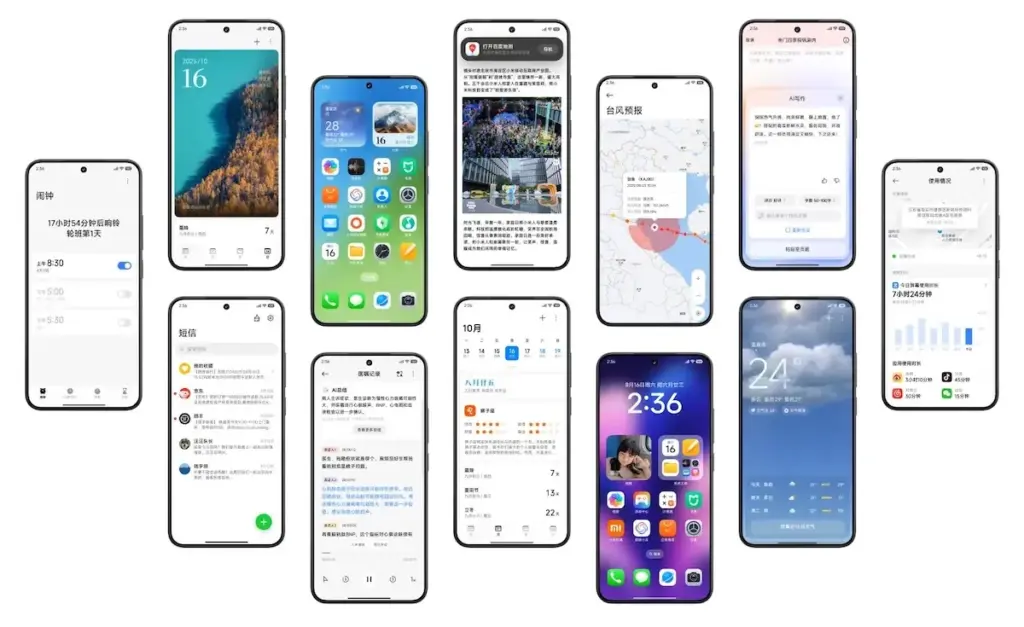
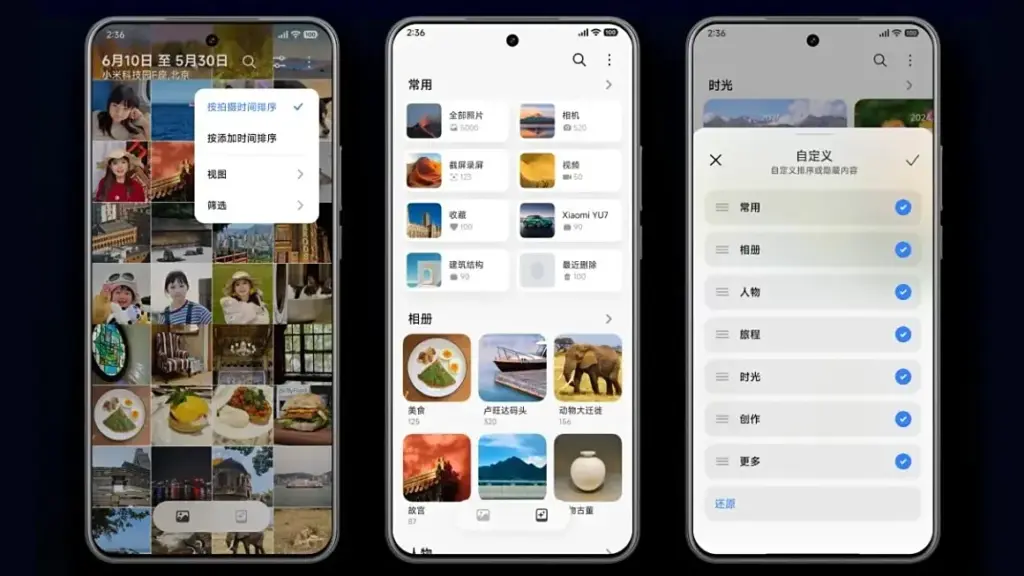
Xiaomi is enhancing the HyperOS 3 app experience for a number of system programs, but its Gallery app is getting the most love. To begin with, users will now be able to quickly locate photographs according to their search preferences. In order to transition between layouts organized by date and continuous tiling, it offers photo view and photo sorting.
AI advancements are enhancing the image search capabilities. For faster search results, the app’s image search has been optimized for over 30,000 keywords and 10 categories.
Additionally, Xiaomi has included an algorithm that facilitates pet photo searches. The brand aggregates its photographs using pet body traits, just like it does with facial recognition.
In addition, HyperOS 3 offers design enhancements for a number of its China-only apps, including the calendar, Xiaomi Shelf, voice recorder, weather, clock, and others.
More AI features
Xiaomi is also improving its in-house Xiaoai with HyperOS 3 to provide suggestions more quickly and effectively. Google’s Circle to Search is comparable to the new Circle Screen functionality, which is driven by Xiao AI. This function allows you to circle a portion of the screen to obtain information about it.
The agentic AI integration in HyperOS 3, which employs LLMs to carry out a number of activities for users, is by far the most fascinating innovation. For instance, it can initiate navigation to a location you wish to visit or place food orders from restaurants. By the end of September 2025, Xiaomi says its new AI agent-like capability will work with more than 80 apps.
Xiaomi Watches will also get a number of new features with HyperOS 3. Similar to the Smart Boost option that shows your heart rate on a HyperOS-powered automobile, supported watches will allow you to transmit real-time workout data to your phone. Along with syncing music to smart speakers while working out, the watch and automobile will also sync navigation instructions.
HyperOS 3 enhances split-screen multitasking, latency, and other aspects of tablets. Additionally, it has an enhanced PC-like browser and better app layouts for wide screens.
HyperOS 3 supported devices and rollout calendar
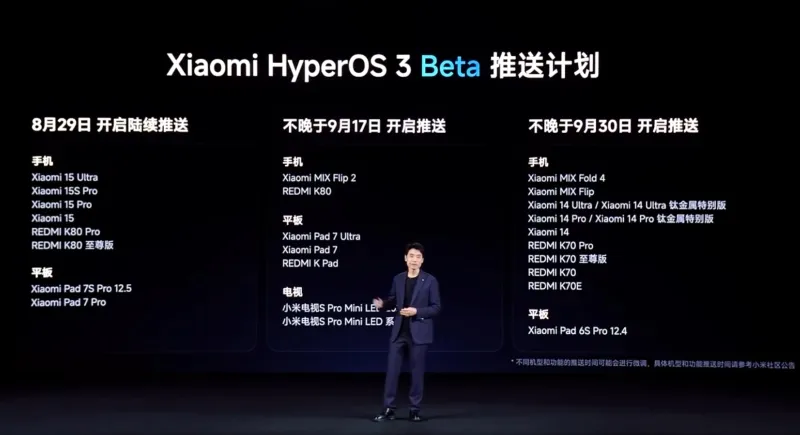
Xiaomi has confirmed that a limited number of devices in China will begin receiving the HyperOS 3 Beta on August 29, 2025. Although the distribution is now limited to China, we have compiled a lengthy list of HyperOS 3 devices that are eligible for the upgrade in India and around the world.
When Xiaomi releases a comprehensive list of devices that will receive the HyperOS 3 stable update, we will update the list and timeline of rollouts. By the end of 2025, we anticipate the stable update.
The Xiaomi 15 and Redmi K80 series will be the first to receive the HyperOS 3 Beta. On September 17, 2025, the Mi Mix Flip 2 will take its place. On September 30, 2025, the Redmi K70 series, Xiaomi 14 series, and Mi Mix Fold 4 will be available for beta testing.
All of those are the new HyperOS 3 features that Xiaomi has disclosed. The layout of the home screen and lock screen in particular has been optimized in this release. Xiaomi adds that games should benefit from 1% lower frame rates and lower battery usage, and that latency has been lowered by 21%.
For Indian lovers of Xiaomi, Redmi, and Poco, this is an all-around great update. To find out more about the HyperOS 3 upgrade rollout in India and around the world, keep checking back and bookmarking this site.
Xiaomi disproved our assumption that the Android announcements for the month were over. With the release of HyperOS 3.0, the company’s most recent version based on Android 16, its mobile devices now include notable functional and visual improvements. The selected models will soon start beta testing, and in Q4, a broader public rollout is anticipated.
What’s New in HyperOS 3.0
HyperOS 3.0 is based on Android 16 and incorporates key enhancements from Google’s most recent Android release. Xiaomi, however, is doing more than just skinning Android; it is also incorporating its own significant features and design modifications into smartphones and tablets.
New icons, super island, and a cleaner layout
Simplified app icons that mirror iOS and have square shapes with rounded sides give the UI a new look. A flatter, simpler look is also used for the quick settings and status bar. The dialer app is completely redesigned in China. Whether this will eventually be shipped to the global ROM is unknown.
Super Island, Xiaomi’s version of Google’s Live Updates and Apple’s Dynamic Island, is one notable feature. It displays dynamic overlays for media, notifications, and app activity on the front-facing punch-hole region. For more interaction, Super Island allows dragging and expanding, unlike its competitors.
New lockscreen designs, like as animated effects that give still images movement, are powered by AI advancements. Additionally, there are more customizable choices for the home screen.
New Gallery app and upgrades for tables
All content, including albums and folders, now have a cleaner look and better search capabilities in the gallery app. Your furry pals’ pictures and videos are automatically arranged with a new pet album feature.
Xiaomi adds adaptive window scaling and improved split-screen management to tablets. Enhancements in ultra-low latency and pressure sensitivity will be advantageous to stylus users.
Significant performance and battery improvements
HyperOS 3.0 offers significant performance improvements in addition to aesthetics. With over 100 new and improved animation effects, Xiaomi promises up to 21% less app latency and smoother system animations.
According to reports, in-game frame rendering uses 9% less energy, video playback requires 10% less power, and gaming performance is 15% faster.
Xiaomi 15 5G
The Xiaomi 15 features a 6.36-inch OLED display with a 1.5K resolution, a 120 Hz refresh rate, and a peak brightness of 3200 nits. The phone is built with an aviation-grade aluminum frame and has a compact design measuring 152.3 × 71.2 × 8.08 mm, weighing 181 g.
Xiaomi has stated that a few smartphones, tablets, and TVs will be available for the public beta, though it hasn’t yet disclosed the complete list of compatible devices. Please be aware that the gadgets on the list are Chinese versions; a different rollout timetable for models that are available worldwide will be revealed later.