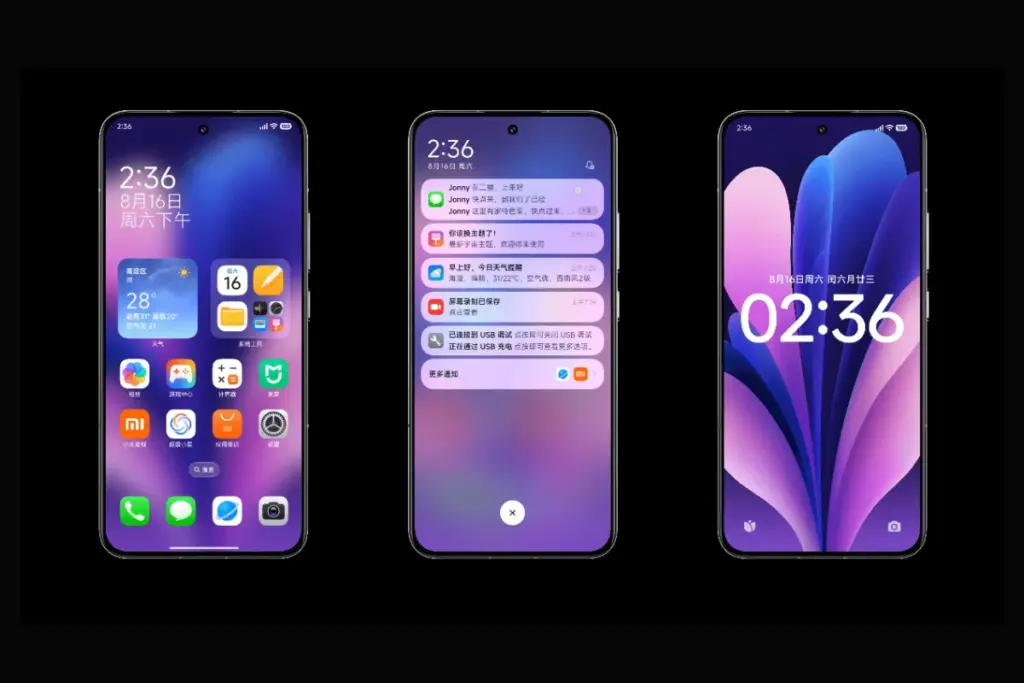
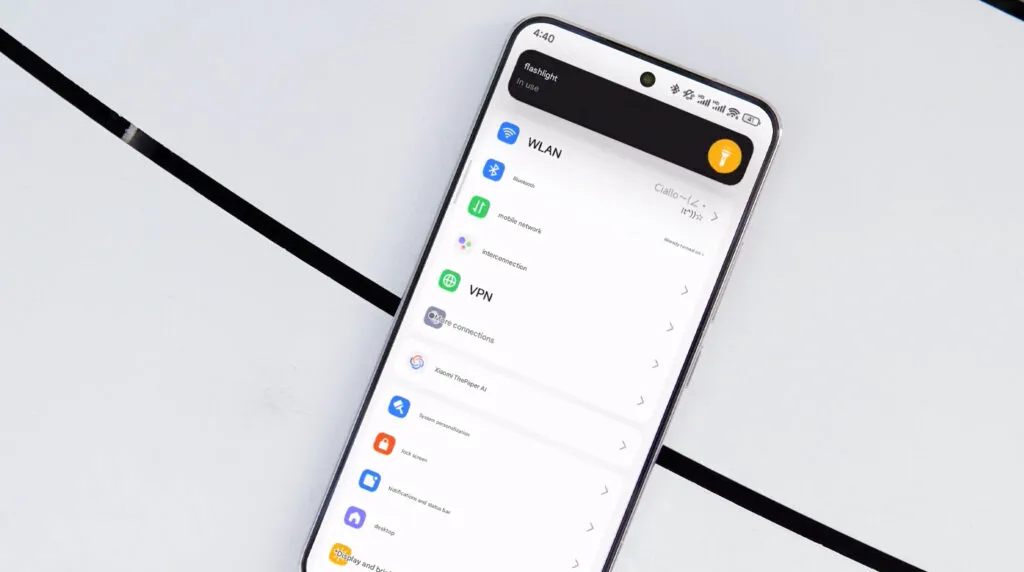
With HyperOS 4, Xiaomi intends to make significant changes. The old MIUI code is entirely removed by the business. The system becomes more stable and quicker as a result. In August 2026, HyperOS 4 will be available. It turns into the initial “Zero-Legacy” version.
In HyperOS 3.1, Xiaomi begins to clear up outdated code. The MIUI SDK is eliminated from the Weather and Gallery applications. All legacy code from MIUI 1 to HyperOS 3 is removed. The system eliminates outdated dependencies and sluggish function calls. A new operating system is produced as a result. It decreases bugs and increases speed.
Key changes:
Removes MIUI backward compatibility layer
Uses only HyperOS SDK in all modules
Deletes over 10 years of old code
Makes updates faster and more stable
HyperOS 4 brings high-performance apps with Flutter and Rust
Xiaomi uses Rust and Flutter to rework key apps. The Weather app on HyperOS 3.1 checks this. These tools are extensively utilized in HyperOS 4. UI is made fluid via Flutter. Rust improves safety and speed. Versions of new apps are not available to older HyperOS users. This eliminates older phones’ backward compatibility.
Key features:
Flutter for standard UI rendering
Rust for secure and fast core code
Modular apps that update independently
Better stability on all devices
Small improvements are made to flagship phones. Large speed increases are seen in low-cost phones. Xiaomi resolves outdated code issues. The most stable experience in Xiaomi history is what it promises.
Xiaomi has begun releasing the latest testing release for these 12 models after launching a new HyperOS 3.1 Beta Program for the second batch of its smartphones. To improve the user experience, the most recent version includes a few improvements.
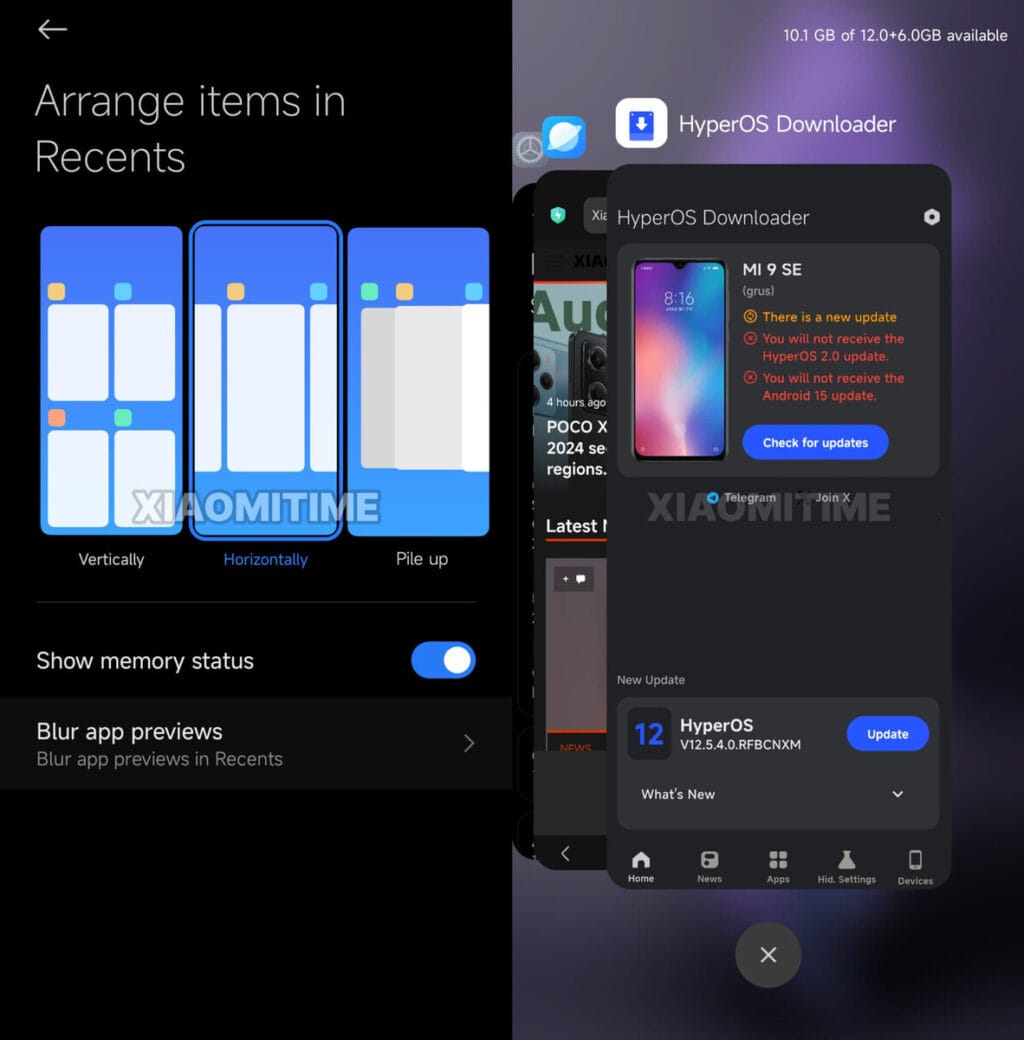
The latest beta, which includes features like Live Updates and Stacked Recent Apps Menu, has already been sent to the first batch of smartphones by the Chinese tech giant.
The HyperOS 3.1 beta upgrade is now being extended for 12 additional Xiaomi devices by the company. It will take some time for the version to reach every unit because it is arriving in groups.
As the OEM has begun distributing the latest testing release to more devices, HyperOS 3.1 beta is becoming more stable. This implies that Xiaomi will soon start rolling out the HyperOS 3.1 beta update to phones and tablets from earlier generations.
The 12 devices that are getting the new beta build are mentioned below. With the testing version listed next to it, you can determine the update for your device.
HyperOS 3.1 beta available for the following devices
Xiaomi 15: HyperOS 3.0.300.5 Beta
Xiaomi 15 Pro: HyperOS 3.0.300.4 Beta
Xiaomi 15S Pro: HyperOS 3.0.300.5 Beta
Xiaomi 15 Ultra: HyperOS 3.0.300.4 Beta
Xiaomi 14: HyperOS 3.0.300.3 Beta
Xiaomi 14 Pro: HyperOS 3.0.300.4 Beta
Xiaomi 14 Ultra: HyperOS 3.0.300.3 Beta
Redmi K80: HyperOS 3.0.3003 Beta
Redmi K80 Pro: HyperOS 3.0.300.3 Beta
Redmi K80 Ultra: HyperOS 3.0.300.3 Beta
Xiaomi MIX Flip 2: HyperOS 3.0.300.6 Beta
Xiaomi Pad 7 Ultra: HyperOS 3.0.300.2 Beta
Before starting the installation, make sure your phone or tablet has enough storage space. Since it’s a beta version, the data on your device might be erased. Therefore, make a backup in advance.
The latest version of Xiaomi’s HyperOS is almost here, and it looks like there will be a lot of changes. Xiaomi HyperOS 3.1 appears to be attempting to improve the appearance of their software by drawing inspiration from well-known skins. There is a significant hitch, though, that could let some users with outdated specs down. According to the most recent reports, this upgrade will only come on Android 16 devices because it is closely related to the underlying OS design.
What are the new features that are coming to HyperOS 3.1?
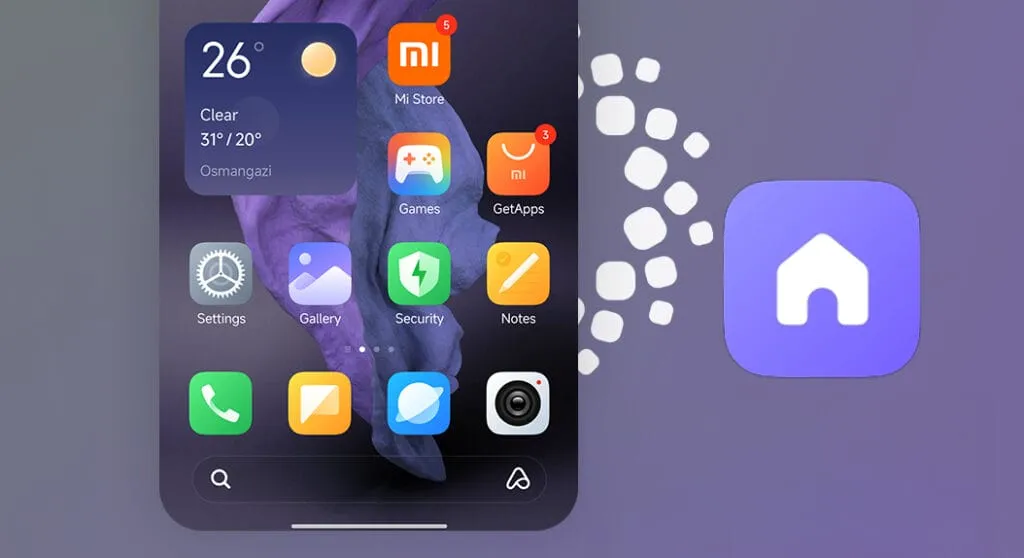
We have also been monitoring the development of Xiaomi’s latest software update, and version 3.1 has a long list of features. The “Stacked Layout Style” in more modern apps is likely to be the first thing you notice. You will therefore recognize this design if you have used an iPhone within the last year or so. A horizontal scroll where the apps stack seamlessly one after the other has replaced the conventional two-column grid. It’s noteworthy to note that individuals who are prepared to take the risk can already download this launcher upgrade.
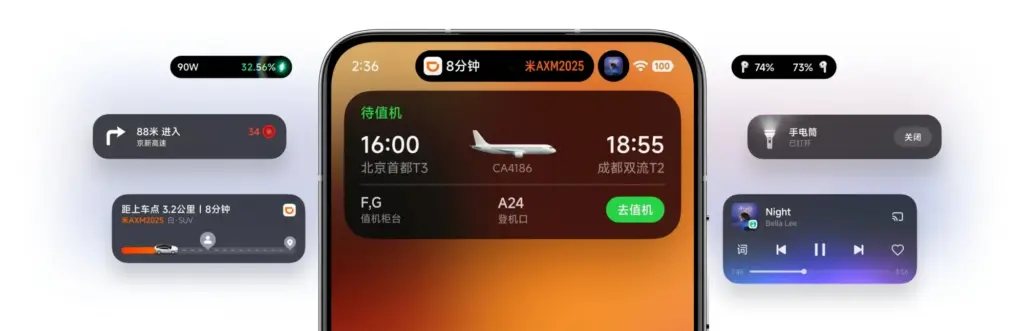
Improved “Super Island”
Additionally, Xiaomi is creating a Super Island settings page that lets users select which apps are linked to the animation effect and improving the HyperIsland feature. Not only is functionality being enhanced, but visual effects are as well. The media playing progress indicator on the island is now interactive thanks to new light effects. Additionally, the Super Island logic has been improved for smoother transitions. This was a problem that many users had previously brought up because animations were stuttering.
More customizations
In terms of versatility, HyperOS 3.1 is a great choice for home screen organizers. Drag-and-drop folder size changes are now properly regarded. To enable users to conceal numerous apps in a tiny area without sacrificing accessibility, new folder sizes including 2×1 and 1×2 have been included, along with page turning. A complete photo editing suite is added to the Lock Screen to facilitate the placement of widgets and the incorporation of depth effects.
System-wide improvements
There are other “under the hood” adjustments in addition to the aesthetic modifications that are intended to make the phone appear smarter.
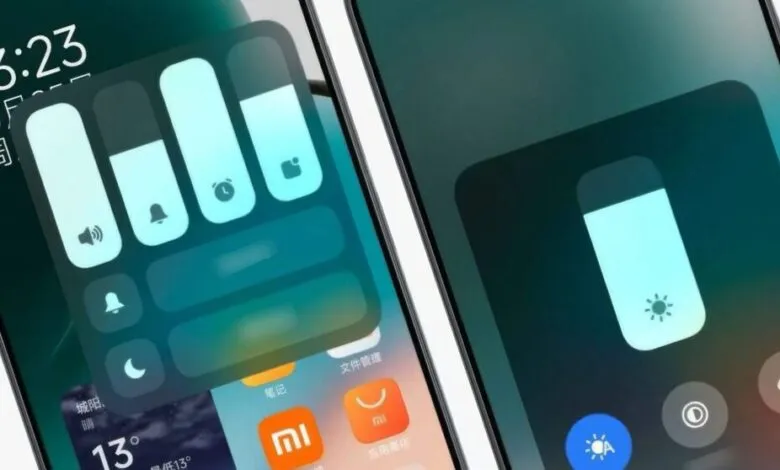
Multi-Volume Adjustment: Managing media, ringer, or alarm volume all at once gets a new design.
Bluetooth Memory: The system will now remember the connection status of Bluetooth devices more accurately.
HyperAI Suggestions: The active suggestions in the app drawer and negative screen are getting the optimization boost. (China only)
Roadmap
The HyperOS 3 Beta Phase 2 recruitment will take place in two waves from January 22 to January 30, according to the official Xiaomi announcement. In its job ad, the business makes it clear that these are engineering builds that are not stable and should not be used as everyday drivers. The first round of updates, which concentrated on the newest flagship devices, started on January 22.
The following gadgets will be compatible with the first wave of upgrades for China:
While the testing process is underway, Xiaomi claims that beta testers are unable to upgrade to the stable build right away. Users in the first batch will begin receiving OTAs on January 22; users in the second batch will receive the update ten days after the distribution process begins.
When the update is expected?
According to our sources, Xiaomi HyperOS 3.1 is anticipated to become available in China in February. However, it is limited to Android 16-capable smartphones. This implies that the Xiaomi 17 series and other flagship devices, like the Xiaomi 15T Pro, will receive the updates first. The aforementioned upgrades might not be accessible to you if you are currently using a device that won’t be receiving the Android 16 update. Xiaomi typically transfers some of the functions to the outdated operating system, though.
One of the Android oems speeding up the release of Android 16 is Xiaomi with HyperOS 3.0 skin. The company has now disclosed the whole list of smartphones and tablets that will receive the significant OS update, including Redmi and Poco models, in response to last month’s introduction of HyperOS 3.0, which is based on Android 16.
The Xiaomi 17 Pro was the company’s flagship smartphone when it introduced a number of others last week. However, we also discovered more fascinating information regarding the HyperOS 3.0 deployment, in addition to the new hardware portfolio.
First devices to receive HyperOS 3.0
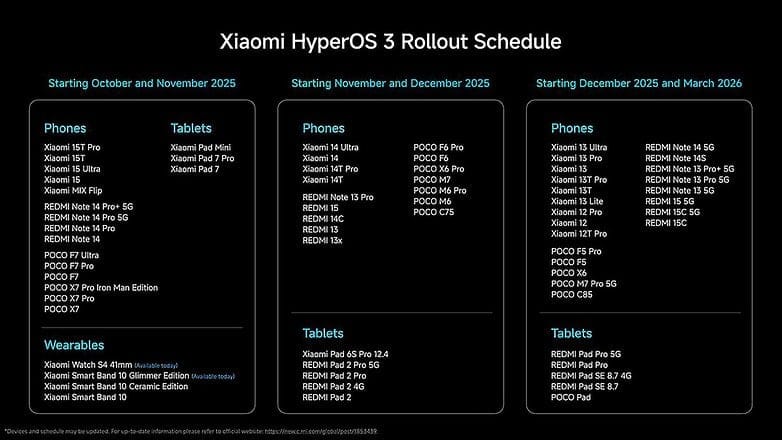
A limited number of smartphones, including the recently revealed Xiaomi 15T series, the flagship Xiaomi 15 (Pro) and 15 Ultra, and mid-range models like the Redmi Note 14 Pro, Poco X7, and Poco F7 (Ultra review), will start receiving HyperOS 3.0 in October. The Xiaomi Pad 7 and Pad Mini will be the first tablets to be supported.
The update has already begun to roll out for wearables, including the Xiaomi Watch S4 and the Smart Band 10 Glimmer Edition. Although a precise date has not yet been determined, this will eventually extend to the Smart Band 10 Ceramic and regular variants.
Another batch for November and December
In November and December, HyperOS 3.0 will be released for additional devices. These consist of the Redmi Note 13, Redmi 13, Redmi 14C, Redmi 15 4G, Redmi Pad 2, and Xiaomi 14 Ultra. The Poco F6 Pro, Poco X6 Pro, Poco M6 Pro, and Poco M7 are also categorized under the Poco sub-brand.
The rest of the flagship, mid-range, and low-cost smartphones will be released between December and March. These consist of the Xiaomi 13T series, Xiaomi 12T Pro, Xiaomi 13 Lite, and Xiaomi 12. This release window also includes the Redmi Note 14, Note 13, Redmi 15 5G, and Redmi 15C.
Not receiving HyperOS 3.0
The basic Xiaomi 12T was released alongside the 12T Pro, thus it’s still unknown why it’s not included. The Redmi 12 and Redmi 12 Pro, which have reached the end of their main OS update support but will still receive security updates for another year, are a more noteworthy omission.
What’s new in HyperOS 3.0
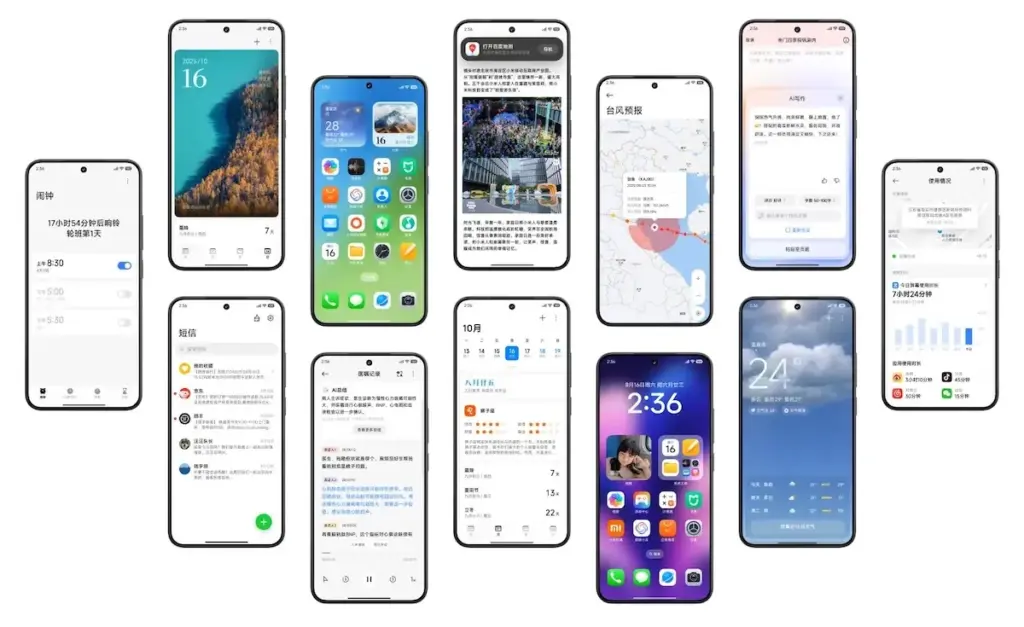
Performance and visual design have undergone significant upgrades in HyperOS 3.0. Super Island, Xiaomi’s version of Apple’s Dynamic Island, is introduced in the user interface. It allows for dynamic and real-time content overlays surrounding the punch-hole camera. AI-generated options for new background and lock screen styles are also included.
According to Xiaomi, HyperOS 3.0 offers performance gains of up to 30%. Ultra-low latency and pressure-sensitive pens and styluses are becoming more compatible with large-screen devices, such as tablets.
With capabilities like HyperAI Writing, real-time transcription, and subtitle production, AI improvements are also a top priority.
A number of cutting-edge features from the soon-to-be released Android 16 will also be included in Xiaomi’s eagerly anticipated HyperOS 3, setting a new standard for mobile operating systems for the company’s diverse range of devices. HyperOS 3 will deliver cutting-edge capabilities that will transform how people use their devices as Xiaomi develops its ecosystem integration, adds cutting-edge security measures, and keeps improving its software experience.
The upcoming upgrade is expected to offer an unparalleled combination of performance, functionality, and configurability, continuing Xiaomi’s tradition of perfecting the foundations of Android.
Important changes to expect in HyperOS 3
Android 16 will be the starting point for HyperOS 3 to introduce many significant upgrades that Xiaomi will probably enhance and build upon:
Live Updates: Delivery of information in real time without apps
Hybrid auto-exposure for improved low-light photography
Exact colour temperature controls Night mode Camera extension API
Motion photo capture functionality
Display Optimizations
Improved Adaptive Refresh Rate support
Forcing edge-to-edge app support
Ultra HDR image enhancements
These enhancements are a perfect fit for Xiaomi’s mission to deliver superior multimedia experiences across its line of devices, especially so across its camera-focused devices such as the latest Xiaomi 14 series.
Performance and System Improvement
The fundamental system architecture within HyperOS 3 will probably undergo major upgrades:
Vulkan: Presently the official graphics AkPI for Android
Cloud compilation: Quicker app installations
Improved app adaptability: Increased performance across device types
Xiaomi has consistently prioritized performance optimization in its previous operating systems, suggesting that HyperOS 3 would further enhance these features to allow for even higher responsiveness and speed.
Connectivity and Accessibility Features
HyperOS 3 is also anticipated to advance how people interface with their devices and one another:
Volume controls for ambient sound: For hearing aids using LE Audio
Generic ranging APIs: Enhanced location services
Gemini Extensions: Extended AI assistant capabilities
These features support Lei Jun’s idea of seamless integration throughout the Xiaomi product range and are evidence of Xiaomi’s continuous efforts to provide a simpler and more connected device ecosystem.
In October 2023, Xiaomi unveiled their new Android-based operating system, or Android skin as some of you could refer to it. It was the successor of MIUI and is called HyperOS. Sincerely, HyperOS ended up looking a lot like MIUI, and although it did provide some nice modifications, it also brought about some unfavorable ones. HyperOS is undoubtedly a highly powerful piece of software, but there is still a lot of space for improvement. Although Xiaomi’s HyperOS has a lot of promise, a few things must alter if it is to advance.
So far, I have been running HyperOS on several Xiaomi and Redmi devices. I have discovered a number of things that I would alter during my time with it. To be clear, you might not have an issue with some or all of these things. Nevertheless, I think HyperOS has a lot of promise and can reach that point with just a few smart actions from Xiaomi. Keep in mind that, as is typical with these kinds of pieces or editorials, personal opinion does come through. Views vary. So, let us examine HyperOS’ shortcomings, shall we? I will not do it in any specific order.
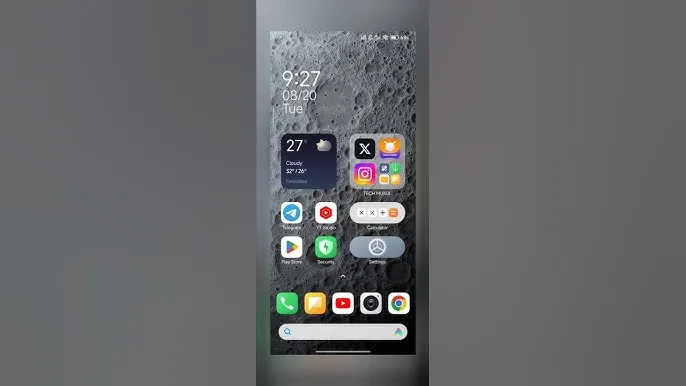
Home screen customization
There is a lot of flexibility available with HyperOS. Still, there is potential for improvement. I made the decision to pay close attention to the home screen. Why? Xiaomi can improve this in a number of ways that will help consumers. First and foremost, using icon packs from the Google Play Store would be great. Setting up icon packs is practically impossible since we are unable to use third-party launchers. Xiaomi has no reason not to implement this change in their stock launchers, as many other Android OEMs do.
Plus, it would be fantastic to give customers additional grid size options. There are very few options available presently. However, there is a problem with nearly all other Android OEMs. The home screen’s app dock row comes next. It would be great if we could eliminate it completely and have a single, consistent canvas on the home screen because some users choose not to use it at all.
Unblock third-party launchers
One of my main complaints with HyperOS is this. The only significant Android skin that totally prevents third-party launchers from working is this one. Although it is likely that you will have problems with gesture navigation, other OEMs let you set them. Actually, Google is to blame for this, as it restricts access to certain APIs for third-party developers. It has been a persistent problem. To change that, they even petitioned Google.
However, for some reason, Xiaomi chose to restrict third-party launchers entirely. Actually, it was not the case with MIUI in the past. In actuality, third-party launchers performed best on Xiaomi smartphones in terms of animations and other features. It was a significant shift when Xiaomi blocked them. Since many fans use Xiaomi phones, it should be possible to enable third-party launchers and let them function properly.
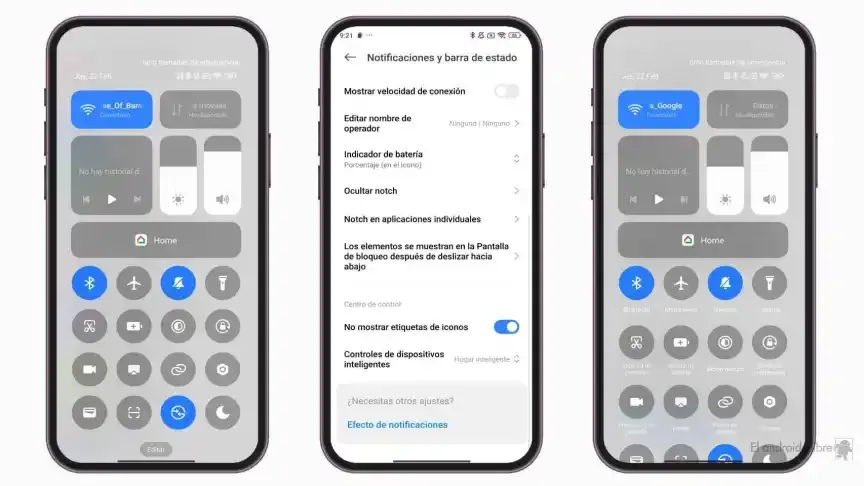
Toggles
The Quick Toggles screen might be enhanced by Xiaomi as well. Although it makes us think of iOS, it is not an issue in this case. This Android skin lacks a dedicated Settings toggle, in contrast to the majority of others. Although there is a toggle, it is a component of every other toggle. Although you can move it around and position it wherever you choose, it is not independent and lacks sufficient intuitiveness. It would be convenient if it were distinct because many users are accustomed to opening Settings from there.
In addition, there are just two sizable toggles there, and regrettably, you are unable to alter that. The WiFi and mobile data toggles are the only sizable toggles you receive. For example, the Bluetooth toggle and the screen rotation toggle cannot be made huge. If Xiaomi made this possible and let users fully design the Quick Toggles interface, it would be great.
Push notifications
Unbelievably, HyperOS still has problems with push notifications. At least the way it is configured right out of the box. I have been experiencing problems with the majority of apps. By default, apps are set to “Battery Saver,” which is the suggested setting. You will not have these problems, though, if you unblock them from their limitations in the settings (each program independently). It will be possible for notifications to reach their destination on schedule.
The problem is that ordinary consumers will not be aware of that. They will not consider changing that function by going into the settings. Of course, that is problematic. Many of them will find it annoying because they will not be receiving notifications right away. As a result, they become irritated with the business—in this example, Xiaomi—and develop a bad opinion of their goods. To be honest, Xiaomi should make changing this a high priority. Push alerts need to function normally right out of the box.
The 10-second countdown
Another noticeable issue when it comes to HyperOS has to do with the timeout Xiaomi is placing on its consumers. Essentially, a warning pop-up will appear each time you attempt to modify a more complex setting, such as an accessibility setting. That is typical, is not it? Yes, it is; all OEMs carry it out. The 10-second countdown, however, is unusual. You cannot approve or reject anything on Xiaomi until ten seconds have elapsed. This is most likely in place to allow you sufficient time to read the warning.
You truly do not need to read it again after you have seen it for the first time. That countdown is incredibly annoying since you know exactly what you want to do. It makes sense if Xiaomi only did it once after you had configured your device. However, in HyperOS, you receive it each time a more complex configuration is altered.
Notifications
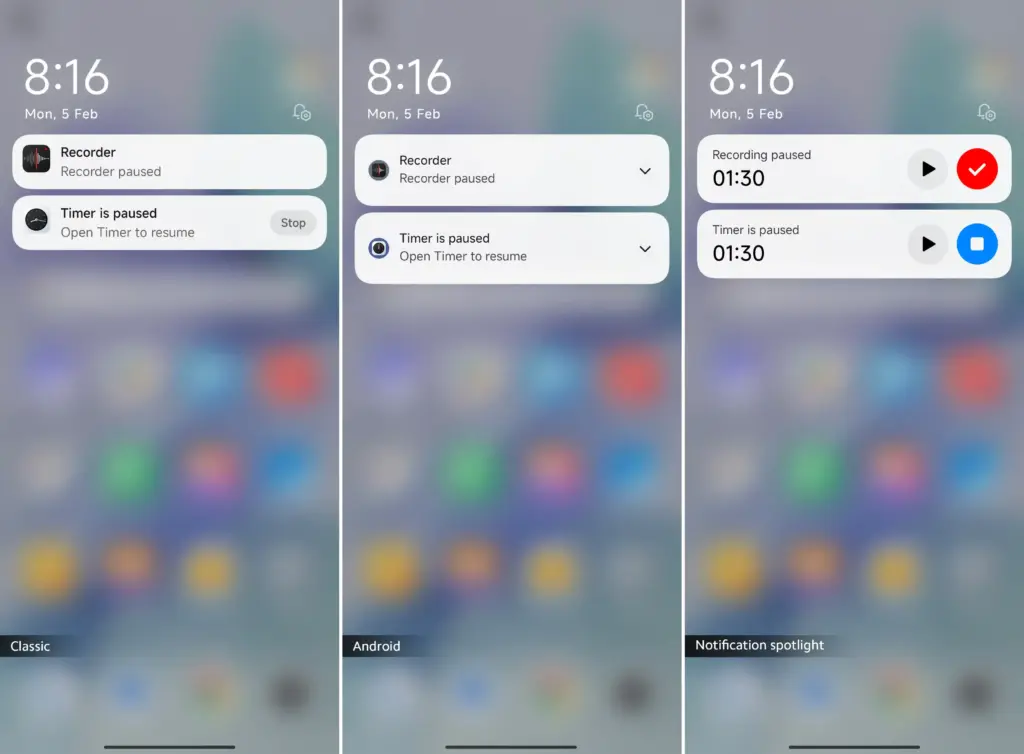
I wanted to draw attention to a few more notifications-related problems besides push notifications. For other people, lock screen notifications are an additional problem. They work similarly to what you get on iOS the way they are currently configured. It goes without saying that many individuals will find that offensive. What is wrong? You will notice your new notifications when you get to the lock screen. However, they will not be there the next time you get to the lock screen, even if you do not read or open them and then lock the device.
Yes, they will still remain in the notification shade, however this is a problem if you use your lock screen a lot. That is not what the great majority of other Android OEMs do. Similar to the notification shade, notifications will remain on your lock screen unless you choose to dismiss or open them. This distinction between the lock screen and notification shade is completely superfluous, and I sincerely hope Xiaomi will eliminate it soon.
Status bar icons
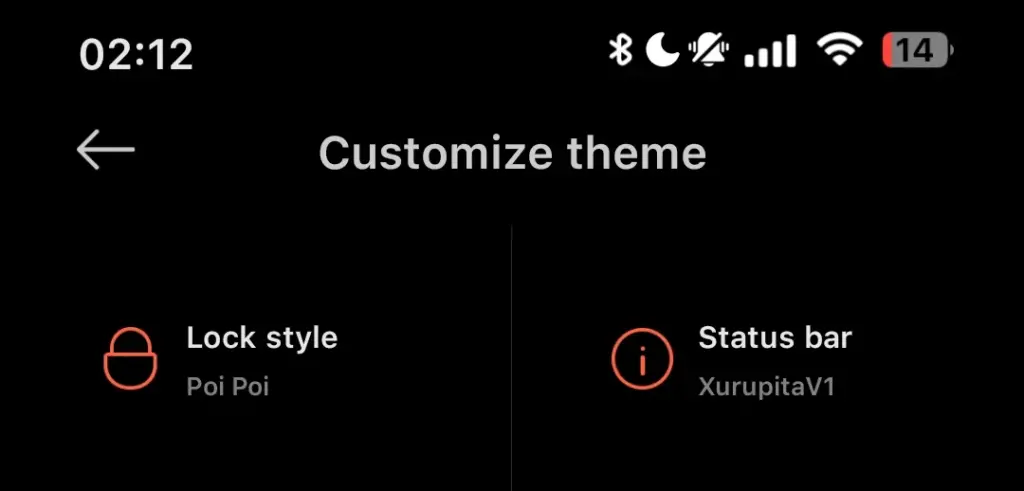
Xiaomi can also make the HyperOS status bar better. When it comes to it, there are a number of various irritations. Notification icons are the subject of the first one. Xiaomi restricts you to a single app notification icon in the upper-left area by default. However, you have the option to enable up to three app notification icons to show. Only the three most recent alerts from various applications will show up if you have more than three.
Almost all other Android OEMs permit as many app notification icons as they can fit on the screen. It does not restrict you in that manner, which is the proper approach. The fact that Xiaomi only allows one icon by default and that you are unable to enable more than three icons is not the only issue. Simply put, HyperOS introduced a totally needless modification that was not a problem on MIUI.
Additionally, if HyperOS allowed users to remove some of the status bar icons, that would be great. For instance, it is superfluous that the Bluetooth indicator is always up there. Many individuals always have Bluetooth turned on for their headphones, smart watches, or other accessories. That icon does not really need to be up there all the time if it is always on. If we could take it off and forget about it, that would be great.
The cross-ecosystem LivePhoto transmission compatibility of HyperOS 2 was formally revealed by Xiaomi, enabling smooth live photo sharing between Xiaomi phones, Xiaomi Pads, iPhones, and iPads. Grayscale mode is supported, and the feature is progressively being made available in batches.
The enhancement is one of the actions Xiaomi is taking to create a comprehensive ecosystem that will provide a more seamless experience across devices. For optimal compatibility, users who are interested in the functionality should update their smartphones to the most recent versions of Xiaomi Photo Album and Xiaomi Share.Xiaomi HyperOS is always evolving, providing consumers with fresh and creative features to enhance their convenience.
LivePhoto Cross-Ecosystem Support Details
Sharing dynamic pics in the LivePhoto format while maintaining their motion effects is now possible with Xiaomi HyperOS 2. Users can now share and enjoy LivePhotos on both Xiaomi and Apple devices with ease thanks to the latest update, which was revealed in the official Q&A (Episode 8) for Xiaomi HyperOS on March 7.
How to use live photo transfer
For successful transmission of LivePhotos, users must meet the following requirements:
Both devices must be on the same wireless LAN – The sending and receiving devices need to be on the same wireless local area network.
The applications must be upgraded to certain versions – Apple and Xiaomi devices must have the latest software upgrades to be able to support this.
The Xiaomi ecosystem is greatly improved by this function, which allows users to find and share LivePhotos on several platforms without compromising motion effects. It is easier than ever to switch between devices and share memories with pals via an iPhone. In the days ahead, customers may anticipate even more cross-platform interoperability capabilities as Xiaomi develops HyperOS 2. Keep an eye out for additional information regarding Xiaomi HyperOS 2 and its ongoing feature additions.
Earlier this year, MIUI 12 made its debut, and Xiaomi has completed rolling out the stable update to most devices in its portfolio. The new skin of Xiaomi offers a variety of new features, including an enhanced dark device-wide mode, AI-assisted calling features, Interactive Always-on Display, new visual interface, system animation tweaks, and much-needed privacy updates.
Xiaomi is shifting its focus to the update to Android 11 now. MIUI 12 based on Android 11 is beginning to roll out, with the stable upgrade now rolling out to the Redmi Note 9 Pro and Mi 10. Some of the best cheap Android phones are produced by Xiaomi, and it is good to see the manufacturer carrying out the update to Android 11 earlier than normal.
Android 11 on MIUI 12 update: rolling out to Redmi Note 9 and Mi 10
The stable MIUI 12-based Android 11 update is now rolling out in India for the Mi 10 and Redmi Note 9. Once we have more info on an update timeline, we’ll update the story, but now with the stable build for the Redmi Note 9 series, it shouldn’t be too long before Xiaomi starts delivering Android 11 to its older smartphones.
Xiaomi has finished rolling out the MIUI 12 update to most of the phones in the list below. So if you are using any of the devices in the list, head to your phone’s settings to manually download MIUI 12:
Xiaomi Mi 10 Pro
Xiaomi Mi 10
Xiaomi Mi Note 10 Lite
Xiaomi Mi 9
Xiaomi Mi 9 Pro 5G
Xiaomi Mi 9T
Xiaomi Mi 9T Pro
Redmi K30
Redmi K30 5G
Redmi K30 Pro
Redmi K20
Redmi K20 Pro
Redmi Note 9
Redmi Note 8 Pro
POCO F2 Pro
POCO X2
Xiaomi Mi Mix 3
Xiaomi Mi Mix 2S
Xiaomi Mi 9 SE
Xiaomi Mi 8 Explorer Edition
Xiaomi Mi 8
Xiaomi Mi 8 UD
Xiaomi Mi CC9
Xiaomi Mi CC9 Pro
Xiaomi Mi CC9 Meitu Edition
Redmi Note 8 Pro
Redmi Note 7 Pro
Redmi Note 7
Redmi 10X Pro 5G
Redmi 10X 5G
Redmi 10X 4G
MIUI 12 global update: Full list of eligible phones
For devices sold outside of China or India, Xiaomi has a standalone ROM, and these global units have their own release timetable. As of now there is no indication of when these phones will begin receiving the Android 11 update, but Xiaomi has finished rolling out the Android 10-based MIUI 12 release to all of these devices:
Xiaomi Mi 9
Xiaomi Mi 9T
Xiaomi Mi 9T Pro
Redmi K20
Redmi K20 Pro
Xiaomi Mi 10 Pro
Xiaomi Mi 10
Xiaomi Mi 10 Lite
Xiaomi Mi Note 10
Xiaomi Mi Note 10 Lite
Xiaomi Mi Note 3
Xiaomi Mi 8
Xiaomi Mi 8 Pro
Xiaomi Mi 9 SE
Xiaomi Mi 9 Lite
Xiaomi Mi 8 Lite
Xiaomi Mi Mix 3
Xiaomi Mi Mix 2S
Xiaomi Mi Mix 2
Xiaomi Mi Max 3
POCO F1
POCO X2
POCO F2 Pro
Redmi Note 9 Pro
Redmi Note 9 Pro Max
Redmi Note 9
Redmi Note 9s
Redmi Note 8 Pro
Redmi Note 8
Redmi Note 8T
Redmi Note 7
Redmi Note 7 Pro
Redmi Note 7S
Redmi Note 6 Pro
Redmi Note 5
Redmi Note 5 Pro
Redmi 8
Redmi 8A
Redmi 8A Dual
Redmi 7
Redmi 7A
Redmi 6 Pro
Redmi 6A
Redmi 6
Redmi Y3
Redmi Y2
Redmi S2
MIUI 12 comes with a lot of interesting features, so while you’re waiting for the OTA to download on your phone, be sure to take a look at all the new additions in our feature breakdown.