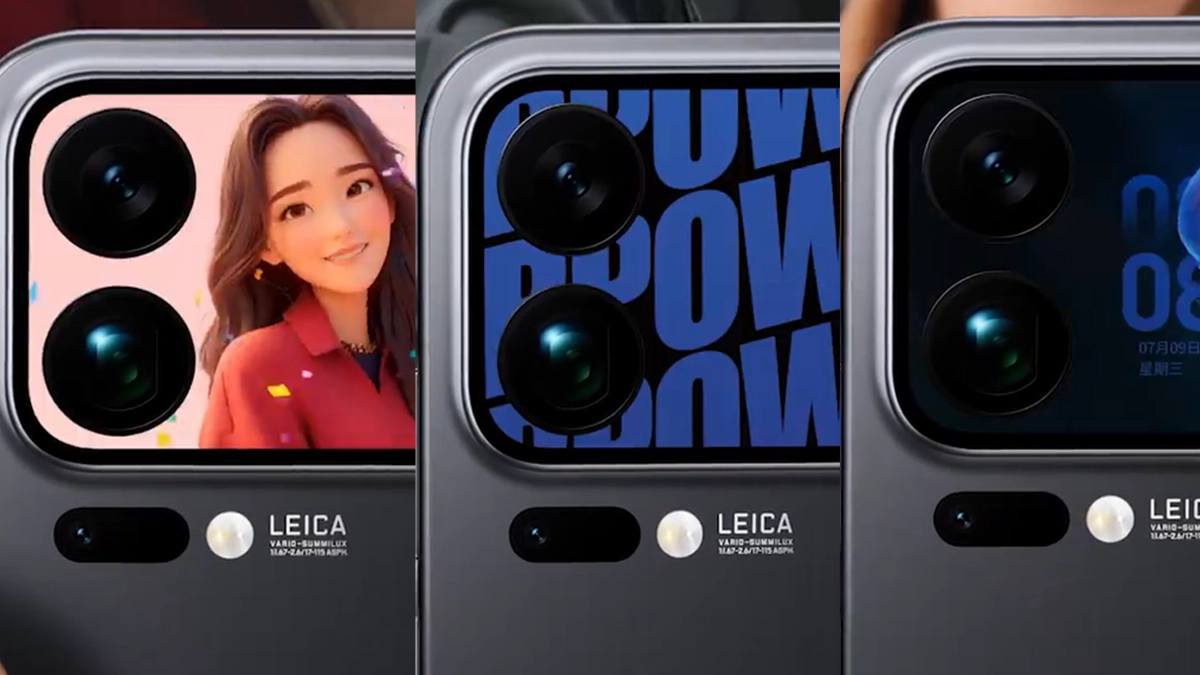
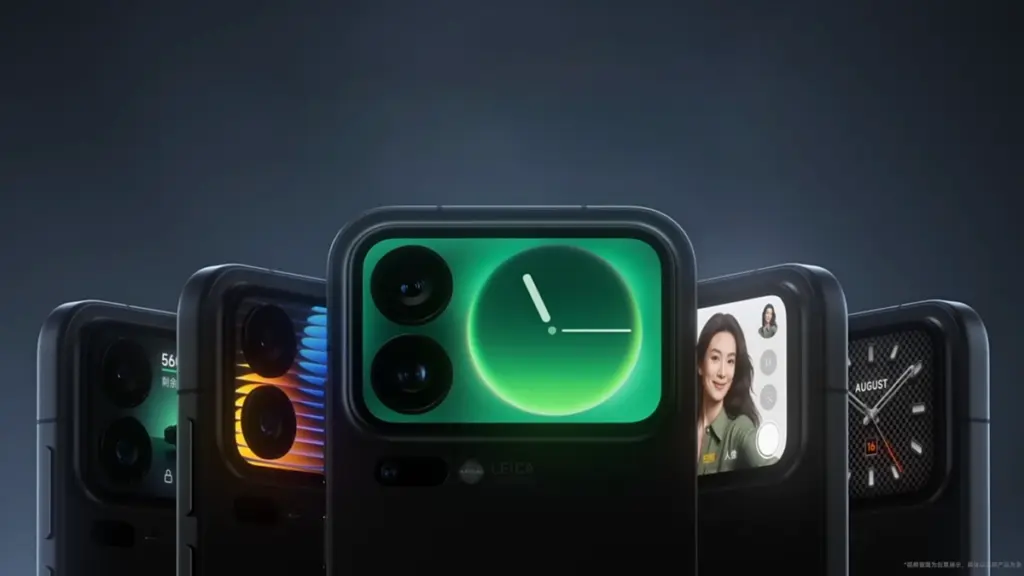
For the Xiaomi 17 Pro series, Xiaomi has released a new software update that enhances the secondary display with a number of interactive features. The launch includes dynamic avatars, real-time translation, five live wallpapers, and two portable games, according to the company’s HyperOS Weibo post.
Animated profile photographs can now be set on the back screen, and by mid-November, new bright-style themes will be available. Users can converse in Chinese on the main display and see translated text on the back panel thanks to a conversation translation feature.
Xiaomi 17 PRO get new visuals and games
Along with two games, Plants vs. Zombies and Snowman Sokoban, the update also includes five live wallpapers with themes related to technology, nature, and pets. You can manually update the Entertainment Box from the app store to access these. With new features scheduled every month, Xiaomi previously stated that the rear display will continue to be a major design priority for its upcoming smartphones. TCL Huaxing panels, measuring 6.3 and 6.9 inches, respectively, with a maximum brightness of 3500 nits and Xiaomi Dragon Crystal Glass protection, are used in both the 17 Pro and 17 Pro Max.
The Xiaomi 17 Pro’s innovative rear screen has practical applications in addition to aesthetics. When the phone is inactive or on a desk, it makes the user’s daily phone time more lively and vibrant. The company wants to transform the back screen from a mirror or clock into a tool for work and enjoyment. Cute loops, small critters, and light art forms can now be set as live images by users. More improvements will be made next mo
The new games aid in evaluating the rear panel’s touch and speed. Every one of them utilizes the entire small display and operates smoothly. According to Xiaomi, the objective is to provide customers who want light entertainment in their free time with a “soft joy.” To give it a more authentic sense, the company is also incorporating little sound effects. The fix is currently being released in stages, and more devices will receive this update in the days to come. To locate the update, users can look at the HyperOS setup’s update tab. According to Xiaomi, the update will be available on all devices by the middle of November.
I have six computers of different sizes and specs, but lately I’ve noticed that I use my Chromebook more frequently. It has one amazing feature that I can’t live without, despite its obviously poor performance and small 11-inch footprint: full-fledged Android app support. I’m not just saying this because I write for Android Authority; having access to smartphone apps that don’t have a true PC equivalent is revolutionary.
Unfortunately, earlier this year Microsoft ended the Windows Subsystem for Android (WSA) experiment, which enabled the use of Android apps on Windows 11. Additionally, Phone Link is still in use, although it just lets you mirror the screen of your smartphone. Furthermore, the Pixel and the great majority of other devices still do not have screen sharing enabled by Microsoft. Therefore, I have to decide between using an emulator or a Chrome OS device if I want the finest Android experience on my PC.
The sole issue? At best, Android emulators on PC provide a mediocre experience. Performance is lost due to emulation costs, and even the best Android emulators, such as BlueStacks, have crowded interfaces and advertisements designed for particular applications, like gaming. On Chrome OS, however, the experience is far more seamless: you may open individual Android apps, and they coexist peacefully with native apps.
Waydroid
Waydroid brings all the apps you love, right to your desktop, working side by side your Linux applications.
Is it possible to accomplish this Android-PC harmony without installing Chrome OS and forfeiting the ability to use a conventional desktop environment? Yes, but the only catch is that Linux is needed. Nevertheless, I believe it’s totally worth it, and Microsoft’s growing hostility against Windows privacy is just one more reason to think about switching.
Why running Android apps on PC matters more than ever
I enjoy having access to Android’s extensive app store on my PC for a number of reasons, including my investing portfolio tracker and other smart home apps. I frequently think that Android services are simply superior to their web or PC versions. For instance, WhatsApp for PC keeps me from scaling the window to my preferred size. In particular, it feels like a needless waste of screen space because it won’t shrink any smaller than a quarter of my screen.
Apps for smartphones, on the other hand, are made to fit on almost any screen size. Therefore, the window size should be much more adjustable if you can figure out how to run them on a computer. Additionally, you may already understand the appeal if you have ever tried multitasking on a computer with a single display.
Try using a web browser to launch Google Maps and minimizing the window size (see below). As soon as you click on a business, the sidebar will occupy all of the available space, leaving you with nothing except the search box. Without ignoring this sidebar, you are unable to move about the map.
You can see how much smaller the windows for the Android versions of WhatsApp and Google Maps can get on the right. This discrepancy is not the fault of Meta or any other developer; desktop applications are made to work on reasonable screen sizes, and my smaller windows don’t precisely meet that requirement.
Nevertheless, the difference is clearly noticeable on a 24-inch screen, such as the monitor on my gaming PC. I’ve considered purchasing a second monitor, but my desk isn’t large enough to fit one. I must therefore use every available inch of screen real estate for the time being. Aside from density considerations, I occasionally like mobile apps because of their simple user interfaces. For instance, AI mobile apps respond far more quickly than the web version, which is useful when I only need a brief response to a small query.
Because of my propensity for multitasking, I usually find myself using two chat apps (WhatsApp and Telegram) in addition to a full-featured web browser and possibly one other program, such as Maps or a social media app like X/Twitter. Normally, switching between the different full-screen windows would require a lot of Alt+Tab. However, with top-notch Android app support, I can use many windows simultaneously.
Android apps on PC without emulation
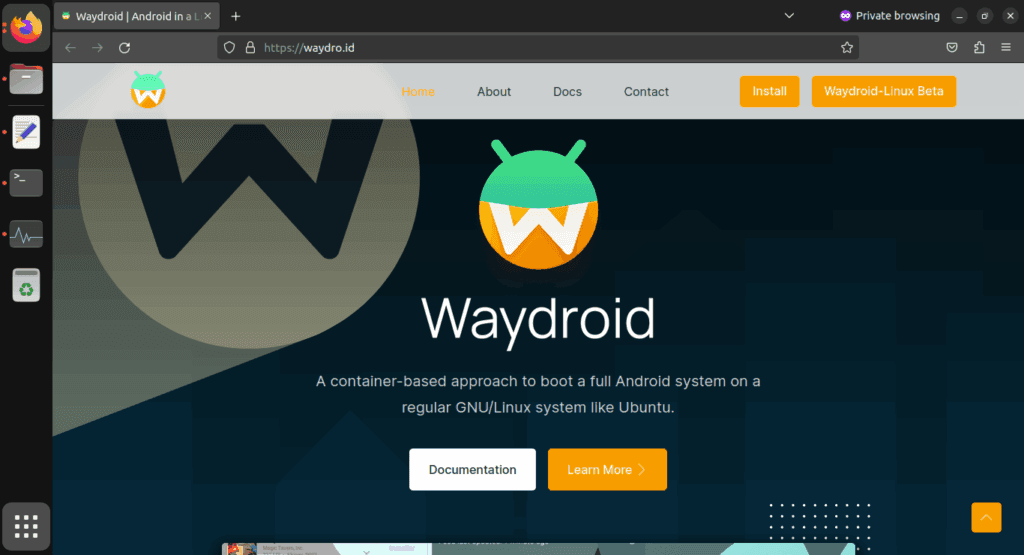
I came found Waydroid, an open source project that lets you run Android apps on a PC. Waydroid doesn’t simulate a whole Android device in a virtual machine, in contrast to Android emulators like BlueStacks or Genymotion, which you may already be familiar with. Rather, it shares the host OS’s kernel and makes use of Linux namespaces. In summary, it runs an entire Android system directly on Linux using a container-based methodology. This results in near-native performance with no overhead or performance penalty associated with virtualization.
Admittedly, installing Waydroid is more complicated than just downloading the installer for an emulator and repeatedly selecting Next, as is the case with Windows. However, it merely required entering two simple commands into the terminal, and Waydroid is available in the app stores of many distributions. It wasn’t a problem for me because I already use Linux on a daily basis, but I would advise you to give the operating system a try if you haven’t used it recently. Stable versions, such as Ubuntu, are largely similar to Windows and require no tweaking.
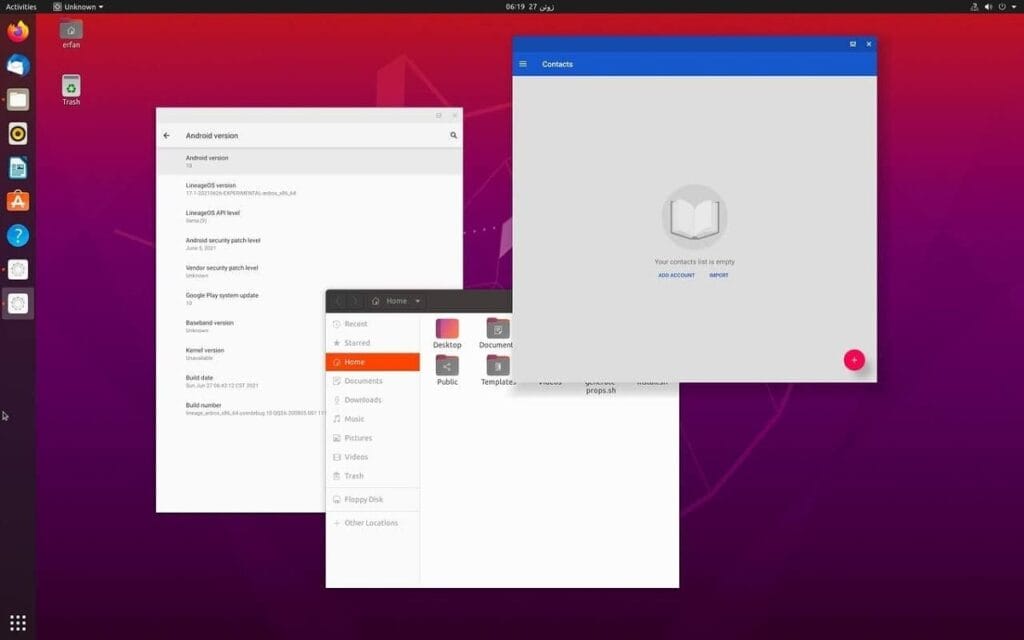
Returning to the topic of Waydroid, there are two builds available: one with Google apps (GApps) and one without. I chose the former, which included a minimum build of Android 13 based on LineageOS along with the Play Store and Google Play Services framework.
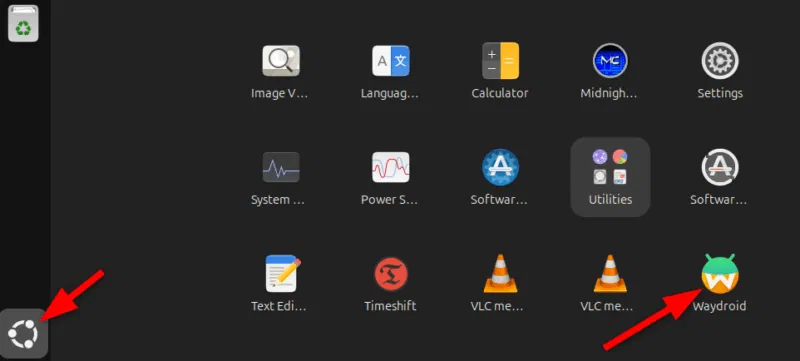
After installation, Waydroid displays installed Android apps in the application menu of your computer, complete with taskbar entries and unique icons, just like native programs. Additionally, you may enable multi-window mode, which lets each program open in a separate window, by changing one setting.
Is using Waydroid pleasant?
Waydroid
Waydroid brings all the apps you love, right to your desktop, working side by side your Linux applications.
Despite being an open-source, community-built program, Waydroid feels quite well-designed. With the exception of a few configurable configuration changes (such as turning off the on-screen keyboard), the main experience is identical to that of an Android tablet. I can use my monitor without even using my keyboard and mouse because it allows touch input.
I was pleasantly happy to discover that practically every software I wanted to run on Waydroid worked without any issues, despite my initial concerns about compatibility. You must first take a moment to register your Waydroid installation with Google Play Protect, but I could download everything from the Play Store. Of course, you may also utilize other app stores like F-Droid or sideload apps. Compared to Windows Subsystem for Android, which was formally restricted to the Amazon App Store, this is already a significant improvement.
We tested all of my favorite apps, including Telegram, YouTube, and Google Maps, and they all functioned perfectly without a single frame loss. Even my Chromebook, which runs Android apps less effectively, stands in sharp contrast to this. You see, with the release of Chrome OS 109 in 2023, Google shifted to a virtualization-based strategy for running Android. Since then, a lot of Chromebooks with lower specs have had trouble running Android apps.
The term “way” alludes to Waydroid, a crucial part of the graphics infrastructure of contemporary Linux that enables even hardware acceleration and fluid input. Even though I have AMD hardware, as the project suggests, I tested a few simple games and they ran perfectly. Allowing Waydroid to utilize your PC’s built-in graphics or switching to software rendering are two workarounds for NVIDIA’s lack of official support.
That’s not to imply that Waydroid doesn’t have drawbacks. You’ll soon discover that you can’t view incoming notifications when you run programs in multi-window mode. Apps lack the ability to send notifications outside of the container they reside in, in contrast to Chrome OS. If you install the appropriate desktop application and use a forwarding app, such as KDE Connect, you can easily get around this.
Additionally, Waydroid shields a large portion of your device’s hardware from Android apps. For example, the camera input is broken, which is really important if you care about video calls. Similarly, apps are inherently unable to directly access Bluetooth or GPS. However, this only truly matters in ancillary use scenarios, such as when attempting to configure a smart home device straight from Waydroid.
Overall, Waydroid fills the void better than anything else available at the moment, although it doesn’t completely replace my Pixel or even my detachable Chromebook. I can highly recommend Waydroid if you’re among the numerous folks who either use an emulator or wish that Windows Subsystem for Android would come back.
Waydroid
Waydroid brings all the apps you love, right to your desktop, working side by side your Linux applications.
Searching for the most amazing offers without breaking the bank? Each week, premium apps and games are available for free download for a brief period of time on both the Apple App Store and the Google Play Store. Whether you enjoy immersive games, lifestyle apps, or productivity tools, these short-lived sales are the ideal way to add to your collection without breaking the bank.
The most recent free applications and games for iOS and Android are highlighted in this roundup. It’s a good idea to take advantage of these time-sensitive bargains before they revert back to their normal pricing. We’ll update the list frequently, so you won’t ever miss out on special offers for your preferred mobile devices.
Android apps and games
Apps
English Verbs Pro ($3.99): If you want to up your verb game in English, this app will help nudge you forward.
Sharks 3D ($0.99): Want a live wallpaper without having to go to the aquarium? See sharks swimming around.
Color Wheel ($1.99): Any graphic designer or artist would definitely want to have this app at their disposal in selecting the most accurate color possible.
Rotation Control ($0.99): I guess this is useful for older devices that do not have built-in rotation controls.
3D Anatomy ($2.99): This looks like a rather nifty app to help people get familiar with the human anatomy.
Games
SPHAZE ($0.99): A sci-fi puzzle game that tickles your imagination while featuring great-looking graphics.
Cypher Vocab ($0.99): A GRE vocabulary game to help build up your word power.
Fiete Choice ($2.99): Want to keep your little ones occupied? This game will garner their attention.
The deals were active on the day of publication. Please leave a comment below if you come across an expired deal.
Before downloading any of the aforementioned apps, we advise you to review the app’s details in the App Store or Play Store. Because some of these free programs might offer unique features or drawbacks of their own, this is crucial.
Both free and paid apps should be avoided since they could have unnoticed in-app purchases and adverts. This is especially important while downloading kid-friendly games. In the rapidly evolving world of mobile apps, numerous companies use cunning tactics to obtain your personal information. But tech buffs, don’t worry! We’ve compiled some crucial advice to help you safeguard your important data. Being selective about the permissions you grant the apps you decide to install is an essential first step.
Discover the wide range of free apps that are accessible on the iOS and Android operating systems, all while protecting your data.
We offer you a variety of iPhone and Android apps that are typically paid for but are temporarily free. Take advantage of these savings on games and apps to add some diversity to your phone’s app store, but don’t wait!
We only chose these applications since they are free right now! We are unable to guarantee that these limited-time offers will remain available on the Google Play Store or Apple App Store for very long, though. As a result, downloading them as soon as possible is advised. Just watch out for any possible subscription traps, in-app purchases, and advertisements.
Even if you don’t require an app right away, install it if it piques your curiosity. It will be added to your app library and marked as “bought” as a result. After that, you may uninstall the app straight from your phone and get it back for free anytime you need it.
Android
Free apps
Sound Meter & Noise Detector ($3.29): The name says it all. Register sound levels wherever you are, with recordings, graphs, and statistics.
Bubble Level Pro ($2.79): Planning on hanging a new frame on the wall? Check if it is properly leveled.
Passport Photo: ID Photo Print ($5.99): Make photos appropriate for documents, remove backgrounds, choose the right dimensions, and more!
Fake Call Screen ($0.69): Create realistic call screens on your phone to get out of awkward situations.
Free games
Grow Heroes VIP ($1.79): Evolve your fighters in this Idle RPG with charming retro graphics.
Epic Heroes War ($0.19): Hack and slash your way through the enemy hordes in this strategy-action-RPG.
Sudoku Master 2023 ($2.29): Challenge your brain in more than 5000 levels of puzzles.
ExtremeJobsKnight’sManager VIP ($0.79): Another Idle RPG. This time, collect and craft equipment in over-the-top battles.
iOS
Free apps
Videdit ($0.99): Edit your videos, apply effects, mix and match recordings for your next social media post.
Fotospot Road Trip ($3.99): Planning a road trip in the USA? Check this curated list of over 11,000 places across the country.
Medieval Madness Stickers ($0.99): Wanna try a different set of stickers? How about this collection of zany illustrations inspired by the Middle Ages.
Free games
Pro Wrestling Manager ($3.99): Create and manage your professional wrestling association, with storylines, rivalries, and everything that made the “sport” popular in the past.
Kid Tarzan Bubble POP Shooter ($0.99): Save the baby animals in the jungle by popping balloons in this classic puzzle game.
ABC Star ($4.99): Instead of feeding your kid endless videos on YouTube, teach them the alphabet!
As of the date of publication, the deals were active. Please share any expired deals you come across in the comments section below.
We advise you to review the app’s details in the Play Store or App Store before downloading any of the aforementioned apps. This is crucial as some of these free apps can offer unique features or drawbacks of their own.
Both free and paid apps should be avoided since they could have unnoticed in-app purchases and adverts. This is especially important while downloading kid-friendly games.
In the rapidly evolving world of mobile apps, numerous companies use cunning tactics to obtain your personal information. But tech buffs, don’t worry! We’ve compiled some crucial advice to help you safeguard your important data. Being selective about the permissions you grant the apps you decide to install is an essential first step.
Discover the wide range of free apps that are accessible on the iOS and Android operating systems, all while protecting your data.
Why not look through our carefully selected list to find any hidden gems that could be the ideal complement to your library of apps? Keep in mind that these deals are only available for a short time, so act quickly!
We cannot guarantee that these deals will be available on the Google Play Store or the Apple App Store for an extended period of time, so please be aware that they are time-sensitive. Downloading and installing them as soon as you can is advised. Additionally, watch out for potential subscription traps, in-app purchases, and adverts.
Even if you don’t require an app right away, install it if it piques your curiosity. It will be added to your app library and marked as “bought” as a result. After that, you may uninstall the app straight from your phone and get it back for free anytime you need it.
Android Apps and Games
Apps
Warwil Pink Icon Pack ($0.99): Love Barbie and everything pink? This icon pack will get you started.
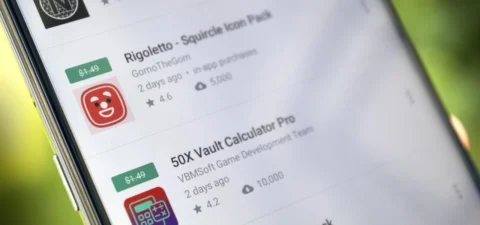
Rigoletto Squircle Icon Pack ($1.49): Want to get your icons looking not much like a circle and neither is it a square? This icon pack has got you covered.
Clear Wave – Water Eject Jet ($2.49): Want to remove water from your phone’s speakers? This app will play your speakers as loudly as possible.
Games
Cooking Quest ($0.99): Running a food business is never easy, and can get quite stressful at times. Do you have what it takes?
Warriors Market Mayhem ($0.99): Send a party of heroes to get rid of horrible monsters that are plaguing the city.
Heroes Legend ($0.99): Assemble a team of heroes to overcome various enemies standing in your way.
Spelling Pro! ($1.49): Train both spelling and language skills, in addition to your memory in an entertaining manner.
Grow Zombie ($1.99): Want to create your own zombies? Merge different types and see what kind of results you get!
iOS Apps and Games
Apps
Pin Points Distance Calculator ($0.99): Want to know the distance between two points? This app will get you up to speed in no time at all.
Instant Noodles: Original ($4.99): Do you tend to create quotes or make notes on the fly? This app adds an artistic flair to it.
Chain Timer ($0.99): Boost your productivity with this app by having focused sessions, making it useful for work, studying, and staying on track.
Compound Interest Calculator ($1.99): If you work at a bank or deal with mortgages and loans, having a compound interest calculator is always handy.
Rasa Music Visualizer ($1.99): Enjoy music while having beautiful visuals to accompany it.
Games
Starry Night Interactive ($0.99): Here’s your chance to interact with this historical artwork without destroying it.
Cut the Buttons ($1.99): This is a classic game that continues to entertain new fans. Get it now for free!
Ace Academy Visual Novel ($9.99): Here’s a visual novel that really tickles your imagination as you progress deeper into the story.
Axion Run ($0.99): It is up to you to assist the brave axion to break gravity and get away from his evil twin, with the hope of achieving the highest score.
The Bug Butcher ($0.99): An intense side-scrolling action shooter that requires lightning-fast reflexes to navigate tricky levels.
As of the date of publication, the deals were active. In the comments section below, please let us know if you find a bargain that has expired.
We advise reviewing the app’s details in the Play Store or App Store before to downloading any of the aforementioned apps. This is crucial as some of these free apps can offer unique features or drawbacks of their own.
We are unable to guarantee how long they will be available on the Apple App Store or Google Play Store. As a result, downloading them as soon as possible is advised. Just watch out for any possible subscription traps, in-app purchases, and advertisements.
Even if you don’t need an app right away, install it if it piques your curiosity. It will be added to your app library and marked as “bought” as a result. After that, you may uninstall the app straight from your phone and get it back for free anytime you need it.
Android Apps and Games
Free Android Apps
Sound Meter & Noise Detector: The name says it all. Register sound levels wherever you are, with recordings, graphs, and statistics.
Simple App Locker: Protect apps from prying eyes by hiding them behind a pin code or biometric authentication.
Reminder Pro: Already featured in other editions, set reminders quickly that are easily reachable with a widget, with lots of controls for frequency, alerts, and more!
Smart Navigation Bar: Still using the classic navbar? Customize it with a background theme, animations, and even text messages.
Free Android Games
Avalar: Shadow War: An action RPG with a strong Diablo influence. Fight the monsters and boost your abilities to (guess what) save the world!
Space Survivor: Mars RPG: Collect resources and boost your defenses to survive on Mars after being stranded on the red planet.
Shadow Knight: Ninja Fighting): Hack and slash your way through the darkness, defeating monsters with increasingly powerful attacks filled with special effects.
Summoners Era: If you are still into the idle RPG trend, try this pixel-art alternative
iOS Apps and Games
Free iOS Apps
Touch Notation: Write music on your iPhone or iPad, with this award-winning app for creating and editing musical notations.
Doodle Lens: Bring life to your doodles with the power of augmented reality. Create short videos and share them.
Merge Voice Memos: Just as the title says. Mix and match different sound recordings on your device
Weather: It is Nice Outside: Get a second opinion on the weather forecast, with data on humidity, wind, visibility, pressure, and more.
Free iPhone games
Wheels of Aurelia: A road trip through Italy, what is not to like? However, not everything is “dolce vita” in the 1970’s, and you must uncover the secrets of Lella’s past.
btw- puzzle maze: Pick all the circles on the board by switching the colors in this minimalistic puzzle game.
Chess: The classic board game with ELO-simulated computer players, and without the drama and controversies of today’s grandmasters.
Castle Ramble: A roguelike platformer with charming pixel art graphics in which you battle the pig invaders to recover your castle.
As of the date of publication, the deals were active. Please share any expired deals you come across in the comments section below. We advise you to review the app’s details in the Play Store or App Store before downloading any of the aforementioned apps. This is crucial since some of these free apps can have unique features or drawbacks of their own.
Follow us on X @droid_tools, like our page on Facebook, check out our updates on Instagram, and follow us on Google News for real-time news, device tips, and mobile tech insights.
There are already a number of interesting and helpful apps available for free. However, as the offer is only valid for a short period of time, you need act quickly if you don’t want to spend any money on them.
There are countless apps available in both Google’s and Apple’s app stores, the Play Store and the App Store. While some of these apps are free, some need a fee. However, many users are unaware that many paid apps can also be temporarily made free as part of a special deal. We have compiled a list of some of the most intriguing free apps accessible right now.
Free Pro apps (Android)
Unit converter ($0.79) – With the right app at the right time, the smartphone can bring a lot of added value. Especially when it comes to units and their conversion, there is hardly a better tool than this one. Whether temperature, length, volume, energy, fuel or density – all of these can be converted effortlessly
Fake call screen – Prank call ($0,69) – Have you ever found yourself in an awkward conversation with no hope of escape? With this app, you can take your fate into your own hands and create a distraction with a fake call. Unfortunately, the application no longer works fully on newer Android versions
Color wheel ($2.09) – A very special app that is very popular with its target group. It allows you to precisely determine any color using a color wheel, color palettes, and the smartphone camera, and make fine adjustments at the same time.
Scan Text From Image English ($0,89) – With this app, you can automatically extract any English text from images. Numbers and units are also reliably recognized. The minimalist and user-friendly design of the application is particularly practical
Free premium apps (iOS)
Space Clutter ($0.99) – This game is a minimalist arcade game from 2012 that takes place in outer space. It is now also available for iOS. Anyone who develops nostalgic feelings when they hear the word “arcade” should definitely give this retro-inspired game a chance
Music Quiz: Know Your Library? ($0.99) – This game is a quiz based on your own music library. Anyone who thinks they know their favorite songs inside out can put their knowledge to the test here. The graphic design of the game adapts to the song currently playing
Blindfold Chess ($7.99) – This chess app takes an unusual approach, as the actual game almost takes a back seat here. Instead, the focus is on training for blindfold chess – in other words, playing chess without eye contact with the board. Anyone who learns this skill is guaranteed to be greeted with amazement at their next match
Dog Guide 2 PRO ($1.99) – If you want to find the ideal dog or expand your knowledge of these faithful four-legged friends, you should take a look at this app. It offers a large number of free pictures, clearly presented information, and a practical filter function – all in one application.
At the time this post was published, all of the apps we are showcasing here were free to download. Regretfully, developers frequently fail to indicate the duration of these offers. Don’t hesitate to download an app if you enjoy it.
However, you should always check the app page in the store before downloading a free program. Because there are occasionally unnoticed obstacles that you should be mindful of.
Apps permissions
Many apps gather user information and frequently sell it. Make sure you only give the program the rights it actually needs if you want to be safe. For instance, a flashlight shouldn’t be interested in your location information, and an alarm clock doesn’t require access to your contacts or cameras.
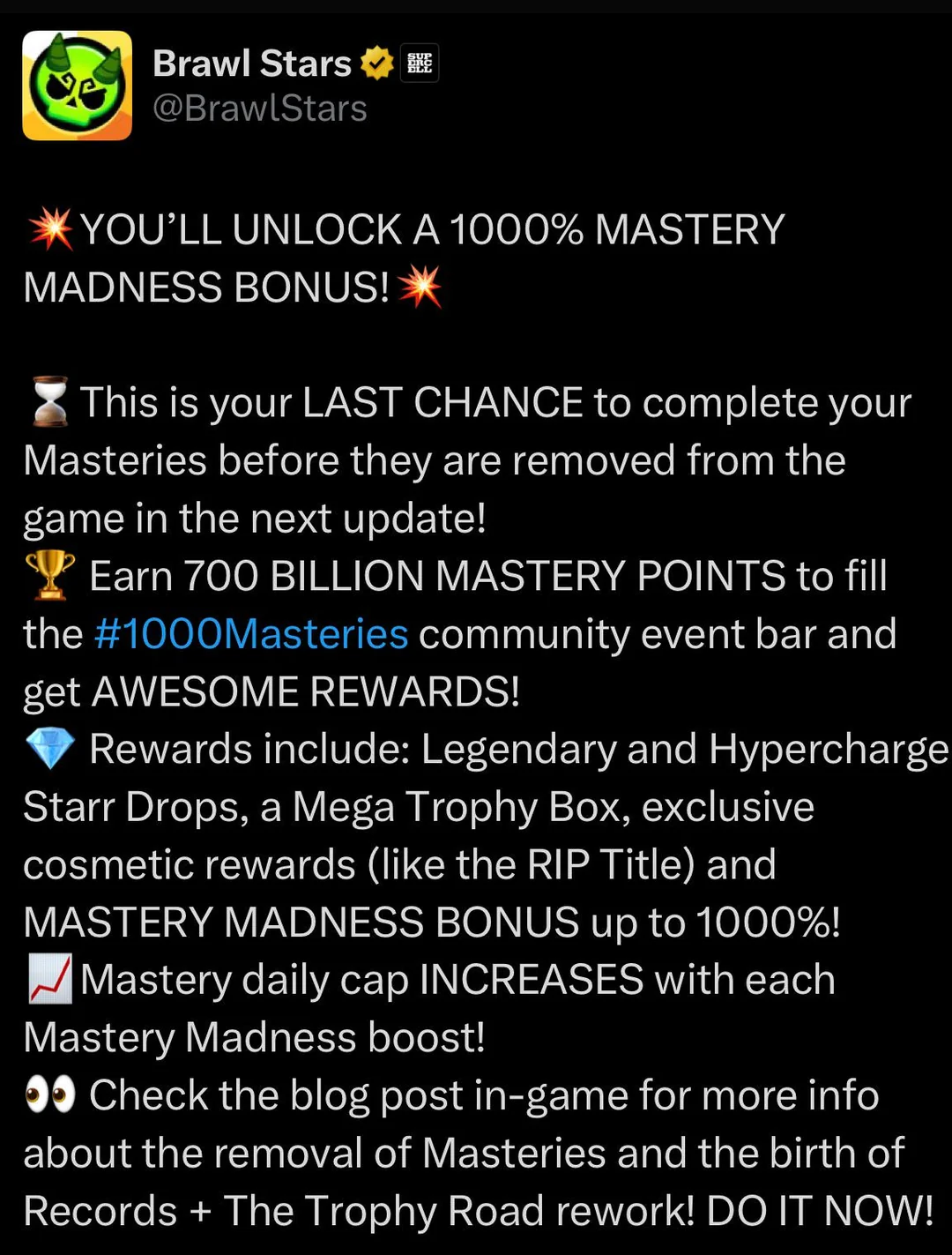
Forget what you thought you knew about a simple bonus. Brawl Stars is thinking bigger. The current buzz isn’t about a personal 1000% boost to your Mastery points, but something far grander: a community-wide challenge that’s got everyone brawling with purpose.
The Main Event: 1000 Billion Mastery Points for 1000 Random Starr Drops!
That’s right. Supercell has thrown down the gauntlet. The entire Brawl Stars community is tasked with collectively earning a staggering 1000 billion Mastery Points. If this monumental feat is achieved, every single player gets rewarded with 1000 Random Starr Drops. Imagine the loot! This isn’t just an event; it’s a global collaboration, a testament to the dedication of Brawlers everywhere.
So, while you won’t see your individual Mastery earnings multiply by a thousandfold, your efforts contribute to a massive prize pool that benefits everyone. Every win, every point you grind, pushes the community closer to that sweet, sweet cascade of Starr Drops.
What Were Typical “Mastery Madness” Events?
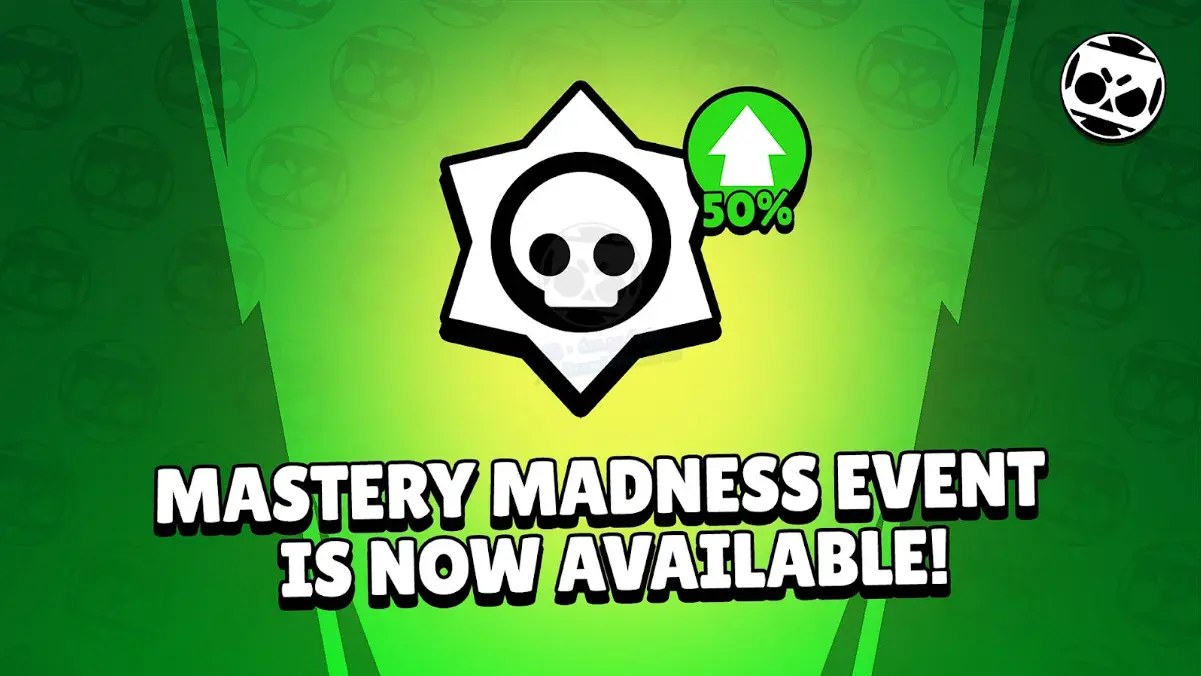
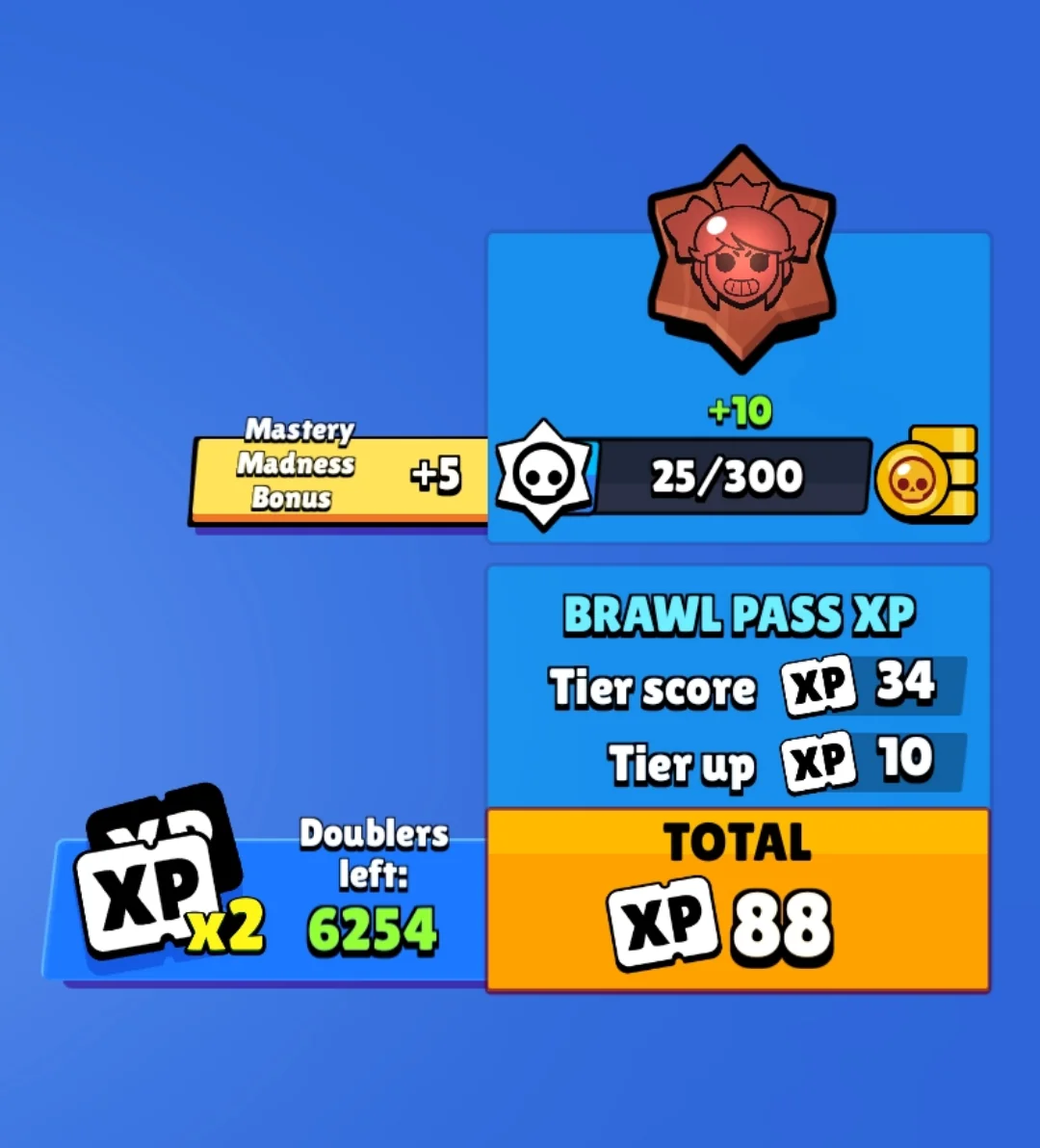
Before this colossal community challenge, “Mastery Madness” events were a more regular, straightforward affair. Typically, these events would offer a significant boost, often around 50% more Mastery Points, for every victory with any Brawler. These were prime opportunities to accelerate your progress on the Mastery Track for your favorite (or all) Brawlers, unlocking:
Coins
Power Points
Credits
Exclusive Pins
Coveted Player Titles
You’d earn these points through wins in Trophy Events, Power League (now Ranked), and Club League. There was usually a daily cap on how many bonus points you could rake in, ensuring even dedicated players had a reason to come back each day.
Mastery System Overhaul on the Horizon
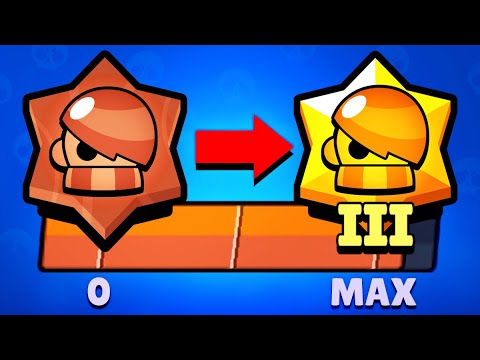
Hold onto your hats, because this community event is also the grand finale for the Mastery system as we know it. That’s right, Brawl Stars is gearing up for a significant update that will see the current Mastery system phased out and replaced by a brand-new Achievement system.
This is a pivotal moment in how you’ll showcase your skills and dedication to specific Brawlers.
What to Expect
Cosmetics & Titles Move to Achievements: All those cool cosmetic rewards and unique player titles you previously earned by grinding Mastery? They’ll find a new home in the upcoming Achievement system. Unlocking a Brawler’s title will soon mean completing specific, often skill-based, in-game feats (think landing a tricky multi-hit Super with Mortis or pulling off a game-changing play).
Trophy Road Revamp: The Trophy Road is also getting a fresh coat of paint and some functional upgrades. Expect more Legendary and random Starr Drops, and even the introduction of Hypercharge drops into the progression path.
Reward Rebalance: There will be some adjustments to the in-game economy. Look for a modest increase in Credits and Coins, while Power Points might see a slight reduction in their availability through these progression tracks.
What Happens to Your Hard-Earned Mastery?
Panicking about your unclaimed Mastery rewards? Don’t. Supercell has confirmed that if you haven’t claimed your Mastery rewards before the system is officially retired, they will be automatically awarded to you. This will happen when the pass after the immediate next one begins, so there’s a bit of a waiting period, but your efforts won’t be lost.
Navigating the Mastery Shift
So, with a massive community event underway and a system overhaul looming, what’s the game plan?
Grind for the Community Goal: Now is absolutely the time to jump into matches and earn those Mastery Points. Not only are you contributing to the 1000 Billion point target for those 1000 Starr Drops, but you’re also banking progress in the current system before it changes. Every win counts, for you and the entire community!
Secure Last-Minute Mastery Rewards: If you’re close to specific Mastery track rewards for your favorite Brawlers, this is your final stretch to claim them under the current system.
Anticipate the Achievement Era: Start thinking about which Brawlers you excel with in terms of skillful plays. The new Achievement system will likely reward specific talents and impressive in-game actions over sheer volume of wins.
Old Mastery vs. New Achievements: A Quick Look
Feature
Current Mastery System (Being Phased Out)
Upcoming Achievement System
Primary Goal
Accumulate Mastery Points per Brawler
Complete specific Brawler tasks/feats
Unlocking Titles
Reaching high Mastery tiers
Completing designated achievements
Reward Focus
Coins, Credits, Power Points, Cosmetics
Cosmetics, Titles, Achievement-specific rewards
Progression Feel
General dedication through wins
Skill expression & specific accomplishments
System Lifespan
Ending soon
The new standard
This transition signals a fresh way to define what it means to “master” a Brawler. It’s moving from a measure of persistence to a showcase of skill and memorable moments. This new achievement-driven system will undoubtedly refine your playstyle, demanding true Brawler-specific skill. If you’d prefer to fast-track past the initial setup for this evolution, consider this: a premium Brawl Stars account propels you directly into the heart of high-level play.The current “1000 Mastery Madness” (the community challenge for 1000 Starr Drops) is your call to arms. It’s a chance to be part of something huge, earn a massive collective reward, and give the Mastery system a fitting send-off.
Here, things operate differently because we carefully choose the programs. We chose these programs because they are temporarily free, rather than because we checked and tested everything. Regretfully, neither the Google Play Store nor the Apple App Store provide us with a summary of how long the deals are valid. It’s worthwhile to give them a try right away, but read the warnings about in-app purchases, advertising, and other subscription pitfalls.
Even if you don’t require an app right away, install it if it piques your curiosity. It will be added to your app library and marked as “bought” as a result. When you need it, you can easily reinstall the app for free after removing it straight from your phone.
Android apps and games
Android apps for productivity and lifestyle
PhotoApp: AI Photo Editor, Art: One of the many photo apps that let you modify your pictures. For example, you can integrate your face into other photos.
Simple App Locker: Do you want to protect certain apps or games from being accessed by others? Then this app offers you the option of securing desired applications with a PIN code or fingerprint.
Touch Lock: This app does exactly what the name promises – you can temporarily deactivate the touchscreen. This can be useful if, for example, you are listening to music or watching videos and don’t want to tap the screen accidentally.
PowerAudio: Do you want to give an appealing-looking music player with a good rating (4.4 stars) another chance? Then please – go for it!
Smart Navigation Bar – navbar: This alternative navigation bar is rated rather average with 3.4 stars, but hey, this way you can at least give the bar a new look on a trial basis and for free.
Android games
Defense Zone 3 Ultra HD: I’ve often recommended this game to tower defense fans. And I’m always happy to do so when it’s free again. Really great graphics and tough at times!
Cooking Quest: Do you have what it takes to make people happy with your street food cart? Then prove it in this game!
Sudoku Master Premium: I don’t have to explain Sudoku to anyone here, do I? In any case, this is a very nice implementation for puzzle fans.
Crossword Quest Premium: Fancy putting your gray matter to the test again? Then here’s something else for crossword puzzle fans.
WindWings: Fancy another spin-off of the Atari classic Galaxian? This one makes a really good impression and has a great rating. Have fun shooting!
iOS apps and games
Free iOS apps for productivity and lifestyle
Water Drinking Reminder: To be honest, this app, which reminds me to drink regularly, would be too expensive for six euros. But “for free,” you can get it without hesitation.
Scrap Paper: A very highly rated and intuitive note-taking app that wants to capture your ideas and thoughts without taking you out of your workflow.
Atten: Screen Time App Blocker: Do you often lose concentration and look at your phone more often than you should? Then this app will help you reduce your screen time.
abCursive: Do you still know how to write by hand? It’s almost a bit ironic that a cell phone app, of all things, wants to teach you how to write beautiful handwriting, isn’t it?
Pocketbooth Photo Booth: A photo tool that is modeled on the good old photo booth. I can imagine it being great fun for in-between times. And you?
Free iPhone games
Solitaire: The game, the design, and even the title of the game are sensationally simple. Anyone who enjoys playing solitaire will find a simple and ad-free version here, completely without frills.
Blindfold Chess: An exciting idea for a chess game – you have to play virtually blind. In this way, you learn to visualize the board in your brain and thus develop a different understanding and therefore a different skill for playing chess.
Rotaeno: For this music game, you need a sense of rhythm and a solid basic trust in your iPhone’s gyroscope. You have to hit notes by rotating your cell phone accordingly.
Spider Solitaire: If you like playing solitaire, you’ll find a simple and ad-free version here, without any frills. Oops, I’ve just written that sentence before. So be it – you can tell us which of the two versions you like better.
Do you want to get free, high-quality apps and games? You are lucky! Every week, developers offer time-limited, totally free promotions on some of their top-paid apps on the Google Play Store and Apple App Store. We have selected the most recent selection of temporarily free downloads for iOS and Android, regardless of your preference for action-packed games, creative tools, or productivity tools. These deals could end at any moment, so take advantage of them while they are still available!
Android apps and games
Apps
IPTV Smart Player Pro: You can currently save almost ten euros by installing this app. With this player you can bring your TV content from your cell phone to your TV.
Reminder Pro – Reminder: With this app, you can always keep an eye on your reminders. You can create new reminders in seconds and decide when you want to be reminded.
Equalizer & Bass Booster Pro: Do you want to tweak your music on your cell phone? Then try this app to get the most out of the sound and bass.
Countdown Widgets: Whether it’s a vacation, Christmas or the next party night – with this app you can always keep an eye on the next event as a countdown widget on your cell phone. After all, anticipation is the greatest joy.
Color wheel: Top tool for anyone who works with colors – regardless of whether you are a painter, graphic designer or just need to determine the colors of a photo from time to time.
Games
Cytus 2: Rayark International Limited is known for offering exciting games with a focus on music. Cytus 2 is one of them and is currently free.
Cartoon Craft: Fancy a real-time strategy game with a cute cartoon look? Then install this little game here.
Water Color Sort – Premium: This game principle, in which you decant colors into different bottles, is terribly relaxing. It’s like the lava lamp of mobile games.
Mini Crossword: This game is for crossword fans who want to pass the time on their cell phone with this classic word puzzle game.
Crafterok – Lords of Survival: You want to fight for survival on a desert island, but you also want it to look colorful and cuddly? Here you go!
iOS apps and games
Apps
Scrollit 2X – Visual messenger: If you’re looking for a tool that lets you scroll text across the iPhone display in a nice big way, you’ll find it here.
Infinity List: There are many list apps. But if it is rated with 4.6 stars, it must be really good. So make sure you put this download on your to-do list!
Timer for Rehearsal: You’re giving your speech and want to keep an eye on the remaining time? No problem with this versatile timer.
iKnow Dogs 2 Pro: With this app you have virtually infinite dog knowledge on your iPhone. Handy if you’re looking for a four-legged addition to the family.
Inkwork: With this app, you can turn your photos into ink-look paintings and choose from over 90 styles.
Games
Tiny Orchestra: This game is a fun way to teach your little ones about music. Put together your own little iPhone orchestra.
Block Dash Watch: In this game you have to avoid any collisions. The highlight: You can play the game on both the iPhone and the Apple Watch.
Aw Craps! This is a game where you can pass the time with classic casino games.
Bully – Anniversary Edition: With this game from the GTA makers at Rockstar Games, you can prove who’s top dog in the schoolyard.
Minesweeper: I can recommend this classic game to anyone who wants to play this game in the simplest possible guise.
That concludes our compilation of the games and apps that are now free. Some specials only last a few hours, so make sure to download your favorites before they go away! To receive weekly updates on the newest freebies, bookmark this page or sign up for our email. Did you find anything amazing we missed? We will incorporate it into the upcoming version if you let us know in the comments.