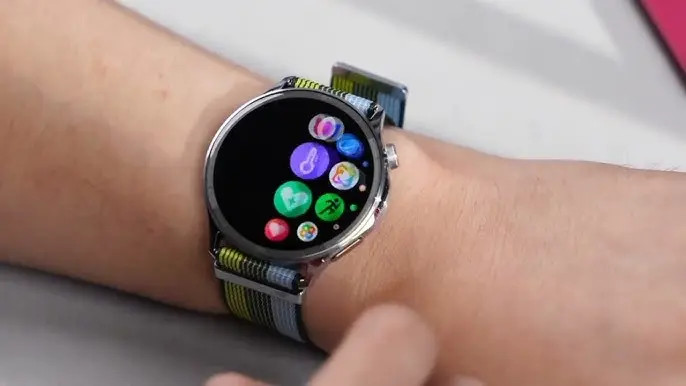
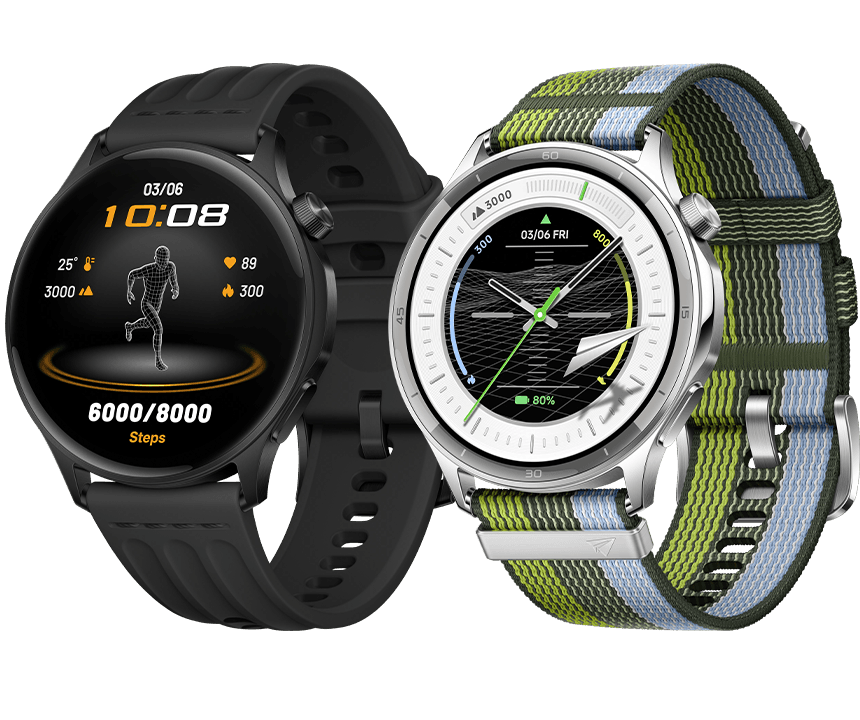
Europe is now able to get the Oppo Watch S. The smartwatch is comparatively tiny, has a very brilliant display, and is said to be able to determine lactate levels.
Last fall, Oppo unveiled the Watch S, a wearable that has now made its way to Europe. The watch is available in Phantom Black and Nebula Silver, and Oppo lists it for €259. The watch is already available for purchase on the company’s website in Austria, and it should soon be available in additional European nations. Some third-party retailers are already carrying the Oppo Watch S as well.
In order to improve readability in direct sunlight, Oppo is highlighting the display, which is built on a 464 x 464 AMOLED panel with a maximum brightness of 3,000 nits. As usual, this peak brightness is only available in brief bursts rather than continually. There is also an always-on mode, although the battery life will be reduced from seven to four days.
The smartwatch is partially composed of stainless steel and has a thickness of roughly 0.35 inches. Additionally, the Oppo Watch S is made to offer extra workout information, such the tennis swing speed. Oppo provides a posture assessment for running and jogging, and the smartwatch has the standard GPS module.
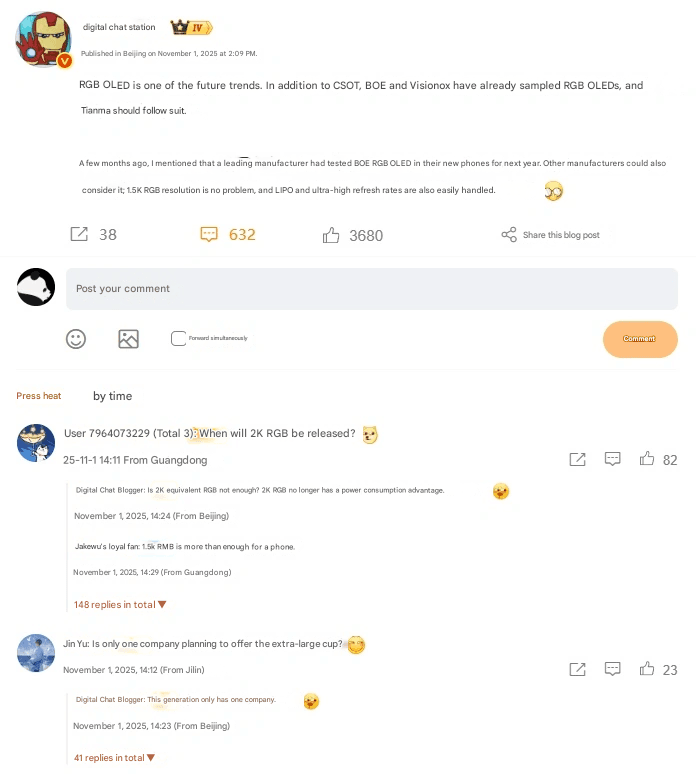
Also, Xiaomi is setting the standard for mobile display technology in the future. “RGB is clearly the trend of the display,” Redmi Product Manager Sun Cun stated in an official statement, citing IT Home. This happened in reaction to well-known leaker @DigitalChatStation, who claimed that major panel makers like CSOT, BOE, and Visionox were developing RGB OLED displays and that Tianma would shortly follow.
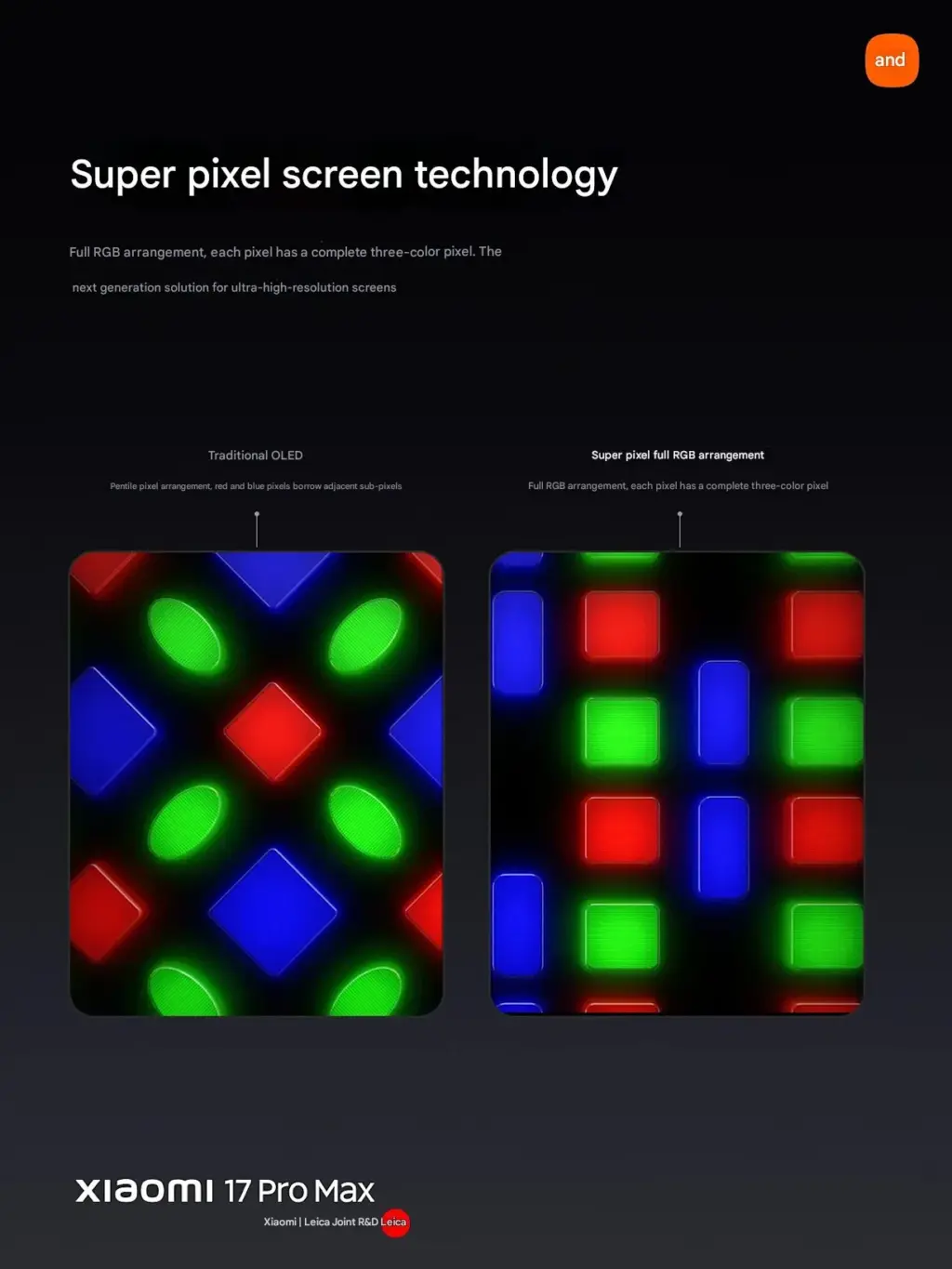
Compared to other OLED displays, RGB OLED offers crisper visuals, more accurate colors, and reduced power usage by displaying subpixels in the hues red, green, and blue. According to DigitalChatStation, a number of companies have begun **sampling 1.5K RGB OLED panels that can handle LIPO backplanes and high refresh rates, with 2025 smartphones being the target goods.
RGB OLED technology
Leading the way in this progression will be Xiaomi’s upcoming Xiaomi 17 Pro and Xiaomi 17 Pro Max. TCL CSOT display panels, such as the Pro Max with a Real RGB panel using Super Pixel Alignment technology, are included with these devices. In addition to providing crisper visuals than 2K resolution, this enhancement reduces energy usage by 26%, which is ideal for flagships.
Lei Jun, CEO of Xiaomi, also highlighted “unparalleled screen clarity and battery savings” when discussing another innovation made possible by the Xiaomi 17 Pro Max, which uses Super Pixel display technology.
With Sun Cun’s confirmation, there is now concrete proof that Xiaomi’s Redmi and Xiaomi brands will soon have flagship models with RGB OLED screens in a number of product lines and series, including the Xiaomi Pad series, Xiaomi 17 series, and upcoming Redmi K Ultra models. This is undoubtedly a significant step toward more **accurate, energy-efficient, and long-lasting display offerings.
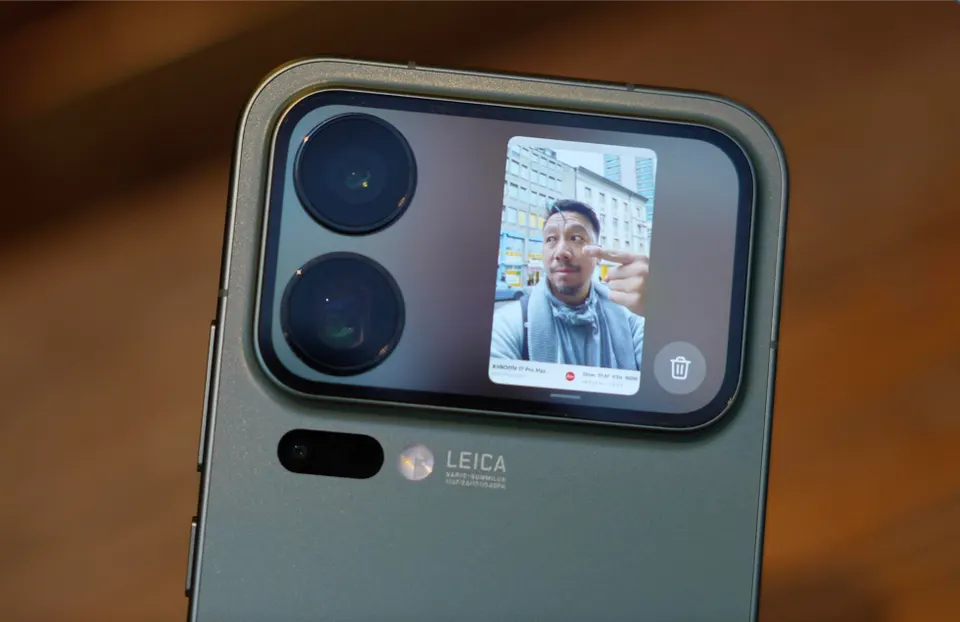
It’s difficult to release a genuinely unique smartphone in 2025, but Xiaomi succeeded. The Xiaomi 17 Pro and 17 Pro Max, which have extra screens on the back, were released by the firm, and it seems that this decision was successful.
Lu Weibing, the president of Xiaomi, stated during a livestream (source in Chinese) on Weibo that the business will keep using Dynamic Back Displays in its upcoming flagship devices. According to him, the business already has plans to boost its R&D expenditures in order to guarantee higher-quality displays for Xiaomi’s upcoming smartphones.
The choice was made in light of the Xiaomi 17 series’ success, which the company says was enormous and witnessed a 20% rise in sales over the previous year. The Xiaomi 17 Pro Max, which broke the first-day domestic sales record, is the biggest hit.
What is the secondary display used for?
The Xiaomi 17 Pro and Xiaomi 17 Pro Max, in contrast to Apple’s iPhone 17 and 17 Pro Max, make use of the so-called camera plateau and have secondary displays atop it. It is a 2.66-inch OLED screen with a resolution of 904 x 572 pixels, a refresh rate of up to 120 Hz, and a brightness of up to 3,500 nits. It has a selfie viewfinder, a few widgets, customizable wallpapers, and other features like the cover screen of contemporary flip phones.
It wouldn’t be shocking to see a larger screen with more features on what might be the Xiaomi 18 series, especially in light of Xiaomi’s most recent announcement. According to Lu Weibing, the business is updating the displays from the current generation. One of them ought to equip the gadget with a real-time translating function.
While Pixel phones offer many beneficial features by default, altering these specific settings can drastically affect The Google Pixel 9a could be the best-value phone of 2025, especially now that it has flagship-level AI capabilities, a dazzling 120Hz display, and a large battery at a more inexpensive price. However, like with every Pixel phone, the most useful functions are frequently disabled by default.
These suggestions are for a Pixel 9a running Android 15. The specific menu locations may differ slightly depending on the Pixel model and Android version you’re using, but the settings are broadly available throughout recent Pixel generations.Enhance your user experience.
Use smooth display
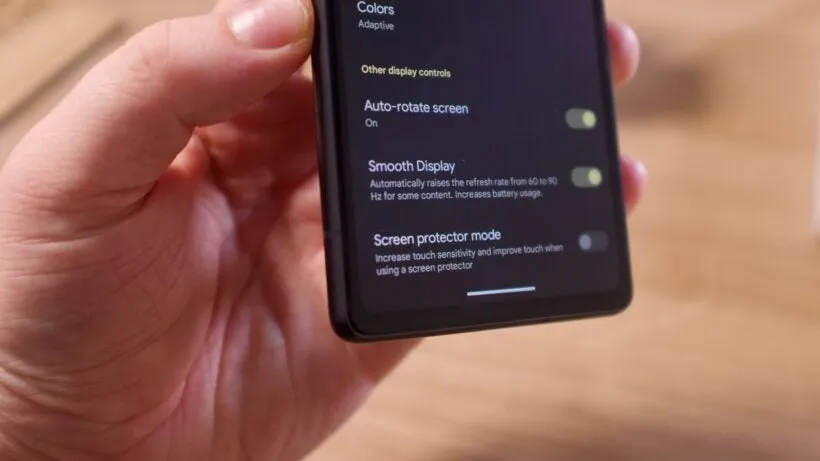
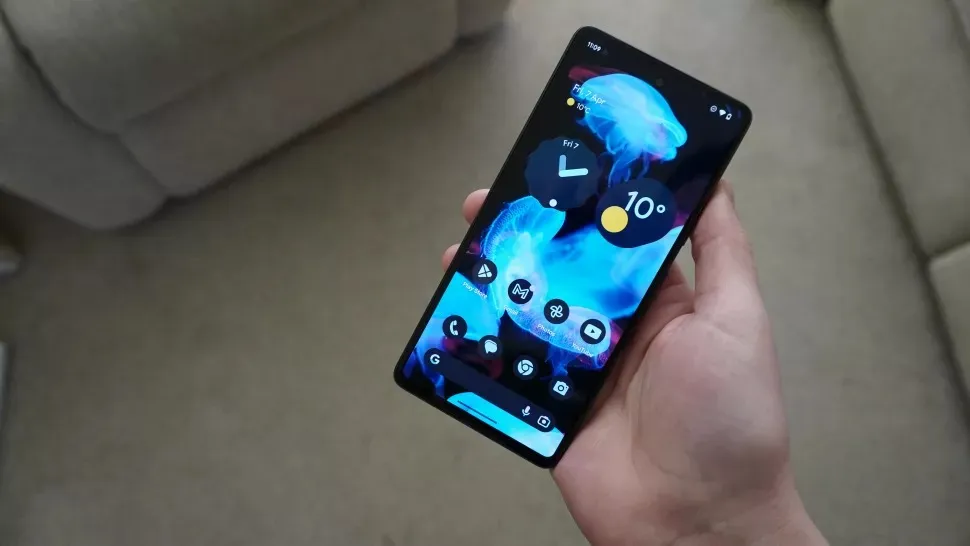
Pixels continue to ship with a dazzling Actua 120Hz OLED panel, which is set to a more cautious 60Hz by default. It’s fine for battery conservation, but if you prefer buttery-smooth scrolling and animations that showcase the screen’s full capability, enable Smooth Display.
Go to Settings > Display > Smooth Display and turn it on. You’ll notice an immediate improvement in responsiveness when scrolling through social networks or navigating the UI.
Use “At a Glance”
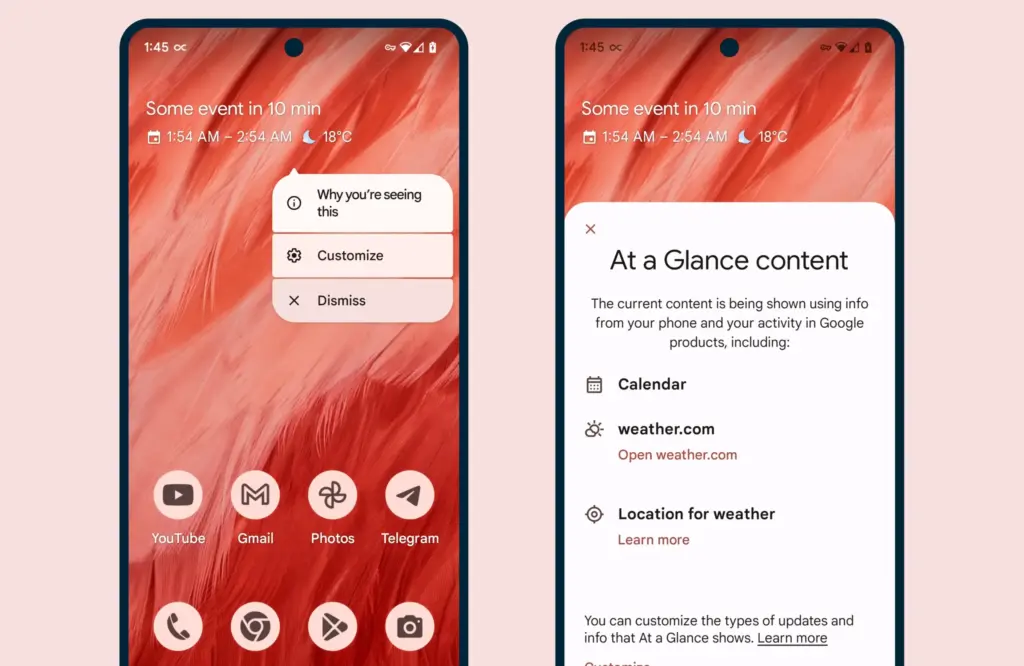
When you enable the Pixel’s smart widgets, the lock screen may transform into a small command center. At a Glance displays travel information, weather alerts, calendar events, and more.
All of this happens via the Pixel Launcher. Tap and hold any available space on the home screen, then pick Home settings, followed by the At a Glance settings button. There, you may control what kind of information display and what data sources it uses (with your permission, of course).
As an added bonus, the At a Glance widget on your home screen will display this information, increasing your chances of receiving notifications and updates.
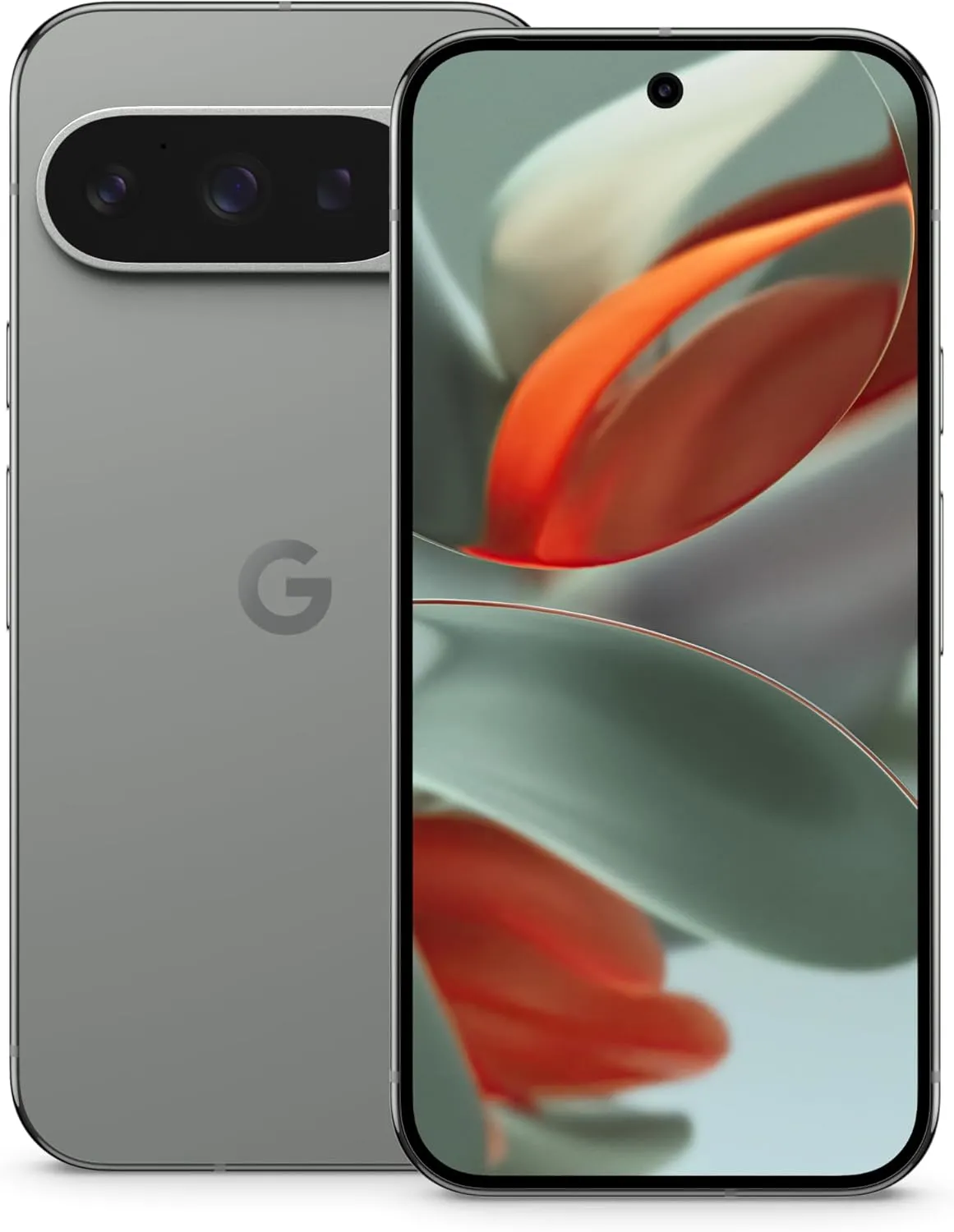
Google Pixel 9 Pro
Pixel 9 Pro with Gemini is the most powerful Pixel yet, and now comes in two sizes; it has a pro-level camera and it’s engineered by Google, so it gets the best of Google AI first
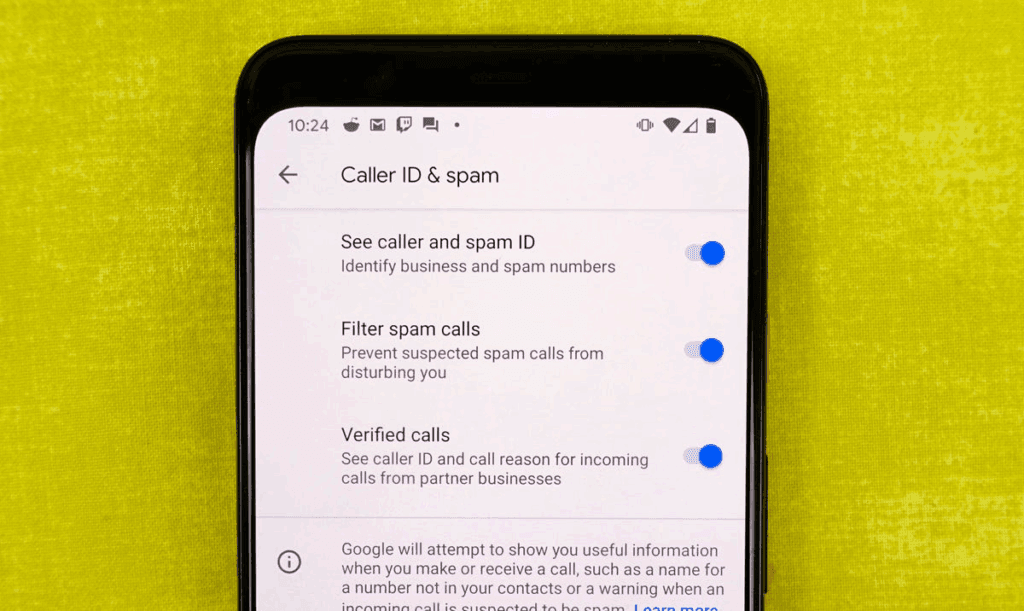
Pixel phones actively filter out spam and unrecognized numbers. Google’s Caller ID and Spam feature detects robocalls and other unwanted calls before you answer.
Open the Phone app and navigate to Settings > Caller ID and Spam. Enable See caller and spam ID, and incoming calls will have a vivid red alert that cannot be ignored. If your Pixel has the option to filter spam calls, I recommend turning it on, as this prevents those calls from ringing your phone and instead sends them directly to voicemail.
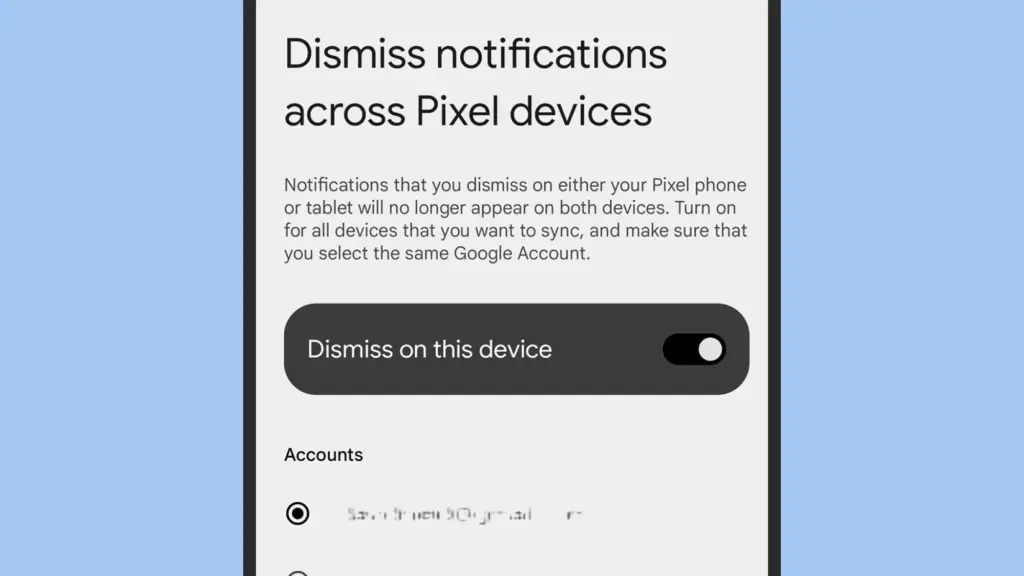
Dismiss notifications across Pixel devices
This one is for the Pixel fanatics out there. If you have multiple Pixel devices signed in with the same Google account, you can sync notification dismissals between them.
Go to Settings > Notifications > Dismiss notifications from all Pixel devices. Toggle Dismiss on this device, grant notification access, and select the apps you wish to sync. Repeat the process on all of your Pixel devices to ensure that you never see the same notice twice.
Enable app suggestions on the home screen
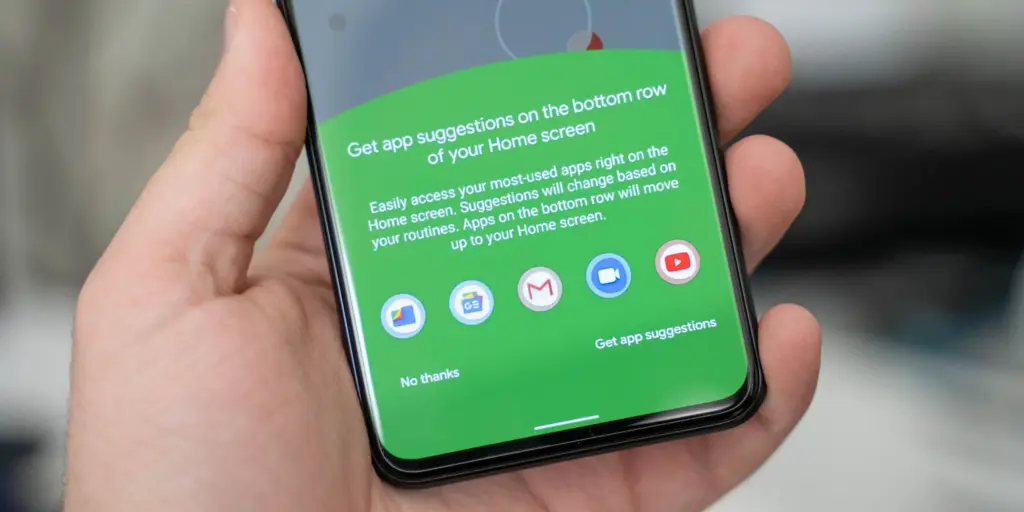
The Pixel Launcher may provide app suggestions based on personal information such as location, time of day, and usage habits.
Tap and hold an available space on the home screen to access Home Settings > Suggestions. Enable Suggestions on Home Screen, then remove at least one static symbol from the bottom row of your Home Screen. That location will turn yellow and begin to change dynamically based on usage trends. You may even do this on the entire row if you like.
Increase battery life using Adaptive Battery and Extreme Saver.
Pixels already have a long battery life, but Google’s battery-saving features extend it much further. Adaptive Battery learns which apps you use the most and reduces power to the others. Extreme Battery Saver turns down non-essential apps to save power for days.
Enable both under Settings > Battery > Battery Saver > Adaptive Battery and Battery Saver > Extreme Battery Saver. You can also set schedules so that they activate automatically when needed.
Use Pixel Quick Tap feature
The Pixel’s Quick Tap function allows you to double-tap anywhere on the phone’s back to perform customized actions, but it is not activated by default. You can configure it to start the camera, take a screenshot, pause music, or open your preferred app.
Go to Settings > System > Gestures > Quick Tap, then enable it and select your chosen shortcut. Mine is set to toggle the flashlight, which is quite useful.
Enhance Now Playing on your lockscreen
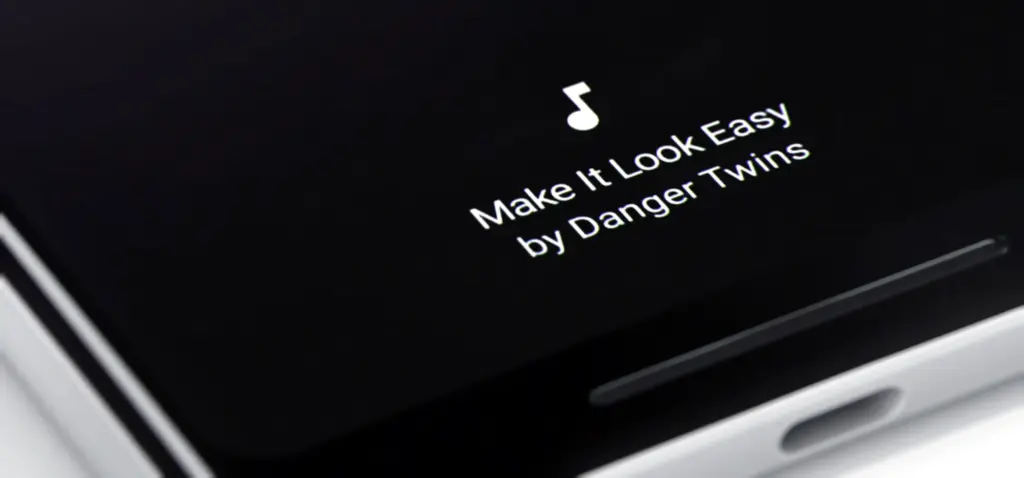
Now Playing is a great tool that automatically recognizes songs that are playing around you. The phone displays that information on your lock screen in a passive manner. Even though the database is remarkable and entirely on-device, it cannot identify every song out there. This is where Google Search comes in.
Go to Settings > Display > Lock Screen > Now Playing and select Identify Songs Playing Nearby. Then, enable the Show search button on Lock Screen. The next time Now Playing fails, hit the lock screen icon to transmit the audio fingerprint to Google Search for a second viewpoint. It does not always work, but when it does, you will be glad you tried.
Change your lock screen privacy settings
By default, notifications appear on your lock screen, so others may view your messages. I always change this option on my new devices.
Go to Settings > Notifications and turn Sensitive notifications off. This keeps the sender and app visible while hiding the message contents. To ensure utmost privacy, go to Notifications on the lock screen and select Don’t show any notifications.
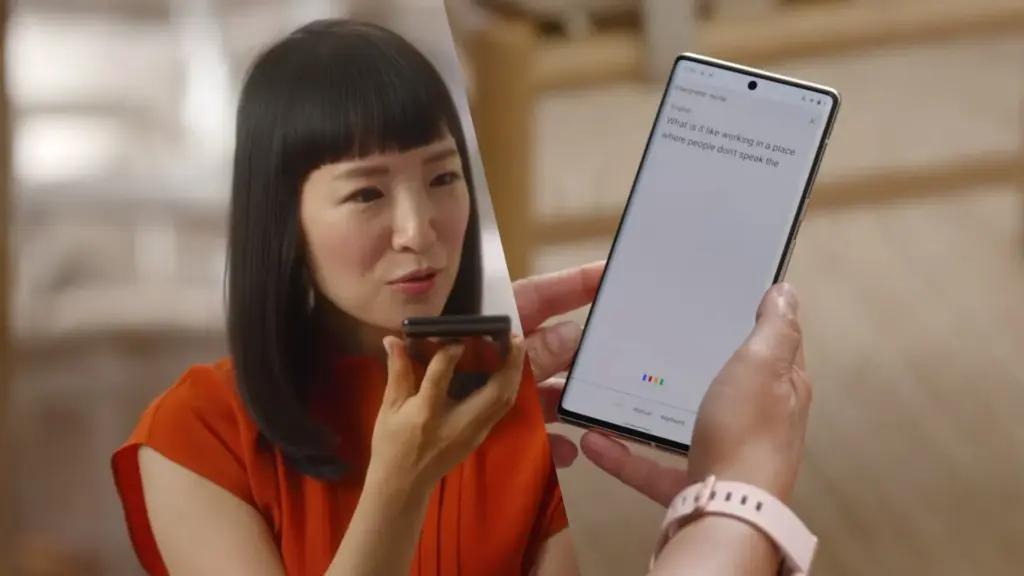
Make use of Live Translate and Interpreter Mode
Tensor-powered Pixels offer offline translation tools. Live Translate enables you to automatically translate text messages in real time.
Go to Settings > System > Live Translate, then Add a language. Depending on your choices, you’ll have access to services such as in-message translation, camera view translation, and live captioning for videos. Interpreter mode still requires Google Assistant, which is becoming less important now that Gemini has taken over.
A few small changes can help your new Pixel feel faster, smarter, and more personal. Whether this is your first Pixel or you’ve lost count by now, taking the time to explore these options unlocks some of the best of what Google has to offer.
These days, swift screens are not limited to the the greatest Android phones. The majority of premium and mid-range Android phones, as well as many low-cost phones, have displays with refresh rates higher than 60 Hz.
However, because their displays do not support variable refresh rate (VRR) technology, the majority of these phones only refresh at a few set speeds, such as 60Hz, 90Hz, or 120Hz. As it turns out, Android has not had real VRR support up until now, although certain phones do feature VRR-capable screens.
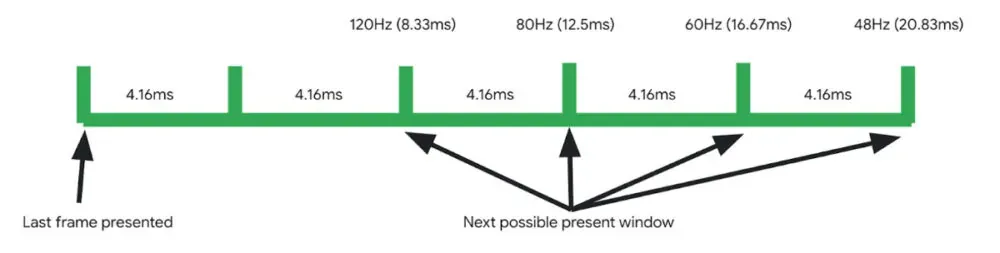
Google claims that Android 15 is the first version of the Android operating system to feature adaptive refresh rate (ARR), also known as variable refresh rate. The operating system allowed for multiple refresh rates with refresh rate switching prior to Android 15. In essence, the OS would instruct the screen to alternate between the many display modes that it supported, like 1080p@60Hz and 1080p@90Hz.
Therefore, it would track the type of view that is displayed in an attempt to do this intelligently, but it was never really adaptive. Nevertheless, Android 15 introduced adaptive refresh rate, which allows the refresh rate to alter within a single display mode in addition to adapting to the content frame rate.
According to Google, there are two main advantages to Android 15’s adaptive refresh rate functionality. By allowing devices to “function at rates lower than their maximum refresh rates, switching to higher rates only when critical for the user experience, which eliminates wasteful power consumption,” it first lowers power usage. Second, by removing the need to switch between display modes—which Google claims is a “known cause for jank”—ARR enhances performance.
Many of you are probably asking if this adaptive refresh rate feature is indeed new. What gives, considering that smartphone manufacturers have been promoting variable refresh rate as a key feature made possible by the advent of LTPO screens for years? Although I am not very knowledgeable about display technology, from what I gather, even these gadgets have never offered full VRR on Android, unlike PC players. For instance, unlike many PCs, Android smartphones with LTPO OLED screens are unable to synchronize their display refresh rates with games.
Many of you are probably asking if this adaptive refresh rate feature is indeed new. What gives, considering that smartphone manufacturers have been promoting variable refresh rate as a key feature made possible by the advent of LTPO screens for years?
While We aren’t very knowledgeable about display technology, from what I gather, even these gadgets have never offered full VRR on Android, unlike PC players. For instance, unlike many PCs, Android smartphones with LTPO OLED screens are unable to synchronize their display refresh rates with games.
Rather, the introduction of LTPO backplanes to OLED screens just improved the power efficiency of operating those screens at lower refresh rates. This expanded the range of available refresh rates by enabling Android devices with LTPO OLED displays to operate at 1Hz or even 10Hz when necessary.
These refresh rates were still connected to distinct display modes, though, and Android controlled them by calling lower-level display software through the Hardware Composer (HWC) hardware abstraction layer (HAL). As a result, the Android OS would alter the refresh rate by switching the display mode even on devices having a real VRR/ARR panel.
Some Android devices already have the ability to switch refresh rates inside the same display mode, but their OEMs had to add kernel-level support for this, according to display expert Dylan Raga.
The drawback of this strategy is that every OEM would have to create their own logic for determining when to reduce the refresh rate. This is difficult not only because Android requires a generic kernel image, but also because the kernel does not know as well as the OS does what content is displayed.
Because it offers a uniform method of reducing the refresh rate using data and cues that are more easily accessible to the OS, Android 15’s implementation of appropriate support for VRR/ARR at the HAL level is crucial. However, OEMs must implement version 3 of the HWC HAL APIs in addition to supporting the necessary kernel and system updates on Android 15 or later devices in order to allow VRR/ARR.
It is hoped that more apps would utilize lower refresh rates once Android devices have this adaptive refresh rate capability enabled. Dylan Raga cited the fact that most Android phones now run at 60 Hz when a movie is playing rather than 30 or 24 Hz, which this feature may correct.
Yet, according to Google’s documentation, this functionality only permits the panel to operate at refresh rates that are “divisors of the panel’s tearing effect (TE),” therefore it is unlikely to bring PC-like game refresh rate syncing to Android. It is long overdue that Google disclose more information about this function and whether it is available on any of its current Pixel smartphones.
Over the last fifteen years, smartphones display have grown in size exponentially. It is funny how, while six inches was once considered the definition of a phablet, these days we can call a six-inch device compact. Along with larger screens come improvements in color fidelity, resolution, refresh rate, and other technical marvels that enhance the smartphone experience.
Over the last fifteen years, smartphones have grown in size exponentially. It is funny how, while six inches was once considered the definition of a phablet, these days we can call a six-inch device compact. Along with larger screens come improvements in color fidelity, resolution, refresh rate, and other technical marvels that enhance the smartphone experience.
When buying a new smartphone, it is important to consider the display specifications because people are consuming more and more content on their phones, whether it is through watching HDR movies and shows or binge-watching your favorite TikToks. Innovations have made it possible for displays to take on new forms, such as edge-to-edge, curved, and OLED, and competition has made these phones more affordable than ever.
Here are five Android phones with some of the best screens in the market, ranging from incredibly clear 4K panels to the really fluid displays found in foldable smartphones. However, there are always a select handful at the top with the most advanced display technologies.
Samsung Galaxy S23 Ultra
With its Ultra-series of phones, Samsung has polished the recipe with its many design advancements, such as folding panels or the overflowing edge displays in its previous flagships. Samsung has been the undisputed ruler in display technologies, and not just in its smartphones.
With its tried-and-true build and design, the Galaxy S23 Ultra certainly plays it safe, but that does not mean it shys away from what may be the best all-around smartphone display: a massive 6.8-inch 2K AMOLED display that refreshes at 120 Hz and boasts great outdoor visibility thanks to its 1,750 nits of peak brightness. The nearly bezel-less, edge-to-edge panel with a centrally aligned hole-punch camera is just one of the many features that combine to create an immersive experience.
With its robust specifications and S Pen, the S23 Ultra is an incredible phone—especially considering how well users have rated its battery life. It also boasts one of the best camera setups, with a 200-megapixel camera that can record 8K video and a dedicated periscope lens that can zoom up to 100 times.
Samsung’s good track record with quick software updates and long-term support further make this phone a solid recommendation. As expected, all of this comes at a hefty price of $1,200, but there really isn’t anything like the Galaxy S23 Ultra in the market.
Sony Xperia 1 V
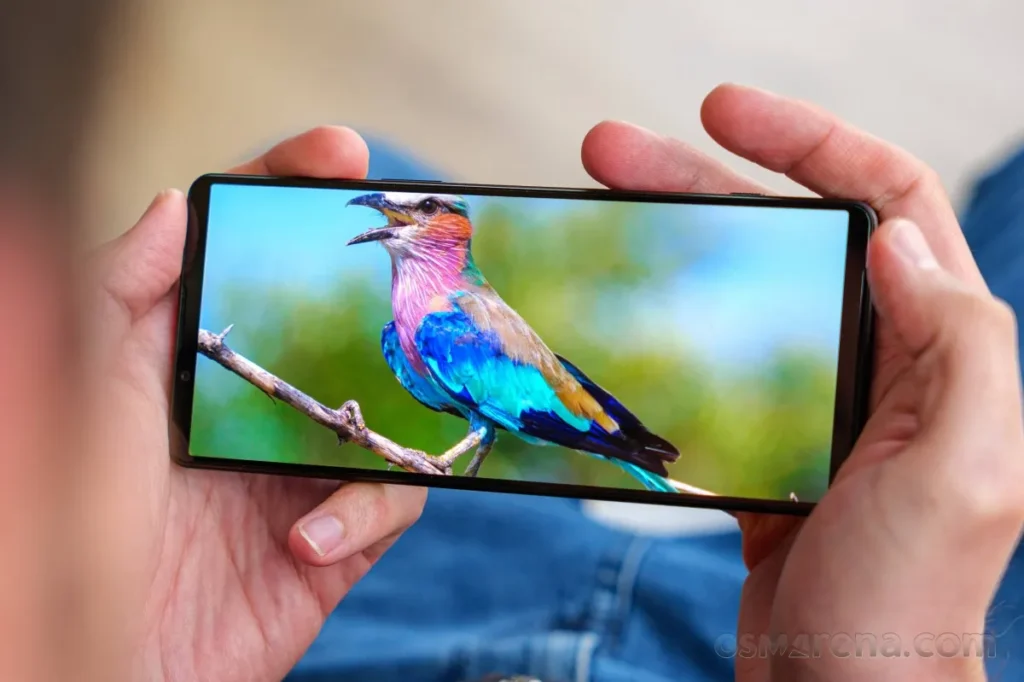
The Sony Xperia 1 V boasts a 6.5-inch 4K OLED display with a 120 Hz refresh rate and a 21:9 refresh rate, making it one of the only smartphones available with such an absurdly crisp resolution of 643 ppi. The display is typically slimmer and taller than most phones, making it perfect for scrolling through vertical videos or watching widescreen HDR content. Yes, Sony is still making smartphones in 2024, even though it is marketed towards a niche audience of display and camera enthusiasts.
With a triple camera setup that uses Zeiss optics and Sony’s proprietary S-Cinetone video look, the Xperia 1 V runs on the Snapdragon 8 Gen 2 chipset and has 12GB of RAM and 256GB of storage that can be expanded further using the microSD card slot. All three cameras can record in 4K HDR at 120 frames per second and have the same autofocus technology as Sony’s professional cameras.
The Xperia 1 V, touted as the ideal media powerhouse, boasts front-facing stereo speakers, a 3.5mm headphone jack that supports Dolby Atmos and LDAC for wireless earphones, and a sleek yet robust in-hand feel thanks to Corning’s Gorilla Glass Victus protection up front. However, the phone’s steep $1,200 price tag must be justified by its impressive display and camera features.
Google Pixel 8 Pro
The improved display is one of the Google Pixel 8 Pro’s main selling points this time around, as the device still manages to be a great value for $1,000 even after a price increase from last year’s model. The Pixel 8 Pro boasts one of the brightest smartphone displays ever, peaking at 2,400 nits at maximum output thanks to the adoption of an OLED panel. When you combine that with its flat 6.7-inch 120 Hz display, you have yourself a winner.
The Pixel 8 Pro offers a respectable movie-watching experience even without Dolby Vision thanks to its LTPO technology, which enables the phone to lower its refresh rate to as low as 1 Hz. This helps greatly preserve battery life, especially when using the always-on display. Android 14’s Material You design loves splashing colors throughout the user interface, and they do reflect really well on the HDR10+ certified panel.
Though not the most powerful, the Tensor G3 chipset powering the phone is efficient and offers a seamless user experience because it has been designed specifically for Pixel devices. Pixels have always been known for their cameras and software, and the 8 Pro takes both of these aspects to new heights. Google’s computational photography has seen even more improvements thanks to the addition of software features. Exclusive Pixel-only goodies include AI-generated wallpapers, background noise remover, and a one-tap magic editor.
OnePlus Open
Although OnePlus is primarily recognized for its flagship smartphones that offer a good balance between price and performance, its debut in the foldable smartphone market shows just how high-end the brand can go. The $1,500 OnePlus Open, the company’s most expensive phone to date, is still fairly competitive when measured against other phones in the same market.
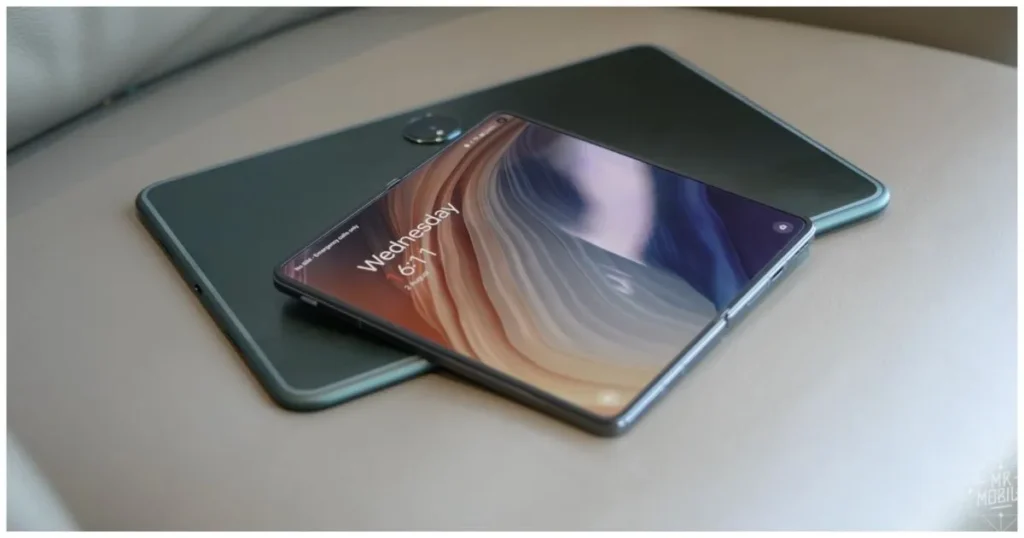
Both the 2K displays refresh at 120 Hz and have a ridiculously bright peak brightness of 2,800 nits. The cover display is a 6.31-inch 20:9 panel that can go as low as 10 Hz to save battery. When unfolded, the massive 7.82-inch nearly square display is immersive and surprisingly has the least visible crease in any foldable smartphone. Both panels are Dolby Vision compatible and provide a fantastic HDR viewing experience.
The OnePlus Open’s fluid display, combined with OxygenOS’s smooth and fluid experience, makes for an unparalleled experience. The phone, in typical OnePlus fashion, is powered by flagship-grade internals, including the Snapdragon 8 Gen 2, 16GB of RAM, and 512GB of UFS 4.0 storage.
The triple camera setup, optimized in collaboration with Hasselblad, makes the Open an excellent shooter as well. Being foldable unlocks unconventional use cases, such as multitasking with split-screen apps and floating windows.
Asus ROG Phone 7
With its ROG series of phones pushing the limits in terms of raw performance, Asus has been at the forefront of the smartphone gaming space. The ROG Phone 7 is no different, sporting one of the fastest displays on any smartphone along with a powerful Snapdragon 8 Gen 2 chip and up to 16GB of RAM. The phone’s robust internals are expected considering its gaming-focused design.
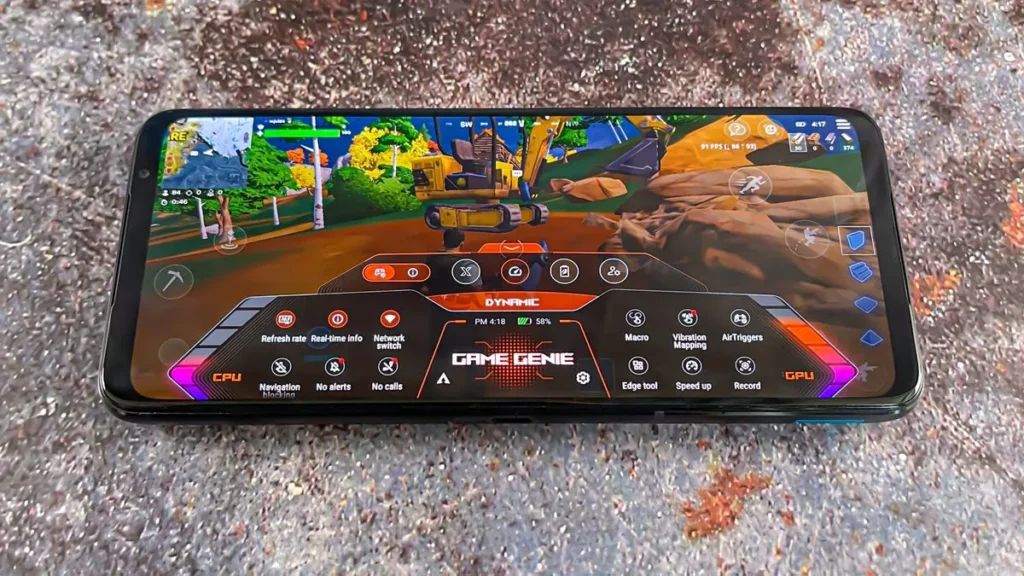
You can set specific refresh rates for individual games, bypassing any default capped limits. The 6.78-inch 165 Hz AMOLED panel with support for HDR10+ and an impressive peak brightness of up to 1,500 nits provides an experience like no other handset when gaming. Pairing a touch sampling rate of 720 Hz with Asus’ rather bloat-free and stock Android user interface, this phone has perhaps the most fluid experience.
Unlike most modern slabs of glass and metal, the ROG Phone 7 has a noticeable forehead and chin, preventing mistouches while gaming. This also leaves space for a dual front-facing stereo speaker configuration, allowing for an immersive multimedia experience. The ROG Phone 7’s cooler accessory not only promises better thermal performance but also has a subwoofer, a 3.5mm audio jack, another type-C port, and four tactile remappable buttons.
Asus has always placed a high priority on long battery life, and the ROG Phone 7’s 6,000 mAh battery offers remarkable endurance. Passthrough charging is supported, which allows the battery to power the phone without the need for additional charge.
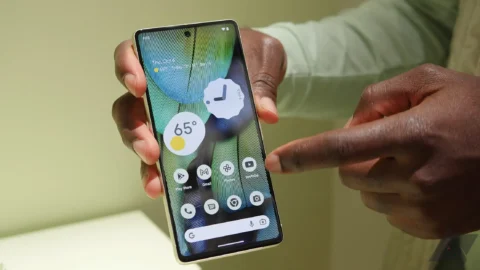
The Google Pixel 7 Pro‘s display is simply beautiful. The curved AMOLED QHD+ 120Hz display is simply stunning. However, because it is curved, replacing it if it breaks or cracks can be quite expensive. Therefore, purchasing a screen protector is both a really smart idea and absolutely necessary.
Here, we’ve compiled a list of the top screen shields for the Google Pixel 7 Pro. So that you may protect that lovely display from scratches.
Best Google Pixel 7 Pro screen protectors
You can find the standard, inexpensive plastic screen protectors on this list. Several toughened glass screen protectors are also included. We would advise using tempered glass screen protectors. As they will feel identical to the display itself. Furthermore, they appear better. However, they might also cost more, so bear that in mind.
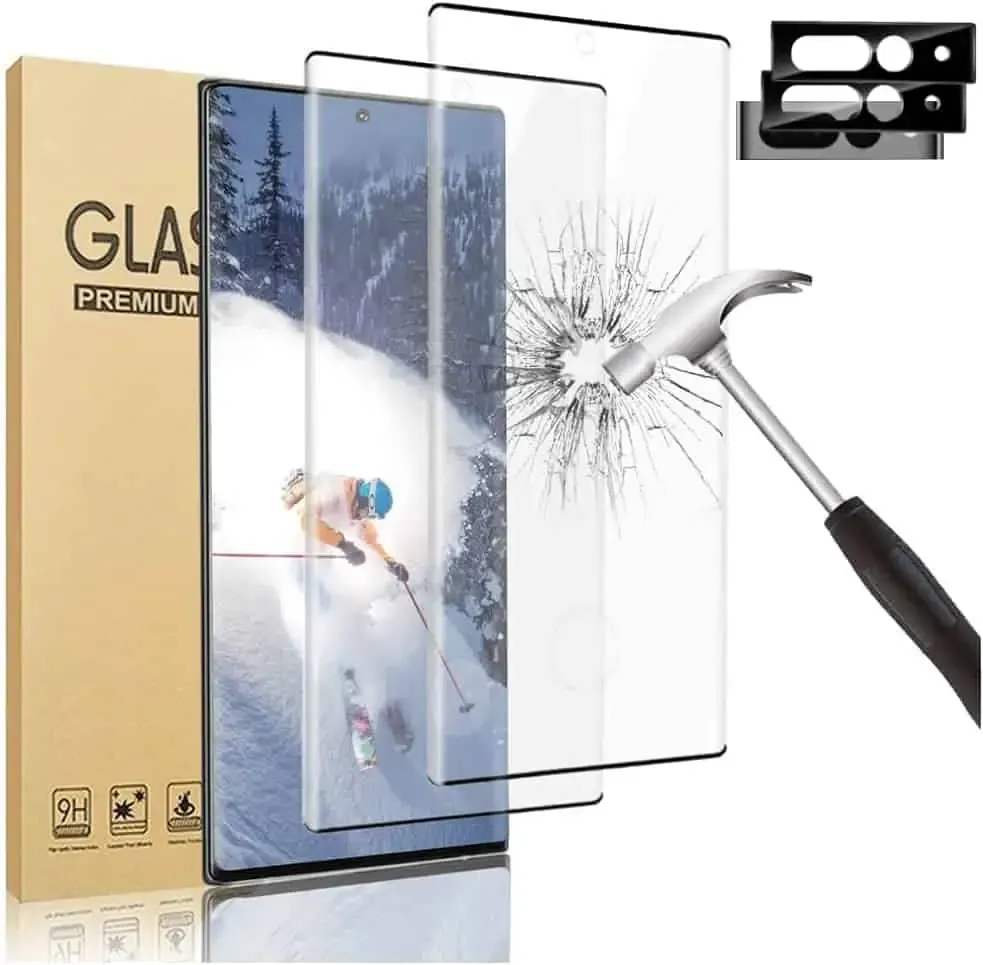
This screen protector is made of tempered glass, which has a 9H hardness rating. Therefore, it may sustain some harm without breaking your screen. Your phone’s glass screen will continue to feel as though it is unprotected. Additionally, they’ve made it really simple to install and prevent air bubbles.
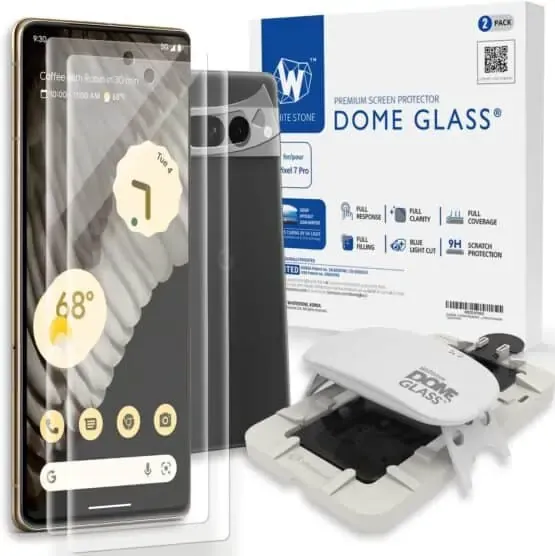
Whitestone Dome Glass Screen Protector
The most costly screen protector on this list is the Whitestone Dome Glass, which isn’t surprising in all honesty. Its inclusion of a UV curing light, which aids in the screen protector’s adhesion to your phone, is a major factor in its high price. Because liquid dispersion technology is employed at Whitestone Dome.
This does make it possible to apply the screen protector correctly, without creating any air bubbles underneath it. They also come with a camera protector and two screen protectors.
IMBZBK Tempered Glass Screen Protector
A UV light is included in this additional tempered glass screen protector, much to the Whitestone Dome type, to ensure that it adheres to your screen properly. In addition, IMBZBK has provided three screen covers and three for your camera bar. This is significant since the camera bar is prone to scratching.
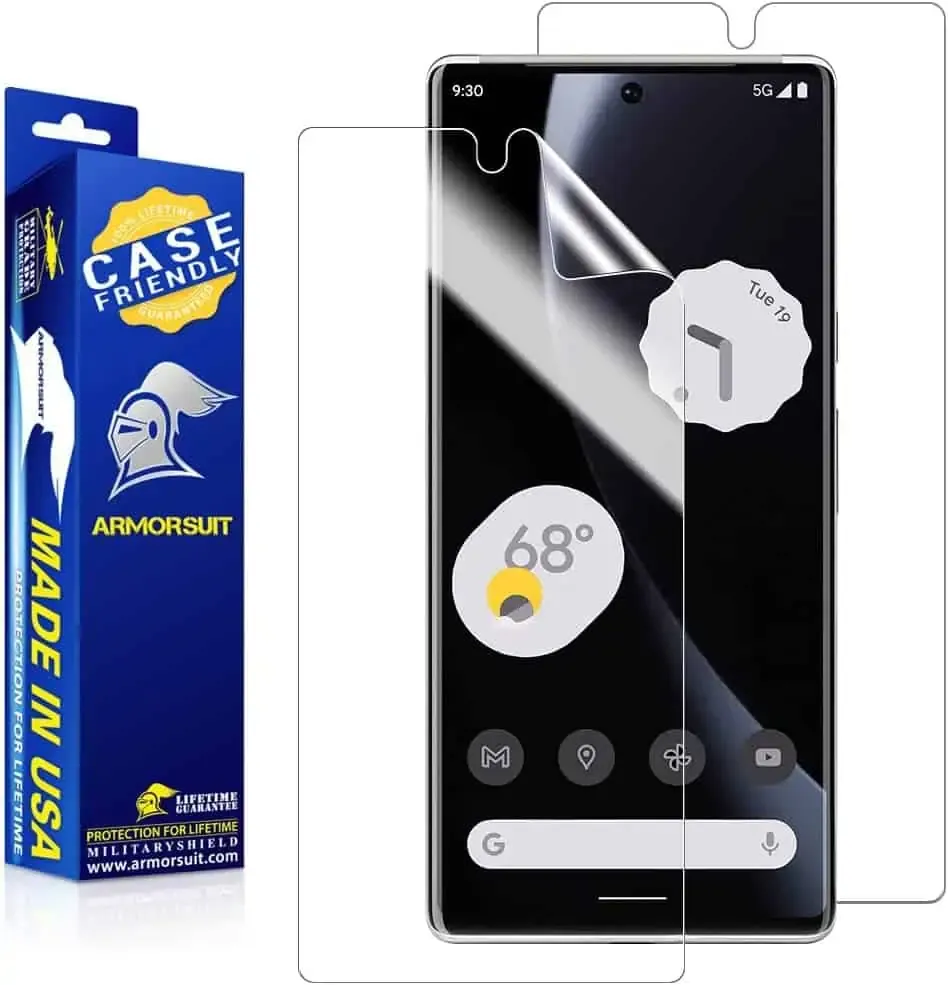
ArmorSuit MilitaryShield Screen Protector
The MilitaryShield from ArmorSuit is a crystal-clear HD screen protector. This model does not have toughened glass. This is the reason why a two-pack costs only $11 here. This does include a cutout for the front-facing camera, so taking selfies with it won’t be a problem.
OMOTON Clear Screen Protector
Because it is not made of tempered glass, this screen protector from OMOTON may be purchased in quantities of three for less than $7. Three screen protectors and two camera bar protectors are included. In order to keep your complete phone secure. It’s fantastic to see that here as usual. It’s crucial to note that the front camera is not cut out of this, so you’ll need to keep it clean to avoid having poor selfies.
Spigen Tempered Glass Screen Protector
This is one of the best screen protectors available right now, yet Spigen has recently entered the market. Spigen really provides the equipment you need to apply your screen protector flawlessly.
Actually, this is a different model than what is offered for the normal Pixel 7. This is because the Pixel 7 Pro has to be designed slightly differently because to its curved display. Here, the installation was also slightly different.