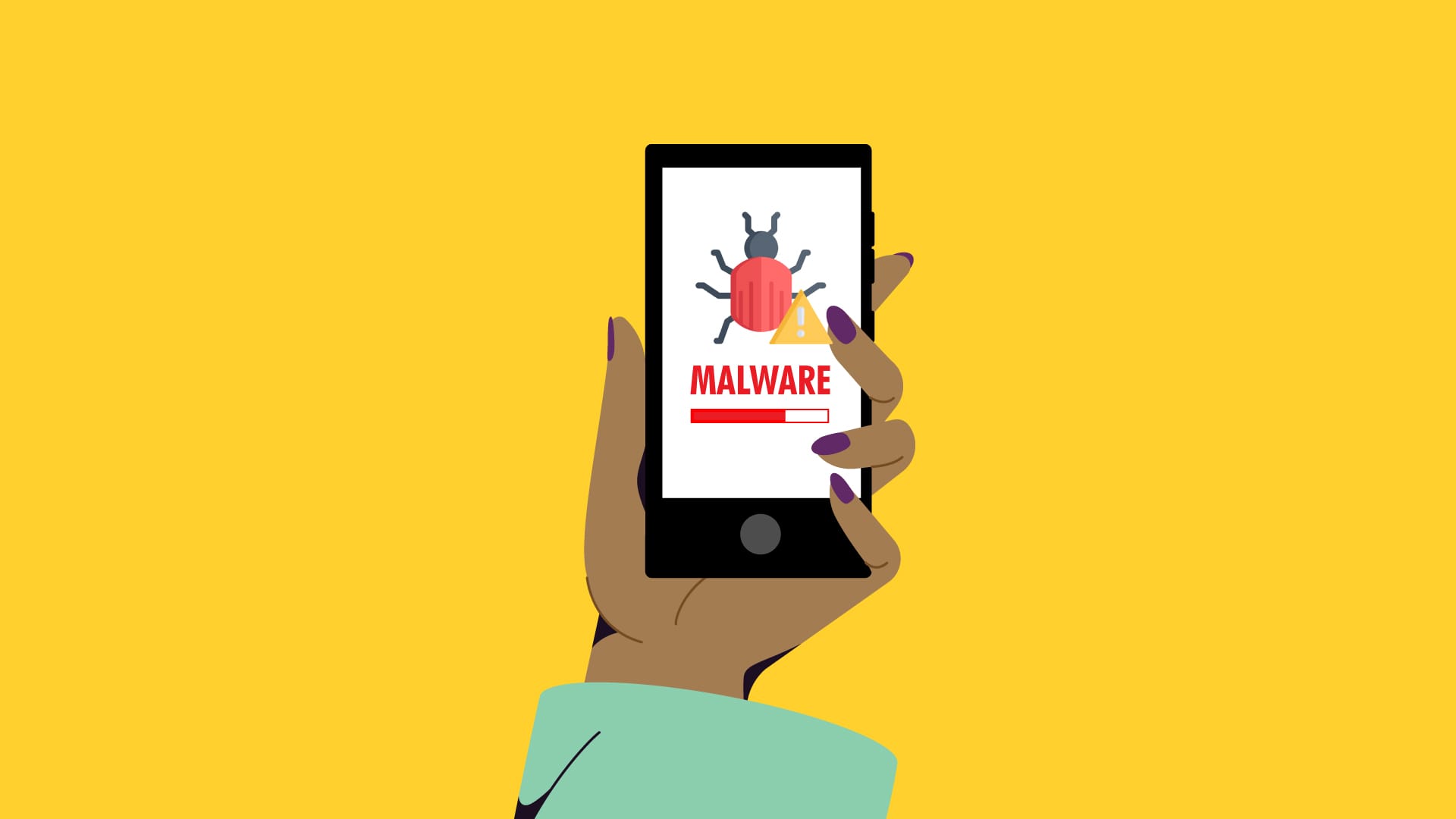
Two groups of researchers have found two new, distinct types of malware that function similarly and are embedded in a variety of programs that are accessible through different channels. Worst of all, the standard advice to “don’t install apps from strange sites” is less helpful because some of them are even available on the Google Play Store.
Although these two pieces of malware appear to be distinct, they function similarly. They exploit the functions of your phone to click on advertisements nonstop, slowing it down and significantly depleting its battery.
Virtual screens, real ads
Researchers at the mobile security company Dr.Web found the latest recent spyware, which has not yet been named. Bleeping Computer revealed the discovery. This malware makes use of the TensorFlow.js framework that Google distributed with Android phones to enable machine learning operations in browsers.
And it works: when the malware is activated, it creates a virtual (false) screen where it shows and clicks on advertisements. Compared to more traditional ad-clickers, the clicks appear far more natural due to the usage of a machine learning technique. However, it has an equally detrimental effect on your device as earlier malware, with notable effects on battery life and processing speed.
Even worse, the app allows attackers to interact with the fake display as needed by opening a permanent livestream on your device.
Interestingly, Xiaomi’s GetApps software catalog is where the apps originates. Dr.Web claims that the malware is introduced after the apps are uploaded, avoiding all possible security measures.
inevitably, third-party app websites like Apkmody and Moddroid have also been severely compromised by the malware. Researchers assert that both the latter’s Editor’s Choice list and “premium” versions of apps like Spotify that may be accessible on Telegram channels are rife with compromised apps.
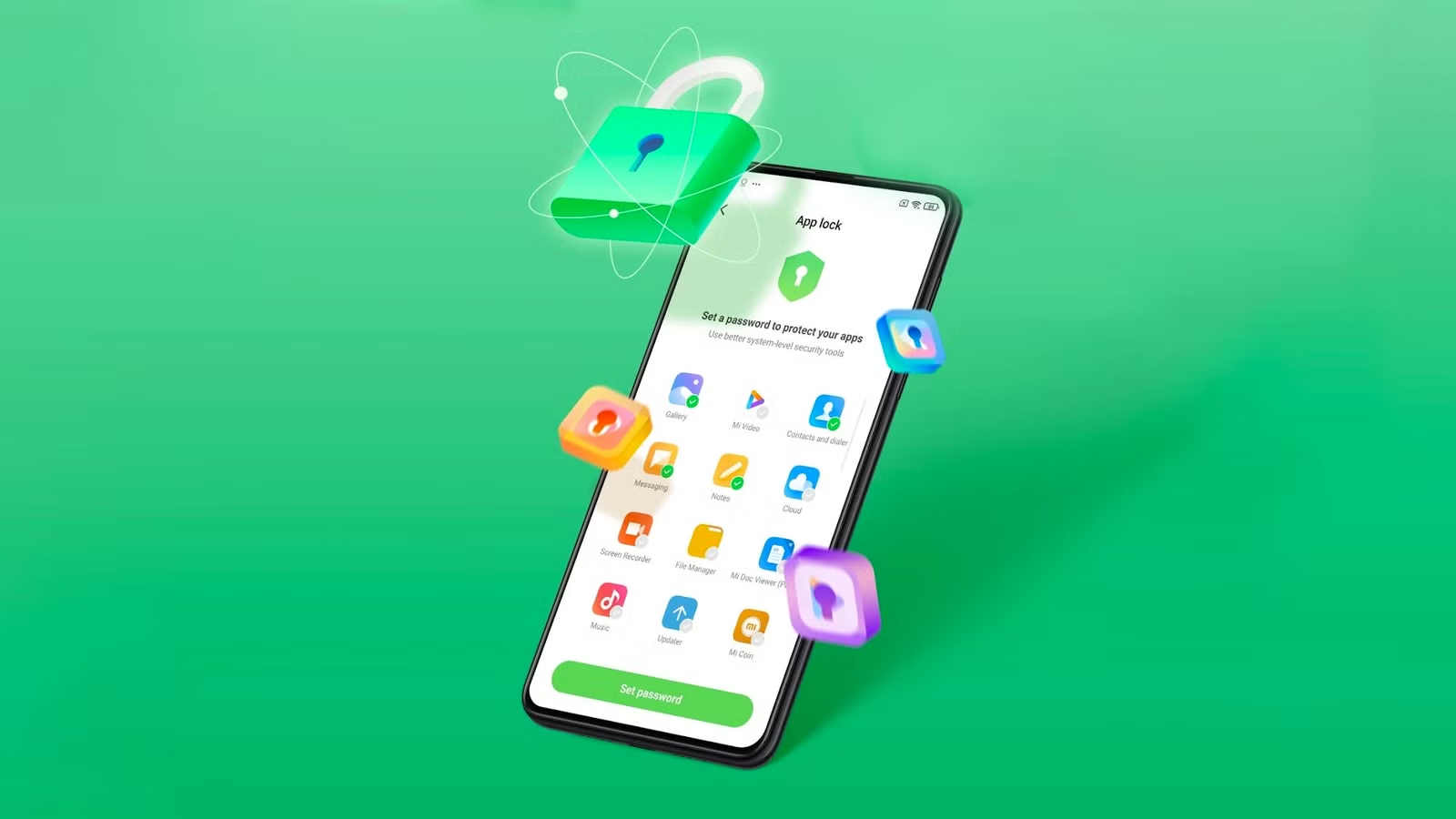
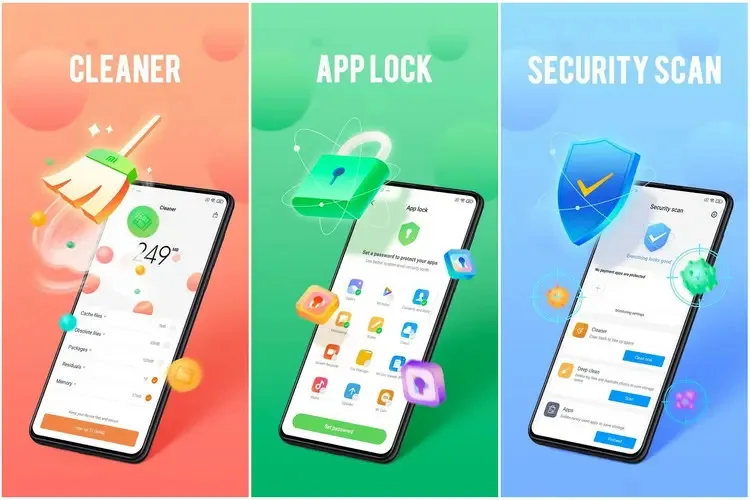
The Security V12 generation of Xiaomi’s standard Security app has finally been released with a significant update. The most recent build, V12.0.3-251114.1.1, is mostly concerned with modifications to the system infrastructure. However, as the new build offers a whole redesign of the Game Turbo interface and sophisticated system optimization logic, this would be quite intriguing for those waiting for the release of the next HyperOS stage. With this upgrade, Xiaomi is at last getting ready for a significant change in the management of background operations and the optimization of gaming performance on devices throughout the world.
Increased optimization in new Security V12
The Security V12 branch has been made available to the public for the first time with this build. The Security V12 series is a package deal of significant architectural improvements that align with next system versions, in contrast to the incremental updates that preceded it. The improved optimization engine, which promises to clear caches and free up memory without disrupting user activity, is especially noteworthy in the changelog. Thus, the move to version 12.0.3 would suggest that Xiaomi is preparing for more demanding software applications, maintaining devices’ responsiveness and fluidity during more taxing operations.
Enhanced gaming capabilities
However, the improved Game Turbo module is the most notable feature of this version. Performance modes and floating windows can now be accessed more quickly thanks to Xiaomi’s UI optimization. In order to prioritize frame rates and network stability during gameplay, new optimization algorithms operate in the background in silent mode. With much lower latency and input lag, enthusiasts who use their devices for competitive gaming will notice how much more seamless the transition from the game to system notific
How to update
To update the Security app on Xiaomi devices, open the Security app and scroll to the bottom until you see the Settings or About section. Tap Update (or Check for updates) if available. You can also update it through the GetApps store by searching for Security and installing the latest version. If the update doesn’t appear, make sure your phone is connected to the internet and running the latest MIUI/HyperOS system version, as some Security app updates are bundled with system updates.
Keeping system applications updated is very crucial for maintaining the security and performance stability of any device. Among such capabilities are unlocking hidden Xiaomi settings, updating other system applications seamlessly, and managing screen refresh rates, among the common updater features.
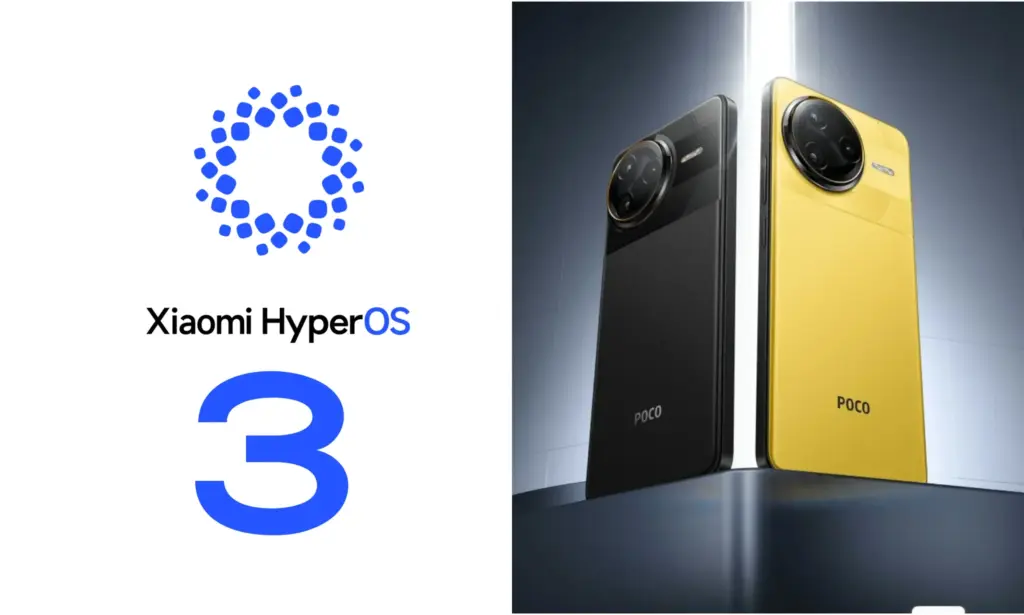
Xiaomi is closing out the year with fresh Poco flagships and a huge HyperOS 3.0 update based on Android 16. From new phones to a revised UI, here’s what’s rolling out and when you can expect it on your smartphone.
Xiaomi has more phones to release this year. The worldwide versions of the Poco F8 Pro and F8 Ultra were just released. The company has revised the HyperOS 3.0 deployment schedule, which is now expected to reach over a dozen Poco phones and tablets, in tandem with the surge of new hardware.
The new Poco F8 Pro and Poco F8 Ultra flagships ship with Android 16 out of the box. Other models will be released on a staggered schedule.
Which Poco devices are confirmed to get HyperOS 3.0
For the initial group of Poco devices, the deployment started in October and will last until the end of November. The Poco F7 and X7 series from the previous year, including its Ultra variants, are at the top of the list. Some users outside China have already reported receiving the software. However, it’s not uncommon for other devices to only receive notifications in the upcoming days, depending on variations.
The Poco F6 (Pro), Poco X6 Pro, Poco M7, Poco M6 (Pro), and Poco C75 will lead the following batch in December.
Between December 2025 and March 2026, a broader release that includes the Poco F5 (Pro), Poco X6, Poco M7 Pro, and Poco C85 is scheduled. Poco’s Android tablets, such as the Poco Pad, Poco Pad X1, and Poco Pad M1, will join these. Regretfully, Xiaomi has not disclosed the timing for every device.
What’s new in HyperOS 3.0?
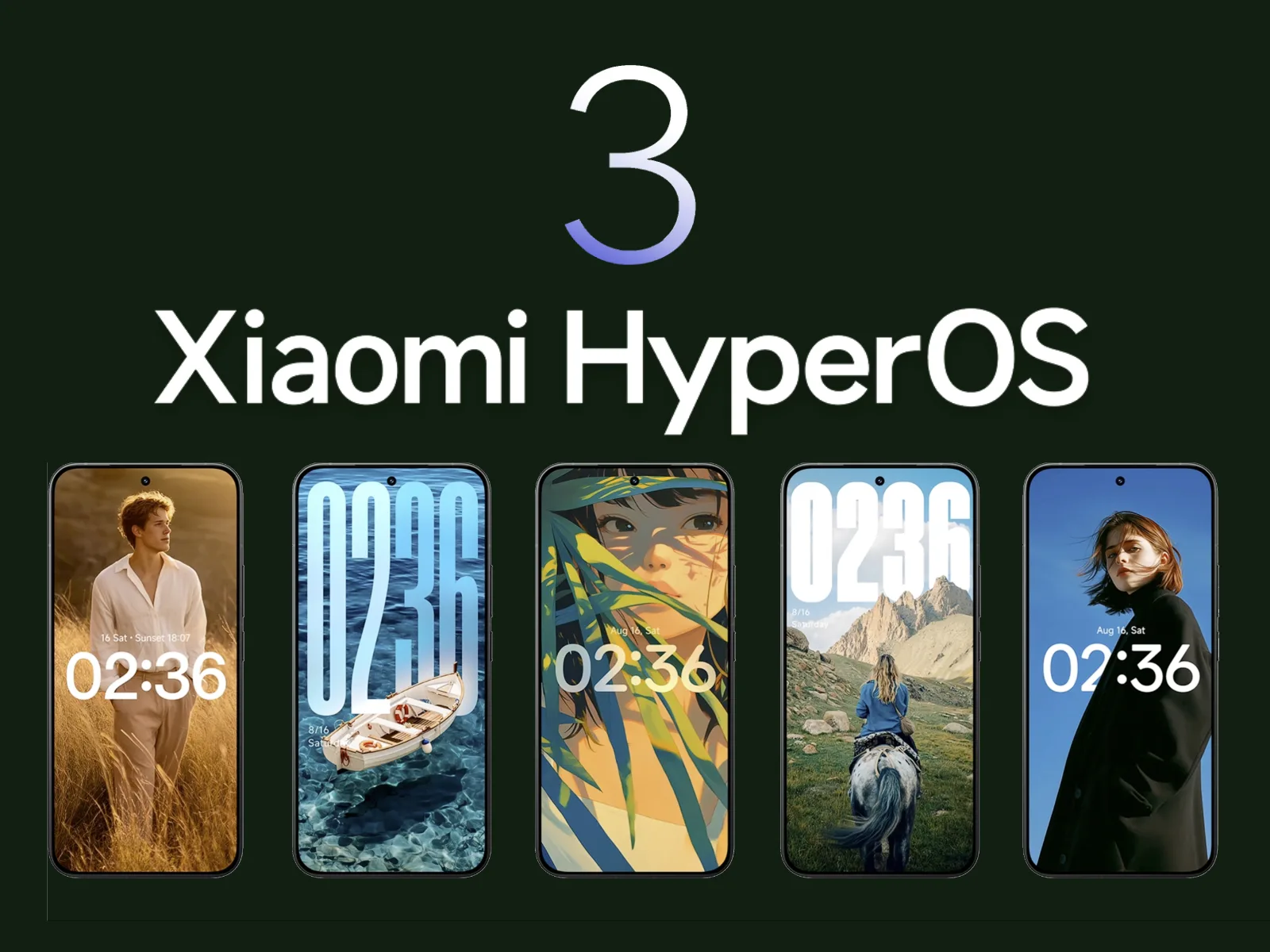
HyperOS 3.0 is built on Android 16, which adds its own set of new features and customizations. Xiaomi’s version offers a substantial user interface overhaul, increased security, and superior optimization for longer battery life and smoother performance.
The most noteworthy graphic modification is Super Island, inspired by iOS’s Dynamic Island. As a native feature of Android 16, it is integrated into the punch-hole camera region and shows live updates and dynamic widgets.
The main UI has also been overhauled with transparent parts, blurred backgrounds, and redesigned app icons. Users receive new styles on the lock screen, like as live effects and AI-generated wallpapers.
Additionally, Xiaomi promises enhanced usability and performance. Multitasking and app switching are stated to be snappier, while overall responsiveness is quicker.
Permission limits and improved data protection have improved security. In other areas, HyperOS 3.0 provides closer connection with Xiaomi’s wider range of products.
The integration of artificial intelligence into healthcare software has transformed patient care, administrative workflows, and diagnostic procedures. As medical institutions seek to leverage data-driven insights, AI-powered solutions offer unparalleled accuracy, efficiency, and personalization. From predictive risk assessment to automated imaging analysis, these technologies redefine the standards of modern healthcare delivery, bridging gaps between clinicians and patients while optimizing operational costs.
Enhancing Diagnostic Accuracy with AI Technologies
Advancements in deep learning algorithms and neural networks have significantly improved diagnostic precision across various medical fields. By analyzing vast datasets of patient histories, lab results, and imaging scans, AI systems can identify subtle patterns that may elude human observation. This diagnostic accuracy not only accelerates clinical decision-making but also reduces the likelihood of misdiagnosis and subsequent treatment delays.
Furthermore, real-time integration of AI tools into electronic health record (EHR) platforms enables clinicians to receive instant, data-backed recommendations. The synergy between human expertise and machine-led analysis fosters a collaborative approach, ensuring that critical conditions are detected early. As a result, medical teams gain confidence in their assessments, translating into better patient outcomes and enhanced trust in healthcare technology.
AI-Powered Patient Monitoring and Management
Continuous tracking of vital signs and patient behavior through wearables and in-hospital sensors exemplifies the power of remote patient monitoring. Such systems alert clinical staff to anomalies—ranging from heart rate fluctuations to irregular glucose levels—before they escalate. Businesses can partner with itcraftapps.com/healthcare/ for Healthcare Software Development to implement robust monitoring systems that adapt to individual patient needs, ensuring timely interventions and reducing hospital readmissions.
By aggregating and analyzing longitudinal data, AI platforms support the creation of continuous data-driven care plans. Automated alerts, medication reminders, and personalized health insights enhance patient engagement while reducing manual oversight. The result is a comprehensive management ecosystem that promotes adherence, minimizes complications, and empowers individuals to take an active role in their healthcare journey.
Streamlining Administrative Tasks in Healthcare
Implementing AI solutions in administrative domains relieves staff from repetitive and error-prone tasks. From patient intake to billing reconciliation, intelligent automation improves accuracy and turnaround time. Key areas of impact include:
Appointment scheduling optimization through predictive slot allocation
Medical billing verification with automated claim audits
Electronic health records management via natural language processing
Automation also enhances cost efficiency by reducing manual labor and administrative overhead. Real-time dashboards and reporting tools powered by AI streamline compliance tracking, ensuring that healthcare providers meet regulatory standards without sacrificing productivity. As a result, financial resources can be redirected toward core clinical activities, elevating the overall quality of care.
Personalized Treatment Plans Driven by AI
The era of precision medicine is fueled by AI-enabled analysis of genetic, lifestyle, and environmental data. By leveraging genomic data analysis, software platforms can recommend targeted therapies tailored to a patient’s unique profile. This level of personalization enhances treatment efficacy and minimizes adverse effects, marking a shift from one-size-fits-all protocols to individualized care pathways.
Advanced machine learning models continuously refine treatment recommendations based on patient responses and emerging research findings. Clinicians can adjust dosages, modify drug combinations, or explore novel interventions with confidence, knowing that AI insights are grounded in real-world evidence. Such dynamic care strategies pave the way for more resilient and adaptive healthcare systems.
Predictive Analytics for Disease Prevention
Predictive analytics harnesses historical and real-time data to forecast health trends and anticipate potential outbreaks. Utilizing risk prediction algorithms, healthcare organizations can stratify populations according to susceptibility, enabling focused preventive measures. Early identification of high-risk individuals leads to proactive screening and lifestyle interventions that halt disease progression.
Integrated population health platforms powered by AI support the development of preventive care programs that address chronic conditions such as diabetes, cardiovascular disease, and respiratory disorders. By correlating social determinants of health with clinical metrics, providers design community-centric initiatives that yield measurable improvements in public health outcomes.
Improving Medical Imaging through Artificial Intelligence
AI-driven solutions in radiology have revolutionized image interpretation through enhanced image segmentation and feature extraction. Convolutional neural networks excel at detecting anomalies—such as tumors or lesions—within X-rays, CT scans, and MRIs, often achieving accuracy rates comparable to expert radiologists. This augmented analysis accelerates diagnostic workflows and reduces the burden on imaging departments.
The fusion of AI and computer vision not only streamlines routine examinations but also uncovers subtle indicators of disease at earlier stages. Automated anomaly detection systems flag suspicious regions for further review, allowing radiologists to focus on high-impact cases. Consequently, healthcare institutions deliver faster, more reliable imaging services, strengthening both patient trust and clinical performance.
Free apps are a welcome anomaly in a world when nothing really comes free! Today, we’re exploring a carefully chosen collection of free apps for iOS and Android smartphones that come in a range of categories, such as games and other practical utilities. Remember that these offers are temporary, and their availability may change at any time, so make sure to take advantage of the chance while it lasts.
From free to paid options, the Google Play Store and Apple’s App Store each provide an amazing assortment of apps that appeal to a wide range of interests. It may come as a nice surprise to many customers to learn that some premium apps periodically go free during exclusive sales. Some of the most interesting apps available for free right now have been hand-picked by us.
Android apps
Burning Sky VIP($2.49) – An entertaining 90’s arcade-style shooter that offers cool, fast-paced graphics that do not let up on the action. This retro vertically scrolling shooter game delivers loads of adrenaline in a modern dogfight style, where you and your reflexes go up against insane bosses as they rain bullet hell on you.
My Medicine Pro – Health Log($1.99) – Do you find it difficult to keep track of all your medication details? I would like this app to help simplify my life as I grow older. It is an all-in-one solution to manage my health and wellness needs. This app was designed to ensure nobody ever misses a dose, an appointment, or an important health update again.
Empire Warrior: Tower Defense($0.99) – Rather than just having a bunch of towers shooting enemies down from afar, in the hope that they do not breach your defenses, you also now have the help of heroes who are mobile. Control these heroes to turn the tide of the seemingly overwhelming battle.
iOS apps
Pentris($1.99) – OK, so this is basically the same game premise as Tetris, albeit in a different name. You line up blocks of various sizes into rows to ‘delete’ them, and the game is over when the screen is filled to the top with rows as you fail to clear your lines.
Palette Hunt($0.59) – Do you have an eye for design? If so, discover the fun of creating perfect color palettes with Palette Hunt. I am sure designers, artists, or anyone who loves colors will find exploring shades to be an inspiring experience, as this app lets you transform existing photos into ready-to-use color palettes.
Eat the Rainbow Food Journal($2.99) – They say the best diet is one whose food is filled with many colors. Well, I am quite sure nutritionists and dietitians do not mean having nothing but Fruit Loops for all your meals. Rather, eat a variety of foods with different colors, and this journal helps you keep track of that.
At the time this post was published, all of the apps we are showcasing here were free to download. Regretfully, developers frequently fail to indicate the duration of these offers. Don’t hesitate to download an app if you enjoy it.
However, you should always check the app page in the store before downloading a free program. Because there are occasionally unnoticed obstacles that you should be mindful of.
The majority of free apps either offer in-app purchases or have advertisements. But some apps that cost money also accomplish this. It is crucial to give these factors the consideration they require, particularly if the game is meant for young players.
Many apps gather user information and frequently sell it to outside parties. Therefore, make sure you only give the program the rights it truly requires if you want to be safe. For instance, a flashlight shouldn’t be interested in your location information, and an alarm clock doesn’t require access to your contacts or cameras.
Even while there isn’t such a thing as a free lunch, there is such a thing as free apps! We’ll look at a selection of free apps for iOS and Android phones today, which includes games and other kinds of apps. Please be aware that you must act immediately because these offers are time-sensitive and we are unsure of when they may end.
A wide variety of programs, from free to premium solutions, are available in the Google Play Store and Apple App Store, respectively. Many customers may be surprised to learn that during promotional events, a number of paid apps are frequently made temporarily available for free. We’ve put together a list of some of the most interesting apps available for free right now.
Free premium apps (Android)
Reminder Pro($3.49) – If you ever need a second brain like me, then this is the app to go for. It is a reminder app that will definitely come in handy, giving you alerts and various options to be notified, so that you know what’s next on your “To Do” list without falling behind on deadlines.
Resume Builder – CV Maker($4.99) – Ever wanted to conjure a resume while you are on the move? If you have answered in the affirmative, you can do so on the move with this nifty little app. Of course, some of us might use other apps, but this is rather comforting for old school folks like me.
Age Calculator Pro($0.49) – If you are poor in math, just like me, then this age calculator app might be just the thing! It is ideal to calculate my age and discover the total years, months, days, weeks, hours, minutes, and seconds between two dates! Of course, this is also nifty to find the date difference between important events like marriage anniversaries, work anniversaries, birthdays, festivals, and holidays, among others.
Free premium apps (iOS)
Lego Duplo Doctor(S4.99) – What do you think your little one is going to grow up to be? Well, let’s not pressure the tiny tots just yet and let them play. And who does not like Lego? Duplo can be said to be the introductory doorway to the world of Lego, and this game squarely places them into a hospital environment.
BJJ Old Man Style($19.99) – Check out this instructional app that features a 1 hour 45 minute video, where Jiu Jitsu black belt Rick Ellis showcases how he approaches the BJJ game as an older athlete. Rick emphasizes developing your game into systems of attack and defense, opening up various options when faced with different opponents.
Pixel Thoughts($0.99) – I would highly recommend using this app with a pair of headphones, as it lets you enjoy meditation by placing your thoughts into a star. Just focus on what’s boggling your mind and meditate to gain some perspective in a more focused manner.
At the time this post was published, all of the apps we are showcasing here were free to download. Regretfully, developers frequently fail to indicate the duration of these offers. Don’t hesitate to download an app if you enjoy it.
However, you should always check the app page in the store before downloading a free program. Because there are occasionally unnoticed obstacles that you should be mindful of.
The majority of free apps either provide in-app purchases or have advertisements. But some apps that cost money also accomplish this. It is crucial to give these factors the consideration they require, particularly if the game is meant for young players.
Many apps gather user information and frequently sell it to outside parties. Therefore, make sure you only give the program the rights it truly requires if you want to be safe. For instance, a flashlight shouldn’t be interested in your location information, and an alarm clock doesn’t require access to your contacts or cameras.
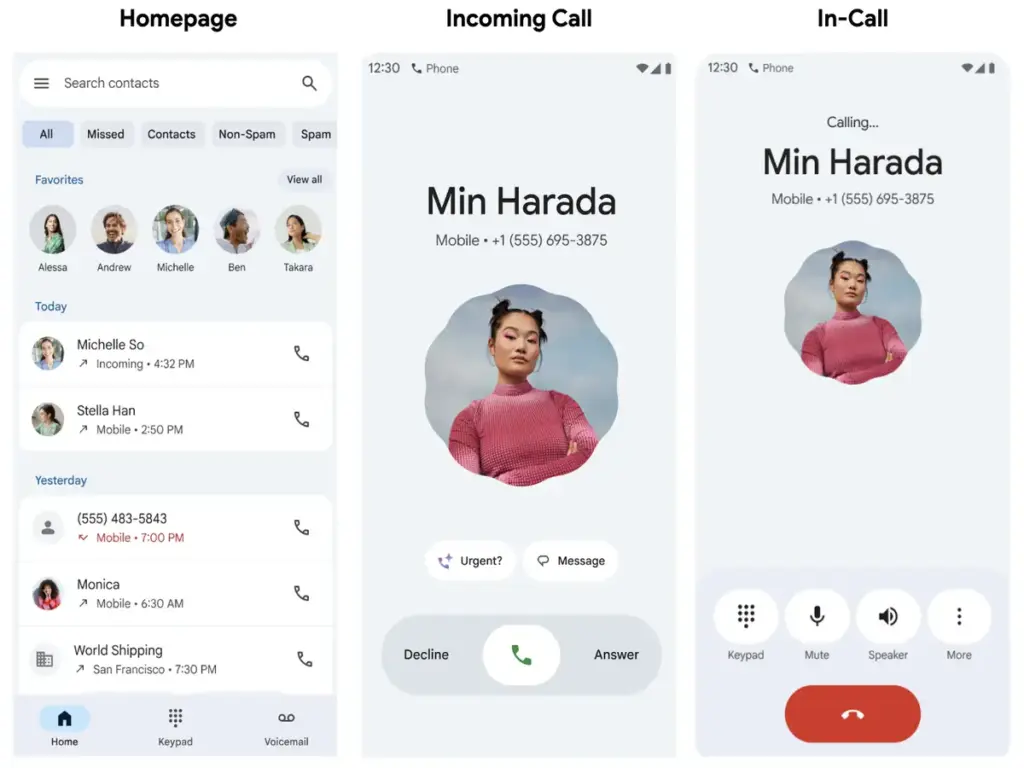
Google formally announced the Pixel Phone app’s wider worldwide availability today, along with a few new and planned features.
Google is formally introducing “basic Call Recording to all countries where Pixel is supported,” acknowledging that it is a fundamentally valuable tool even in the absence of AI transcription or summaries. Over the remainder of the year, the “extension to other countries will roll out.”
In particular: “Call recording will be accessible on Pixel 6 and later smartphones, which are unable to implement more sophisticated Call Notes features.” A disclaimer to “respect the other caller’s privacy” will be included.
In the meanwhile, Android Auto will allow you to view the Call Screen. You will be able to turn on Call Notes from your vehicle later this year.
Scam Detection is expanding to Australia, Canada, Great Britain, India, and Ireland
Call Notes will roll out to additional countries this year to Australia, Canada, India, and Ireland “as a beta preview”
Call Screen is coming to Australia, Canada, and Ireland. In India (starting with English and Hindi), Pixel 10 users will soon get a beta version of Manual Call Screen.
Lastly, Google’s post today summarized the Pixel 10’s Magic Cue, Voice Translate, and Take a Message features. Material 3 Expressive is advantageous to all Pixel Phone app users; according to Google, it “creates a more intuitive and easier experience, more than a visual upgrade.”
The Home tab’s Favorites carousel, which also features a “simplified recent calls list,” is meant to eliminate the need for you to switch between screens. Next are the “single-tap and horizontal swipe options for answering and refusing calls.”
The Pixels are even more feature-rich than Android. You find more the deeper you go. Given that he finds more features than Google even promotes, our own Mishaal Rahman may likely attest to that. And that speaks volumes about a platform that the majority of us use on a regular basis on our phones, which are our main devices.
Having spent years immersed in the vibrant and colorful world of Android, I have created certain personal favorites—features that are really essential yet still go unappreciated. Although you may be aware of them all, I’m willing to wager that many of us are unaware of them until we come across them in a random Reddit comment.
I now use these functions on a regular basis; some are exclusive to the Pixel, while others are available on all Android devices.
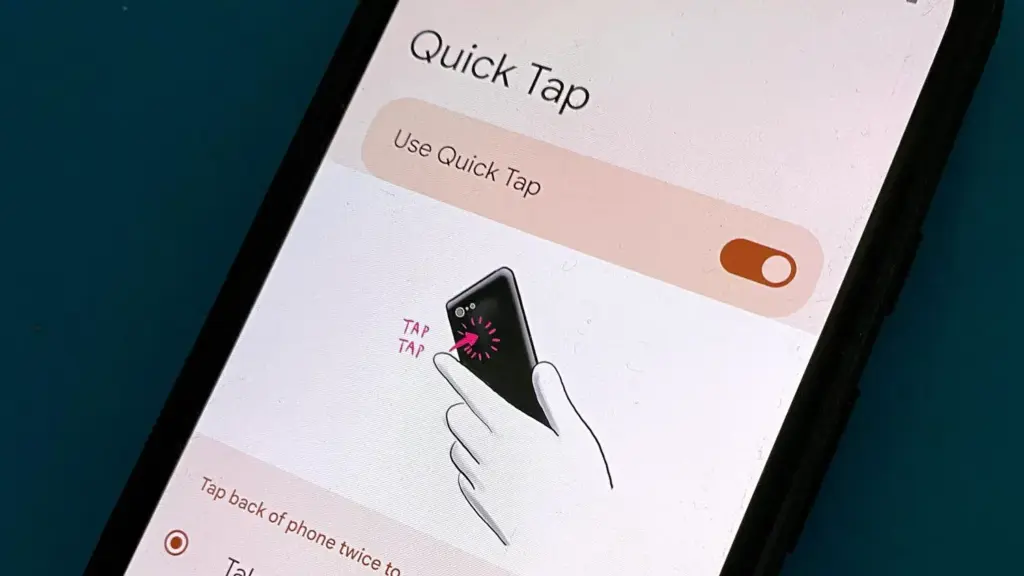
Quick tap
Double-tapping the back of a Pixel phone activates shortcuts, which is a great gesture. I have my Quick Tap in Settings app set to pull down the notification shade, which I probably do a thousand times a day, whether it’s to ignore a barrage of Instagram direct messages or obsessively check for a message.
Particularly when utilizing an app, it’s far simpler than reaching your thumb all the way to the top of the screen. I just need to lightly tap my index finger, which is where it naturally sits, to check who has ping-ed me, and then I can immediately resume my job while ignoring them. Easy.
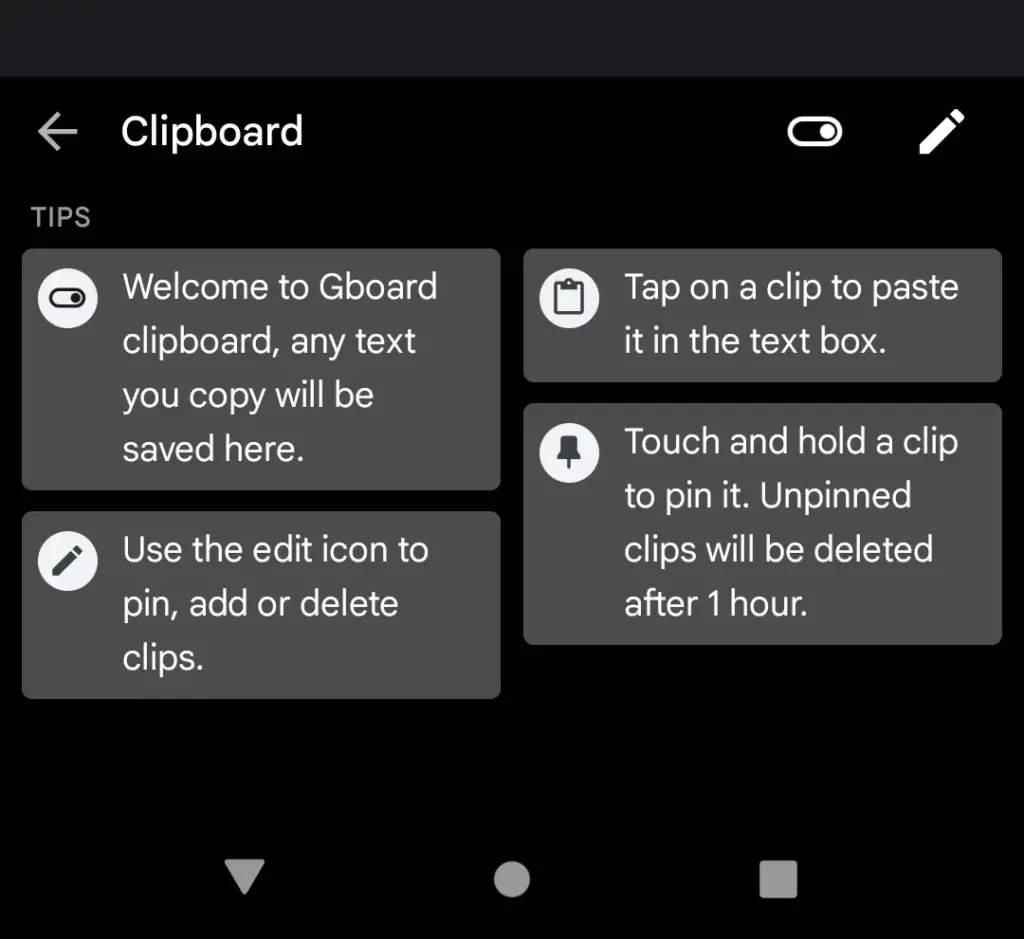
Clipboard manager on Gboard
Sincerely, I’m not sure how I’ll manage without this anymore. I’m always storing text snippets, URLs, package tracking numbers, and even Instagram captions that I’m still working on using Gboard’s clipboard manager. Additionally, it is located beneath Gboard‘s menu selections and is only a tap away.
It’s an underappreciated talent to be able to pin things so they don’t disappear after an hour. Additionally, it helps me fill out those nagging forms that always reload when I switch between apps. My sanity has been rescued numerous times by having lengthy responses stored in the clipboard.
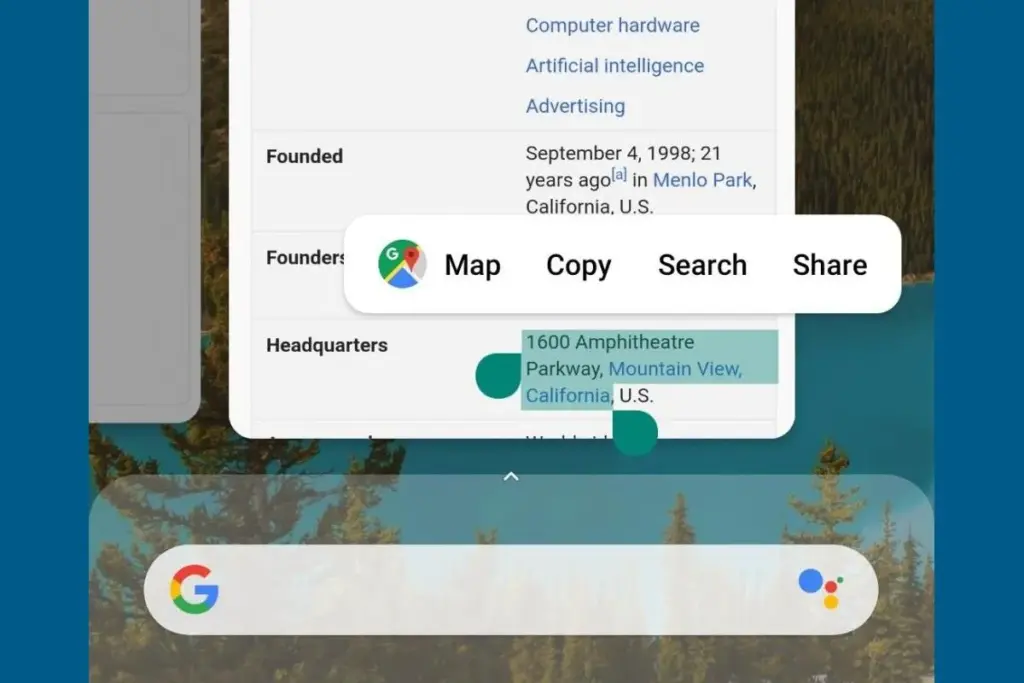
Smart text selection in overview
Who knew it could feel like such a victory to save one more tap? Long-pressing text in the app overview screen on Pixel phones allows you to copy it without having to return to the app.
At first, it might not seem like a significant deal. However, those saved taps add up if you’re copying information one by one, for example, from WhatsApp to fill out a form somewhere else while making sure everything is correct. It’s a minor detail that helps me avoid a lot of conflict and irritation.
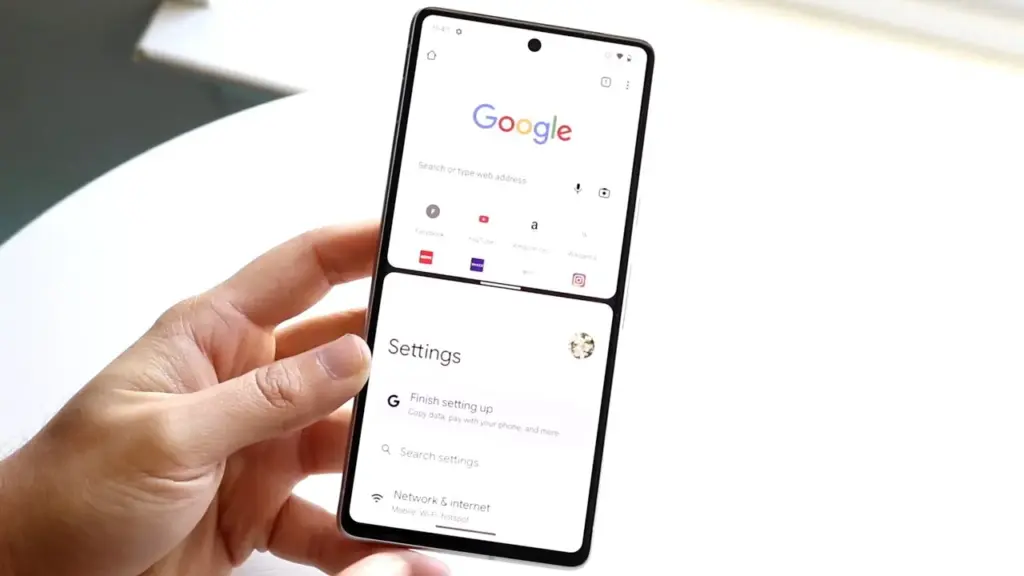
Multitasking with split-screen
I believe this function to be equally useful on smaller devices, even though it’s frequently marketed for phones with giant screens and foldables. To avoid continually switching between apps, I regularly utilize it to run utilities like the calculator alongside other programs, again from the Overview page.
I’ll admit that I occasionally forget it’s there, but I spare myself the hassle by arranging my programs into split-screen the instant I see myself switching between them too frequently.
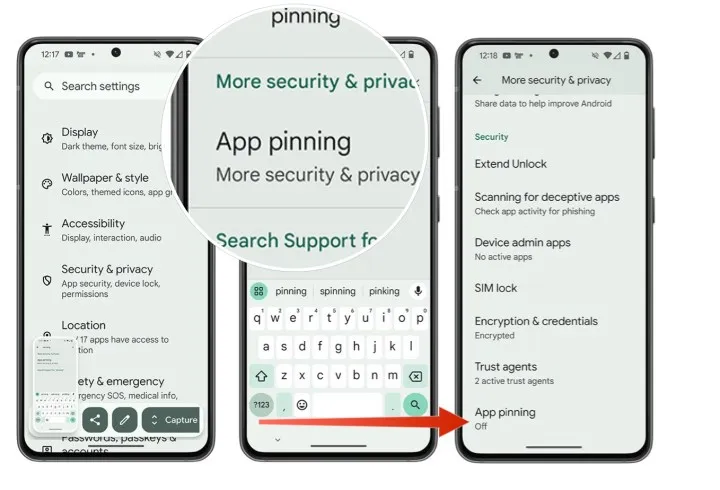
App pinning
It’s simple but incredibly underappreciated. I pin the app by choosing the Pin option from the Overview screen whenever I give my phone to someone, such as to pick up a contact or scan a QR code at a movie theater (you must first enable app pinning in your phone’s Security and privacy settings). This prevents them from inadvertently or purposely swiping into another app.
When I show friends and family a single picture, I can’t stop them from idly browsing around my gallery, but I can stop them from switching to Messages or Keep. It comes in particularly handy when my young niece or nephew borrows my phone to play games and I don’t want them to change applications or erase random notes.
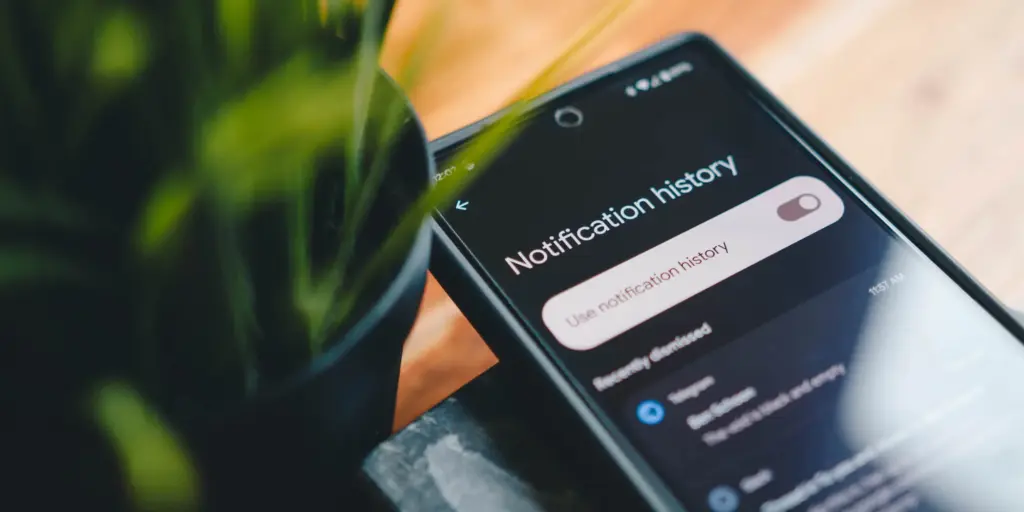
Notification history if you dismissed one by mistake
It would be an understatement to say that this is a lifesaver. I vividly recall how taken aback I was to discover that Android even possessed this capability.
I occasionally unconsciously swipe away notifications from a particular app out of habit, only to discover later that I truly needed that particular app. Even if accessing notification history through the Notifications area of the Settings app isn’t the most user-friendly method, knowing that those messages aren’t permanently erased calms my racing thoughts.
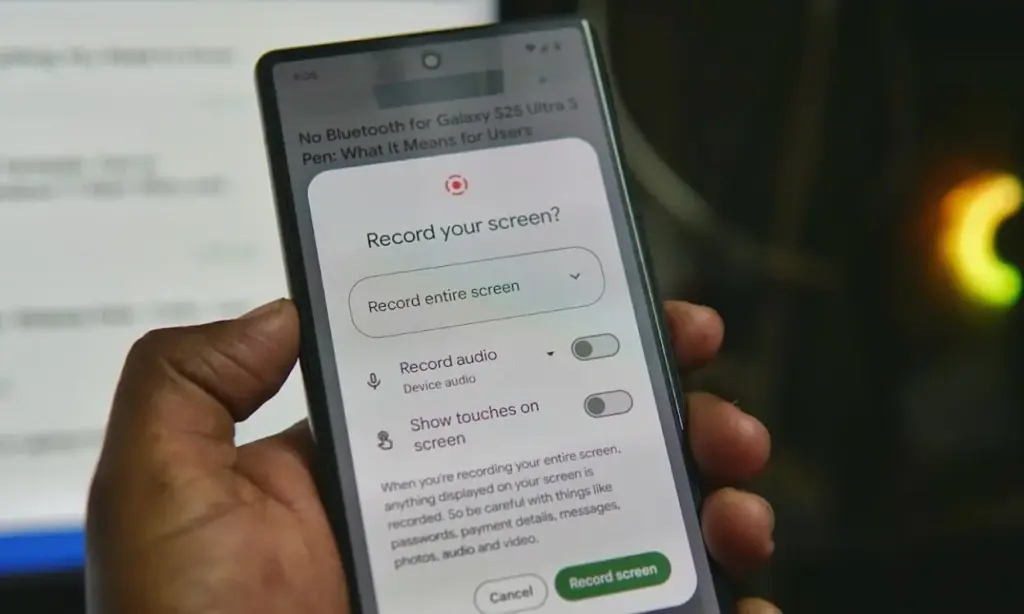
Screen recording has built-in audio
In addition to recording the screen, Android’s built-in screen recorder also records internal audio, not simply microphone input. Every time you choose the option from the Quick Settings menu, it allows you to choose the audio source.
I utilize the functionality for more enjoyable (and practical) purposes, but it’s also useful for sending how-tos to friends and relatives. When a song strikes, you can save synced lyrics from music applications to share with someone, record buggy app behavior to report bugs (and collect huge bug bounties, just saying), or record clear audio broadcast parts from YouTube.
The microphone does not pick up any noise during any of this. Furthermore, you definitely don’t need any dubious third-party tools for this.
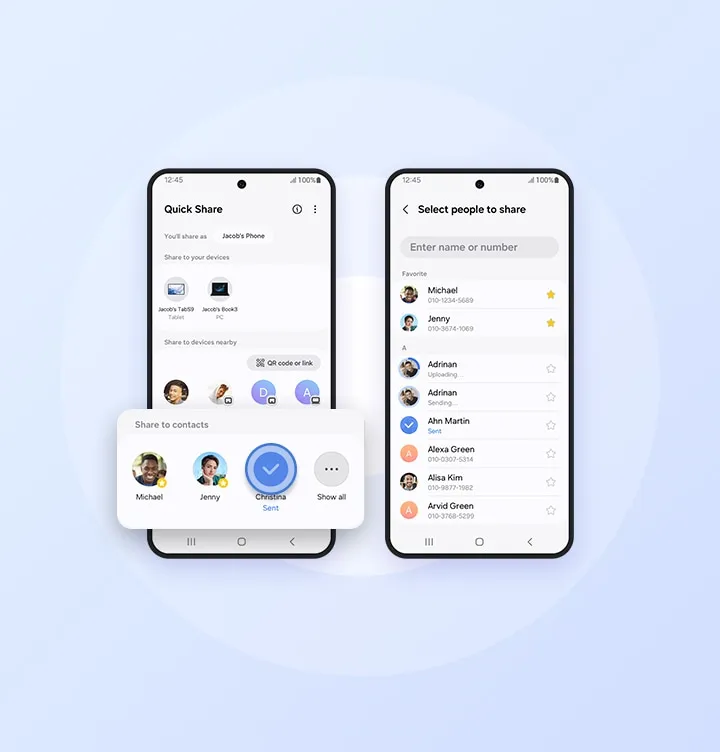
Quick Share
Fast file transfers between devices are a feature of Quick Share, however I use it more for myself than for other people.
I frequently have to transfer screenshots and images from my Pixel to my Mac for work. I can share files as quickly and smoothly as AirDrop if I have a third-party app installed on macOS. Even better, Google’s first-party Quick Share software functions flawlessly on Windows, so you’re in luck.
Google Pixel 10 Pro XL
Google Pixel 10 Pro XL is the ultimate Pixel experience, featuring advanced AI – Gemini, unbelievable camera quality, impeccable design, and the next-gen Google Tensor G5 chip
I’m confident that there are a dozen more hidden gems like this in the UIs of Android and Pixel if I look more closely. However, I use these on my Pixel every single day. My flow and my sanity would be totally disrupted if I were to lose even one of them.
Users of iOS and Android, take note! You currently have the opportunity to download several premium apps for free. But act quickly—these amazing deals aren’t around for long, so take advantage of them before these apps revert to their premium editions.
With a wide range of programs to suit all your needs, the Google Play Store and the Apple App Store are overflowing. Many of the alternatives are free, while some have a cost. The sporadic promotional events where a variety of paid apps are available for free download are sometimes overlooked. We’ve compiled a fascinating list of some of the most intriguing apps available for free at the moment.
Even if you don’t require an app right away, install it if it piques your curiosity. It will be added to your app library and marked as “bought” as a result. After that, you may uninstall the app straight from your phone and get it back for free anytime you need it.
Android
Free Android Apps
DJ Music Mixer ($9.99): Have a bunch of MP3s or audio files on your phone and want to play DJ? Do so with this app!
Equalizer & Bass Booster Pro ($2.49): Get better-sounding audio from the software perspective with this app. Oh yes, a kick of bass doesn’t hurt, either.
Volume Booster & Sound Booster ($2.99): Just when you think that the music is not loud enough, this app comes to the rescue.
Clean Wave Water Eject Pro ($2.49): Even if your phone is waterproof or water resistant, why not remove unwanted water from its speaker area with this app that claims to do so? We have not tried it, so it’s your call!
Free Android Games
Brain App Daily Training ($7.99): Our brain is also an organ that would benefit from mental exercises, so why not give this game a spin?
Grow Zombie ($1.99): What kind of grotesque creation do you think you can come up with in this zany zombie-growing game?
Neo Monsters ($0.99): Collect monsters, train them, take care of them, send them out to fight, and watch them grow more powerful!
Heroes Legend: Epic Fantasy ($0.99): Train heroes up and equip them with better weapons and gear as you progress in the game to grow even more powerful.
Sky Wings ($0.99): An intense, fast-paced shoot ’em up that is set in space. Do you have the reflexes to take down your enemies?
iOS
Free iOS Apps
Alarmix ($3.99): Waking up to a jarring alarm clock can be disturbing, but the good thing is that this alarm app does so gently.
Air ShareWifi File Transfer ($4.99): An easy way to transfer music, videos, documents, photos, heck—any files from the PC or Mac to an iOS device over Wi-Fi by simply dragging and dropping.
Bed Time Large Clock ($0.49): The regular clock doesn’t have a large enough font for you to see? Good thing there’s an app for that.
iDousyn ($6.99): An app that transforms the iPhone or iPad into a professional music production powerhouse wherever you go, with its touch-based interface.
The Jiu Jitsu Class Volume 1 ($19.99): While you cannot download kung-fu modules like Neo in The Matrix, you can still learn Jiu Jitsu from an app…
Free iPhone games
Get Gabbin’ ($1.99): I guess this is more of a game, offering conversational topics so that no date or meet-up will be awkward, ever again.
Puffin Rock Music! ($1.99): An educational game for the little ones, where they embark on an adventure with a group of puffins and create their own music.
Pro Wrestling Manager ($3.99): Time to make a career out of wrestlers, as you manage them well and make them superstars.
Axion Run ($0.99): A game that tests your reflexes, as you try to break free from gravity in an intense competition with friends.
Sky Master ($0.99): A beautiful shoot ’em up that is set in space, where you take down enemy ships in intense space dogfights.
Even if you don’t require an app right away, install it if it piques your curiosity. It will be added to your app library and marked as “bought” as a result. After that, you may uninstall the app straight from your phone and get it back for free anytime you need it.
As of the date of publication, the deals were active. Please share any expired deals you come across in the comments section below.
We advise you to review the app’s details in the Play Store or App Store before downloading any of the aforementioned apps. This is crucial as some of these free apps can offer unique features or drawbacks of their own.
Both free and paid apps should be avoided since they could have unnoticed in-app purchases and adverts. This is especially important while downloading kid-friendly games.
In today’s bustling app marketplace, finding quality apps and games without having to dip into your wallet can feel like striking gold. Developers often run special promotions where normally paid apps become free for a short window—an opportunity savvy users love to seize. Whether it’s a powerful productivity app, a fun puzzle game, or a creative tool, these limited-time offers are perfect for anyone looking to expand their digital collection without the usual price tag.
A carefully chosen list of currently available, totally free Android and iOS apps and games may be found in this page. Every selection has distinct qualities that appeal to a variety of interests; there is definitely something here for everyone. But, be careful to move quickly because these deals could end at any time, and you’ll have to pay again to get access to these treasures.
Check out the newest limited-time freebies below and take advantage of these exclusive offers while they last if you enjoy finding fantastic games and helpful apps without having to pay for them.
Android
Free Android Apps
Mockup for Everything ($8.99): This is a powerful t-shirt design app that lets you come up with personalized designs on the move.
Resize Image ($0.99): If there ever arises the need to resize your photos on your phone, then this app gets the job done with minimal fuss.
Chess Position Scanner ($4.99): I have a terrible memory, and trying to memorize the different positions in chess is tough. Good thing there’s an app for that!
Stroop Effect Test ($3.49): Challenge your brain and mind constantly by keeping it on its toes.
Shortcut Maker ($0.99): Always a nifty addition to any phone if you want to create shortcuts to apps on the fly.
Free Android Games
Space Shooter: Galaxy Attack ($0.99): It all boils down to your reflexes and how you are able to shoot all the incoming alien ships to protect your world.
Word Tower PRO ($0.49): Keep on creating new words to protect your tower from crumbling.
Tech Quiz Master ($2.49): Think you know everything about technology? Why not pit your knowledge against this game?
Avalar: Raid of Shadow ($0.99): An adventure RPG where you explore new lands and level up as you progress.
Rectangles Pro ($1.49): This is a game that tests your logical skills as you identify and tap four dots of the same color that form any rectangular shape on the grid. Best of all, this game also works for those who are colorblind. Talk about being inclusive!
iOS
Free iOS Apps
Password Cube ($1.99): Store, generate, and manage your passwords with minimal fuss.
Skywall – Ultra HD+ Wallpapers ($1.99): If you have always wanted to spruce up your iPhone’s background with high-resolution wallpapers, this is it.
Dr. Pet Play ($1.99): Being more educational than a brain-rotting game for kids, I’d say this is worth checking out if your little one has shown interest in being a vet.
Guestbook Go ($7.99): A digital guestbook for social events that does not need your supervision as the host? Count me in, it allows your device to let your guests take photos with Photo Booth, record videos, answer questions in Quiz Show, and write/draw,
Time Calculator+ ($0.99): Ever wondered how long ago a particular event happened from today? Well, instead of manually hashing out the answer, let this app do the heavy lifting for you.
Free iPhone games
Animal Math Kindergarten Games ($7.99): Sporting over 100 math games to help your little ones remain glued to the screen, it offers an educational aspect while playing.
Pro Wrestling Manager ($3.99): While it is true that sports wrestling entertainment is scripted, it is still fun to watch. How about managing your own wrestlers?
Cut the Buttons ($1.99): A classic game that never gets old, and if you’ve never played it before, now is a good time to start.
WordWhile ($1.99): Think you have a fantastic collection of quotes in your head? This game will put that knowledge to the test.
Castle Ramble ($1.99): You’re a king, you own a castle, but there are invading pigs whom you need to fend off with your larger-than-life hammer!
Before you get started, a little reminder: Although these games and apps are free to download for a short period of time, keep in mind that some of them might have advertisements or require extra in-app purchases to unlock premium features or remove adverts. Although some features can improve your experience, using them may incur additional fees.
To ensure you know exactly what to expect, always take a moment to check the program’s permissions and details in the app store. You can get the most out of your new apps and games and enjoy these free downloads without any unpleasant surprises if you keep an eye out for any potential advertisements or optional payments.