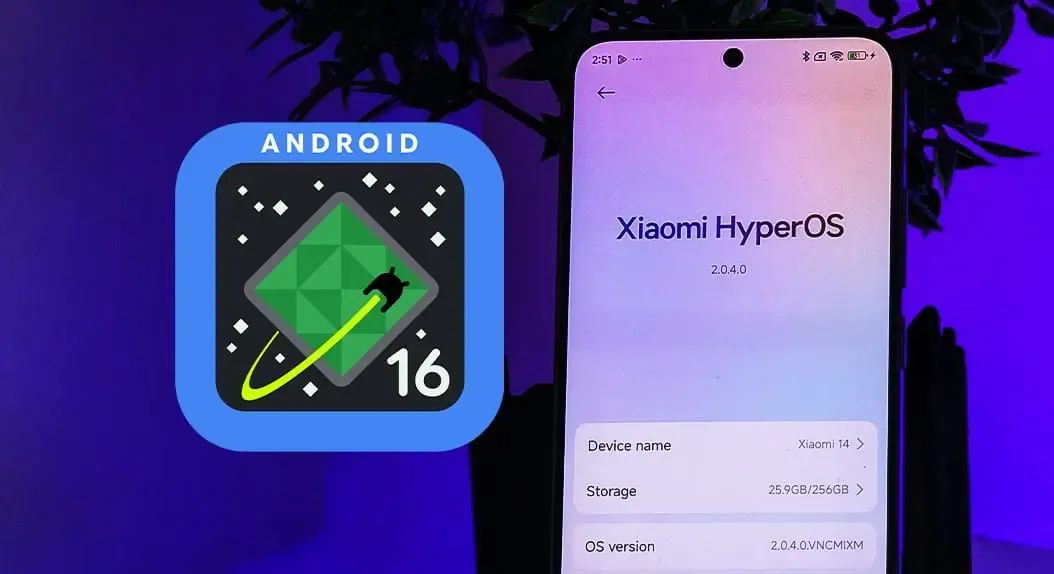
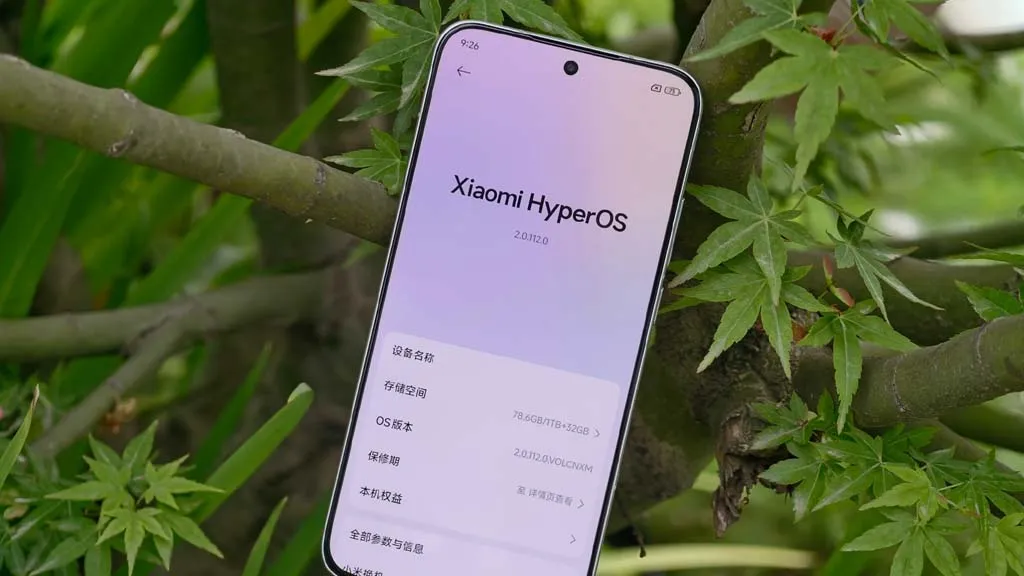
The HyperOS 3 upgrade for a new range of devices has started to be released by Xiaomi. This build of HyperOS 3 is unique. Its foundation is Android 15, which just started to be released for the Redmi K60 and Xiaomi Pad 6 Pro series. It is now being extended to further devices, such as the Xiaomi 12 series, Xiaomi 12S series, and others.
Currently, only China has access to the HyperOS 3 build, which is based on Android 15. According to Xiaomi Time, the most recent Xiaomi devices receiving this update are listed below, along with the firmware versions:
For these devices, the HyperOS 3 update is now accessible as a Mi Plot release, which is essentially a beta release. You must register to be a beta tester in order to receive this update (click here for all the processes). After Xiaomi confirms that the build is free of serious defects, the update will shortly be made available to non-beta customers.
The HyperOS 3 update, which is based on Android 15, has not yet been verified to be released worldwide by Xiaomi. Nonetheless, the inclusion of international versions like the Xiaomi 12, Xiaomi 12 Pro, and Xiaomi Civi 3 on the aforementioned list is encouraging. Usually, the company releases the update in China first, and after a few weeks, it spreads to the rest of the world.
We’ll continue to update our Xiaomi area with the most recent HyperOS updates. For the most recent information, don’t forget to frequently check this section. As an alternative, you may sign up for our Telegram channel to receive real-time notifications about new product releases, software updates, and the greatest tech news.
For owners of some well-known models, Xiaomi’s upgrade timeline is not good news. Android 16 will not be available for thirty-one Xiaomi, Redmi, and POCO phones. Rather, the last significant update for these smartphones will be HyperOS 3, which is based on Android 15. Support will then be restricted to minor fixes and security patches.
In the universe of Android, this is not uncommon. Major updates are typically offered by brands for two to three years, with newer flagships receiving longer support. The similar pattern applies to Xiaomi’s choice, which focuses on enhancing HyperOS for the devices that are still eligible.
For these phones, HyperOS 3 will be the last major software release.
Redmi phones stopping at HyperOS 3
Numerous models in the Redmi series also stop supporting Android 15. The Redmi K lineup, low-cost gadgets, and even several Note series favorites are included in the list:
This marks the end of updates for several phones that were popular in markets like India and Southeast Asia.
Xiaomi flagships are nearing the limit of updates.
Not even expensive gadgets are exempt. Android 16 will not be available for a number of Xiaomi 12 series phones, such as the 12 Pro, 12S Ultra, and 12T Pro. This is also where the Civi 3 and MIX Fold 2 complete their lifetime.
Full flagship list:
Xiaomi 12, 12 Pro, 12S, 12S Pro, 12S Ultra
Xiaomi 12T, 12T Pro
Xiaomi Civi 3
Xiaomi MIX Fold 2
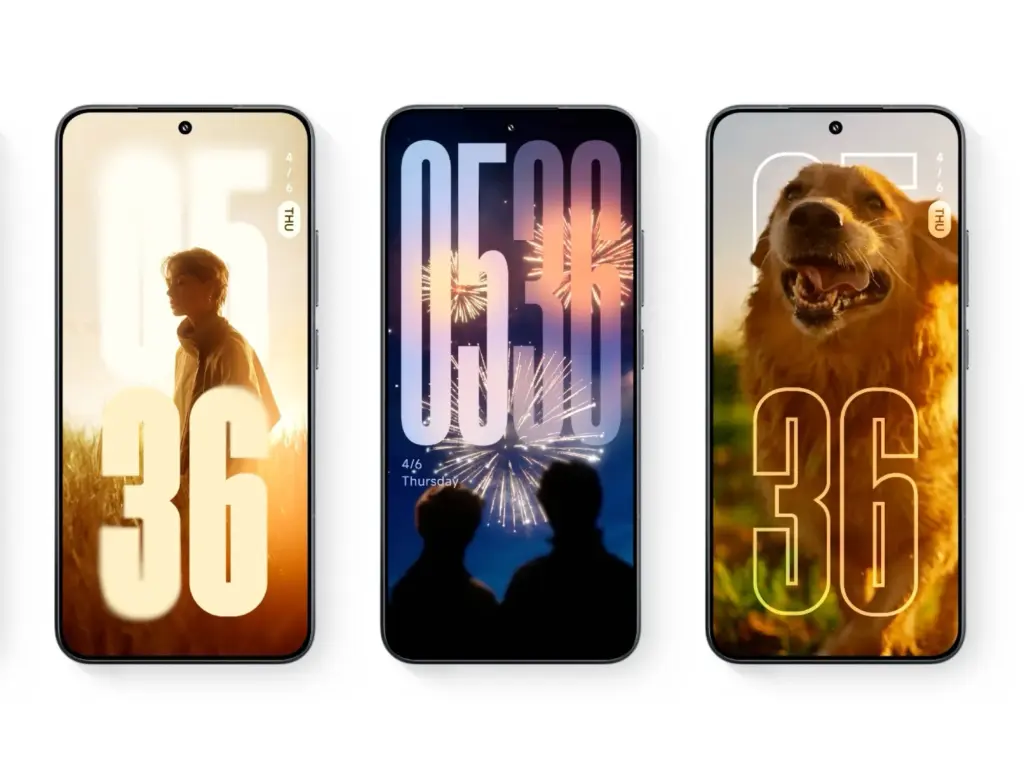
Android 15 is not the end of the story for these devices. It is anticipated that HyperOS 3 would come with a new interface that is modeled after Apple’s renowned “liquid glass” design. Users should anticipate improved system speed, additional customization choices, and a redesigned control center editor.
Although it’s the final significant update for these phones, the distribution is scheduled to start in September 2025 and provides them a more upscale appearance before updates formally cease.
The advantages of the HyperOS build, which is based on Android 16, will soon be available on Xiaomi handsets, however at least 31 models might not receive them. There are some benefits, but a new piece of information shows how many devices will not get the next big software update.
According to XiaomiTime, the Android 16 (HyperOS) distribution schedule would not include 31 Xiaomi devices. Redmi, POCO, and flagship phones are on the list.
For flagship phones, the Chinese phone manufacturer provides three or four years of major operating system updates and three or four years of security updates. Redmi models receive security fixes for three to six years and two to four significant Android OS upgrades. POCO receives three years of security patches and two years of OS.
These findings indicate that the major OS upgrade cycle for some devices appears to be coming to an end. Here’s some good news, though. These phones will benefit from HyperOS 3, which is based on the Android 15 version, even if they do not receive Android 16.
Indeed, HyperOS 3 will be the last update for smartphones now running Android 15. As a result, you can still use your phone for a year.
Indeed, HyperOS 3 will be the last update for smartphones now running Android 15. As a result, you can still use your phone for a year.
XiaomiTime claims that since HyperOS 3 will still be available, “missing out on Android 16 shouldn’t cause anxiety.” In addition, compared to previous software releases, the next OS has few innovations and just minor UI changes.
Conversely, HyperOS 3.0 will enable your device to have new features and minor adjustments. We don’t yet know the precise features. Check on the models until then:
These 31 Xiaomi devices will not get Android 16 but they will get HyperOS 3:
Xiaomi phones
Xiaomi 12
Xiaomi 12 Pro
Xiaomi 12S
Xiaomi 12S Pro
Xiaomi 12S Ultra
Xiaomi 12T
Xiaomi 12T Pro
Xiaomi Civi 3
Xiaomi MIX Fold 2
Redmi Devices
Redmi 12
Redmi 12 5G
Redmi 13C
Redmi 13C 5G
Redmi 13R
Redmi K50 Ultra
Redmi K60
Redmi Note 12 4G
Redmi 12 NFC 4G
Redmi Note 12R
Redmi Note 12S
Redmi Note 12T Pro
Redmi Note 12 Turbo
Redmi Note 13 4G
Redmi Note 13 4G NFC
Redmi Note 13 5G
Redmi Note 13R Pro
POCO Models
POCO C65
POCO F5 5G
POCO F5 Pro
POCO M6 Pro
POCO X6 Neo
Stay connected with the latest from Droid Tools—follow us on X @droid_tools, like our page on Facebook, check out our updates on Instagram, and follow us on Google News for real-time news, device tips, and mobile tech insights.
Thanks to its inclusion in Mi Code, Xiaomi’s impending HyperOS 3 update has now been formally announced, offering verifiable proof that the eagerly awaited software update is proceeding according to schedule. Xiaomi has decided to stick with its current number practice, despite previous industry rumors that suggested a switch to year-based naming (e.g., HyperOS 26). This strategic choice is consistent with market recognition and proven brand continuity.
The first HyperOS 3 rollout in China is scheduled for September 2025, according to Xiaomi. Based on past release trends, markets in Europe, Southeast Asia, and India are anticipated to follow in October or November. Given the early release of Android 16, some devices might get HyperOS 3 as early as September 2025, which would speed up time-to-market for Xiaomi’s user base worldwide.
The first formal confirmation from Xiaomi that HyperOS 3 is present in Mi Code confirms earlier predictions made by industry observers. With a September–October 2025 timetable that aligns with previous corporate release cycles, this development phase indicates that Xiaomi is on pace.
HyperOS 3 will have dual Android version compatibility
Xiaomi’s dual-platform strategy is a noteworthy feature of HyperOS 3. The upgrade will increase compatibility across Xiaomi’s wide range of devices by supporting both Android 15 and Android 16. This approach guarantees that the improved features and performance improvements of HyperOS 3 are available to both flagship and older devices.
Although Xiaomi has not revealed every feature, it is anticipated that the upgrade would bring about notable enhancements in performance, a revamped user interface, and new features that are intended to elevate the user experience throughout the brand’s ecosystem. Strong internal progress and preparedness for the next launch window are indicated by the Mi Code confirmation.
Stay connected with the latest from Droid Tools—follow us on X @droid_tools, like our page on Facebook, check out our updates on Instagram, and follow us on Google News for real-time news, device tips, and mobile tech insights.
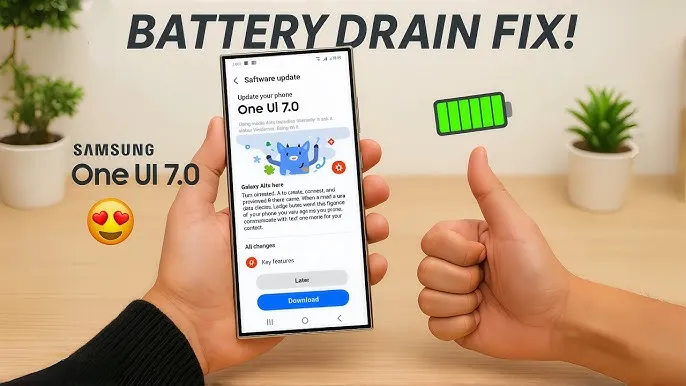
Running on Android 15, Samsung’s One UI 7 version boasts a new interface along with several new capabilities. One of the unanticipated issues that many customers have seen with the One UI 7 is shorter battery life.
Even with minimal use, Samsung customers report that their Galaxy phones are having trouble lasting a full day. This article examines the sources of the battery life issues that were noticed following the One UI 7 update, as well as solutions.
One UI 7 battery drain isssues from the rollout
Owners of Samsung devices have frequently complained about severe battery drain on websites such as Reddit, X/Twitter, and Samsung Community Forums.
One user of a Galaxy S24 Ultra, for example, reported that the screen-on time of their phone decreased to roughly 5 hours from 6–7 hours before to the update.
Another owner of a Galaxy Z Fold 6 claimed that by the end of the day, their battery had dropped from 45 to 50 percent to 20 to 25 percent.
Some users of the Galaxy S23 series have claimed similar issues, requiring two or even three daily charges for simple tasks like browsing or viewing movies. Rephrase
As the device becomes used to the new software, the post-update optimization period typically lasts a few days to a week, but the problem seems to last longer.
Users have also reported related issues, like slower app loading times or phones that run warmer than normal, which could be a factor in the higher power usage.
Why is the drain occurring?
While Samsung has not officially confirmed the cause, several factors could explain the battery drain. Since One UI 7 is a major software update, its new features, animations, and background processes may have been demanding more power.
User-installed third-party apps may not have been fully optimized with the new OS, causing battery drain. Another possibility is that background processes, such as system optimizations or data syncing, are running more frequently than needed.
The solution
If you’re experiencing battery drain after updating to One UI 7, here are some practical steps to try:
Clear the cache:
Go to Settings > Device Care > Storage and clear the cache for apps.
Enable Light Performance Profile:
Found in Settings > Battery and Device Care, this mode reduces performance to save power.
Turn off AOD:
Disable Always On Display, reduce screen brightness indoors, or switch to Dark Mode to conserve battery.
Update Apps:
Ensure all apps are updated, as outdated versions may not work well with One UI 7.
Factory Reset (last resort):
Some users report improved battery life after a factory reset, though this requires backing up data and reinstalling apps.
You’re not alone if the One UI 7 upgrade has caused your Galaxy device’s battery life to suffer. You can handle the problem while you wait for a possible solution by attempting the aforementioned procedures and keeping an eye on Samsung’s reaction.
Stay connected with the latest from Droid Tools—follow us on X @droid_tools, like our page on Facebook, check out our updates on Instagram, and follow us on Google News for real-time news, device tips, and mobile tech insights.
Here are seven devices that might miss out on this opportunity and get their final upgrade next month while Xiaomi is busy testing the new HyperOS 2.2 version for the flagship models. Examine the list and determine whether your phone is included in this group.
Upgrades to HyperOS include a number of sophisticated, AI-powered capabilities that aren’t compatible with all models. In order to concentrate on the most efficient smartphones, Xiaomi used to remove some devices and mark them as EOL (End Of Life).
The company has officially revealed the EOL devices for June 2025 and identified seven Xiaomi models that will receive their final HyperOS upgrade, according to XiaomiTime.
The majority of the phones on the list are Redmi and POCO models that might soon stop supporting security rollouts, feature patches, and new HyperOS updates.
According to inputs, the POCO C40’s final HyperOS update is scheduled for June 17. In February 2024, it received the most recent significant update, MIUI 13, which was based on Android 11.
It should be noted that these models will not receive any system optimizations, new features, or security fixes that address problems or issues that currently exist.
Therefore, we advise switching to a new device as soon as possible to take advantage of the most recent camera improvements, AI capabilities, and HyperOS 2.2 features.
Users of Xiaomi should rejoice since the stable HyperOS 2.2 update is currently planned for four new devices. The software is now available on Xiaomi’s servers and is awaiting final staff testing before going public. As Xiaomi continues to roll out its most recent OS to an increasing number of devices across its wide range of products, this step marks another milestone in the company’s aggressive HyperOS rollout strategy.
Xiaomi‘s emphasis on providing frequent software updates and keeping its ecosystem up to speed with the newest features is further highlighted by the new update, which promises to improve performance, battery life, and user experience for compatible phones.
HyperOS 2.2 family has four new members.
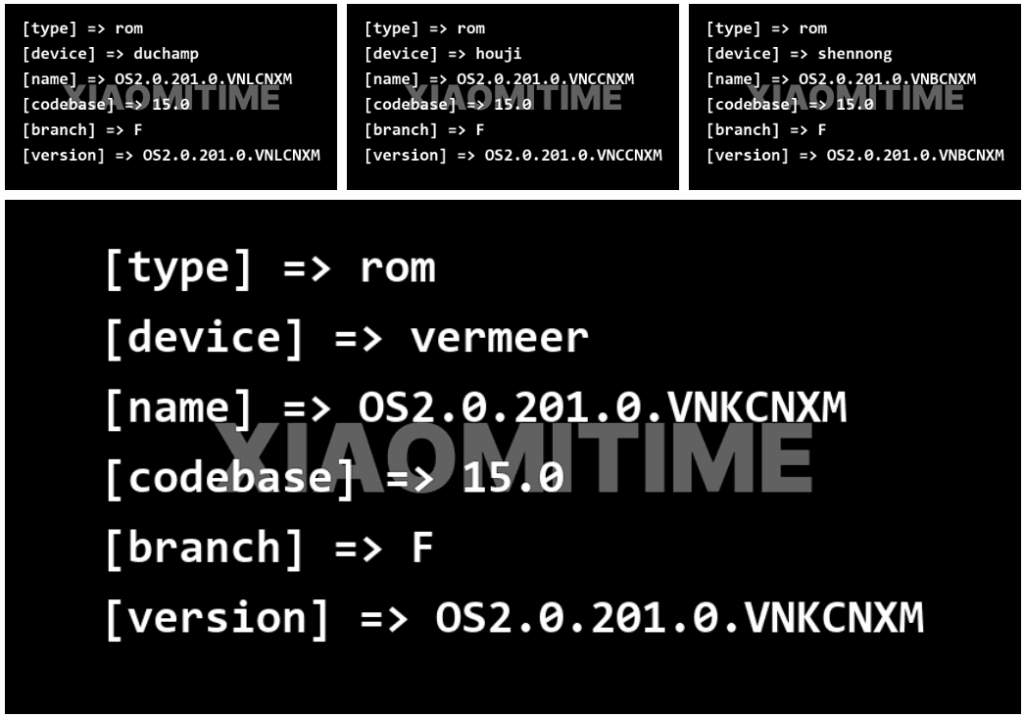
Based on data found on Xiaomi’s update servers, the following devices are now set to upgrade to the stable HyperOS 2.2 update:
Redmi K70E: OS2.0.201.0.VNLCNXM
Redmi K70: OS2.0.201.0.VNKCNXM
Xiaomi 14 Pro: OS2.0.201.0.VNBCNXM
Xiaomi 14: OS2.0.201.0.VNCCNXM
These builds are being tested by Xiaomi employees for the final time ahead of release, providing users everywhere with a smooth and bugless experience when the upgrade is rolled out.
Previously Confirmed Devices
The four new devices add to a number of already confirmed devices for which the HyperOS 2.2 stable update was announced:
Xiaomi 14
Xiaomi 14 Ultra
Xiaomi 15
Xiaomi 15 Pro
Xiaomi 15 Ultra
Xiaomi Pad 6S Pro 12.4
This extended rollout reflects Xiaomi’s commitment to providing its most recent flagship models, as well as last generation models, with the most current software features.
What HyperOS brings?
The HyperOS 2.2 update features a number of significant upgrades for supported devices:
Enhanced system stability for all programs
Optimized battery management for increased usage hours
Smoother animation transitions across the interface
In order to make Xiaomi smartphones competitive in the rapidly evolving smartphone market, these improvements build upon the strong basis of HyperOS 2, improving the user experience and adding new functions. For people who want to view the available updates,
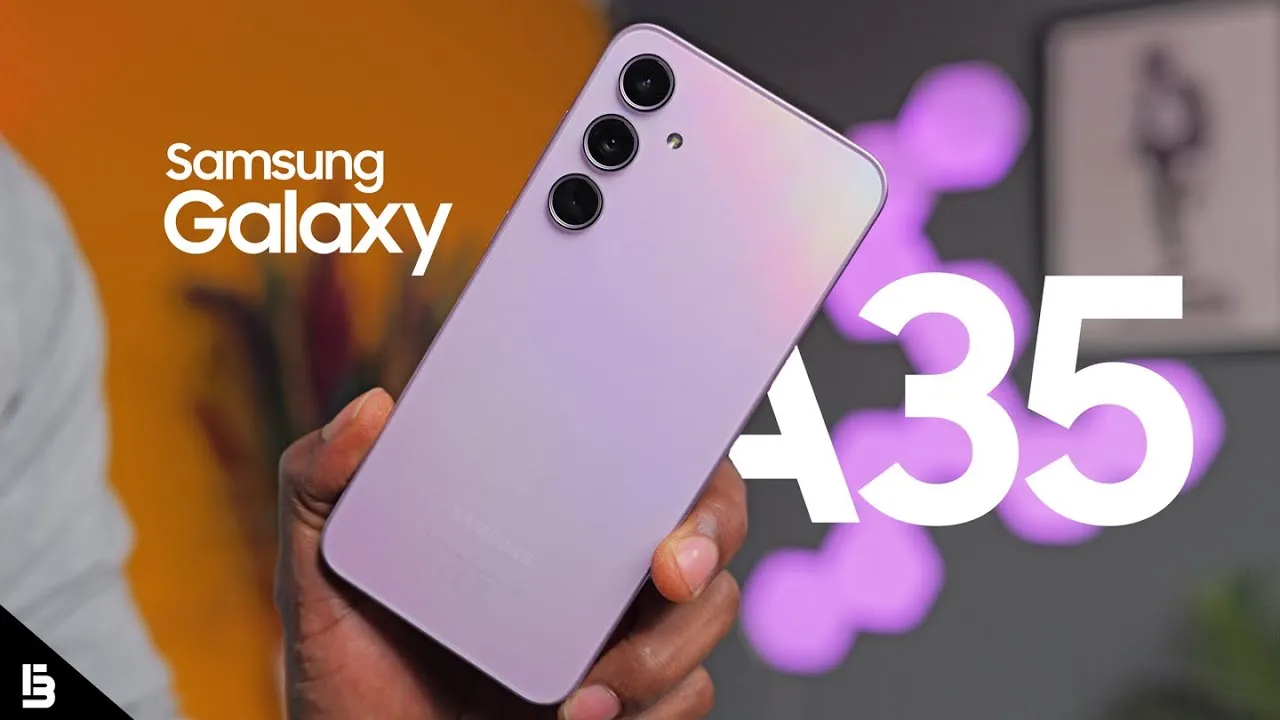
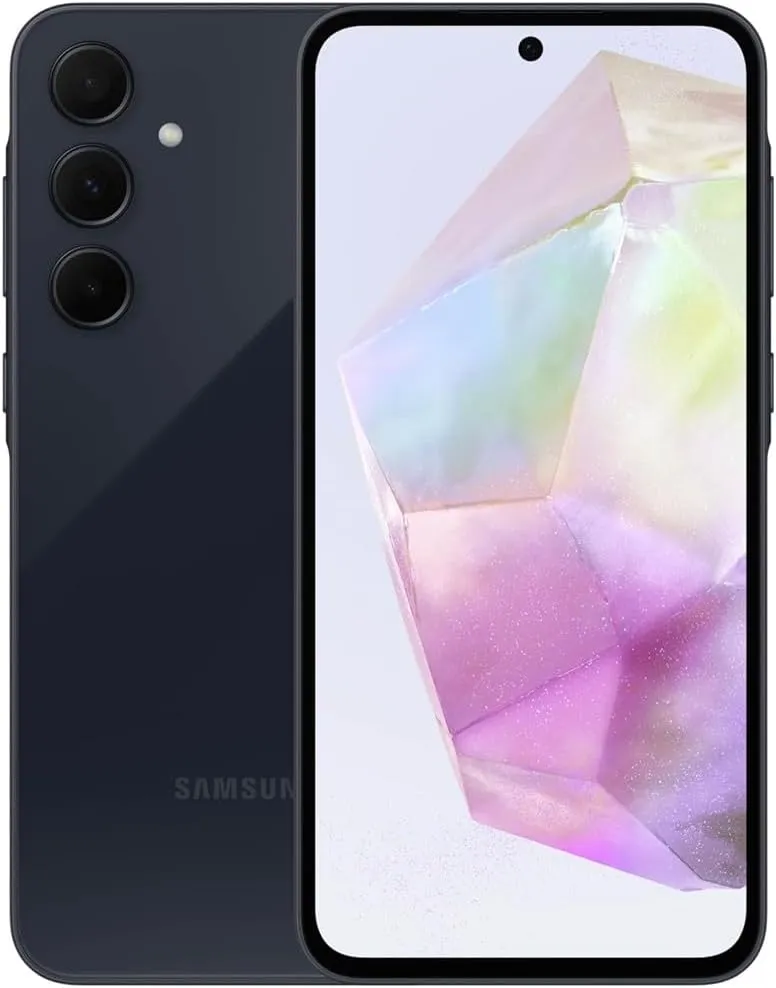
Samsung appears to be looking forward to bringing the next Android 15-based One UI 7 update to more Galaxy smartphones around the world. Samsung has already delivered the upgrade to major flagships, but it is now time for previous generation devices, including the A portfolio, as Galaxy A35 phones have lately begun receiving the software.
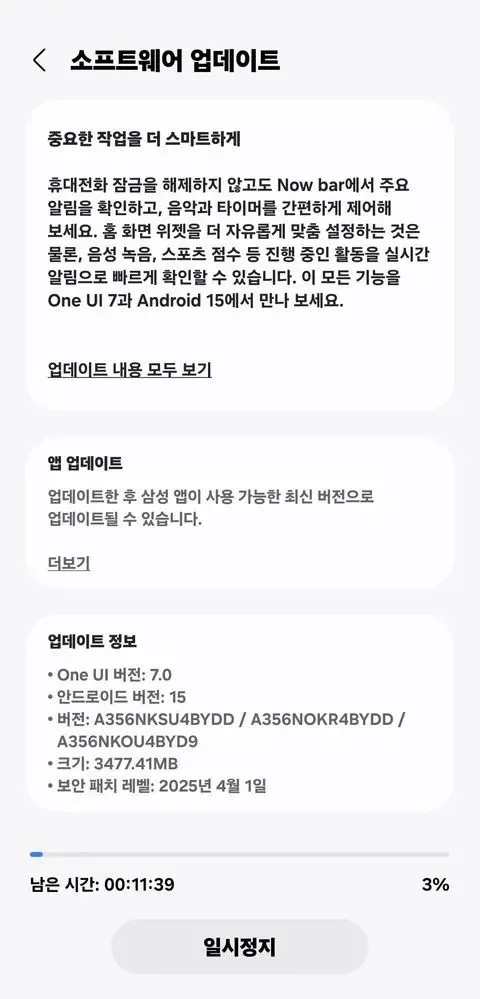
More precisely, Samsung has initiated a solid rollout for the Galaxy A35 models in its native country of South Korea, with wider availability coming soon. The device’s upgrade is identifiable by the build number A356NKSU4BYDD.
Meanwhile, the update contains a number of fascinating improvements and changes, including better AI-powered functionality in the form of Awesome Intelligence, a scaled-down version of the full-fledged Galaxy AI suite.
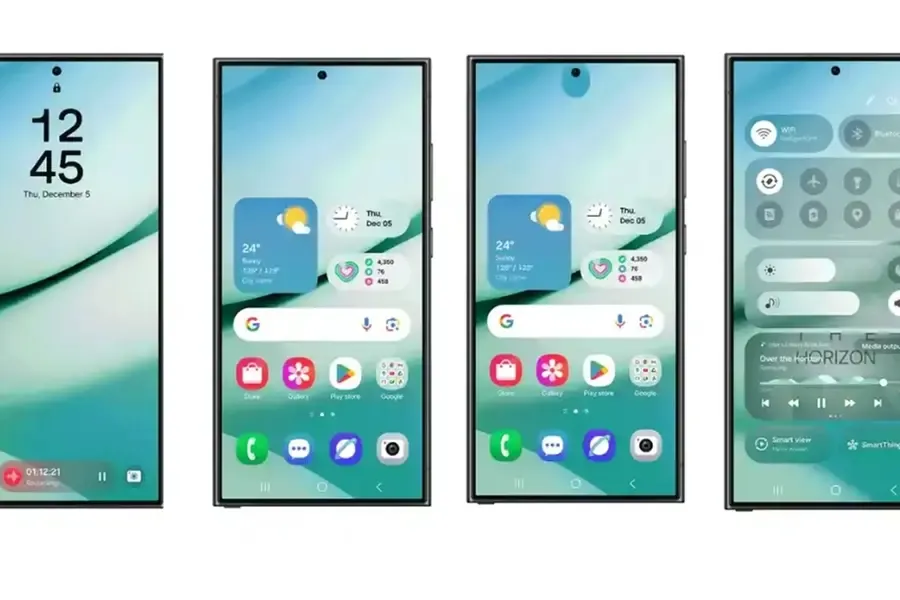
It includes a sophisticated user interface, highly customizable home screen widgets, and a new Now Bar feature that allows users to access all key information such as sports scores, health-related information, alerts, and more without unlocking the device, all while improving overall productivity, creativity, and security.
Samsung Galaxy A35 5G
6.6” FHD+ Super AMOLED Infinity-O, 120Hz Adaptive Refresh Rate, 1080×2340 pixels, 1000unit (Peak), 389ppi, 5000mAh Battery, Bluetooth 5.3
At the same time, the update further integrates the April security patch, which focuses on improving the device’s overall security and core functionality that provides a more secure, smooth and efficient user experience.
The One UI 7 is Samsung’s most significant UI change to date. Even while the build included numerous amazing changes that fans had been anticipating, certain delays made the release a source of frustration among fans as well. Now that the stable release has begun, here are all of the Galaxy models set to receive the upgrade in May 2025.
Essentially, Samsung began the One UI 7 stable update rollout on April 7 for the Galaxy S24 series, as well as the Galaxy Z Fold 6 and Flip 6, which were scheduled to receive the update in the first batch, while the rollout for the US market was scheduled to begin on April 10; however, due to a bug, Samsung had to pause the rollout.
At the same time, the One UI 7 release resumed and is now reaching even more older generation handsets, excluding the Galaxy S24 family and the company’s 6th generation foldables.
Samsung has already begun to expand the reliable One UI 7 edition globally, starting in the company’s hometown of South Korea. So far, Samsung has delivered the stable update to numerous Galaxy phones and tablets since mid-April, and will continue to do so until every eligible device is covered.
Furthermore, One UI 7 introduced many new features and modifications, although it is worth noting that a few Galaxy AI functions may not be available in previous Galaxy model lineups.
List of samsung Galaxy devices receiving One UI 7 in May 2025.
Now that we have entered the month of May, here are all of the Galaxy smartphones, tablets, and foldables that are expected to receive updates this month in the global market:
There is no sugarcoating it. Samsung botched the deployment of One UI 7 on the top Galaxy phones. Still, it is one of the most significant redesigns in One UI history, adding an unmatched level of polish to the company’s appearance. You have surely heard about the Now Bar and the huge Galaxy AI improvements in One UI 7, but here are several tiny, underappreciated updates you might have overlooked.
Double-tap playback controls in AOD
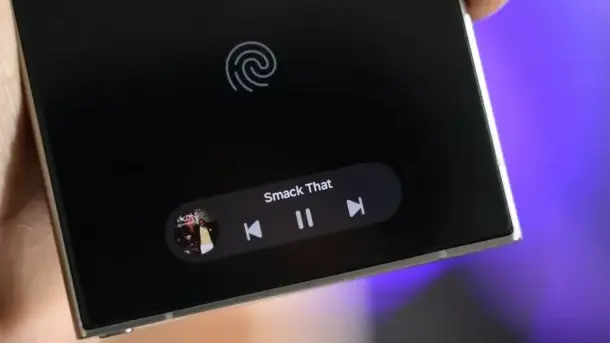
Now Bar is one of the significant new features in One UI 7, promising to provide relevant information at the right time. It also works with Always-on Display, displaying softly at the bottom. This is not the only way Samsung enhanced the Always-on Display with One UI 7. You may now control media playback via the Always On Display (AOD).
If you lock your Galaxy phone running One UI 7 while media is playing, the playback controls show at the bottom of the Now Bar. A single tap does nothing, but double tapping the playback controls will play, pause, or skip the current song or movie.
When you double-tap the album art, an expanded view of the media player appears, complete with larger controls and the ability to adjust media output.
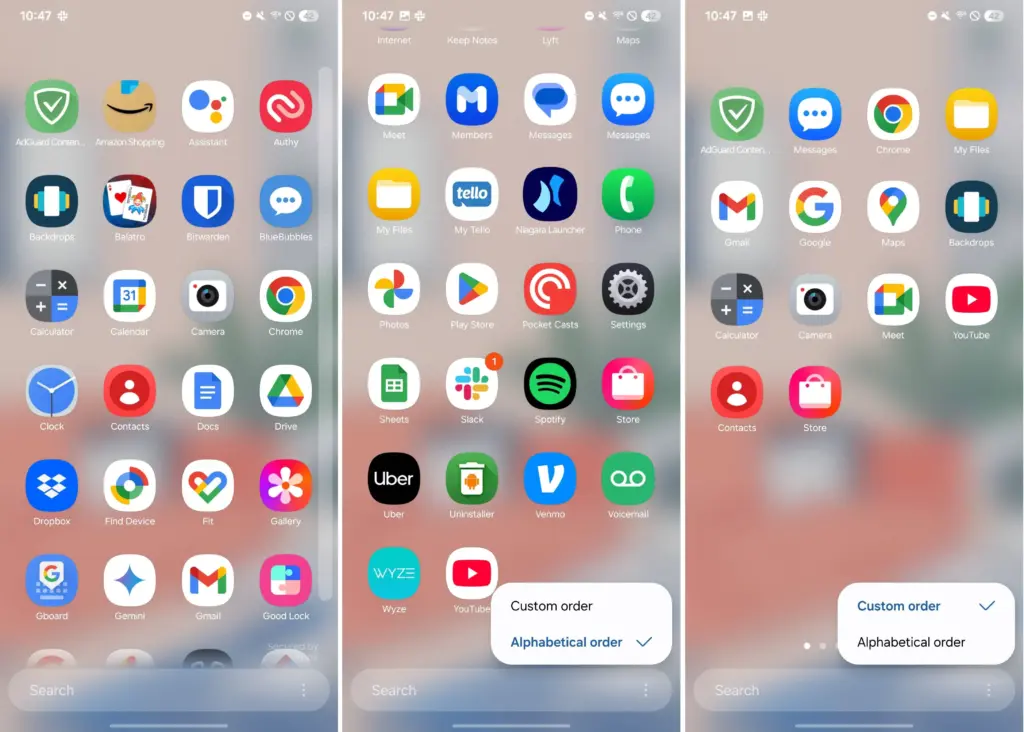
Vertical app drawer
One UI 7 introduces a vertical app drawer to the One UI launcher. The option was included in One UI 5 and earlier releases, however it was deleted with Samsung’s Android 14-based One UI 5 update. The business promised to bring back the vertical app drawer with One UI 6.1.1, however this never happened.
If you have hundreds of apps installed on your Galaxy phone, a vertical app drawer will help you to easily swipe through them. In true Samsung form, there is an anomaly in how the feature was implemented.
Samsung does not specifically refer to it as a vertical app drawer. Instead, open the app drawer, hit the overflow menu button in the lower-left corner of the search bar, and choose Sort, then Alphabetical order. This converts the app drawer to a vertical style and organizes apps by name. You cannot move apps in this view, but you may position them within folders. Folders are located at the top, followed by applications and games.
A useful feature of the vertical app drawer is the addition of a fast-scroll bar on the right, which allows you to swiftly skim through and jump to any portion of your app list. The Home Up Good Lock module, which was updated with One UI 7, allows for more customisation of the home screen and app drawer.
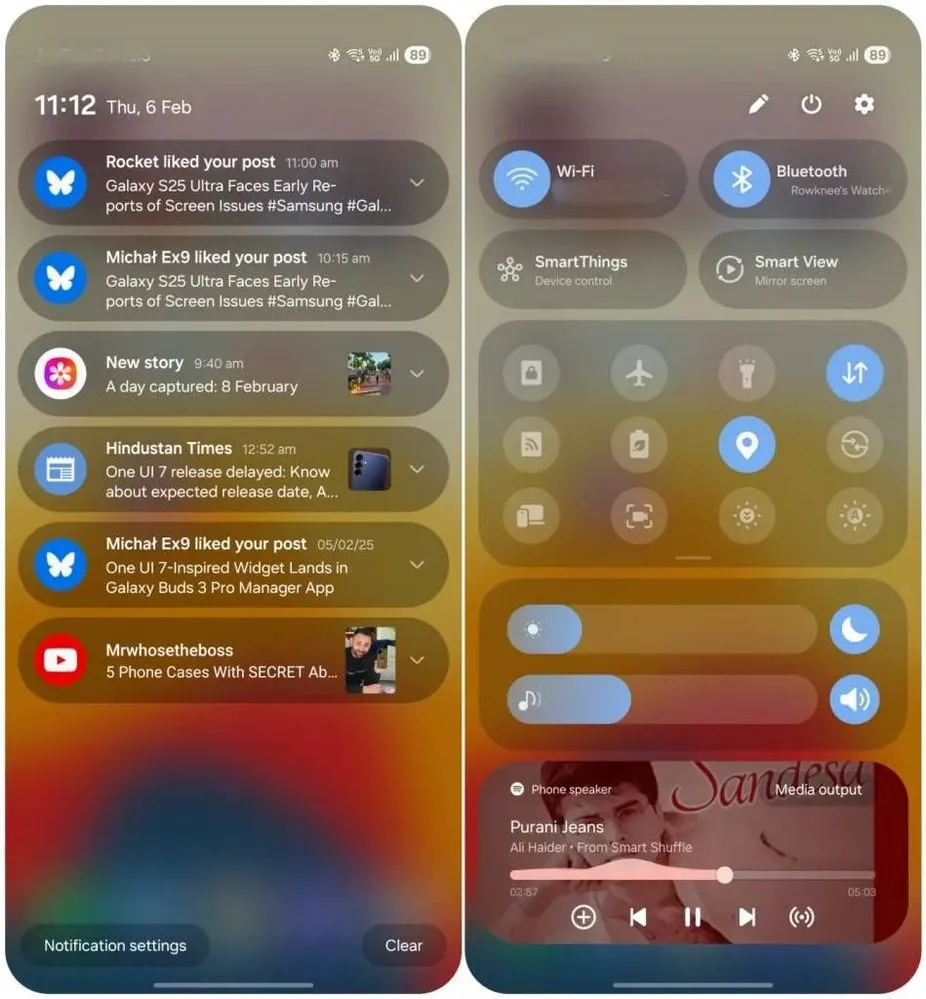
Quick switch between the notification panel and Quick Settings
Samsung used an iOS-like approach with One UI 7, separating the notification panel and Quick Settings into two sections. You can return to the former One UI 6-like layout, but sample this adjustment for a few days before making a decision.
Compared to Apple’s distinct Quick Settings and notification panel design, Samsung’s method has one significant advantage. Swiping between the Quick Settings panel and the notification shade allows you to rapidly move between them. The same is true for phones from Xiaomi, Oppo, and OnePlus, all of which have long used separate Quick Settings and notification panels.
Although Samsung was not the first to market with the idea, it made care to include a helpful change in One UI 7.
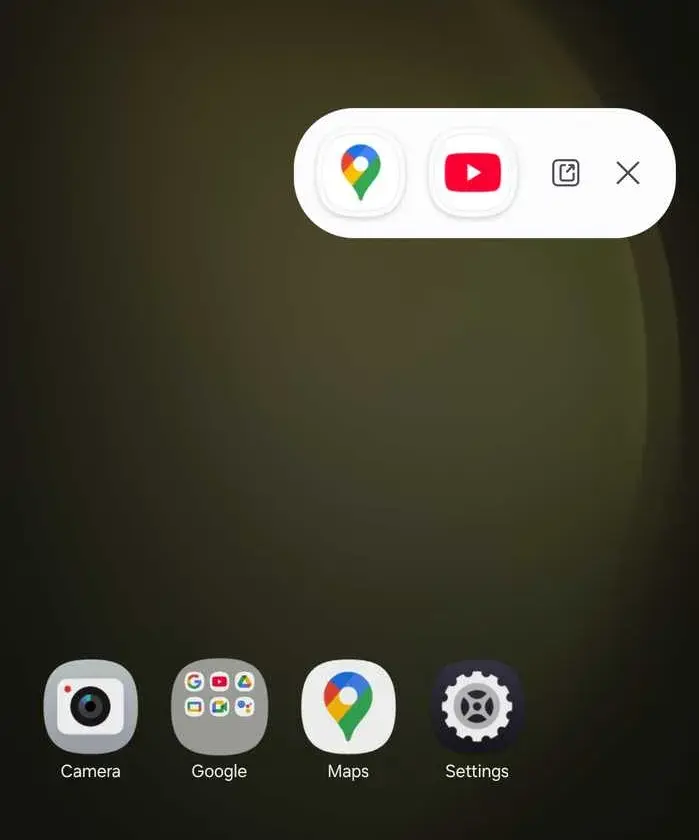
Minimized pop-up apps group together
Samsung’s Android skin includes a variety of useful multitasking capabilities, including the option to run programs in a pop-up view. This allows you to run many programs simultaneously and minimize them into a floating shortcut. When you minimize numerous apps in pop-up mode, your Galaxy phone’s display may appear cluttered.
One UI 7 solves this problem by grouping the floating shortcuts of all minimized programs. Even better, there is a shortcut for launching all minimized apps at once. If you do not frequently utilize pop-up view multitasking on your Galaxy phone, you may disregard this as a minor modification. If you rely significantly on it, you will benefit from this modification.
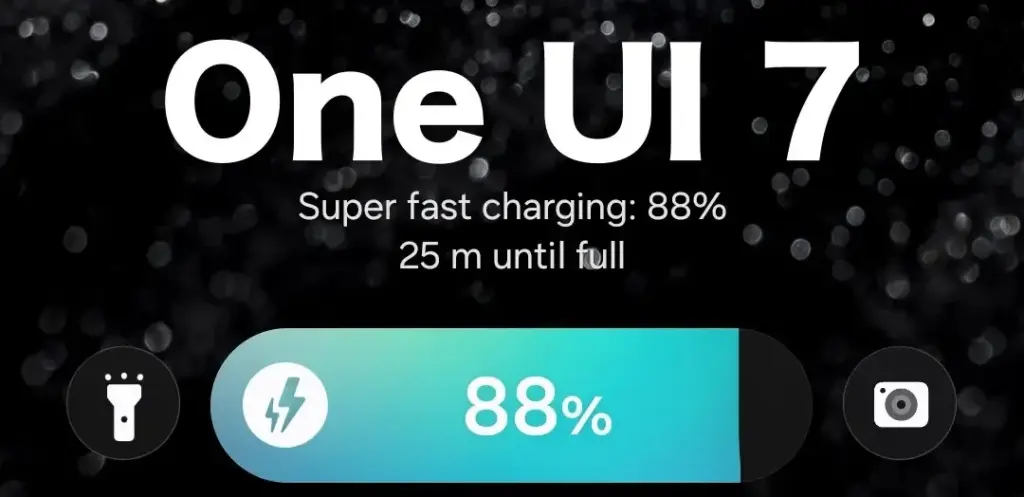
New charging animation
Samsung’s work with One UI 7 is evident, from the smooth system animations to the general fluidity. The experience rivals iOS in polish and feels substantially better than other Android skins. You will not encounter sporadic lags or stutters. The new charging animation demonstrates Samsung’s attention to detail in One UI 7.
If you put in your Galaxy phone to charge when the display is turned off, a charging pill with a slick animation appears at the bottom, where the Now Bar resides. It does not appear in extreme brightness, but rather in a dimmed state. When you are in a dark room, the phone automatically adjusts the brightness to make it even darker. The charging information can be displayed even when the screen is turned off.
One UI 7 is really improved
Samsung’s Android skin offers a feature-rich experience, including useful multitasking options. Still, it felt like One UI lacked the polish and attention to detail that Pixel UI and iOS possessed.
With One UI 7, Samsung steps up, demonstrating that when it wants to, it can create a professional and well-rounded Android experience while correcting some of its long-standing faults. So it is sad that the focus on One UI 7 is primarily on its rollout delays, rather than the polish and enhancements it delivers.