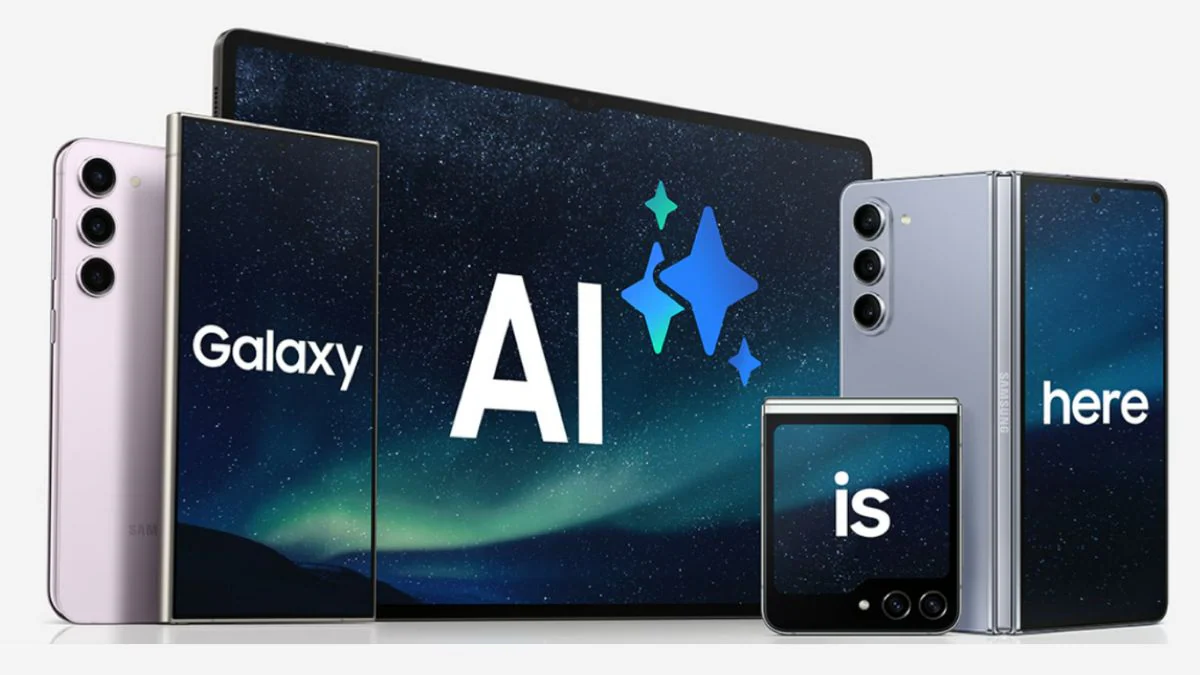
Samsung is already rolling out One UI 8, its version of Android 16, to all Galaxy phones that support it, but the upcoming major update may be much more important.
At least four new Galaxy AI functions may be included in One UI 8.5, according to a report from the Korean website ETNews.
But you may have to wait a long time. The Galaxy S26 series phones are expected to get OneUI 8.5 in January or February 2026, with a broader rollout to follow in the coming weeks and months.
They would be the first new Galaxy AI features in more than a year, if that is the case. Here is what you have to look forward to.
Meeting assistant
Has somebody ever met with you using a language you don’t understand? I’m not referring to ROIs and KPIs, though Galaxy AI might be able to assist you with that as well—a real foreign language.
Meeting Assistant was created with certain situations in mind. Theoretically, it can identify what is being spoken, precisely transcribe it, and then translate it in real time into your target language. If all goes according to plan, this may be quite helpful in some meetings, as well as in situations like interviews and press conferences, if you connect headphones.
Touch assistant
Similar real-time translation capabilities are provided by Touch Assistant, but only for text that is displayed on the screen. You can choose to translate a passage of text by simply selecting it as though you were going to copy it.
Although it’s unclear exactly what this means, ETNews claims that Touch Assistant also “organizes it for easy reading.”
Smart clipboard
You can move text without being restricted to the most recent item you copied by using the clipboard feature, which is available through the Samsung Keyboard.
By employing AI to recommend actions for any material that shows up, Smart Clipboard seeks to improve this. For instance, you could want to add particular words or phrases to your favorites, summarize a lengthy text section, or translate anything that isn’t in your system language.
Social composer
Do you like sharing content on Instagram but find it difficult to think of a clever caption? Social Composer can assist you.
It can analyze your uploaded photos, identify the people or things in them, and then provide a variety of textual descriptions about them. Along with a more thorough description and even links to any products it recognizes, this can also include a caption.
A big Galaxy AI leap for free?
Whether all of these capabilities will be available on One UI 8.5 in the format ETNews has outlined is still up in the air.
It could, however, significantly improve the Galaxy AI experience on your phone. Will it be able to match the Google Pixel phones’ Gemini-powered experience? We’ll find out in time.
Additionally, Galaxy AI might not always be free, even though Samsung has not indicated that it will charge for certain services.
Owners of Motorola phones, take note! For you, this monsoon has a unique timeline of occurrences. In addition to the recent Motorola phone releases and the strong market demand for these phones, current patterns indicate that you should expect an Android update soon. Indeed, it is correct. Numerous Moto phones will soon be running Android 16, so you should update to the newest OS version as soon as you can. To learn which devices will get the Android 16 upgrade, let’s read this article.
Android 16 Update: Key Insights That You Should Know
With the latest updates and improvements that your Android devices undoubtedly require Android 16.
For example, Android 16 mimics iOS Live updates by introducing dynamic features like real-time status bar apps updates.
Additionally, by removing forced screen points on large devices, it improves tablet usage. Additionally, it offers adjustable refresh rate, which helps to improve battery smoothness and efficiency.
The most recent version of Android 16 has it all: bundled notifications, cooldown choices, streamlined alerts, a new volume slider, divided quick settings, and small heads-up displays. The floating bubbles, which previously only supported notifications, now support entire apps, giving you some unique UI elements.
Speaking of widgets, Android 16 brings back the lock screen widgets along with Gemini access and clearer notification icons. iOS Dynamic Island is mirrored in Rich Ongoing Notifications.
Last but not least, this OS update offers amazing camera support. HDR10+ and 8K are supported by its Advanced Professional Video (APV) Codec. Gemini extensions, vertical text support, Privacy Sandbox, cloud compilation, and improved tablet desktop mode are some of the other standout improvements of the most recent Android 16 version.
Motorola devices that will get Android 16 in 2025
In June 2025, the Android 16 version will be released, and all of the most recent updates will be available on popular Motorola devices. The Android 16 Update may be available for phones that were just released, those that are now available, and those that will be released between July 2025 and September 2025. Let’s view the entire list right here.
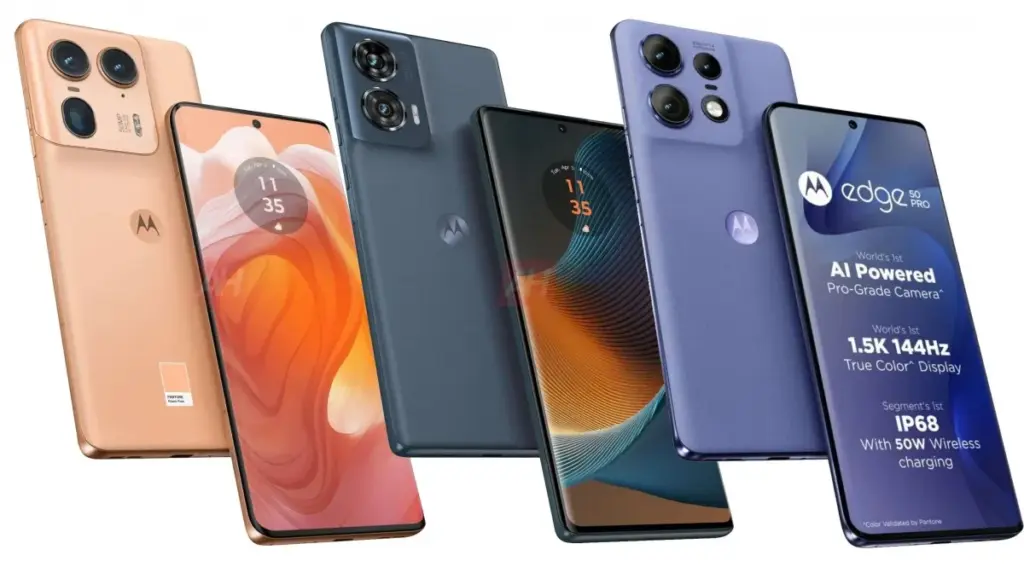
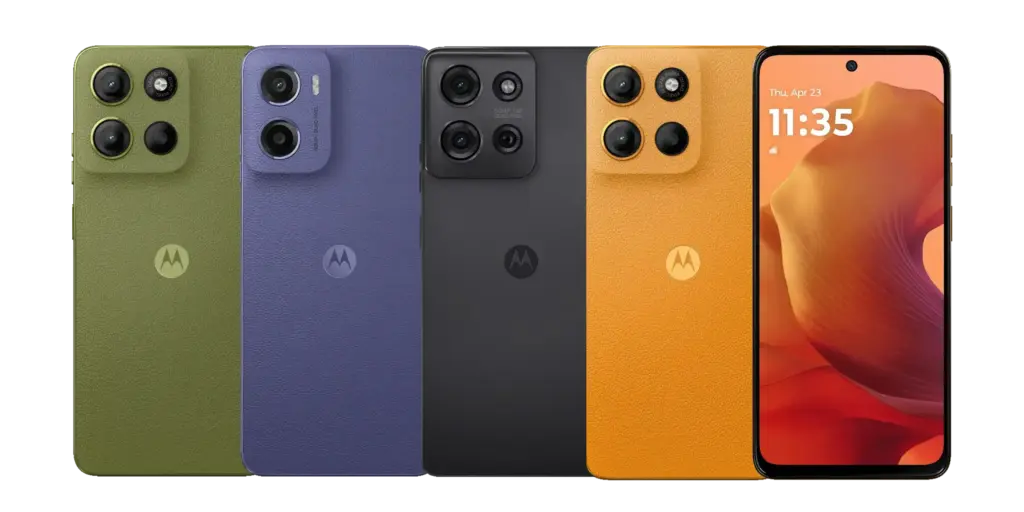
The Edge series phones are an amazing flagship line in the phone industry, with curved edges, a bright display, a sleek design, and never-before-seen capabilities with every new version. The Edge series phones’ price range and “value for money” label have been their main selling points.
Motorola Edge Series
Here is the list of all the Motorola Edge series phones which will receive the Android 16 update:
Edge 50
Edge 50 Fusion
Edge 50 Neo
Edge 50 Ultra
Edge 50 Pro
Edge 60
Edge 60 Stylus
Edge 60 Fusion
Edge 60 Pro
Edge 40 Pro
Motorola Razr Series
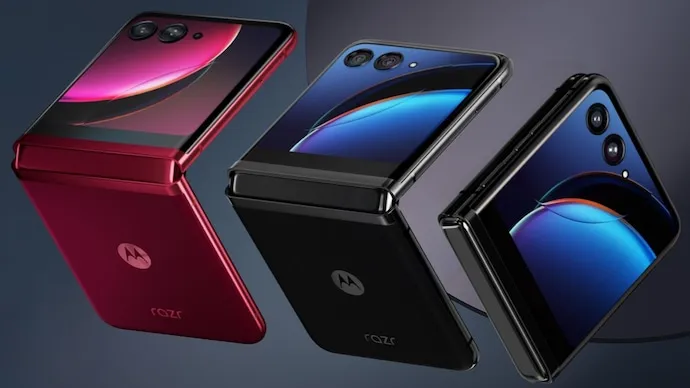
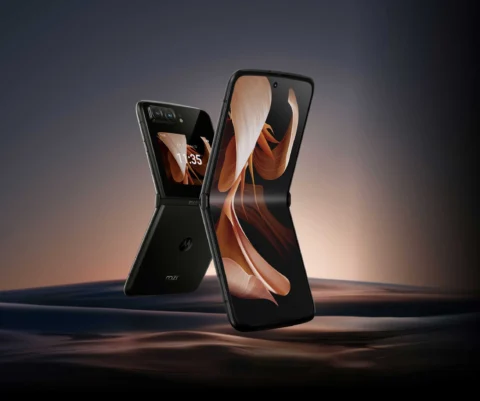
Motorola produced the most inventive foldable phones. In the market, Motorola’s Razr series phones have enjoyed an incredible run of popularity. For instance, the Motorola Moto Razr 40 boasts a sizable 6.9-inch full-HD+ pOLED display with an inventive foldable design. It also boasts a high refresh rate of 144 Hz, which makes for a fluid and engaging viewing experience. The robust Snapdragon 7 Gen 1 SoC and 12GB of RAM enhance the performance features for smooth and quick operation.
Motorola produced the most inventive foldable phones. In the market, Motorola’s Razr series phones have enjoyed an incredible run of popularity. For instance, the Motorola Moto Razr 40 boasts a sizable 6.9-inch full-HD+ pOLED display with an inventive foldable design. It also boasts a high refresh rate of 144 Hz, which makes for a fluid and engaging viewing experience. The robust Snapdragon 7 Gen 1 SoC and 12GB of RAM enhance the performance features for smooth and quick operation.
Here is the list of all the Motorola Razr series phones which will receive the Android 16 Update.
Moto Razr 50
Moto Razr 50 Ultra
Moto Razr 60
Moto Razr 60 Ultra
Moto Razr 40
Moto Razr 40 Ultra
Moto G Series
The Motorola G series phones are the market’s favorite among consumers on a tight budget. The Motorola G series phones are very impressive, catering to lower budget categories while offering some of the newest features.
Here are the Motorola G series phones which will get the Android 16 Update:
G85
G56
G75
G64
G54
In conclusion, the Android 16 update will be available for all of the most recent Motorola phones from the Edge, Razr, and G series. These Moto phones will get cutting-edge features with the QPR beta version, the most recent release of Android 16.
As a result, all Moto users can anticipate improved performance, more intelligent features, and a more streamlined user interface. The capabilities of your phone will be enhanced by this upgrade, regardless of whether you’re using a stylish Edge, a folding Razr, or an affordable G series!
Stay connected with the latest from Droid Tools—follow us on X @droid_tools, like our page on Facebook, check out our updates on Instagram, and follow us on Google News for real-time news, device tips, and mobile tech insights.
Freebies are great, especially when it comes to high-end apps and games. Developers give away paid programs and games every day as part of promotions; if you are quick, you can get your hands on these treasures for nothing. You will not want to miss the newest temporarily free iOS and Android applications and games that we have compiled in this blog. There is something for everyone here, from productivity enhancers to addictive games, so let us get started before the offers expire!
These time-limited deals are an excellent opportunity to try out new games and applications without having to pay a dime. With these offers, you can try out a creative tool, increase your productivity, or play games without taking any chances. Additionally, even when the campaign is over, you can retain them once you have claimed them. But act quickly—these deals are only available today and will disappear tomorrow! Let us find out what is currently for sale.
Android apps and games that are free for a limited time
Android apps for productivity and lifestyle
PhotoApp AI ($6.49): You can call this a highly useful photo editor to modify your photos on your phone.
Touch Lock ($0.99): This app ensures that your screen remains locked, doing away with accidental touches.
Volume Scheduler: Auto Silent ($0.99): Want to make sure your phone is silent at a certain time? This app gets the job done, fuss free.
Xproguard Anti-Theft ($22.99): An app that claims to add another layer of security to your handset, discouraging theft and unauthorized access.
Binary Calculator Pro ($0.99): Enjoy this free mathematical calculator that is capable of adding, subtracting, multiplying, and dividing numbers in binary format.
Free Android games
Hero of the Kingdom: Tales 2 ($6.49): It is time to play the heroic princess and save your city from a great evil.
SPHAZE: Sci-fi Puzzle Game ($0.99): A puzzle game that is set in a sci-fi setting that is lovely to look at even as you crack your brain.
Brain Game Find 5x ($3.49): Think you are smart? Why not tease your brain with this game that contains plenty of puzzles!
Shadow Hunter Offline Premium ($0.99): Here’s a horizontal hack-and-slash adventure game where you mow your way through endless enemies.
The Lost Treasure ($3.99): A point-and-click visual adventure game that requires you to solve puzzles and put two-and-two together along the way.
iOS apps that are free for a short time
iOS apps for productivity and lifestyle
Vostok – Story Maker ($0.99): If you want to create a collage from your photo album, this app might come in handy.
Origami Paper Fold ($2.49): Should you have plenty of free time to spare, why not learn how to make some craft?
Bookends ($10.99): This reference management app will certainly come in handy for scholars and those doing research.
Tiny Planner ($19.99): Want an app to keep your life organized? Tiny Planner does seem to fit the bill perfectly.
Free games for the iPhone and iPad
Command Word Jumble Complete ($4.99): Unscramble words, reveal hidden meanings, and basically take full advantage of your vocabulary.
Lyrica: Drunken Moon ($1.99): A music-based game that combines lyrics, making it a rather interesting gaming experience.
The Lost Treasure ($3.99): A point-and-click adventure game with numerous places to explore as you search for pirate’s treasure.
King’s Hero: Turn Based Strategy ($1.99): A classical RPG with turn-based combat in the same vein as that of Heroes of Might & Magic.
Arcs ($1.99): 100 circular puzzles for you to solve, each of them offering more challenge than before.
While snagging free apps and games is exciting, it’s important to stay vigilant to ensure a safe and positive experience. Always review the permissions an app requests before installation—if an app asks for access to data or features that don’t seem necessary, it’s better to skip it. Be cautious with apps that include in-app purchases, as they can lead to unexpected charges if not monitored, especially when children are involved.
For families, consider enabling parental controls on your devices to restrict downloads and purchases. Take a moment to review app content ratings and ensure that they’re appropriate for young users. A little oversight can go a long way in making sure your free finds are both fun and secure.
By staying mindful of these tips, you can enjoy the best free apps and games without compromising on safety. Happy downloading!
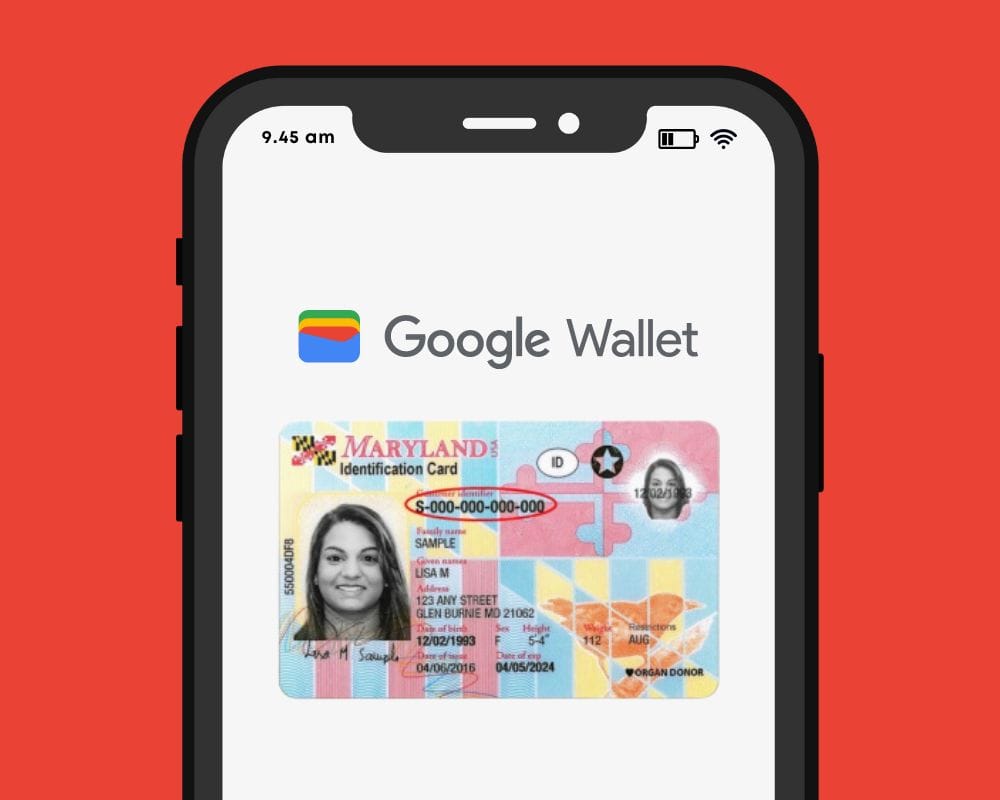
Bank cards, tickets, passes, keys, identity cards, passports, and driver’s licenses may all be securely stored in the Google Wallet app, an advanced digital wallet.
This service, which has just been established in a couple of countries allows users to carry their critical credentials digitally on their smartphones.
Once you download the Google Wallet app, you can easily add your driving license details, ensuring quick and secure access wherever you are.
Google Wallet protects users’ ID passes, driver’s licenses, and state IDs with strong encryption and personal authentication. If your phone is lost or stolen, Google says your digital ID can be wiped remotely to prevent illegal access.
Steps to add your driving license to Google Wallet
Driving licenses are required for all drivers. Follow these steps to add it to Google Wallet:
Navigate to the bottom and tap “Add to Google Wallet.”
Select “ID” and then “Driver’s License.”
Tap “Get Started” and agree to the terms.
Scan both sides of your license.
For verification, upload your photos, including front and side poses.
Tap “Continue,” then “Done.”
Await the notification confirming the completion of verification.
This function is now only available in the United States, but it is planned to be expanded to other nations shortly. Notably, Google Wallet just launched in Pakistan, providing further ease to customers in the region.
Digital integration via systems such as Google Wallet provides a streamlined experience for keeping important papers, integrating technology with ease of use.
Android users can now add payment cards from major banks and experience features like tap-and-pay in stores, seamless online checkouts, and quick access to boarding tickets for trips.
We can never have enough battery life. The older generation still longs for the days when a single charge was sufficient to power your feature phone through a hectic week, even if the majority of smartphones from the last few years will easily last you a day or perhaps even two.
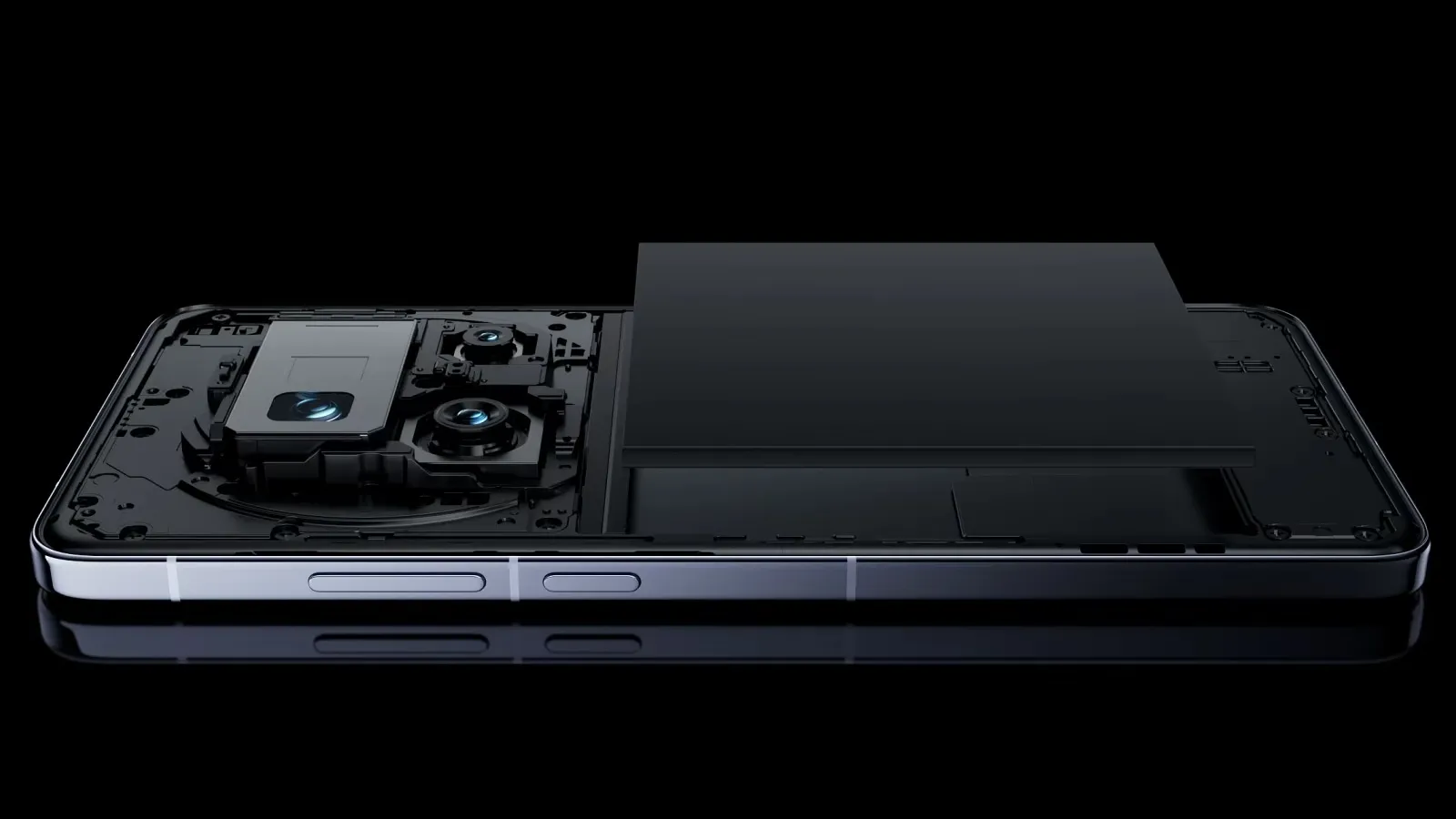
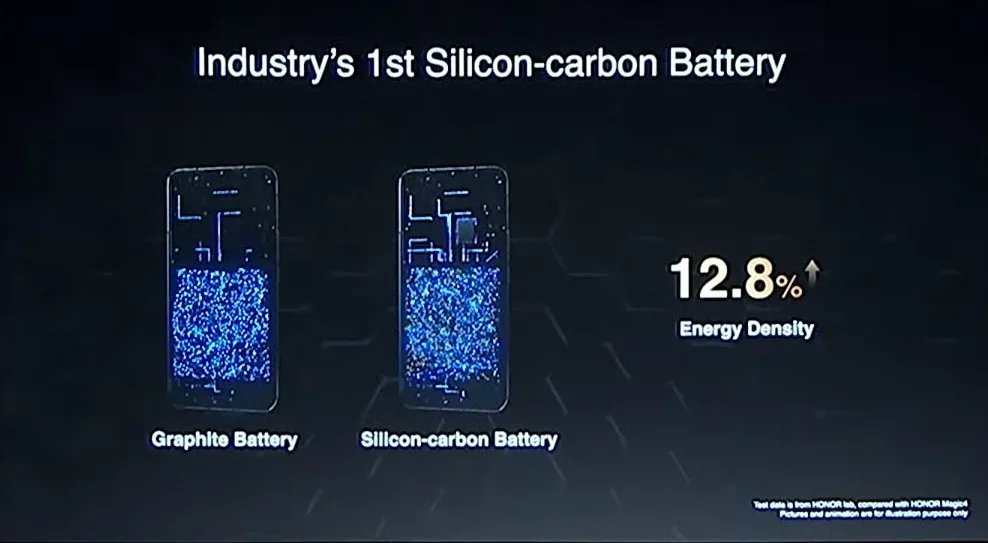
Many of the top flagship smartphones of today come with innovative silicon-carbon batteries thanks to the efforts of battery engineers. Because of this, they may promise even greater battery capacities without having a larger or thicker chassis. What a huge victory.
For instance, the OnePlus 13 has a 6,000mAh silicon-carbon battery, which is more than the 5,400mAh cell from the previous year. In China, the Xiaomi 15 Ultra has a massive 6,000mAh battery capacity, up from 5,400mAh the year before (and a still respectable 5,400mAh for worldwide markets, up from 5,000mAh). The smaller variants also enjoy comparable improvements. The vivo X200 series, OPPO Find X8, and Honor Magic 7 Pro are all brand-new flagship devices with silicon power cells. The technology has here in full force already.
Unfortunately, silicon-carbon battery technology has not yet been included into the newest devices from Apple, Google, or Samsung. Maybe by 2026, we will see these brands go on board. However, is it better to remain with the more recognizable Lithium-ion models or to jump right in and purchase a phone with a silicon carbon battery?
The difference between silicon-carbon and Li-ion batteries
Rather of being a completely novel idea, today’s silicon-carbon (Si/C) Li-Ion batteries are essentially an advancement of conventional lithium-ion technology. By adding silicon, which has a substantially higher energy storage capacity than graphite (372 mAh/g compared to about 4200 mAh/g for pure silicon), they alter the traditional graphite anode. Because of this, silicon has long been a promising material for increasing battery capacity.
Pure silicon anodes, however, face many difficulties. Extreme expansion is the most troublesome; when fully charged, the structure can inflate by up to 300%. The battery experiences extreme mechanical stress as a result, shortening its lifespan and leading to structural breakdown.
Over time, lithium loss and decreased capacity result from silicon’s strong reaction with the electrolyte, which breaks and reforms the Solid Electrolyte Interphase (SEI) layer with each cycle. The aggressive expansion exacerbates this. Another drawback for battery longevity is that silicon has lesser electrical conductivity than graphite, which can reduce charge and discharge rates and increase losses from internal resistance. This can lead to increased heat.
To address these problems, a silicon-carbon (Si/C) composite is utilized rather than pure silicon. The SEI layer is stabilized and its expansion is lessened by the structural support that carbon offers. Depending on its silicon concentration, a well-designed Si/C battery may restrict swelling to just 10–20% during charge cycles, whereas conventional graphite anodes only increase by about 10%. Additionally, carbon increases electrical conductivity, which guarantees better lithium-ion flow and higher efficiency.
The trade-off is that Si/C anodes are unable to fully realize the 10x capacity improvement of pure silicon. Rather, depending on the silicon percentage, they provide a very modest energy density increase of 10–20%. Si/C batteries are an engineering problem since higher Si content enhances capacity but also causes swelling and complicates manufacture. There are restrictions and trade-offs associated with Si/C batteries, but there is no such thing as a free lunch.
The pros and cons for silicon carbon batteries
Any increase in smartphone battery capacity is obviously beneficial, and Si/C batteries are a godsend for power users who want devices that can endure much longer than a single day of intensive usage. It should come as no surprise that so many of the most potent flagship phones available this year have the technology.
After more than a month of everyday use, I can vouch for the OPPO Find X8 Pro’s 5,910mAh Si/C Li-ion battery’s exceptional longevity. I frequently get two days of moderate use out of a single charge, have enough of fuel left over after a day of chasing the kids, and in lighter weeks, I have occasionally gone well into 48 hours without needing a charger.
On the other hand, Si/C is advantageous for thinner gadgets, such lightweight and foldable phones. Thin or small smartphones could surely benefit from this new battery type to maintain decent capacities in more constrained form factors, even though the Galaxy S25 Edge might not be Samsung’s first Si/C smartphone.
The technology has already been used to fit a sizable 5,700mAh battery into a 5.2mm folding design in the Vivo X Fold 3 Pro. Despite being 5.6 mm thick, Samsung’s Z Fold 6 only contains a standard 4,400mA battery. This trend toward higher capacities has also been embraced by the latest Chinese clamshell phones.
Whether silicon-carbon batteries will outlast their more conventional lithium equivalents is the main question that remains. It is evident from the foregoing trade-offs that Si/C will not outlast the most robust graphite-based Li-ion cells now available on the market. Lower silicon concentration can nonetheless provide batteries with a marginally larger capacity that have a comparable lifespan to conventional Li-ion cells. With only a slight but welcome increase in capacity to control the silicon content, this appears to be what we are seeing in today’s most advanced smartphones.
Because Si/C batteries are pushing the limits of energy density and charge rates, smartphone manufacturers may also be becoming more cautious when it comes to fast-charging temperatures in an effort to prolong battery lifespans. In other words, manufacturers are merely attempting to make sure their phones can withstand the promised updates for the next five or more years. But because of its increased capacity, stronger diffusivity of lithium, and decreased chance of plating the anode, Si/C is actually a godsend for faster charging. Additionally, bigger capacities make it easier to follow the 80% charge guideline without worrying about running out of juice in the middle of the day. If you want to keep your phone for many years to come, silicon need not be a negative thing.
Why a silicon-carbon battery device is a good choice?
The newest smartphones will undoubtedly benefit from Si/C Li-ion batteries, which will also likely extend the battery life of your wearables, tablets, laptops, and even electric cars. The most cutting-edge phones of today already heavily rely on silicon cells, which allow for even greater capacities or slimmer form factors without sacrificing battery life.
But at the moment, you will need to look around at Chinese companies to find one, like the OnePlus 13, which is very amazing. Apple, Google, and Samsung, three US giants, have not yet embraced this new battery technology. We may have to wait until their 2026 flagships or even later before they join the celebration, as they might not even get around to it this year.
However, if you intend to retain your smartphone for more than five years, it might be wise to wait and see how the longevity issue develops. Any long-term purchase will eventually require battery replacements, but Si/C Li-ion cells may require more frequent replacements, particularly when fast charging is used. This can turn out to be an unwanted extra expense for early adopters because they are more costly to make. We will need to wait and find out.
We appear to get our first glimpse of Huawei’s modified camera design as the company gets ready to release the Mate 80 series, its next big smartphone. As was previously said, it appears that the corporation will make some changes to the imaging house.
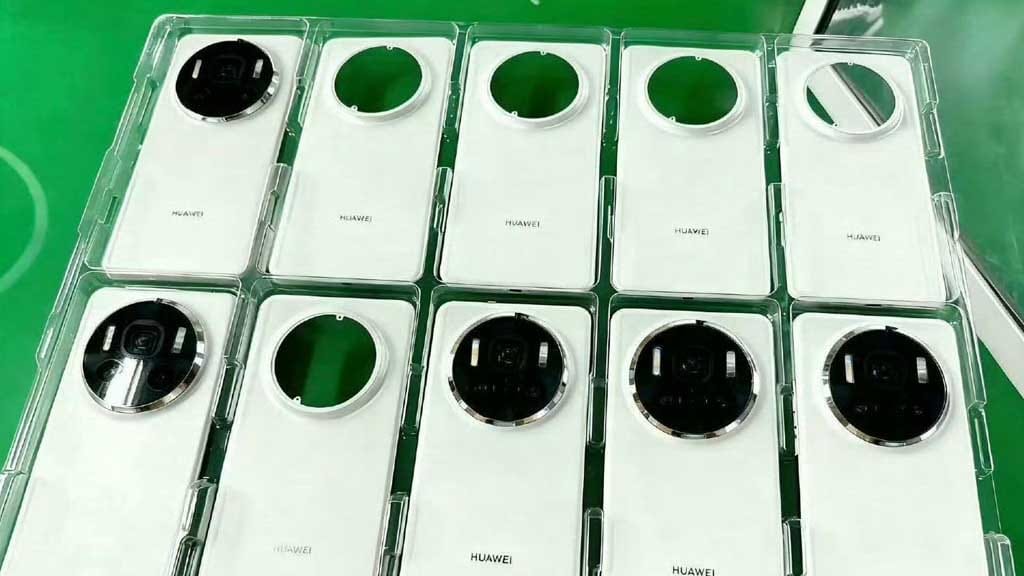
Three pictures leaked by director ShiGuan give us our first good look at the Huawei Mate 80 series camera hump. Because it features a novel kind of circular imaging island in the upper center, the cover plate is highly intriguing.
According to an early leak, the Huawei Mate 80 series might adopt the Mate 60 devices’ camera design. However, the most recent disclosure makes this issue clear.
Several back covers are seen in the first shot. The Mate 80 Pro and regular variants are most likely included in these panels. In the meantime, the incredibly elegant “RS Ultimate Design” is still missing from the tray.
More details on the design of Mate 80
Based on the first picture, the Mate 80 base will probably have a broad, straightforward rim around the camera module. However, the Pro handsets this time are different in some way.
The redesigned covers only display three camera cutouts in the bump, with two LED flash-like pills on the sides of the sensor, in contrast to the quad-lens openings found on the previous generation handsets.
The arrangement of these three camera sensors forms a triangle. One of the two LEDs may function as a laser in the interim. The number of camera sensors that the flagship will have is one of the other characteristics that are currently under wraps.
However, the last two pictures show the Huawei Mate 80 series in glossy black and lemon yellow. It’s still unclear how true these shades will be for the lineup.
There are also rumors that the Mate 80 RS Ultimate will have a circular camera bump in addition to the basic and Pro variants. However, given that the “Ultimate Design” brand is renowned for its exceptional appearance and opulent feel, that seems nearly impossible.
Therefore, the same octagonal camera module may be used in the gadget going forward. However, it’s important to remember that the gadget is still hidden. For the corresponding model, the OEM might be working on some new improvements. In the upcoming days, we might receive the specifics.
When someone lands on your website, their experience matters – more than most businesses realise. In fact, user experience (UX) can make or break whether a visitor turns into a customer.
While UX might seem like a tech-heavy concept, it simply means this: how easy and enjoyable your website is to use. And one of the best sources of UX insight comes from a place you might not expect – Android, the world’s most widely used mobile operating system.
With billions of users worldwide, Android has mastered the art of intuitive, user-friendly design. And many of the principles it follows can – and should – be applied to your business website. A professional web design agency can help translate these UX lessons into a high-performing website that attracts, engages, and converts your visitors.
Let’s take a look at some of the most valuable UX lessons from Android that your website could benefit from – and why working with the right agency makes all the difference.
1. Consistency Builds Trust
Android keeps things familiar. Whether you open a messaging app or a banking app, core elements behave in ways users expect – same buttons, similar layouts, predictable actions.
How this applies to your website: Your customers don’t want to relearn how to use your website on every page. Consistent navigation, button styles, fonts, and branding build trust and reduce frustration.
A good web design agency ensures every part of your site feels cohesive, guiding users smoothly through your content and towards the actions you want them to take.
2. Design Should Be Clear, Not Clever
Android’s Material Design guidelines focus on simplicity, clarity, and depth. Visuals aren’t just attractive – they help users understand what to do next.
For your business:
Clever design may win awards, but clear design wins customers. A cluttered or confusing website drives people away.
3. Your Website Must Work on Every Device
Android powers phones, tablets, TVs, and more. Its designers had to master responsive layouts – ensuring everything works no matter the screen size.
The takeaway:
Your customers are on the go. If your website doesn’t work seamlessly on their phone, they’re not sticking around.
4. Speed Matters More Than You Think
On Android, slow apps get uninstalled. People simply don’t have time for delays – and the same is true for websites.
What this means for your site: If your pages take more than a few seconds to load, you’re losing business.
5. Users Expect Feedback
On Android, every tap, swipe, and interaction provides some kind of response – a visual cue, animation, or message that says “yes, we’ve received your input.”
Your website should do the same: When someone clicks a button or submits a form, they expect an immediate reaction. Without feedback, they may assume something’s gone wrong.
6. Accessibility Isn’t Optional
Android takes accessibility seriously, making sure users with different needs can still navigate, read, and interact with apps and devices.
How this affects your business: Your website needs to work for everyone – including those with visual, hearing, or motor impairments. An experienced web design agency will follow accessibility standards (like WCAG) so your site is inclusive, legally compliant, and open to a wider audience.
7. Whitespace Is Powerful
Android’s design avoids clutter. It uses spacing strategically, letting important elements stand out and giving users a sense of calm and focus.
What this means for your site: You don’t need to cram everything above the fold. Clean, spacious layouts are easier to read and more engaging.
8. Start with the User – Not the Business
Perhaps the most valuable lesson from Android is this: design everything around the user’s needs. Every screen, every button, every action is designed to make things easier for the person using it.
That’s how your website should work, too. A professional web design agency will begin by understanding your customers – their goals, pain points, behaviours, and expectations. From there, they’ll create a site tailored to your audience, not just your internal preferences.
Why Work With a Web Design Agency?
It’s tempting to think that anyone can build a website using a drag-and-drop tool. But while DIY platforms can create something that “looks okay”, they rarely offer the performance, polish, and strategy that a professionally designed site delivers.
Here’s how a web design agency helps you apply these UX lessons in a way that drives results:
Strategic Planning – They’ll start by understanding your business goals, ideal customers, and competitors.
Custom Design – No templates here. Your site will reflect your brand, tone, and market position.
Responsive & Accessible – Your site will look great and work flawlessly on any device, for any user.
Optimised for Speed & SEO – Every detail is considered to maximise performance and search visibility.
Ongoing Support – Post-launch updates, security, and advice keep your site evolving with your business.
UX Isn’t Just for Tech Giants
Android’s design success wasn’t accidental – it was built on years of refining how people interact with technology. Those same principles can transform your website into a tool that not only looks good but works hard for your business.
Great UX isn’t just for apps. It’s for your business website, too – and the right agency can help you get there.
At least for the moment, foldable phones are considerably more fragile than more common types of smartphones. The screens are plastic to allow folding, not glass, and with the first batch of Galaxy Folds, the gap between the screen and phone body will cause dirt to get inside — something Samsung learned very quickly. We already have a general idea of the reliability of the Motorola Razr, but JerryRigEverything has show us a better picture.
The video doesn’t begin out particularly well, scratching the display very quickly. The rest of the phone comes out better, covering most of the other elements in metal and glass. Zack later tries to push sand and rubble into the screen gap, and although the display opening sound makes me physically recoil like I’m watching Scott’s Tots, the display keeps working. Pocket sand can not damage the new Motorola Razr.
The video seems to paint the Razer in a positive way; It certainly didn’t expect the touchscreen to continue to work after.
ADB and Fastboot commands are considered to be the system utilities that aid you in accessing the back end Android System when your device has been connected to Windows PC or Mac Or Linux.
fastboot reboot
To reboot your device
fastboot reboot recovery
To boot your device into recovery mode
fastboot oem unlock
Relocks the bootloader of your device
fastboot oem unlock
unlock your bootloader with this command
fastboot oem device-info
check bootloader lock/ unlock status
fastboot flash recovery
flash recovery using fastboot mode
fastboot boot
boot directly into recovery without installing it
fastboot flash file
flash flashable zip file from fastboot mode
fastboot getvar cid
display CID of your phone
adb devices
list of attached devices to computer
adb reboot
restart your smartphone
adb reboot-bootloader
reboot to bootloader or fastboot or download mode
adb reboot recovery
reboot your device into fastboot mode
adb get-serial no
get serial number of the connected devices
adb install
to install apps over adb
adb install -r
if you have already installed app and want to update it
adb uninstall package_name.here
uninstall an app using adb
adb push (source) (destination)
copy file from computer to smartphone
adb pull
copy file from phone to computer
adb shell (command)
run command in the terminal on the host android device
adb backup
create a backup of your device and store it to your computer
adb restore
restore backup to your phone
adb sideload
push and install flashable zip file or custom ROM on your device
Your warranty will be void.
Droid Tools is not responsible for bricked devices, dead SD cards etc...
Evolution X is a Custom ROM to bring a true Pixel feel to Android Devices at first glance, with many additional options at your disposal. Evolution X aim to provide frequent builds with monthly security patches from the latest AOSP sources.
1. Reboot to Recovery 2. Download the proper flashable ZIP for your device 3. Wipe Data/Cache/System when coming from non-AOSP ROMs 4 Flash MIUI 11 vendor/firmware for your device variant 5. Flash the ROM 6. Reboot to System 7. Reboot to Recovery 8. Flash Magisk (Optional) 9. Reboot to System and #KeepEvolving
Update / Dirty Flash
1. Reboot to Recovery 2. Download the proper ZIP for your device 3. Flash the ROM 4. Reboot to System and #KeepEvolving