Discover app reviews, new releases, and hidden gems to enhance your Android experience, along with tips for getting the most out of your favorite apps.
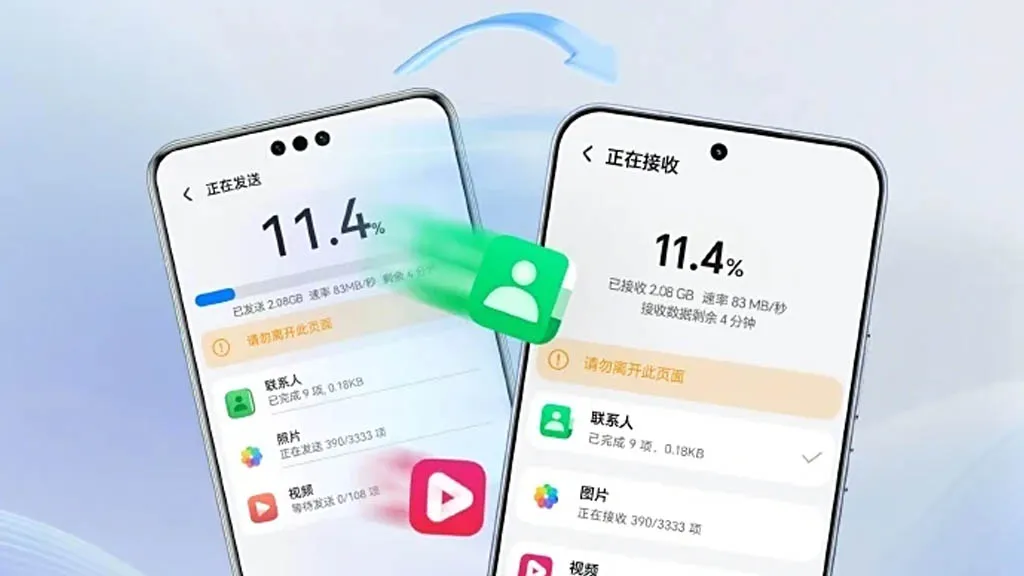
A few months ago, Honor unveiled AI Connect, a technology that allows wireless file sharing between Honor and iOS devices from Apple. The company has now developed a new device cloning capability that is compatible with Huawei’s HarmonyOS Next, iOS, and Android.
To enable device cloning with devices running the three smartphone operating systems listed above, Honor has updated its Device Clone software. Through cloning, users will be able to effortlessly move data between devices without the need for extra gear or attachments.
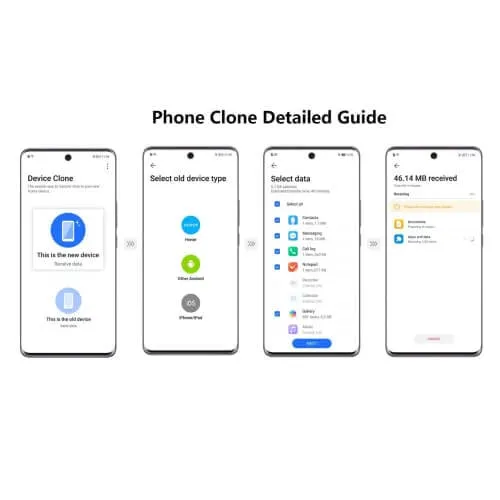
Honor is the first brand to offer HarmonyOS Next data transmission as a result of this advancement. Users of Honor smartphones can download and install the “Device Clone” app from the official app store on both new and old devices in order to clone an old device.
Next, open the Settings menu on the new smartphone and select Device Clone. Select Updates & System > Select Device Clone. Select the “This is a new device” option. Choose the “HarmonyOS” device type.
On the old device, repeat the previous steps, but choose “This is an old device” rather than “This is a new device.” Next, link the two devices by scanning the QR code on the new device with the old one. Next, choose the data that needs to be moved to the new device and click “Next.”
Searching for fantastic apps that don’t cost a dime? Every day, a number of high-end iOS and Android apps are made available for free for a brief period of time, either as part of a platform-wide offer or a developer promotion. Since these deals don’t last long, it’s the ideal chance to test out premium programs that you would otherwise need to purchase.
We’ve put together a new list of mobile apps that are now available for free download, ranging from games and utilities to productivity tools and photo editors. Take quick action because these offers could end within a few hours!
Android Apps and Games Available for Free–Limited Time Offer
Top Free Android Apps for Productivity and Lifestyle
Countdown Widget: Granted, every self-respecting smartphone today has a countdown timer, but still, if you want a dedicated app…
Number to Word Convert: This app is useful for anyone learning English, as it converts numbers to words.
Contacts Widget: If you’re still making calls instead of messaging, having a quick dial widget on hand can be useful.
Video Cutter Pro: Here’s an app that lets you edit videos on the fly to come up with something entirely new.
Dreamscape Wallpapers: Looking to have interesting and beautiful wallpapers adorn your smartphone’s screen? This fits the bill perfectly.
Free Android Games
Burning Sky VIP: It is up to you once again to save the world against an invading alien force by shooting them down from the skies.
Food Fever Restaurant: Running a restaurant is no mean task, and this game pushes you to the edge with each passing moment.
ECO Inc.: A game that has the fate of the world in your hands, ecologically speaking. Each action has a direct consequence.
Crafterok: Lords of Survival: Craft your life into existence on an island as you survive both day and night dangers.
FASTAR VIP: A rhythm-based game that tests your sense of timing. If you’re not musically inclined like me, you’ll find it to be a challenge.
iOS Apps and Games Available for Free–Limited Time Offer
Top Free iOS Apps for Productivity and Lifestyle
DC Metro Board: This app is more localized for the Washington area, concerning public transportation.
Fame: YT Thumbnail Maker: Sometimes, a good thumbnail for your video can make all the difference between a click and missing out on one.
My Battery Health: This app is designed for EV and hybrid car owners who want to monitor their vehicle’s battery health levels.
Darbuka Beats: Want some authentic Middle Eastern beats at the tip of your fingers? Try this app out!
Free iPhone games
Cypher Vocab: Strengthen your vocabulary as you prepare for the verbal section of the GRE in this cool game.
Wind Wings: A space shooter set in a bullet hell environment that requires plenty of skill and reflexes.
Axion Run: Do you have what it takes to break gravity in a contest against friends? Let’s see how fast your reflexes are.
Space Clutter: A game with simple sprites that requires timing and reflexes, set in space.
Eyka: A relaxing puzzle game where there is no stress in a race against time, leaving you to harmonize colors at your own pace.
Even if you don’t need every app right away, downloading them while they’re free means you can keep them in your library for future use — without paying a cent. Once claimed, most apps will remain available in your account even after the promotion ends, so it’s a smart way to build your app collection over time.
However, keep in mind that not all free apps are created equal. Always check reviews, permissions, and developer reputation before installing — especially when it comes to apps that request access to sensitive data. Free or not, your privacy is always worth protecting.
Take advantage of these temporary deals, but stay informed, stay secure — and enjoy exploring your new apps!
We are unable to guarantee how long they will be available on the Apple App Store or Google Play Store. As a result, downloading them as soon as possible is advised. Just watch out for any possible subscription traps, in-app purchases, and advertisements.
Even if you don’t need an app right away, install it if it piques your curiosity. It will be added to your app library and marked as “bought” as a result. After that, you may uninstall the app straight from your phone and get it back for free anytime you need it.
Android Apps and Games
Free Android Apps
Sound Meter & Noise Detector: The name says it all. Register sound levels wherever you are, with recordings, graphs, and statistics.
Simple App Locker: Protect apps from prying eyes by hiding them behind a pin code or biometric authentication.
Reminder Pro: Already featured in other editions, set reminders quickly that are easily reachable with a widget, with lots of controls for frequency, alerts, and more!
Smart Navigation Bar: Still using the classic navbar? Customize it with a background theme, animations, and even text messages.
Free Android Games
Avalar: Shadow War: An action RPG with a strong Diablo influence. Fight the monsters and boost your abilities to (guess what) save the world!
Space Survivor: Mars RPG: Collect resources and boost your defenses to survive on Mars after being stranded on the red planet.
Shadow Knight: Ninja Fighting): Hack and slash your way through the darkness, defeating monsters with increasingly powerful attacks filled with special effects.
Summoners Era: If you are still into the idle RPG trend, try this pixel-art alternative
iOS Apps and Games
Free iOS Apps
Touch Notation: Write music on your iPhone or iPad, with this award-winning app for creating and editing musical notations.
Doodle Lens: Bring life to your doodles with the power of augmented reality. Create short videos and share them.
Merge Voice Memos: Just as the title says. Mix and match different sound recordings on your device
Weather: It is Nice Outside: Get a second opinion on the weather forecast, with data on humidity, wind, visibility, pressure, and more.
Free iPhone games
Wheels of Aurelia: A road trip through Italy, what is not to like? However, not everything is “dolce vita” in the 1970’s, and you must uncover the secrets of Lella’s past.
btw- puzzle maze: Pick all the circles on the board by switching the colors in this minimalistic puzzle game.
Chess: The classic board game with ELO-simulated computer players, and without the drama and controversies of today’s grandmasters.
Castle Ramble: A roguelike platformer with charming pixel art graphics in which you battle the pig invaders to recover your castle.
As of the date of publication, the deals were active. Please share any expired deals you come across in the comments section below. We advise you to review the app’s details in the Play Store or App Store before downloading any of the aforementioned apps. This is crucial since some of these free apps can have unique features or drawbacks of their own.
Follow us on X @droid_tools, like our page on Facebook, check out our updates on Instagram, and follow us on Google News for real-time news, device tips, and mobile tech insights.
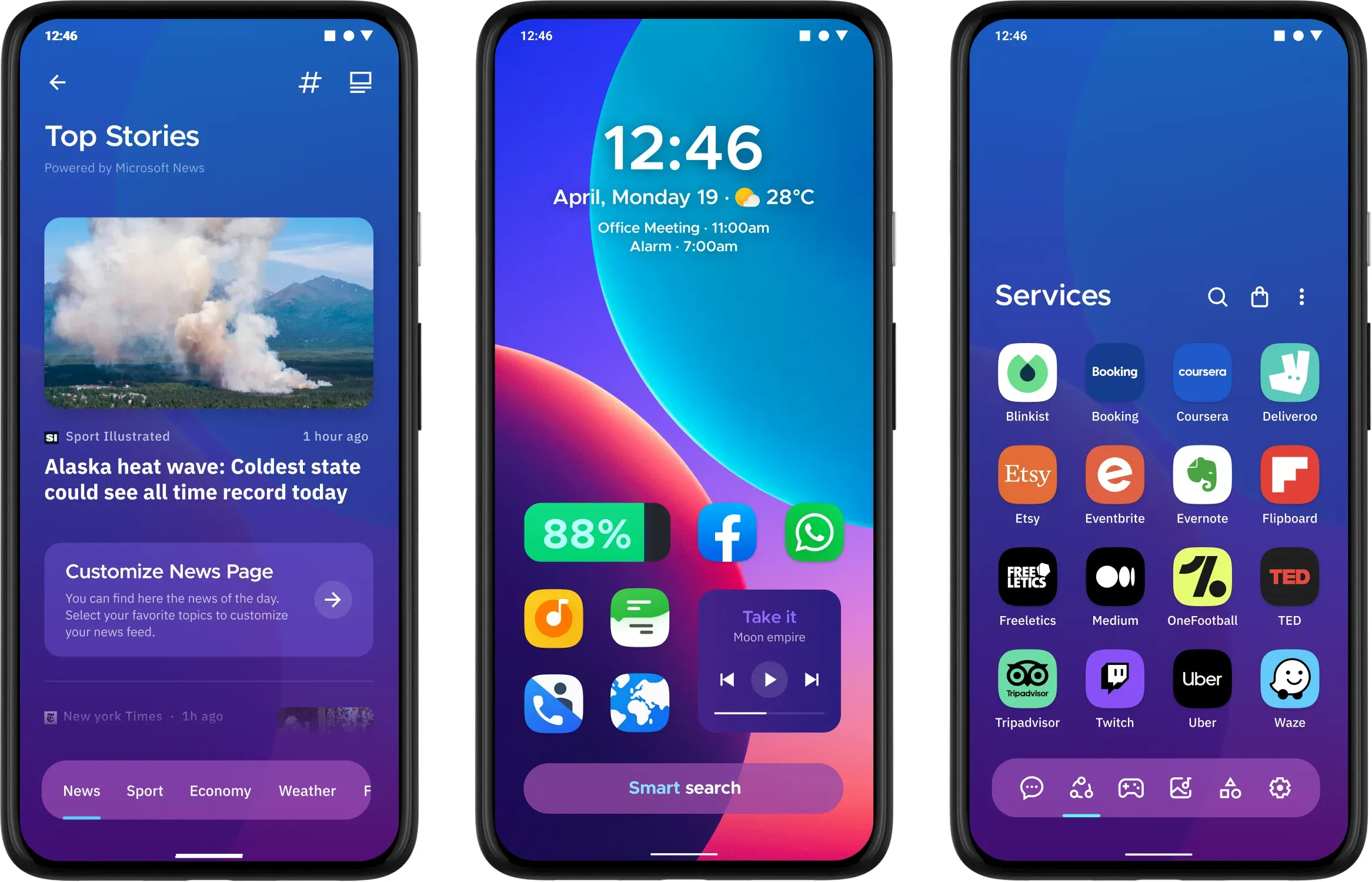
The top Android launchers are the best resources for making your Android experience unique. One of the best features of the Android ecosystem has always been user choice, and launchers make it even better. They allow you to customize the greatest Android phones in ways that Google and stock launchers could only imagine.
While some of the top launchers are made for a more minimalist experience, others allow you to customize nearly every aspect of Android. If you’re not like that, however, there are launchers that offer a rainbow of colors that rivals the hardware store’s painting section.
Whatever you decide, a launcher is the ideal option to update the appearance and feel of your phone without having to spend money on a new device. The only thing left to do is choose one, and we’ve been evaluating the top Android launchers to assist you in doing so.
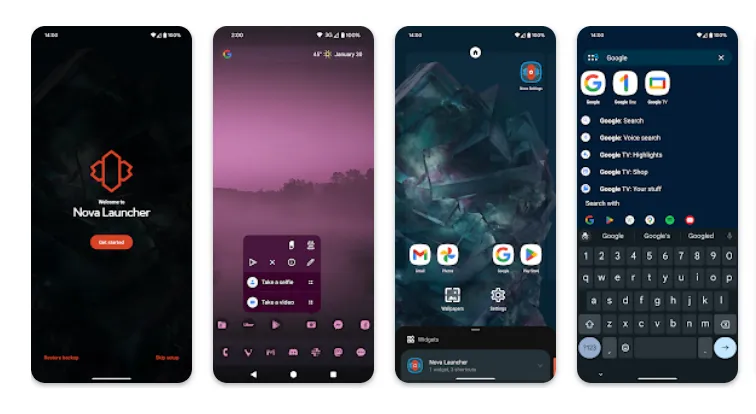
Nova Launcher
It would be impossible to discuss the top Android launchers without mentioning Nova Launcher. Nova Launcher is quick, svelte, and incredibly customizable. It strikes a compromise between a wide range of utility and look customizations and a low performance impact, allowing you to customize your home screen without sacrificing speed.
Color themes, icon packs, scrollable docks, app drawer modifications, folder settings, and endless scrolling are just a few of the many possibilities available. Sesame Shortcuts, animations, and other enhancements are just a few of the new features that the Nova team is constantly developing since they are never satisfied with what they have.
Choose Nova Launcher Prime, a $4.99 edition that has more functionality than the free download, if you want the most potent features.
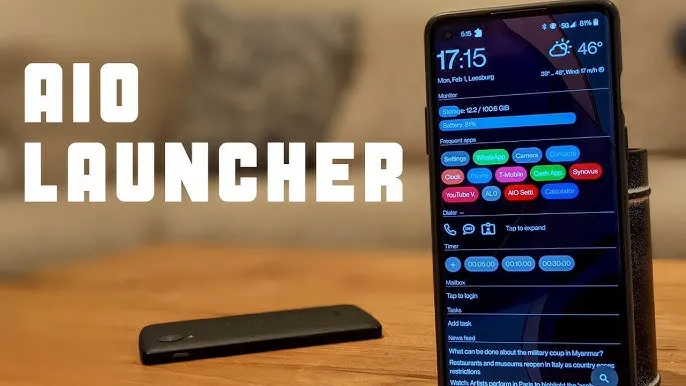
AIO Launcher focuses on packing as much information as possible into a comparatively simple format on your screen, while other launchers could include decluttering cosmetic changes.
In addition to system statistics, recently received calls, texts, and emails, the app shows your most used apps, upcoming calendar events, and more.
on-app purchases enable additional features like widget support, app icons, and Android notifications on the home screen stream, even though AIO Launcher is free. Even if it doesn’t have the most user-friendly design among the top Android launchers, if you don’t mind information density, it’s still a compelling option.
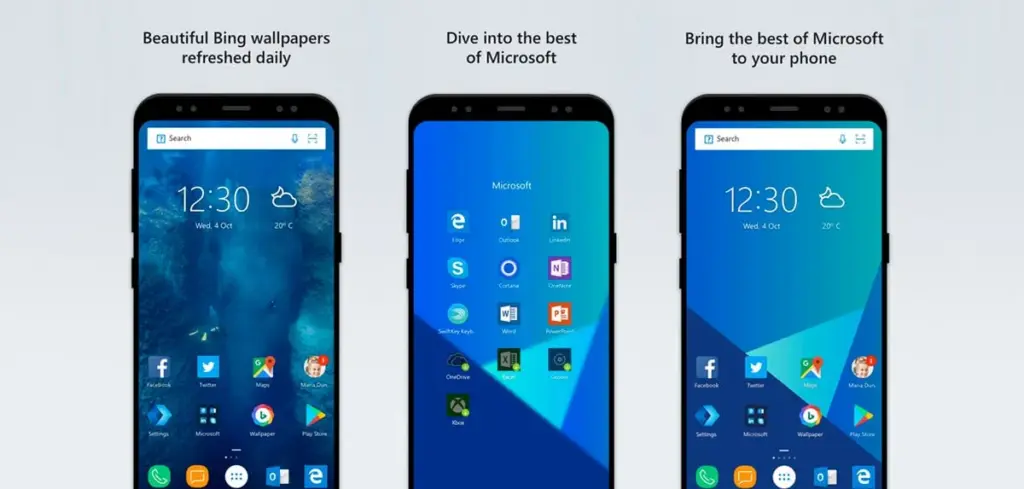
In addition to retaining Arrow’s small, context-sensitive app pages and customisable feed, Microsoft rebranded their fantastic Arrow Launcher as the Microsoft Launcher. The company is also aiming to enhance the interaction between your Android phone and Windows computer.
In addition to opening online links from mobile devices to PC Edge, users may rapidly take pictures with their phones and view them on their desktop. They can also begin editing Office 365 documents on their PC and continue while on the road using their mobile device.
This is all on top of Microsoft’s adjustable themes, universal search bar, and gesture controls.
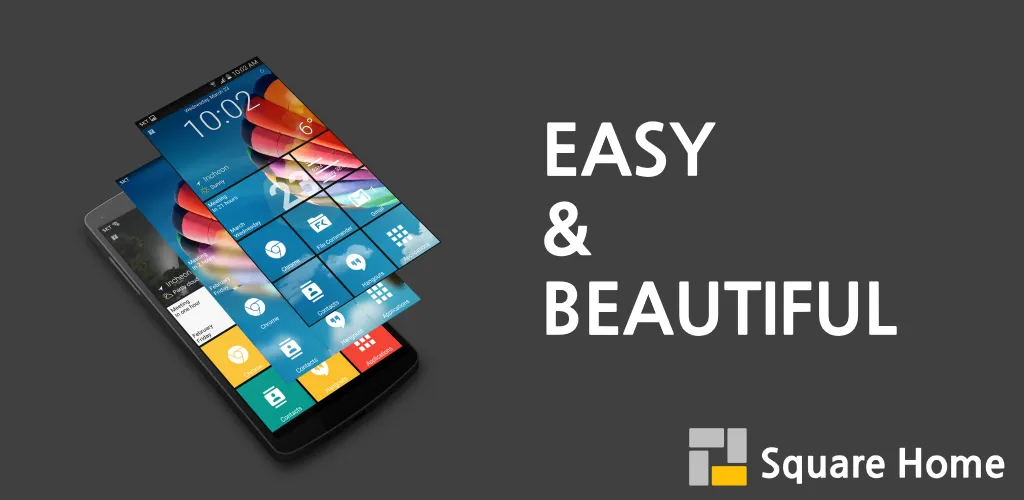
Square Home might be for you if you want a more traditional, or perhaps we should say Microsoft-inspired, mobile experience. Although its design isn’t exactly the same as Windows Phone 8, it does include a squared-off grid structure that should bring back fond memories of Microsoft’s doomed handsets.
If Microsoft hadn’t discontinued Windows Phone ten years ago, I like to think this is how it may have looked. For those of you who miss that specific design element, there is support for Live Tiles, home screen widgets, and a “Tiles on a Cube” system that allows you to swipe between tiles in a manner similar to twisting the top of a Rubik’s cube. Even better, it works with both foldables and Android tablets.
The downside? It’s not free for more than 2 weeks. After your 14-day trial you’ll be asked to unlock the full version of the app with even more features — which is a one-off $5 payment.
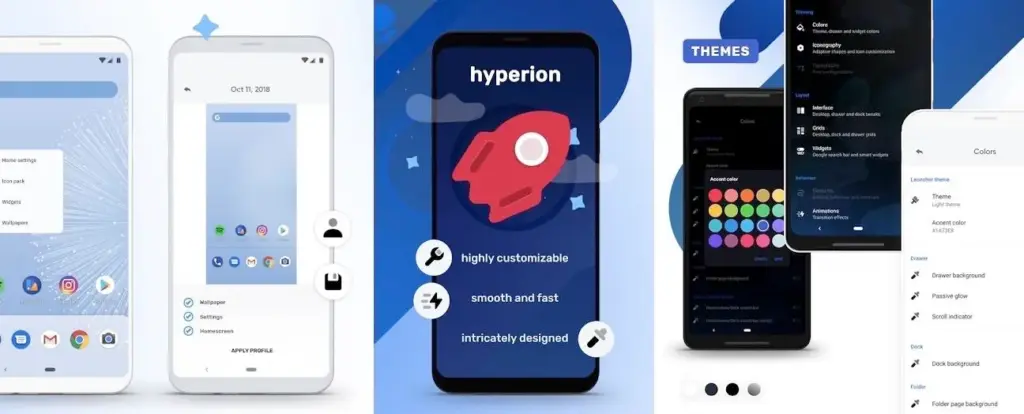
The developers of the well-known Substratum theming engine created Hyperion Launcher, a Pixel-like Android launcher that offers a wide range of customization options.
Users can customize a wide range of options for themes, folders, transparencies, animations, icon packs, and adaptive icons in addition to the normal wallpapers and widgets. Many of Hyperion’s features are available for free, while the Pro edition requires an in-app purchase to enable others, such as launcher-level font changes and custom gestures.
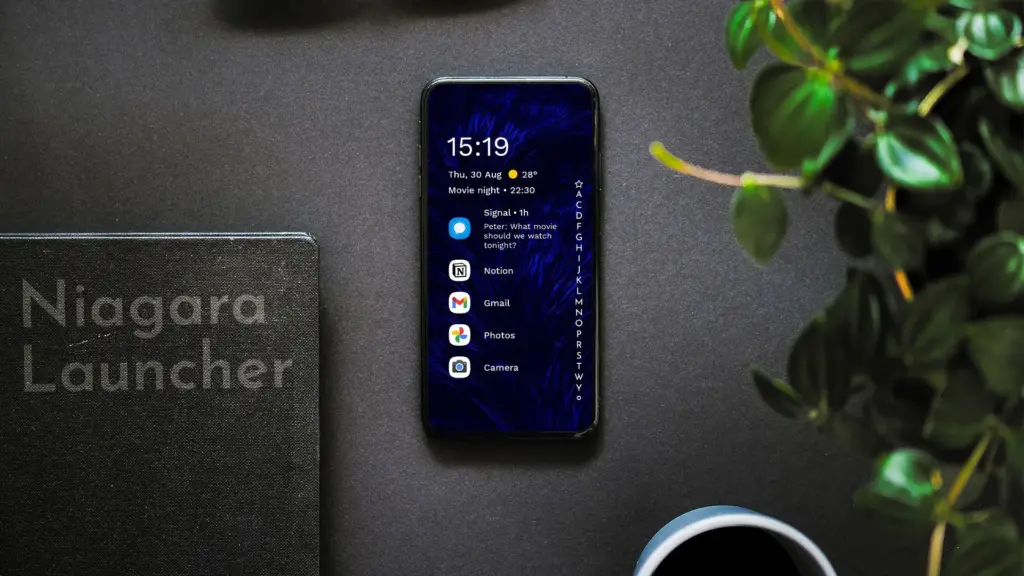
Niagara is a slim Android launcher made to minimize other distractions while emphasizing your apps and alerts. Spam and persistent notifications are automatically filtered out of the notifications that are shown on your home screen. In addition to offering convenient alphabetical shortcuts, the app drawer instantly brings up your preferred apps.
However, because of Niagara’s extreme simplicity, you shouldn’t anticipate any of the odd visual extras and features that you might anticipate from the majority of third-party launchers. It has a lot of promise and is often updated.
We evaluated each launcher on this list using a variety of criteria during our hands-on experience with them. In particular, their features, design decisions, and genuine comparisons to standard Android versions.
However, launchers are highly individualized, and what suits one user might not suit another. Therefore, ranking these rockets according to our perceptions and experiences was not the aim. Rather, we concentrated on the launcher’s goals and how successfully it achieved them.
Giving the user as much functionality and autonomy as they like is the main goal of several launchers, such as Nova. Others, such as Square Home, are designed to provide a very particular experience; whether or not that is effective depends on the individual’s preferences.
These launchers are ultimately just a small sampling of what is available. However, they do provide a great deal of choice and functionality in a number of areas. That’s why they’re so attractive. However, you are the only one who can decide which one is best for you, so make sure to try a few out for yourself.
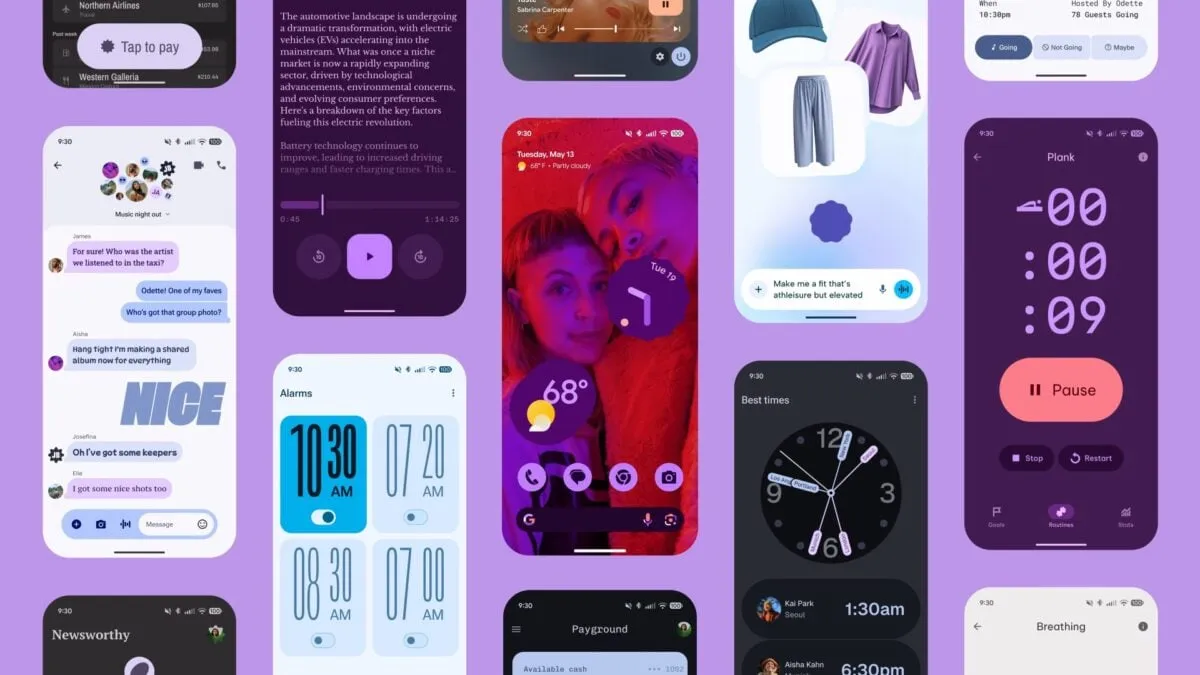
Android 16 wasn’t expected to be a huge event, but Material 3 Expressive altered that and made many excited about the upcoming Android release. Google is making the required adjustments to truly streamline the experience overall, in addition to giving you the option to personalize the appearance and feel of your device.
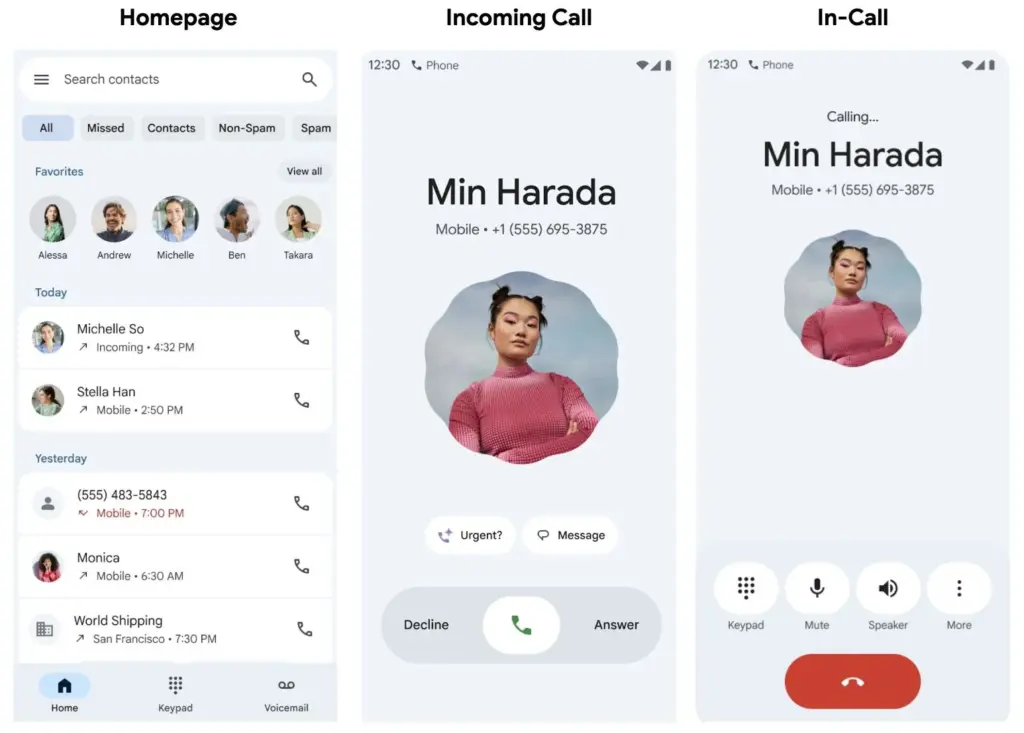
The Google Phone app is one area that is receiving a lot of unexpected attention. Late last month, Google said that it will be making modifications to the Phone app, and now it is beginning to push out those changes to users. This UI update is presently only available to beta users, so it won’t be available to everyone this time around, according to 9to5Google.
Google Phone app redesign with Material 3 Expressive
Going ahead, beta users should anticipate a much more straightforward interface with only three menu options—Home, Keypad, and Voicemail—to select from on the bottom bar. The Home page now has a plethora of data, including recent calls and preferred contacts, further deepening the alterations. You can manually make calls or view some recommended contacts by going to the Keypad area. Additionally, any voicemails you may have will be stored in the Voicemail section, as you might anticipate. Users should now have access to the gesture controls in addition to the previously mentioned features.
You may now accept and reject calls with a simple tap or horizontal swipe thanks to the recent update. It’s a lovely addition that gives the user interface a more contemporary feel, even though it’s not a significant improvement. With Material 3 Expressive touches appearing on numerous other well-known Google apps, additional modifications will undoubtedly emerge over the year.
Even though the modifications are gradual, more areas of Android and other Google apps are gradually incorporating them. We’ll have to wait and see how far Google takes this. With the Pixel 10 expected to be released in a few months, hopefully there will be more intriguing additions to this.
Stay connected with the latest from Droid Tools—follow us on X @droid_tools, like our page on Facebook, check out our updates on Instagram, and follow us on Google News for real-time news, device tips, and mobile tech insights.
There are already a number of interesting and helpful apps available for free. However, as the offer is only valid for a short period of time, you need act quickly if you don’t want to spend any money on them.
There are countless apps available in both Google’s and Apple’s app stores, the Play Store and the App Store. While some of these apps are free, some need a fee. However, many users are unaware that many paid apps can also be temporarily made free as part of a special deal. We have compiled a list of some of the most intriguing free apps accessible right now.
Free Pro apps (Android)
Unit converter ($0.79) – With the right app at the right time, the smartphone can bring a lot of added value. Especially when it comes to units and their conversion, there is hardly a better tool than this one. Whether temperature, length, volume, energy, fuel or density – all of these can be converted effortlessly
Fake call screen – Prank call ($0,69) – Have you ever found yourself in an awkward conversation with no hope of escape? With this app, you can take your fate into your own hands and create a distraction with a fake call. Unfortunately, the application no longer works fully on newer Android versions
Color wheel ($2.09) – A very special app that is very popular with its target group. It allows you to precisely determine any color using a color wheel, color palettes, and the smartphone camera, and make fine adjustments at the same time.
Scan Text From Image English ($0,89) – With this app, you can automatically extract any English text from images. Numbers and units are also reliably recognized. The minimalist and user-friendly design of the application is particularly practical
Free premium apps (iOS)
Space Clutter ($0.99) – This game is a minimalist arcade game from 2012 that takes place in outer space. It is now also available for iOS. Anyone who develops nostalgic feelings when they hear the word “arcade” should definitely give this retro-inspired game a chance
Music Quiz: Know Your Library? ($0.99) – This game is a quiz based on your own music library. Anyone who thinks they know their favorite songs inside out can put their knowledge to the test here. The graphic design of the game adapts to the song currently playing
Blindfold Chess ($7.99) – This chess app takes an unusual approach, as the actual game almost takes a back seat here. Instead, the focus is on training for blindfold chess – in other words, playing chess without eye contact with the board. Anyone who learns this skill is guaranteed to be greeted with amazement at their next match
Dog Guide 2 PRO ($1.99) – If you want to find the ideal dog or expand your knowledge of these faithful four-legged friends, you should take a look at this app. It offers a large number of free pictures, clearly presented information, and a practical filter function – all in one application.
At the time this post was published, all of the apps we are showcasing here were free to download. Regretfully, developers frequently fail to indicate the duration of these offers. Don’t hesitate to download an app if you enjoy it.
However, you should always check the app page in the store before downloading a free program. Because there are occasionally unnoticed obstacles that you should be mindful of.
Apps permissions
Many apps gather user information and frequently sell it. Make sure you only give the program the rights it actually needs if you want to be safe. For instance, a flashlight shouldn’t be interested in your location information, and an alarm clock doesn’t require access to your contacts or cameras.
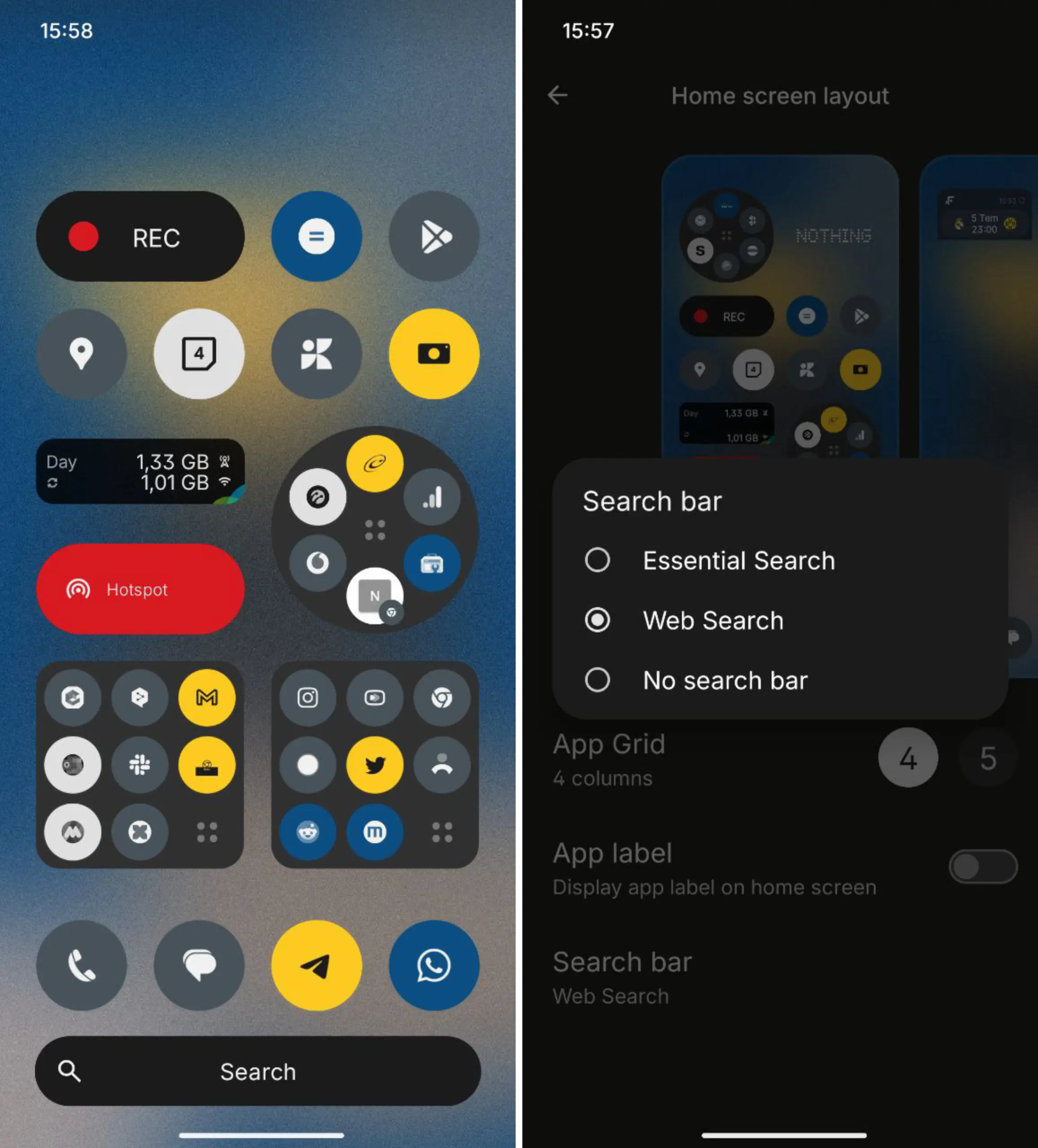
Nothing has published its Android launcher version 3.3.4, which has significant enhancements centered on visual design, usability, and speed. The update is compatible with the majority of Android devices running Android 10 or later and is currently accessible through the Google Play Store.
The updated app drawer is the most significant change. It now adopts the future Nothing Phone 3’s look. Users can access apps more easily thanks to the layout’s improved cleanliness and ease of use, which also maintains the Nothing interface’s overall aesthetic.
Additionally, a new Essential Search function has been implemented. Users can locate contacts, programs, files, and settings all in one location using this search bar. It helps people find what they need more quickly by eliminating the need to launch several menus or apps.
Nothing Launcher update
The system’s animations have also been enhanced. Screen transitions, folder opens, and app starts are now more seamless. During regular use, the launcher seems faster and more polished thanks to these modifications.
Additionally, Nothing Launcher 3.3.4 improves its compatibility with the rest of the Nothing ecosystem. It is intended to provide a better experience for users of other Android devices that like a straightforward and uncluttered interface, in addition to Nothing phones.
Nothing’s emphasis on creating a unified user experience across hardware and software is evident in the upgrade. This launcher upgrade helps consumers get ready for the upcoming Nothing Phone 3 edition of the company’s goods.
Now available are the new features. The launcher is available for users to update or download from the Play Store.
Stay connected with the latest from Droid Tools—follow us on X @droid_tools, like our page on Facebook, check out our updates on Instagram, and follow us on Google News for real-time news, device tips, and mobile tech insights.
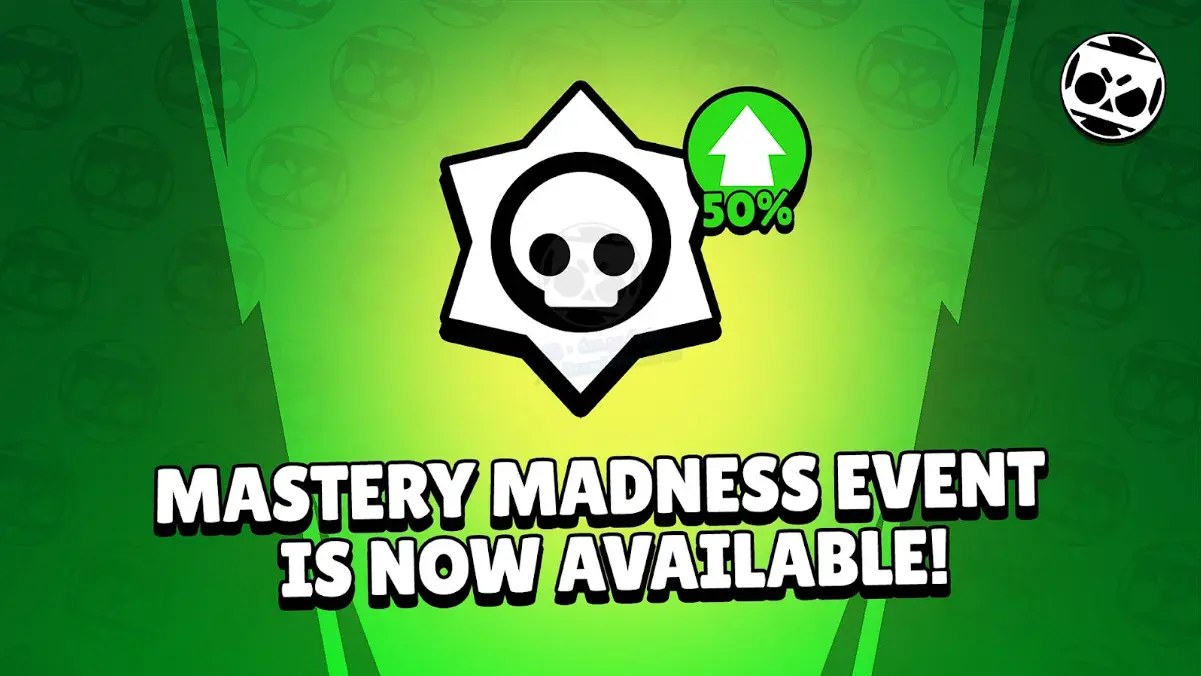
Forget what you thought you knew about a simple bonus. Brawl Stars is thinking bigger. The current buzz isn’t about a personal 1000% boost to your Mastery points, but something far grander: a community-wide challenge that’s got everyone brawling with purpose.
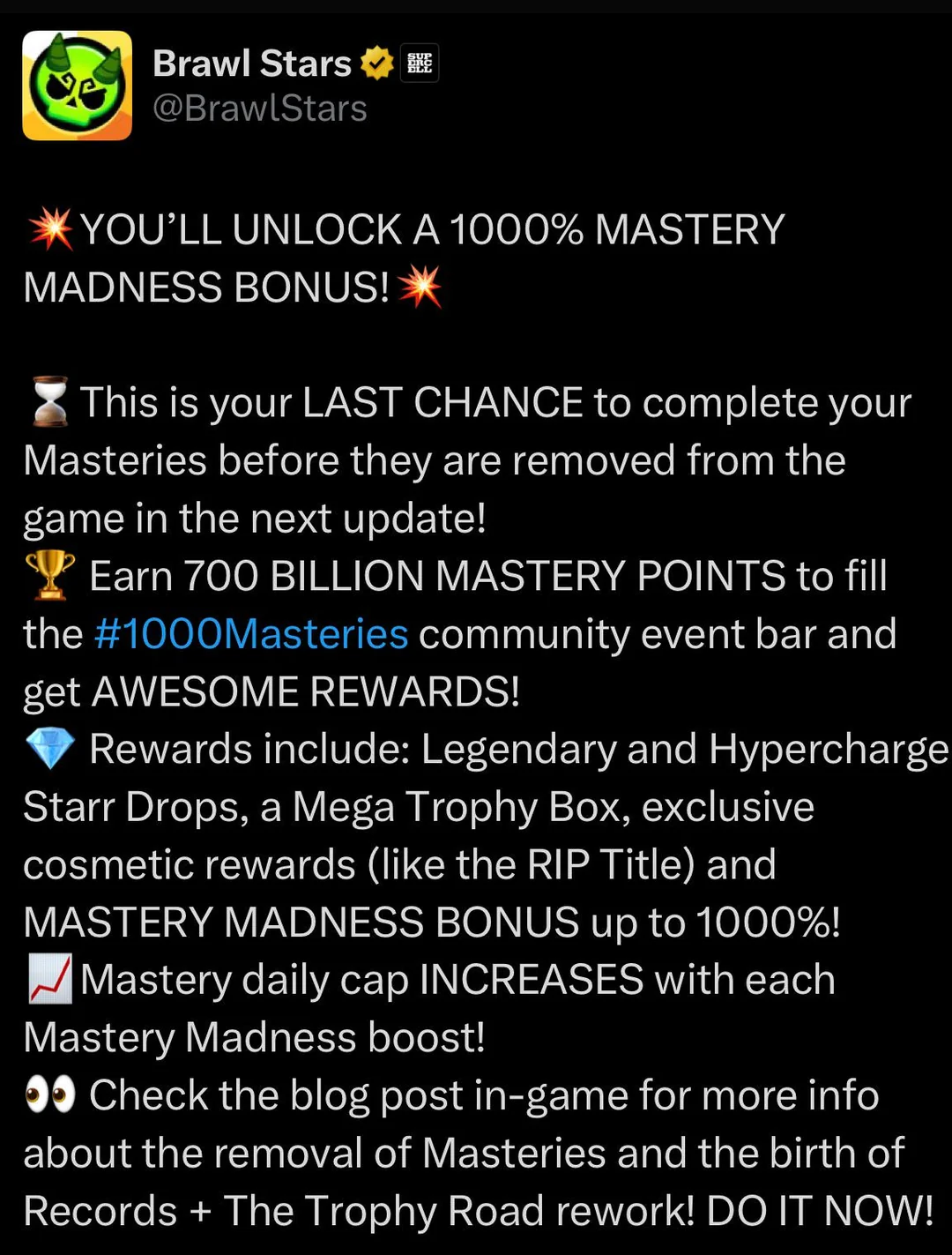
The Main Event: 1000 Billion Mastery Points for 1000 Random Starr Drops!
That’s right. Supercell has thrown down the gauntlet. The entire Brawl Stars community is tasked with collectively earning a staggering 1000 billion Mastery Points. If this monumental feat is achieved, every single player gets rewarded with 1000 Random Starr Drops. Imagine the loot! This isn’t just an event; it’s a global collaboration, a testament to the dedication of Brawlers everywhere.
So, while you won’t see your individual Mastery earnings multiply by a thousandfold, your efforts contribute to a massive prize pool that benefits everyone. Every win, every point you grind, pushes the community closer to that sweet, sweet cascade of Starr Drops.
What Were Typical “Mastery Madness” Events?
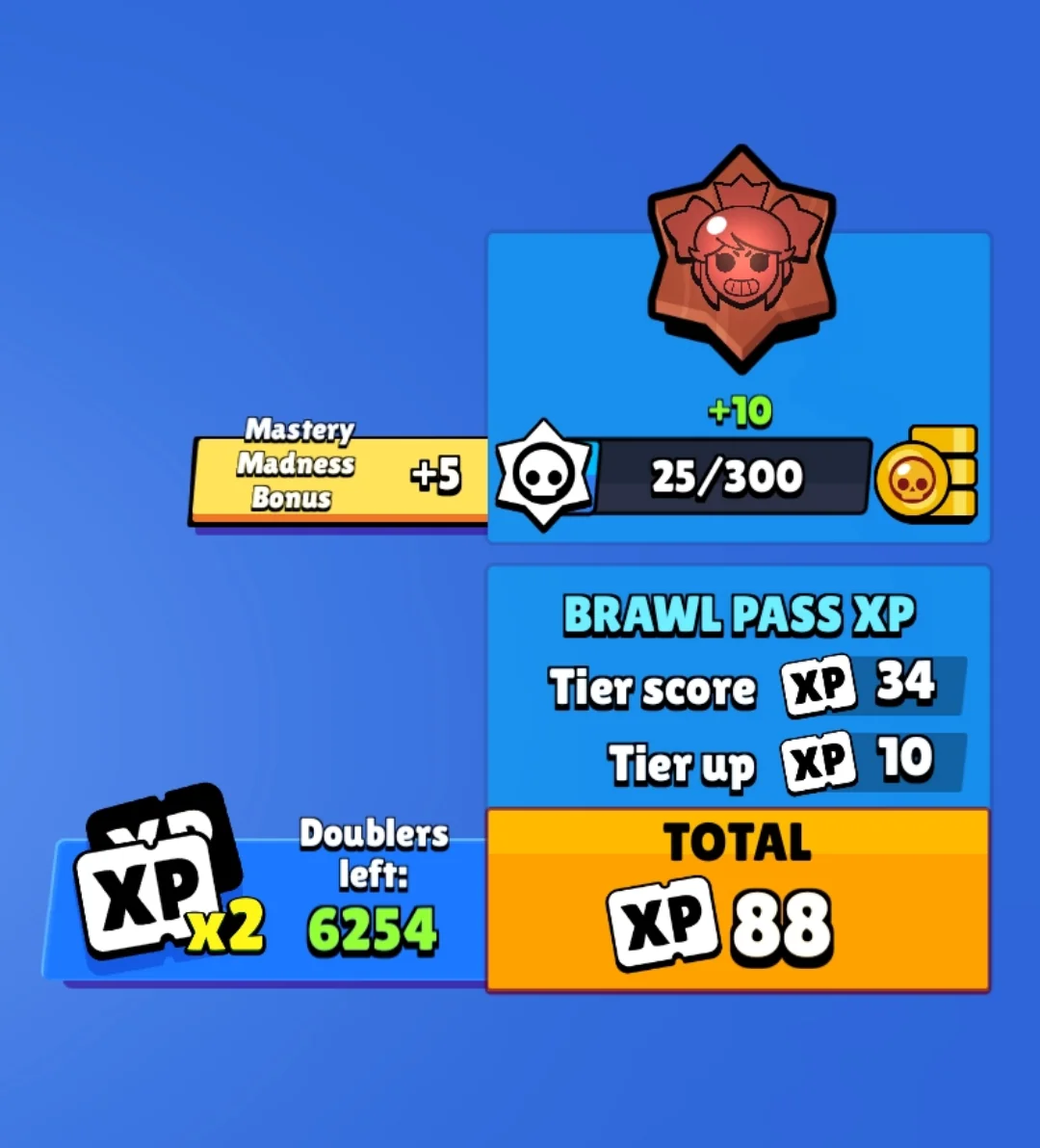
Before this colossal community challenge, “Mastery Madness” events were a more regular, straightforward affair. Typically, these events would offer a significant boost, often around 50% more Mastery Points, for every victory with any Brawler. These were prime opportunities to accelerate your progress on the Mastery Track for your favorite (or all) Brawlers, unlocking:
Coins
Power Points
Credits
Exclusive Pins
Coveted Player Titles
You’d earn these points through wins in Trophy Events, Power League (now Ranked), and Club League. There was usually a daily cap on how many bonus points you could rake in, ensuring even dedicated players had a reason to come back each day.
Mastery System Overhaul on the Horizon
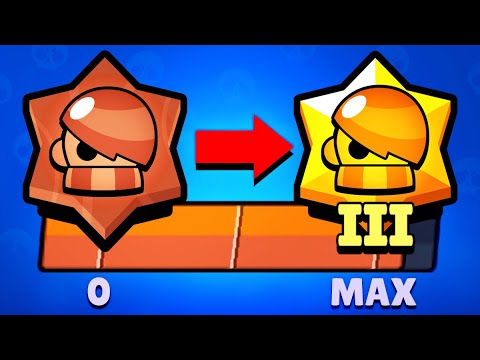
Hold onto your hats, because this community event is also the grand finale for the Mastery system as we know it. That’s right, Brawl Stars is gearing up for a significant update that will see the current Mastery system phased out and replaced by a brand-new Achievement system.
This is a pivotal moment in how you’ll showcase your skills and dedication to specific Brawlers.
What to Expect
Cosmetics & Titles Move to Achievements: All those cool cosmetic rewards and unique player titles you previously earned by grinding Mastery? They’ll find a new home in the upcoming Achievement system. Unlocking a Brawler’s title will soon mean completing specific, often skill-based, in-game feats (think landing a tricky multi-hit Super with Mortis or pulling off a game-changing play).
Trophy Road Revamp: The Trophy Road is also getting a fresh coat of paint and some functional upgrades. Expect more Legendary and random Starr Drops, and even the introduction of Hypercharge drops into the progression path.
Reward Rebalance: There will be some adjustments to the in-game economy. Look for a modest increase in Credits and Coins, while Power Points might see a slight reduction in their availability through these progression tracks.
What Happens to Your Hard-Earned Mastery?
Panicking about your unclaimed Mastery rewards? Don’t. Supercell has confirmed that if you haven’t claimed your Mastery rewards before the system is officially retired, they will be automatically awarded to you. This will happen when the pass after the immediate next one begins, so there’s a bit of a waiting period, but your efforts won’t be lost.
Navigating the Mastery Shift
So, with a massive community event underway and a system overhaul looming, what’s the game plan?
Grind for the Community Goal: Now is absolutely the time to jump into matches and earn those Mastery Points. Not only are you contributing to the 1000 Billion point target for those 1000 Starr Drops, but you’re also banking progress in the current system before it changes. Every win counts, for you and the entire community!
Secure Last-Minute Mastery Rewards: If you’re close to specific Mastery track rewards for your favorite Brawlers, this is your final stretch to claim them under the current system.
Anticipate the Achievement Era: Start thinking about which Brawlers you excel with in terms of skillful plays. The new Achievement system will likely reward specific talents and impressive in-game actions over sheer volume of wins.
Old Mastery vs. New Achievements: A Quick Look
Feature
Current Mastery System (Being Phased Out)
Upcoming Achievement System
Primary Goal
Accumulate Mastery Points per Brawler
Complete specific Brawler tasks/feats
Unlocking Titles
Reaching high Mastery tiers
Completing designated achievements
Reward Focus
Coins, Credits, Power Points, Cosmetics
Cosmetics, Titles, Achievement-specific rewards
Progression Feel
General dedication through wins
Skill expression & specific accomplishments
System Lifespan
Ending soon
The new standard
This transition signals a fresh way to define what it means to “master” a Brawler. It’s moving from a measure of persistence to a showcase of skill and memorable moments. This new achievement-driven system will undoubtedly refine your playstyle, demanding true Brawler-specific skill. If you’d prefer to fast-track past the initial setup for this evolution, consider this: a premium Brawl Stars account propels you directly into the heart of high-level play.The current “1000 Mastery Madness” (the community challenge for 1000 Starr Drops) is your call to arms. It’s a chance to be part of something huge, earn a massive collective reward, and give the Mastery system a fitting send-off.
Here, things operate differently because we carefully choose the programs. We chose these programs because they are temporarily free, rather than because we checked and tested everything. Regretfully, neither the Google Play Store nor the Apple App Store provide us with a summary of how long the deals are valid. It’s worthwhile to give them a try right away, but read the warnings about in-app purchases, advertising, and other subscription pitfalls.
Even if you don’t require an app right away, install it if it piques your curiosity. It will be added to your app library and marked as “bought” as a result. When you need it, you can easily reinstall the app for free after removing it straight from your phone.
Android apps and games
Android apps for productivity and lifestyle
PhotoApp: AI Photo Editor, Art: One of the many photo apps that let you modify your pictures. For example, you can integrate your face into other photos.
Simple App Locker: Do you want to protect certain apps or games from being accessed by others? Then this app offers you the option of securing desired applications with a PIN code or fingerprint.
Touch Lock: This app does exactly what the name promises – you can temporarily deactivate the touchscreen. This can be useful if, for example, you are listening to music or watching videos and don’t want to tap the screen accidentally.
PowerAudio: Do you want to give an appealing-looking music player with a good rating (4.4 stars) another chance? Then please – go for it!
Smart Navigation Bar – navbar: This alternative navigation bar is rated rather average with 3.4 stars, but hey, this way you can at least give the bar a new look on a trial basis and for free.
Android games
Defense Zone 3 Ultra HD: I’ve often recommended this game to tower defense fans. And I’m always happy to do so when it’s free again. Really great graphics and tough at times!
Cooking Quest: Do you have what it takes to make people happy with your street food cart? Then prove it in this game!
Sudoku Master Premium: I don’t have to explain Sudoku to anyone here, do I? In any case, this is a very nice implementation for puzzle fans.
Crossword Quest Premium: Fancy putting your gray matter to the test again? Then here’s something else for crossword puzzle fans.
WindWings: Fancy another spin-off of the Atari classic Galaxian? This one makes a really good impression and has a great rating. Have fun shooting!
iOS apps and games
Free iOS apps for productivity and lifestyle
Water Drinking Reminder: To be honest, this app, which reminds me to drink regularly, would be too expensive for six euros. But “for free,” you can get it without hesitation.
Scrap Paper: A very highly rated and intuitive note-taking app that wants to capture your ideas and thoughts without taking you out of your workflow.
Atten: Screen Time App Blocker: Do you often lose concentration and look at your phone more often than you should? Then this app will help you reduce your screen time.
abCursive: Do you still know how to write by hand? It’s almost a bit ironic that a cell phone app, of all things, wants to teach you how to write beautiful handwriting, isn’t it?
Pocketbooth Photo Booth: A photo tool that is modeled on the good old photo booth. I can imagine it being great fun for in-between times. And you?
Free iPhone games
Solitaire: The game, the design, and even the title of the game are sensationally simple. Anyone who enjoys playing solitaire will find a simple and ad-free version here, completely without frills.
Blindfold Chess: An exciting idea for a chess game – you have to play virtually blind. In this way, you learn to visualize the board in your brain and thus develop a different understanding and therefore a different skill for playing chess.
Rotaeno: For this music game, you need a sense of rhythm and a solid basic trust in your iPhone’s gyroscope. You have to hit notes by rotating your cell phone accordingly.
Spider Solitaire: If you like playing solitaire, you’ll find a simple and ad-free version here, without any frills. Oops, I’ve just written that sentence before. So be it – you can tell us which of the two versions you like better.
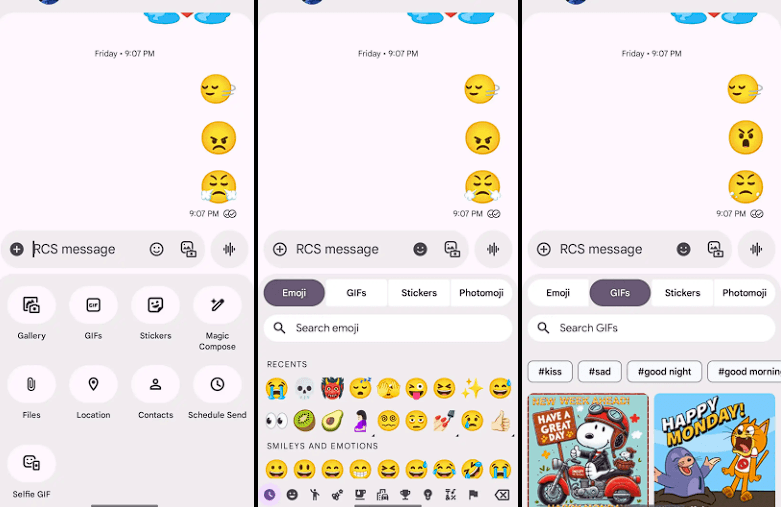
Google Messages is starting to implement a Material 3 Expressive overhaul of just the conversation interface, following Gmail for certain users and Photos.
Placing the message thread in a container with rounded corners at the top makes the app bar its own (darker) layer, which is the primary alteration to the conversation screen.
The Gallery, GIFs, Stickers, and other items are arranged in pill-shaped containers rather than circles in the “plus” menu, which is a distinct container. The wallpaper it uses is identical to that of the app bar. Additionally, Google eliminated the vibrant symbols and reduced the grid’s density.
The linked button group used to transition between Emoji, GIFs, Stickers, and Photomoji (which was the first item in the current design) is visible when you access the emoji menu. The current tab you are reading is a pill, and the entire thing is a circular container. Moving the search bar down one line eliminates back-to-back text fields, which is a welcome modification.
As of right now, we have one report of this going live with Google Messages beta version 20250528_00_RC00, namely the Samsung version. We examined other devices today, and we don’t notice it.
The home page, search, settings, and other areas of the app have not been changed today. It appears like Material 3 Expressive in Google Messages will be implemented gradually. In the meantime, the software usually takes a long time to go from beta or initial release to general release.
Stay connected with the latest from Droid Tools—follow us on X @droid_tools, like our page on Facebook, check out our updates on Instagram, and follow us on Google News for real-time news, device tips, and mobile tech insights.