Category: OS

Stay informed on how Android’s evolving software impacts your device, along with expert insights into the best ways to optimize your OS experience.

  • Samsung ends software support for these Galaxy phones

    Samsung ends software support for these Galaxy phones

    Although the One UI 8 update is already available for a large number of Samsung Galaxy phones, some models have a different situation. Samsung has put impacted users at risk by formally discontinuing software support for a number of devices. What that entails for Galaxy owners is as follows.

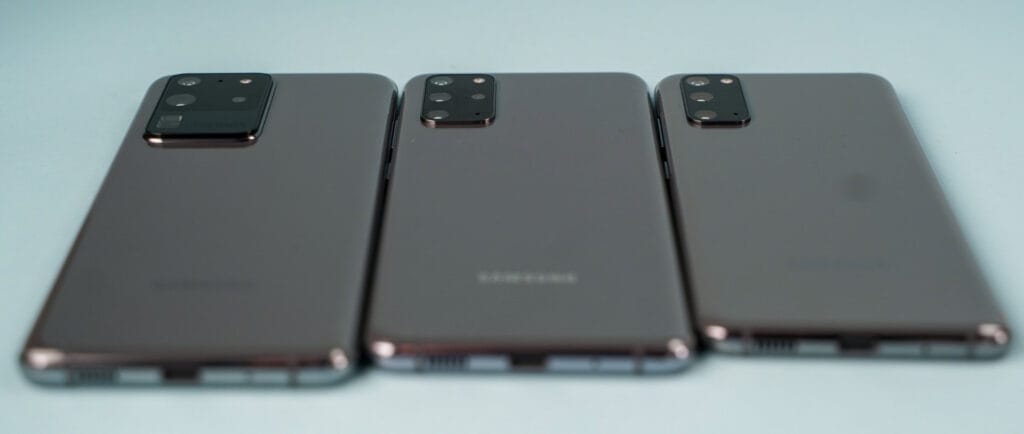
    Samsung recently posted the most latest software schedules for Galaxy devices on its support page. Notably, some models now receive security upgrades every three months instead of every month. This includes the low-cost flagship Galaxy S21 FE, which will no longer receive monthly security fixes but rather three-monthly ones.

    Android 16 via One UI 8 is still scheduled to be released for the Galaxy S21 FE in the upcoming weeks. It won’t receive Android 17 or One UI 9 next year because this will be its last significant update. Samsung might still release One UI 8.5, though, and it will probably be based on Android 16.1.
    Final update rolls out to these Samsung Galaxy phones

    The mid-range Galaxy A52s and low-cost Galaxy A03s have been taken off the support page as devices that are on the chopping block. June of this year saw the most recent security update for both. They won’t receive the September or October patches, based on their removal. The Galaxy F42 and M32 are also no longer on the list.

    The Galaxy Tab A8, which was released in early 2022, might be the next in line. By the end of this year or January of the following year, it might get its last update.

    These Samsung may be at risk

    These devices will lose out on important security updates that guard against changing cyberthreats, even if they might still get software updates and small patches from the Google Play Store. Outdated devices are more susceptible to assaults that could jeopardize personal data or even result in financial loss if these patches are not installed.

    The September security update, for example, fixed a number of vulnerabilities, including a number of high- and medium-severity problems. There have been reports of some of these being used in the wild.

    Because risks are constantly changing, regular updates are crucial. Up-to-date software is just as important for staying safe as new hardware.

    Upgrading to a newer gadget is the easiest solution for impacted consumers. Although it is feasible to keep using unsupported phones, users should be aware of the hazards. One strategy to lessen risk is to steer clear of banking and financial apps on mobile devices.

  • No Android 16 for these Xiaomi, Redmi, and POCO phones

    No Android 16 for these Xiaomi, Redmi, and POCO phones

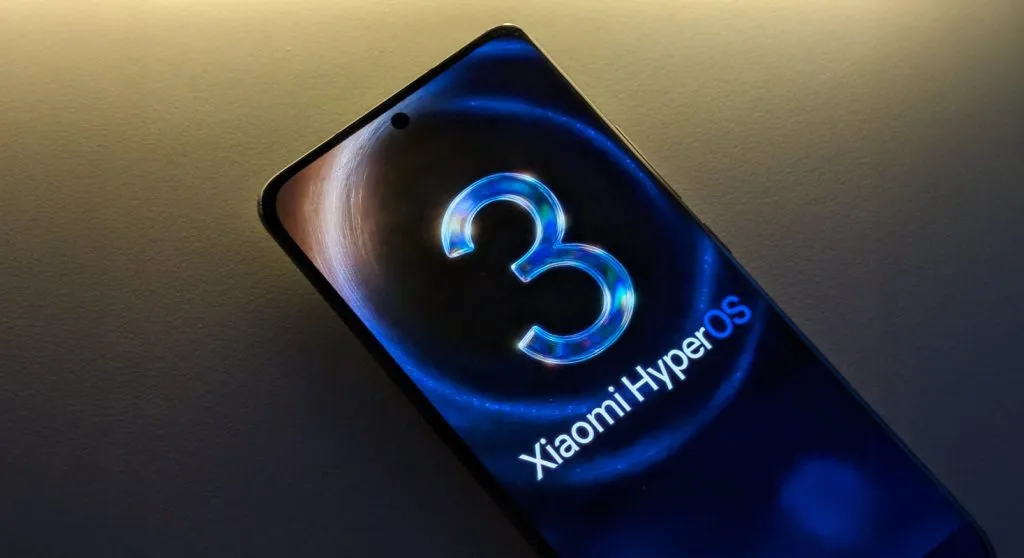
    A number of well-known devices will not be included in Xiaomi’s stated plans for the Android 16 update. Rather, the last significant software update for these models will be HyperOS 3, which is based on Android 15. With this choice, a sizable section of Xiaomi’s product lineup—including certain flagship and mid-range models—will no longer receive updates.

    This strategy is in line with common Android industry standards, which call for limited device support. Xiaomi will focus on improving HyperOS for compatible devices in the future, guaranteeing continuous feature additions and system enhancements.

    POCO Series Devices Concluding at Android 15

    The following POCO devices will receive HyperOS 3 as their final major update:

    • POCO C65
    • POCO F5 5G
    • POCO F5 Pro
    • POCO M6 Pro
    • POCO X6 Neo

    Redmi Models Ending with HyperOS 3

    The Redmi series also includes several models that will not advance beyond Android 15:

    Redmi Series:

    • Redmi 12
    • Redmi 12 5G
    • Redmi 13C
    • Redmi 13C 5G
    • Redmi 13R

    Redmi K Series:

    • Redmi K50 Ultra
    • Redmi K60

    Redmi Note 12 Series:

    • Redmi Note 12 4G
    • Redmi Note 12 NFC 4G
    • Redmi Note 12R
    • Redmi Note 12S
    • Redmi Note 12T Pro
    • Redmi Note 12 Turbo

    Redmi Note 13 Series:

    • Redmi Note 13 4G
    • Redmi Note 13 4G NFC
    • Redmi Note 13 5G
    • Redmi Note 13R Pro

    Xiaomi flagship phones reach the end of software updates

    With HyperOS 3, a number of flagship devices are also expected to approach the end of their update cycle:

    Xiaomi 12 Series:

    • Xiaomi 12
    • Xiaomi 12 Pro
    • Xiaomi 12S
    • Xiaomi 12S Pro
    • Xiaomi 12S Ultra

    Xiaomi 12T Series:

    • Xiaomi 12T
    • Xiaomi 12T Pro

    Other Flagship Models:

    • Xiaomi Civi 3
    • Xiaomi MIX FOLD 2

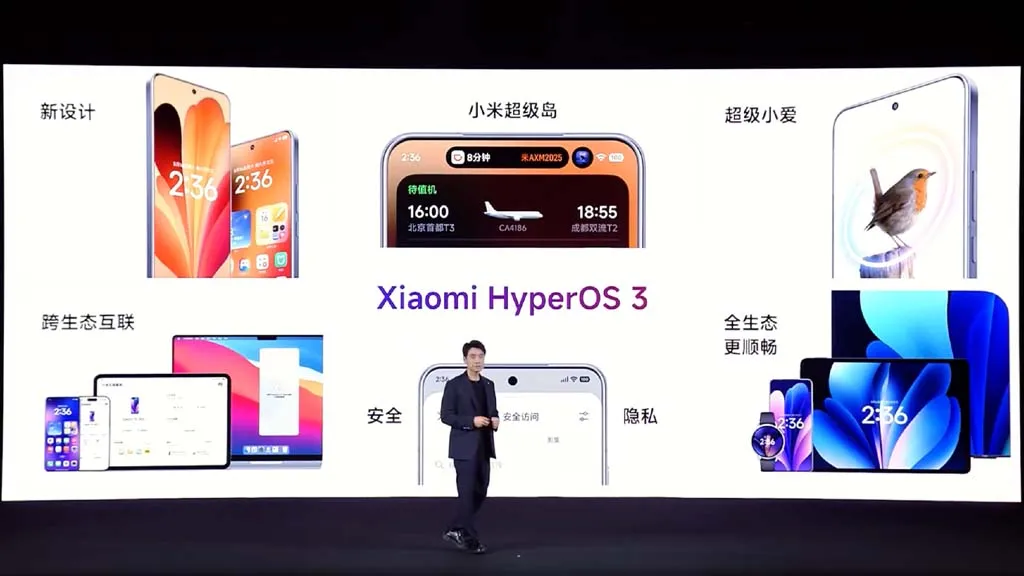
    With inspiration from Apple’s “liquid glass” design language, HyperOS 3 is anticipated to bring new interface elements and provide a more sophisticated user experience. An improved control center editor with more customization possibilities will be included of the upgrade. According to Xiaomi’s timetable, HyperOS 3 will be released in September.

  • Honor MagicOS 10 update roadmap: eligible devices and rollout schedule

    Honor MagicOS 10 update roadmap: eligible devices and rollout schedule

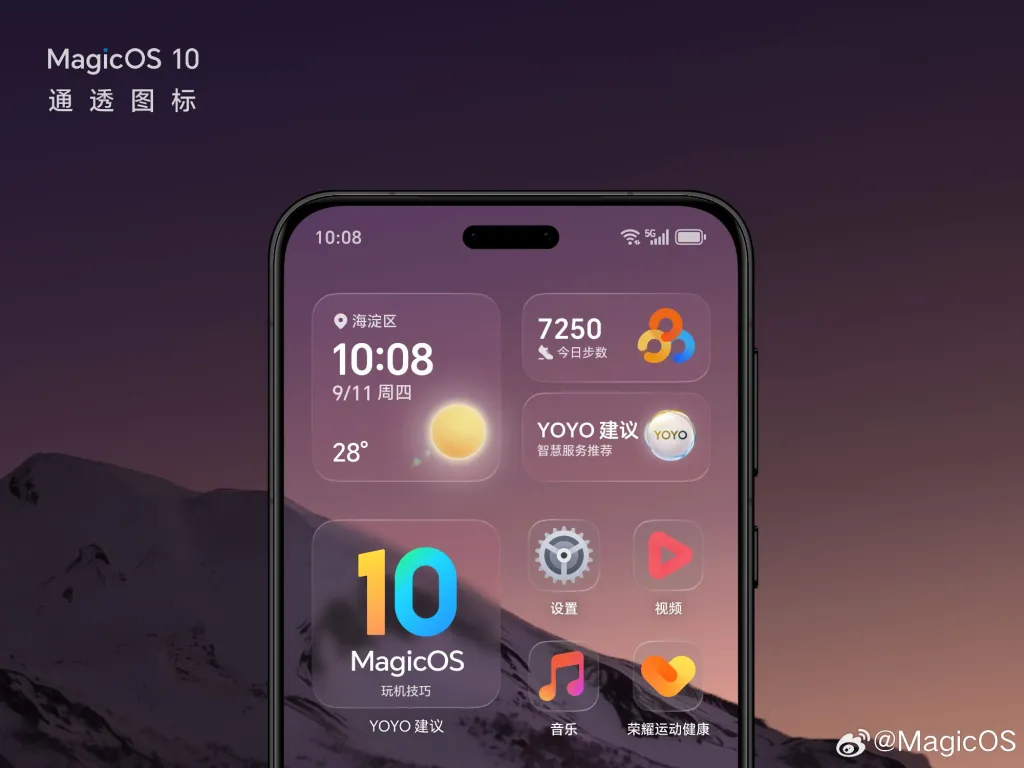
    The MagicOS 10 upgrade plan has been released by Honor, and these are all the models that qualify for the new software rollout. The business has also disclosed the precise release dates for every model, from flagship phones to low-cost phones.

    On October 15, MagicOS 10 made its debut alongside the Magic 8 series. The company discovered new AI capabilities and a number of intriguing features with the updated software version.

    Honor also released the list of devices that qualify for the MagicOS 10 software update. The new version will be available this month for a few flagship devices, including the Magic V5 foldable, the Magic 7 series, and the digital 400 models.

    honor magicos 10 with android 16

    Later, the new software version will be tested on other phones, such as the Magic V3 series, GT phones, and others. It is likely that the MagicOS 10 rollout will be completed by the first quarter of the next year.

    You must participate in both public and closed beta testing in order to upgrade the official MagicOS 10 features. By registering for the Beta Program and downloading the build through Settings > System & Upgrades > Software Updates, you can install the testing versions.

    MagicOS 10 Eligible Devices

    October 2025

    • Honor Magic V5
    • Honor Magic 7 RSR | Porsche Design
    • Honor Magic 7 Pro
    • Honor Magic 7
    • Honor GT Pro
    • Honor Magic 6 RSR | Porsche Design
    • Honor Magic 6 Ultimate Design
    • Honor Magic 6 Pro
    • Honor Magic 6
    • Honor 400 Pro
    • Honor 400
    • Honor MagicPad 3

    November 2025

    • Honor Magic V3
    • Honor Magic Vs3
    • Honor Magic 5 Ultimate Design
    • Honor Magic 5 Pro
    • Honor Magic 5
    • Honor Tablet GT 2 Pro

    December 2025

    • Honor Magic V2 RSR | Porsche Design
    • Honor Magic V2 Ultimate Edition
    • Honor Magic V2
    • Honor Tablet MagicPad 2
    • Honor Tablet GT Pro
    • Honor Tablet GT
    • Honor Tablet V9

    Q1 2026

    • Honor Magic V Flip 2
    • Honor Magic V Flip
    • Honor Magic Vs2
    • Honor Magic Vs Ultimate Edition
    • Honor Magic Vs
    • Honor 300 Ultra
    • Honor 300 Pro
    • Honor 300
    • Honor GT
    • Honor 200 Pro
    • Honor 200
    • Honor 100 Pro
    • Honor 100
    • Honor 90 GT
    • Honor Power
    • Honor X70
    • Honor X70i
    • Honor X60 GT
    • Honor Tablet 10
    • Honor Tablet X9 Pro
    • Honor X9
  • October 2025 update now rolling out to 23 Xiaomi and Redmi devices

    October 2025 update now rolling out to 23 Xiaomi and Redmi devices

    The October 2025 security patch was formally released by Xiaomi for 23 models, including well-known gadgets like the Xiaomi 12 series, Redmi Note 14 Pro+, POCO F7, and Xiaomi 14T. The EEA region is currently experiencing the deployment, which began early on Monday. Other global versions will follow shortly. Updates may be viewed via HyperOSUpdates.com, our MemeOS Enhancer app on Google Play, or the Settings → About phone → System updates.

    The update improves overall device stability and fortifies system security throughout Xiaomi’s tablet and smartphone lines. The complete list of devices that are part of this wave is provided below:

    • Redmi Series: Redmi Note 12 4G, Redmi Note 13 4G, Redmi Note 13 4G NFC, Redmi 15 4G, Redmi Note 14 Pro+, Redmi Note 14 Pro 4G, Redmi Note 13 Pro, Redmi 12, Redmi 12 5G
    • POCO Series: POCO M7 4G, POCO F6, POCO F7, POCO Pad, POCO X6 5G, POCO X7 Pro, POCO M6 Pro
    • Xiaomi Series: Xiaomi 12, Xiaomi 12 Pro, Xiaomi 13 Ultra, Xiaomi 14T
    • Tablets: Redmi Pad Pro 5G, Redmi Pad SE, Redmi Pad 2

    The new version is mostly being made available for the EEA region, but it will also be available in the future weeks for the India and global versions.

    What’s New in the October 2025 Update

    The main goals of the October 2025 security patch are to improve HyperOS performance stability, address vulnerabilities found, and strengthen the device’s system-level protection. Customers will notice more seamless speed and memory management improvements, particularly on premium smartphones like the Xiaomi 13 Ultra and POCO F7, even though there aren’t any significant visual or functional upgrades.

    Along with connectivity improvements to Xiaomi HyperConnect devices, the update also provides productivity software compatibility improvements for devices like the Redmi Pad Pro 5G and POCO Pad.

  • New Android Auto update brings smarter features and better safety

    New Android Auto update brings smarter features and better safety

    The Mountain View tech giant has more good news for Android users than just the recent announcement that call recording will be available in all areas where Pixel phones are sold.

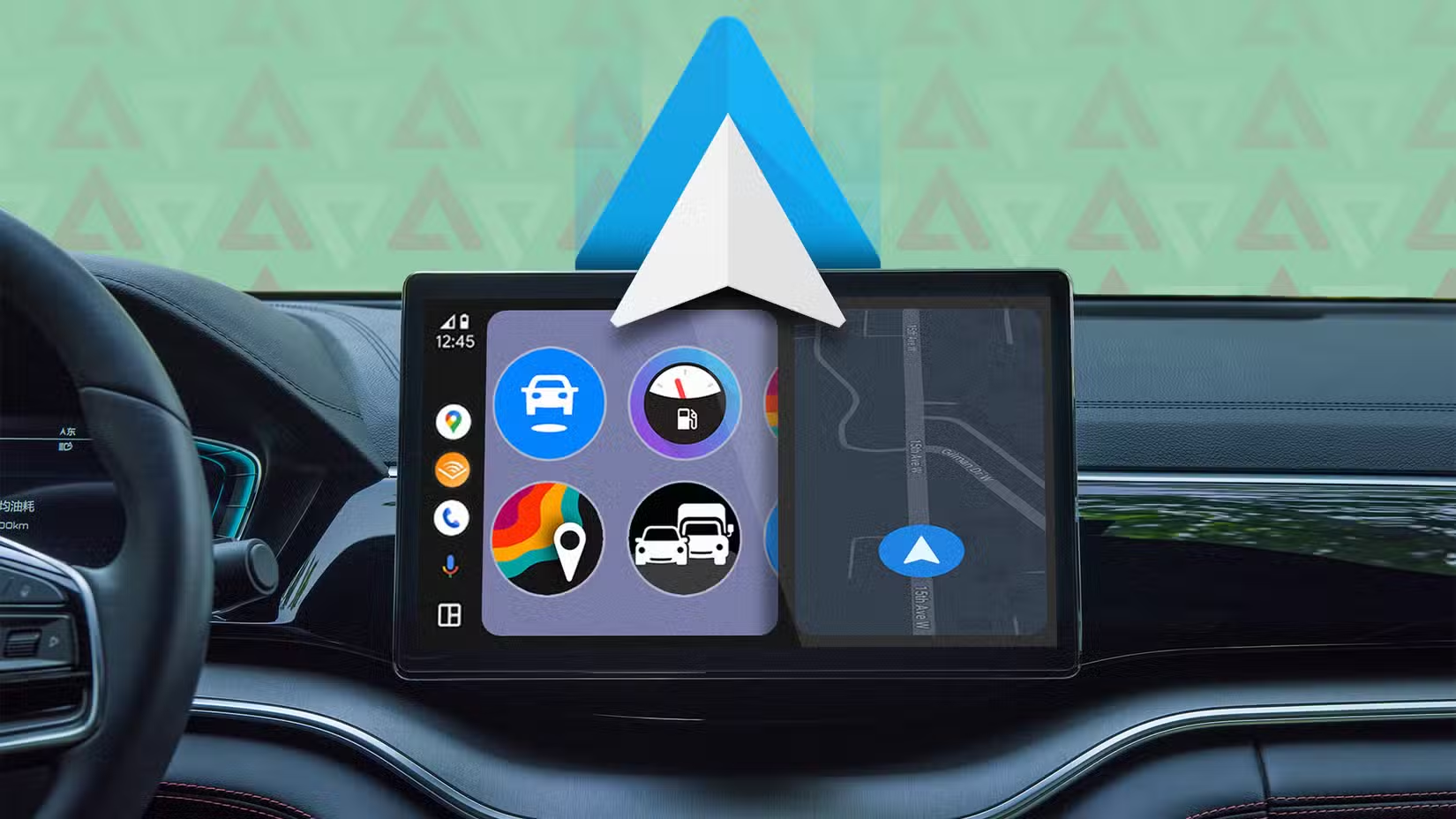
    Android Auto gets Call Screening and Call Notes in latest update

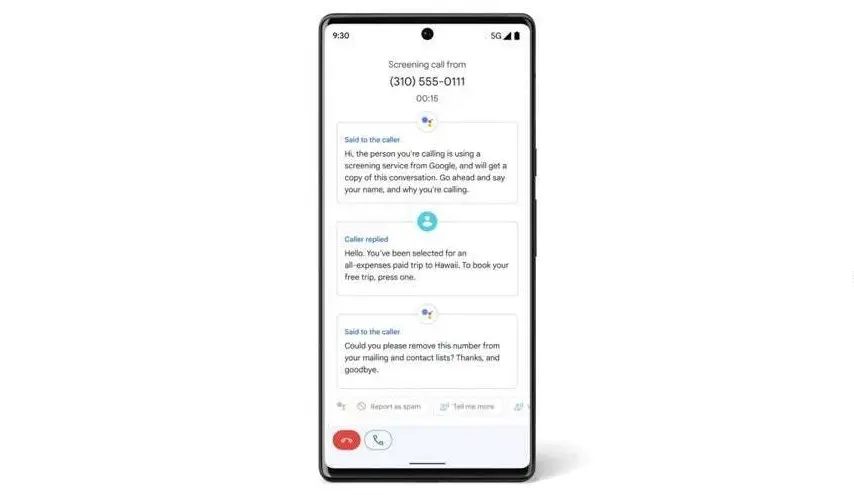
    Android Auto can now screen calls in your car using your phone thanks to a recent upgrade. Later this year, Call Notes will also be available on Android Auto for crucial talks in which you are unable to take notes since you are ostensibly driving at the time.

    These two Android Auto improvements are quite useful. Particularly useful is call screening, which can spare you time by preventing you from taking pointless calls while operating a motor vehicle.

    Android auto call screening

    Unknown callers and those not on your contact list can use the service. After it asks the caller who they are and why they are calling, you will receive this information. In this manner, you have the option to accept or reject the call.

    Conversely, Call Notes generates a text synopsis of your conversation. The Pixel 9 series was the first to implement the functionality. If it’s a business call, this Android Auto feature will be quite useful.

    Call Screening is becoming a must-have feature for smart car systems

    These two new features make it even more practical. Apple, Google’s primary rival, has the Call Screening feature on its most recent iPhone models (which come with the just released iOS 26). The feature is compatible with CarPlay, Apple’s technology for connecting your phone to your vehicle’s infotainment system.

    The ability to screen calls is quite helpful, particularly when driving. Bravo to Google for introducing it to Android Auto, as it removes annoying calls without requiring you to answer or handle them.

    I’m thrilled that Google is adding these two fantastic new capabilities to Android Auto. In fact, I believe they are far more helpful for Android Auto than for your phone, and the same is true for Apple’s version. When I’m driving, I would absolutely appreciate these two features. I now hope that things will function well and without any issues.

  • Samsung One UI 8.5 beta release could come earlier than you think

    Samsung One UI 8.5 beta release could come earlier than you think

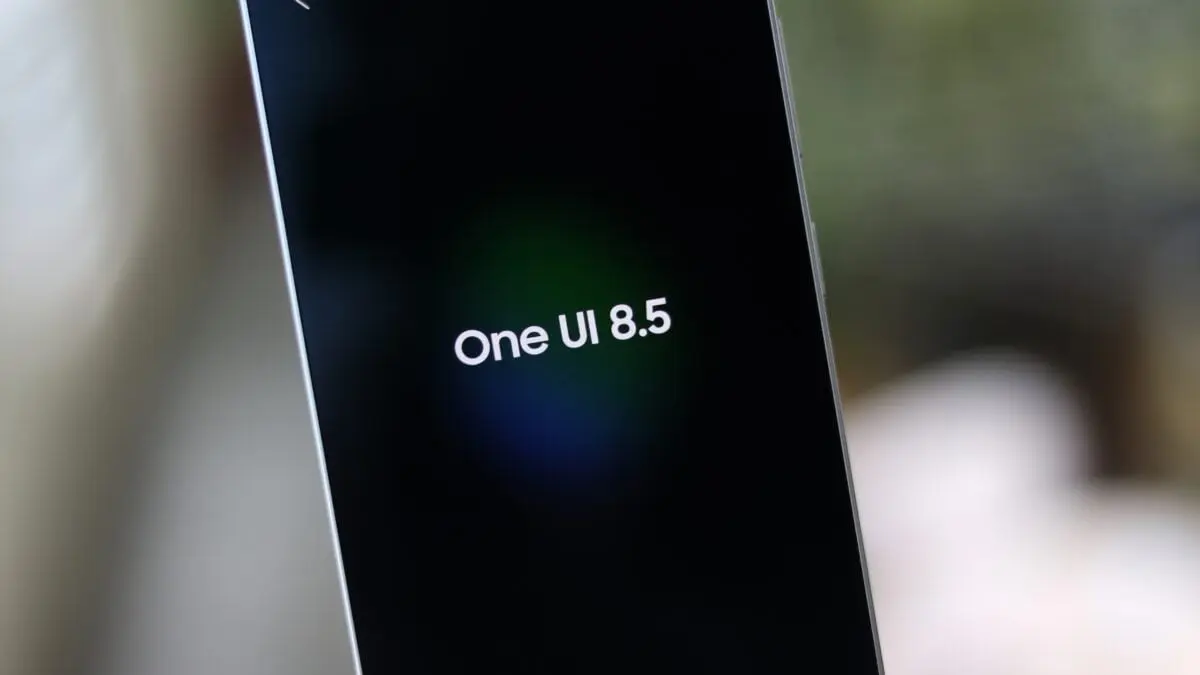
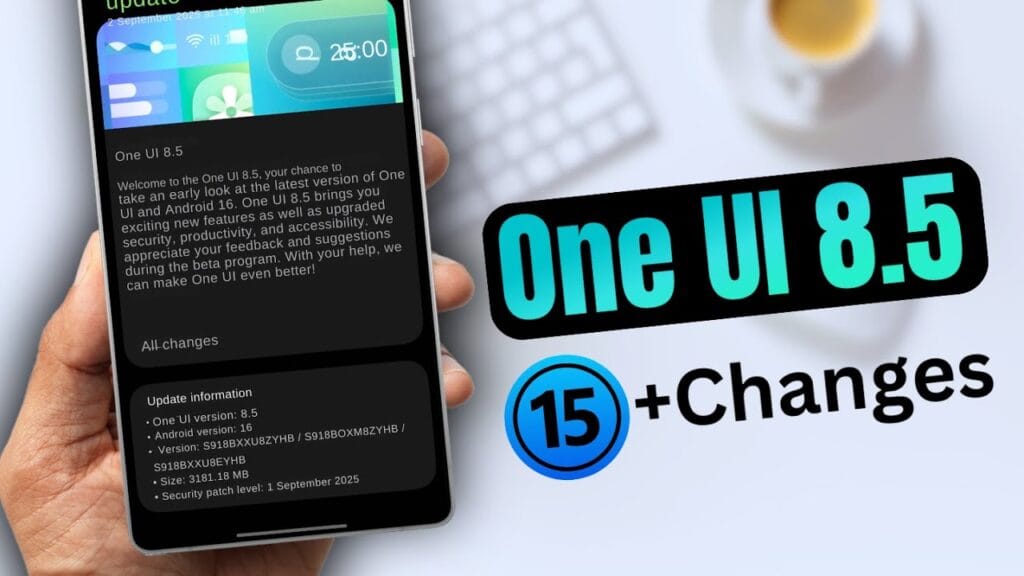
    Early in the upcoming year, Samsung is anticipated to release the One UI 8.5 software along with the Galaxy S26 series. However, in terms of new features and cosmetic improvements, early build leaks have given little room for speculation.

    Unfortunately, only a small number of users are able to test-run the program at this time, thus these early builds aren’t available to everyone. Although we are unsure of the exact date, we are aware that the firm will soon formally launch the One UI 8.5 beta program for its flagship phones. With a leak providing information on a possible release date for the initial beta update, that is now altering.

    According to SamMobile’s exclusive tip, Samsung might activate the One UI 8.5 beta program before the end of November, possibly “around the week beginning November 24.” In contrast, after a protracted wait, Samsung released the One UI 7 public beta in December 2024, with the stable rollout taking place in April.

    Samsung released the first One UI 8 beta in May and the stable version last month, changing things up for the next big software release. The devices that will be compatible with 8.5 and the areas in which it will be accessible are still unknown.

    Will your older Galaxy phone get the One UI 8.5 beta update on schedule?

    The beta update is likely to be available on almost every device running the Android 16-based One UI 8.0 software. At the top of the list of devices that qualify should be the Galaxy S25 series and the newly released Galaxy Z Fold 7 and Z Flip 7.

    We should also mention that users of the Samsung flagships from 2024 had to wait about three months to receive the One UI 8 beta. With the next One UI beta, we can only hope that Samsung won’t do the same thing.

    The software is expected to be a significant improvement over One UI 8, if the previous leaks of One UI 8.5 are any indication. Because it will be based on Android 16 QPR2, Galaxy owners will be able to use the most recent Android update available. A recently leaked hands-on video gave us a better look at the improvements in the new software.

  • Xiaomi confirms over 20 devices ineligible for HyperOS 3 upgrade

    Xiaomi confirms over 20 devices ineligible for HyperOS 3 upgrade

    Before the year ends, Xiaomi will stop supporting more than 20 devices. Many devices, ranging from the Xiaomi 12X to the Poco F4, have not yet been included in HyperOS 3 deployment schedules and will shortly reach end-of-life status.

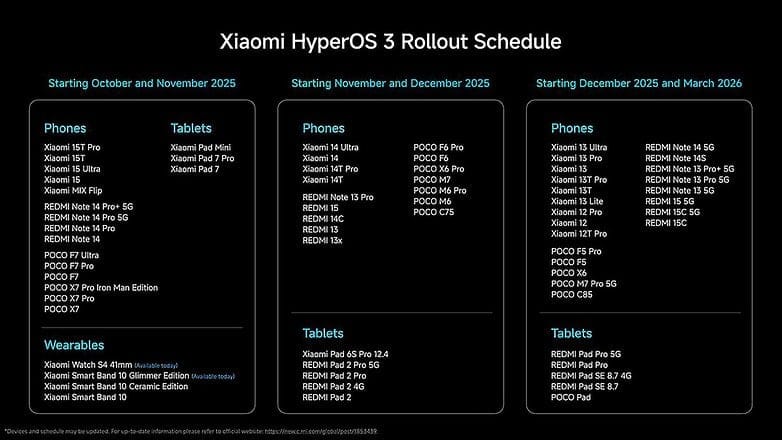
    Xiaomi has now stated that HyperOS 3, its upcoming big OS update, will be released globally initially. In summary, Xiaomi now divides the HyperOS 3 Rollout Schedule into three batches, with the first batch beginning this month and the third batch ending in March 2026. Just before to that, Xiaomi released a comparable update for the Chinese market that featured products tailored to that country, such as the Redmi K series and Mix Fold foldables.

    Xiaomi HyperOS 3

    Some older recent smartphones, such as the Xiaomi 11T series, have now gotten their final upgrades, as we previously noted. As a result, they are not eligible to upgrade to HyperOS 3. Even yet, some HyperOS 3 compatible devices—like the Redmi Note 14 Pro Plus—will not be able to access Hyper Island features.

    It is now evident which Xiaomi devices have been left out of the company’s plans as the HyperOS 3 release timetables have been moved until the spring. For example, by February 2026, when it should get its last security update, the Poco X5 Pro 5G will be in end-of-life status. As a result, Xiaomi has excluded the gadget from its list of devices compatible with HyperOS 3. The following Xiaomi, Redmi, and Poco devices are currently scheduled to reach end-of-life status this year and are not part of the official HyperOS 3 distribution plans:

    • POCO F4
    • POCO F4 Pro
    • POCO F4 GT
    • POCO M5
    • POCO M5s
    • POCO X4 GT Pro
    • POCO X4 GT
    • POCO X5 Pro 5G
    • Redmi A2
    • Redmi A2+
    • Redmi 12C
    • Xiaomi 11 Lite 5G NE
    • Xiaomi 11T
    • Xiaomi 11T Pro
    • Xiaomi Mi 11i
    • Xiaomi Mi 11 Lite
    • Xiaomi Mi 11 Lite 5G
    • Xiaomi Mi 11 Ultra
    • Xiaomi Mi Mix Fold
    • Xiaomi Mix 4
    • Xiaomi 12X
  • First software update for global Huawei Watch GT 6 Pro brings useful improvements

    First software update for global Huawei Watch GT 6 Pro brings useful improvements

    The first update for the Watch GT 6 Pro worldwide is being released by Huawei. For the recently released wearable, this firmware is particularly noteworthy for two reasons. First of all, it offers a ton of incredible features. Second, the HarmonyOS 6.0 software version is included in this update.

    Indeed, HarmonyOS 6.0 is already appearing with the Watch GT 6 series as an official version, even though it still has time to reach the stable platform. In addition, it gives users access to a lot of fascinating functions, like exchanging files, watching faces, and sports.

    The most recent wearables allow music files to be sent via Wi-Fi to iOS devices. However, the build has watch faces for Video and Module 2025. On their rides, users can also take use of real-time virtual performance notes.

    The business has modified some of its current features in addition to adding new ones. Upgraded the Call List to Phone, for example. To make their accessibility easier, users can even change the frequently used features and functionalities on their watch screen.

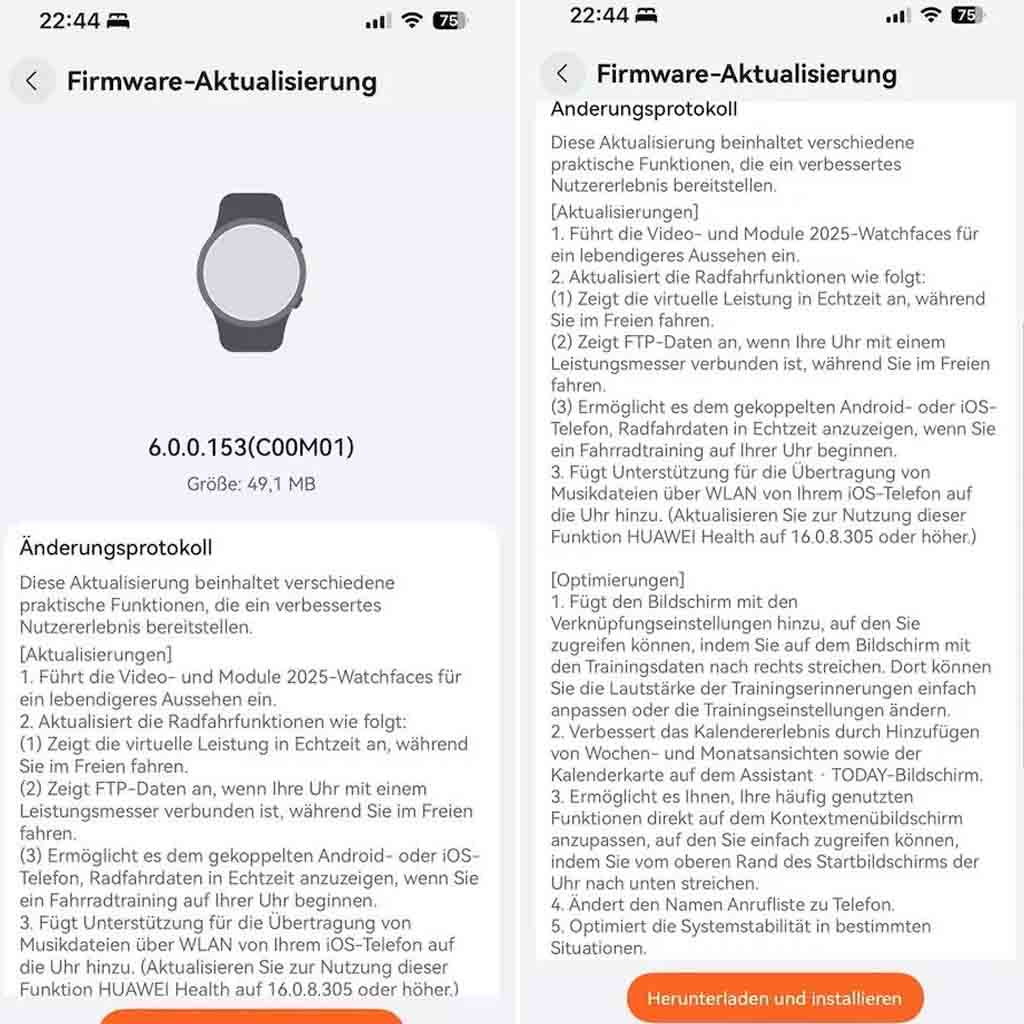
    HarmonyOS 6.0.0.153, the first update for the Huawei Watch GT 6 Pro, has a software package size of 49.1 megabytes. All of the additions are listed here.

    New improvements for Watch GT 6 Pro

    New Features

    • Introduces the Video and Module 2025 watch faces for a more vibrant look.

    Updated cycling features

    • Displays real-time virtual performance while you ride outdoors.
    • Displays FTP data when your watch is connected to a power meter while you ride outdoors.
    • Allows the paired Android or iOS phone to display real-time cycling data when you start a cycling workout on your watch.

    Sharing Function

    • Adds support for transferring music files from your iOS phone to the watch via Wi-Fi. (To use this feature, update HUAWEI Health to 16.0.8.305 or later.)

    Optimizations

    • Adds the Shortcuts settings screen, accessible by swiping right on the workout data screen. There, you can easily adjust the volume of workout reminders or change workout settings.
    • Improves the calendar experience by adding week and month views and the calendar card on the Assistant • TODAY screen.
    • Allows you to customize your frequently used functions directly on the context menu screen, which is easily accessed by swiping down from the top of the watch home screen.
    • Changed the name Call List to Phone.
    • Optimizes system stability in certain situations.
  • Nothing OS 4.0 open beta launched with AI app-building features

    Nothing OS 4.0 open beta launched with AI app-building features

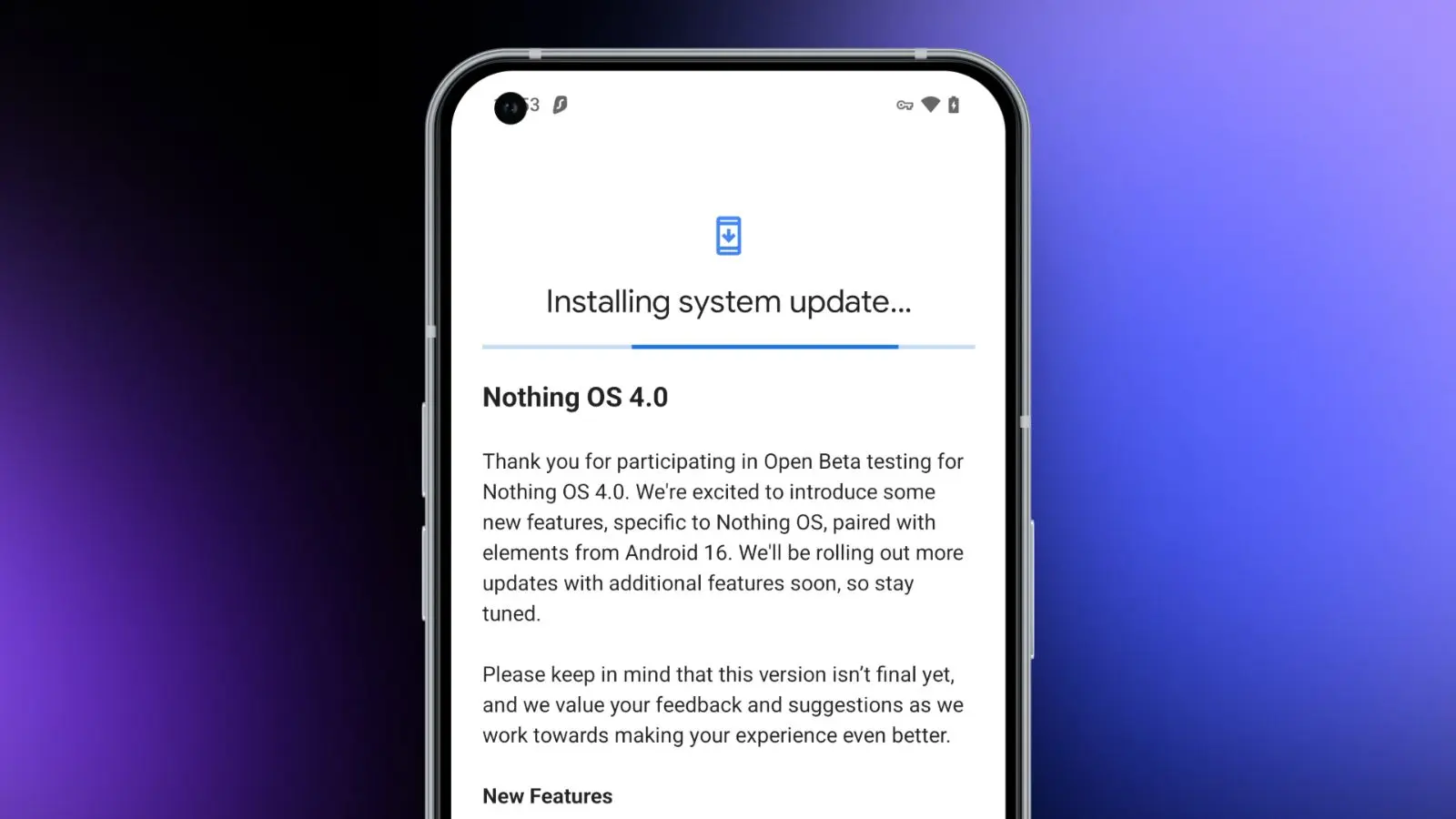
    Today, we need to discuss a few significant news from Nothing. First, for those who own a Nothing phone and would like to try out Android 16 before it becomes stable, Nothing has made the Nothing OS 4.0 Open Beta (Android 16) available. The other news relates to that since it presents the Playground and Essential Apps, both of which require additional explanation. In summary, Nothing came up with a really great idea.

    Download the Nothing OS 4.0 Open Beta:

    Let’s start with Nothing OS 4.0, which is now in beta testing. To obtain this, you must have a Phone 3 or any of the Phone 2 and 2a versions. You might be out of luck right now if you own a Phone 3a device, as they haven’t mentioned them yet.

    There are a number of changes in the Nothing OS 4.0 beta, all of which we’ve detailed in this post. It includes “generic” enhancements like a more sophisticated design, an additional dark mode, enhanced app optimization, and a better photography experience. Nothing also mentioned two new lock screen clock faces, a new Pop-up View, and support for 2×2 Quick Settings tiles in today’s announcement.

    Nothing OS 4.0 open beta launched

    Installing the Nothing Beta Updates app, joining the beta through it, and then installing the beta software are the largely straightforward steps to begin, providing you enjoy testing beta software.

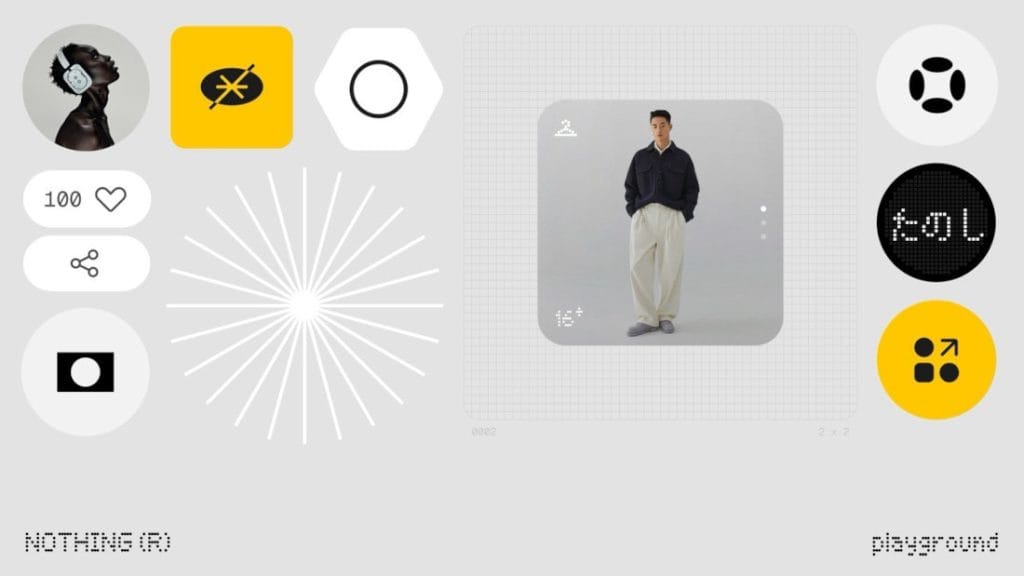
    Nothing Essential Apps and Playground: In other exciting news, Nothing has introduced the Playground and Essential Apps that are housed within it since we enjoy fresh concepts. If your Nothing device is running Nothing OS 4.0, you can install programs, Glyph Toys, camera settings, and EQ profiles from the Playground, which is effectively a community storefront. Even while you might not find that concept particularly novel or intriguing, the apps and their origins may be.

    Nothing has developed a web gateway that lets you make your own programs that your Nothing phone may install as widgets. You go to the Nothing Playground website (here) and try to explain a phone app you want. To put it another way, you would be describing a widget that isn’t currently on your device but may be a helpful program or action. This Playground site’s AI will install it on your device if it is capable of doing so.

    You only need an idea that you can clearly express in a prompt that AI could grasp and then develop from, as this is all happening from AI prompts. You don’t need to know how to code to accomplish this. But in case you were curious, you can see the code it spits out. All of this is a sort of early “alpha” with some obvious restrictions. There has been no indication that it will grow and incorporate agents, APIs, and integrations in the future, which should make this something really amazing.

    A Tic Tac Toe app, an F1 timetable, a water intake tracker, a flight reminder, a solar clock, a small calculator, and a breathing tracker are a some of the apps that are now available on the Playground. You may already have some of those features from other apps, but the idea is that you may think of something useful at the time and instruct the Playground to create it. In only a few minutes, that might be on your home screen and be usable. That is a significant idea.

    You will be able to download other members’ apps and share your own publicly on the Playground to completely increase the number of apps and ideas available.

  • Xiaomi expands Android 16 rollout with HyperOS 3.0 update

    Xiaomi expands Android 16 rollout with HyperOS 3.0 update

    One of the Android oems speeding up the release of Android 16 is Xiaomi with HyperOS 3.0 skin. The company has now disclosed the whole list of smartphones and tablets that will receive the significant OS update, including Redmi and Poco models, in response to last month’s introduction of HyperOS 3.0, which is based on Android 16.

    The Xiaomi 17 Pro was the company’s flagship smartphone when it introduced a number of others last week. However, we also discovered more fascinating information regarding the HyperOS 3.0 deployment, in addition to the new hardware portfolio.

    First devices to receive HyperOS 3.0

    A limited number of smartphones, including the recently revealed Xiaomi 15T series, the flagship Xiaomi 15 (Pro) and 15 Ultra, and mid-range models like the Redmi Note 14 Pro, Poco X7, and Poco F7 (Ultra review), will start receiving HyperOS 3.0 in October. The Xiaomi Pad 7 and Pad Mini will be the first tablets to be supported.

    Xiaomi expands Android 16 rollout with HyperOS 3.0 update

    The update has already begun to roll out for wearables, including the Xiaomi Watch S4 and the Smart Band 10 Glimmer Edition. Although a precise date has not yet been determined, this will eventually extend to the Smart Band 10 Ceramic and regular variants.

    Another batch for November and December

    In November and December, HyperOS 3.0 will be released for additional devices. These consist of the Redmi Note 13, Redmi 13, Redmi 14C, Redmi 15 4G, Redmi Pad 2, and Xiaomi 14 Ultra. The Poco F6 Pro, Poco X6 Pro, Poco M6 Pro, and Poco M7 are also categorized under the Poco sub-brand.

    The rest of the flagship, mid-range, and low-cost smartphones will be released between December and March. These consist of the Xiaomi 13T series, Xiaomi 12T Pro, Xiaomi 13 Lite, and Xiaomi 12. This release window also includes the Redmi Note 14, Note 13, Redmi 15 5G, and Redmi 15C.

    Not receiving HyperOS 3.0

    The basic Xiaomi 12T was released alongside the 12T Pro, thus it’s still unknown why it’s not included. The Redmi 12 and Redmi 12 Pro, which have reached the end of their main OS update support but will still receive security updates for another year, are a more noteworthy omission.

    What’s new in HyperOS 3.0

    What’s new in HyperOS 3.0

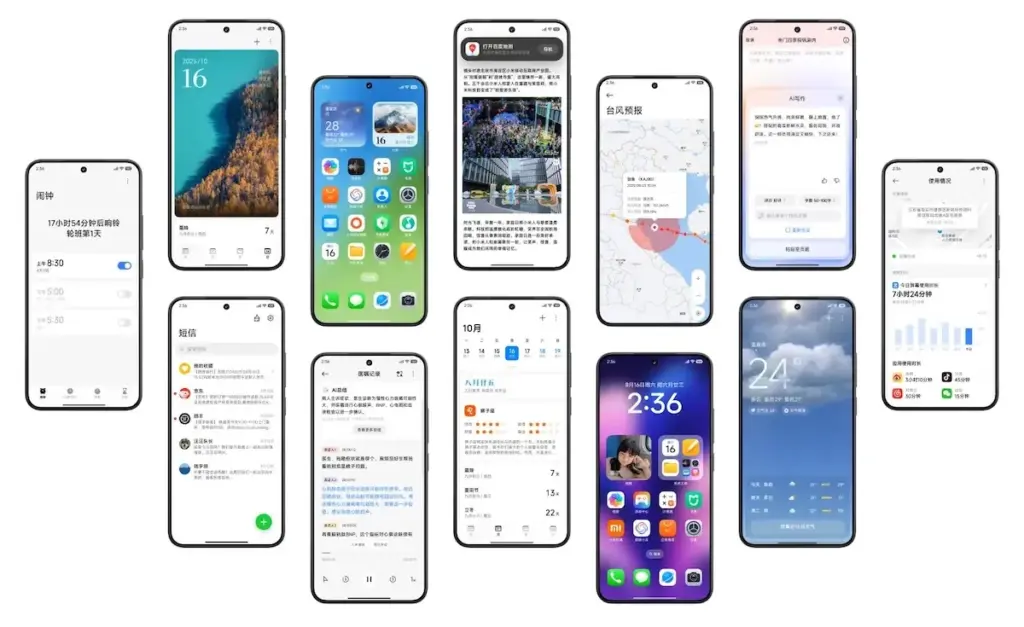
    Performance and visual design have undergone significant upgrades in HyperOS 3.0. Super Island, Xiaomi’s version of Apple’s Dynamic Island, is introduced in the user interface. It allows for dynamic and real-time content overlays surrounding the punch-hole camera. AI-generated options for new background and lock screen styles are also included.

    According to Xiaomi, HyperOS 3.0 offers performance gains of up to 30%. Ultra-low latency and pressure-sensitive pens and styluses are becoming more compatible with large-screen devices, such as tablets.

    With capabilities like HyperAI Writing, real-time transcription, and subtitle production, AI improvements are also a top priority.