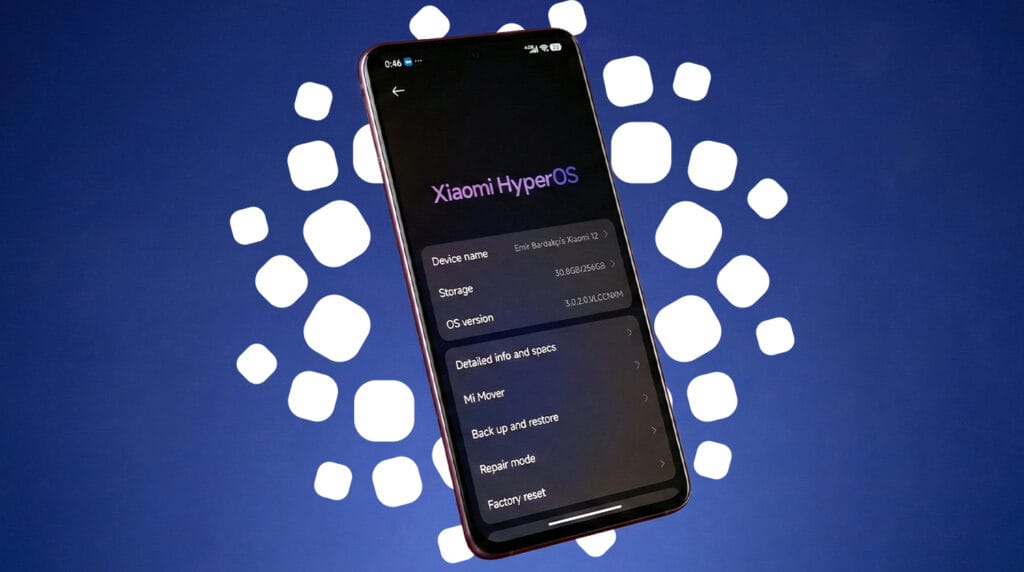
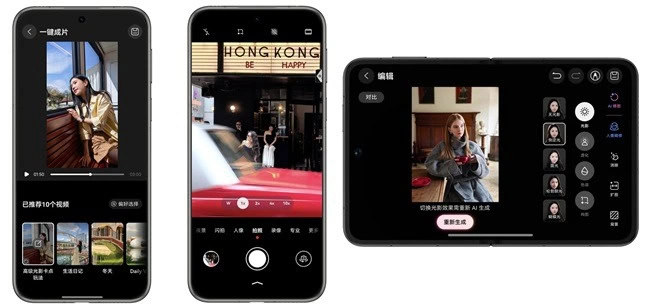
Xiaomi has begun releasing the latest testing release for these 12 models after launching a new HyperOS 3.1 Beta Program for the second batch of its smartphones. To improve the user experience, the most recent version includes a few improvements.
The latest beta, which includes features like Live Updates and Stacked Recent Apps Menu, has already been sent to the first batch of smartphones by the Chinese tech giant.
The HyperOS 3.1 beta upgrade is now being extended for 12 additional Xiaomi devices by the company. It will take some time for the version to reach every unit because it is arriving in groups.
As the OEM has begun distributing the latest testing release to more devices, HyperOS 3.1 beta is becoming more stable. This implies that Xiaomi will soon start rolling out the HyperOS 3.1 beta update to phones and tablets from earlier generations.
The 12 devices that are getting the new beta build are mentioned below. With the testing version listed next to it, you can determine the update for your device.
HyperOS 3.1 beta available for the following devices
Xiaomi 15: HyperOS 3.0.300.5 Beta
Xiaomi 15 Pro: HyperOS 3.0.300.4 Beta
Xiaomi 15S Pro: HyperOS 3.0.300.5 Beta
Xiaomi 15 Ultra: HyperOS 3.0.300.4 Beta
Xiaomi 14: HyperOS 3.0.300.3 Beta
Xiaomi 14 Pro: HyperOS 3.0.300.4 Beta
Xiaomi 14 Ultra: HyperOS 3.0.300.3 Beta
Redmi K80: HyperOS 3.0.3003 Beta
Redmi K80 Pro: HyperOS 3.0.300.3 Beta
Redmi K80 Ultra: HyperOS 3.0.300.3 Beta
Xiaomi MIX Flip 2: HyperOS 3.0.300.6 Beta
Xiaomi Pad 7 Ultra: HyperOS 3.0.300.2 Beta
Before starting the installation, make sure your phone or tablet has enough storage space. Since it’s a beta version, the data on your device might be erased. Therefore, make a backup in advance.
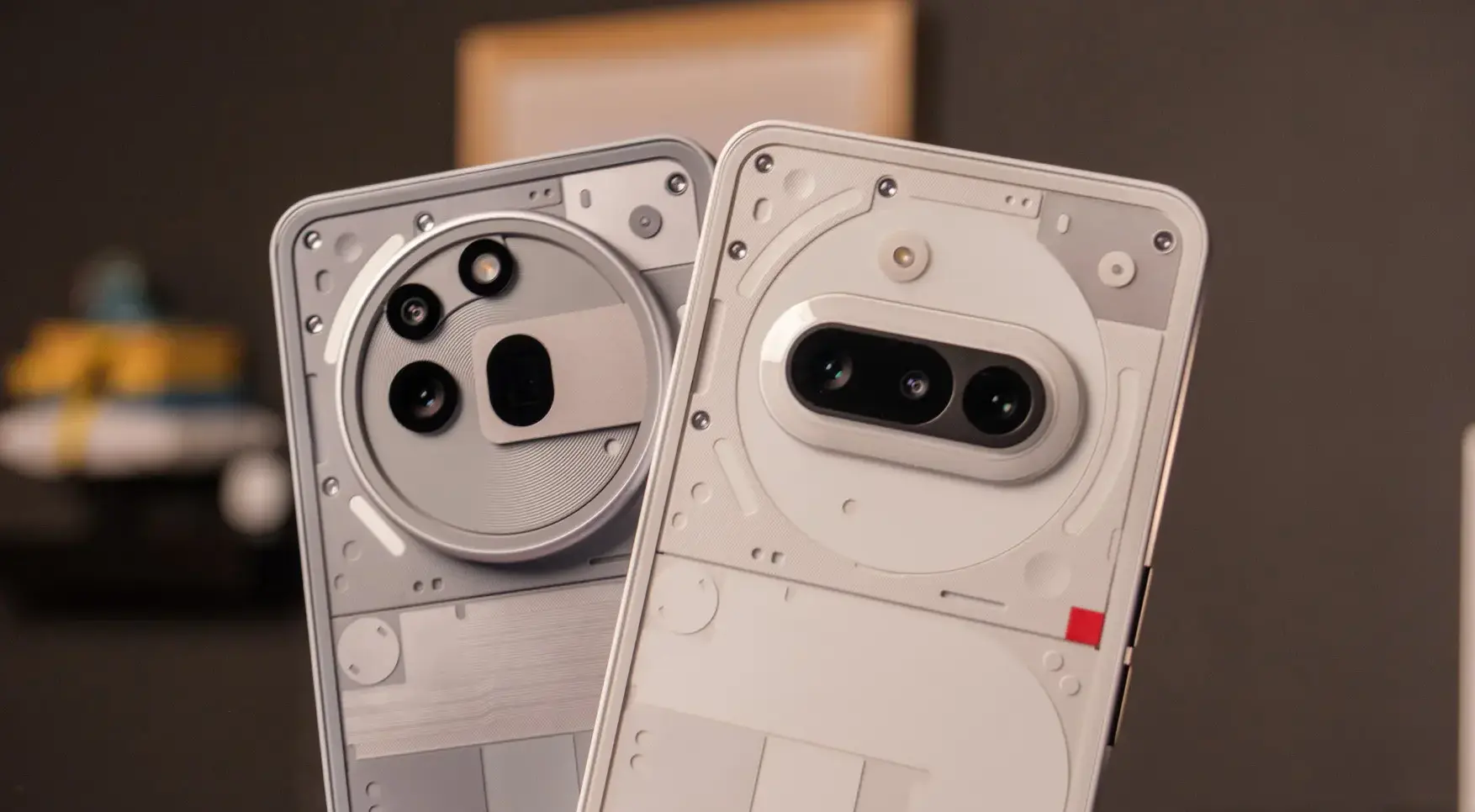
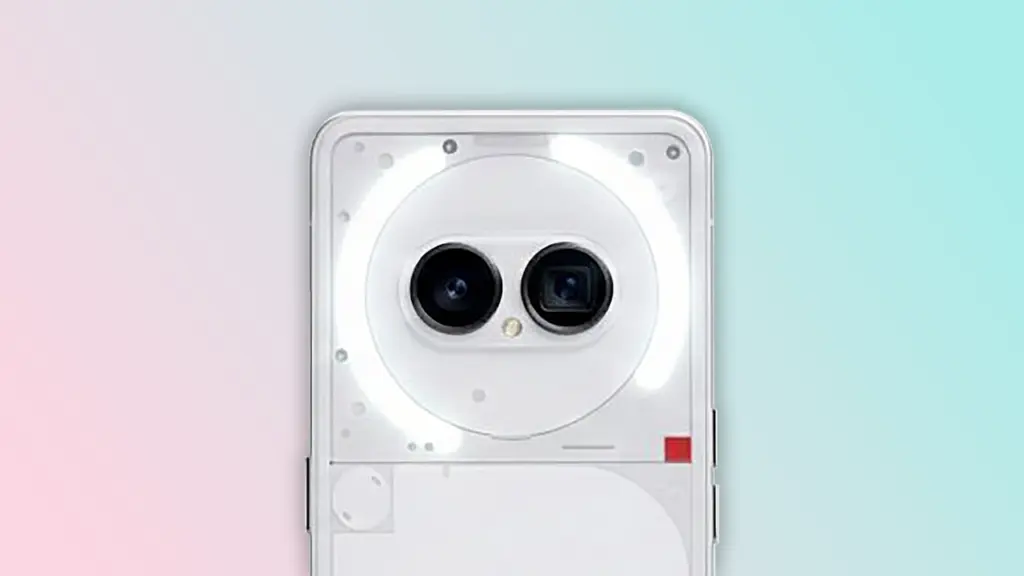
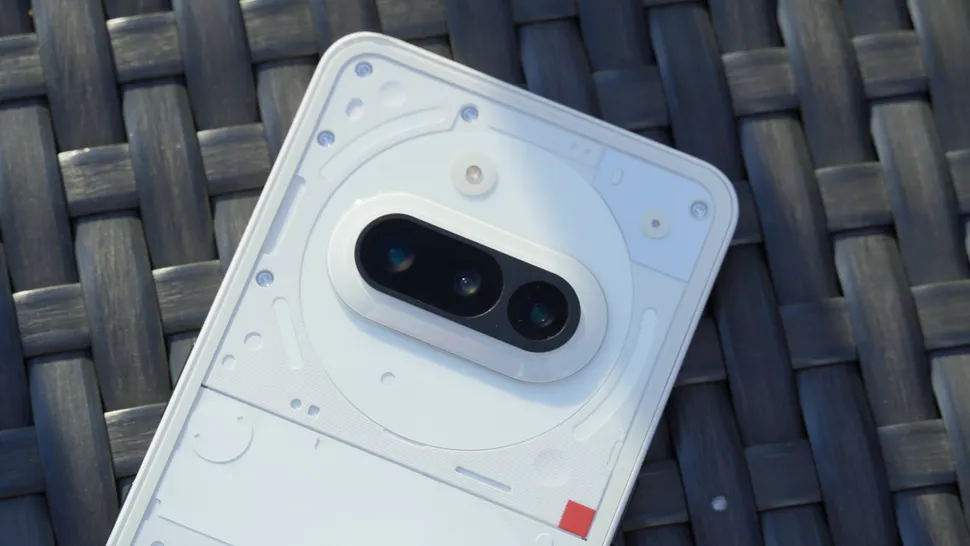
There are now reports regarding the successor of Nothing’s Phone 3a series, which debuted in the first few months of 2025.
According to a post made early this morning (January 26) by X tipster Anvin, the Nothing Phone 4a has appeared in a significant database (via GSMArena). The tipster’s information is light, but if it’s accurate, that’s probably intentional because the Phone 4a has supposedly received international certification. According to their post, the gadget was found in the TDRA database of the United Arab Emirates. The model’s codename, A069, is mentioned in the listing.
The people at GSMArena draw attention to a prior finding that stated this device’s Pro version was identified as A069P.
9to5Google once highlighted a Telegram tipster, but this database entry didn’t reveal much information (they don’t often). Nothing could compete with Qualcomm’s more mid-range/affordable Snapdragon 7s series CPUs, according to that article, which also claimed that a Phone 4a and 4a Pro were on the horizon. The 4a and 4a Pro could cost between $475 and $540, respectively. According to the rumors, eSIM may only be available on the Pro model.
Once more, the tipster stated that the two might make their debut in March 2026, coinciding with Nothing’s last serie
The Nothing Phone 4a series is coming
Last year, the Nothing Phone 3a transformed that mid-range market for consumers. The business was promoting its move from MediaTek CPUs to Qualcomm chips at the time, giving its smartphones the Snapdragon 7s Gen 3. It was an inexpensive semiconductor that had been enhanced to provide more powerful AI capabilities and improved performance. In gaming and graphical scenarios, the 3a was found to be lower than the 2a in some testing.
Given that the Phone 4a and 4a Pro may include the more recent Snapdragon 7s Gen 4, it is unclear what these devices will offer. Perhaps the gadget can aim higher this year because that chip put a lot of effort into providing flagship-quality gaming capabilities and support. Nothing has confirmed that phone prices will increase in 2026 as a result of increased DRAM and NAND costs, therefore pricing is a problem.
OnePlus released its Wear OS 5 update to certain OnePlus Watch 2 and 2R customers on December 29, slipping past its self-imposed end-of-year deadline, much like a college student faxing their assignment to the professor at 11:59 p.m. This last-minute update has caused issues ever since, as you could anticipate.
Wear OS 5 was originally scheduled to be released between July and September 2025 for the OnePlus Watch 2 and Watch 2R, which were both released in 2024 running Wear OS 4. The company merely stated that the upgrade would arrive “in the near future” after Android Authority inquired about the delay in October.
Some owners of OnePlus Watches have now received the update, but not all of them; my OnePlus Watch 2R, which is located in the United States, still displays the May 2025 security update and Wear OS 4. But considering the impact of the update, this could be a blessing in disguise.
The upgrade is seriously depleting the battery, according to this Reddit thread and other OnePlus forum postings. Before the upgrade, the Watch 2 and 2R often lasted three days in smart mode; however, some customers claim that even after attempting factory resets and other solutions, it won’t last a full day.One user states, “I’m completely heartbroken and frustrated with the severe battery drain issue impacting my OnePlus Watch 2 with the Wear OS 5 update.” “On light usage, my OnePlus Watch 2 now drops from full battery at 1:00 PM to a crucial 10% by 11:00 PM.”
Another customer comments, “I used to get 2.5 days easily with most settings on (at least 2 days)… Now I hardly get 1 day.” In response, someone said that while his drain wasn’t quite as bad, it was now “a strict 2 days” instead of the previous 3–4 days.
Many customers identify particular apps—such as the Weather app, Play Store, or “Wear OS” itself—as the source of the drain, but the diversity indicates that this is a system-wide problem rather than a single app.
The fact that stock Wear OS 5 is (A) a very modest upgrade with few notable changes and (B) meant to make Wear OS work more efficiently, as it did on Pixel and Galaxy Watches, is what makes this update particularly annoying to users. This unoptimized upgrade for last-generation phones is frustrating because the OnePlus Watch 3 has been running this version since April without any problems.
Any company can release a flawed update, but I would have expected OnePlus to either pull it back or provide an update schedule after two weeks. Instead, based from what we’ve seen, OnePlus hasn’t made any formal announcements. A few days ago, my colleague contacted OnePlus on the update, but we haven’t heard anything yet.
This upgrade greatly worries me because I have suggested the OnePlus Watch 2R as my top choice for an inexpensive Android smartwatch, mostly due to its long battery life. OnePlus must demonstrate that it will appropriately support these watches and that its pledge of two Wear OS updates and three years of security updates is more than just platitudes.
As it stands, the new OnePlus Watch Lite used a proprietary RTOS similar to the previous OnePlus Watch, completely eschewing Wear OS.
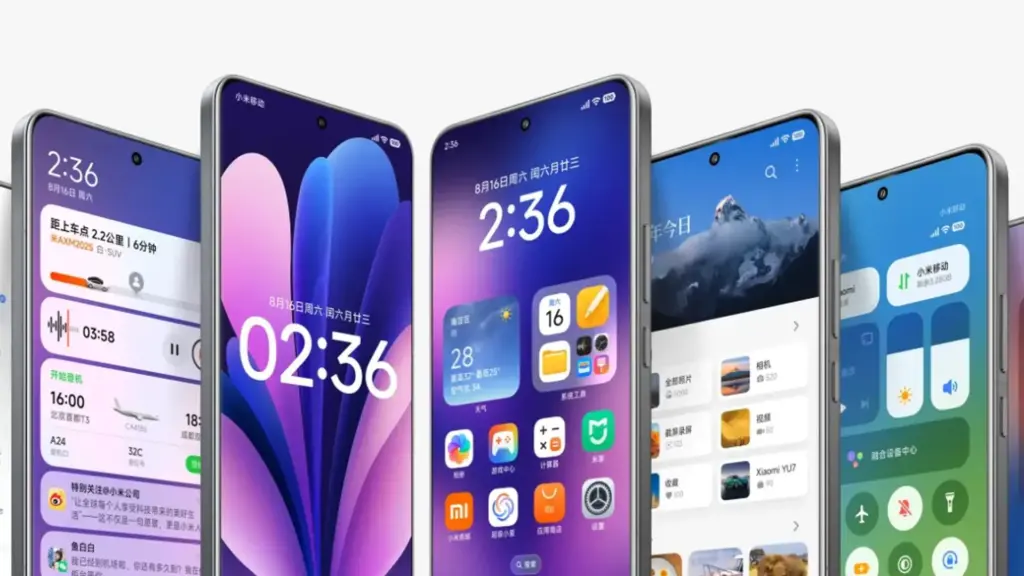
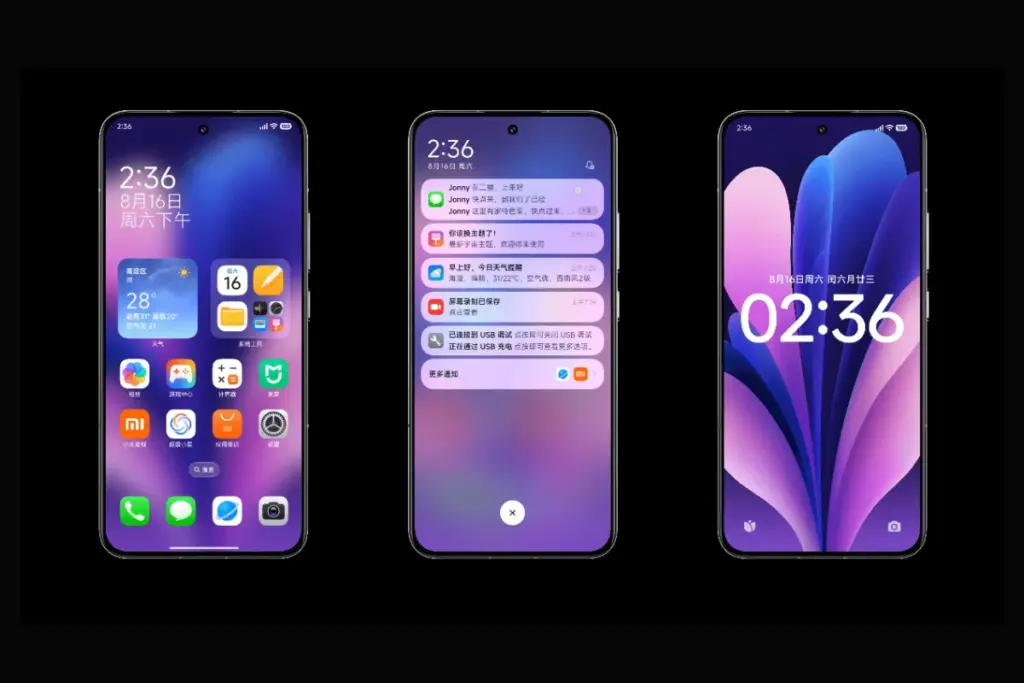
On January 22, 2026, Xiaomi launched the HyperOS 3.1 beta, which included minor but significant UI and privacy improvements. Phones become smoother and speedier as a result. Additionally, the HyperOS 3.1 update uses AI to extend battery life.
With improved app switching and adjustable settings, it improves the user interface. Additionally, it offers improved multitasking, smoother animations, and increased privacy and security.
A more reliable, refined, and connected experience is provided by HyperOS 3.1. It also offers support for iOS calls and security updates for Android 16. Let’s examine the characteristics of HyperOS 3.1 in more detail below:
Quick look at Xiaomi HyperOS 3.1 features coming to your device
Category
Feature
Explanation
iOS Integration
AirPods Native Pop-Up
Let users hide unlock pattern traces
iOS Integration
Spatial Audio Support
Enables 360-degree immersive audio on Xiaomi phones
iOS Integration
ANC & Transparency Control
Manage noise cancellation and sound modes easily
iOS Integration
Find My AirPods
Locate lost AirPods without needing an Apple ID
UI & Animations
New System Animations
Smoother, more fluid transitions across the system
UI & Animations
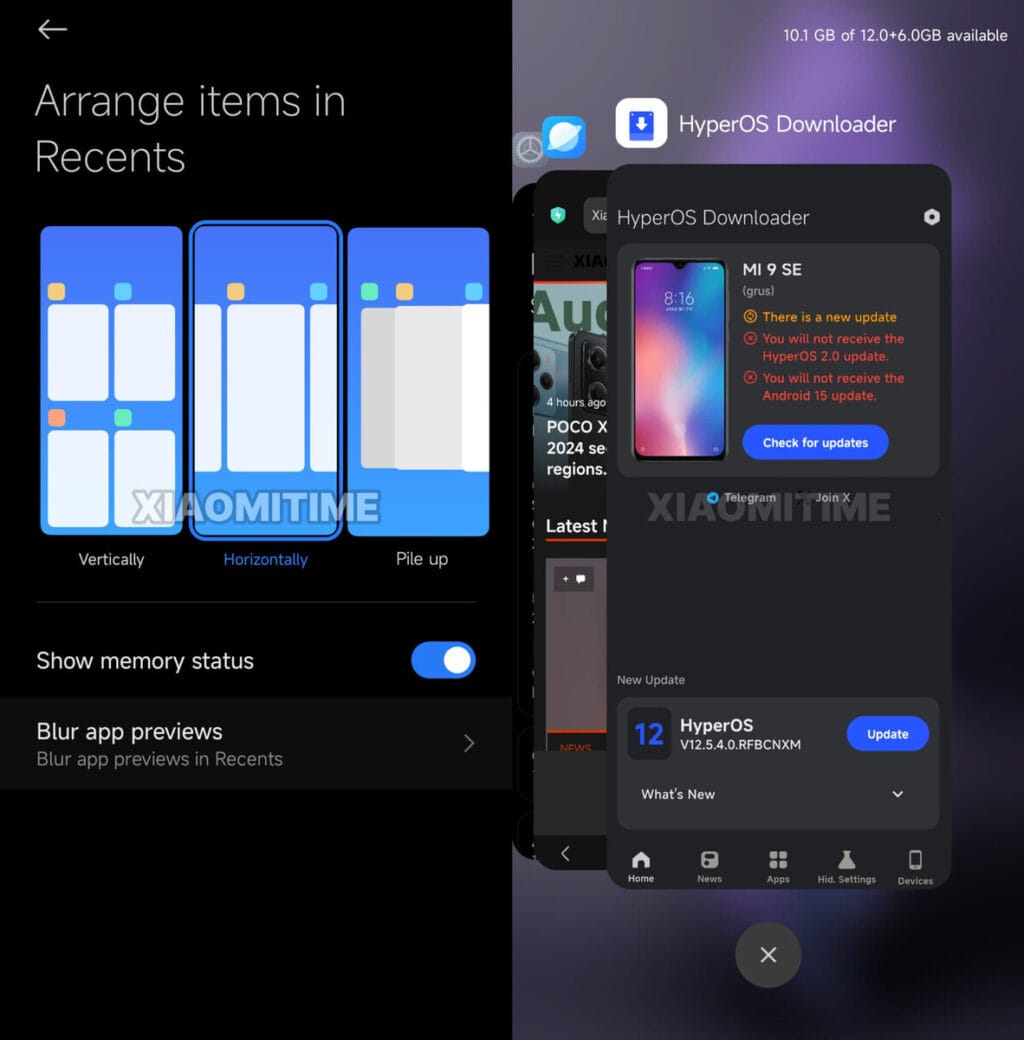
iOS-Style Recent Apps
Card-like multitasking view inspired by iOS
Apps Overhaul
New Gallery & Weather Apps
Faster apps with rewritten code for better performance
Accessibility
New “Assistance” Menu
Easier access to vision, hearing, and control tools
Accessibility
Active Visual Perception
Helps users better understand on-screen content
Motion & Comfort
Motion Sickness Feature
Reduces visual motion to prevent dizziness
Super Island
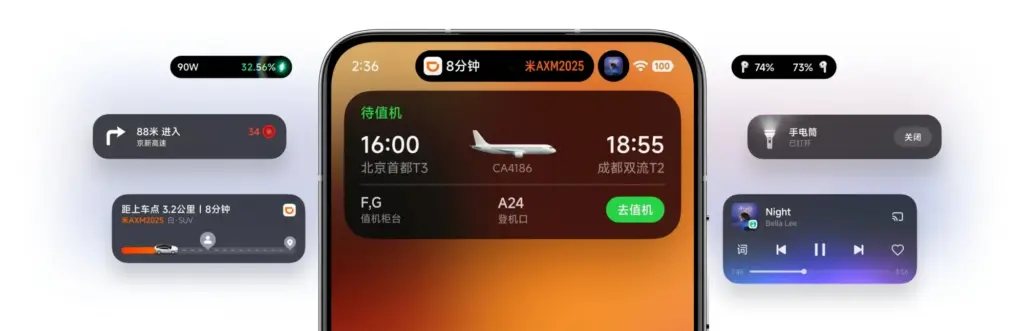
Live Update Support
Real-time updates from apps like Uber and Spotify
Super Island
Todo Notes & QR Access
View tasks, QR codes, and maps directly on Island
Lock Screen
Card Swipe Support
Swipe payment and transit cards on lock screen
Media
Music Progress Bar
iOS-style glowing progress bar on media player
Ecosystem
Xiaomi + iPhone Call Support
Answer Xiaomi calls directly on an iPhone
System Core
Biometric Redesign
Improved fingerprint and unlock settings
System Core
Quick Gestures
Faster gesture shortcuts on select premium phones
Security
New Password App
Stores passwords, Wi-Fi logins, and passkeys
Security
Password Breach Alerts
Warns if your passwords are compromised
Privacy
Shake Permission Update
Limits app access to camera, mic, or location
Privacy
Hidden Pattern Trail
Lets users hide unlock pattern traces
Performance
Faster & Smoother System
Improved speed and stability
Battery
AI Battery Optimization
Smarter power saving using AI
Android Core
Android 16 Security Patches
Latest system-level security improvements
iOS integration
You may have overlooked many Apple-only features if you have Apple AirPods and a Xiaomi phone. The AirPods’ battery level was visible before the introduction of Xiaomi HyperOS 3.1. Similar to Apple AirPods, Xiaomi phones have developed as a local brother that will never be alone.
Important improvements like Apple-like native Pop Up support are included in the latest version of HyperOS 3.1. A brief card with details about the battery and connectivity now appears on your screen when you open the AirPod
Spatial Auido, one of Apple’s most exclusive features, is now accessible. Users of Xiaoimi can now enjoy native 360-degree immersive audio. Additionally, the HyperOS club allows you to control the connection time, ANC, and Transparency mode.
Additionally, instead of displaying the standard Bluetooth icon, it only displays the appropriate AirPods model icon. Notably, Xiaomi’s “Find My” Integration allows you to locate your misplaced AirPods using Xiaomi Online Search without even requirin
New UI animations
Xiaomi rewrites Gallery and Weather and changes its animations. To enhance system performance, all outdated code has been eliminated. The new APK files will crash when installed on older HyperOS 3 devices as a result of this modification.
Additionally, the company imitated the latest iOS 26 app animation. Switching between programs feels more contemporary because to the new style, which resembles the iOS cards.
Improvements have been made to the white bar at the bottom of the screen that indicates when you are in full-screen mode. It now responds better to touch and moves more fluidly.
HyperOS 3.1 now has a new Motion Sickness function from Xiaomi. Motion sickness-causing visual motion cues are lessened by this featur
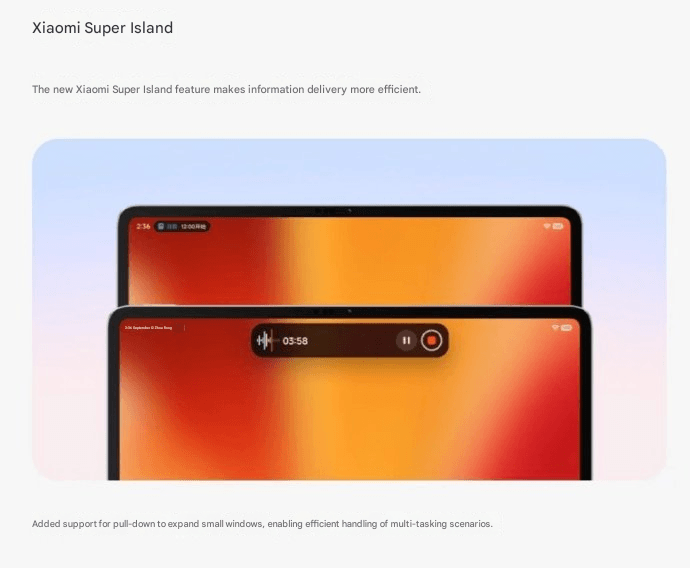
Improved Super Island
Although Super Island now uses the native Android 16 “Live update” API, it was completely inspired by iOS Dynamic Island. Thus, Xiaomi-specific code will no longer be required for international apps such as Uber, Spotify, or other food delivery services to display real-time information on Super Island
Following this upgrade, Xiaomi added a Todo Notes feature. You no longer need to open the app landing page in order to view a variety of notifications, QR codes, and map instructions in Island. Additionally, a function known as Lock Screen Card Swipe is added. This makes it simple to swipe through your cards, including transit and payment cards, directly on the lock screen. You won’t have to visit a different wallet website.
The new Music Progress Bar, which was completely lifted from iOS, is one of my favorites. The media player on the island now has a glowing progress bar thanks to a straightforward yet lovely modification.
System Core enhancements
The “Assistance” Menu functionality was implemented in HyperOS 3.1 (Accessibility Settings Change). This indicates that Xiaomi renamed and relocated the accessibility options to a new main menu called “Assistance.” Those who require simpler phone controls or who have vision or hearing issues can benefit from these options.
Features, for instance, relocated there. Active Visual Perception improves the clarity of what users see or comprehend on the screen. Screen readers, text size control, and tools for hearing and vision assistance.
Additionally, the new biometric area offers a more contemplative experience. Additionally, Xiaomi included Quick Gestures control, which is only available on more recent high-end models like the Poco F8 Ultra and Redmi K90 Pro Max.
As I have stated, deep ecosystems are greatly impacted by Apple AirPod integration. Additionally, the most crucial brick is iPhone Cross-Compatibility (Xiaomi + iPhone). You can now answer and receive calls from your Xiaomi phone directly on your iPhone if you have both an iPhone and a Xiaomi phone. To put it simply:
When your Xiaomi phone calls, you may answer it on your iPhone. Thus, you don’t always need to touch your Xiaomi phone. Since Apple and Xiaomi often don’t collaborate closely, this function is unique in that it links two competing ecosystems.
Many security improvements
The Passwprd App, similar to iOS, is now one of the key features of HyperOS 3.1. Similar to Apple, this new tool helps you manage your Wi-Fi passwords, passkeys, and app logins.
It can detect and alert you if your passwords have been stolen. Additionally, it allows you to manage all of your passwords in one location by combining them from several online browsers. Additionally, it offers a simple method for your passwords to be automatically filled in throughout the system.
The way you can use patterns and fingerprints has changed in the latest release. The pattern trace can now be concealed once more. Additionally, it is now simpler to select your security options because the fingerprint unlock is independent of the private password settings.
Shake Permission Update is a new function that allows you to modify your privacy. This enables you to restrict access to your location and camera, for example, only when your screen is on. Additionally, you have the option to restrict these permissions to eight seconds following the opening of an application. By doing this, you can stop apps from following you when you’re not
Overall, HyperOS 3.1’s improvements prioritize polish over a significant redesign, enhancing ecosystem connectivity, privacy, battery efficiency, and smoothness. This beta seems more polished, reliable, and prepared for the future than earlier HyperOS iterations thanks to Apple-inspired features and Android 16 security improvements.
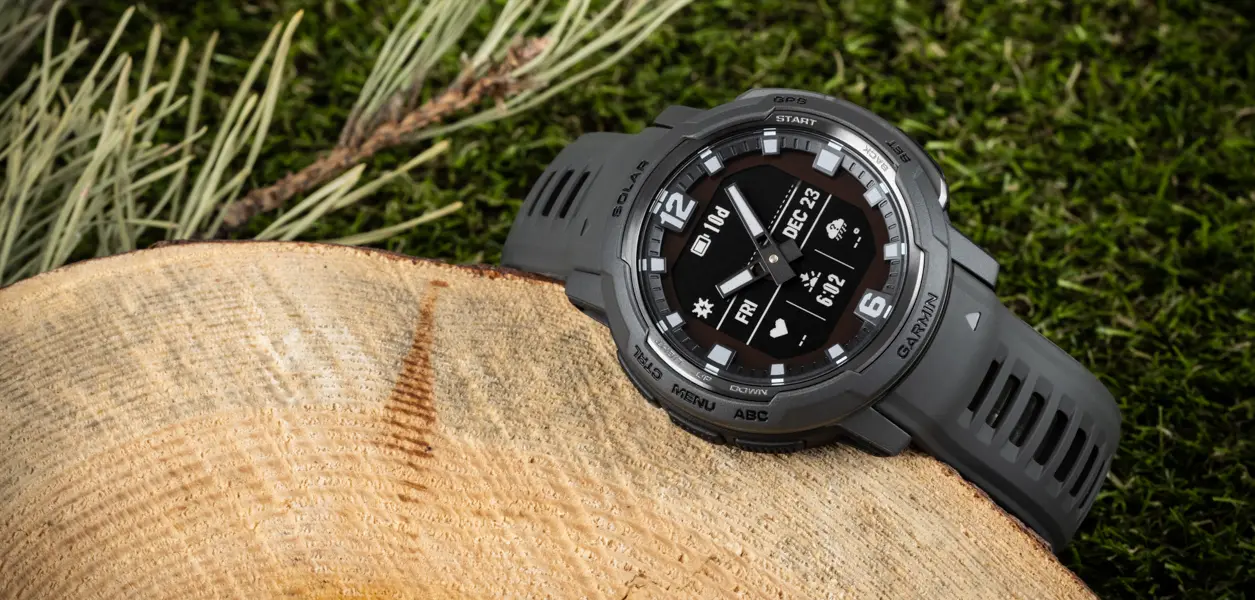
One of the best things about owning a Garmin smartwatch is its battery life. One of the main drawbacks of owning a smartwatch is alleviated by Garmin, which produces long-range timepieces where companies like Samsung and Google fall short.
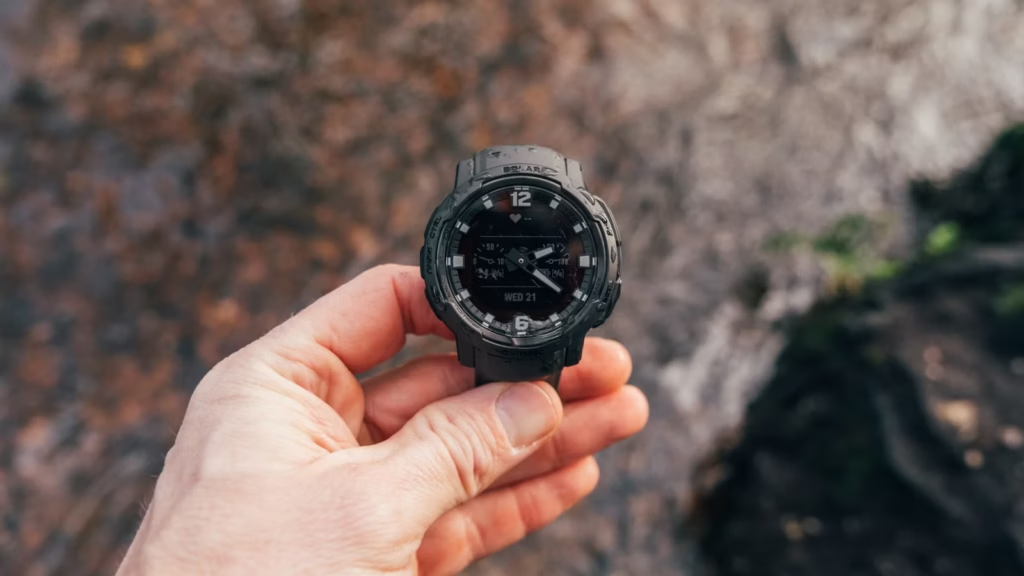
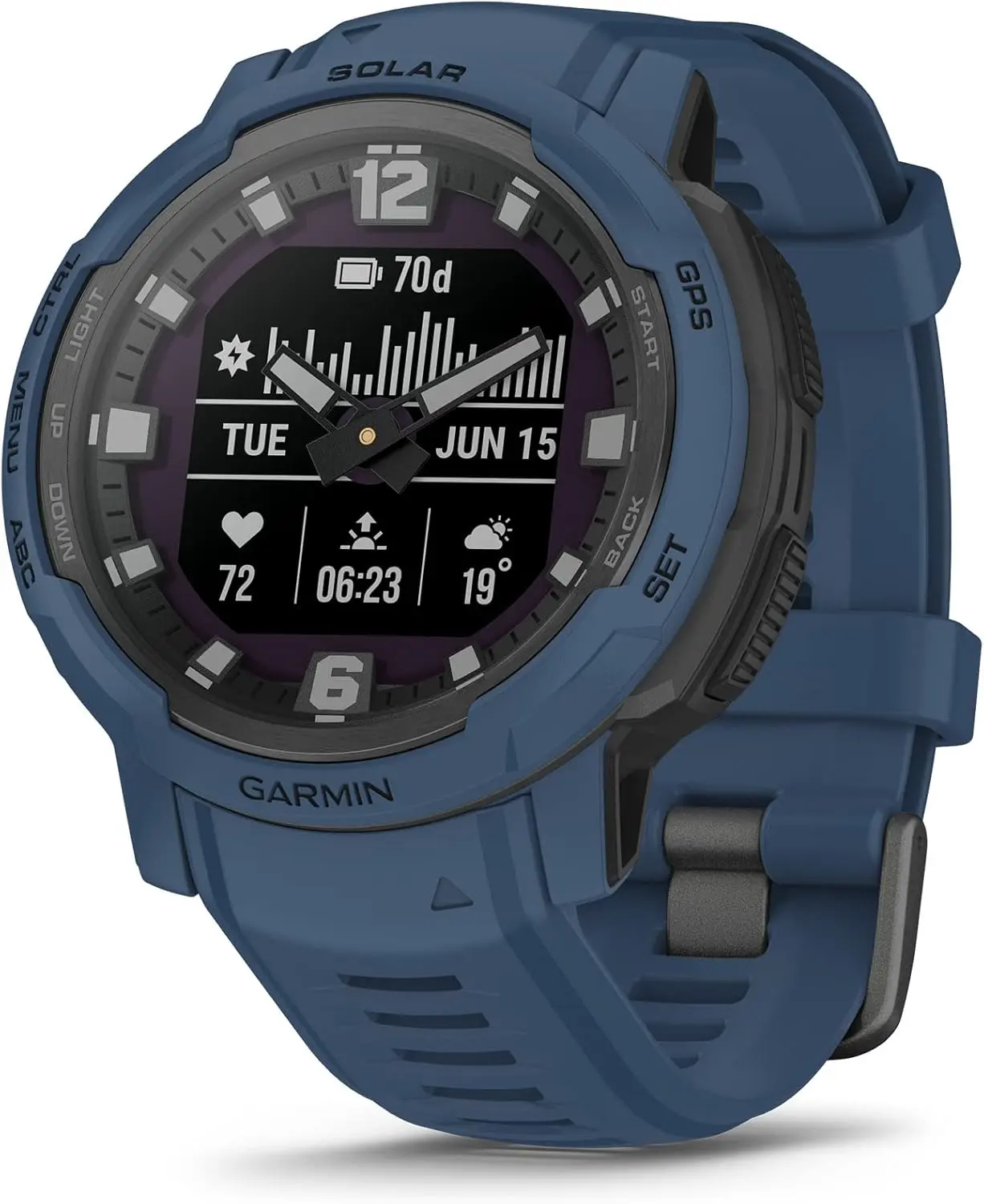
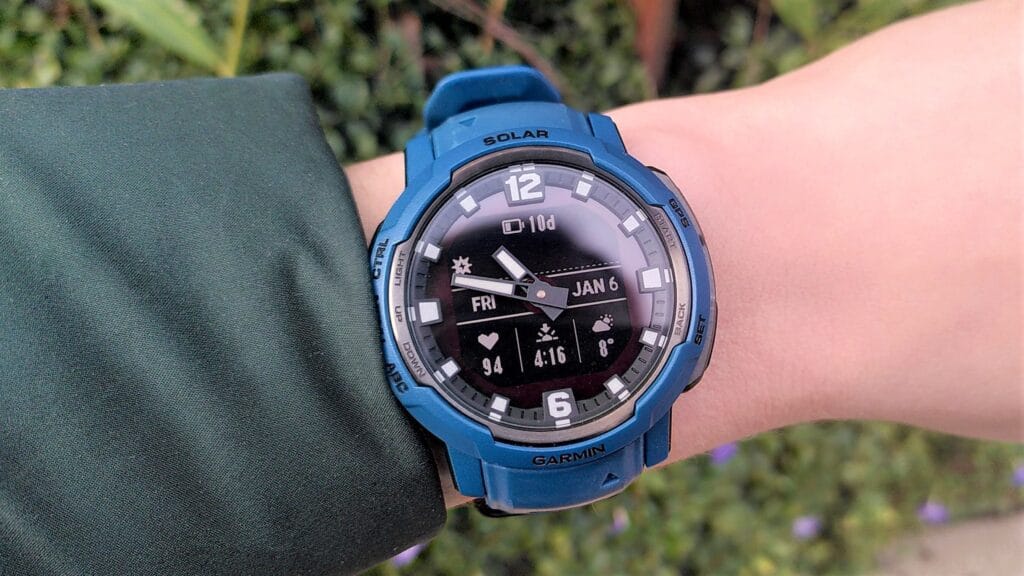
The Instinct Crossover Solar may be worth considering if you’ve been considering trying something from Garmin. Despite its seemingly simple appearance, the watch is everything but. It combines digital and analog to create a unique appearance. Additionally, as previously said, it has an amazing battery life.
No more charging
Garmin Instinct Crossover Solar
Luminescent analog watch hands in a bold, rugged watch body with dual-layered bezel
You can keep the watch operating indefinitely by just charging it with solar power if you’re prepared to put it in power-saving mode. It can last up to 71 days in smartwatch mode and 31 hours in GPS mode.
This is an excellent watch to use if battery life is important because it generally outperforms everything from the competition.
Garmin Instinct Crossover Solar highlights: what’s great and worth knowing
The Instinct Crossover Solar can monitor your fitness and health stats, just like other Garmin smartwatches. Sports apps and daily exercise recommendations are integrated. It will provide information on your stress levels and sleep quality in addition to the standard tracking features.
Additionally, you can receive notifications directly on your wrist because it’s a smartwatch. Additionally, you may use Garmin Pay to check out at compatible terminals in case you forget your wallet at home. Additionally, you may use the watch’s physical buttons to traverse menus and screens even if it lacks a touchscreen.
The fact that this watch is now on sale for a substantial discount is what really sets it apart. For a brief period, you can purchase this item for just $250 instead of the typical retail price of $450. Tidal Blue and Graphite are the two available colors. Before you miss it, get it while it’s on sale.
Garmin Instinct Crossover Solar
Luminescent analog watch hands in a bold, rugged watch body with dual-layered bezel
Two groups of researchers have found two new, distinct types of malware that function similarly and are embedded in a variety of programs that are accessible through different channels. Worst of all, the standard advice to “don’t install apps from strange sites” is less helpful because some of them are even available on the Google Play Store.
Although these two pieces of malware appear to be distinct, they function similarly. They exploit the functions of your phone to click on advertisements nonstop, slowing it down and significantly depleting its battery.
Virtual screens, real ads
Researchers at the mobile security company Dr.Web found the latest recent spyware, which has not yet been named. Bleeping Computer revealed the discovery. This malware makes use of the TensorFlow.js framework that Google distributed with Android phones to enable machine learning operations in browsers.
And it works: when the malware is activated, it creates a virtual (false) screen where it shows and clicks on advertisements. Compared to more traditional ad-clickers, the clicks appear far more natural due to the usage of a machine learning technique. However, it has an equally detrimental effect on your device as earlier malware, with notable effects on battery life and processing speed.
Even worse, the app allows attackers to interact with the fake display as needed by opening a permanent livestream on your device.
Interestingly, Xiaomi’s GetApps software catalog is where the apps originates. Dr.Web claims that the malware is introduced after the apps are uploaded, avoiding all possible security measures.
inevitably, third-party app websites like Apkmody and Moddroid have also been severely compromised by the malware. Researchers assert that both the latter’s Editor’s Choice list and “premium” versions of apps like Spotify that may be accessible on Telegram channels are rife with compromised apps.
According to reports, the Honor Magic V6 foldable has earned a 3C certification and disclosed a few key features. The most recent listing clarifies if the forthcoming flagship smartphone will actually have the biggest battery to date or whether this is simply a rumor.
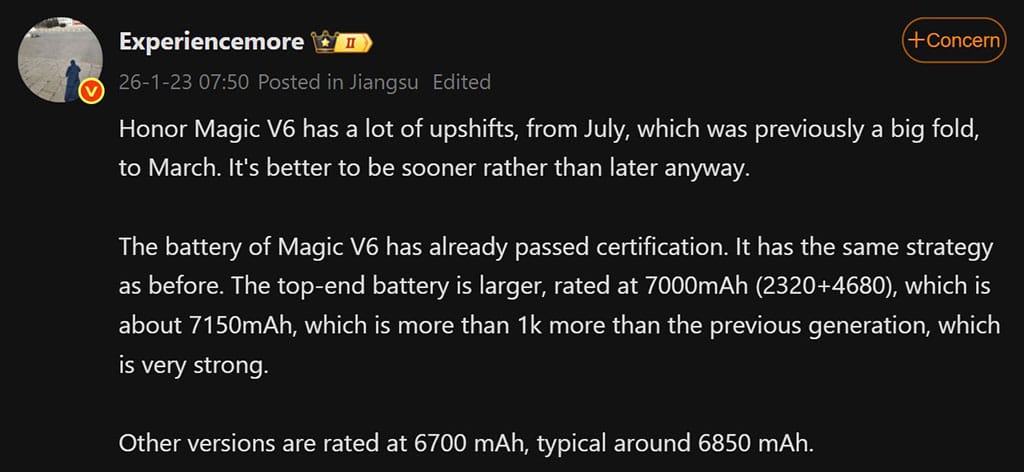
ExperienceThe Honor Magic V6 has many upshifts (new changes) this time, according to more Weibo tipsters. from a large folding mechanism to a number of recognizable features.
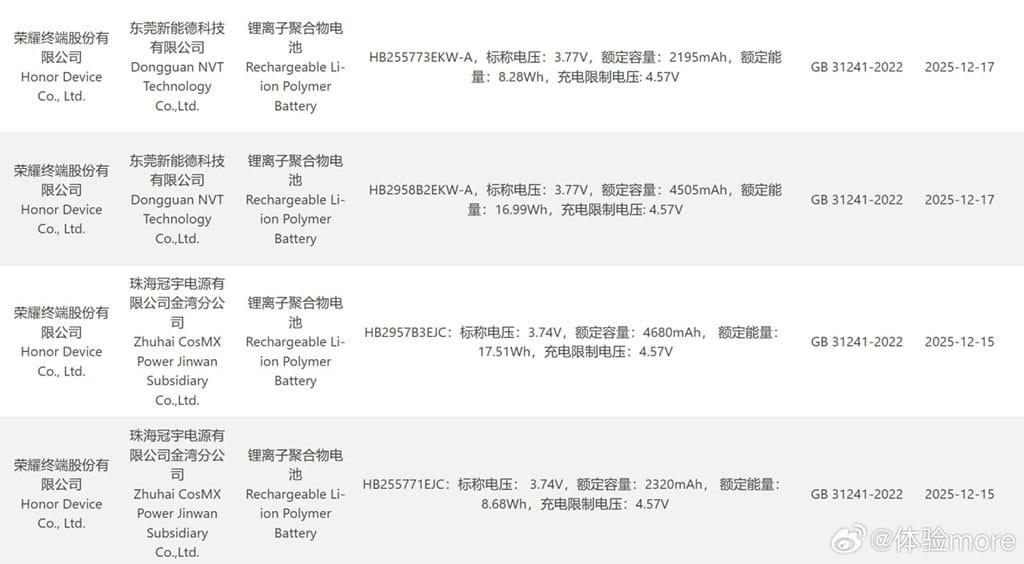
The informant added that the Honor Magic V6 passed the 3C certification. He posted two pictures that showed the device’s battery specifications.
Honor Magic V6 passed the 3C certification
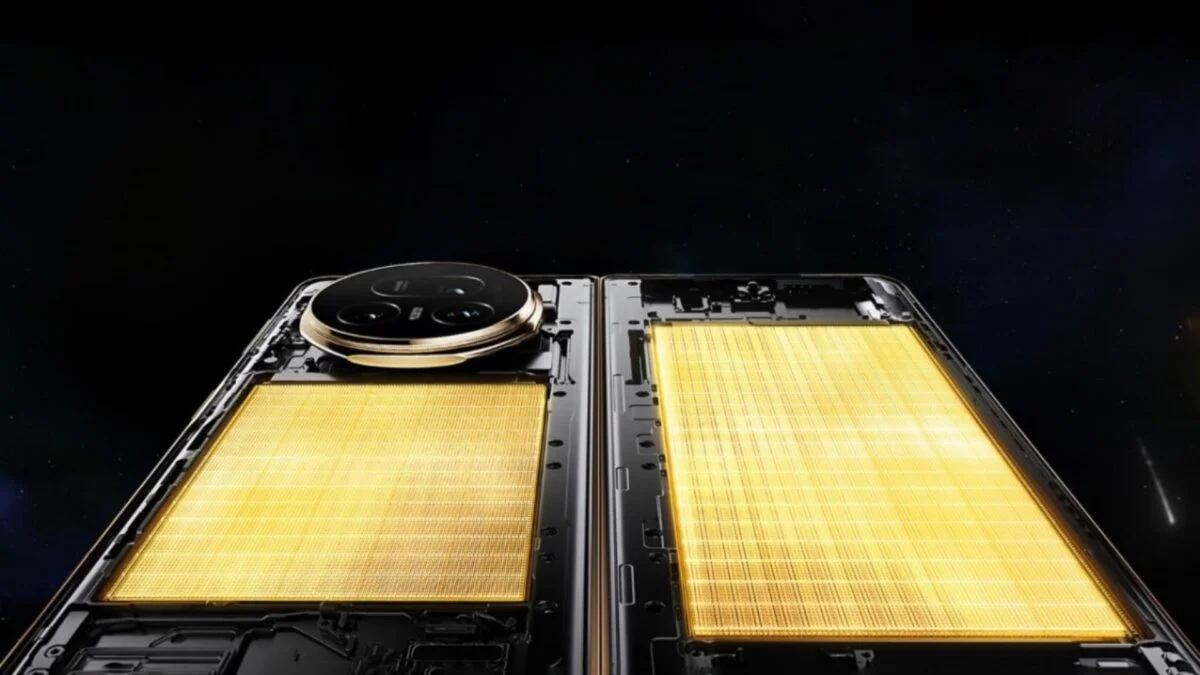
Honor intends to seed a premium battery pack in the highest storage variant based on the 3C data. It has two batteries—2320mAh and 4680mAh—and a rating of about 7000mAh, with an average value of 7150mAh.
This deal appears to be fairly strong and is almost $1,000 more than the Magic V5 model from the previous generation. Other storage models will probably include a 6700mAh battery pack, with a typical value of 6850mAh, according to the tipster.
The Magic V6, which has the biggest battery capacity to date, is expected to launch as a formidable competitor in the foldable market, according to early leaks. This is further supported by the current listing. For this gadget, Honor might also employ innovative battery technology.
And here’s some positive news! Honor has revealed that the ROBOT PHONE and the Magic V6 foldable will make their worldwide debut at the MWC 2026 event.
Along with the gadgets’ primary features and important specifications, the business will provide an official look at them. It will also reveal information about its next AI-powered innovations and other plans to promote sustainable growth.
The latest version of Xiaomi’s HyperOS is almost here, and it looks like there will be a lot of changes. Xiaomi HyperOS 3.1 appears to be attempting to improve the appearance of their software by drawing inspiration from well-known skins. There is a significant hitch, though, that could let some users with outdated specs down. According to the most recent reports, this upgrade will only come on Android 16 devices because it is closely related to the underlying OS design.
What are the new features that are coming to HyperOS 3.1?
We have also been monitoring the development of Xiaomi’s latest software update, and version 3.1 has a long list of features. The “Stacked Layout Style” in more modern apps is likely to be the first thing you notice. You will therefore recognize this design if you have used an iPhone within the last year or so. A horizontal scroll where the apps stack seamlessly one after the other has replaced the conventional two-column grid. It’s noteworthy to note that individuals who are prepared to take the risk can already download this launcher upgrade.
Improved “Super Island”
Additionally, Xiaomi is creating a Super Island settings page that lets users select which apps are linked to the animation effect and improving the HyperIsland feature. Not only is functionality being enhanced, but visual effects are as well. The media playing progress indicator on the island is now interactive thanks to new light effects. Additionally, the Super Island logic has been improved for smoother transitions. This was a problem that many users had previously brought up because animations were stuttering.
More customizations
In terms of versatility, HyperOS 3.1 is a great choice for home screen organizers. Drag-and-drop folder size changes are now properly regarded. To enable users to conceal numerous apps in a tiny area without sacrificing accessibility, new folder sizes including 2×1 and 1×2 have been included, along with page turning. A complete photo editing suite is added to the Lock Screen to facilitate the placement of widgets and the incorporation of depth effects.
System-wide improvements
There are other “under the hood” adjustments in addition to the aesthetic modifications that are intended to make the phone appear smarter.
Multi-Volume Adjustment: Managing media, ringer, or alarm volume all at once gets a new design.
Bluetooth Memory: The system will now remember the connection status of Bluetooth devices more accurately.
HyperAI Suggestions: The active suggestions in the app drawer and negative screen are getting the optimization boost. (China only)
Roadmap
The HyperOS 3 Beta Phase 2 recruitment will take place in two waves from January 22 to January 30, according to the official Xiaomi announcement. In its job ad, the business makes it clear that these are engineering builds that are not stable and should not be used as everyday drivers. The first round of updates, which concentrated on the newest flagship devices, started on January 22.
The following gadgets will be compatible with the first wave of upgrades for China:
While the testing process is underway, Xiaomi claims that beta testers are unable to upgrade to the stable build right away. Users in the first batch will begin receiving OTAs on January 22; users in the second batch will receive the update ten days after the distribution process begins.
When the update is expected?
According to our sources, Xiaomi HyperOS 3.1 is anticipated to become available in China in February. However, it is limited to Android 16-capable smartphones. This implies that the Xiaomi 17 series and other flagship devices, like the Xiaomi 15T Pro, will receive the updates first. The aforementioned upgrades might not be accessible to you if you are currently using a device that won’t be receiving the Android 16 update. Xiaomi typically transfers some of the functions to the outdated operating system, though.
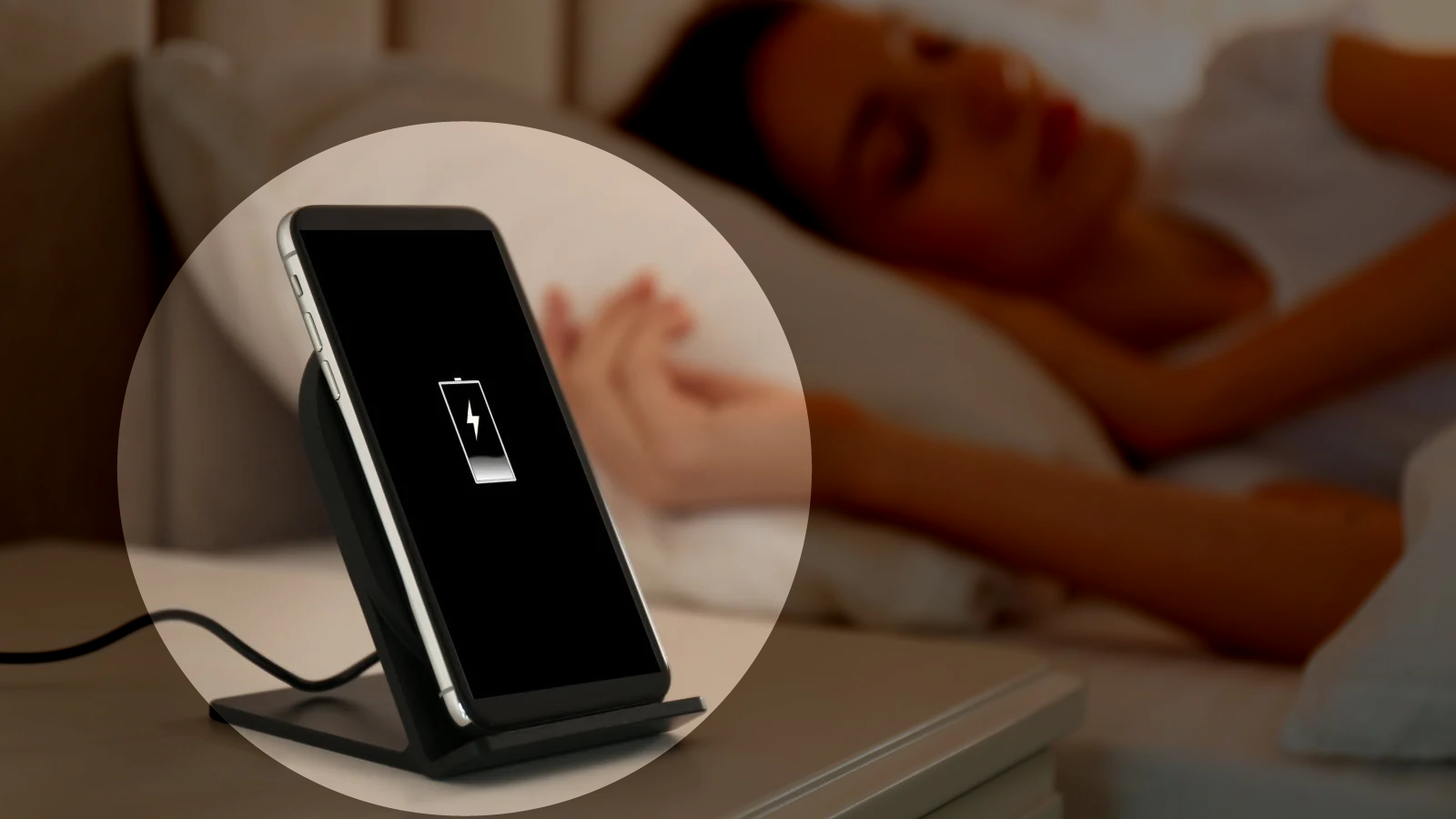
You’ve probably heard it a hundred times: “Don’t charge your phone overnight—it’ll ruin the battery.” Or maybe the opposite: “It’s fine, modern phones know what they’re doing.” Both sides sound convincing, but which is true? Overnight charging doesn’t destroy your battery overnight (pun intended), but there are real effects worth knowing about.
This guide cuts through the noise. We’ll look at what actually happens during overnight charging, why the myths persist, and what small changes can protect your battery without making life inconvenient. No scare tactics. Just facts and practical steps.
The science behind overnight charging (simpler than it sounds)
Modern smartphone batteries are lithium-ion cells with built-in smarts. When you plug in, the phone doesn’t just blindly pump electricity until something explodes. It has charging circuits that monitor voltage, current, and temperature, stopping the charge at 100% and switching to “trickle” mode to maintain it.
Here’s where confusion creeps in. Once your phone hits 100%, it doesn’t “overcharge” in the classic sense. But it does sit at full capacity for hours – sometimes 6-8 hours if you charge from bedtime to wake-up. That full state puts mild stress on the battery chemistry, especially if the phone gets warm.
On one hand, a single night of overnight charging won’t noticeably hurt. On the other hand, doing it every single night for two years adds up. Battery capacity naturally degrades over time anyway (to about 80% after 500 full cycles), but certain habits can speed that up or slow it down.
Why overnight charging gets such a bad rap
The fear comes from older battery tech and nickel-cadmium cells that really could overcharge and bulge. Those died out 20 years ago. Today’s lithium-ion batteries have protection circuits, and manufacturers test for worst-case scenarios.
But here’s the nuance: while overnight charging won’t brick your phone tomorrow, keeping lithium-ion batteries at 100% for extended periods accelerates chemical aging. It’s not dramatic day-to-day, but over months, it contributes to capacity loss. Heat makes it worse – think charging under a pillow or in a thick case.
Most phones now include features to counter this. Samsung’s “Protect battery” limits to 85%. Google Pixel has adaptive charging that learns your routine and finishes at wake-up time. These exist because overnight charging is common, but manufacturers know the trade-offs.
What really happens during an overnight charge
Let’s break down a typical 8-hour overnight charge:
Fast charge phase (0-80%): Phone pulls maximum safe current. This generates some heat.
Top-off phase (80-100%): Slower charging to avoid stress.
Full (100%+): Trickle mode kicks in. Phone sips tiny amounts of power to counter self-discharge. Battery sits at full voltage.
That trickle phase is where most “overnight charging damage” debates live. It doesn’t overcharge, but full voltage stresses the battery’s cathode material over time. Studies show batteries degrade faster when held at 100% vs cycling 20-80%.
Real-world tests confirm: phones charged overnight for a year lose slightly more capacity than those using charge limits. But the difference is often 2-5% over 12-18 months—not make-or-break unless you keep phones forever.
Common mistakes with overnight charging
People get overnight charging half-right, then undermine it:
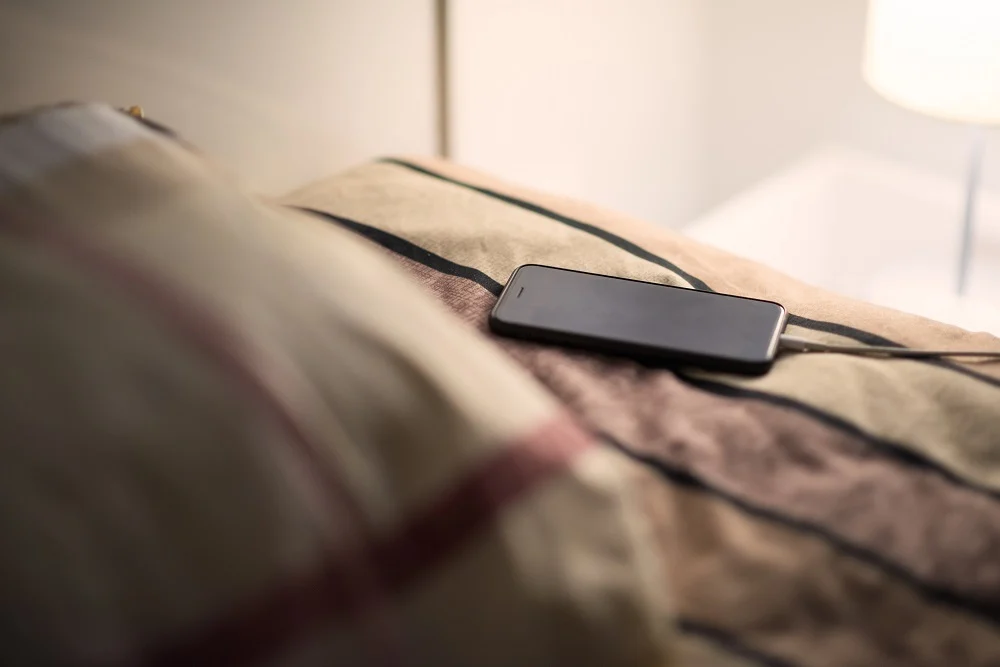
Charging in hot environments: Under pillows, blankets, or summer cars. Heat accelerates everything bad about full-charge states. Solution? Charge on a nightstand, case off if warm.
Ignoring phone smarts: Many skip “adaptive charging” because they don’t trust it. Most phones learn your schedule after 3-5 nights and time the final 20% perfectly.
Thick cases during charging: They trap heat. Remove for overnight sessions, especially fast chargers.
Old cables/chargers: Cheap or damaged ones deliver unstable power, stressing circuits. Use originals or high-quality replacements.
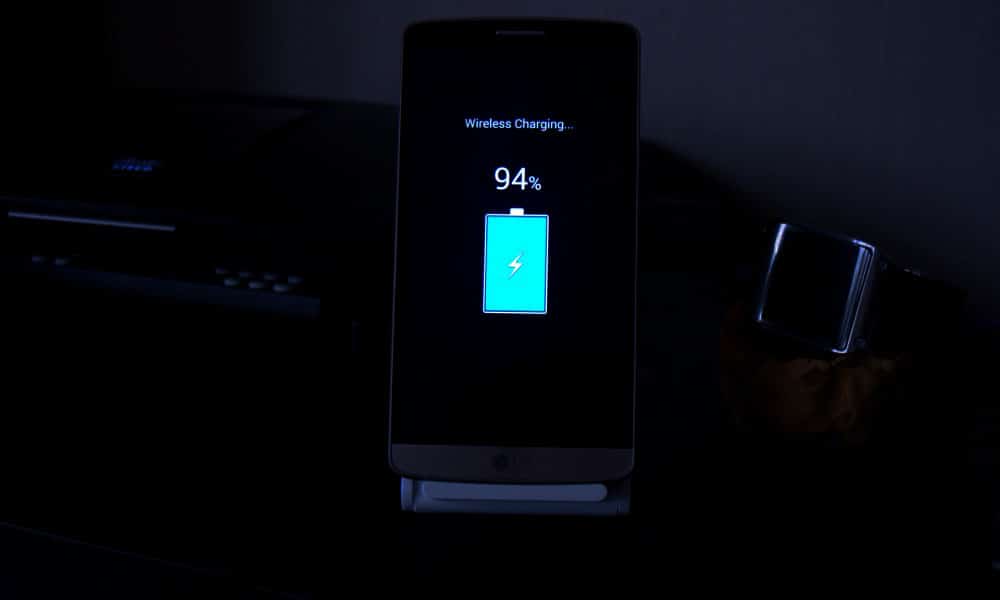
Wireless pads overnight: They run warmer than wired. Fine occasionally, but wired wins for regular overnight charging.
What most people miss: overnight charging isn’t “bad” in isolation. Context matters—phone model, case, room temp, charger quality.
Battery health checklist for overnight charging
Quick habits that make a difference:
Enable adaptive/optimized charging if available
Remove case during charging if phone feels warm
Charge on a hard surface (nightstand > pillow)
Use original or certified chargers/cables
Check battery health yearly (most phones show this in settings)
The 80-85% charging rule: worth it or overkill?
You’ve seen the advice: “Charge only to 80% for longevity.” It’s rooted in truth—batteries age slower in mid-range states—but it’s not universal.
When it helps most:
You keep phones 2+ years
Your phone has a built-in charge limit
Overnight charging is your main routine
When full charges make sense:
Travel days
Long meetings
Emergencies
Many flagships now automate this. OnePlus OxygenOS pauses at 80% until 30 minutes before your usual unplug time.
For average users: enable limits if available, charge to 100% when needed. The difference won’t make your phone immortal either way.
Heat: the real overnight charging villain
Temperature matters more than charge percentage. Lithium-ion batteries degrade 2-3x faster above 30°C (86°F). Overnight charging often coincides with warm rooms or insulating cases.
Quick fixes:
Room at 18-24°C (65-75°F) ideal
No blankets/pillows
Thin or no case
Avoid direct sun mornings
Phones throttle charging if too hot, but prevention beats reaction.
Alternatives to traditional overnight charging
Wireless slow charging: Less heat than fast wired, but pads must stay cool.
Power banks: Charge to 80-90% daytime, top off from bank evening. Less full-state stress.
Scheduled charging: Apps or built-in features pause at set times.
USB computer charging: Slower, cooler currents.
None beat wired overnight for convenience, but mixing methods spreads stress.
When overnight charging might actually help battery life
Counterintuitive truth: if your alternative is letting the phone hit 5% daily, overnight charging to 100% reduces deep discharges—which also stress batteries.
Deep cycles (0-100%) age cells faster than shallow ones (20-80%). Someone constantly running to 0% might benefit more from reliable overnight top-offs than perfect 80% habits.
Balance matters.
What phone makers don’t tell you about battery reporting
Most Android phones show “battery health” now, but accuracy varies:
Samsung: Precise cycle count, capacity % Google Pixel: Basic health percentage OnePlus/Xiaomi: Cycle count, sometimes estimated capacity
Check monthly. If capacity dips below 85% after 12-18 months of heavy overnight charging, habits might contribute. Most settle at 88-92% after two years regardless.
Common mistakes section: overnight charging edition
Forgetting phone features exist: Adaptive charging on Pixel/Samsung learns your wake-up. Use it.
Blaming overnight charging for all drain: If battery dies mid-day, screen/apps/signal matter more.
Using junk chargers: Unstable voltage stresses circuits more than time-at-100%.
Ignoring heat signs: Warm phone mornings? Case off, room cooler.
One-size-fits-all thinking: Your 3-year-old phone reacts differently than a new flagship.
With the impending HarmonyOS 6.0 versions, Huawei has revealed additional intriguing AI photography features for its devices. Amazing watermarks, an AI color scheme for photos, touch-to-fireworks effects, and many other enhancements are included in the list.
New AI camera functions for HarmonyOS 6.0 smartphones will soon be available, according to Richard Yu, Executive Director and Chairman of Consumer Business at Huawei.
In a video posted on Weibo, the chief announced that he would want to share some positive news with Huawei users before to his upcoming business trip to Wuhan.
HarmonyOS 6 camera update
According to the information, HarmonyOS 6.0 smartphones will soon get new photo watermarks and unique effects inspired by the forthcoming Spring Festival.
By the end of this month, version 6.0.0.130 for high-end Huawei phones and tablets may make these additions available. To improve the camera’s effectiveness in low light, the business might incorporate an immersive light-sensing system. Additionally, you may give your New Year’s moments a unique label by using the Spring Festival watermark.
However, depending on your preferences, the AI coloring could make the pictures much more vivid and bright. The precise function of this feature is currently unknown, although future HarmonyOS 6 versions may provide more information.
The following devices will get the new HarmonyOS 6.0 AI camera features:
Huawei Pura 80 Series
Huawei Mate 80 Series
Huawei Pura X
Huawei Mate XTs
Huawei Pura 70 Series
Huawei Mate 70 Series
We might soon learn additional details regarding the new update’s features and compatible devices. To receive new updates on time, we advise keeping your phones up to date with the most recent versions.